I've been working with Odoo's JSON-RPC API for a while now, and honestly, it always felt a bit heavy - you ask for one thing and get back a pile of data you have to sort through yourself. So I decided to try something different: setting up GraphQL on Odoo 19.
Odoo doesn't support it out of the box, but with the graphene library and a custom controller, it's actually pretty easy to get running. In this post, I'll walk through how I built a working /graphql endpoint using product.template as an example - covering both queries and mutations.
Before starting, make sure you have these in place. A working Odoo 19 instance where you can create and install custom modules. Install the graphene library into the same Python environment Odoo is running on:
pip install graphene
Have Postman ready for testing the endpoint. That's it. No extra Odoo apps or third-party modules needed.
Create a custom Odoo module. Inside it, your structure should look like this:
my_graphql_module/
+-- __init__.py
+-- __manifest__.py
+-- controllers/
   +-- __init__.py
   +-- graphql_controller.py
Your __manifest__.py should look like this:
{
   'name': 'GraphQL API',
   'version': '1.0',
   'depends': ['product'],
   'installable': True,
   'auto_install': False,
}
The controllers/__init__.py just needs this one line:
from . import graphql_controller
And the root __init__.py:
from . import controllers
All the actual logic goes inside graphql_controller.py - which is what the next sections cover.
graphql_controller.py:
from odoo import http
from odoo.http import request
import graphene
import json

# -----------------------------
# GraphQL Product Type
# -----------------------------
class ProductType(graphene.ObjectType):
   id = graphene.Int()
   name = graphene.String()
   list_price = graphene.Float()

# -----------------------------
# Query Definitions
# -----------------------------
class Query(graphene.ObjectType):
   products = graphene.List(ProductType)
   product = graphene.Field(ProductType, id=graphene.Int(required=True))
   def resolve_products(self, info):
       products = request.env['product.template'].sudo().search([], limit=10)
       return [
           ProductType(
               id=product.id,
               name=product.name,
               list_price=product.list_price
           )
           for product in products
       ]
   def resolve_product(self, info, id):
       product = request.env['product.template'].sudo().browse(id)
       if product.exists():
           return ProductType(
               id=product.id,
               name=product.name,
               list_price=product.list_price
           )
       return None

# -----------------------------
# Mutation Definitions
# -----------------------------
class CreateProduct(graphene.Mutation):
   class Arguments:
       name = graphene.String(required=True)
       price = graphene.Float(required=True)
   product = graphene.Field(ProductType)
   def mutate(self, info, name, price):
       product = request.env['product.template'].sudo().create({
           'name': name,
           'list_price': price,
       })
       return CreateProduct(
           product=ProductType(
               id=product.id,
               name=product.name,
               list_price=product.list_price
           )
       )

class Mutation(graphene.ObjectType):
   create_product = CreateProduct.Field()

# -----------------------------
# GraphQL Schema
# -----------------------------
schema = graphene.Schema(query=Query, mutation=Mutation)

# -----------------------------
# Controller
# -----------------------------
class GraphQLController(http.Controller):
   @http.route('/graphql', auth='public', methods=['GET', 'POST'], csrf=False, website=True)
   def graphql_api(self, **kwargs):
       if request.httprequest.method == 'POST':
           try:
               data = json.loads(request.httprequest.data.decode('utf-8'))
               query = data.get('query')
               result = schema.execute(query)
               response = {
                   'data': result.data if result.data else {},
                   'errors': [str(error) for error in result.errors] if result.errors else []
               }
               return request.make_response(
                   json.dumps(response),
                   headers=[('Content-Type', 'application/json')]
               )
           except Exception as e:
               return request.make_response(
                   json.dumps({'error': str(e)}),
                   headers=[('Content-Type', 'application/json')]
               )
       return "GraphQL endpoint ready"
Defining the Schema
This is where GraphQL starts to make sense. The schema is what defines your data structure, what can be queried, and what can be changed.
The Type
First, define what a product looks like in GraphQL:
class ProductType(graphene.ObjectType):
   id = graphene.Int()
   name = graphene.String()
   list_price = graphene.Float()
This tells GraphQL - a product has an id, a name, and a list_price. Simple.
Queries
class Query(graphene.ObjectType):
   products = graphene.List(ProductType)
   product = graphene.Field(ProductType, id=graphene.Int(required=True))
   def resolve_products(self, info):
       products = request.env['product.template'].sudo().search([], limit=10)
       return [
           ProductType(
               id=product.id,
               name=product.name,
               list_price=product.list_price
           )
           for product in products
       ]
   def resolve_product(self, info, id):
       product = request.env['product.template'].sudo().browse(id)
       if product.exists():
           return ProductType(
               id=product.id,
               name=product.name,
               list_price=product.list_price
           )
       return None
resolve_products returns a list of up to 10 products. resolve_product fetches a single product by ID and returns None if it doesn't exist.
Mutation
class CreateProduct(graphene.Mutation):
   class Arguments:
       name = graphene.String(required=True)
       price = graphene.Float(required=True)
   product = graphene.Field(ProductType)
   def mutate(self, info, name, price):
       product = request.env['product.template'].sudo().create({
           'name': name,
           'list_price': price,
       })
       return CreateProduct(
           product=ProductType(
               id=product.id,
               name=product.name,
               list_price=product.list_price
           )
       )

class Mutation(graphene.ObjectType):
   create_product = CreateProduct.Field()
Schema
schema = graphene.Schema(query=Query, mutation=Mutation)
This ties everything together - queries and mutations under one schema object.
Building the Controller
This is the part that connects GraphQL to Odoo's routing system.
class GraphQLController(http.Controller):
   @http.route('/graphql', auth='public', methods=['GET', 'POST'], csrf=False, website=True)
   def graphql_api(self, **kwargs):
       if request.httprequest.method == 'POST':
           try:
               data = json.loads(request.httprequest.data.decode('utf-8'))
               query = data.get('query')
               result = schema.execute(query)
               response = {
                   'data': result.data if result.data else {},
                   'errors': [str(error) for error in result.errors] if result.errors else []
               }
               return request.make_response(
                   json.dumps(response),
                   headers=[('Content-Type', 'application/json')]
               )
           except Exception as e:
               return request.make_response(
                   json.dumps({'error': str(e)}),
                   headers=[('Content-Type', 'application/json')]
               )
       return "GraphQL endpoint ready"
The route is /graphql, open to POST requests. When a request comes in, it reads the raw JSON body, pulls out the query field, and passes it to schema.execute(). The result is then returned as a JSON response.
auth='public' means no login is required to hit this endpoint. If you want to restrict access, change it to auth='user' and handle session authentication.
The GET response is just a health check – if you open /graphql in a browser you'll see "GraphQL endpoint ready" which confirms the endpoint is live.
Testing with Postman
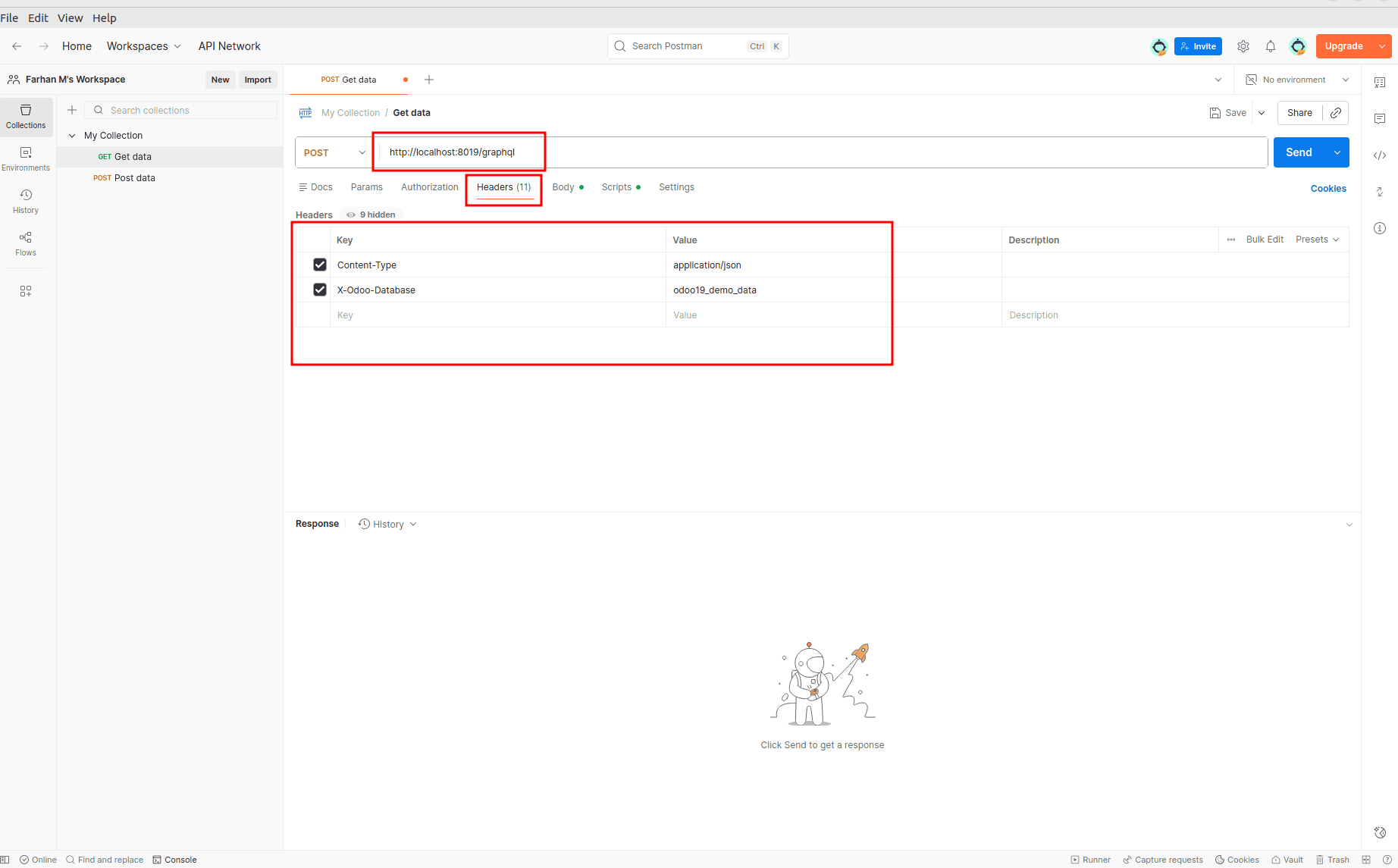
Open Postman and create a new POST request pointing to:
http://localhost:8019/graphql
Set the Content-Type header to application/json.
Set the X-Odoo-Database header to “Your Database Name”.
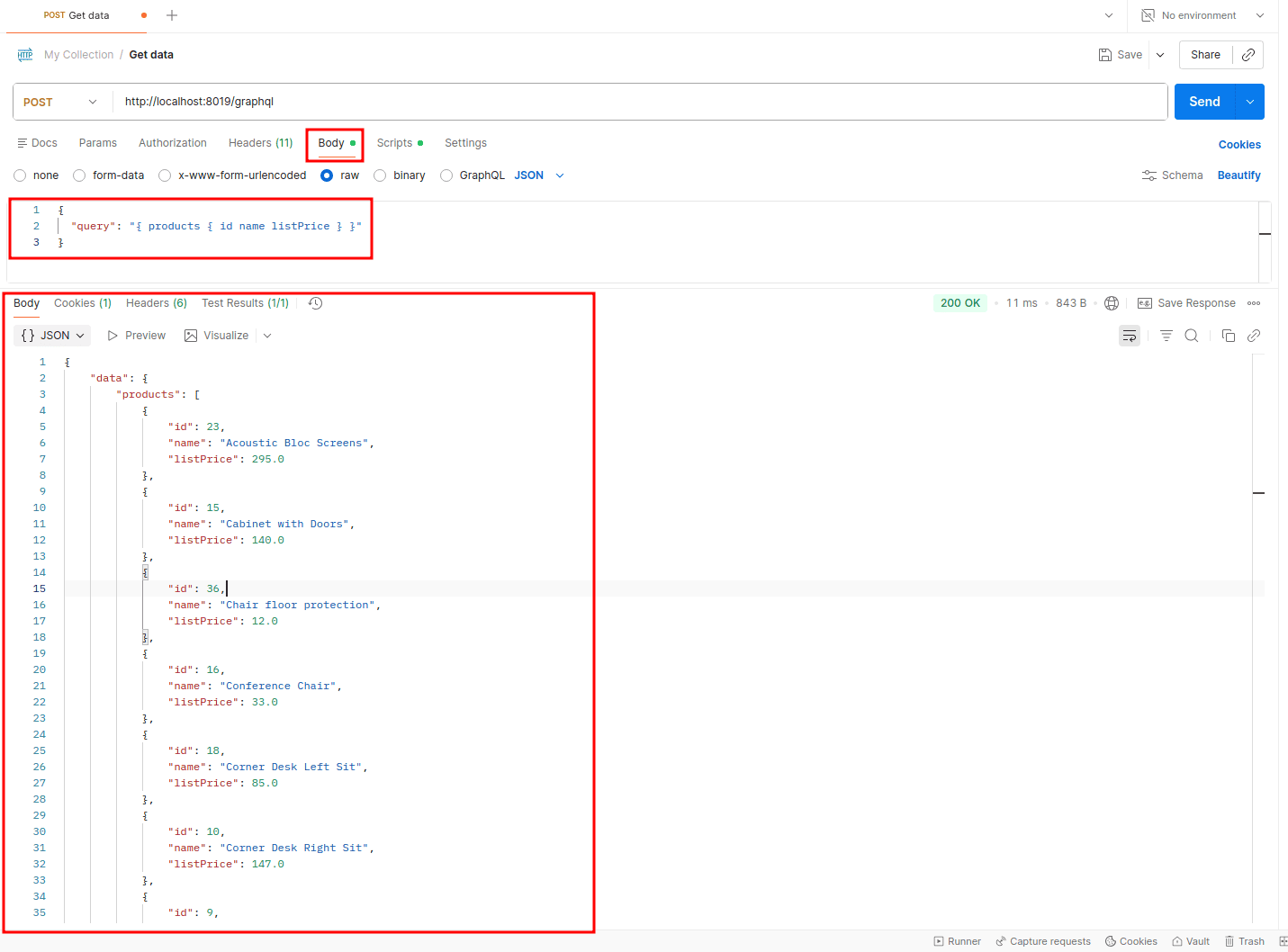
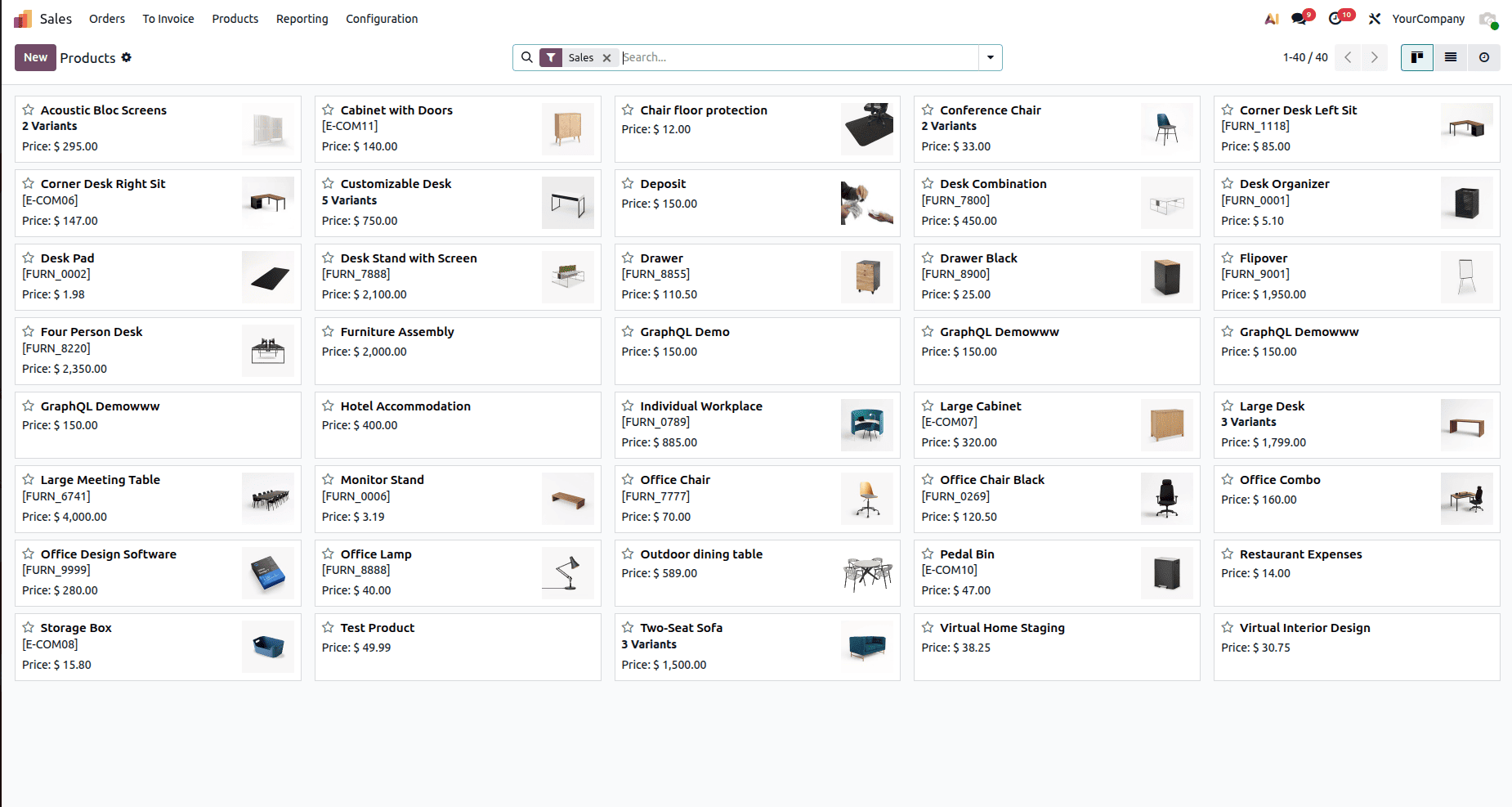
Fetch all products
Query:
{
 "query": "{ products { id name listPrice } }"
}
Response:
{
   "data": {
       "products": [
           {
               "id": 23,
               "name": "Acoustic Bloc Screens",
               "listPrice": 295.0
           },
           {
               "id": 15,
               "name": "Cabinet with Doors",
               "listPrice": 140.0
           },
           {
               "id": 36,
               "name": "Chair floor protection",
               "listPrice": 12.0
           },
           {
               "id": 16,
               "name": "Conference Chair",
               "listPrice": 33.0
           },
           {
               "id": 18,
               "name": "Corner Desk Left Sit",
               "listPrice": 85.0
           },
           {
               "id": 10,
               "name": "Corner Desk Right Sit",
               "listPrice": 147.0
           },
           {
               "id": 9,
               "name": "Customizable Desk",
               "listPrice": 750.0
           },
           {
               "id": 35,
               "name": "Deposit",
               "listPrice": 150.0
           },
           {
               "id": 8,
               "name": "Desk Combination",
               "listPrice": 450.0
           },
           {
               "id": 31,
               "name": "Desk Organizer",
               "listPrice": 5.1
           }
       ]
   },
   "errors": []
}
Screenshot:
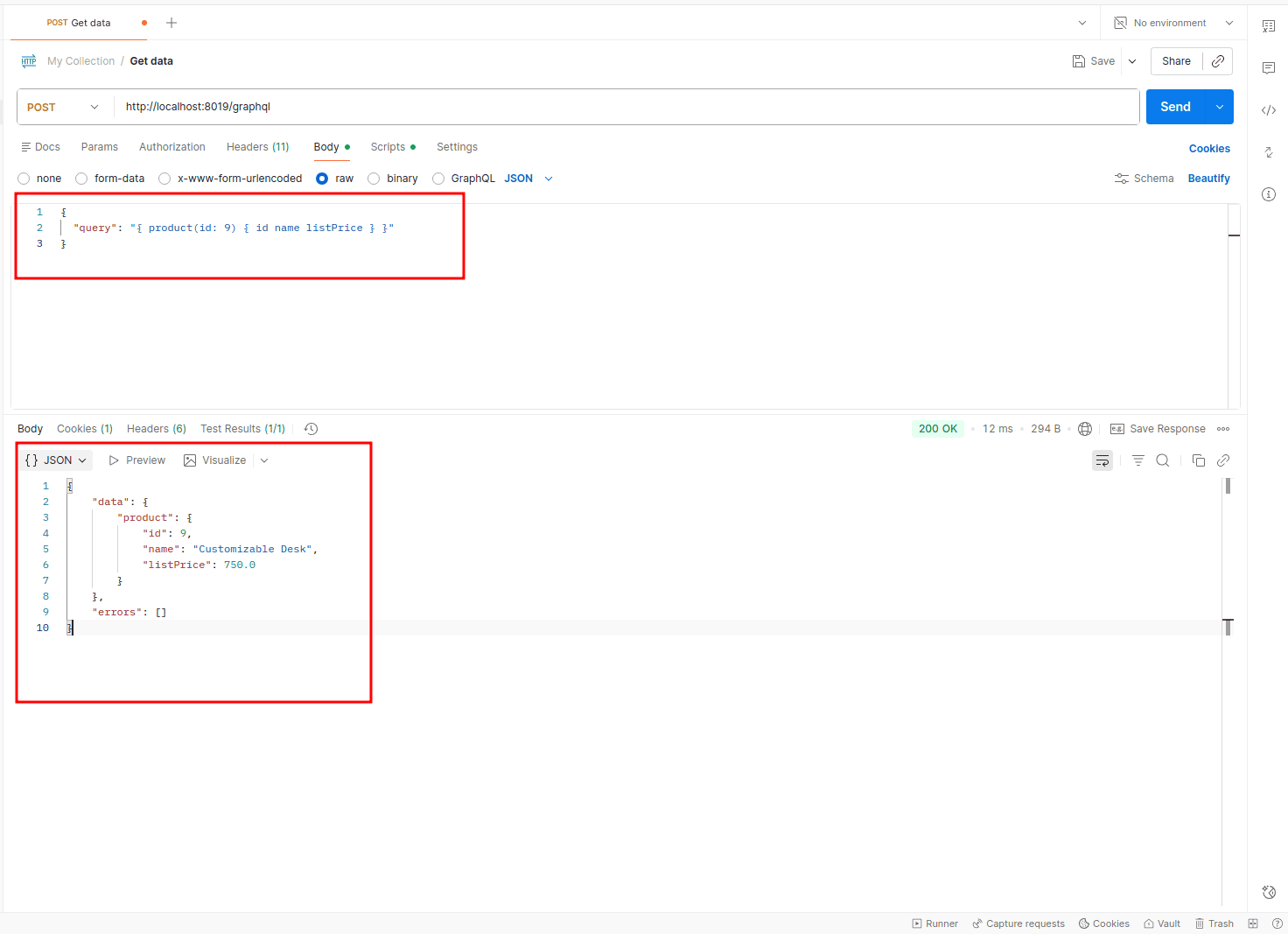
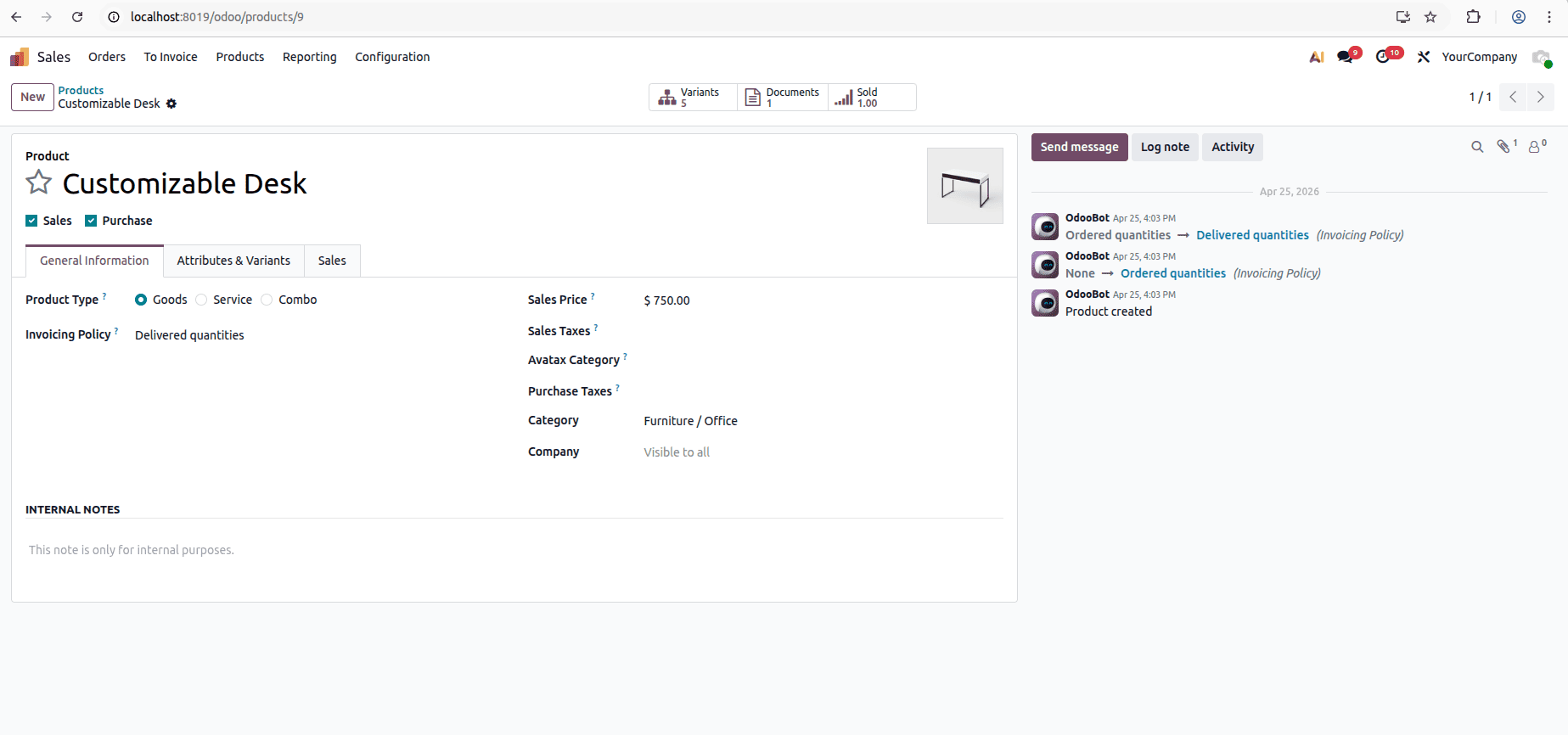
Fetch a single product by ID
Query:
{
 "query": "{ product(id: 9) { id name listPrice } }"
}
Response:
{
   "data": {
       "product": {
           "id": 9,
           "name": "Customizable Desk",
           "listPrice": 750.0
       }
   },
   "errors": []
}
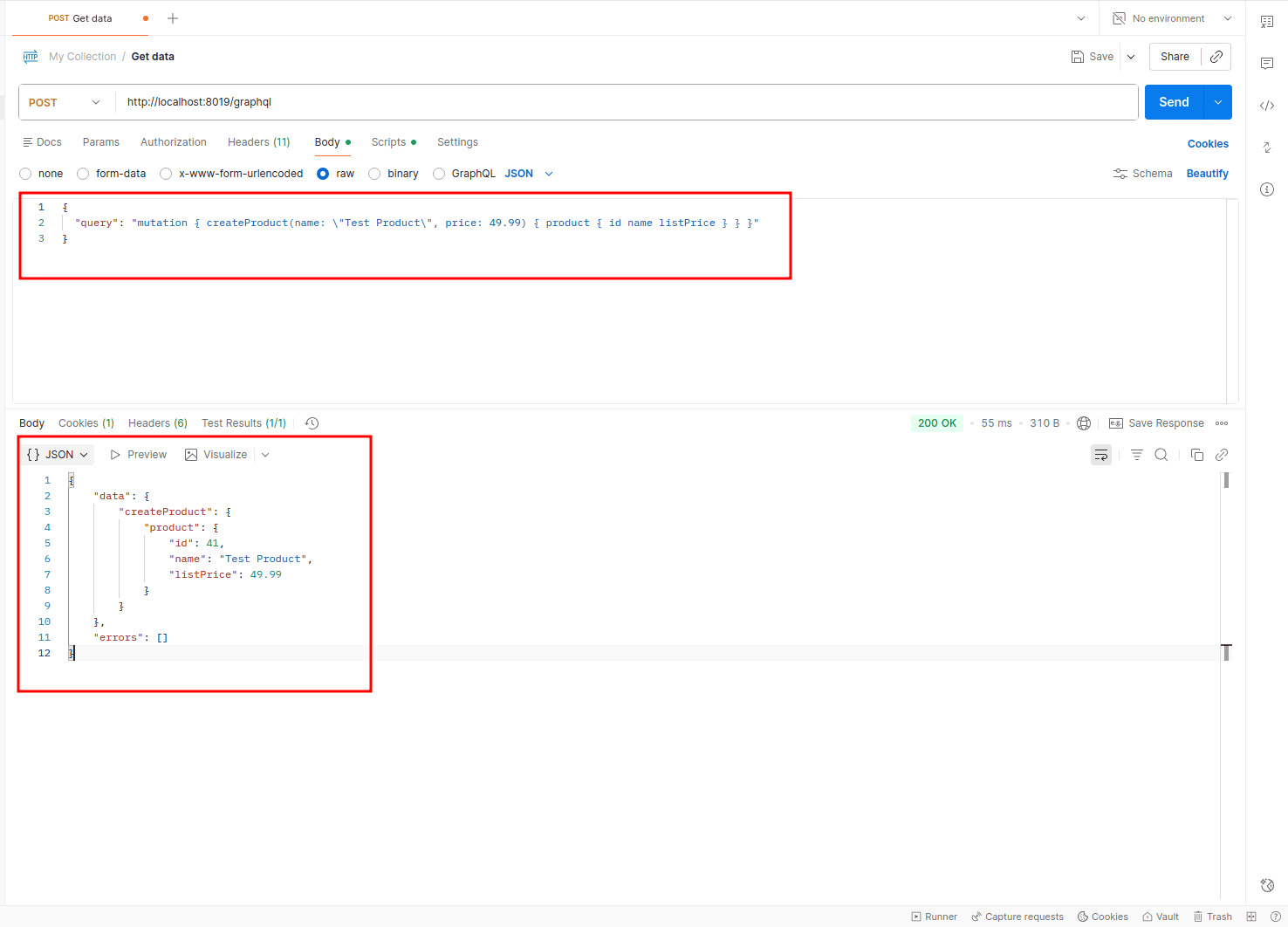
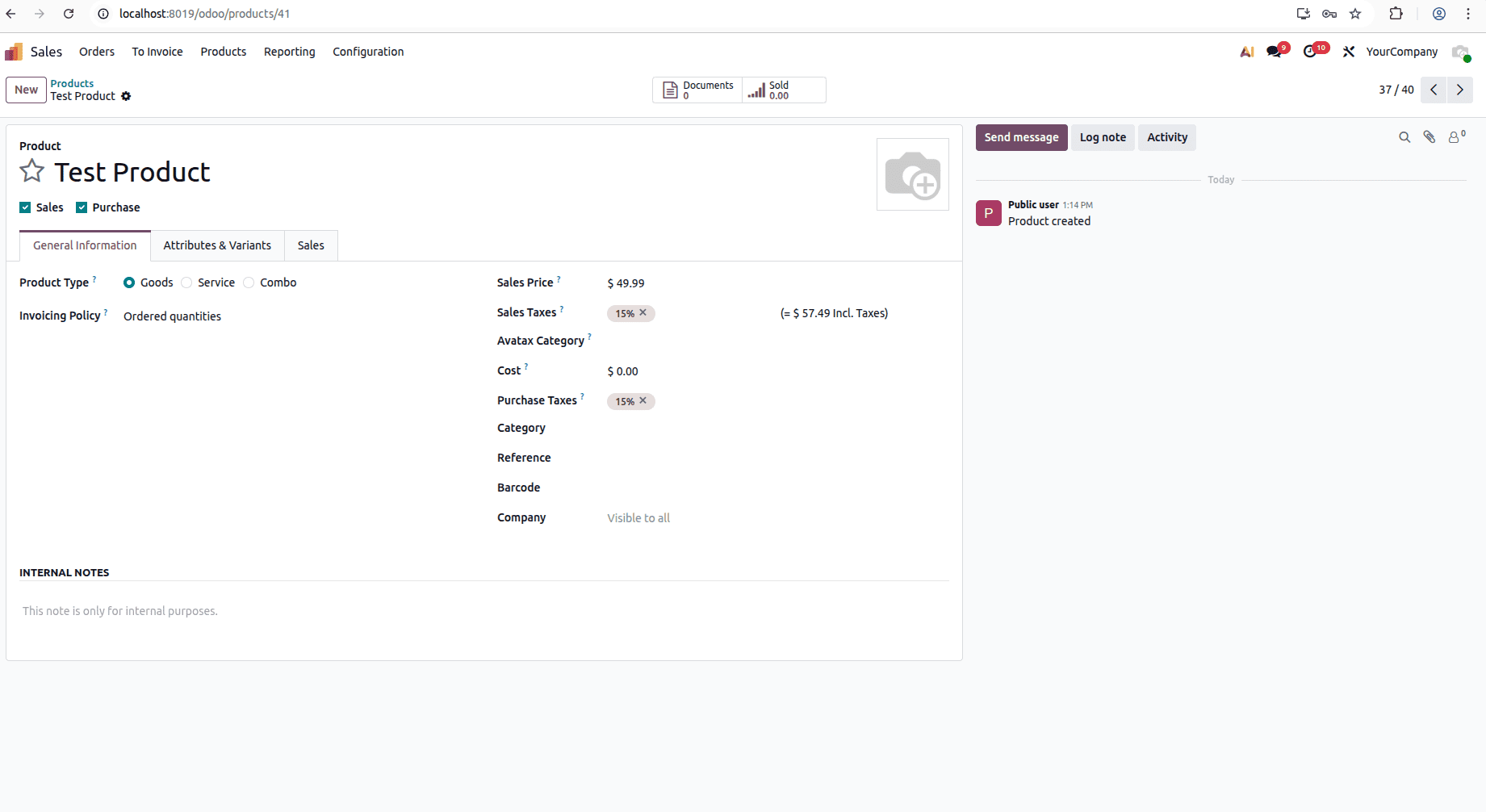
Create a new product
Query:
{
 "query": "mutation { createProduct(name: \"Test Product\", price: 49.99) { product { id name listPrice } } }"
}
Response:
{
   "data": {
       "createProduct": {
           "product": {
               "id": 41,
               "name": "Test Product",
               "listPrice": 49.99
           }
       }
   },
   "errors": []
}
Screenshot:
GraphQL vs Odoo's JSON-RPC
Odoo already has a built-in API called JSON-RPC, and it works well. It's a good choice if you're working within Odoo itself. But when you're building a website, a mobile app, or connecting Odoo with another system, you'll start to notice some differences.
With JSON-RPC, you usually have to make one request to find out what fields are available (fields_get) and another request (search_read) to get the data. It also returns all the fields you ask for, even if you only end up using a few of them. On top of that, the response comes wrapped in Odoo's own JSON-RPC format, so you need to extract the actual data before you can use it.
GraphQL makes working with APIs much easier. You simply ask for the data you need, and that's exactly what you get back. There's no need to fetch extra information or make multiple requests just to get the required data. Since the response is clean and contains only what you asked for, it's easier to work with and helps keep your application fast and simple, especially for web and mobile apps.
Here's a quick comparison:
| Key Differences | JSON-RPC | GraphQL |
| Endpoint | Multiple (/web/dataset/call_kw) | Single (/graphql) |
| Response fields | Fixed by server | Chosen by client |
| Mutations | Separate method calls | Defined in schema |
| Learning curve | Odoo-specific | Standard GraphQL |
Building a GraphQL API in Odoo 19 is quite simple once you know the basic flow. The graphene library is used to define your GraphQL schema, and Odoo's controllers are used to receive and handle GraphQL requests. By connecting these two, you can easily expose your Odoo data through a GraphQL API.
In this blog, we covered how to:
- Create a custom Odoo module for GraphQL
- Define GraphQL types, queries, and mutations using graphene
- Expose a /graphql endpoint
- Test queries and mutations using Postman
This gives you a good starting point for adding GraphQL to your Odoo projects. From here, you can extend the API by adding more models, custom queries, and business logic based on your application's requirements.
To read more about Overview of API Integration in Odoo 19, refer to our blog Overview of API Integration in Odoo 19.