To verify the correctness of financial inputs, Odoo 19 Accounting's Trial Balance report shows all account balances, including debit and credit, at a certain date. In order to keep balanced books, it assists accountants in verifying that the total debits and total credits match. Before creating final financial statements, the report also helps identify inaccurate postings or anomalies. Additionally, it summarises all ledger accounts to give a brief picture of the company's financial situation. All things considered, the Trial Balance is an essential stage in the accounting cycle that guarantees accurate data and seamless financial reporting.
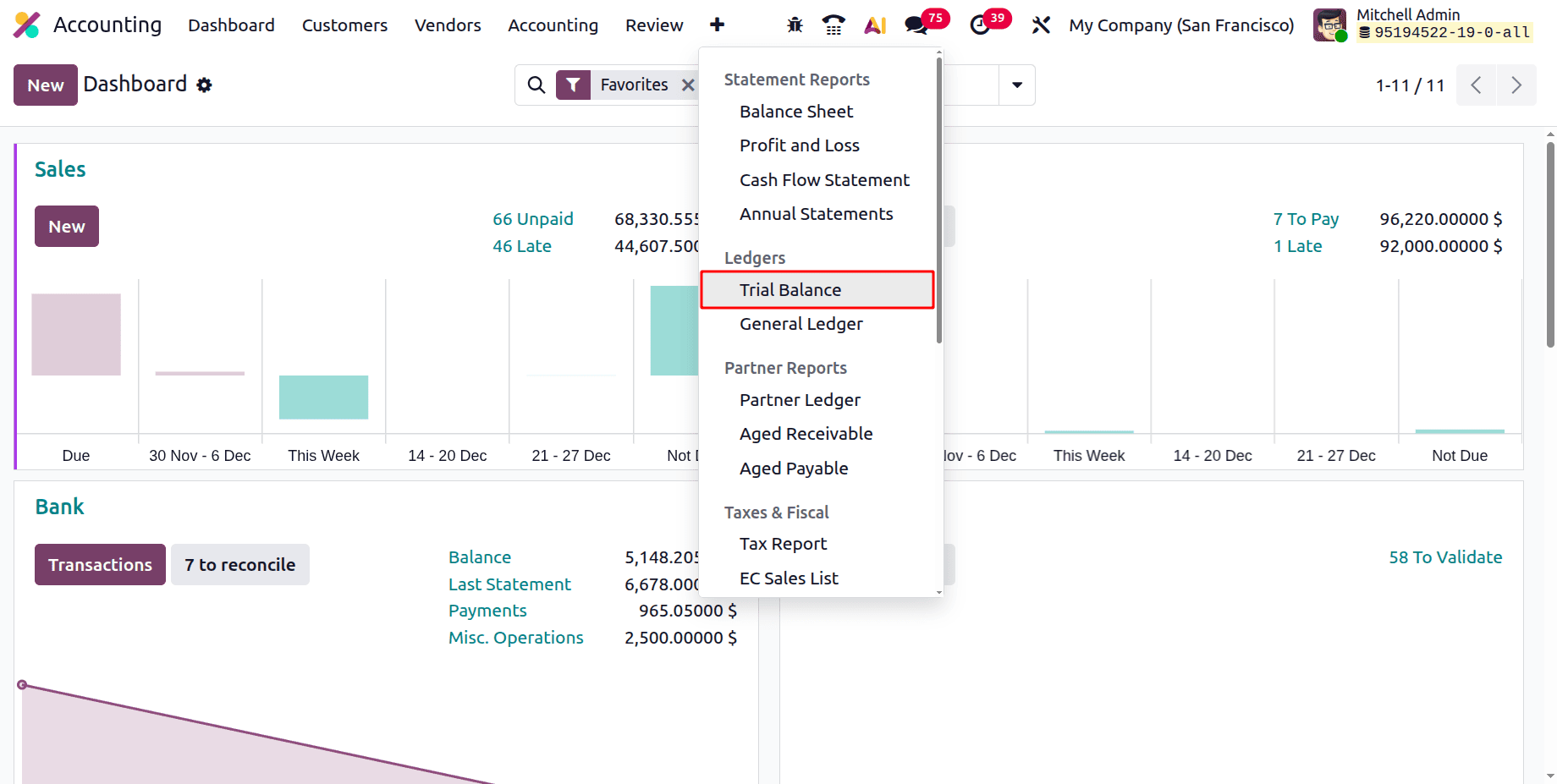
To get the Trial Balance Report, click on the Reporting menu and choose the Trial Balance Report. The report is available under the Ledgers Reports.
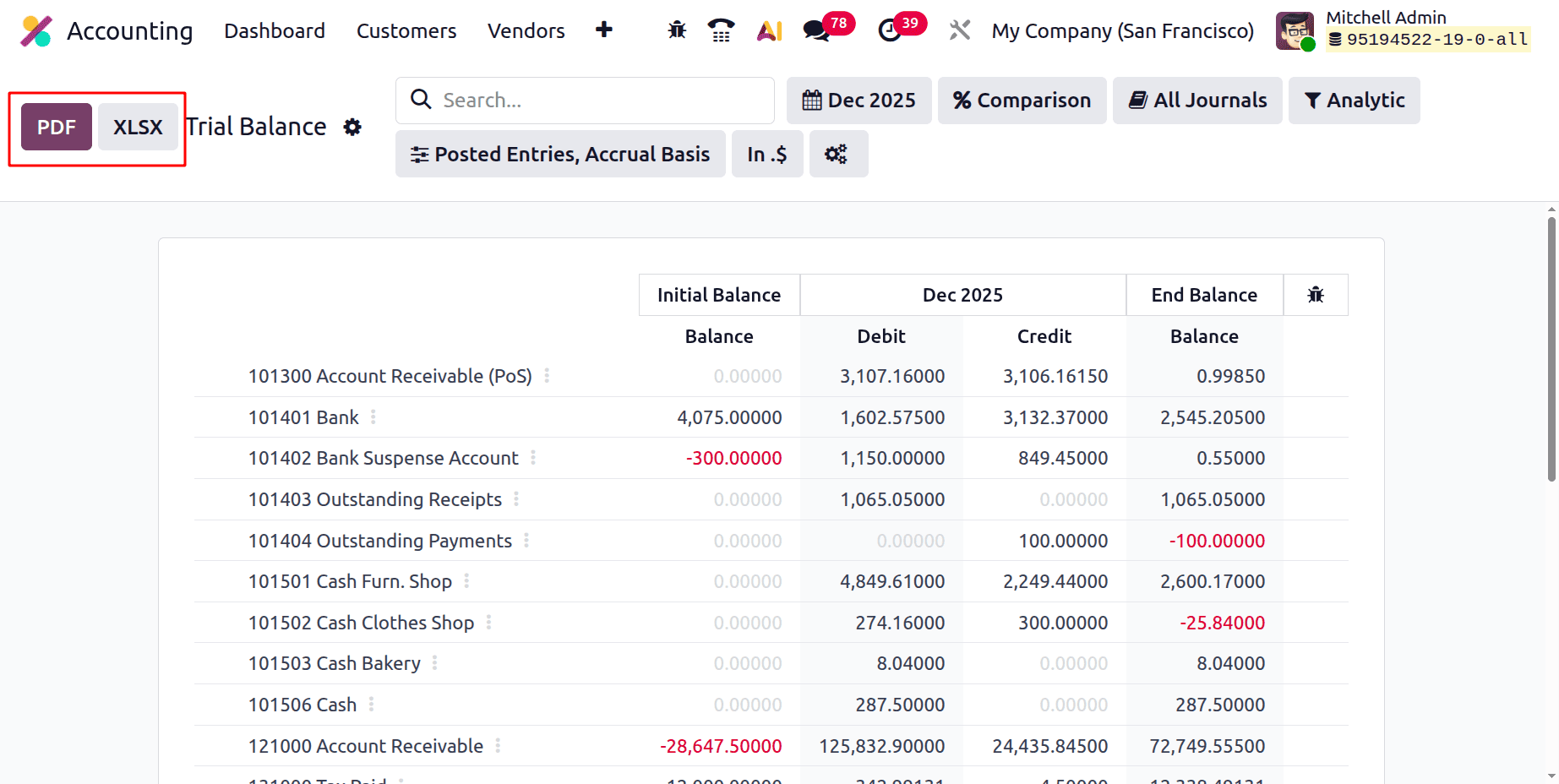
The Trial Balance report can be exported as a PDF or XLSX format. While clicking on the corresponding buttons, the Trial Balance report can be downloaded.
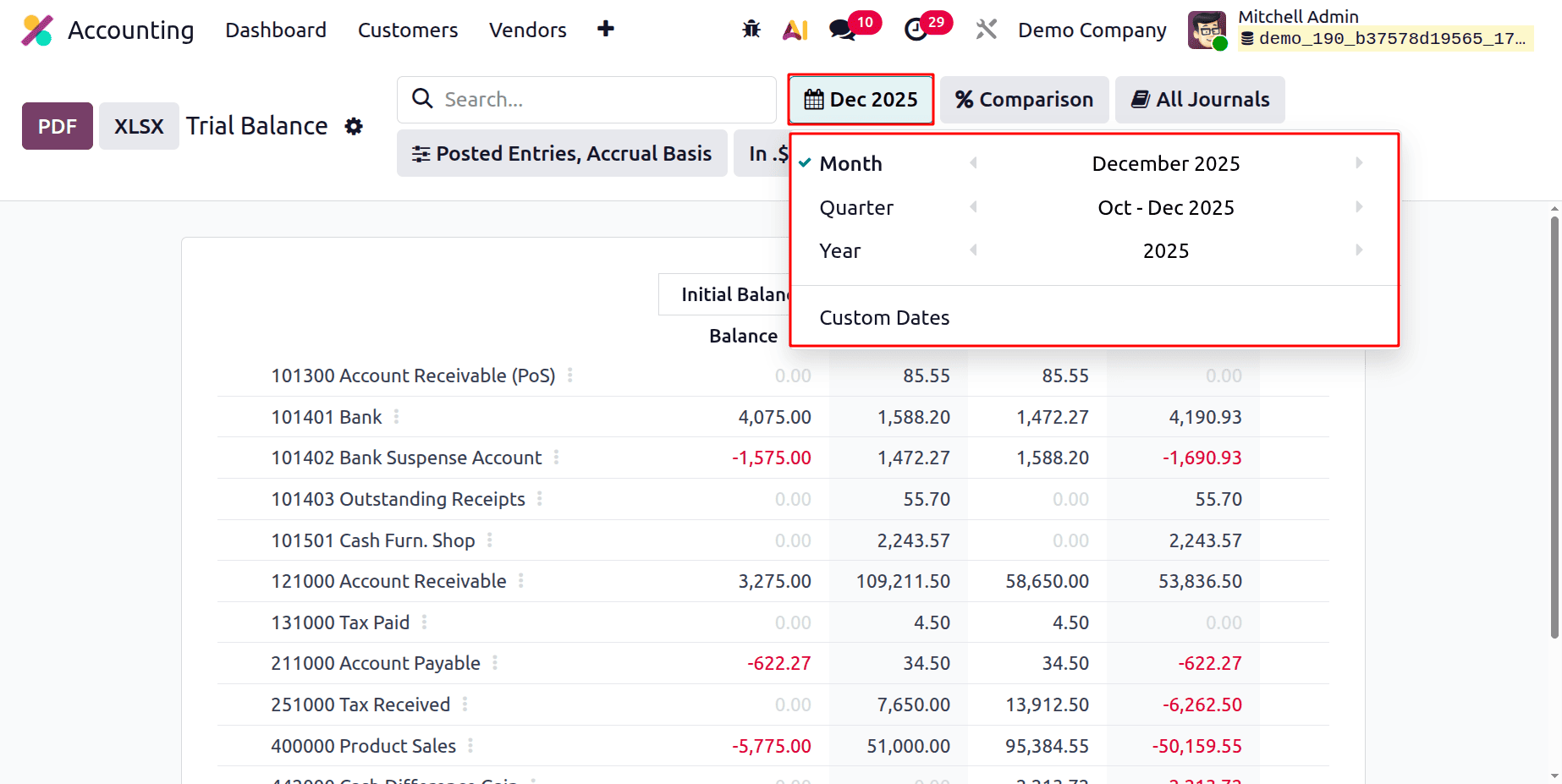
Then let's discuss the filters available inside the Trial Balance report. The first filter is to filter the report based on Months, quarters, Year. And it is also possible to filter based on Custom Dates.
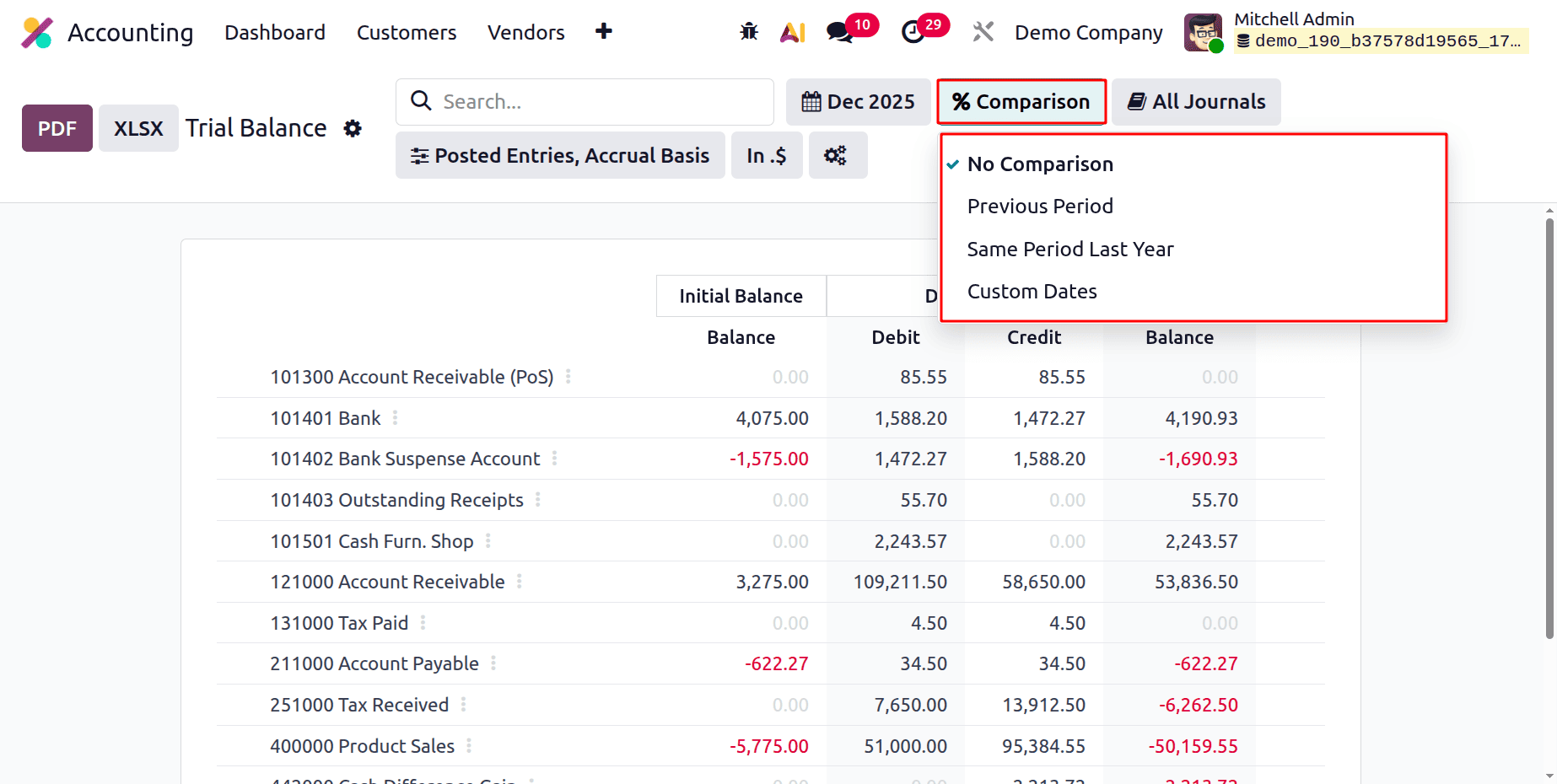
Next is the Comparison filter. The report can be compared to the Previous Period, Same Period Last Year, and Custom Dates.
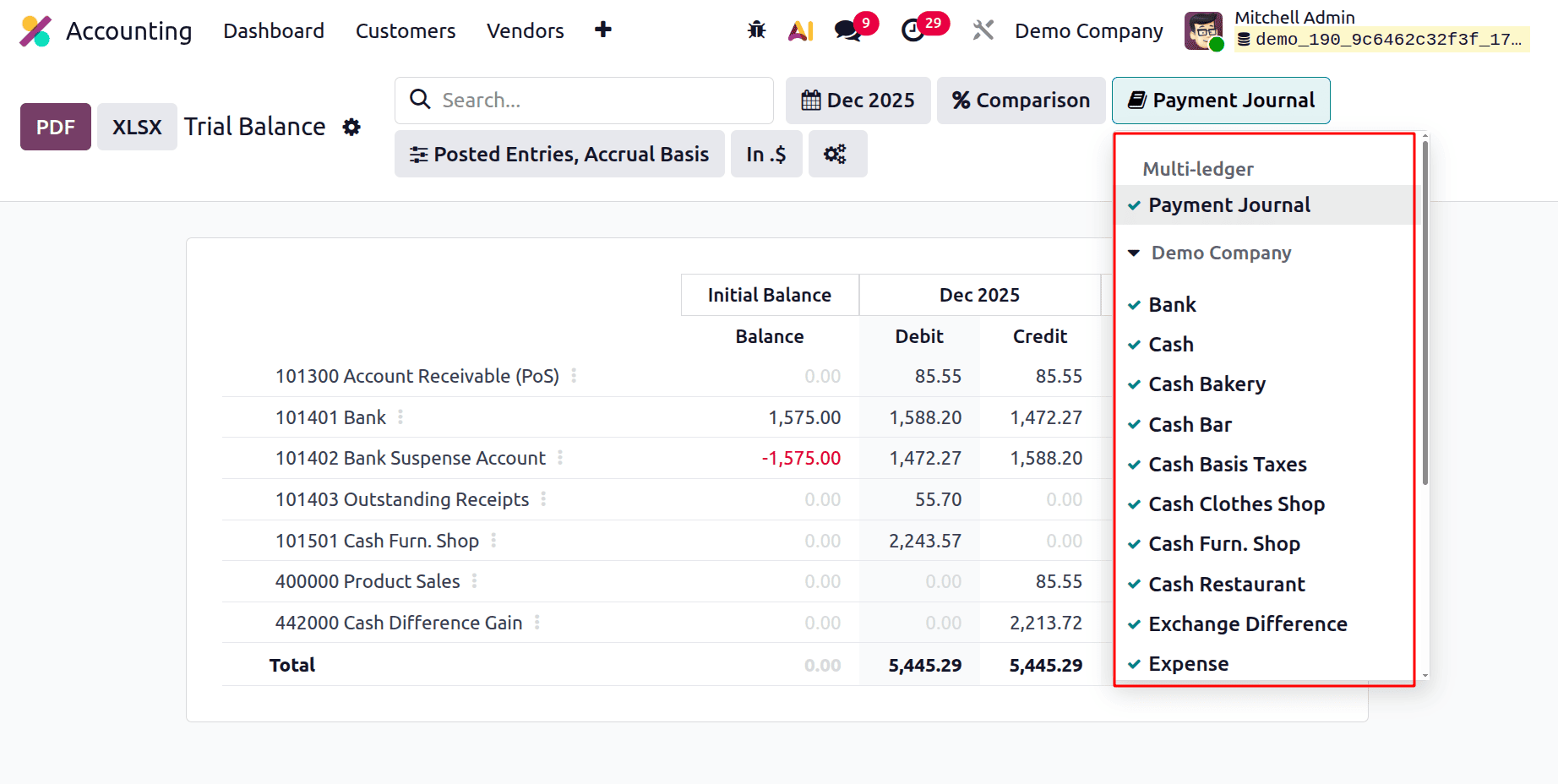
Next is the Journal filter. All the Journals and the multi-ledgers created are visible in that journal. So the report can be filtered based on the chosen journal.
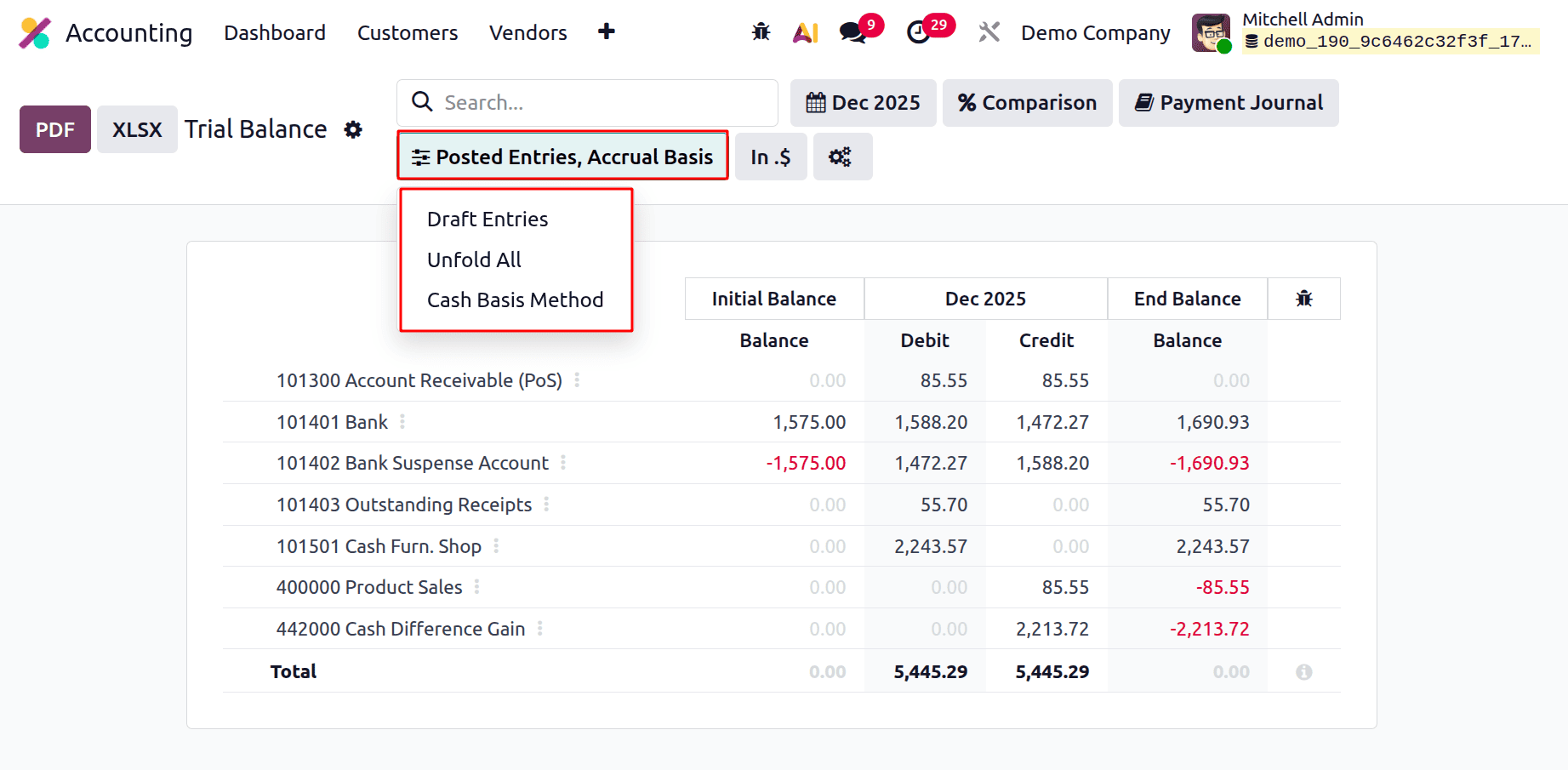
Next is Posted Entries, and the filter contains options Draft Entries, Unfold All, and Cash Basis Method. If the Draft Entries enabled, then all the unposted entries will be visible in the report. All the lines can be unfolded by using the Unfold All.
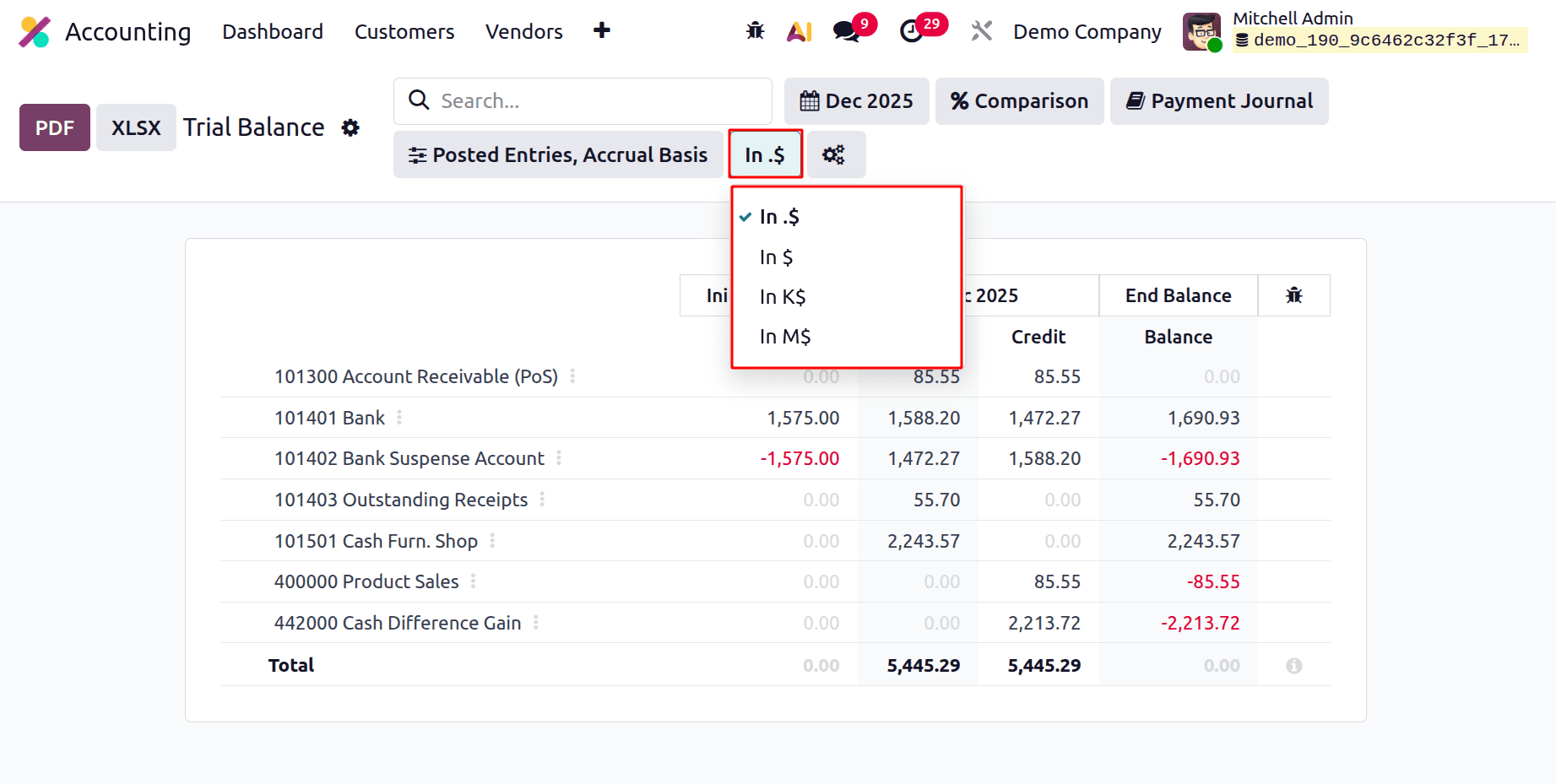
Next is the Currency filter. This filter regulates the report's display of monetary values:
Show whole values with decimals in $. (e.g., 1,588.20).
Show rounded full figures in $ (e.g., 1,588).
Show values in thousands (e.g., 1,588 > 1.59 K$) in K$.
Values in millions are displayed in M$.
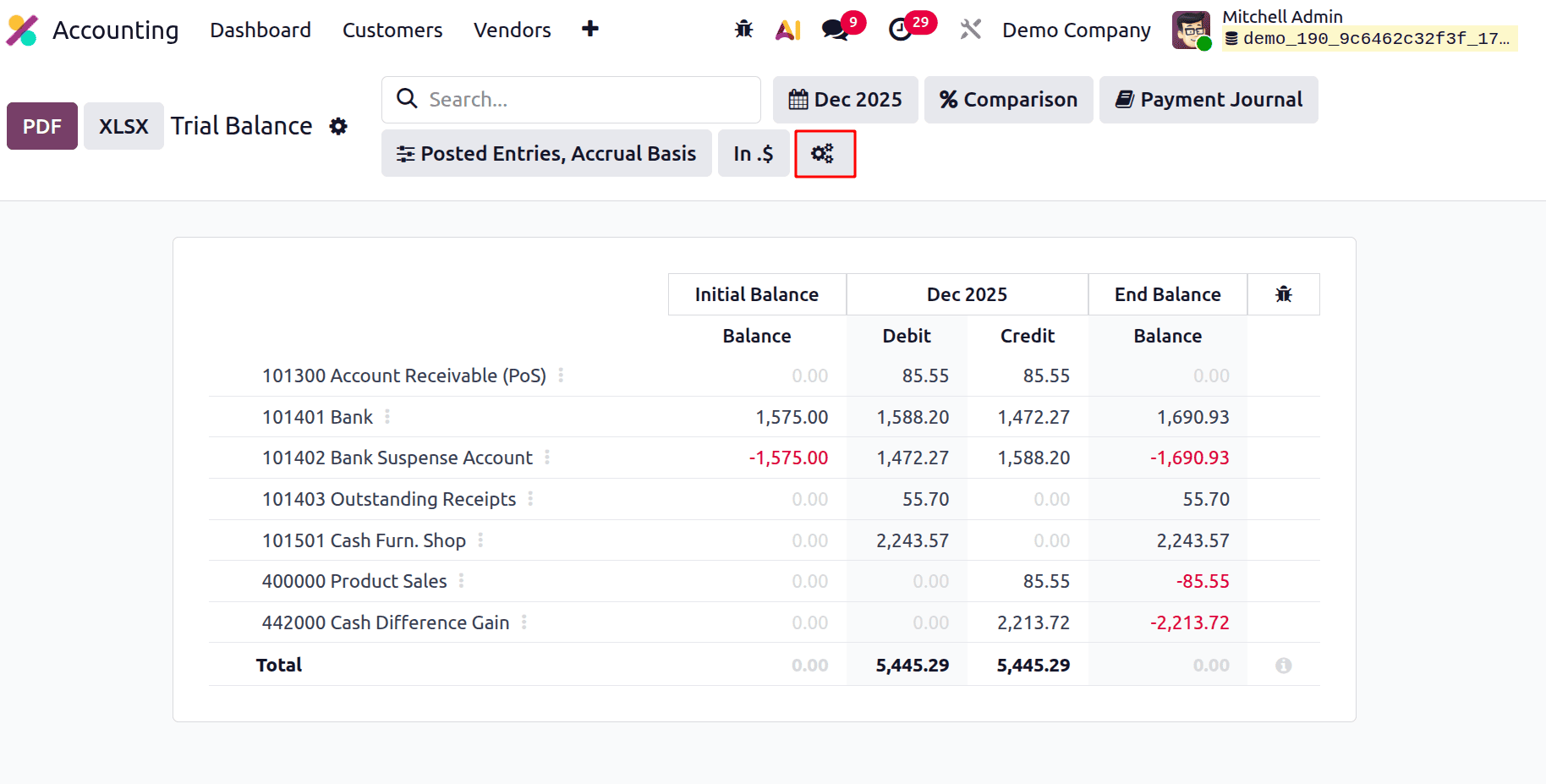
The users can customize the trial balance report by using the Account Reports. The account Report can be accessed from the Trial Report itself. For that, click on the icon marked in the below screenshot.
The report shows the Initial Balance and End Balance of each account shown in the Trial Balance Report.
Initial Balance: Each account's opening balance at the beginning of the chosen reporting period is represented by the Initial Balance. All posted transactions that took place before the report's start date are included. This figure aids in your comprehension of each account's financial situation before the period under analysis.
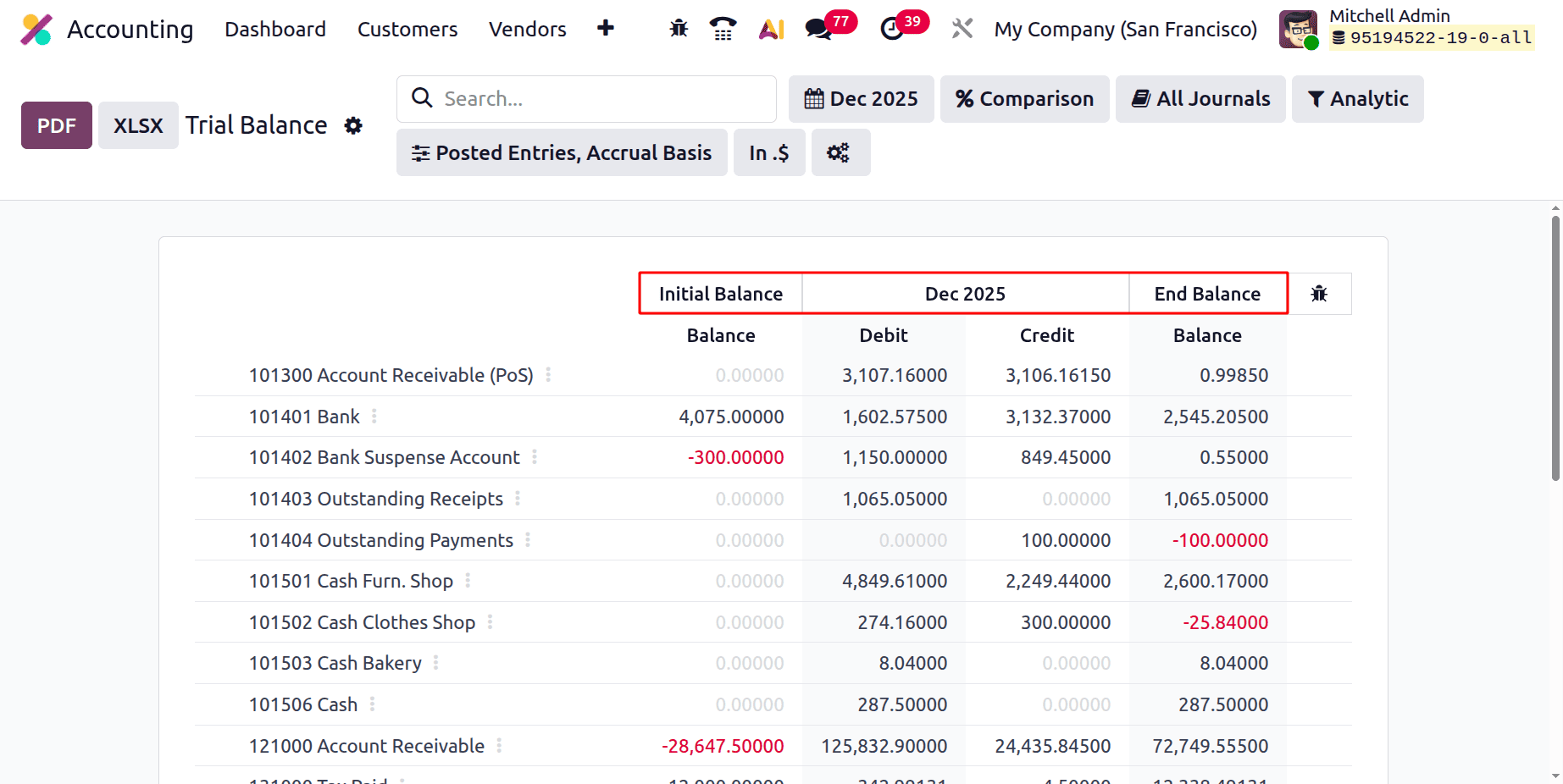
Ending Balance: Each account's closing balance at the conclusion of the chosen reporting period is known as the Ending Balance. It is computed as follows: Ending Balance = Initial Balance + (Debits – Credits) for the duration.
This balance shows each account's final financial situation following the application of all transactions made throughout the period.
The Trial Balance report shows the Initial Balance, Debit, Credit and the End Balance of each account can be viewed in this Trial Balance report.
At the bottom of the report, the total Credit and Debit are shown below.
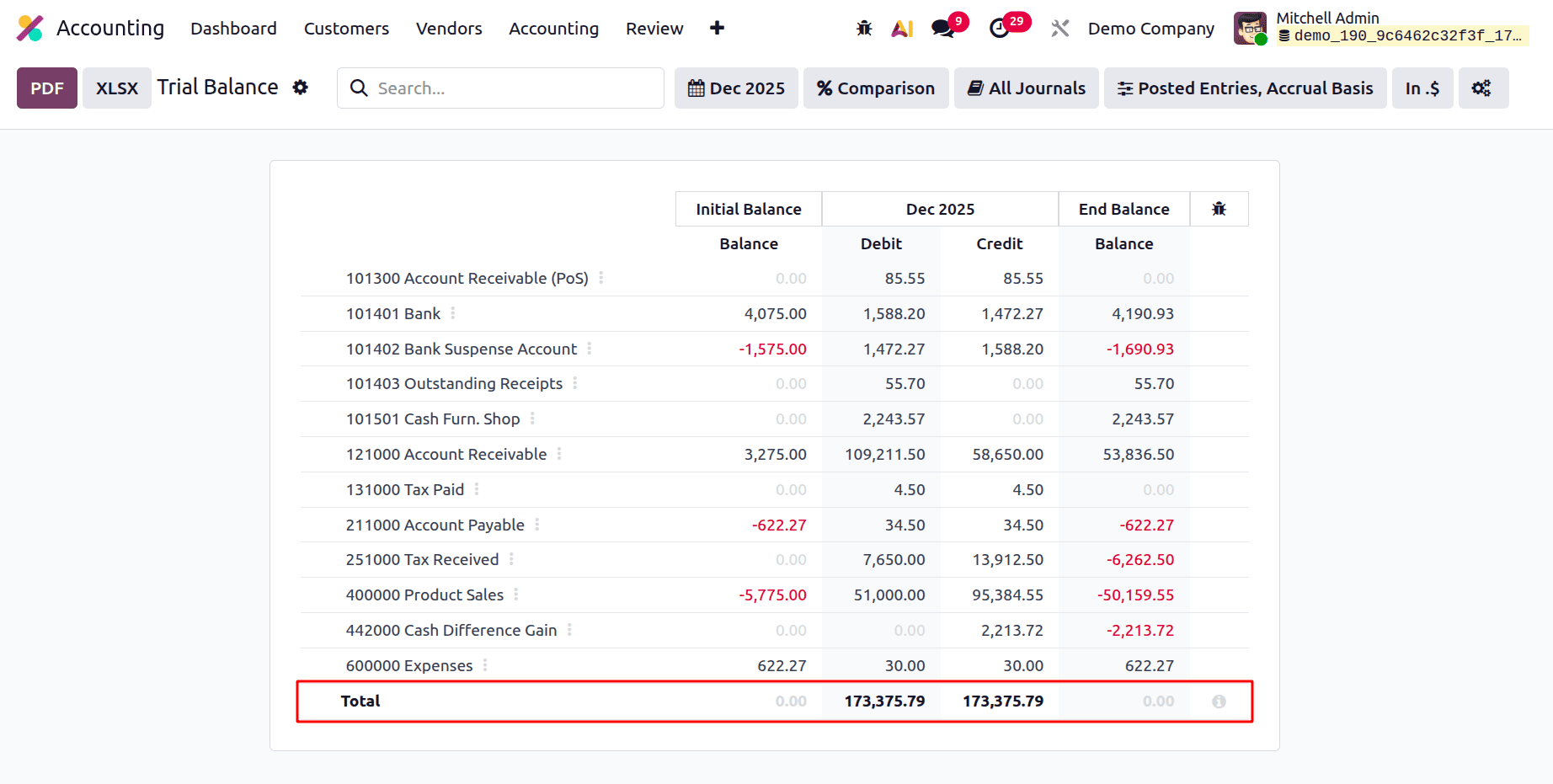
Before creating financial statements, users can verify correctness with Odoo 19 Accounting's Trial Balance report, which offers a transparent and trustworthy snapshot of all ledger accounts. Businesses have more control and clarity over their financial data because of its configurable filters, comparison tools, and display options like currency scaling. Businesses can maintain stronger, more transparent financial records and expedite their closing process by utilising these capabilities.
To read more about What are the Key Features & Benefits of Odoo 18 Dynamic Accounting Reports, refer to our blog What are the Key Features & Benefits of Odoo 18 Dynamic Accounting Reports.