Odoo 19 Accounting's Partner Ledger Report offers a thorough overview of every receivable and payable transaction connected to every client and supplier. Each partner's outstanding balances, payments, invoices, credit notes, and journal entries are combined. The report ensures correct reconciliation and follow-up by assisting users in tracking debtor and creditor positions. For more accurate analysis, it can be filtered by date, partner, account type, or other parameters. All things considered, it is a crucial financial instrument for keeping an eye on partner-related accounting activities and outstanding balances.
To open the Partner Ledger report, click on the Reporting menu. Then choose the Partner Ledger Report, which is available under the Partner Reports.
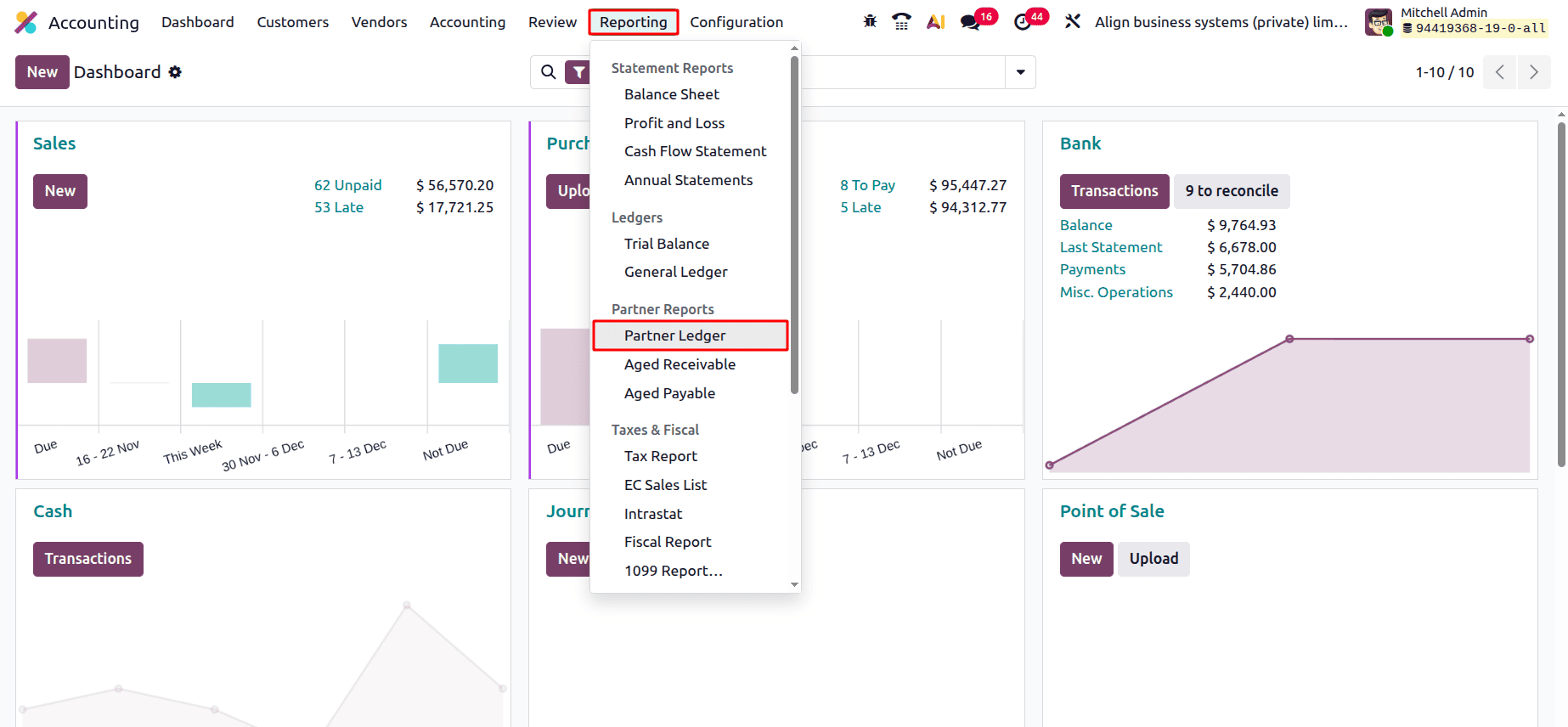
The Partner Ledger report is shown below. Users can export the Partner ledger report as PDF and XLSX format. For that, click on the corresponding button, placed at the top left side of the screen. There is a Search bar, so users can search for the necessary data by using that search bar.
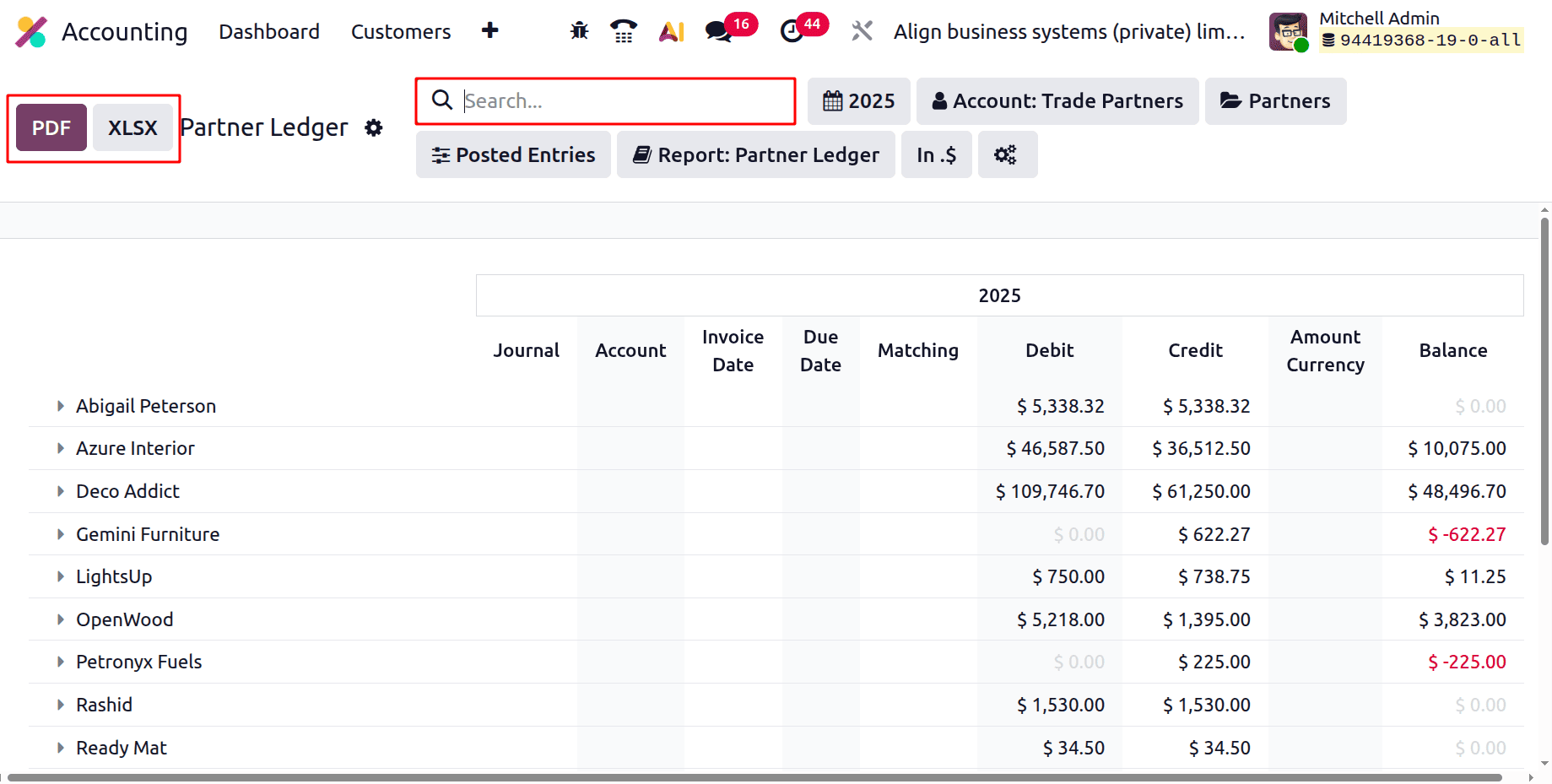
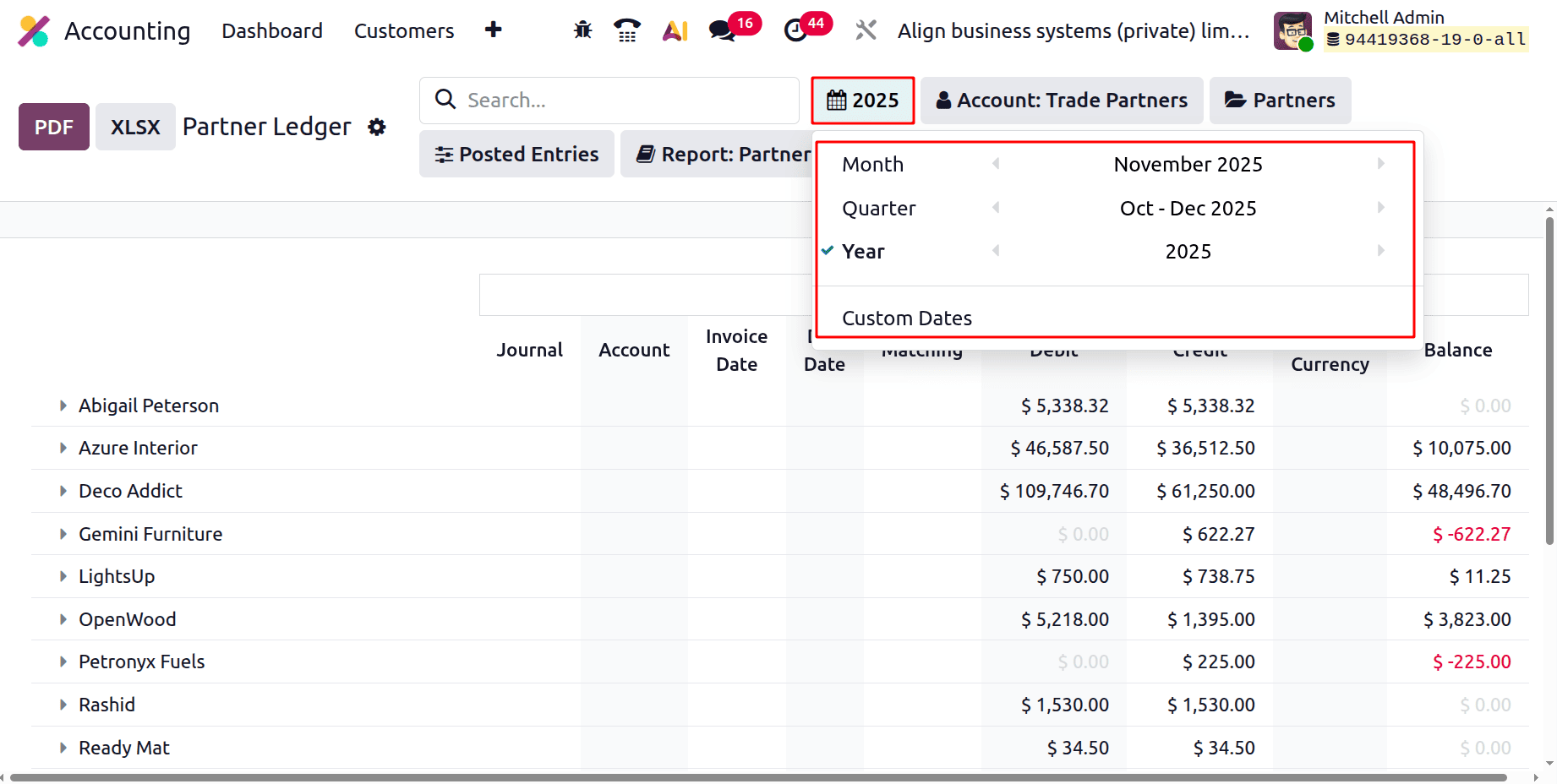
There are some filters that help users filter the Partner ledger report according to their needs. Let's check each filter separately.
Here, the first filter is Date. By using this, users can filter the report based on Month, Quarter, and Year. Then it's possible to add Custom Dates.
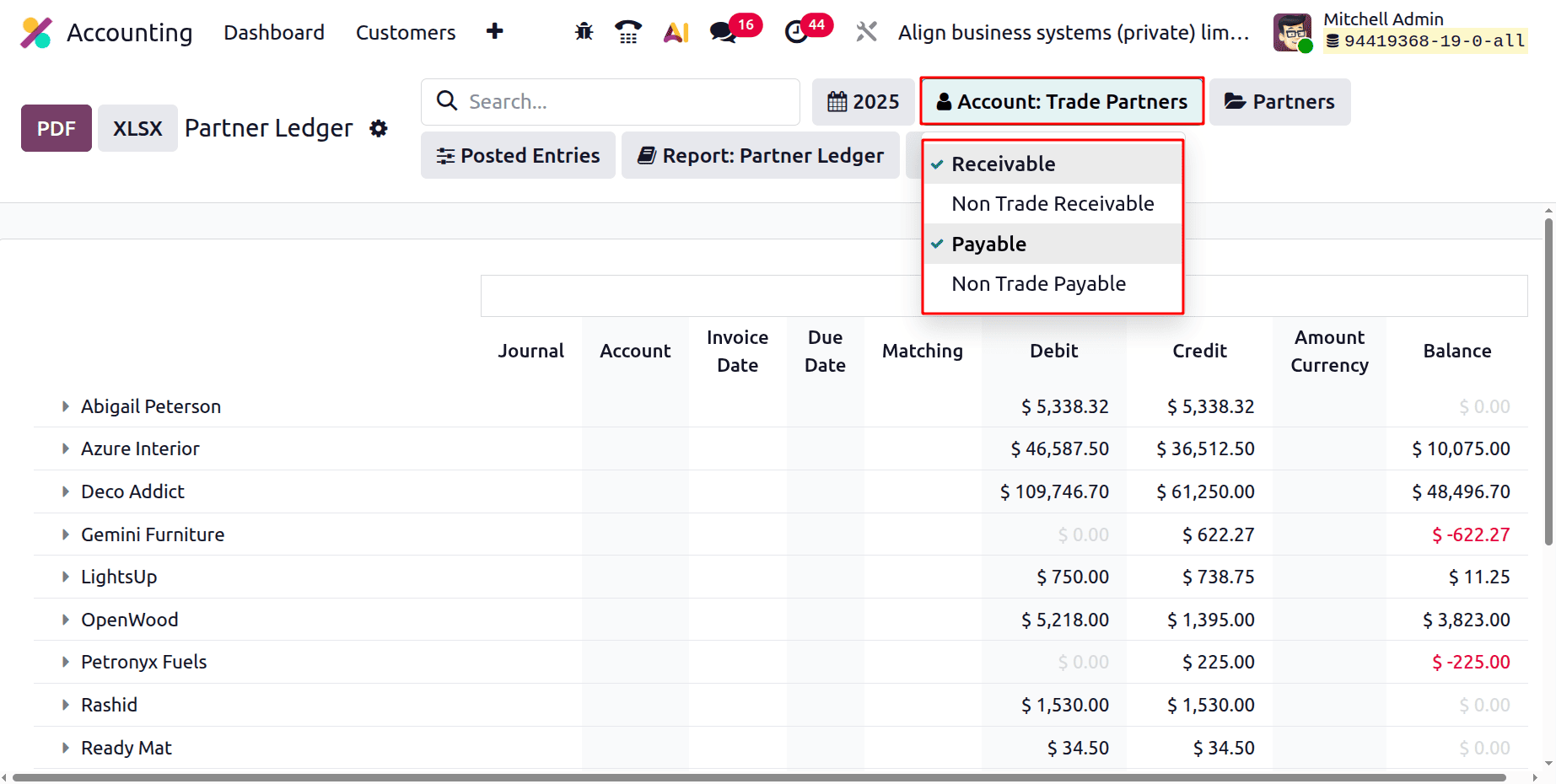
The second filter is based on Account. By clicking on it a new list will open. There are Receivable, Non-Trade Receivable, Payable, and Non-Trade Payable. So the users can select the necessary accounts to customize the report.
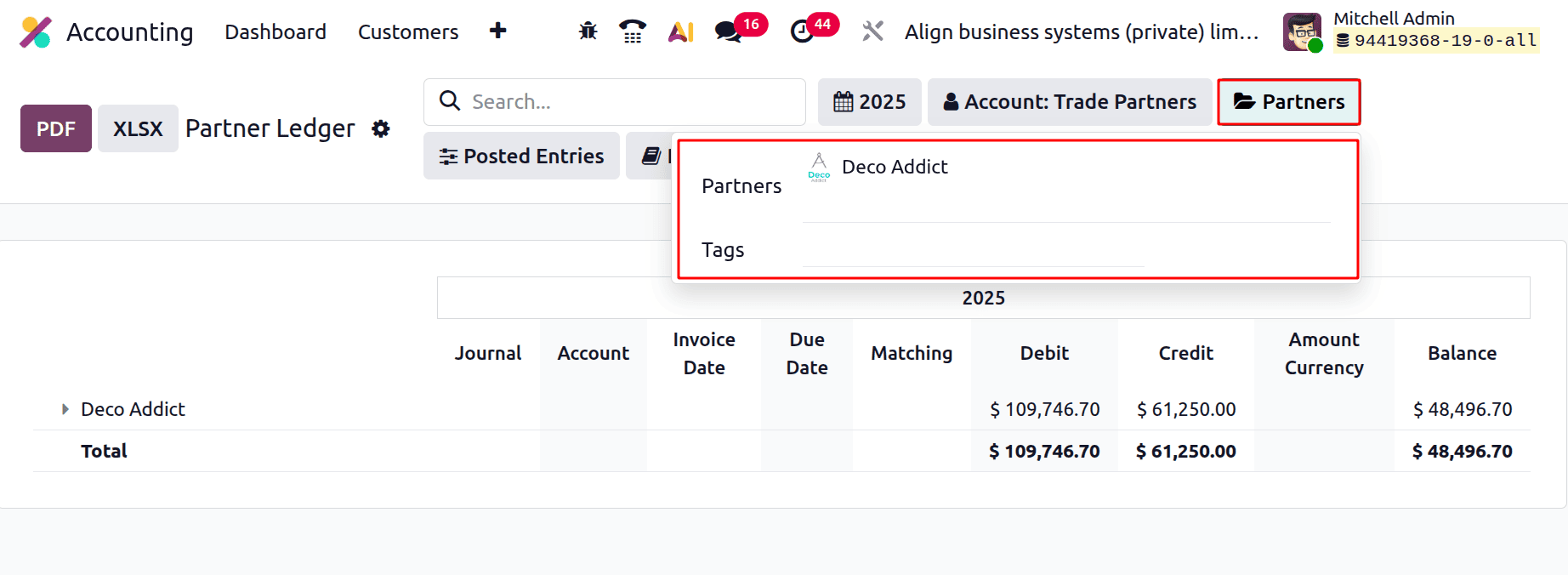
Next is to filter the report based on Partners and Tags. Choose the Partner name or Tags, then the report shows the ledger details of the chosen partners.
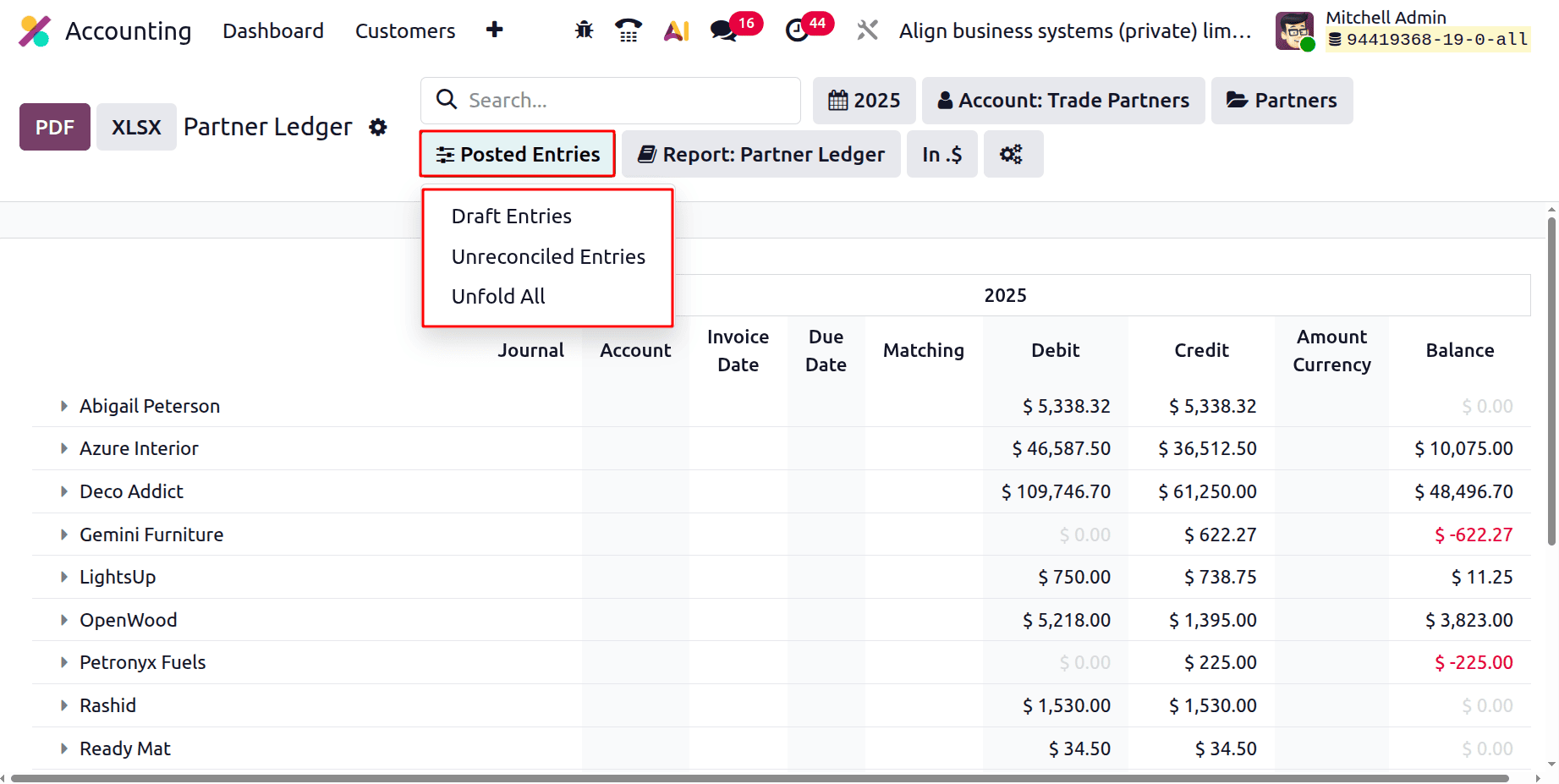
Next is the Posted Entries filter, which shows a list with options like Draft Entries, Unreconciled Entries, and Unfold All. If the Draft Entries are enabled, then the unposted entries of the partners will be shown in the report. If the Unreconciled Entries are enabled, then the corresponding entries will be added to the report. The Unfold All will help to unfold the partner ledger report.
Next is the Report filter. So the users can view the Partner Ledger Report, Customer Statement Report, and Follow-Up Report by choosing appropriate options.
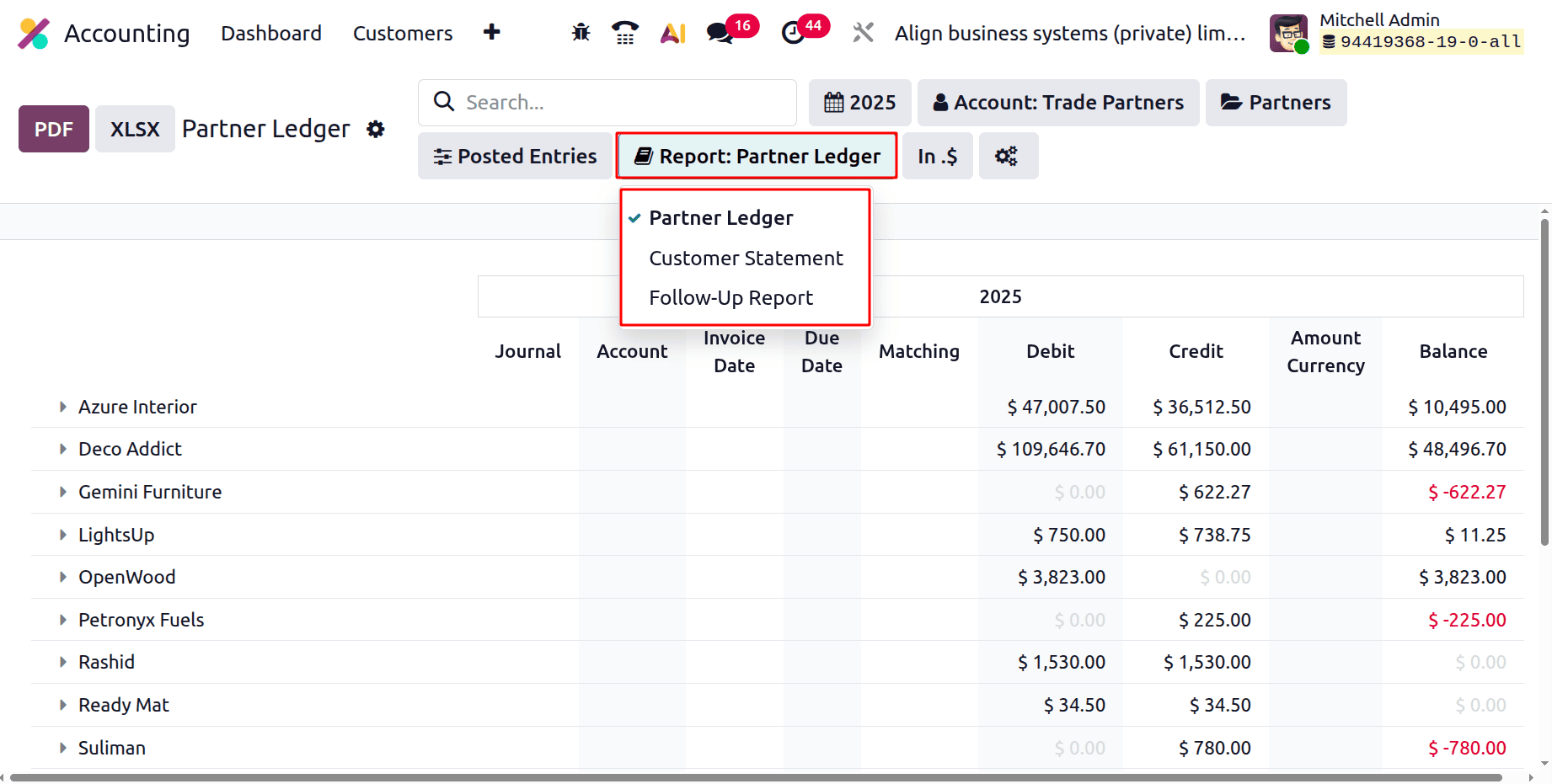
Partner Ledger Report: All accounting entries (debits, credits, and running balances) for clients and suppliers are shown in this option. It is employed for the analysis of outstanding balances and partner-specific transactions.
Customer Statement Report: A customer-facing summary that summarises invoices, payments, and outstanding amounts is produced as a result. Customers are usually sent account summaries or payment reminders via it.
Follow-Up Report: This report assists collection efforts and concentrates on past-due client invoices. Accountants can use it to send automated or human follow-up messages and keep track of delinquent invoices.
Users can select how monetary values appear in the Odoo 19 Accounting Partner Ledger report by using the Currency filter. Only the unit or scale used to display the amounts is altered; the real currency of the transactions remains unchanged. The meaning of each option is as follows:
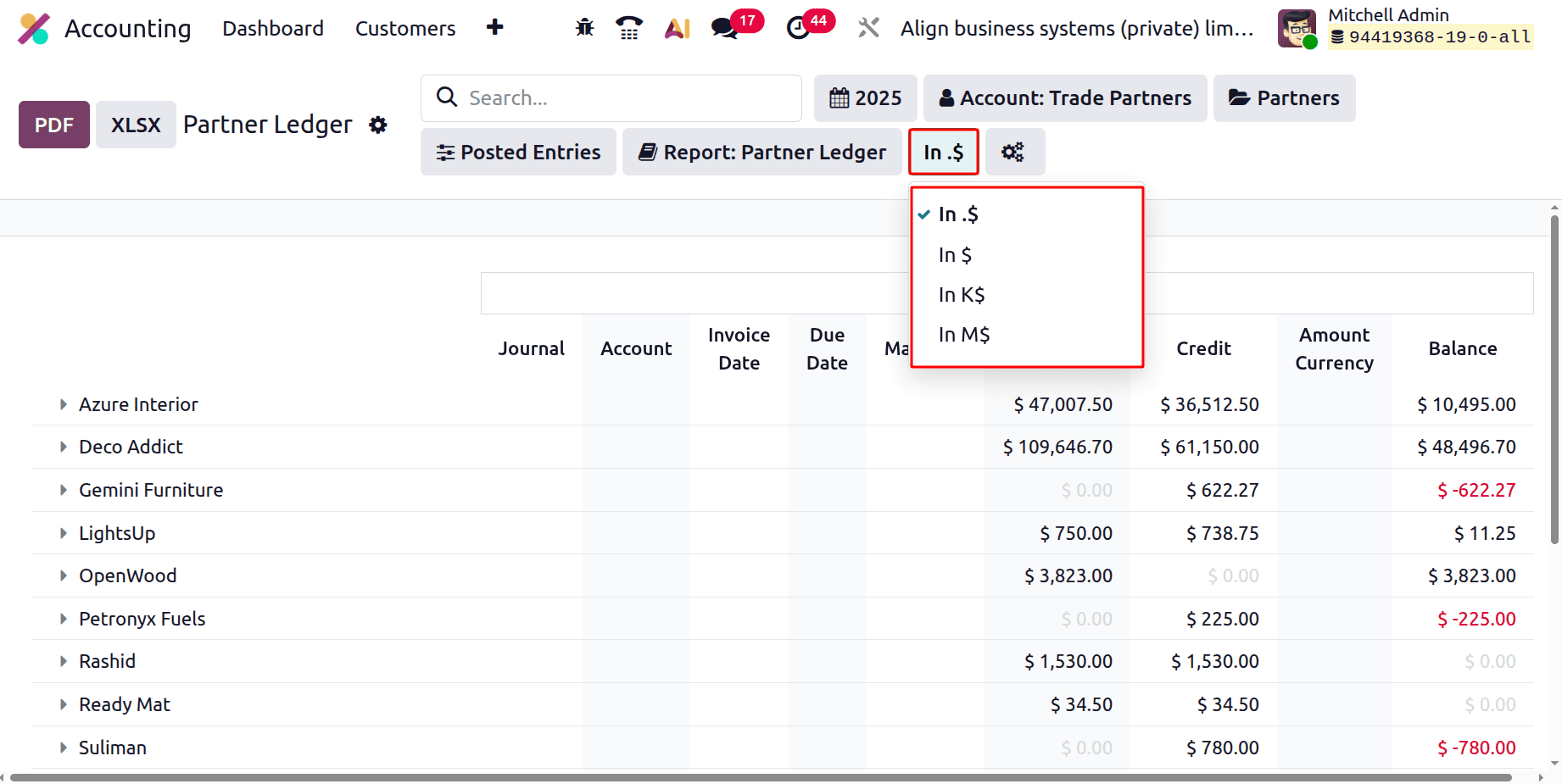
- In .$ (Default: Total Amounts): All balances, credits, and debits are shown in normal currency format (e.g., $47,007.50). The most detailed view is this one.
- In $ (simplified format): Displays the same currency, but depending on localisation settings, usually without additional formatting or symbols.
It can be applied to streamlined views or cleaner exports.
- In K$ (thousands): All amounts are shown in thousands. For instance, $47,000 turns into $47K. helpful when working with big numbers in high-level financial research.
- In millions, or In M$: All amounts are shown in millions. For instance, $4,500,000 turns into $4.5 million. Useful for condensing extensive financial data.
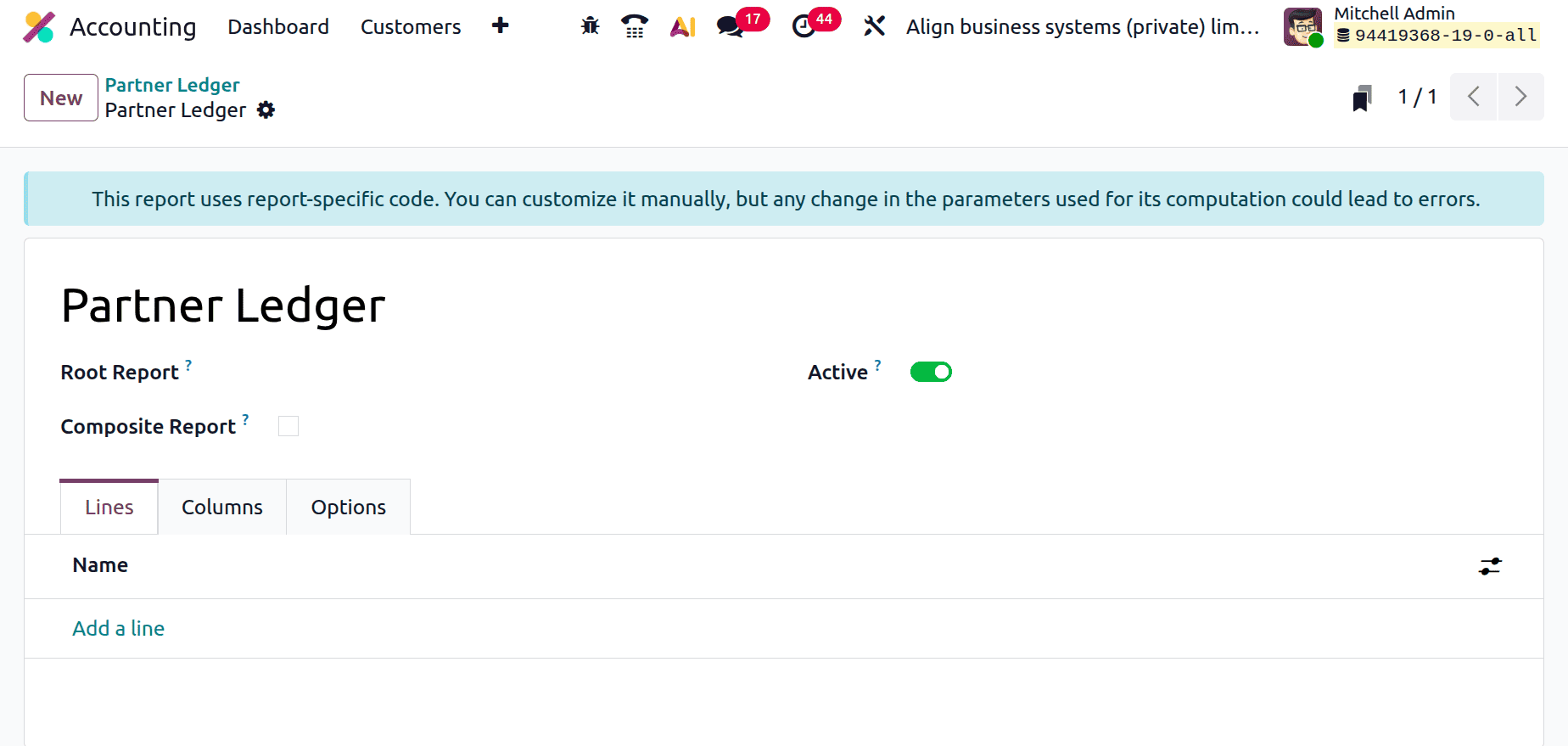
By clicking on the icon, which will lead to the Accounting Report. The Accounting Report will help to add customisations to the Partner Ledger report.
Let's dive into the Partner Ledger report. The report’s top shows Journal, Account, Invoice Date, Due Date, Matching, Debit, Credit, Amount Currency, and Balance.
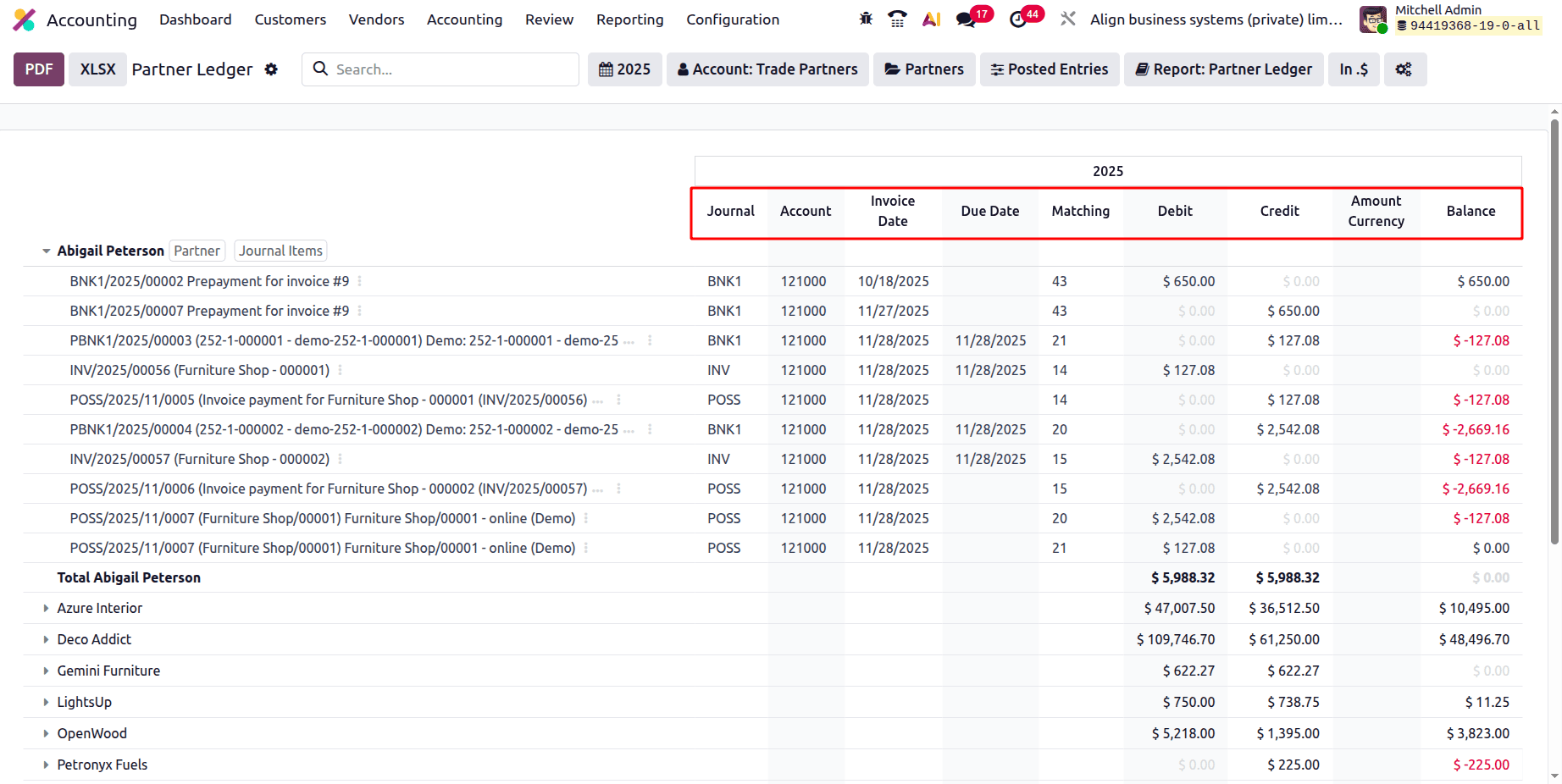
The Journal displays the accounting journal (such as the Bank Journal, Invoice Journal, or POS Journal) in which the transaction was entered. It aids in determining the entry's origin.
The Account shows the particular account (such as bank accounts, payables, and receivables) from the chart of accounts connected to that entry.
This shows which ledger account is impacted.
The date that the bill or invoice was issued is known as the "Invoice Date." It is helpful for monitoring reporting periods and billing schedules.
The Due Date on an invoice indicates when payment is anticipated. This aids in keeping track of impending or past-due payments.
When payments are compared to invoices, matching displays the reconciliation reference or ID. This is where a Matching number shows if a transaction has been entirely or partially reconciled.
A Debit is an amount that raises the partner's expenses or receivables. These are sums that the partner owes.
Amounts that reduce receivables, document payments, or refunds are represented as Credit. These are sums that have been credited to or received from the partner.
The Amount Currency column displays the initial currency amount if the transaction was recorded in a foreign currency. In settings with multiple currencies, it is beneficial.
After every transaction, the balance displays the partner's current Balance. Negative numbers indicate that the corporation owes the partner money, while positive values indicate that the partner owes money.
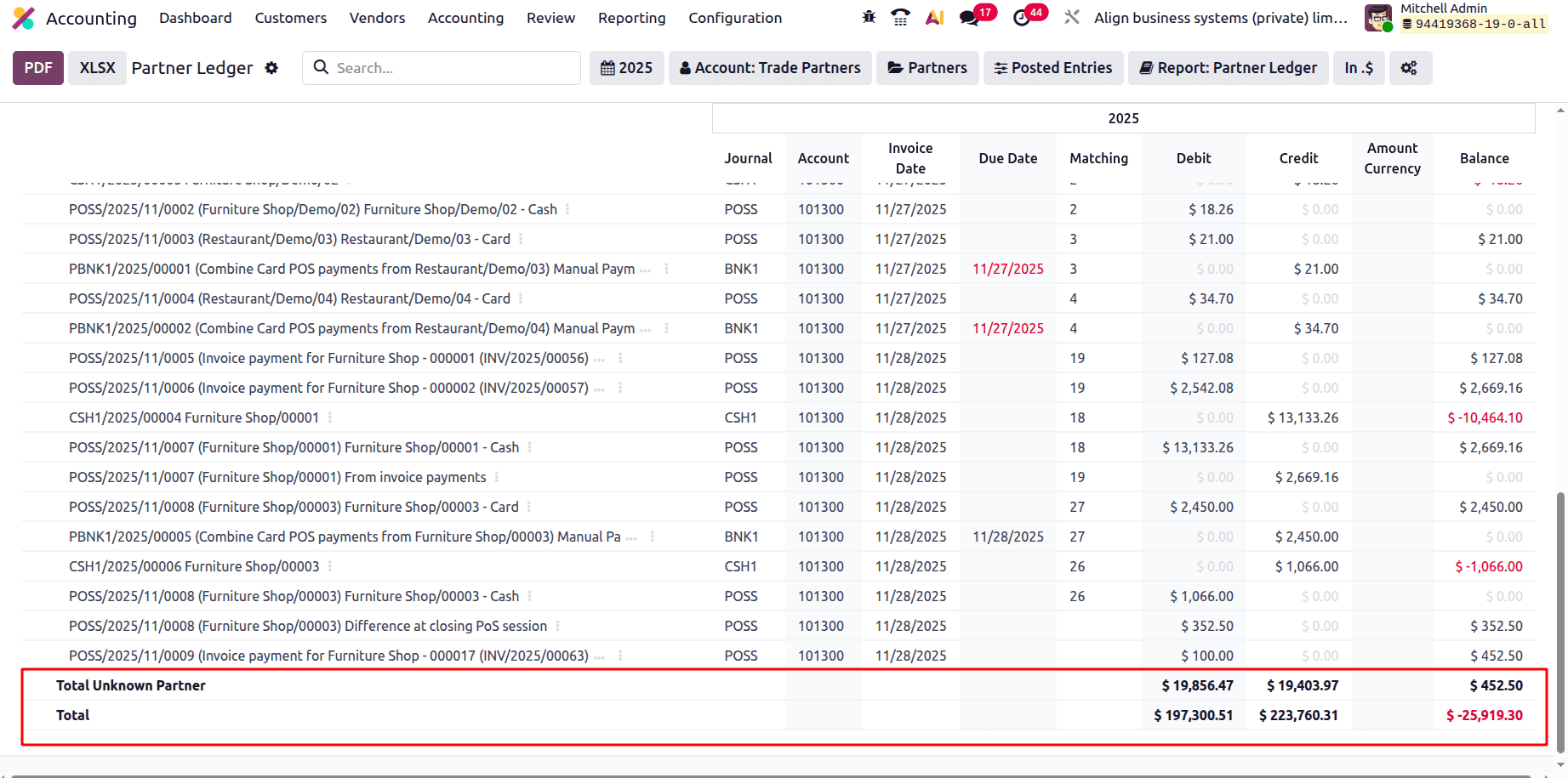
At the end of each partner's entry, their total debit, credit, and balance are shown. And the end to report the total of companies' debit, credit, and balance.
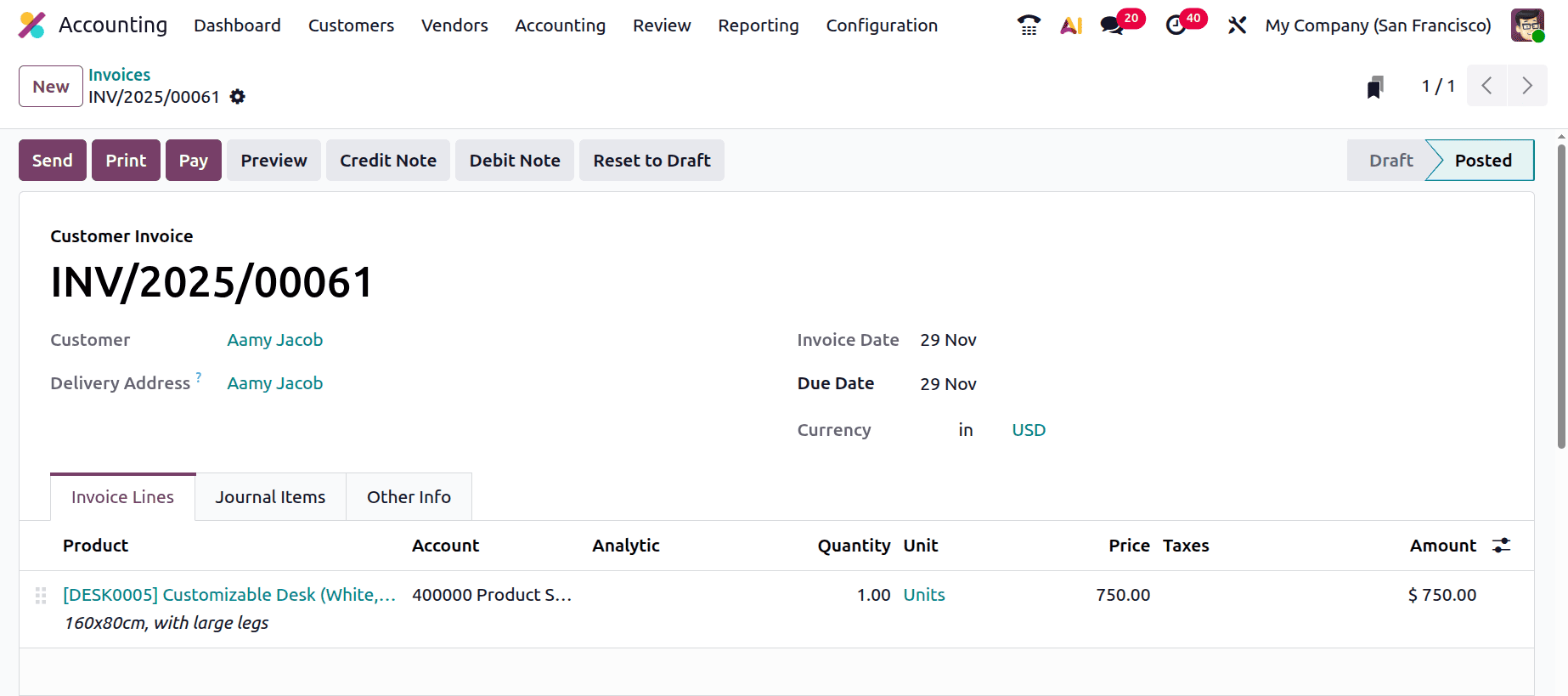
Let's create a new Invoice for a customer named "Aamy Jacob”. Here, the invoice is created and confirmed.
Then, while checking the Partner Ledger report, the invoiced amount will be available inside the partner ledger report. The amount is shown as a debit inside the report.
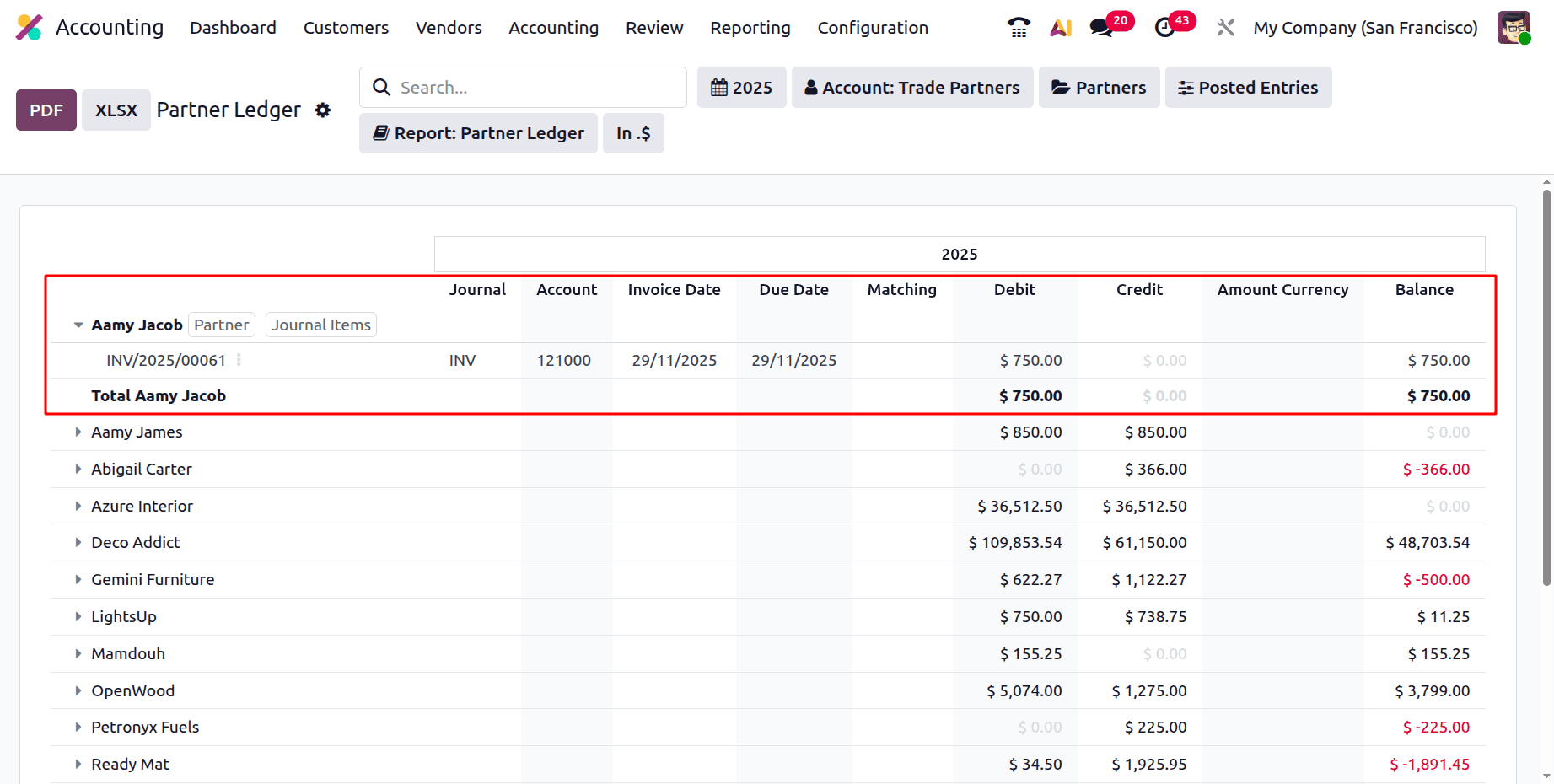
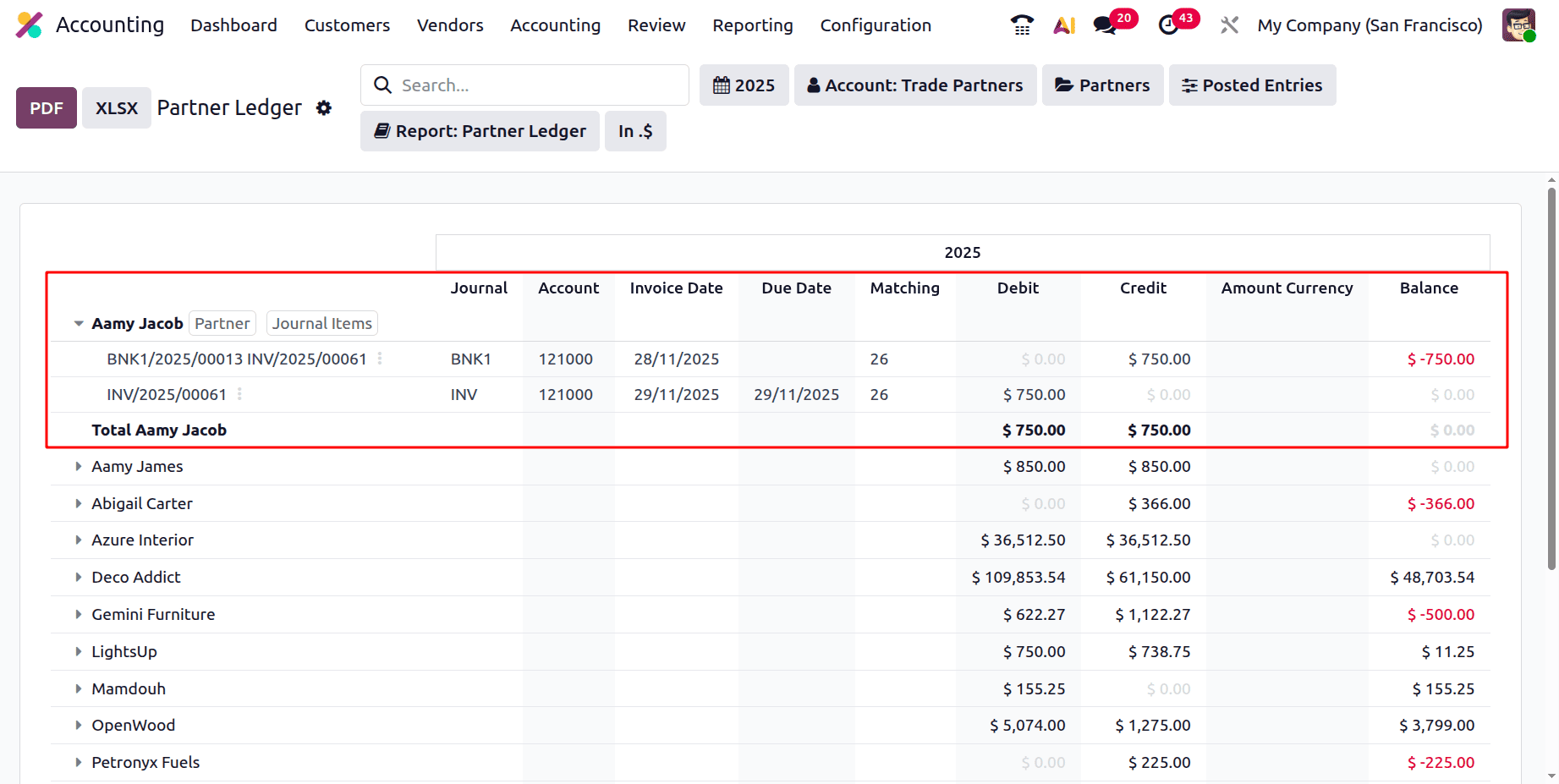
Then let's reconcile the invoice. Then the amount will be credited to the Bank account. And which will also be shown inside the Partner ledger report.
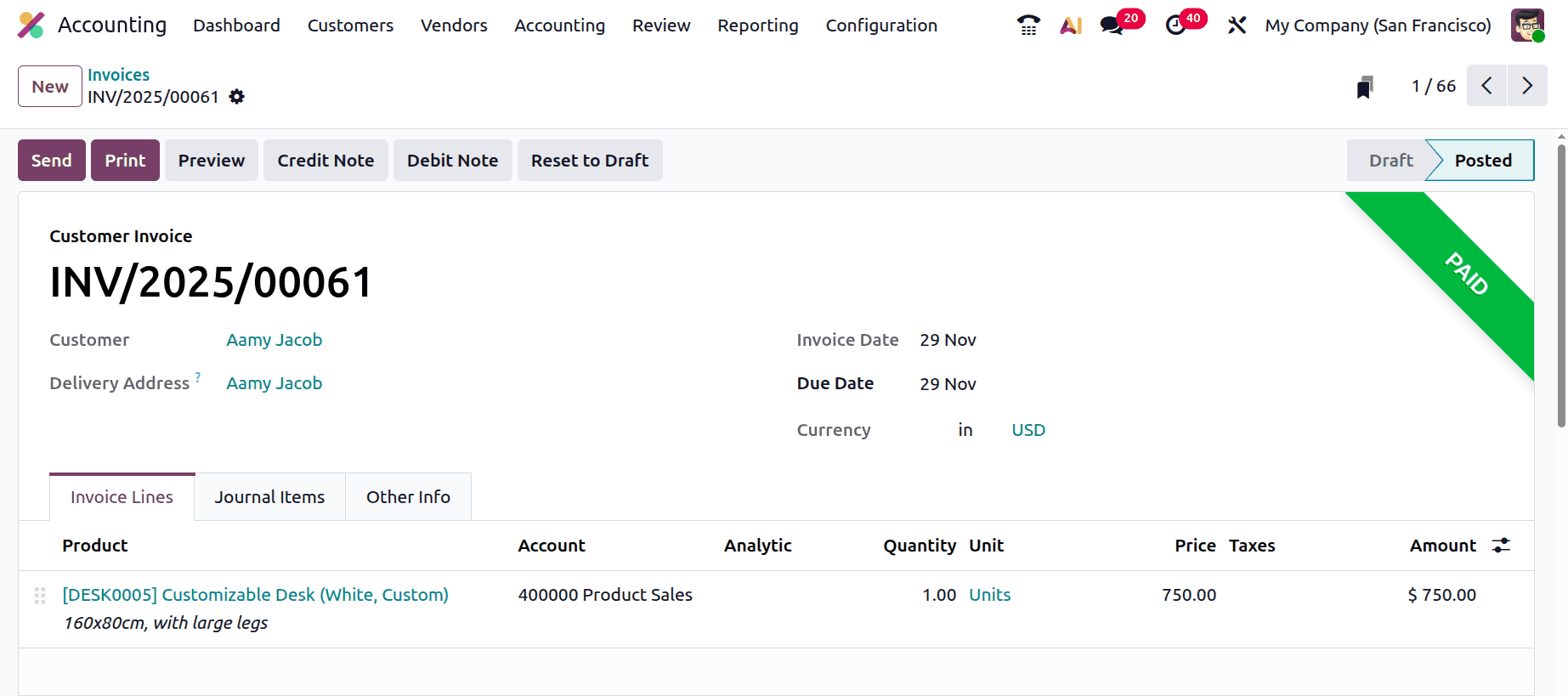
So the amount will be credited to the Bank account, as shown below.
To sum up, Odoo 19 Accounting's Partner Ledger report helps companies keep accurate financial records by offering a clear and comprehensive view of every transaction with every client and vendor. Reconciliation and account monitoring are more effective because of their enhanced layout, filtering choices, and real-time information. In the end, this report promotes improved decision-making throughout the company and fortifies financial control.
To read more about Overview of Financial Statement in Odoo 18 Accounting Module, refer to our blog Overview of Financial Statement in Odoo 18 Accounting Module.