eCommerce is the buying and selling of goods and services online. These transactions take place on online channels, such as social media, smartphone apps, and websites. Every stage of the online purchasing process, from perusing products to completing payments, is included in e-commerce. The two primary e-commerce models, B2B and B2C, explain the nature of such transactions between businesses and consumers.
B2B (business-to-business) e-commerce involves online transactions between businesses, whereas B2C (business-to-consumer) e-commerce focuses on online sales from businesses to individual customers.
Here, we're concentrating on Odoo 19's "Ecommerce Access" functionality, which may be used in a B2B setting.
When a software company sells its product to another company for internal usage, for example, it often involves significant purchases, long-term collaborations, and complex decision-making processes within the purchasing organization. A transaction between two business organizations also occurs when a producer sells raw materials to another manufacturer or when a wholesaler sells goods in bulk to retailers. This is a business-to-business deal.
What does Odoo 19's "Ecommerce Access" functionality mean? In order to view the Shop page, products, carts, and wishlists, a customer must be logged in.
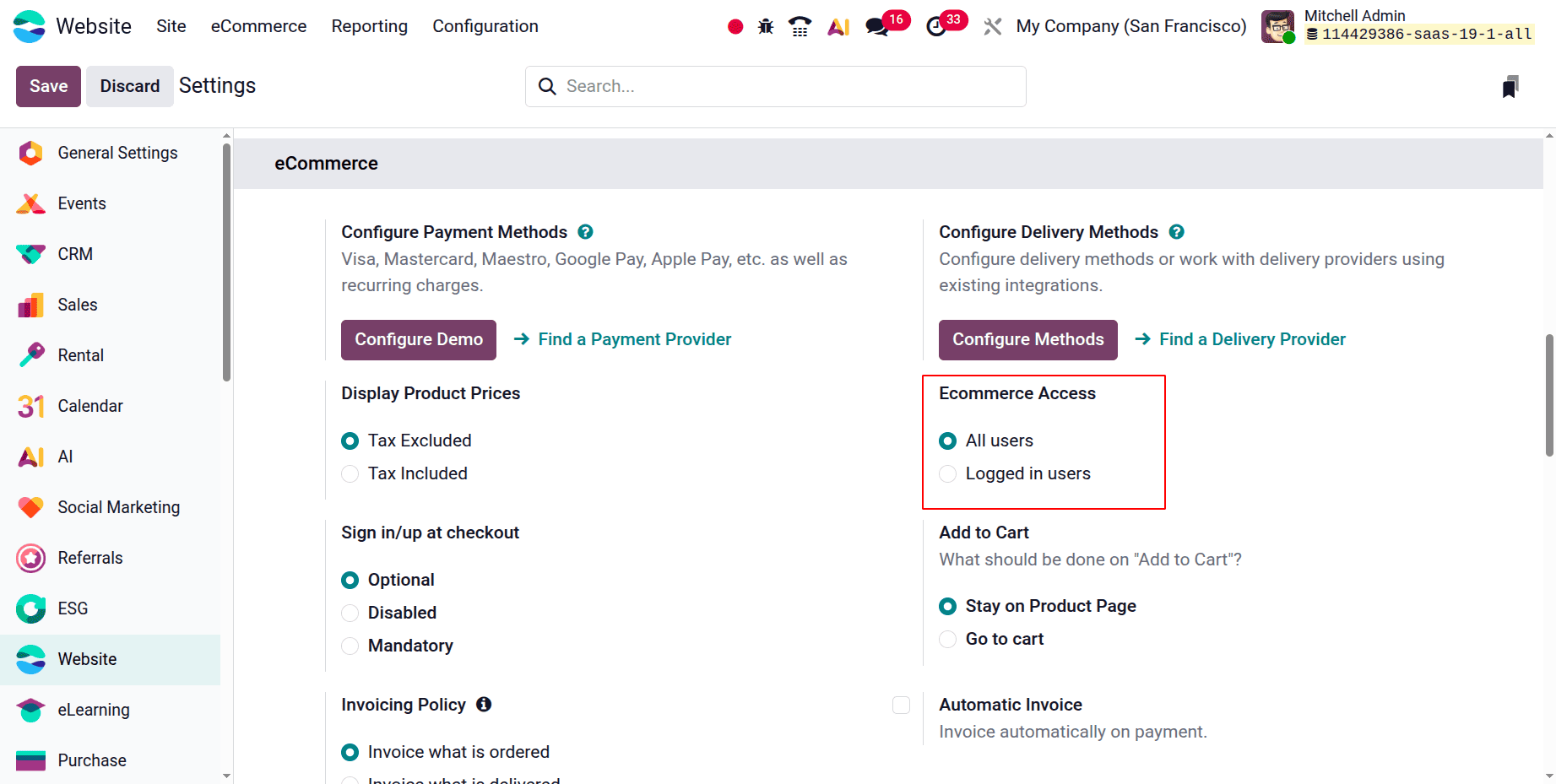
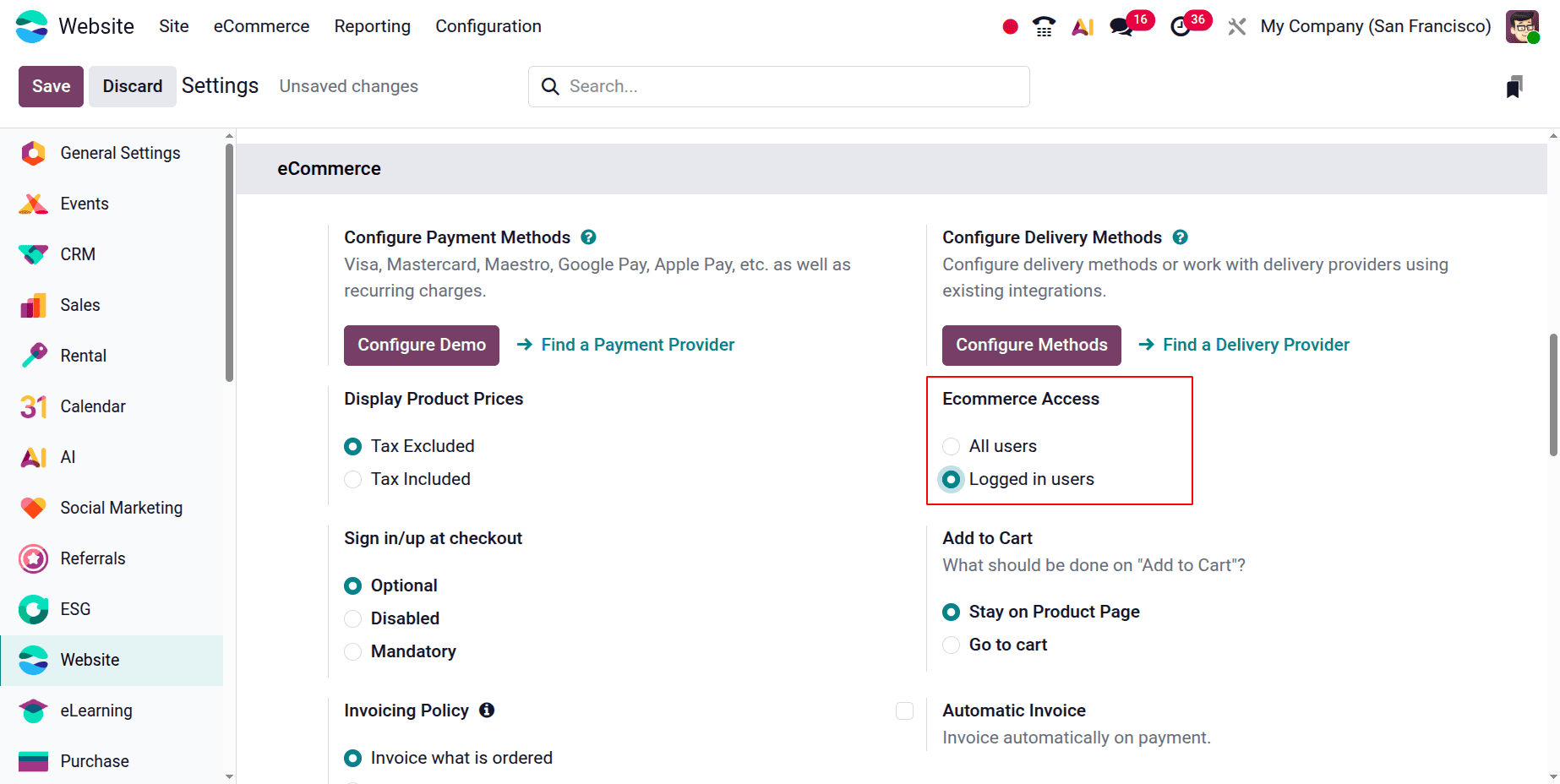
The Odoo 19 website and e-commerce application will next be configured. "Ecommerce access" function in the "eCommerce" section of the module's settings. View the screenshot that is attached.
"All users" and "Logged in users" are the two possibilities under this area. This enables both logged-in users and all users to see e-commerce shop pages, goods, wishlists, and carts.
When B2B e-commerce sales are taken into consideration, the implications of this trait become evident. Let's say you operate a wholesale firm and the price you charge business entities differs from what you charge the general public. Additionally, the retail tax may also differ. In other words, the website is typically designed for companies, not individuals, to buy products in bulk, generally at a lower price. The prices and product options shown below are not meant to be displayed in public. Restricted products, terms of the contract, and customised prices must all be upheld.
Let's now examine the functionality and how it impacts the website's visibility. First, take a look at the initial configuration, as seen in the screenshot above, where e-commerce access is set to "All users."
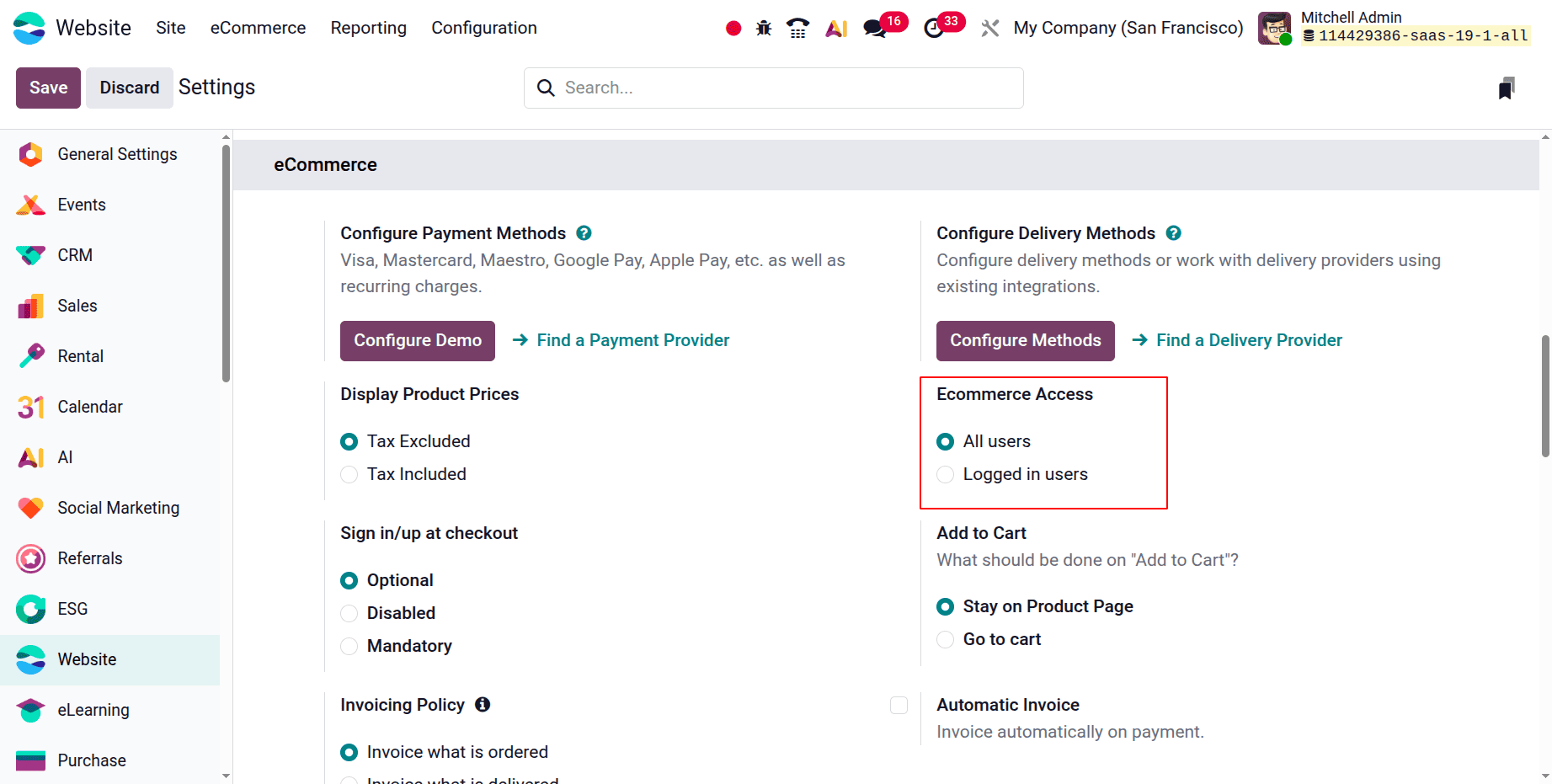
As previously stated, all users can view the shop page, product details, basket, and wishlists if the e-commerce access is set to "All users." Let's proceed to the website view when the settings have been saved.
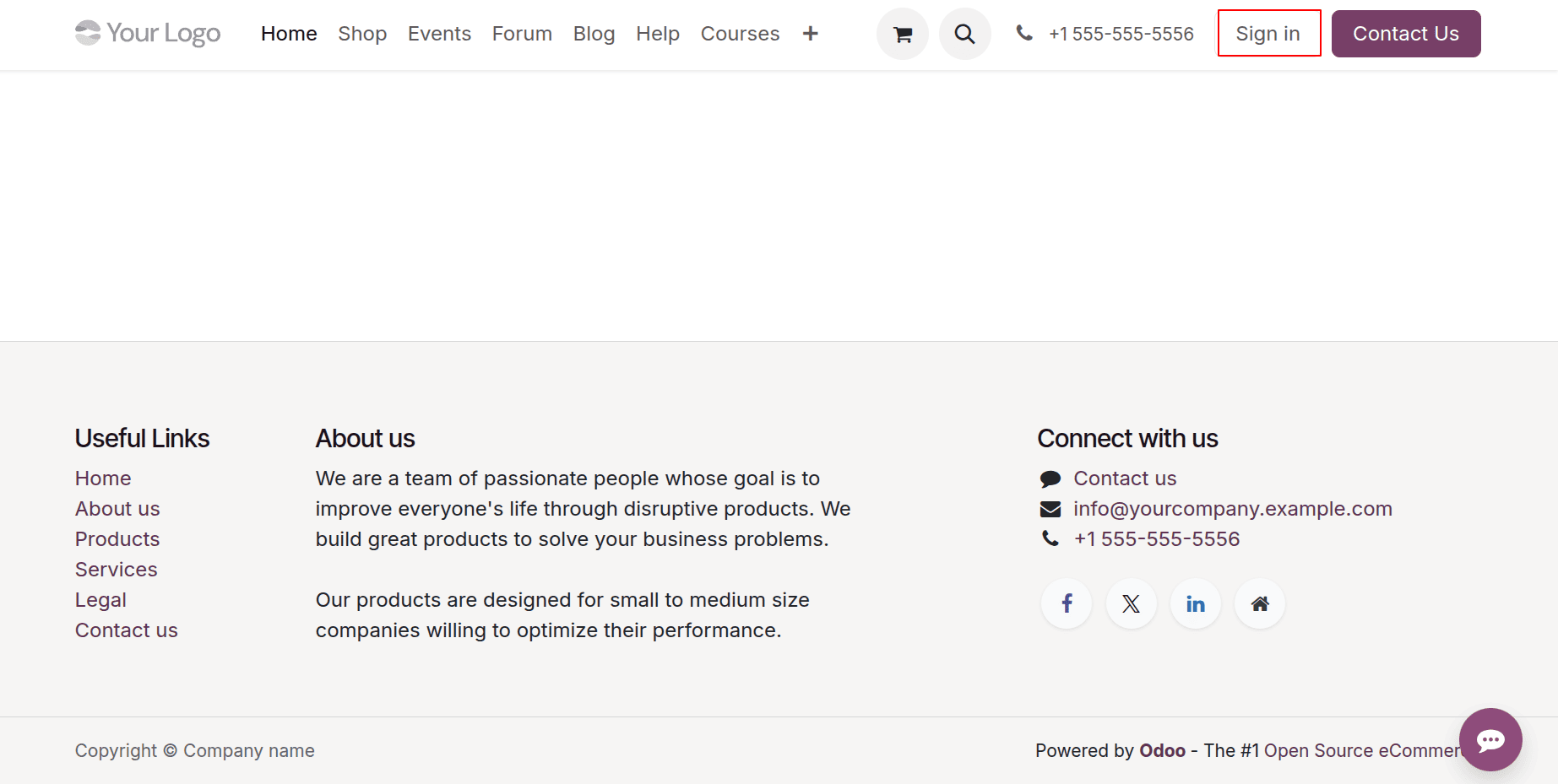
The user is not logged in here. Additionally, the visitor can enter the shop site and add products to both their wishlist and cart. This makes it possible for anyone to access the website and view all B2B-related content. Businesses' privacy will be hampered by this.
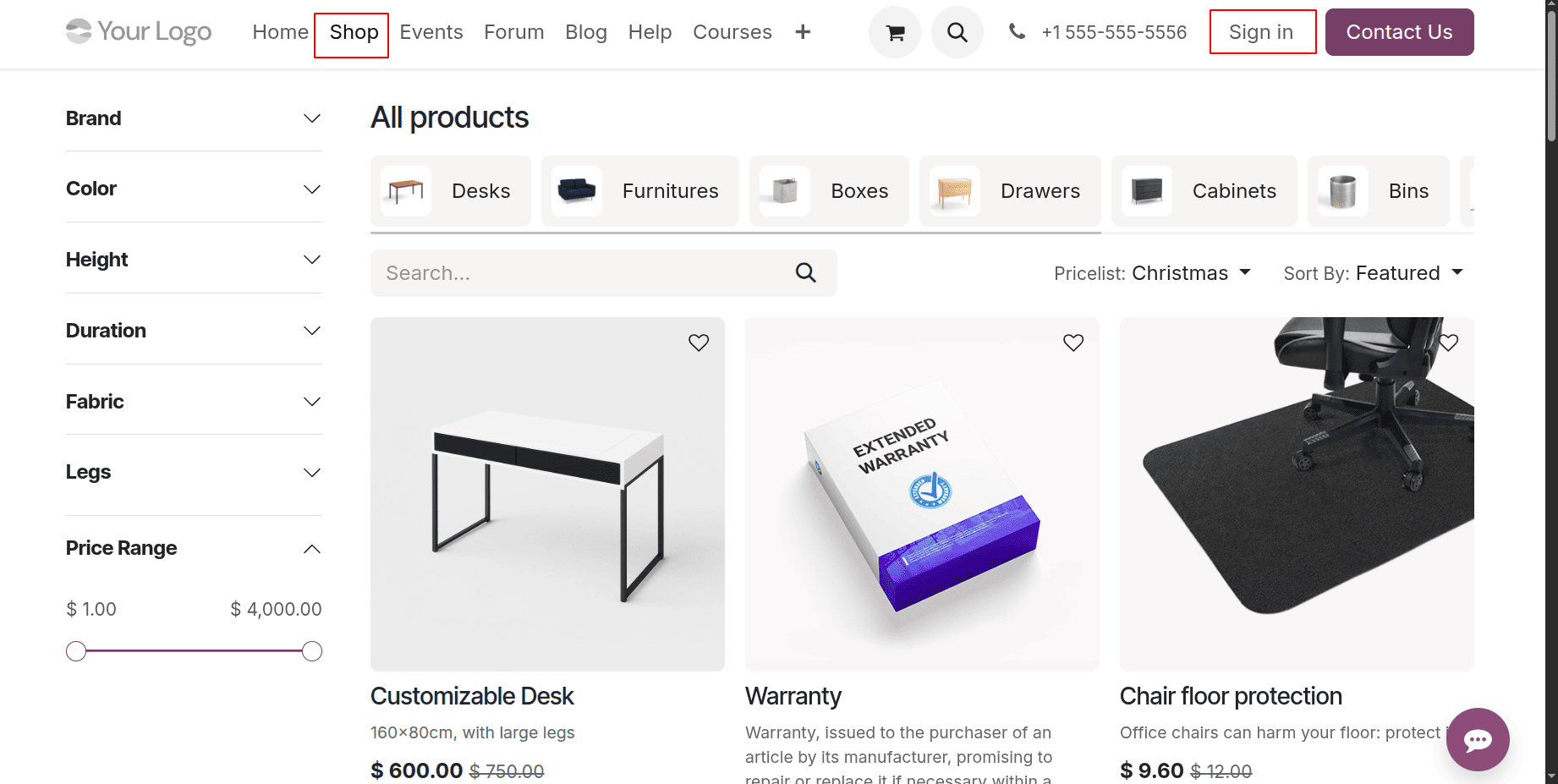
Therefore, a corporate organization can use this function to achieve company secrecy for wholesale rates and taxes. Change the e-commerce access to "Logged in users" now. Therefore, the shop pages, goods, cart information, and wishlists are only visible to those who are logged in. The e-commerce access can be set to "Logged in users" by the administrative staff.
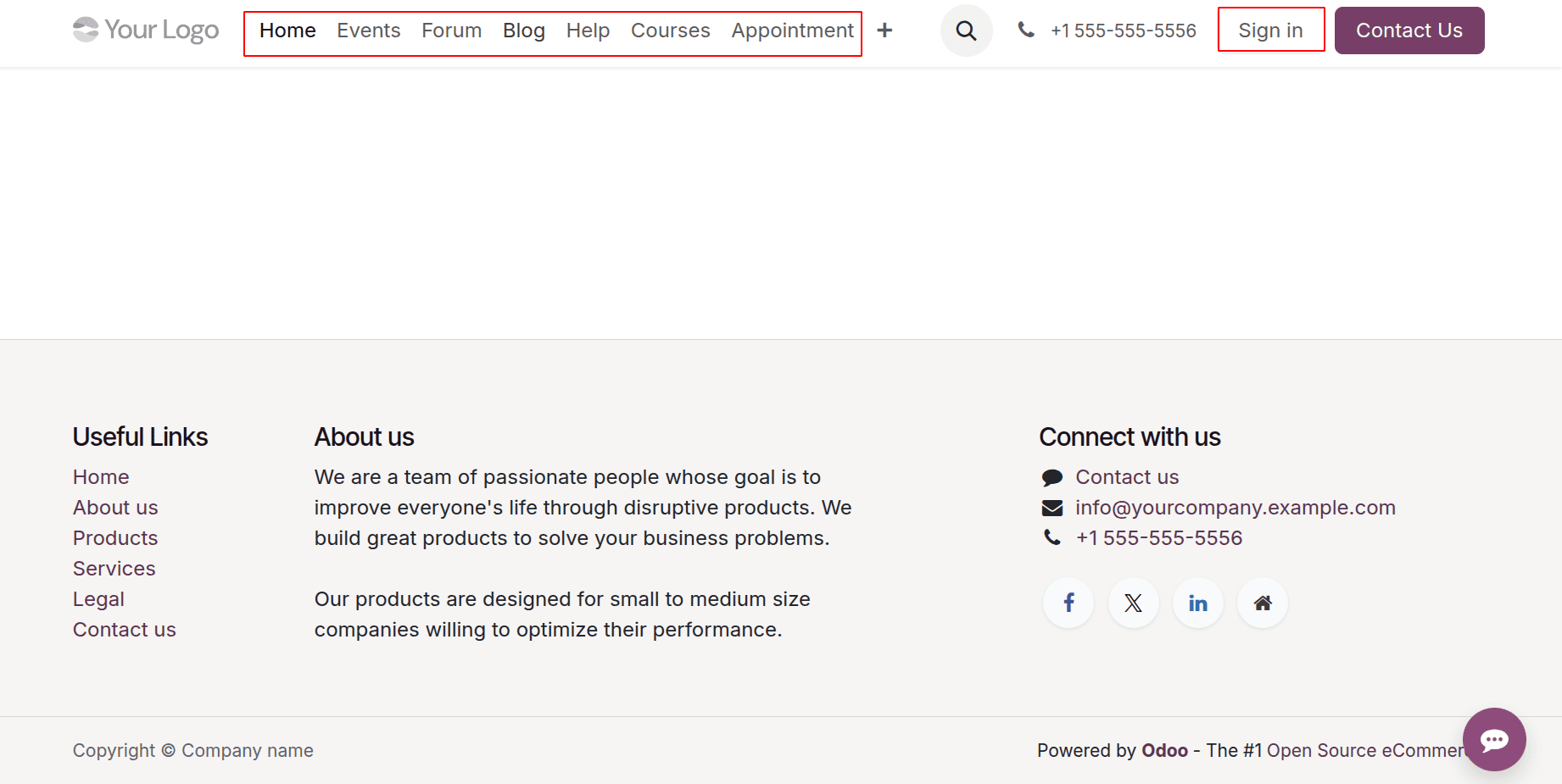
Anonymous users must not be able to access /shop at all. If an unidentified visitor tries to access it, they should be redirected to the login page. The business wants to maintain the privacy of information pertaining to wholesale sales. Only after logging in with a legitimate account can the user examine goods, categories, inventory, and prices that are unique to them. Wholesale prices are private and may vary based on the client, area, or agreement. Let's now examine the home page of the website.
The shop page is not accessible to the general public on this website.
One of our possible clients is a retailer named "Supermarket." This retailer can view the store page, products, cart information, wishlist information, and customer-specific prices if they log in using their legitimate account credentials.
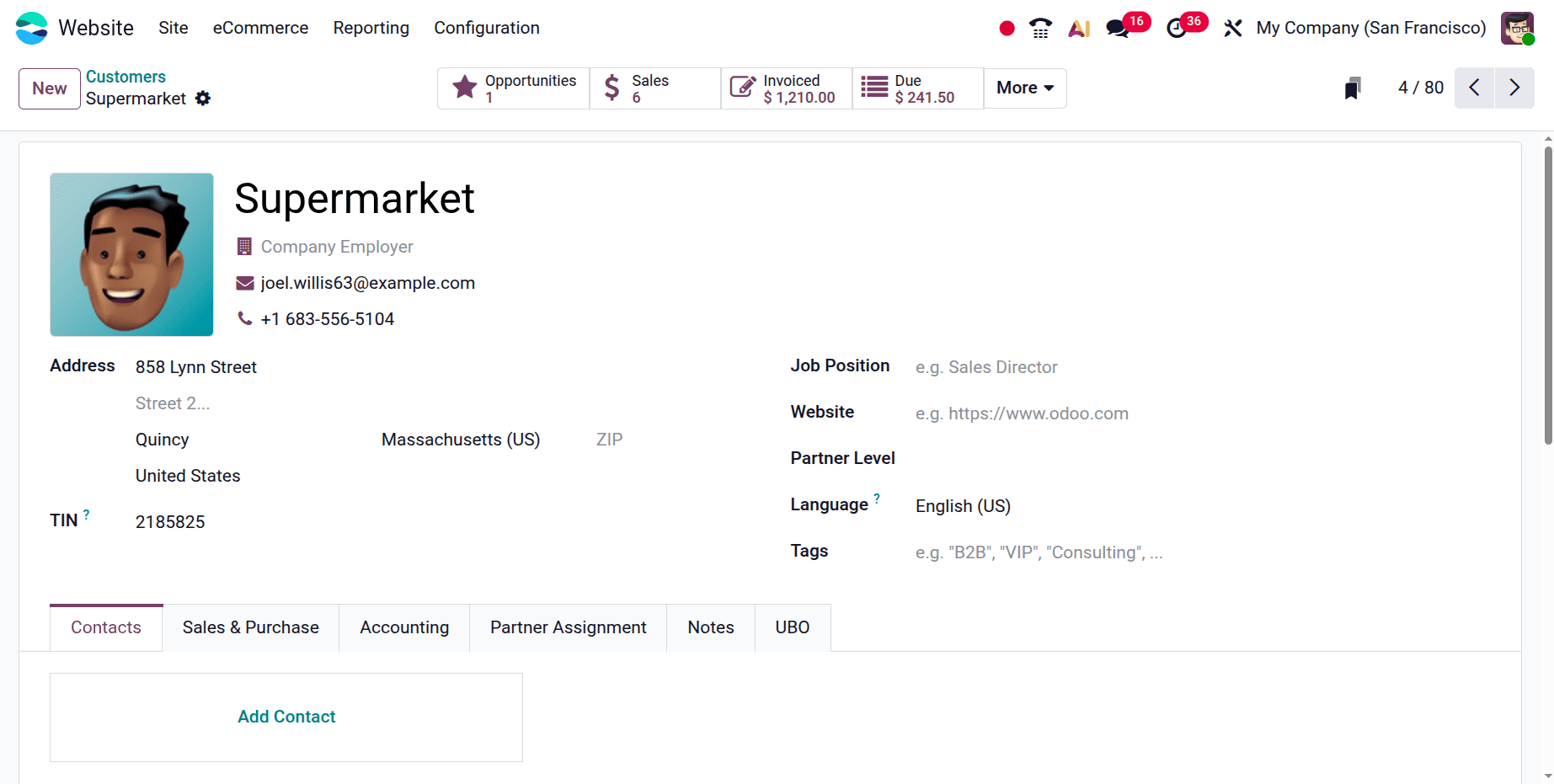
Let's check the changes by logging in with the retail customer's legitimate account credentials.
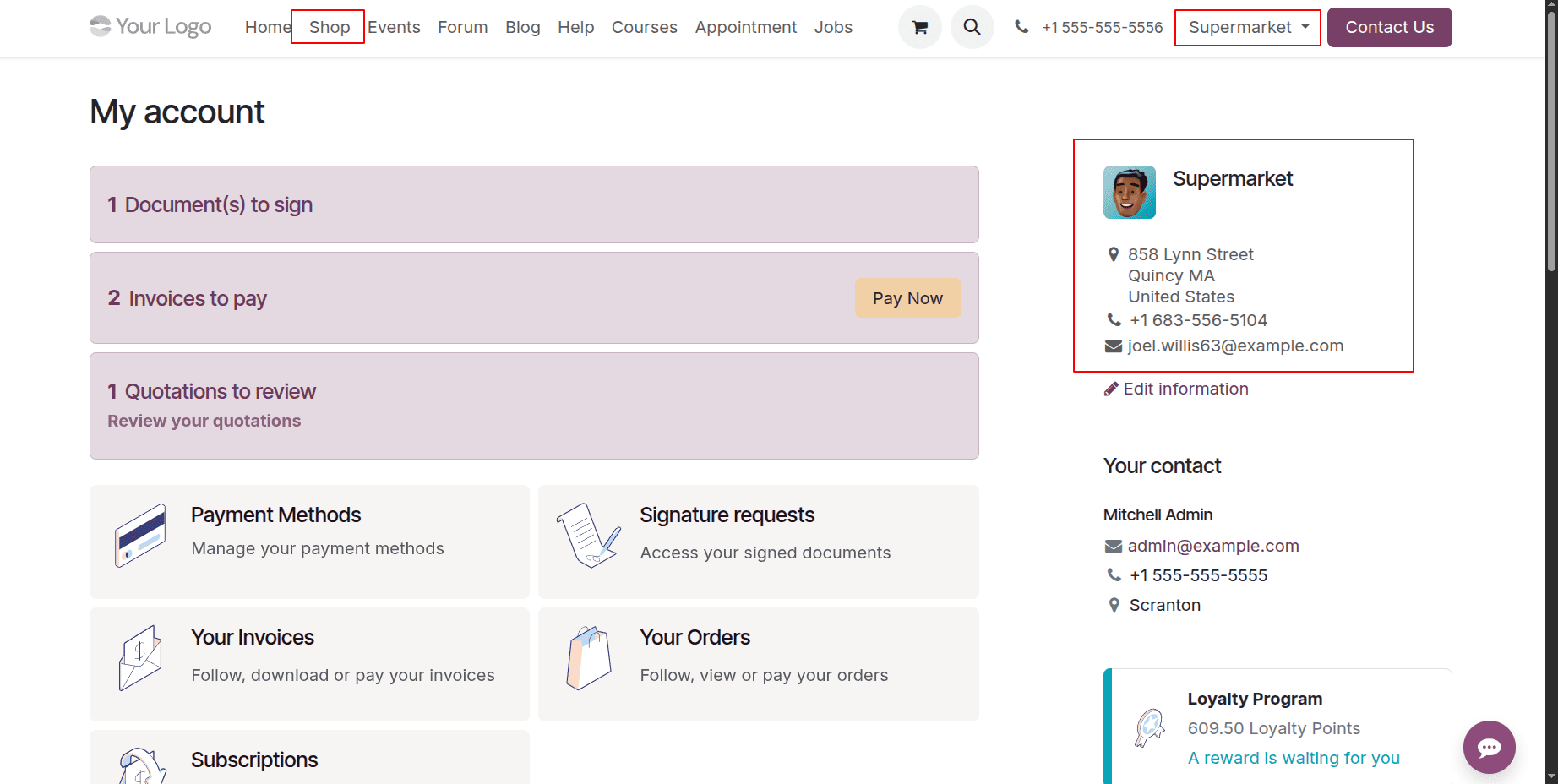
The retailer has logged in here, and the consumer data is visible on the right. Additionally, the shop page and the cart button are accessible. Thus, the retailer can begin using the shop page to buy in bulk for his company.
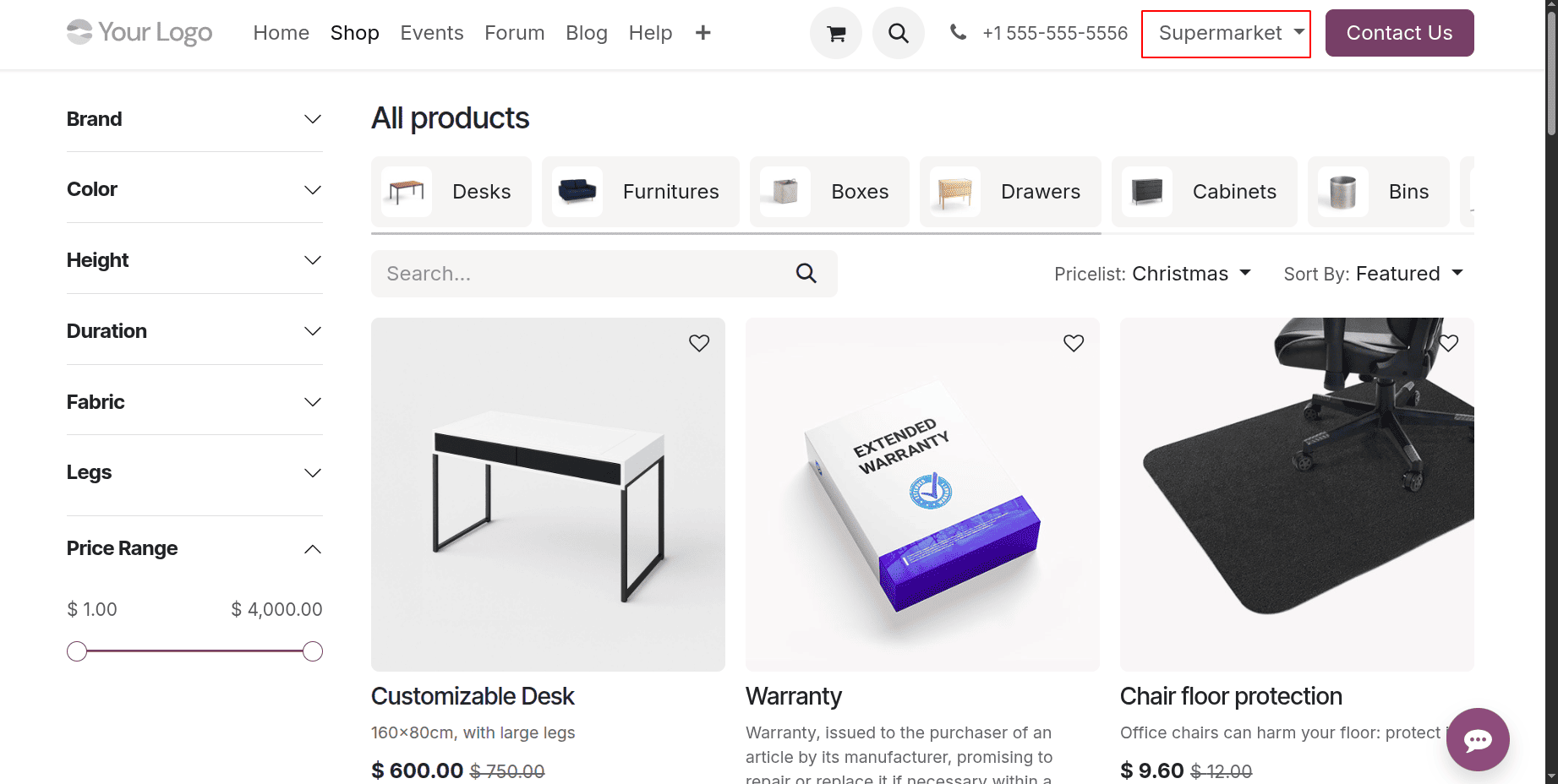
As a result, only limited product visibility and other e-commerce capabilities are available to the logged-in user.
Ultimately, this setup offers a simple yet efficient means of tailoring your eCommerce experience in accordance with your business strategy. Whether your objective is to protect your wholesale profits or give retail consumers transparency, Odoo's user-based visibility options give you the flexibility you need to run a secure and successful online business.
To read more about How to Manage Ecommerce Access in Odoo 18, refer to our blog How to Manage Ecommerce Access in Odoo 18.