PostgreSQL is crucial to Odoo 19's performance, transactional consistency, and data integrity. Although the majority of business logic requirements are met by Odoo's ORM, database-level automation is necessary in some real-world situations, particularly when handling bulk processes, integrations, or workflows that are performance-critical. PL/pgSQL triggers are useful in this situation.
You can use PL/pgSQL triggers to automatically carry out custom logic in response to database events like INSERT, UPDATE, or DELETE actions. They may handle complicated logic that would otherwise need repetitive application-level code, audit changes, synchronize related tables, and help enforce data rules when used appropriately. Triggers are very helpful for enhanced reporting, integrating legacy systems, and protecting important operational and accounting data in Odoo 19 projects.
We'll look at creating and utilizing PL/pgSQL triggers to efficiently manage Odoo 19 activities in this blog. You'll discover when triggers make sense, how they work with Odoo's ORM, and the best ways to keep your implementation performant, upgrade-safe, and manageable. By the time it's all over, you'll have a strong basis for directly extending Odoo behavior at the PostgreSQL level without sacrificing system stability.
Example: Automatically Set write_date Log When Partner Email Changes
Email addresses in Contacts are essential for billing, alerts, and portal access in Odoo 19. This example keeps the trigger logic simple and secure by logging just when a partner's email is modified.
Step 1: Create a Log Table
CREATE TABLE partner_email_change_log (
    id SERIAL PRIMARY KEY,
    partner_id INTEGER,
    old_email VARCHAR,
    new_email VARCHAR,
    changed_on TIMESTAMP DEFAULT now()
);
This table is used to keep track of email updates made to customer or vendor records in Odoo. When a partner's email is modified, the table saves the partner ID, the old email, the new email, and the exact moment the change occurred.
Step 2: Create a Simple Trigger Function
CREATE OR REPLACE FUNCTION log_partner_email_change()
RETURNS TRIGGER AS $$
BEGIN
    -- Log only if email value changes
    IF NEW.email IS DISTINCT FROM OLD.email THEN
        INSERT INTO partner_email_change_log (
            partner_id,
            old_email,
            new_email
        )
        VALUES (
            NEW.id,
            OLD.email,
            NEW.email
        );
    END IF;
    RETURN NEW;
END;
$$ LANGUAGE plpgsql;
This trigger function is called automatically whenever a partner record is updated and checks to see if the email address has changed. If a change is identified, it logs the partner ID as well as the old and new email addresses into the audit database while enabling the update to proceed normally.
Step 3: Attach the Trigger to res_partner
CREATE TRIGGER trg_partner_email_change
AFTER UPDATE ON res_partner
FOR EACH ROW
EXECUTE FUNCTION log_partner_email_change();
This trigger adds the email-change logging function to the res_partner database, making it execute automatically after each update. When a partner record is edited, the trigger executes the function that records any email changes without interfering with normal Odoo activities.
As an example, change the email address of Floyd Steward in contacts from view; below is the original one before changing.
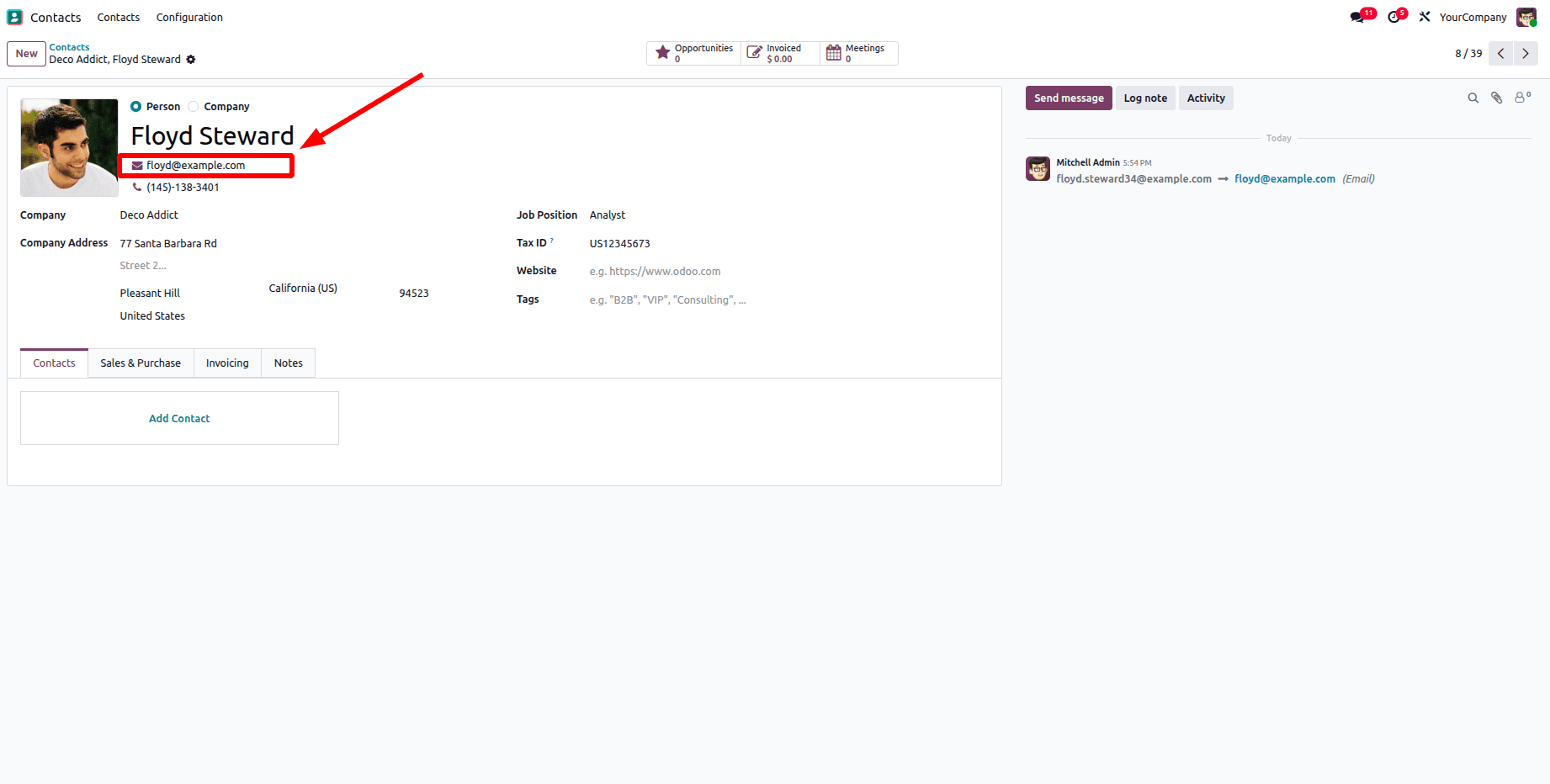
The updated contact record email address is shown in the screenshot below.
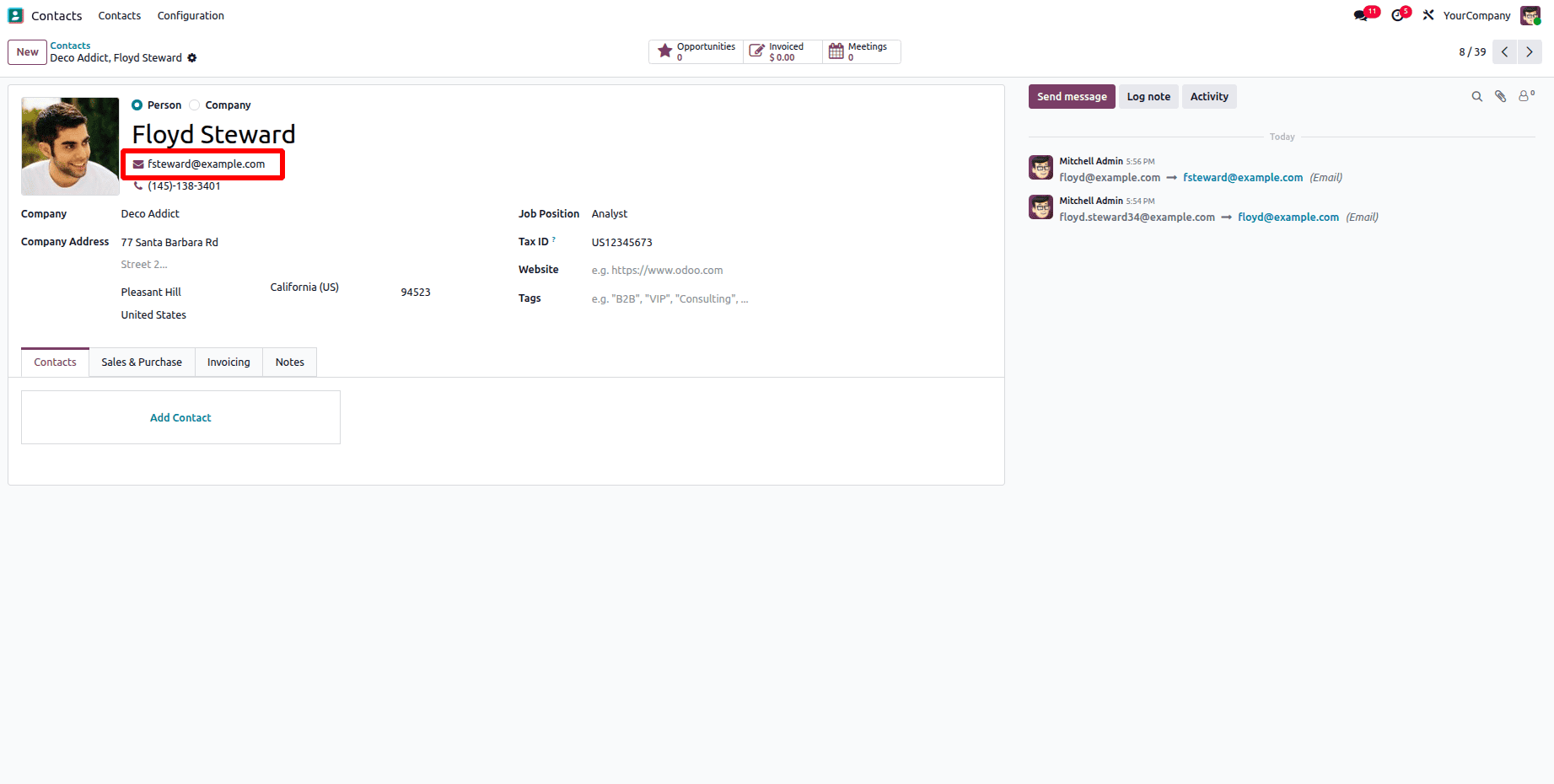
Performed the following query to examine the email change logs and updated two more contact entries for further samples. With the most recent updates listed first, the query displays each contact's name, both old and new email addresses, and the precise date and time of the change.
SELECT
    p.name,
    l.old_email,
    l.new_email,
    l.changed_on
FROM partner_email_change_log l
JOIN res_partner p ON p.id = l.partner_id
ORDER BY l.changed_on DESC;
After performing the query, the data displayed below prove that the trigger function was correctly constructed and applied, as the logs record any email modifications made after the trigger was enabled.

When working with Odoo 19, PL/pgSQL triggers can be a helpful tool, especially for tasks like auditing, data consistency, or integration safety checks that call for database-level control. Even a basic trigger may automatically monitor changes to client email addresses without changing Odoo's core code or business logic, as this article demonstrates.
Triggers, however, should only be used carefully. They are perfect for simple, non-intrusive tasks like logging and validation rather than complex workflows because they operate independently of the Odoo ORM. PL/pgSQL triggers offer a reliable and upgrade-safe way to enhance Odoo 19 processes while maintaining system stability and manageability when properly constructed and validated.
To read more about How to Create PL/pgSQL Functions for Odoo 19 Operations, refer to our blog How to Create PL/pgSQL Functions for Odoo 19 Operations.