Efficient management of employee schedules plays a vital role in optimizing workforce operations within an organization. Odoo 19 simplifies this process with Shift Templates, a feature designed to help businesses create standardized work schedules that can be reused across teams, departments, and locations. Instead of manually assigning shifts for every employee and every scheduling cycle, administrators can define recurring shift patterns and apply them whenever needed. This enhances workforce planning by lowering administrative overhead, reducing scheduling inaccuracies, and promoting consistency. Shift Templates are particularly useful for businesses operating with rotating schedules, fixed working hours, or multiple shifts throughout the day. By using predefined templates, HR managers and team leaders can quickly allocate resources, maintain compliance with company policies, and improve operational efficiency. In Odoo 19, Shift Templates integrate seamlessly with planning and attendance modules, making employee scheduling more organized, accurate, and scalable for businesses of all sizes and industries.
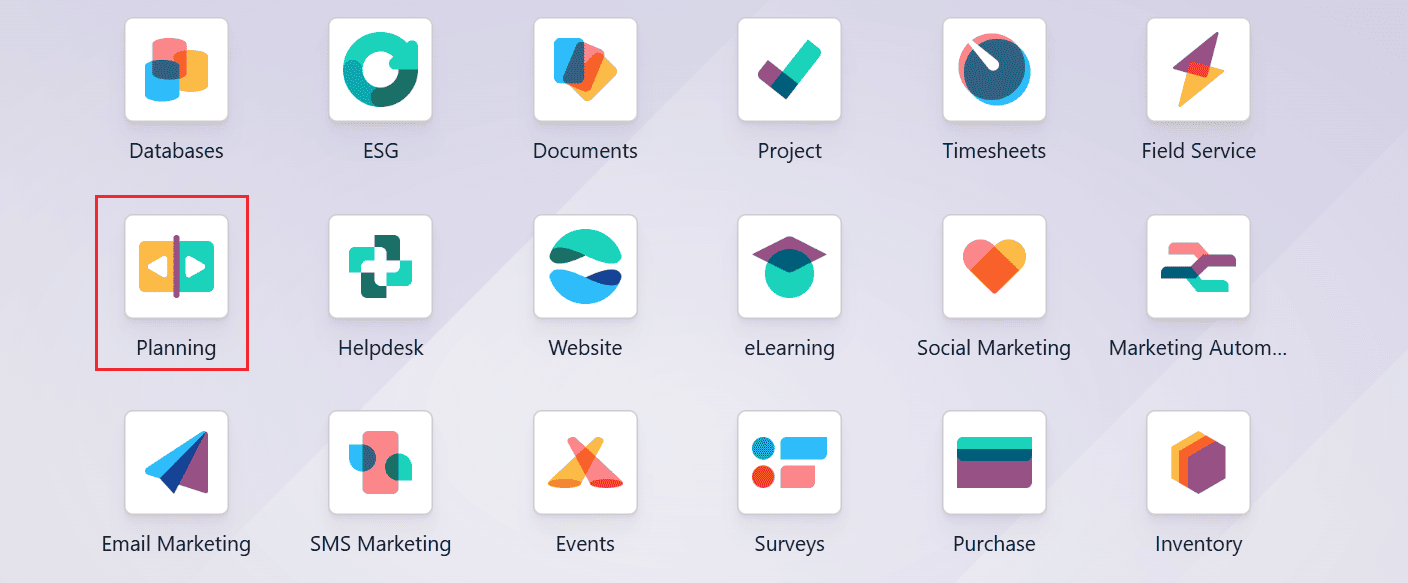
Firstly, open the Planning module from the Odoo 19 dashboard.
Here, you can see the main dashboard as a calendar interface, which helps you to easily arrange activities and organize employee shifts, tasks, or resources. In Odoo 19, you can create and use a shift template in two ways.
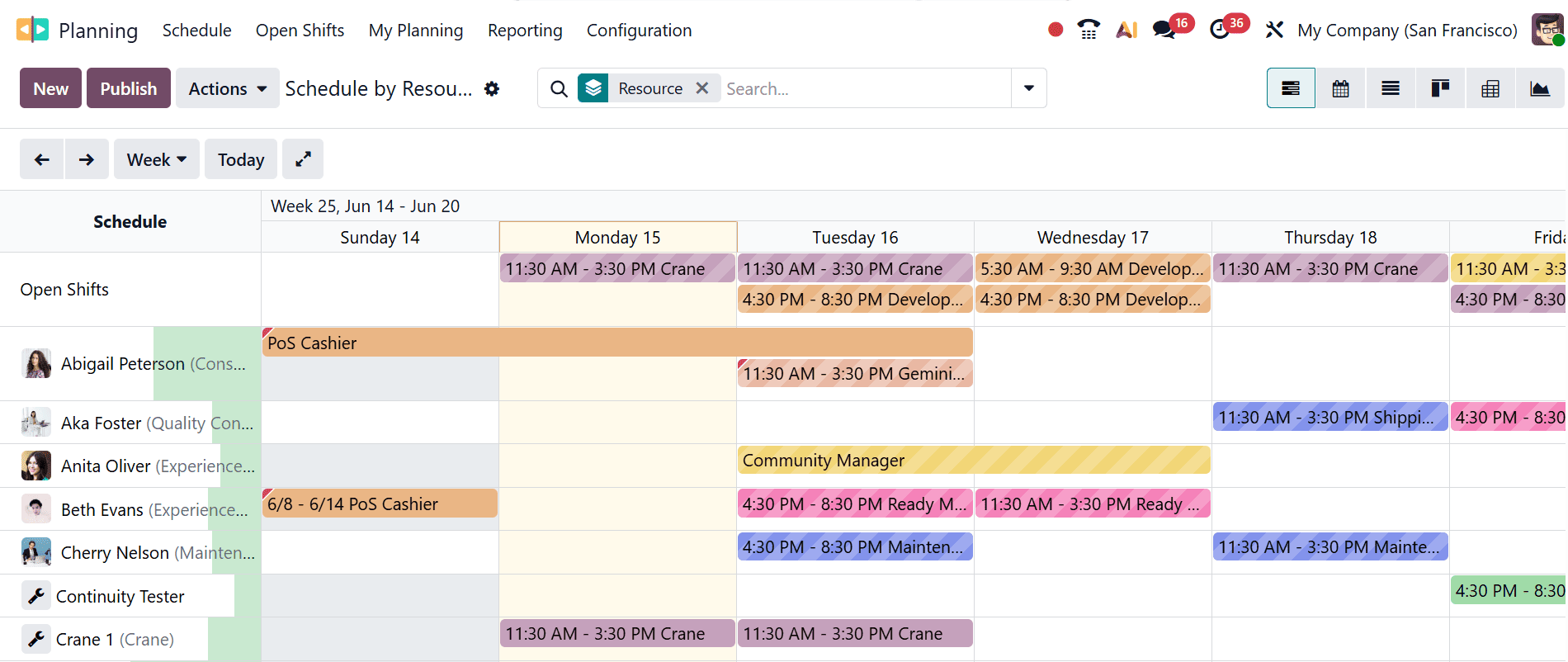
One way to create a shift template is by clicking the New button on the main dashboard. This opens a pop-up window, as illustrated below:
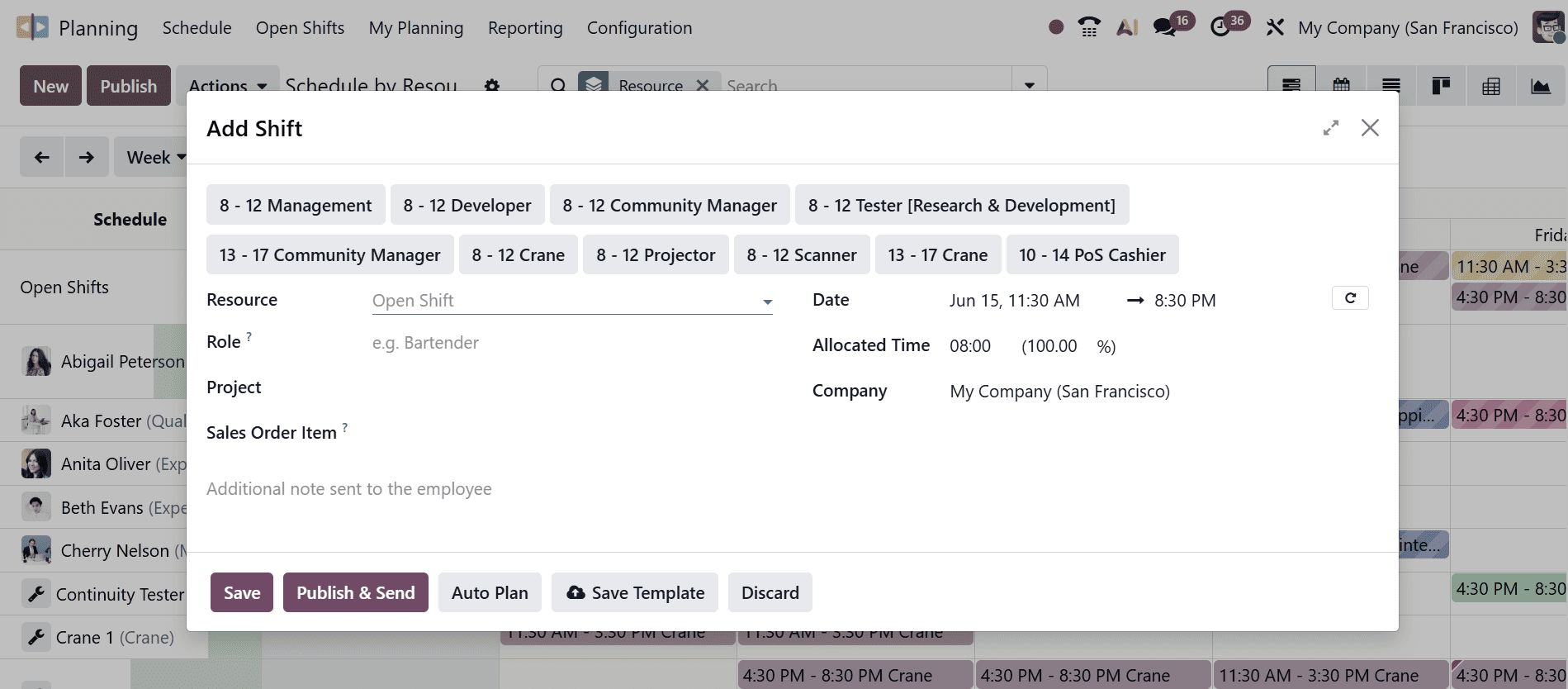
From there, you can choose an existing template from the list or enter the required information manually, such as Resource, Role, Project, Sales Order Item, Date, Allocated Time, and Company. Once all details have been provided, click Save to create the shift template.
Alternatively, you can save this shift as a template for future use by clicking the Save Template button, or publish and send it by clicking the Publish & Send button.
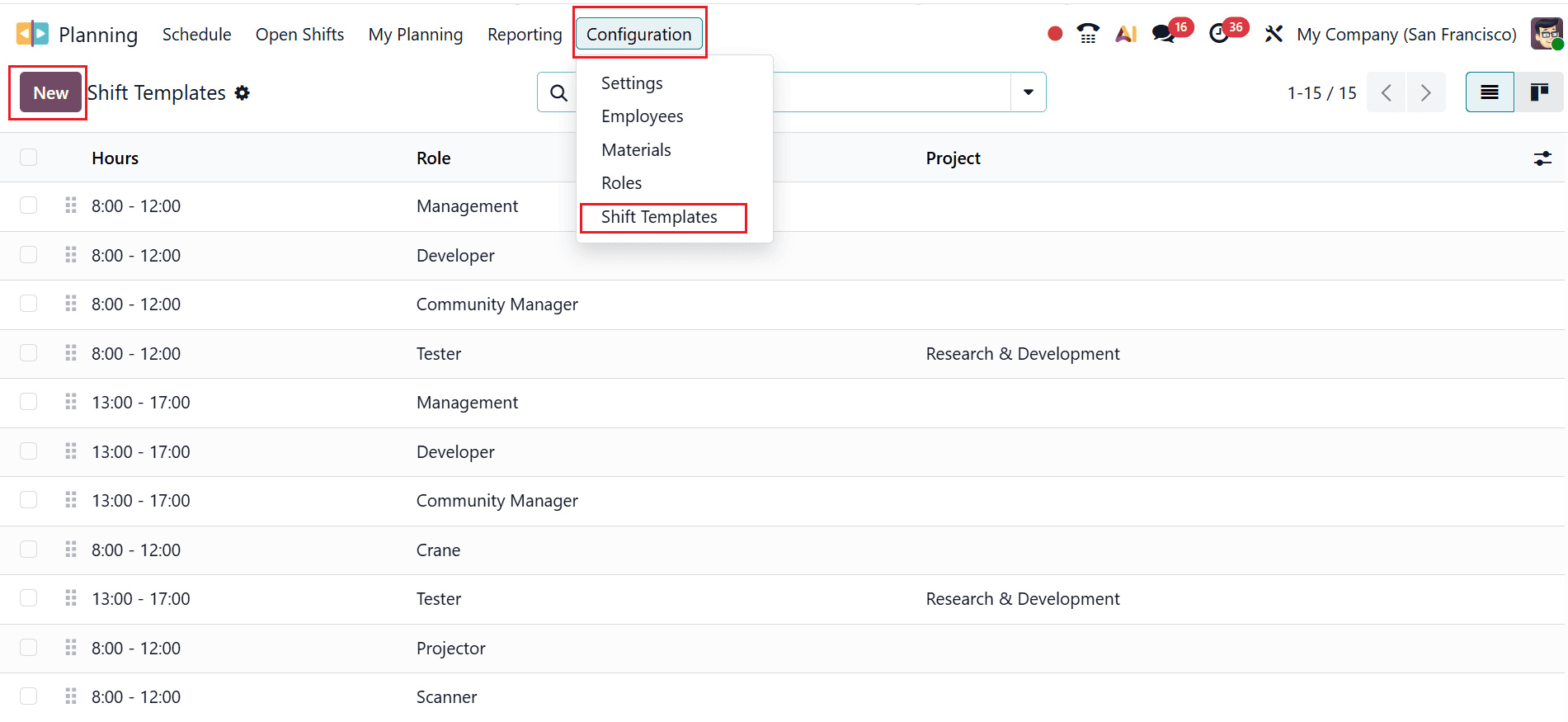
Another option is to create a shift template directly through the Configuration menu and select the Shift Template option. The dashboard displays a list of shift templates with details including Hours, Role, and Project. To create a new shift template, click on the New button as shown below:
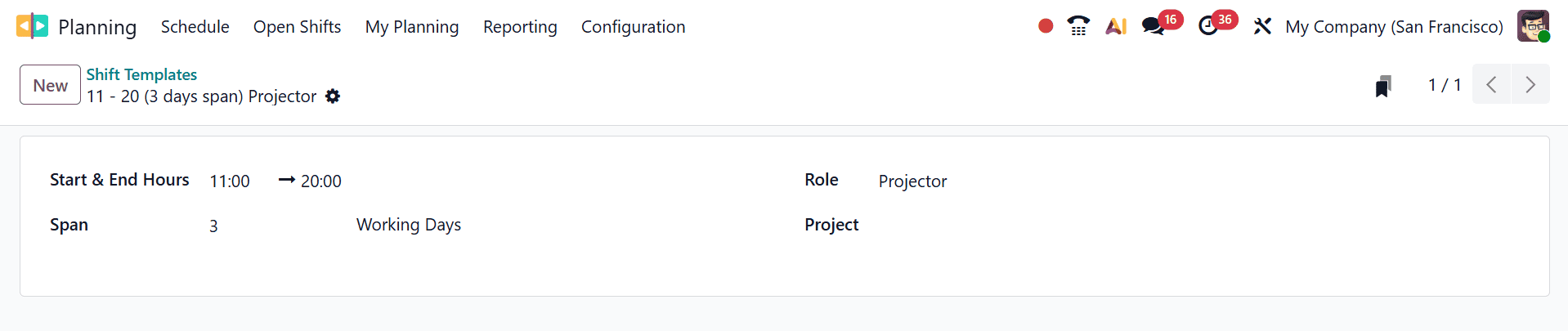
A new window will open where you can add the details of the shift template, such as Start & End Hours, Role, Project, and Span (number of working days).
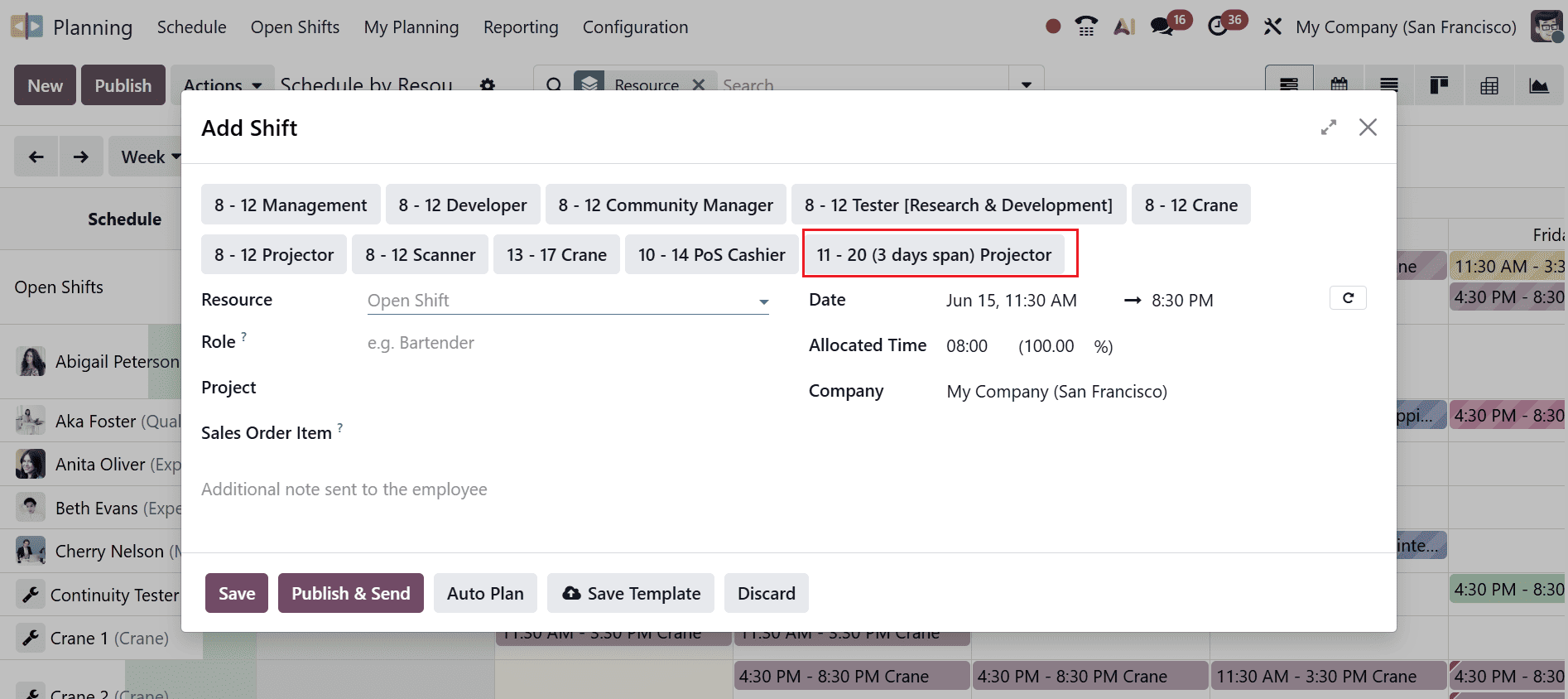
Once the shift template has been saved, it will be available in the Add Shift wizard as shown below:
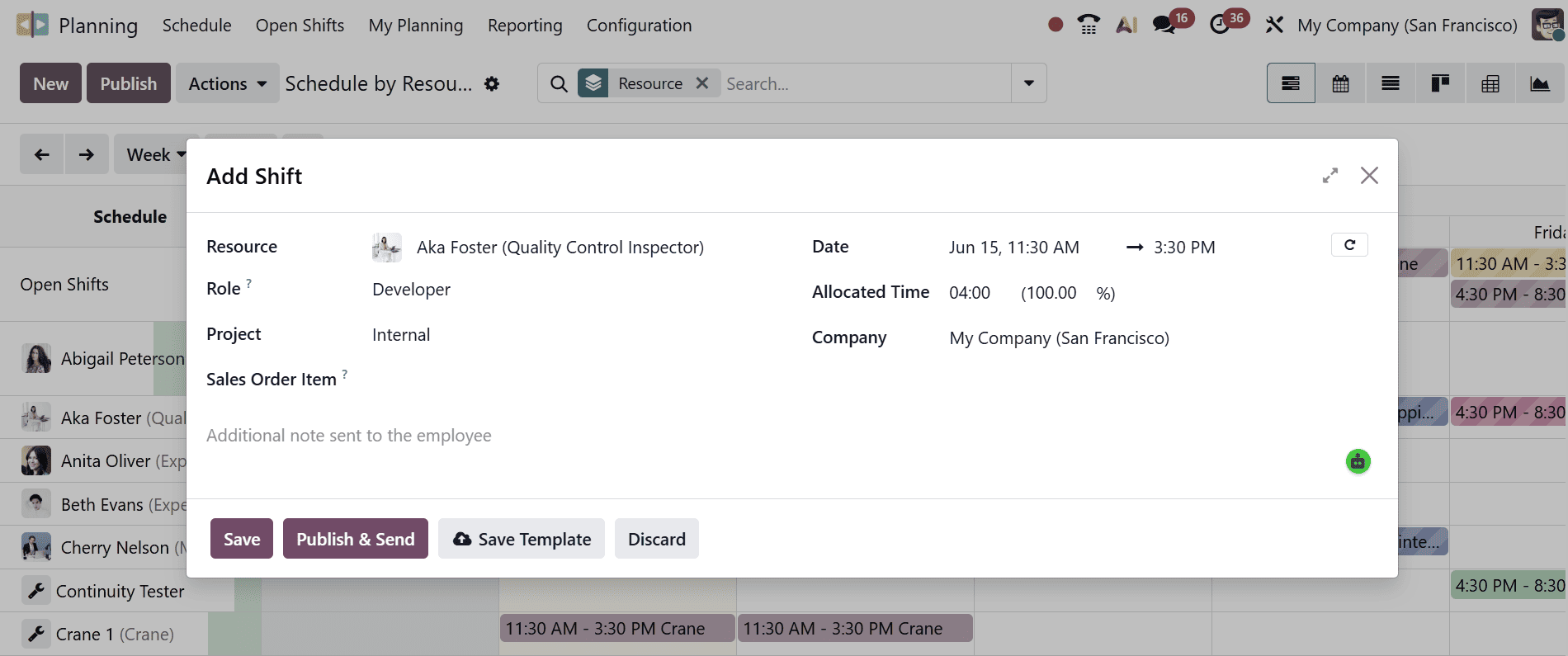
From here, choose the newly created shift, fill in the required information, and save your changes.
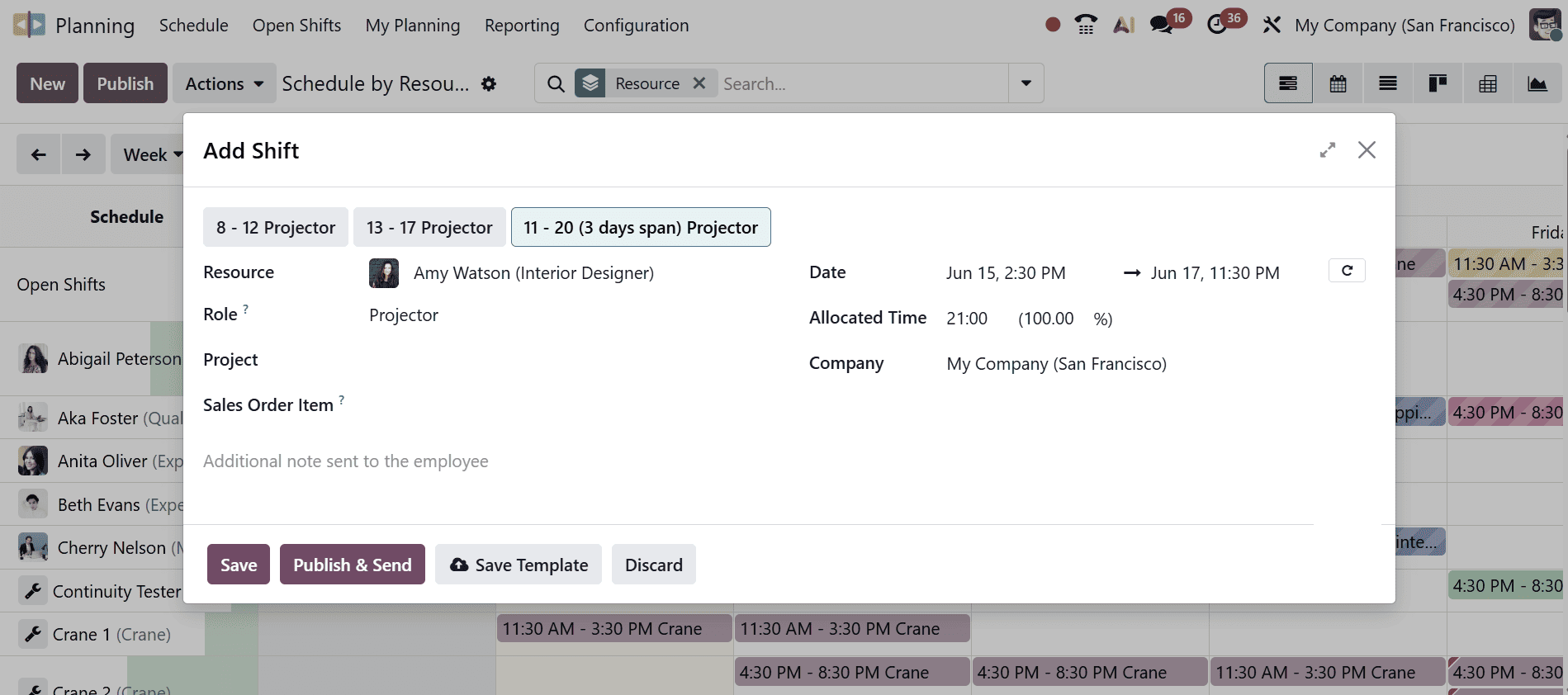
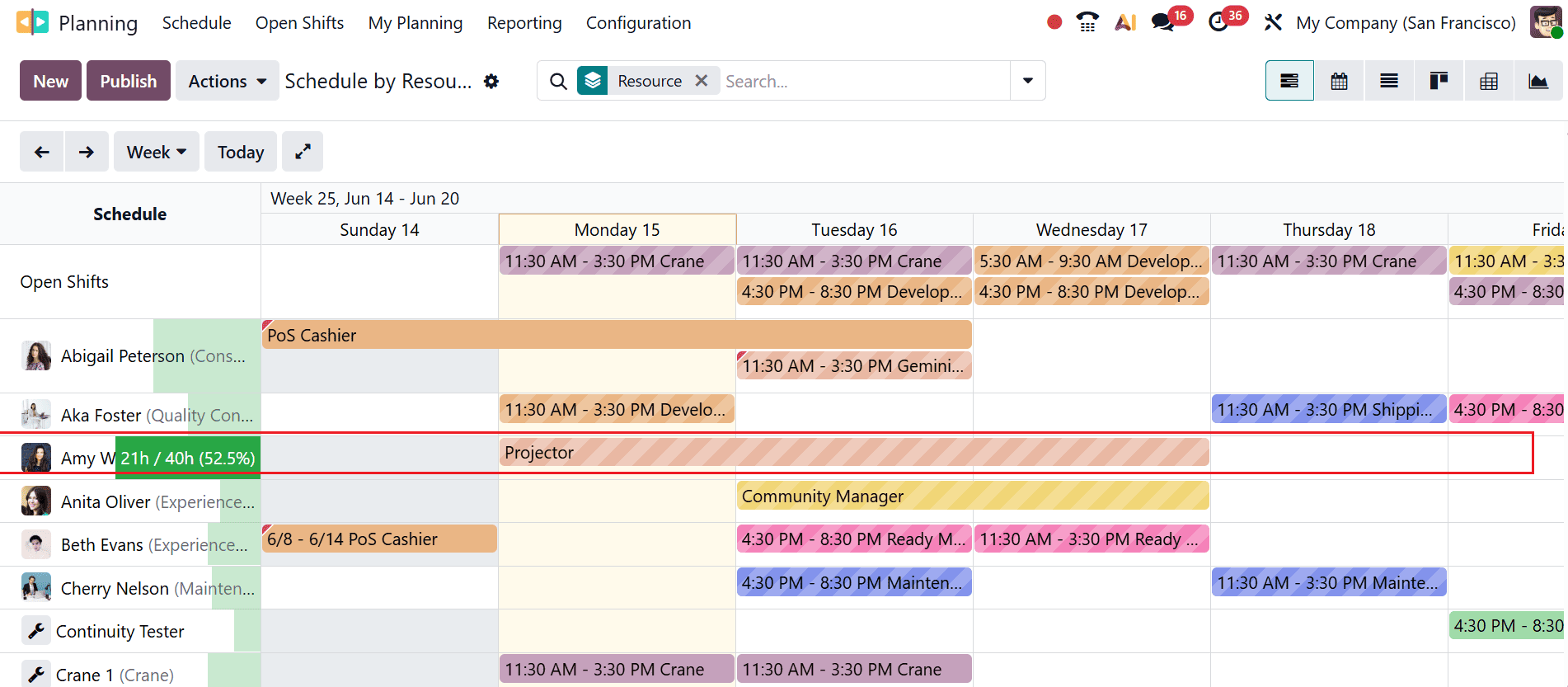
Here, you can see the shift assigned to employee Amy Watson.
Shift Templates in Odoo 19 provide a practical and efficient solution for organizations seeking to streamline employee scheduling and workforce planning. By creating reusable shift patterns, businesses can significantly reduce the time spent on manual scheduling while maintaining consistency across teams and departments. The feature helps managers quickly assign work hours, accommodate recurring schedules, and adapt to changing operational requirements without starting from scratch each time. Additionally, Shift Templates contribute to better resource allocation, improved attendance tracking, and enhanced coordination between HR and operational teams. Their integration with Odoo’s broader workforce management ecosystem ensures that scheduling data remains accurate and accessible across related modules. Whether a company manages a small team or a large workforce with complex scheduling needs, Shift Templates offer flexibility, efficiency, and reliability. Implementing this feature in Odoo 19 can help organizations optimize workforce productivity while simplifying daily scheduling tasks and long-term planning efforts.
To read more about How Shift Templates are Configured and Used in Odoo 18, refer to our blog How Shift Templates are Configured and Used in Odoo 18.