For business operations to run smoothly and effectively, work centers and equipment must be properly maintained. Frequent maintenance prolongs the life of equipment and tools, minimizes downtime, and helps prevent unplanned malfunctions. Spotting and fixing such problems before they worsen also increases workplace safety. Additionally, well-maintained equipment promotes constant product or service quality, lowers operating costs, and boosts productivity.
Production equipment in manufacturing settings occasionally experiences unanticipated failures while in use. Workflow disruptions, decreased productivity, and delays in fulfilling manufacturing orders might result from such breakdowns. It's critical to report equipment problems right once and start maintenance tasks right away in order to save downtime. When equipment issues arise, Odoo offers a productive approach to generate maintenance requests straight from the manufacturing process. This feature makes it easier for production teams to promptly report operational problems or machine breakdowns to the maintenance department. Businesses can enhance communication between production and maintenance teams by submitting maintenance requests straight from manufacturing. Additionally, it makes it easier for companies to keep track of equipment history and repair actions.
In addition to ensuring a smoother operational flow inside the work center, timely repair requests assist in minimizing production interruptions. Better preventive and corrective maintenance management is supported by this method, which also increases equipment reliability. This blog describes how to use Odoo to send repair requests for malfunctioning production equipment straight from manufacturing.
Let's check how to place a maintenance request directly from a manufacturing module during the production process.
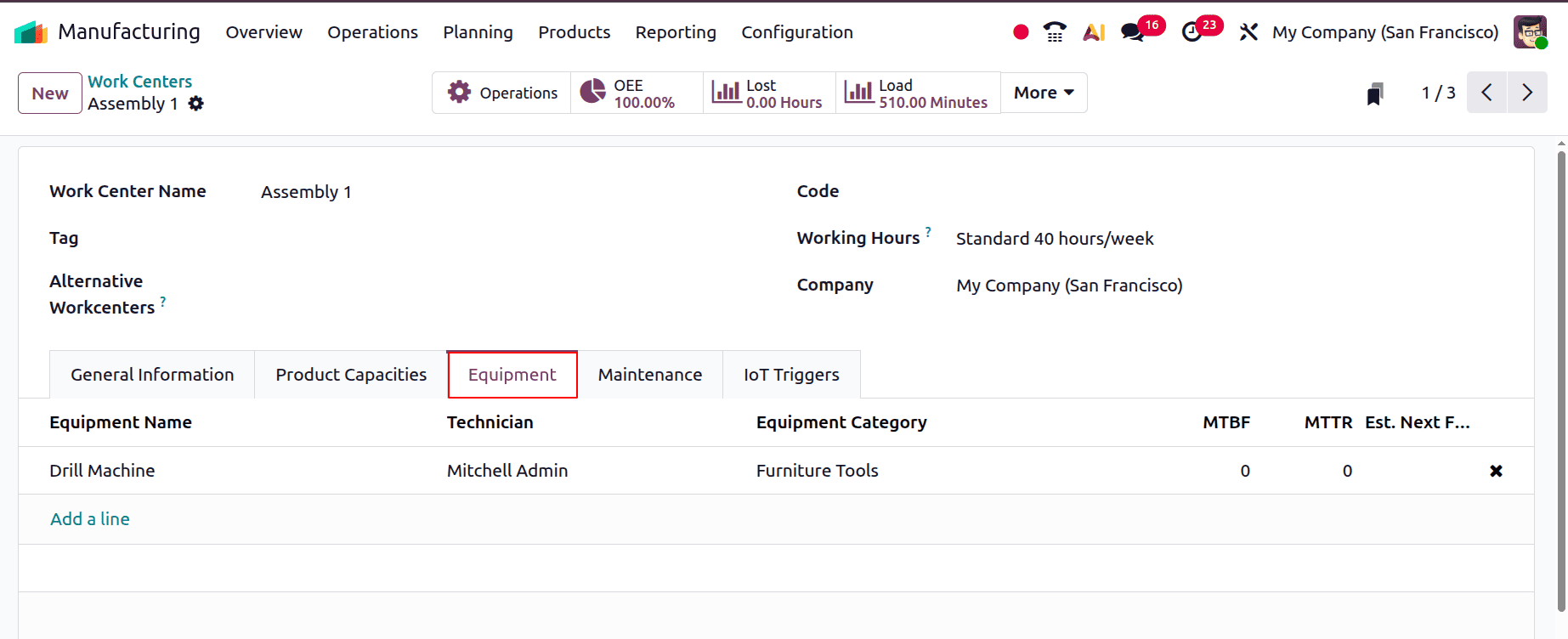
For that, there is a work center named “Assembly 1”. Here, under the equipment tab, equipment is added, which is a Drill Machine.
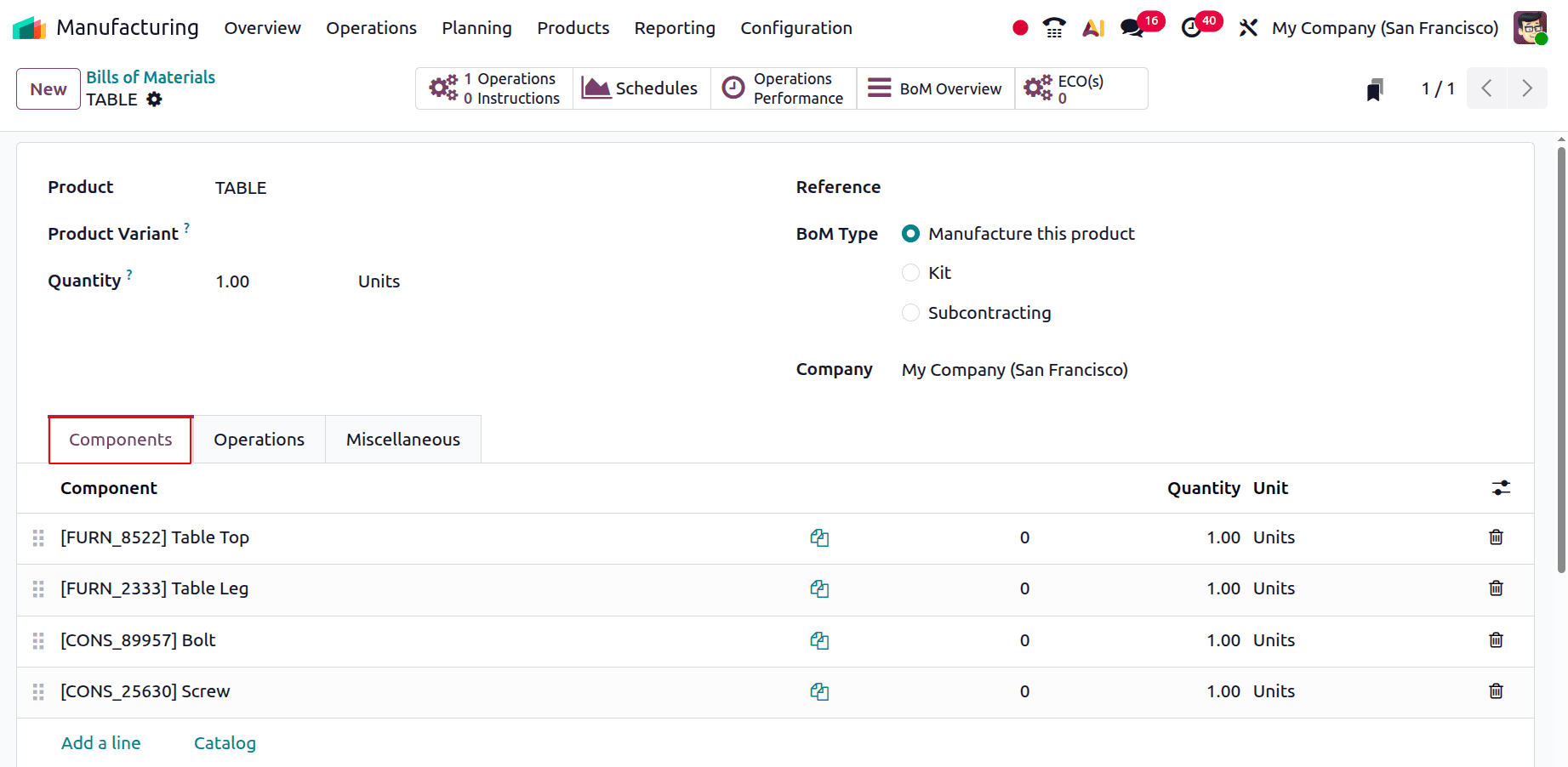
Let's create a new bill of materials for a product. Here, the components are added inside the Components tab.
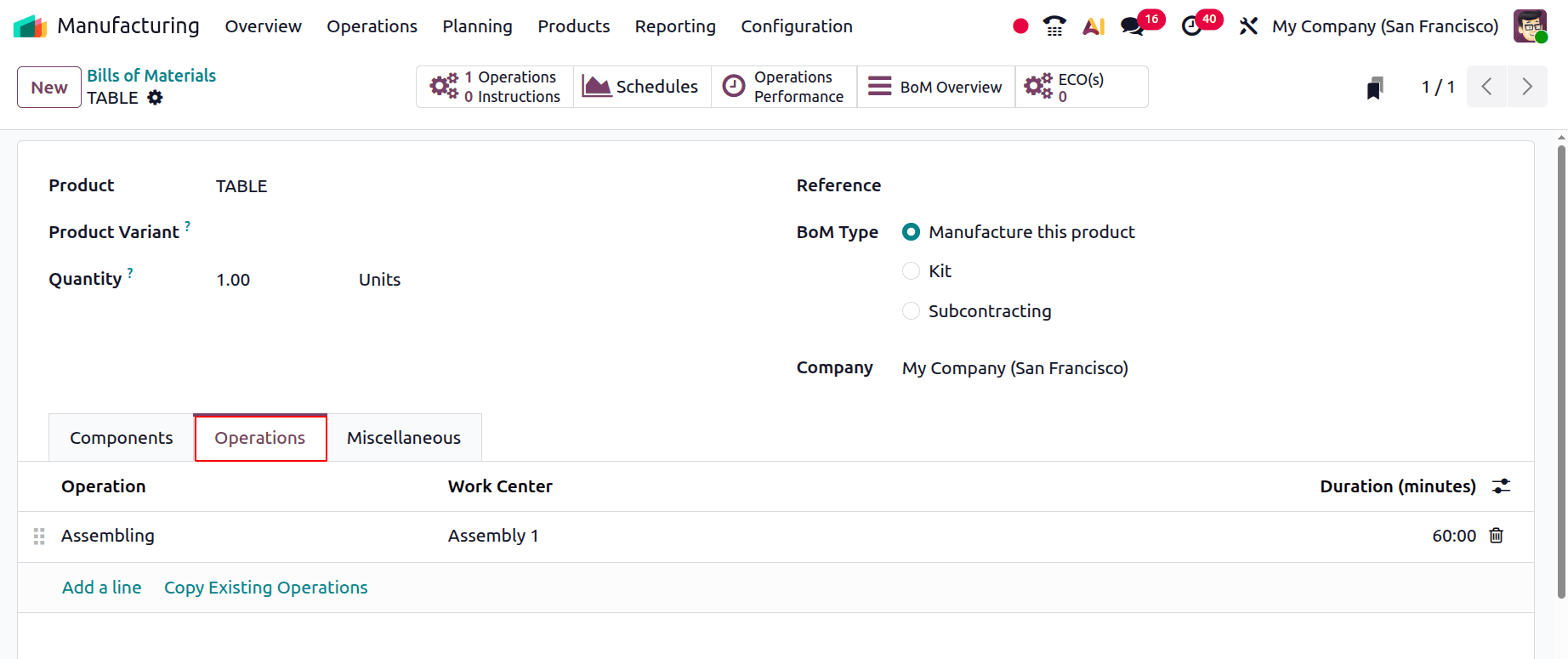
Then the next tab is to add the work orders. Here, the operation is named "Assembling" and is performed in the work center named Assembly 1.
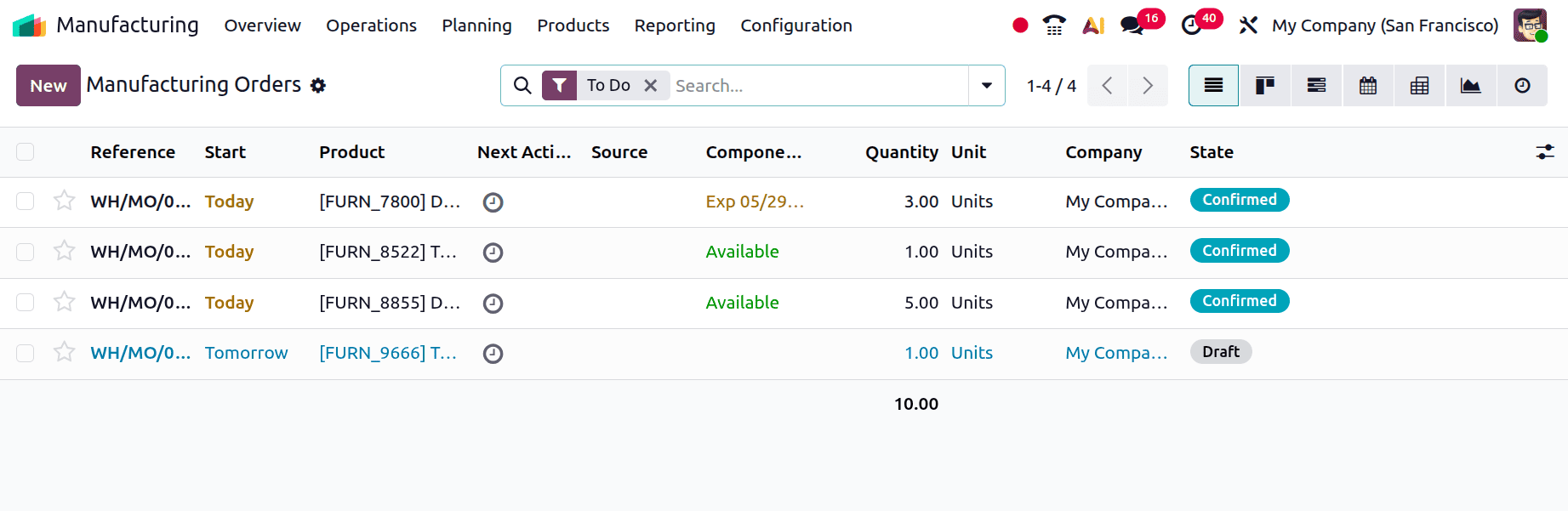
Let's create a manufacturing order. For that, choose Manufacturing Order from the Operations menu. The list shows Reference, start date, product, next activity, source, component status, quantity, units, company, and state.
To add a new manufacturing order, click on the New button. Add the product TABLE. Then choose the bill of materials. Then confirm the order.
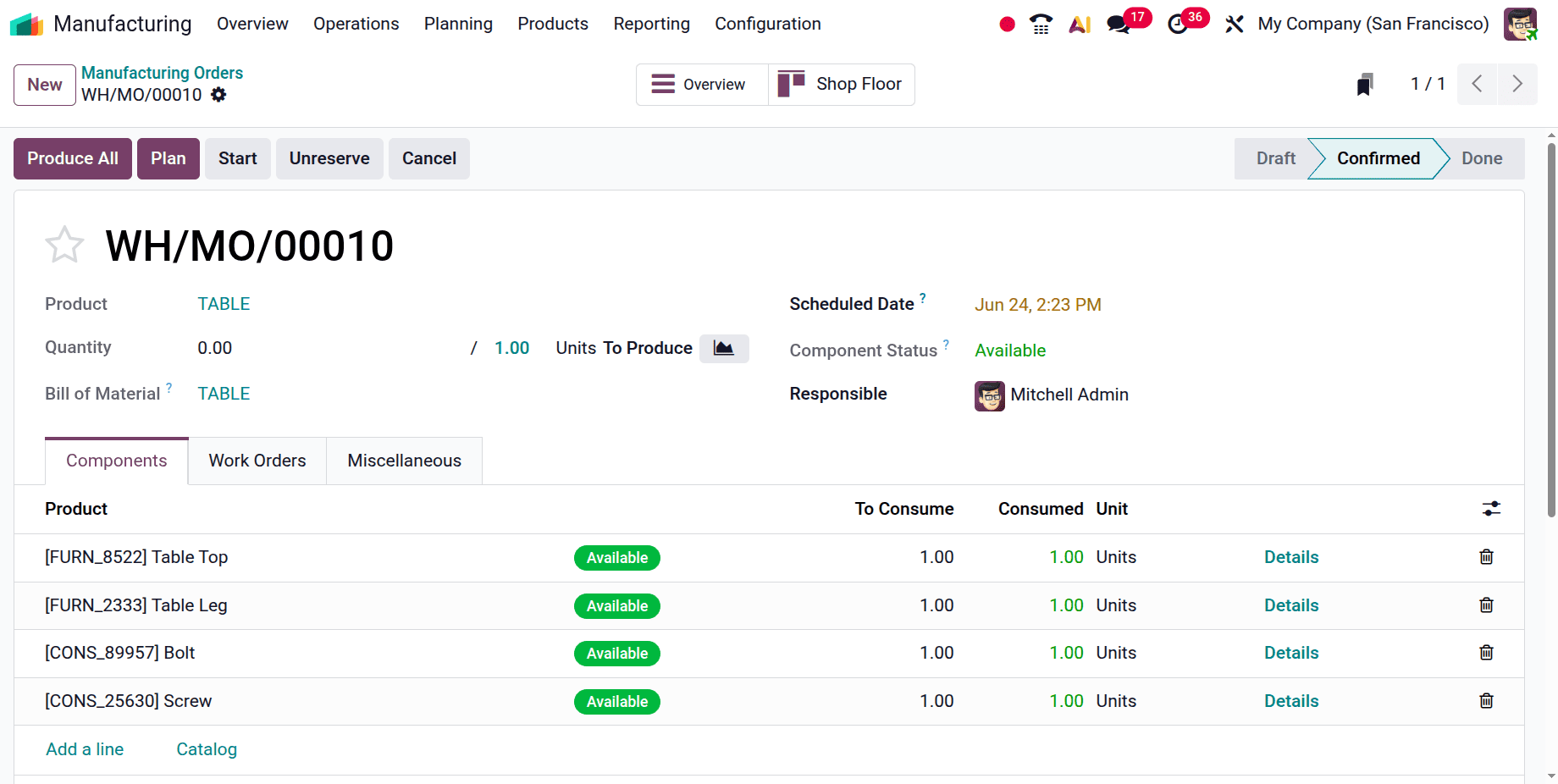
Plan the order, then start the operation. Then move to the Shop Floor.
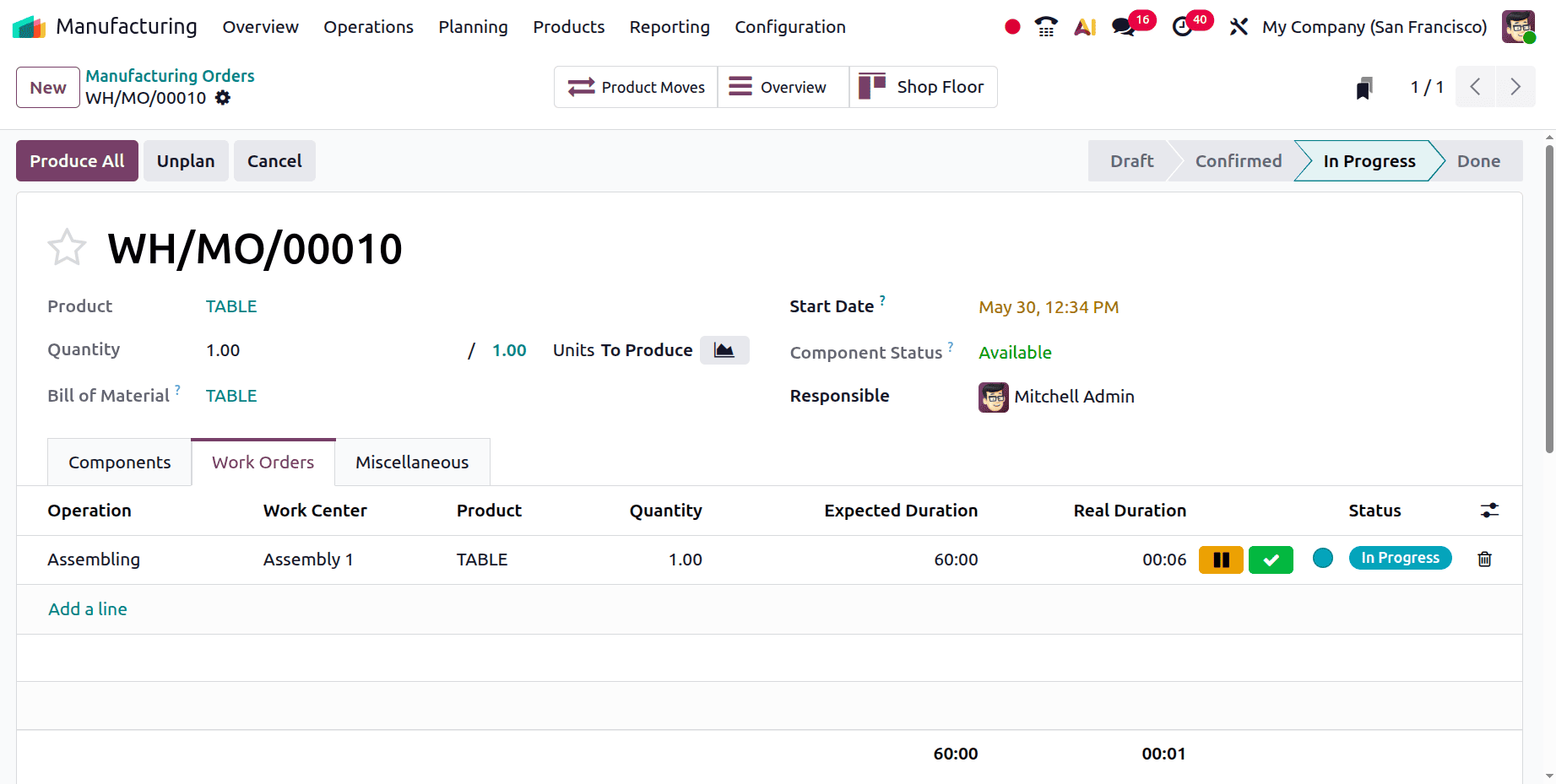
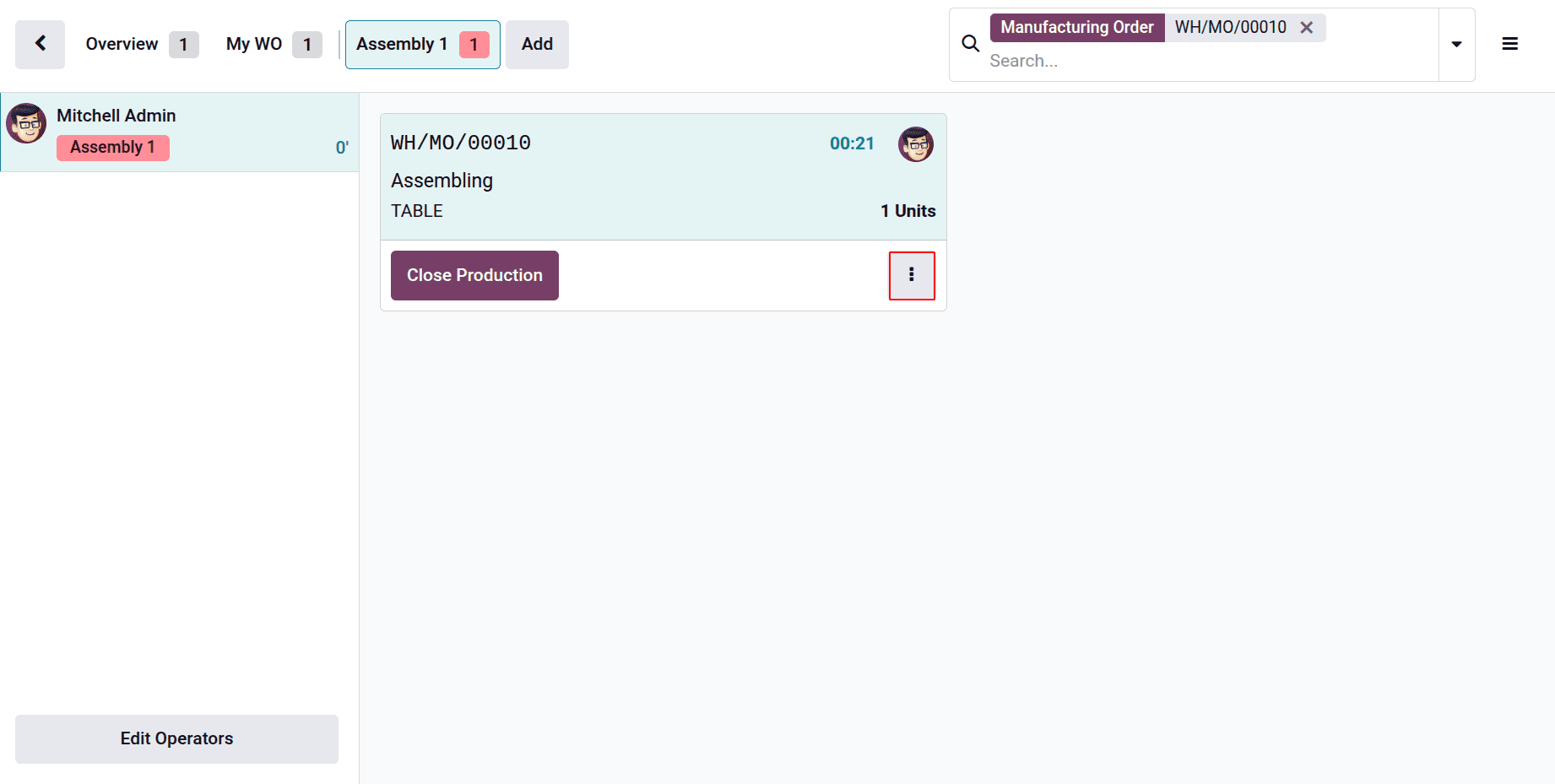
Here is the screenshot of Shopfloor. It shows the work center and the operation name. Click on the 3 dots marked in the screenshot below.
If the user clicks on the 3 dots, which shows another window, from there the users can add scrap orders, add components, create quality alerts, update instructions, and add maintenance requests.
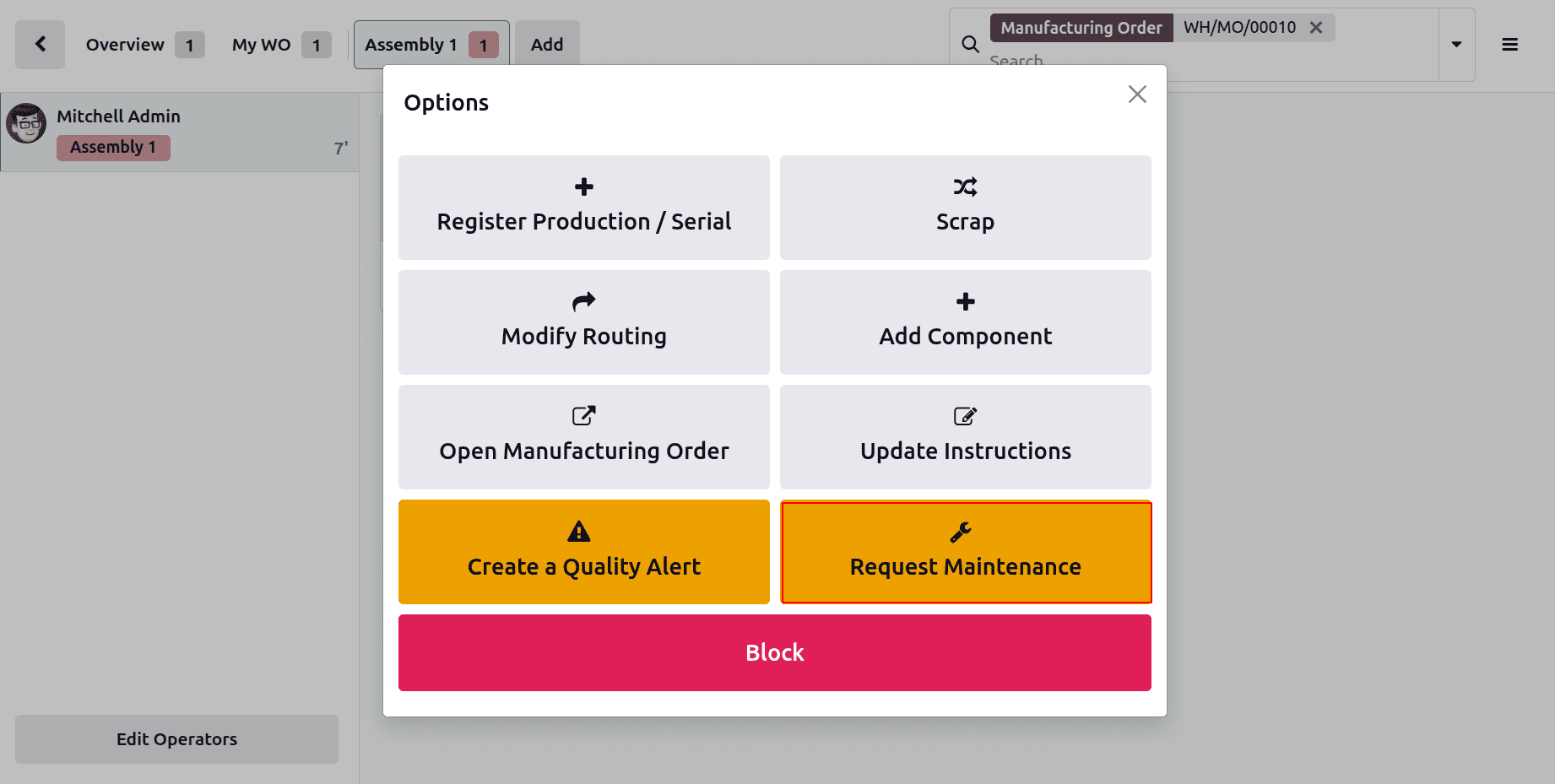
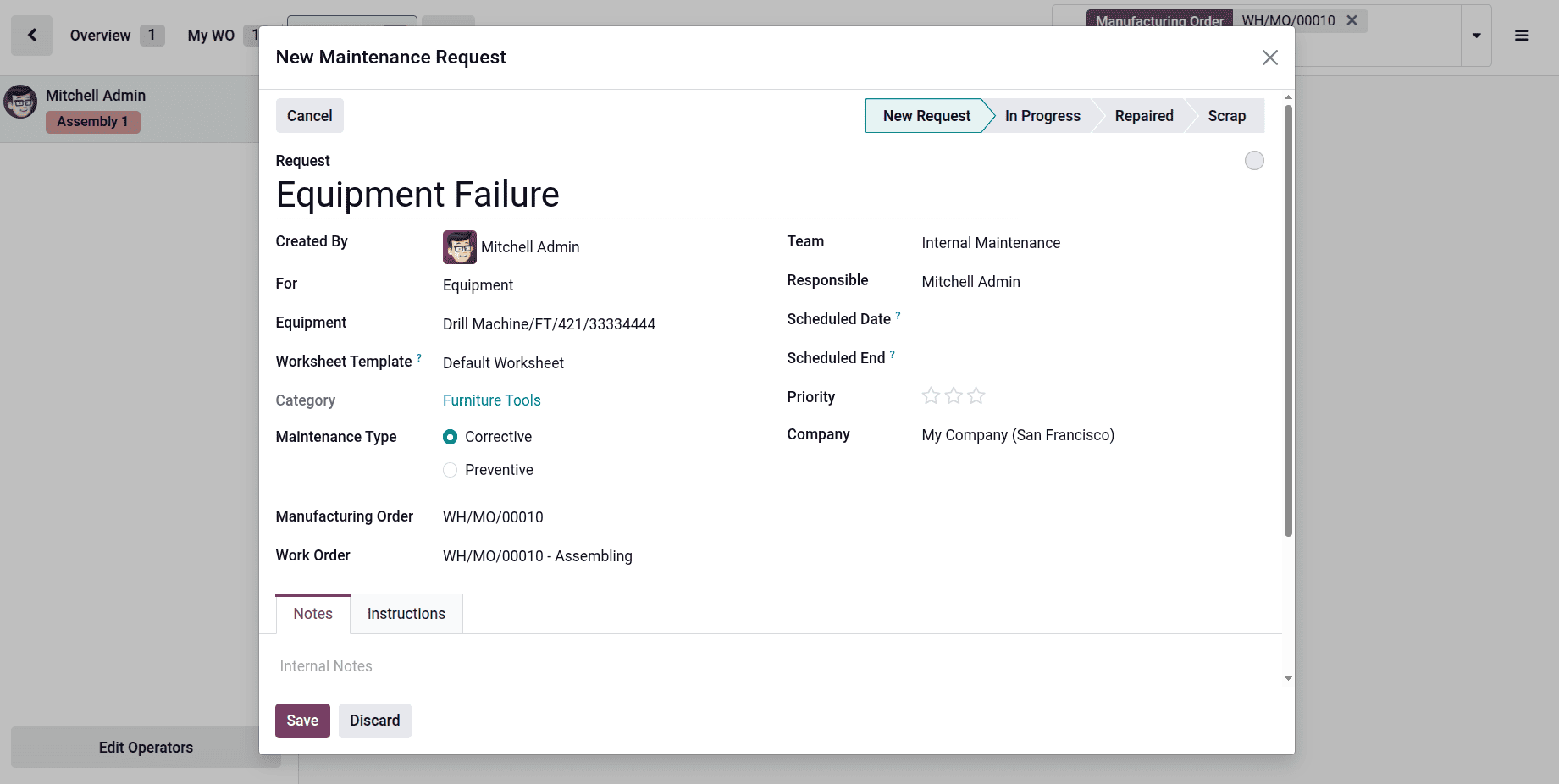
Click on the Request Maintenance button to add a maintenance request. Then the user can add maintenance requests either for equipment or for the workcenter. Add the details, then click on the Save button.
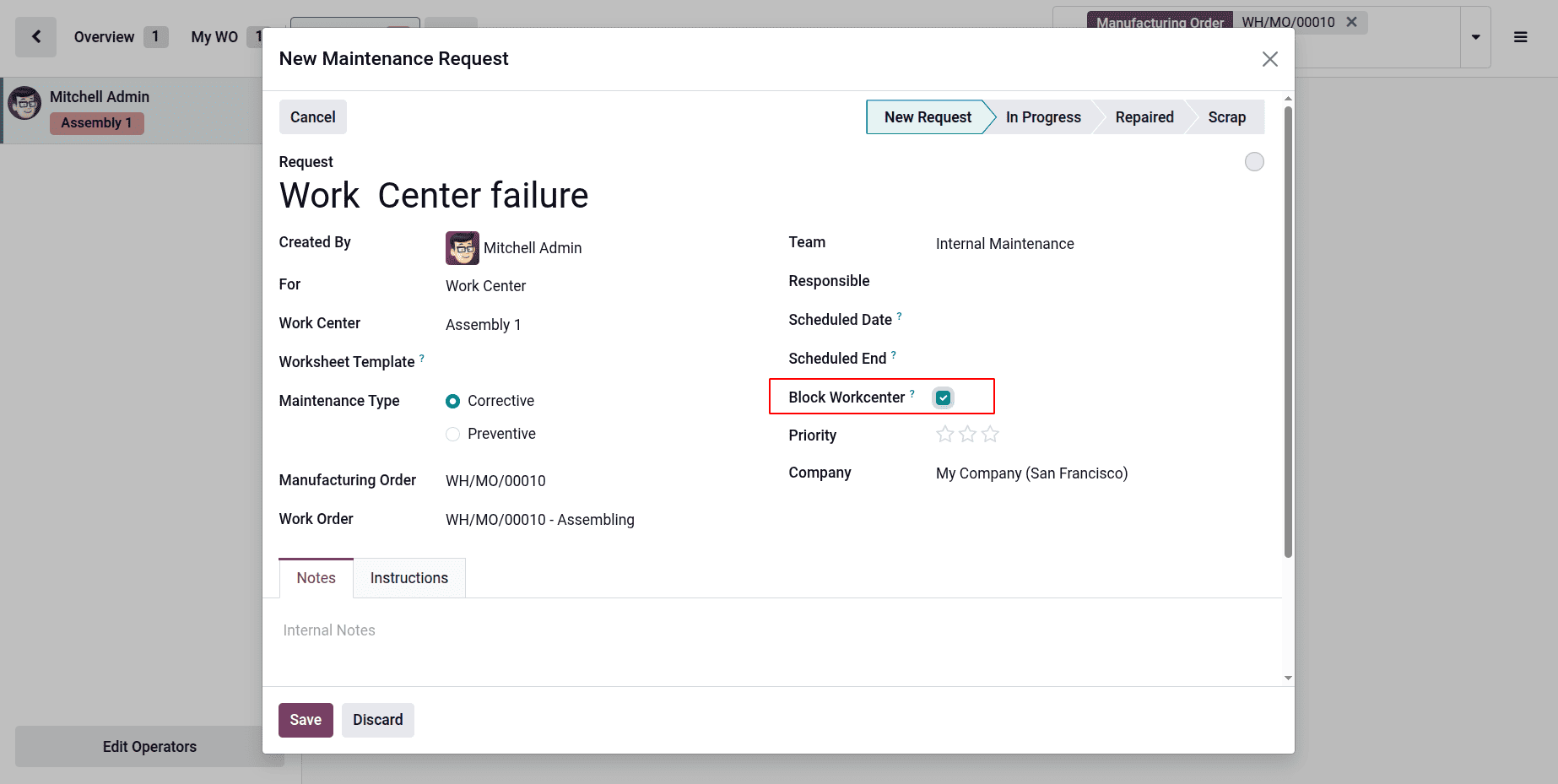
If the maintenance request is created for the Work Center, there is a boolean to block the work center, as shown below.
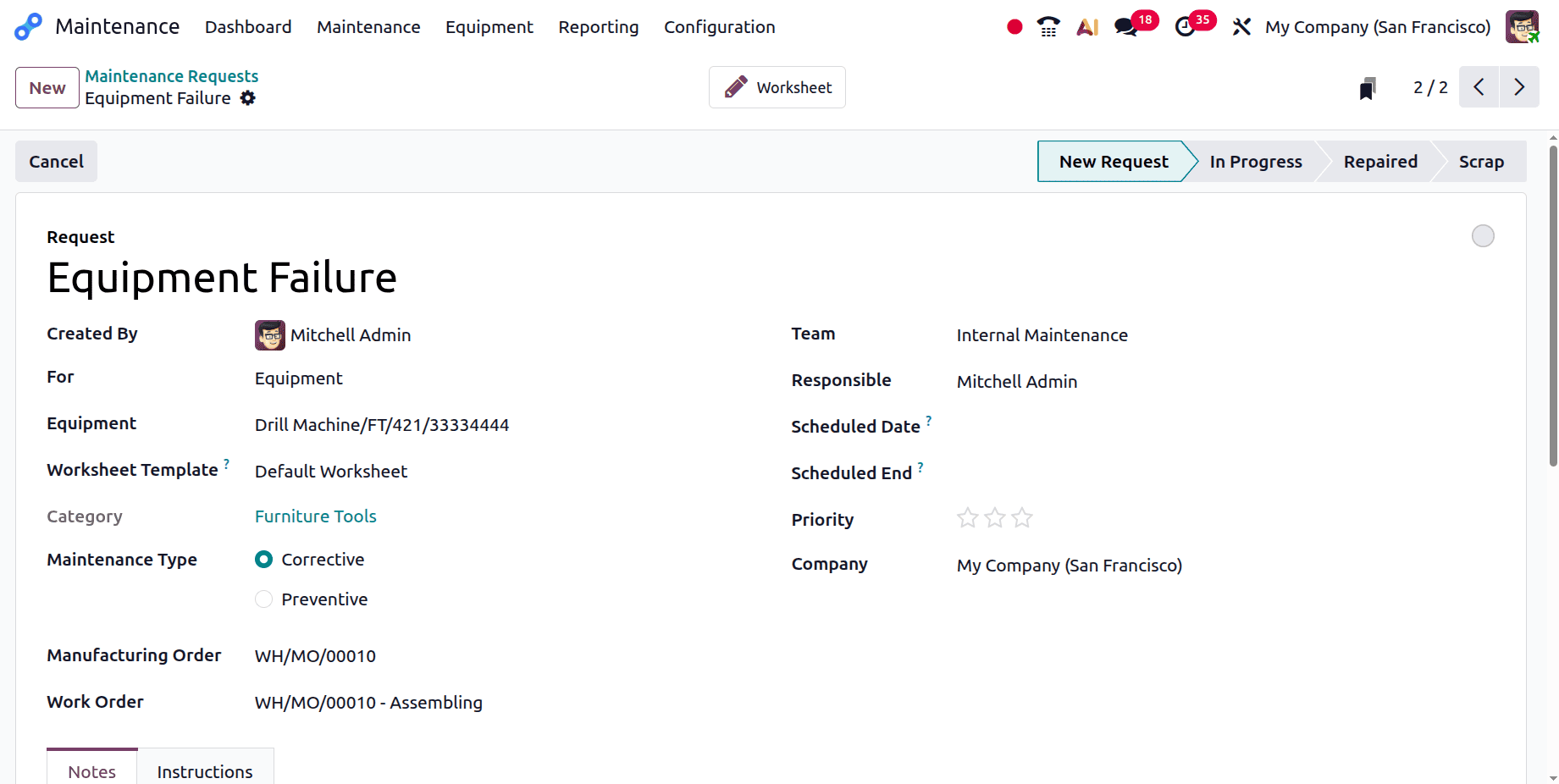
Then move to the maintenance and click on the Maintenance menu and choose Maintenance Requests from there. So, the users can see that the created maintenance requests are in the New Request stage.
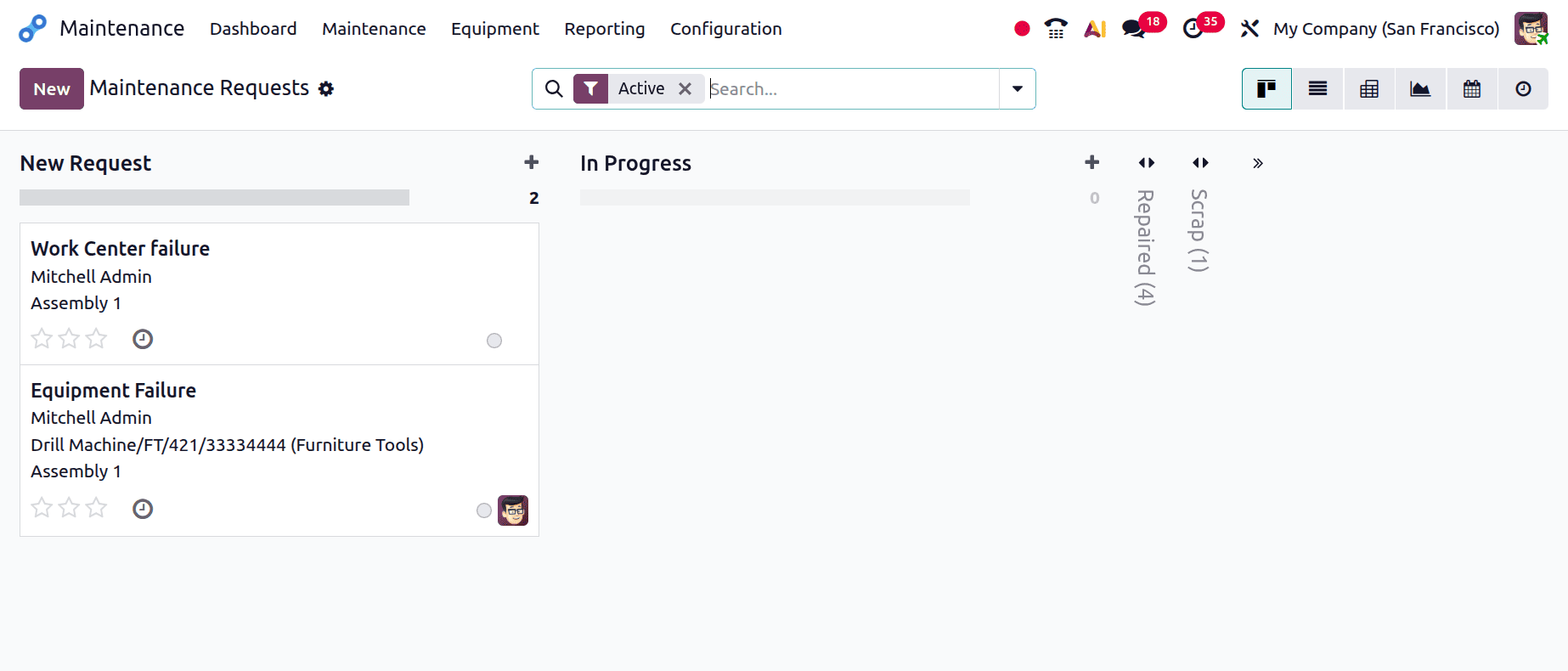
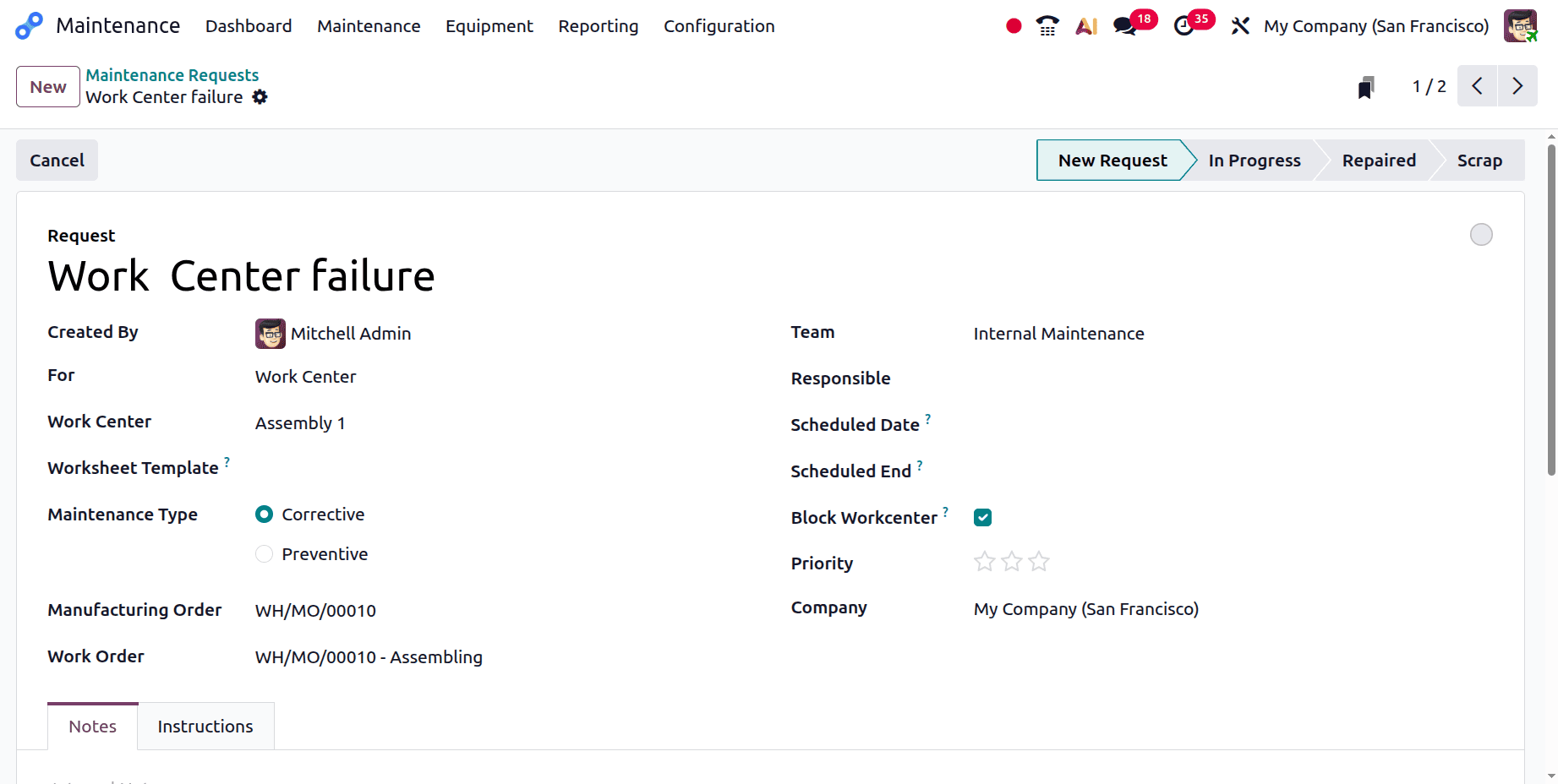
Here, the first request is created for the Work Center. The details like Request, created by, work center name, maintenance type, manufacturing order, and work order are shown there.
The second one is created for the equipment. All the details that were added from the shop floor are shown there.
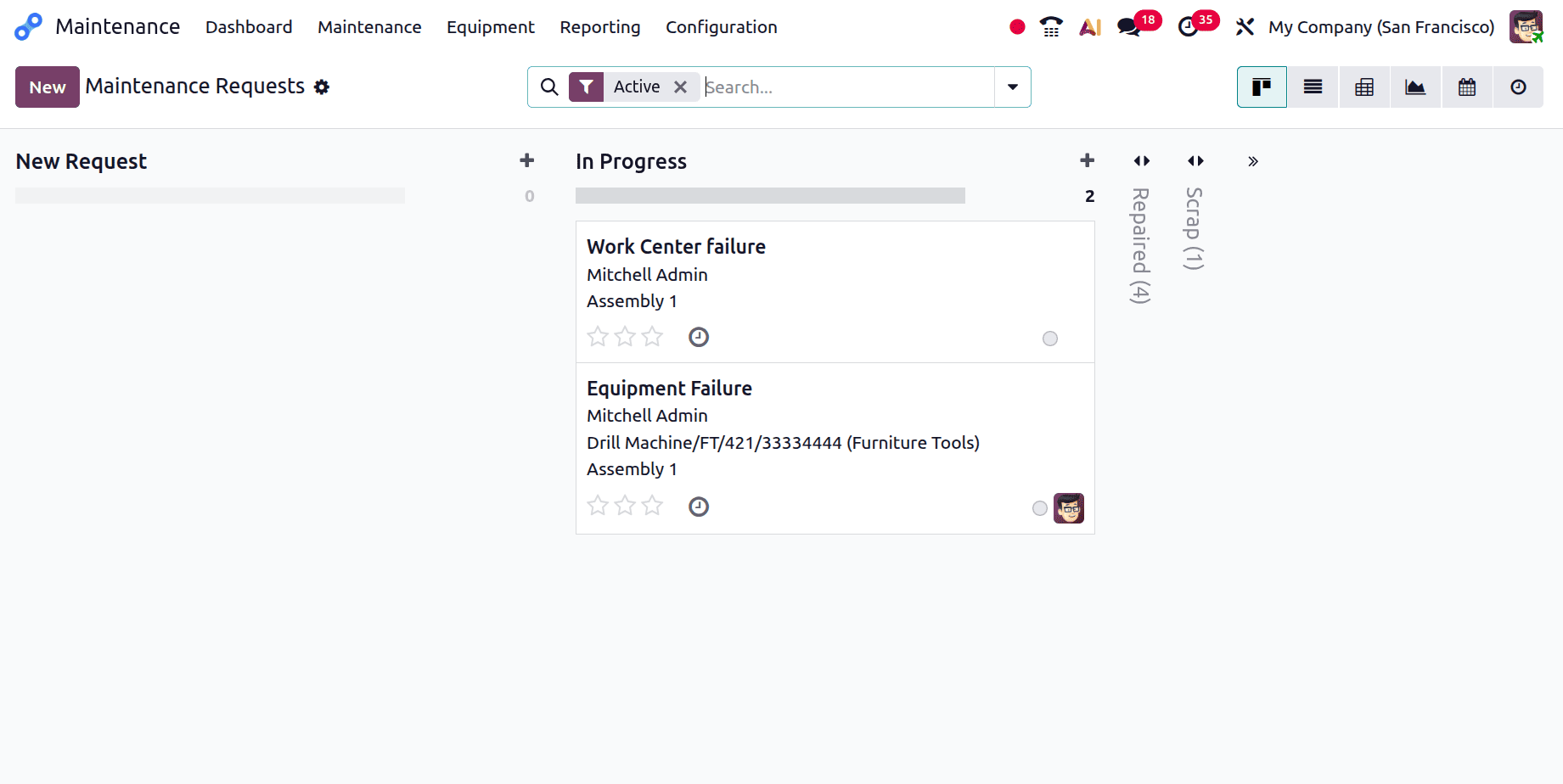
If the maintenance process starts, change the request stage to In Progress as shown below.
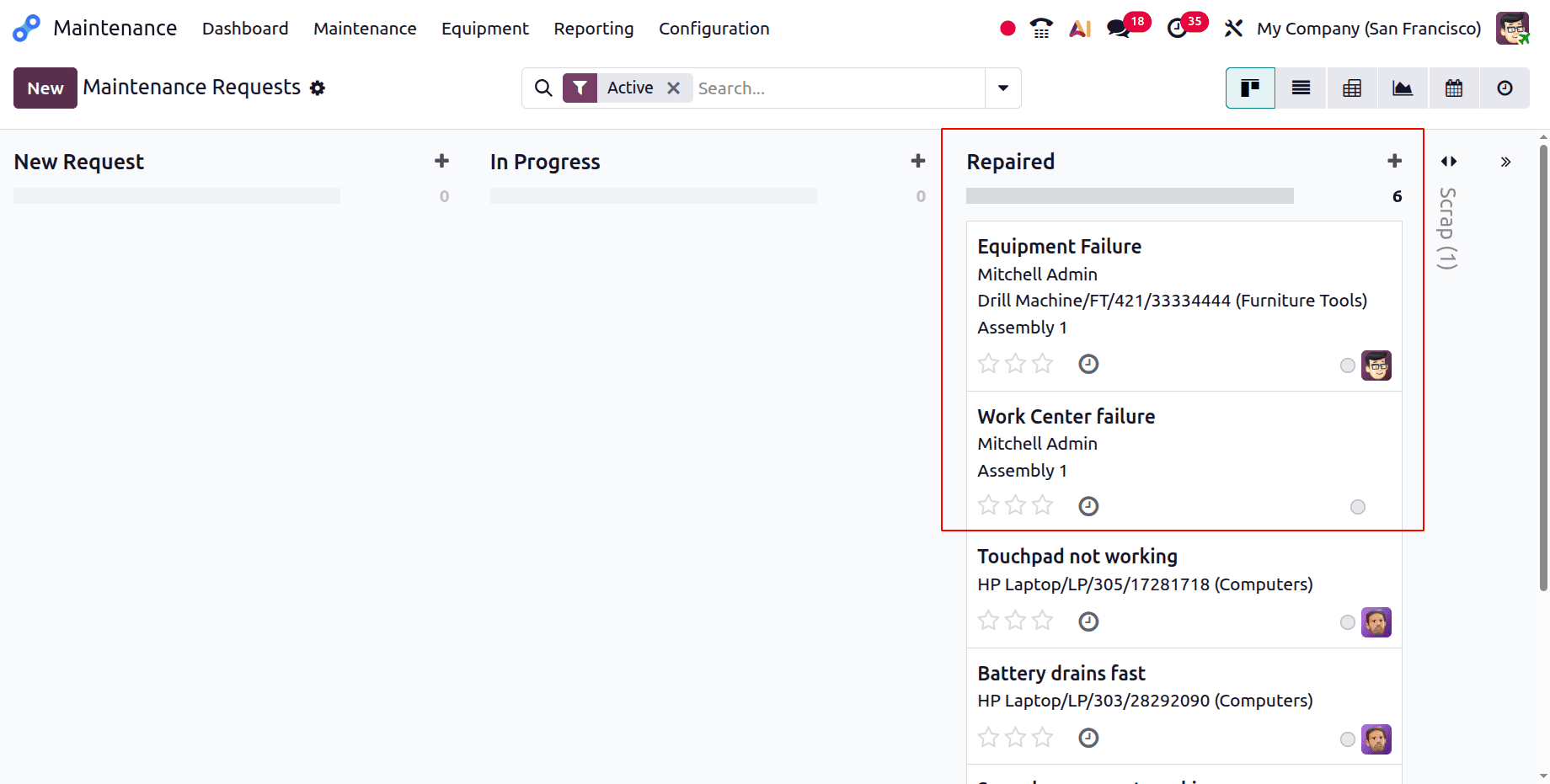
Then, after completing the repair, move to a stage named "Repair" as shown below.
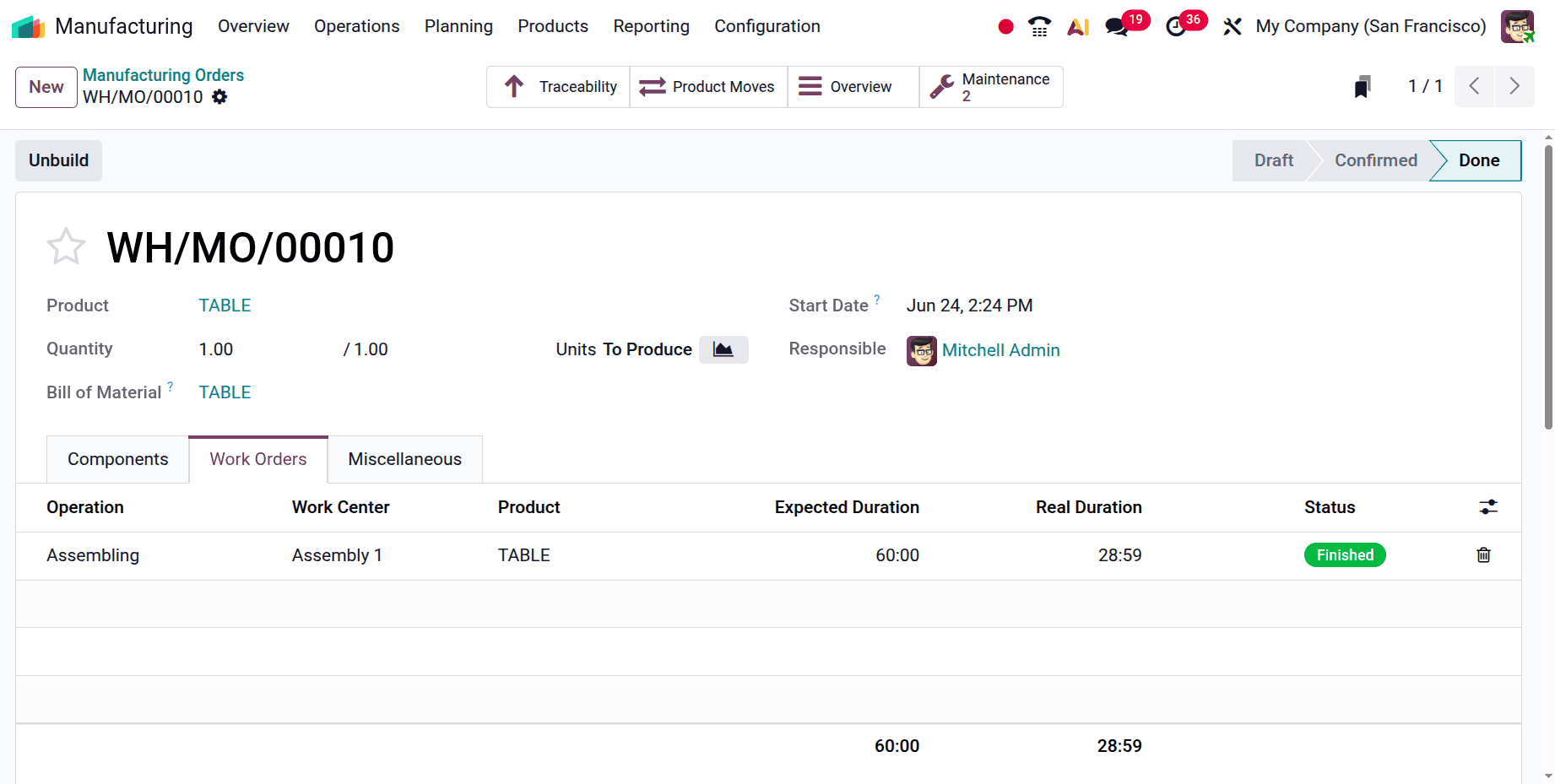
Then move back to the shop floor again and complete the manufacturing process.
Manufacturers may minimize production delays and react swiftly to unplanned machine failures by submitting maintenance requests for malfunctioning production equipment in Odoo 19. Maintenance teams may effectively handle problems while maintaining correct production records by generating maintenance requests straight from manufacturing processes. By enhancing communication between the manufacturing and maintenance divisions, this integration guarantees increased equipment dependability and less downtime. All things considered, Odoo 19 offers a simplified method for handling equipment malfunctions and preserving continuous manufacturing procedures.
To read more about How to Manage Maintenance Requests in Odoo 18, refer to our blog How to Manage Maintenance Requests in Odoo 18.