The Appraisal campaign feature in the Odoo 20 Appraisal module assists a user in creating appraisals for multiple employees at once with a single click. This feature is especially useful when a company is preparing for its yearly review or wants to review multiple employees' appraisals at the same time. Instead of creating appraisals for each employee manually, the campaign feature allows the user to select employees, their corresponding appraisers, template, and review date in a single campaign window. Based on the selected appraisal template, Odoo will then create the appropriate appraisals so that the employees and their managers can proceed with the next step.
To launch the appraisal campaign for employees, open the Appraisals module from the Odoo 20 dashboard. This will open the window of the appraisal module, from where the user can click the Launch Campaign near the top of the page.
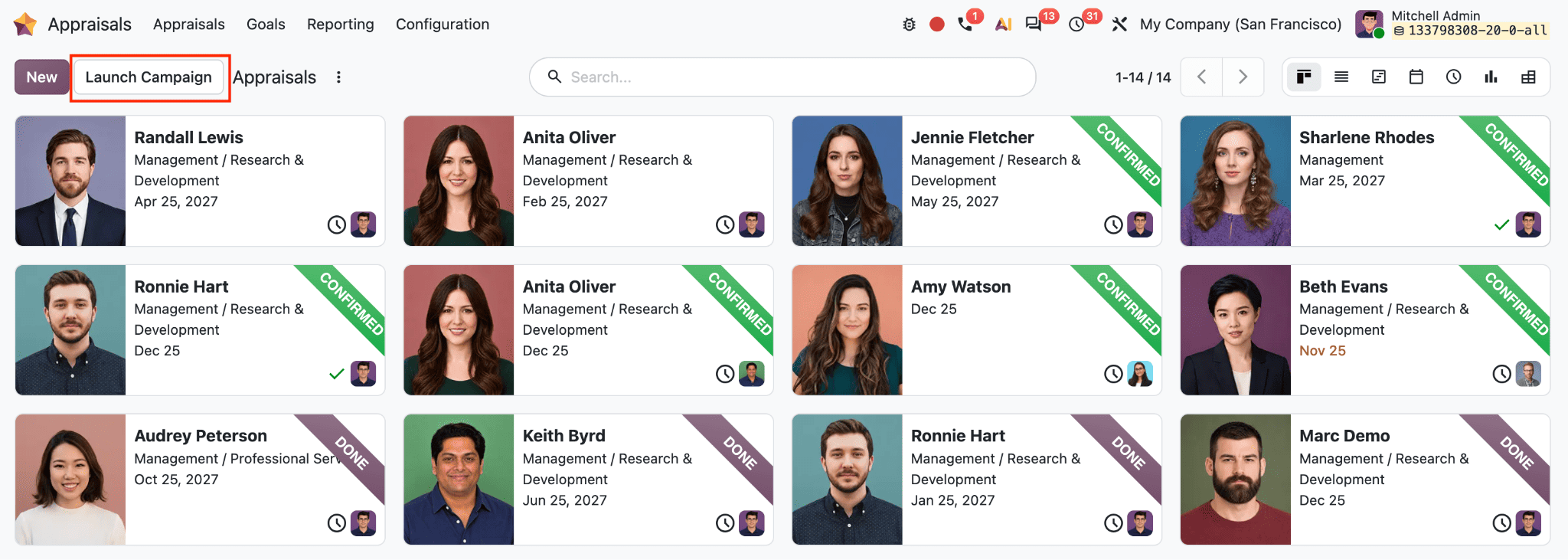
As soon as the user clicks on the Launch Campaign button, the Appraisal Campaign pop-up window will open.
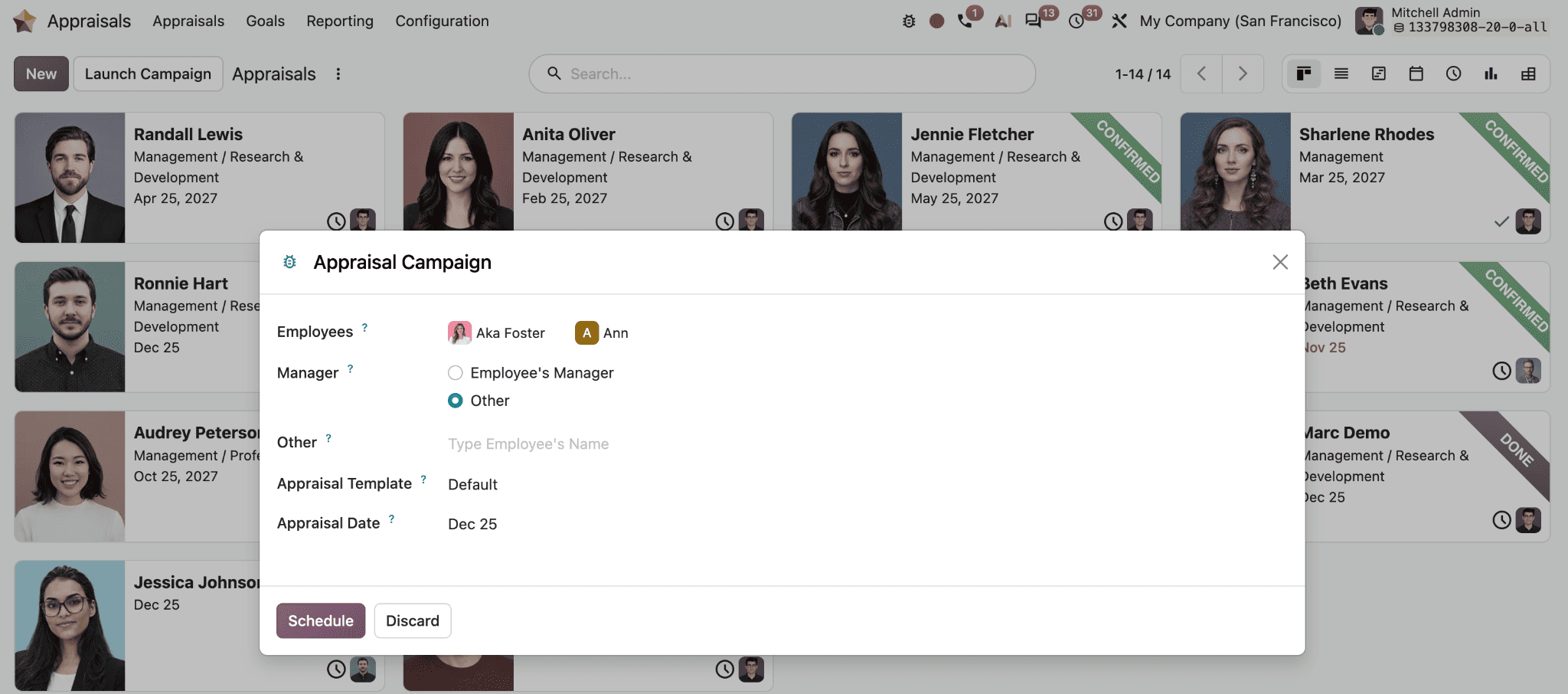
In the Employees field, select the employees from the dropdown to add them to the appraisal campaign. The user can add multiple employees in this field. If the employee field is left empty, Odoo will automatically create appraisals for all the employees in the company. Here, managers who are not appraisal officers can only select the employees whom they can manage. Next, the Manager field will decide who will be in charge of the appraisal. Here, the user will get two options to select the appraisal manager. Either it can be set as Employee’s Manager or Other. Selecting the Employee’s Manager will assign the employee’s direct manager as recorded in the employee’s form as the appraisal manager. In this option, the managers will review the appraisal of their own team members. On the other hand, the Other option will give the opportunity to assign a different appraiser for the appraisal campaign. The window will show an additional field while selecting the Other option, where the user can enter the appraiser details.
Next, in the Appraisal Template field, the user can select a suitable template for the appraisal campaign. This template will decide the questions and sections that the selected employees and their appraisers should complete. Here, the default template is selected. In case the company has other appraisal templates, the user can select the most appropriate one that fits the purpose of the appraisal campaign. The selected appraisal will be applied to all appraisals created from this particular campaign.
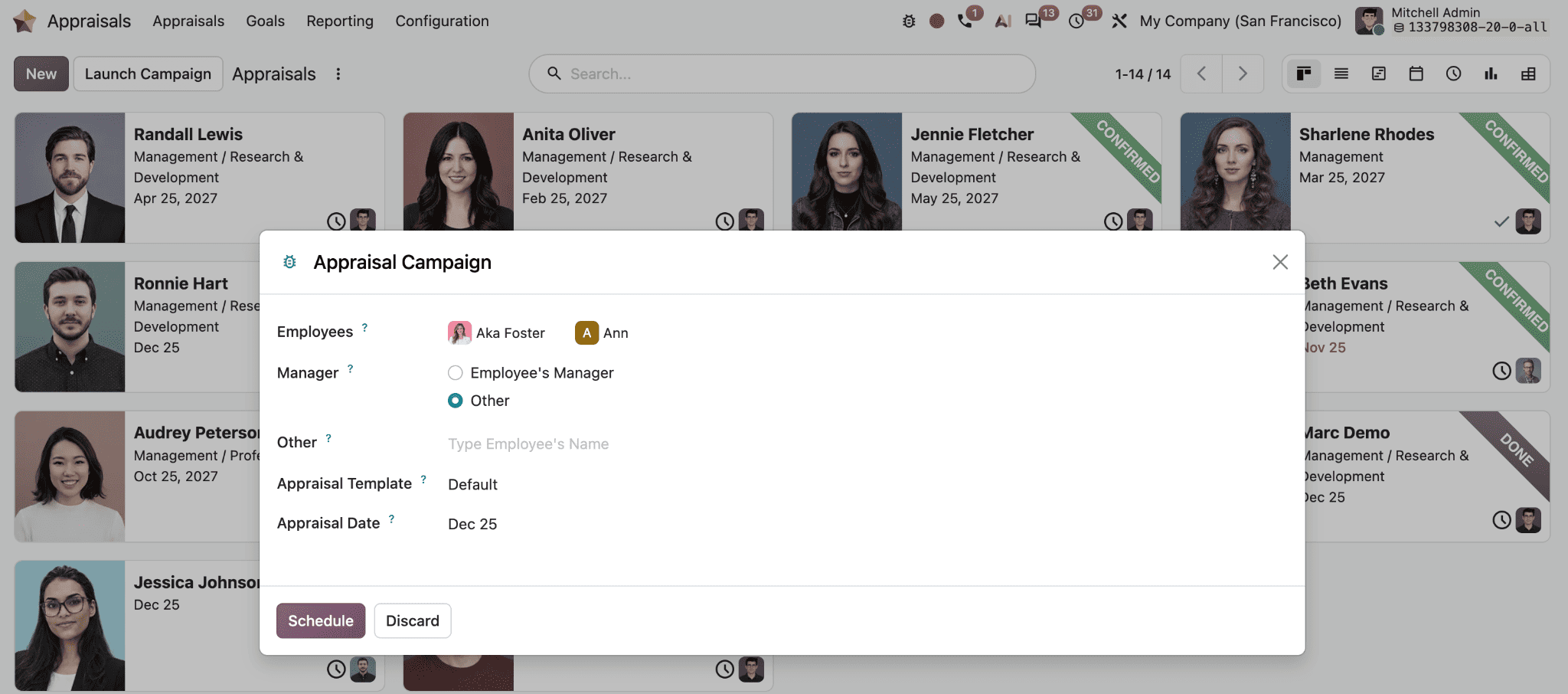
The date by which the appraisal review should be completed by the employee and the manager can be specified in the Appraisal Date field. Set the date accordingly so that the employee and manager will have enough time to complete their feedback and reviews.
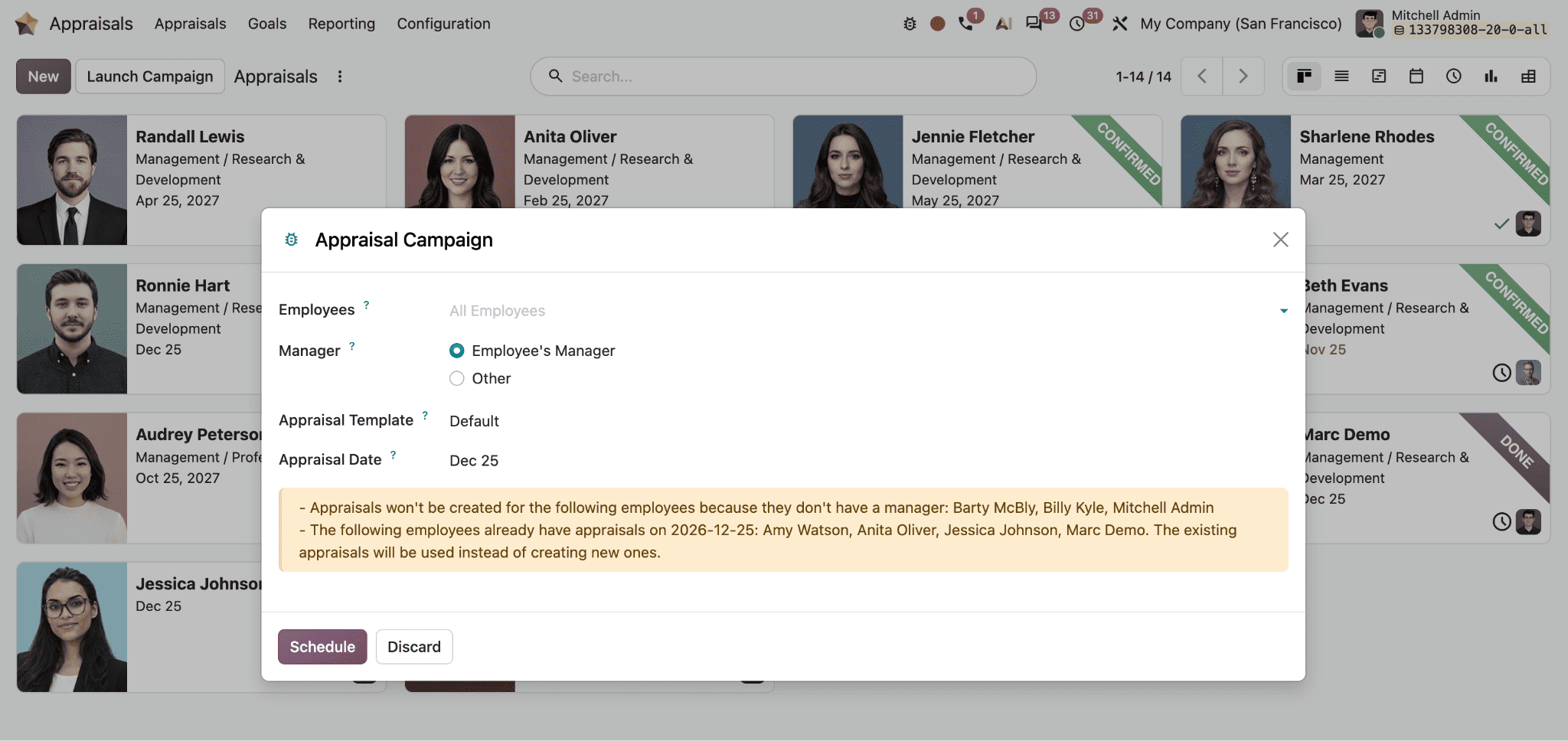
As shown in the screenshot above, Odoo will display a warning at the bottom of the campaign configuration pop-up if some employees cannot be included in the list. Employees with no managers configured in their employee form cannot be added to the campaign. Also, employees with ongoing appraisals on the selected date can be added to the campaign. Odoo will follow the existing appraisal instead of creating duplicates for such employees. Before scheduling the appraisal campaign, make sure to read any warnings that appear on the pop-up window. If any employee added to the appraisal campaign is missing a manager, update the employee record or select Other and assign an appraiser, if appropriate. If an appraisal already exists for the same date and appraisers, check that existing record to confirm it belongs in the campaign.
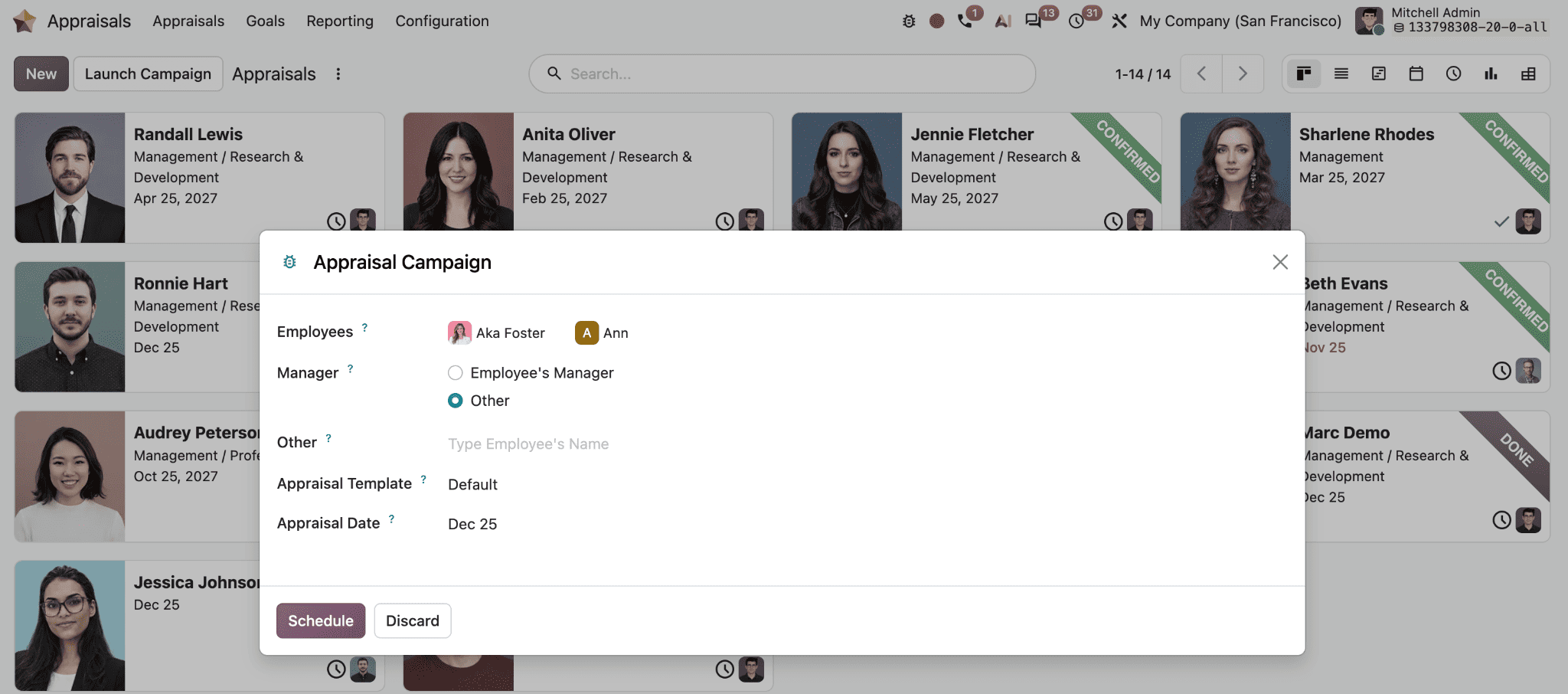
Once the campaign is ready to proceed, the user can click on the Schedule button. This action will reload the appraisal dashboard and display the newly generated appraisals from the campaign.

As shown in the screenshot above, the appraisals will be shown in the Kanban view with a green Confirmed ribbon. The appraisals generated from the campaigns will be in the Ongoing status, so employees and appraisers can begin filling out their sections immediately.
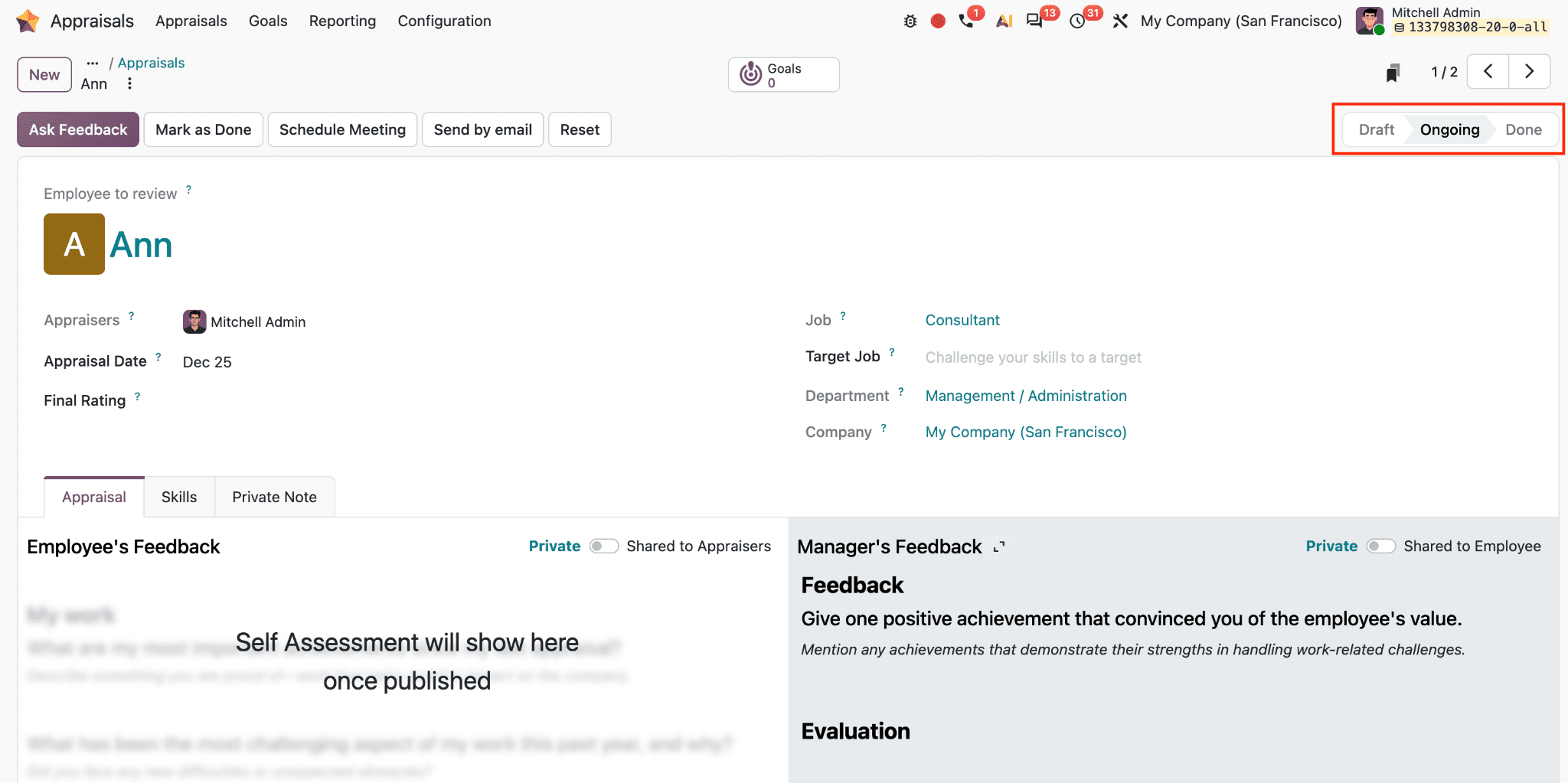
After completing the evaluation and feedback, the manager can click the Mark as Done option to complete the appraisal process. This will change the status of the appraisal to Done. This is how we launch an appraisal campaign for multiple employees in the Odoo 20 Appraisal module.
To read more about How to Automate Appraisal Plans and Review Cycles in Odoo 20, refer to our blog, How to Automate Appraisal Plans and Review Cycles in Odoo 20.