Abandoned carts are a sign of missed sales opportunities in the e-commerce industry. Online retailers frequently face the problem of customers adding things to their shopping carts but not finishing the transaction. Nonetheless, companies may efficiently handle and retrieve these abandoned carts with the appropriate tactics and resources. In this article, we will examine how to handle abandoned carts on the Odoo 19 website, with an emphasis on useful tactics and best practices to reduce cart abandonment and regain lost sales.
It's important to comprehend what an abandoned cart is before delving into the methods for handling them. When a user adds products to their online shopping cart but departs the website before finishing the transaction, it's known as an abandoned cart. Distractions, hesitation, unforeseen expenses, or technological difficulties are some of the causes of this.
For e-commerce companies, abandoned carts indicate lost income prospects. Businesses may boost revenue, improve conversion rates, and recoup lost sales by successfully handling cart abandonment. Furthermore, knowing the causes of cart abandonment might offer insightful information for improving online purchasing and lowering abandonment rates in the future.
The Abandoned Carts feature in Odoo 19 is a powerful tool that may increase your store's conversion rates and recover lost purchases. This feature gives you the ability to keep an eye on and retrieve abandoned carts from your Odoo store. Reminders for abandoned carts can increase customer satisfaction by showing that you appreciate their business and are prepared to go above and beyond to make sure they finish their purchase.
Go to the Website module after logging into your Odoo instance to view the features of Abandoned Carts in Odoo 19. To access Odoo's Abandoned Carts menu, navigate to the eCommerce section of the Website module.
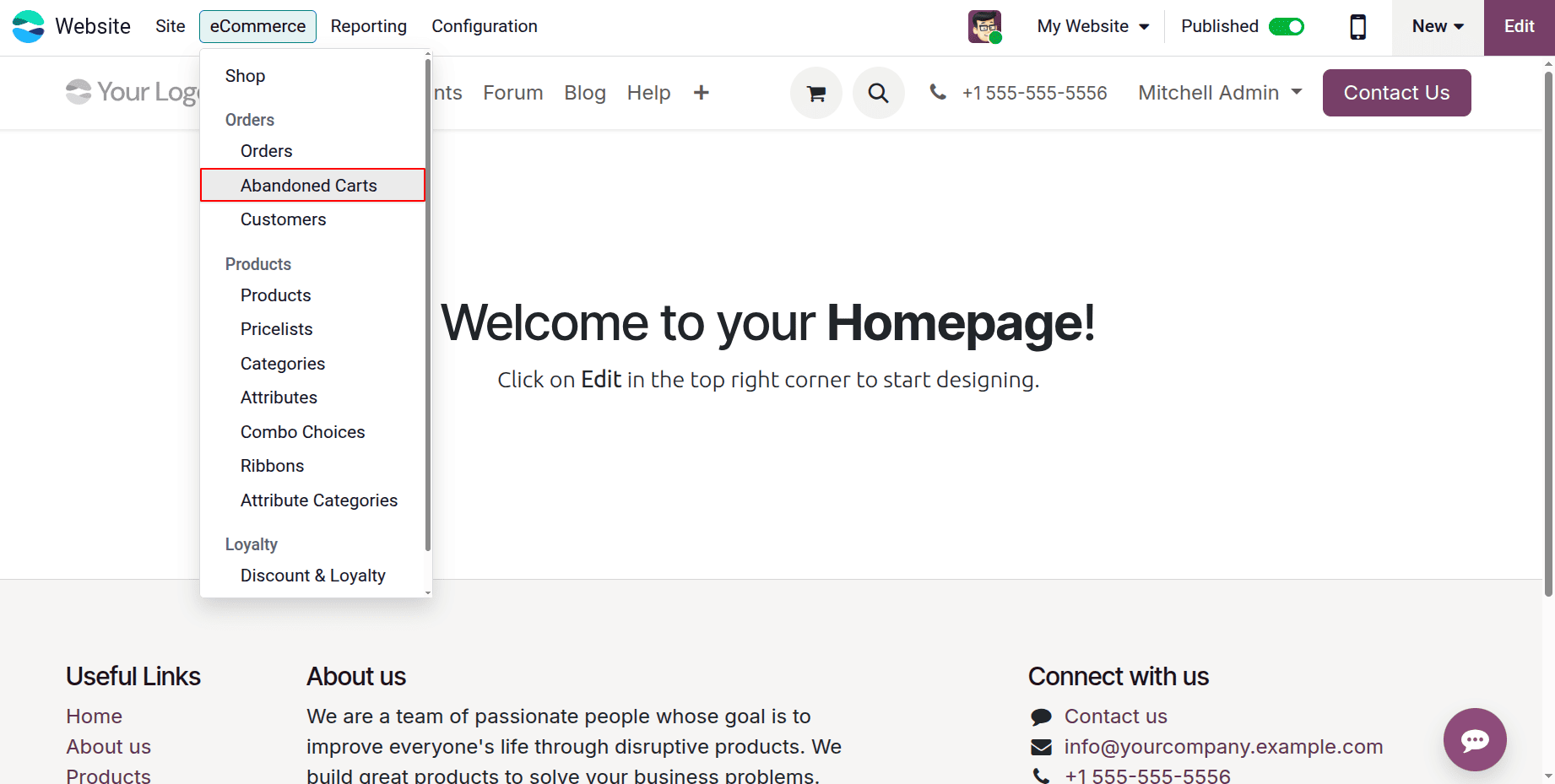
As seen in the screenshot below, Odoo will take you to the platform where you can view the orders added to the abandoned carts when you click on this option.
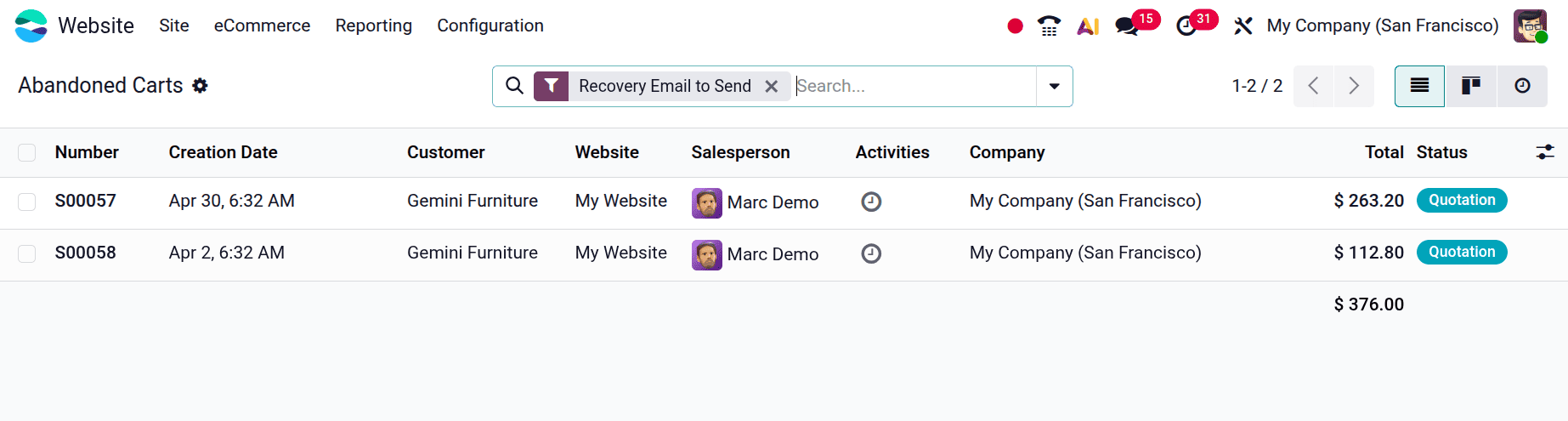
The number, creation date, customer, website, salesperson, activities, company, total, and status of the abandoned carts are all displayed in this list view.
Let's examine the process of adding orders to the list of abandoned carts. We are using the Odoo Website Shop page to create a new order for this.
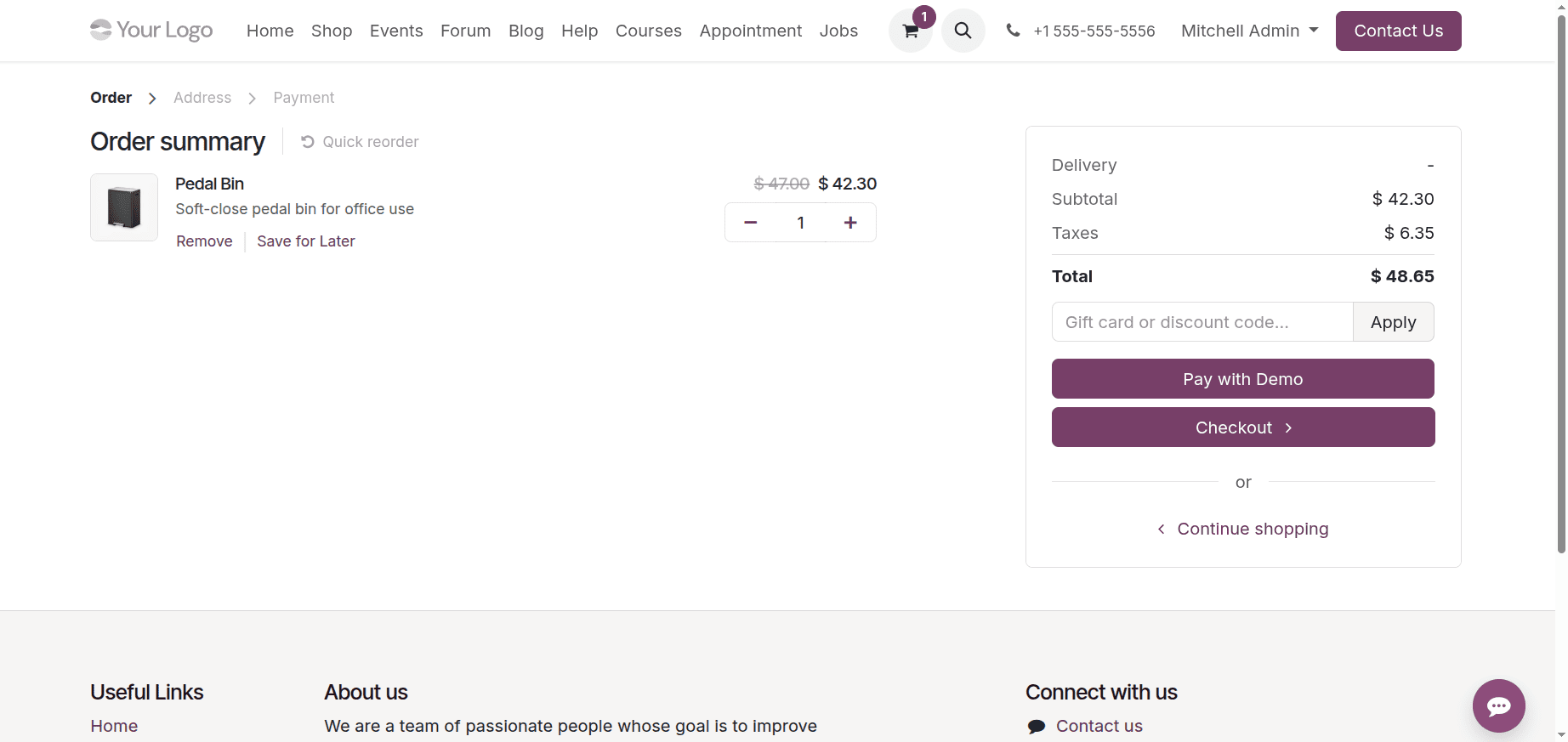
The user unexpectedly left the website before confirming the order after starting the product checkout process.
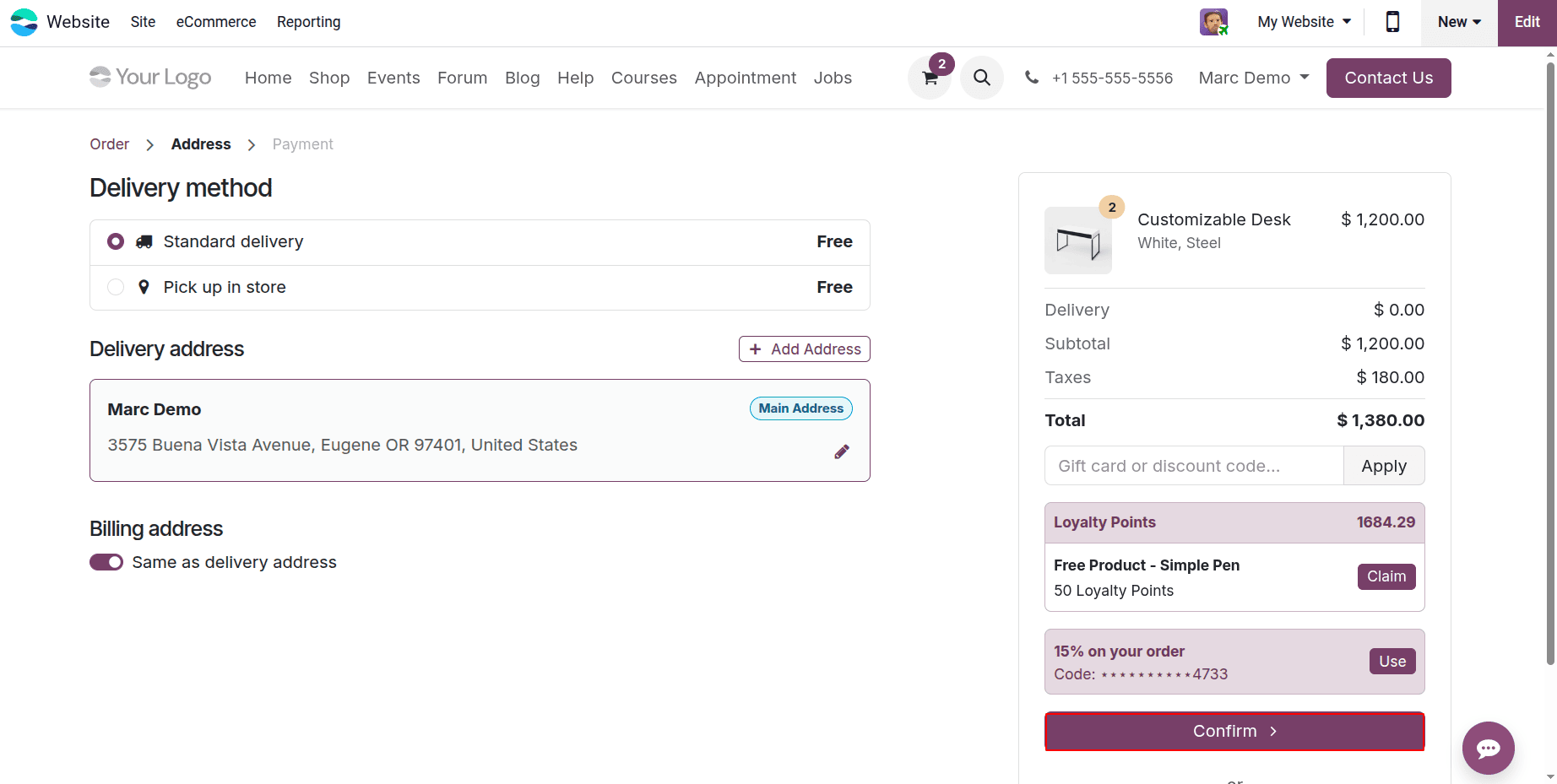
However, the system automatically creates a quote for the product in the backend when a customer adds an item to their cart on the Odoo website. The status is shown as Quotation in the screenshot. After the checkout and payment procedures are successfully finished, this quotation becomes a confirmed sale order.
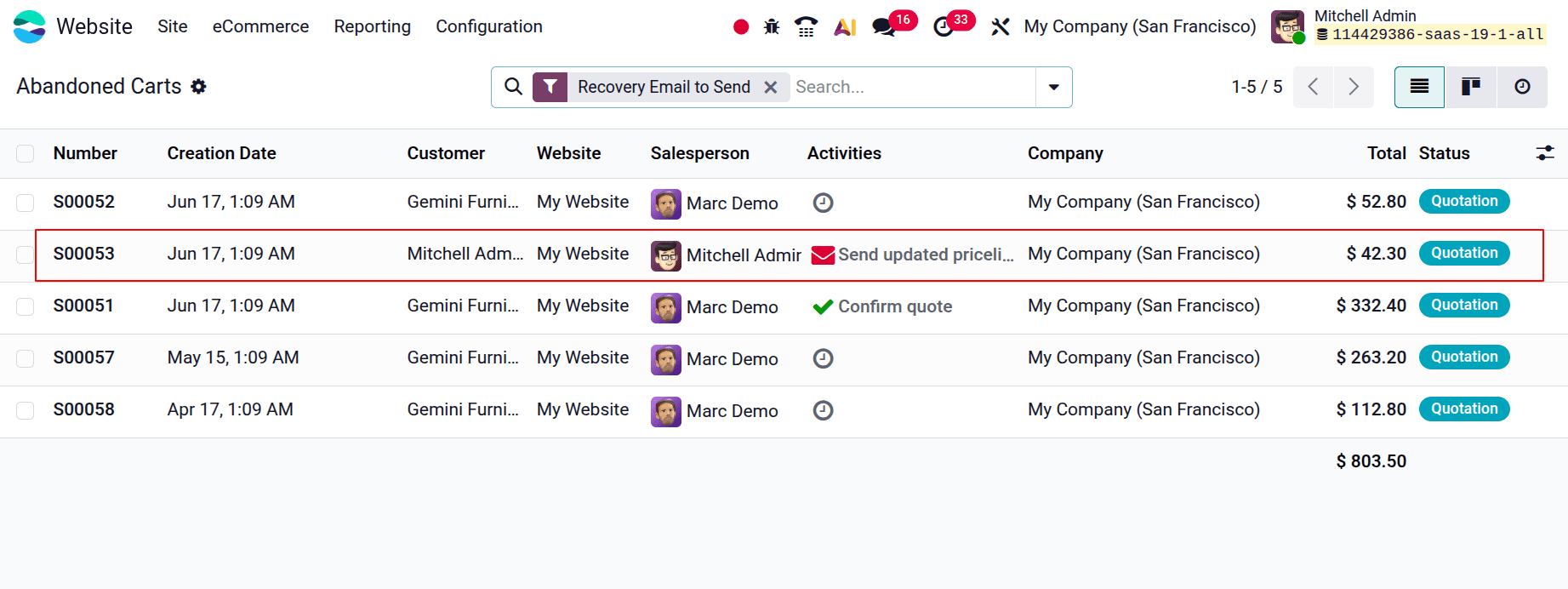
These orders are shown in the eCommerce platform's "Abandoned Cart" section.
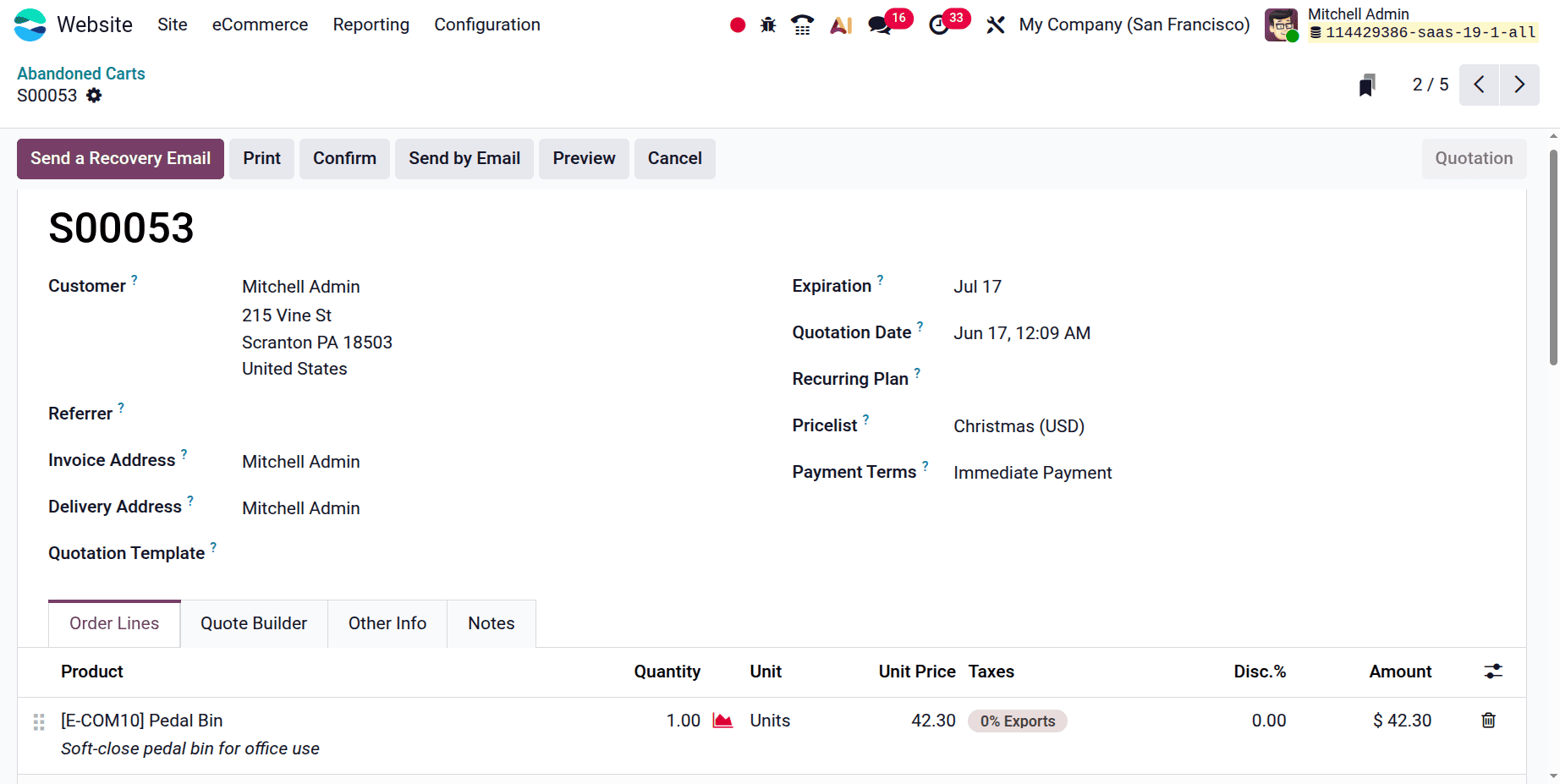
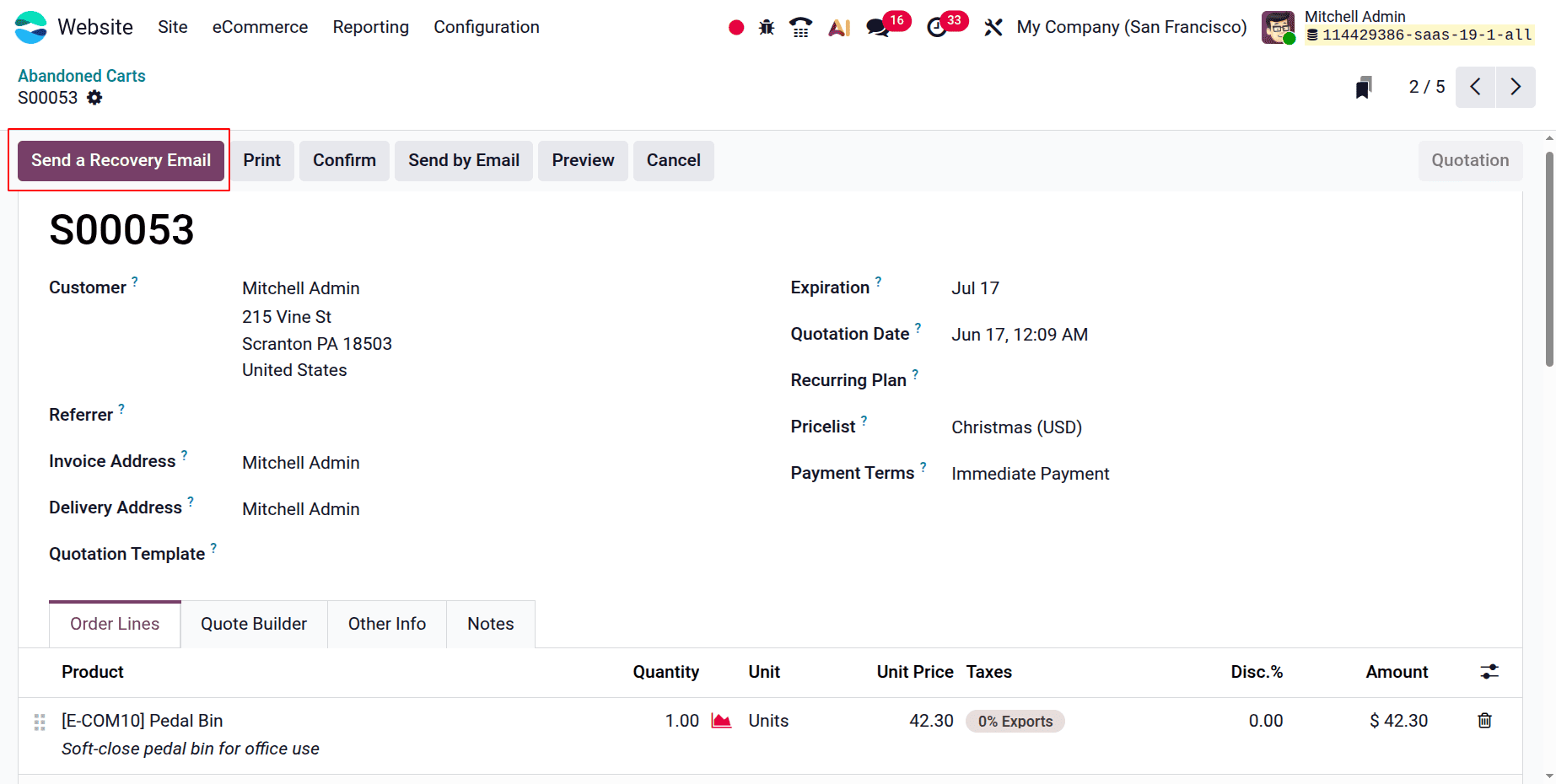
Sending a "recovery email" to inform the consumer that their order is still in their cart is an option included in the estimate.
You can set up automated email notifications for consumers who leave their carts empty with Odoo 19. It is possible to arrange for these reminders to be sent after a predetermined amount of time. Email marketing aimed at consumers who have added things to their cart but have not yet completed their purchase is known as abandoned checkout emails. This tactic works well for reminding clients about the products they have chosen and encouraging them to finish the transaction.
You must enable the "Follow up abandoned carts" option in the Email and Marketing section of the Settings in order to set up the Abandoned Cart email feature.
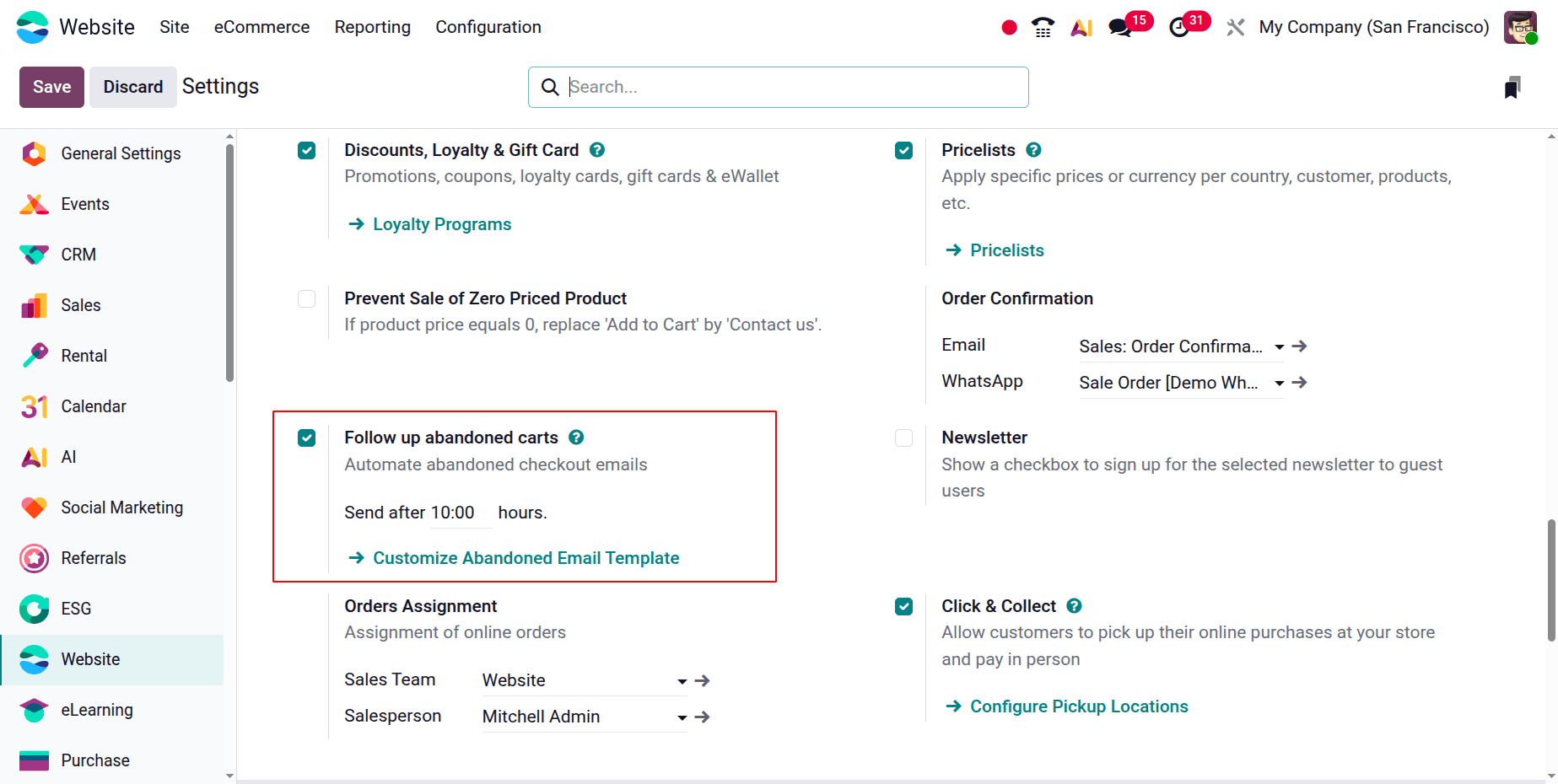
Depending on your preferences and tactics, you can alter the timing and content of these emails. To customize the abandoned cart email template, just select "Customise Abandoned Email Template."
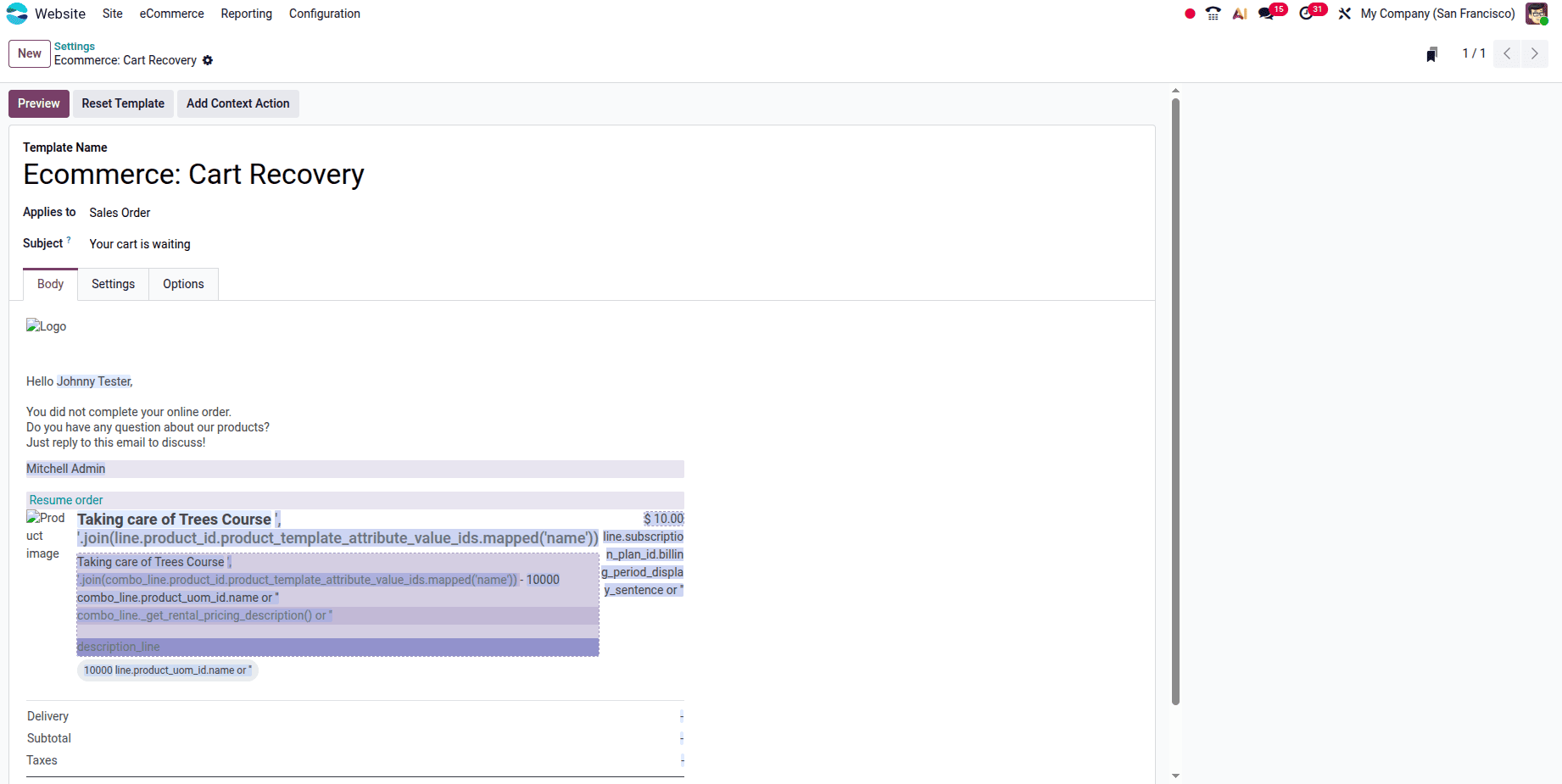
You can customize your email's body and content here. Additionally, you can simply attach any attachments to the email in this part. You can reset the abandoned cart recovery mail template by using the Reset Template button. Click the Preview button to view a preview of the email.
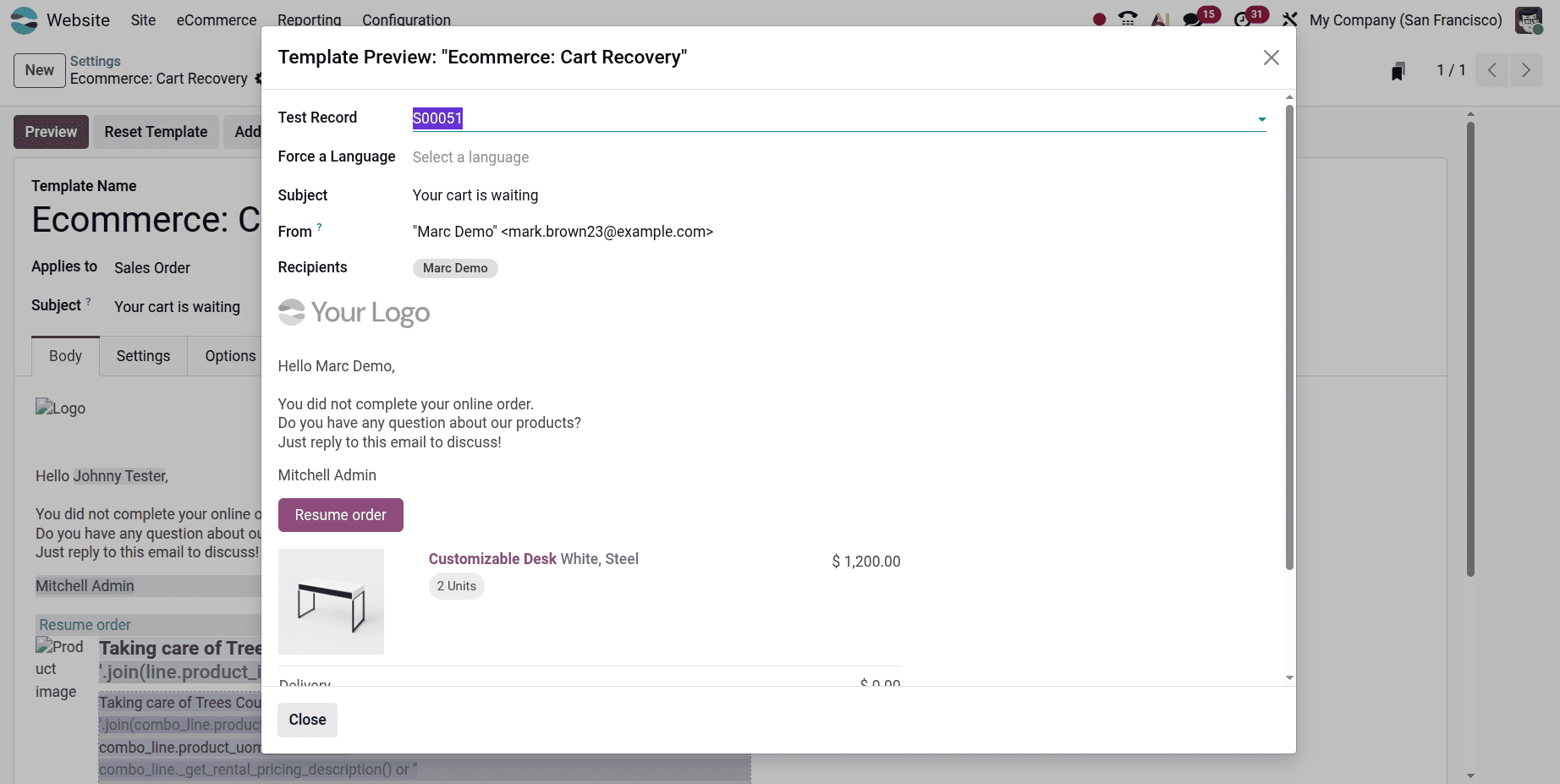
Let's now look at how the Odoo 19 website displays the abandoned cart emails. If the user clicks on the Send Recovery Email button, then click on the Send button.
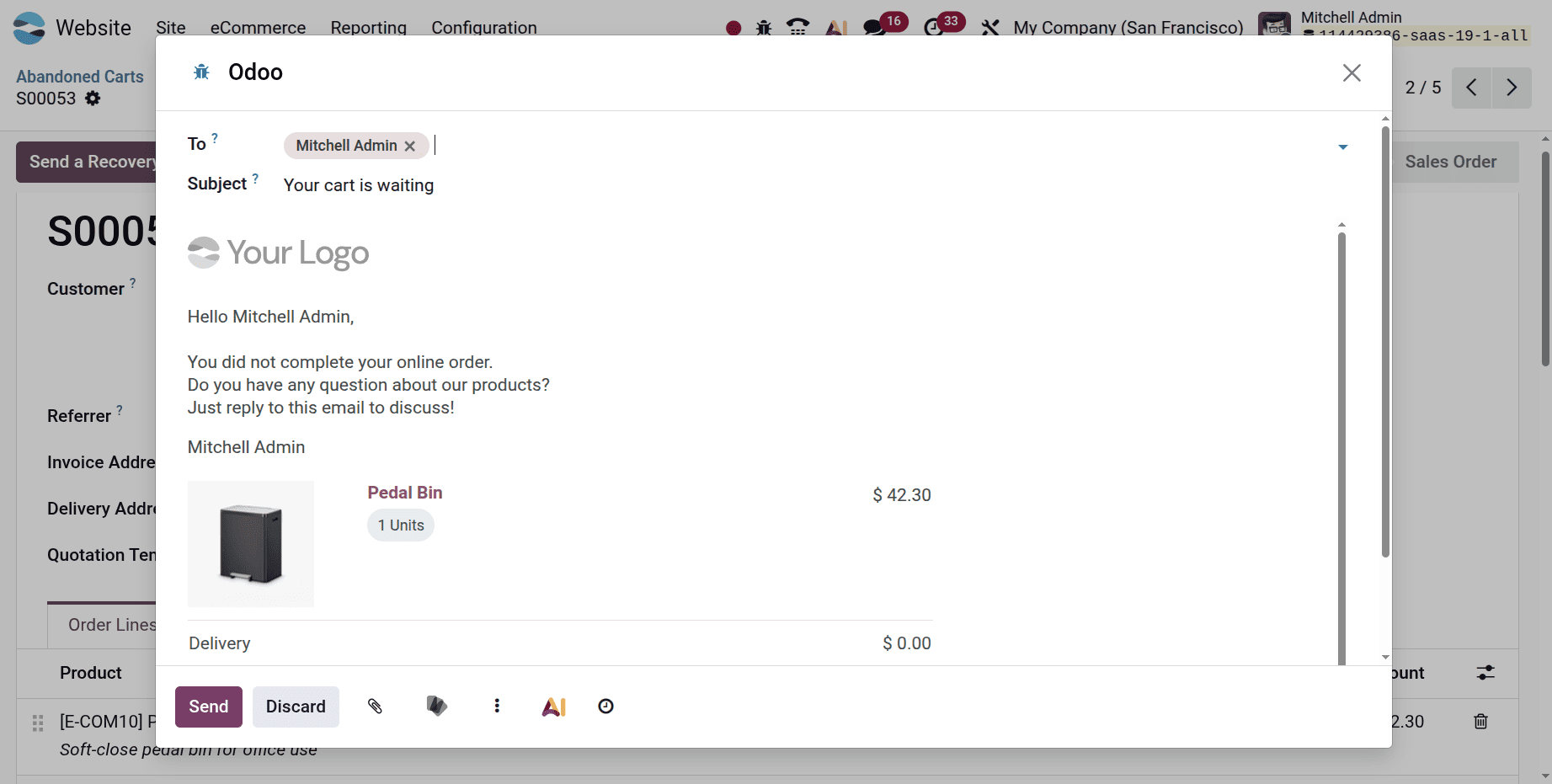
So, as shown below, the email is sent.
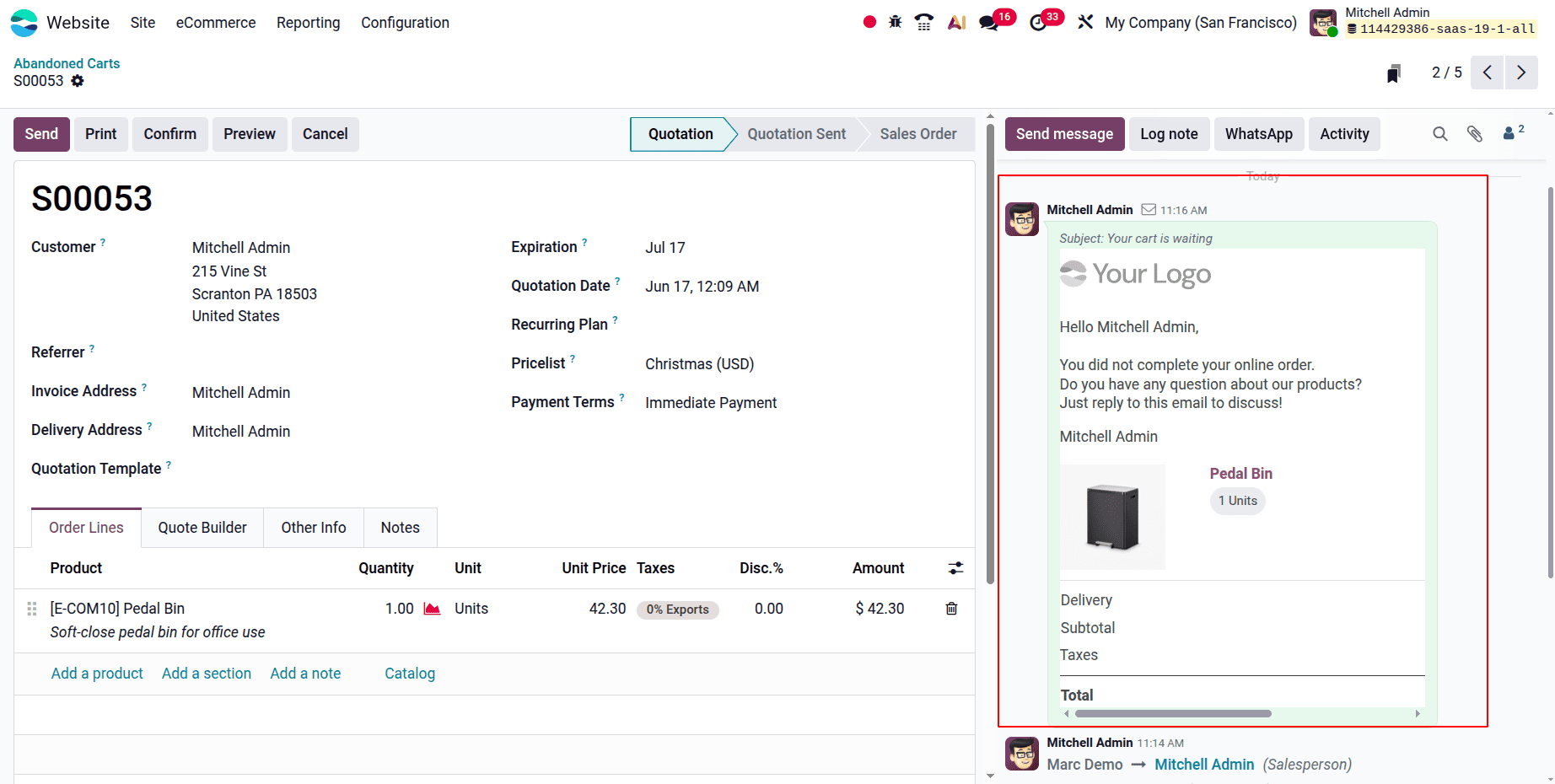
This is a sneak peek at the email about the abandoned cart. Customers can easily continue their orders by clicking the "Resume Order" button, which takes them to the payment page. These instructions will help you manage Odoo 19's Abandoned Carts functionality in the Website module, which will help you increase customer happiness and recoup lost purchases.
Managing abandoned carts is crucial to increasing sales and improving your e-commerce company's overall performance. You can put into practice efficient techniques to reduce cart abandonment and recoup lost income by utilizing the capabilities and functionalities of the Odoo 19 website. You can develop a smooth shopping experience that motivates customers to finish their purchases and spurs business growth by regularly tracking cart abandonment rates, examining consumer behavior, and improving your strategy.
To read more about How to Manage Lost Leads and Opportunities in Odoo 19, refer to our blog How to Manage Lost Leads and Opportunities in Odoo 19.