In Odoo 19, unrealised currency gains and losses are used to manage the impact of exchange rate changes on open invoices and foreign currency outstanding balances. They enable businesses to accurately assess the value of receivables and payables at the end of a reporting period. These adjustments reflect the potential financial impact of currency fluctuations and help maintain compliance with accounting requirements. Odoo automatically calculates unrealised gains or losses during period closing based on the latest available exchange rates. This tool helps consumers make smarter financial decisions by raising awareness of currency risk.
Businesses can manage transactions in several currencies while keeping accurate financial records in their base currency thanks to Odoo 19's multi-currency capability. To achieve accurate currency conversions, Odoo allows exchange rates to be configured manually or updated automatically through integrations with online currency rate providers. This functionality helps businesses maintain precise financial reporting, manage international transactions efficiently, and comply with global accounting standards.
Let us now explore how the Unrealised Currency Gain/Loss report works in Odoo 19. Let's assume that there is an Indian client for the purposes of this discussion. The customer's payment date was specified one month after the invoice date by the user who created the invoice. The currency conversion rate may therefore change during the course of a month. These Unrealised Gain/Loss reports are used by Odoo 19 to manage these modifications.
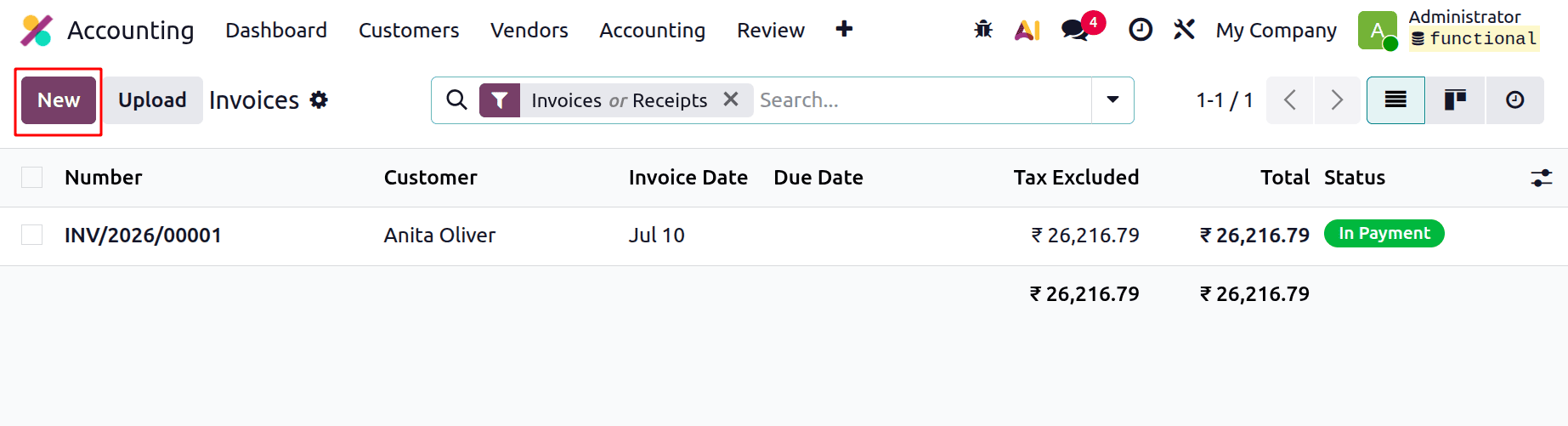
Create a new invoice. For instance, choose the Invoice option from the Customer menu. Each invoice contains information such as Invoice Number, Customer, Invoice Date, Due Date, Tax Included, Total, and Status. To add a new invoice, click the New button.
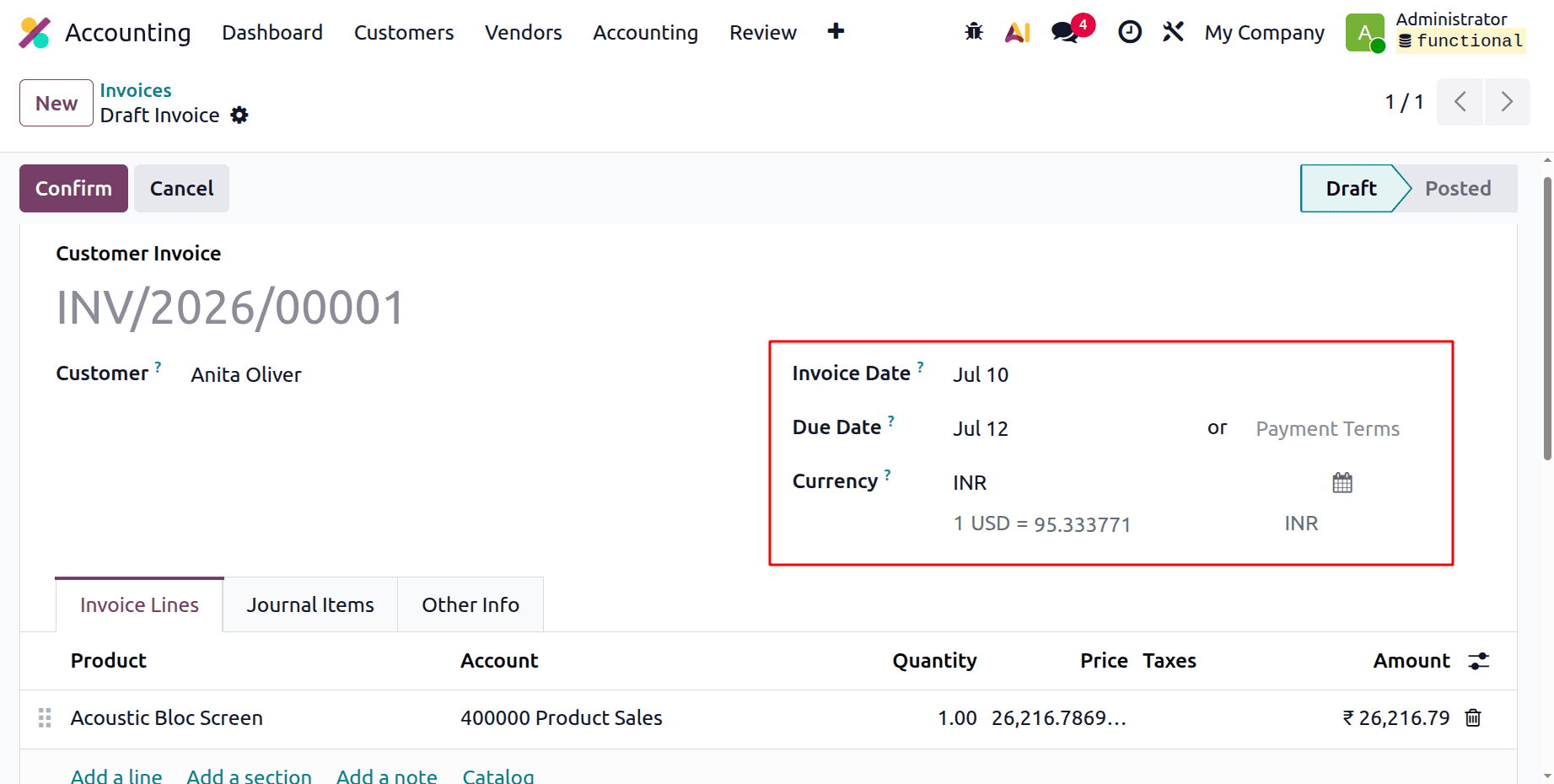
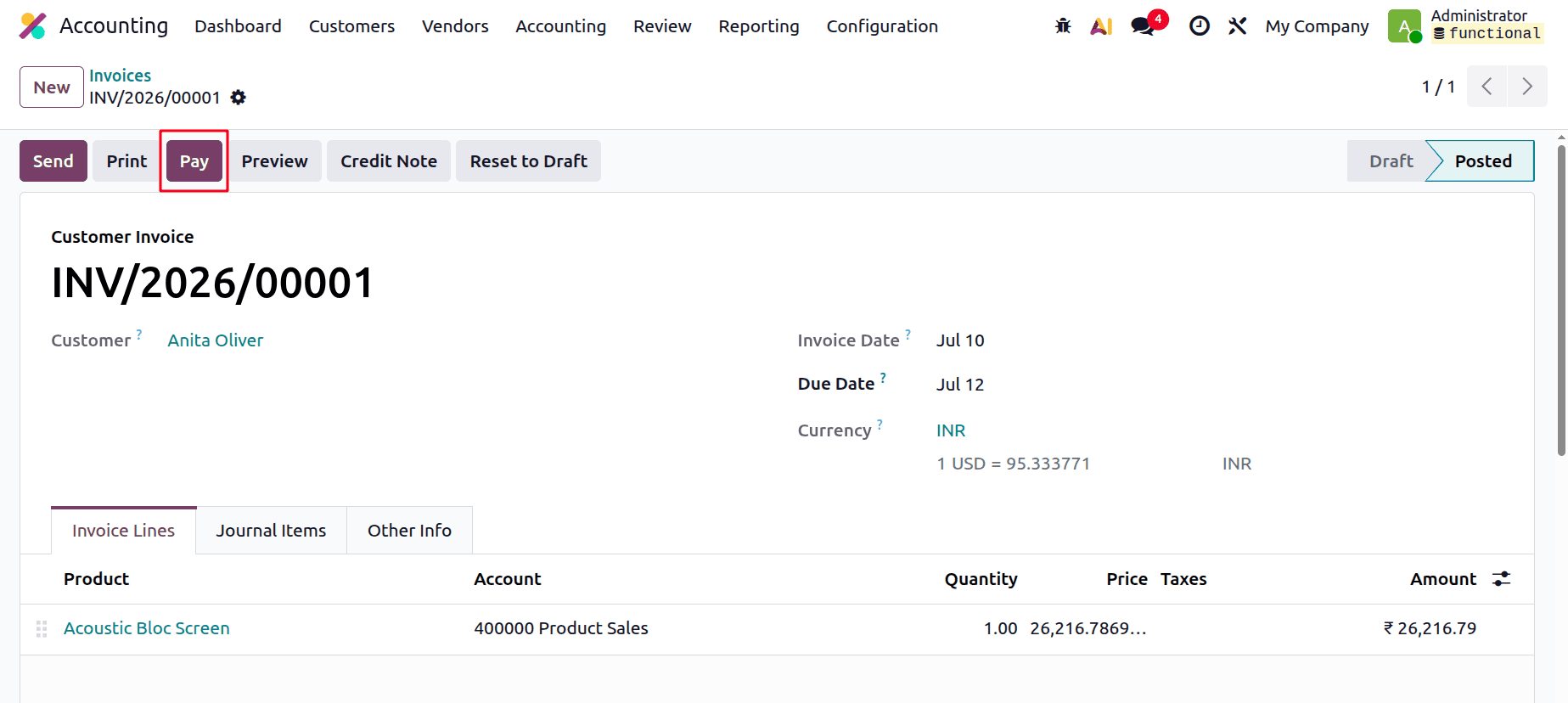
Include the client, right here. INR is the currency used for the invoice. The invoice date is July 10th, and the payment deadline is July 12th, two days later. Here, the product is Acoustic Bloc Screen, and its actual sales price in dollars is 275, which is converted to INR as shown below. Confirm the invoice first.
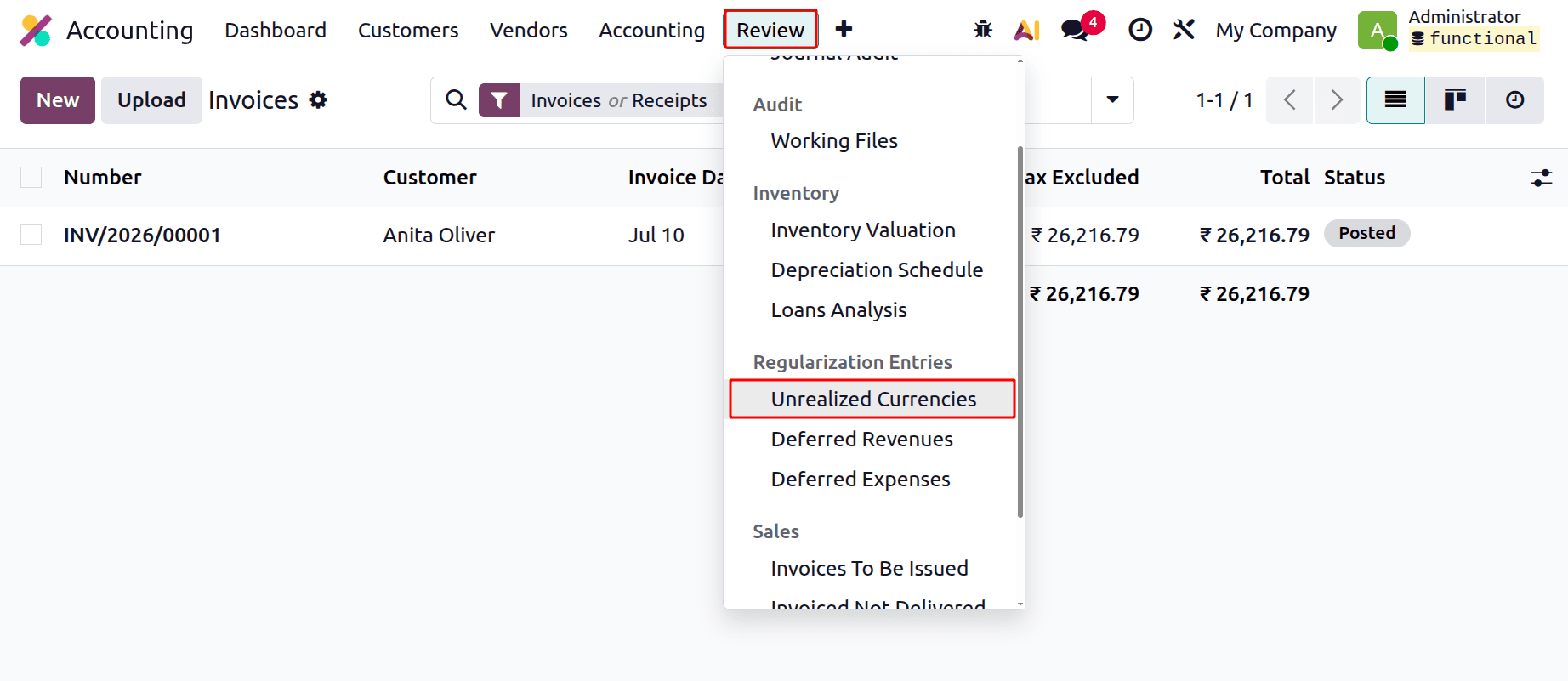
Let's now examine the Unrealised Currencies. The Review menu is where the report is located. Additionally, it is included in the Regularisation Entries.
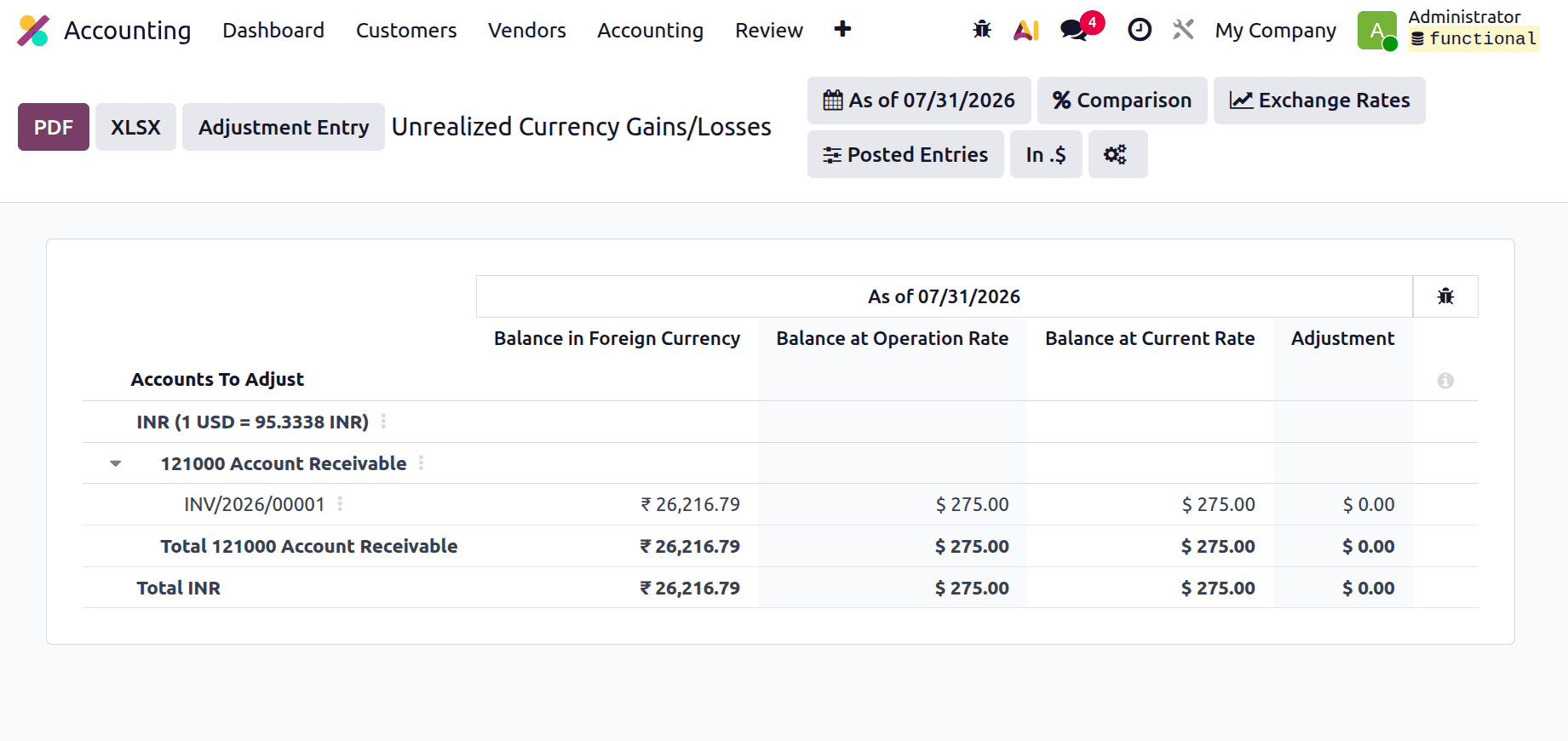
The invoice transaction amount is displayed in the Balance in Foreign Currency column, showing the value in the original transaction currency. The Balance at the Operation Rate column represents the same transaction amount converted into the company’s base currency using the exchange rate applied at the time of the transaction. The Balance at the Operation Rate then shows the transaction amount in business currency.
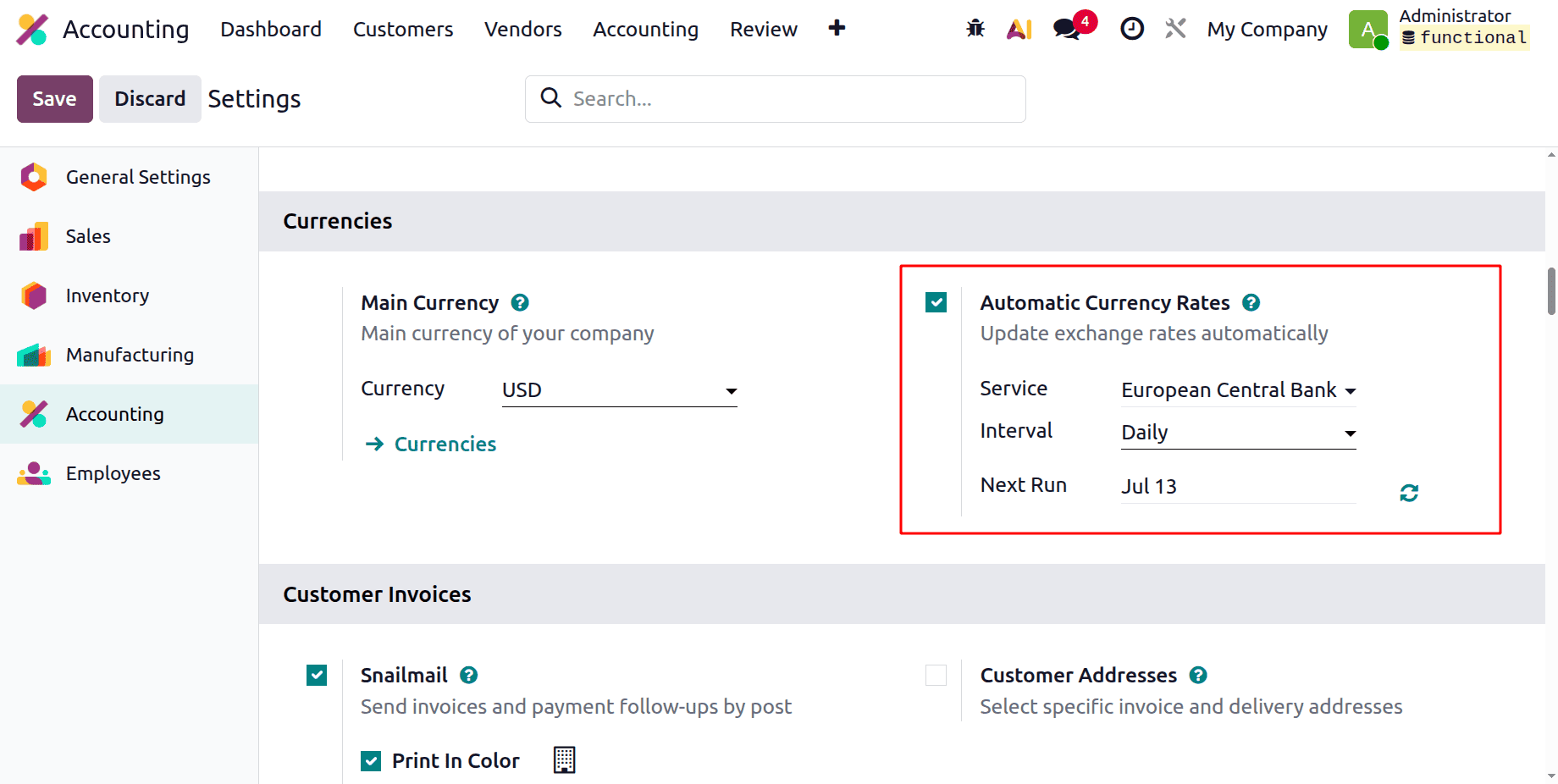
Users can automatically update the currency rates. To access this option, navigate to the Configuration menu and select Settings. One option under Currencies is Automatic Currency Rates. Update the currency rate after selecting the interval.
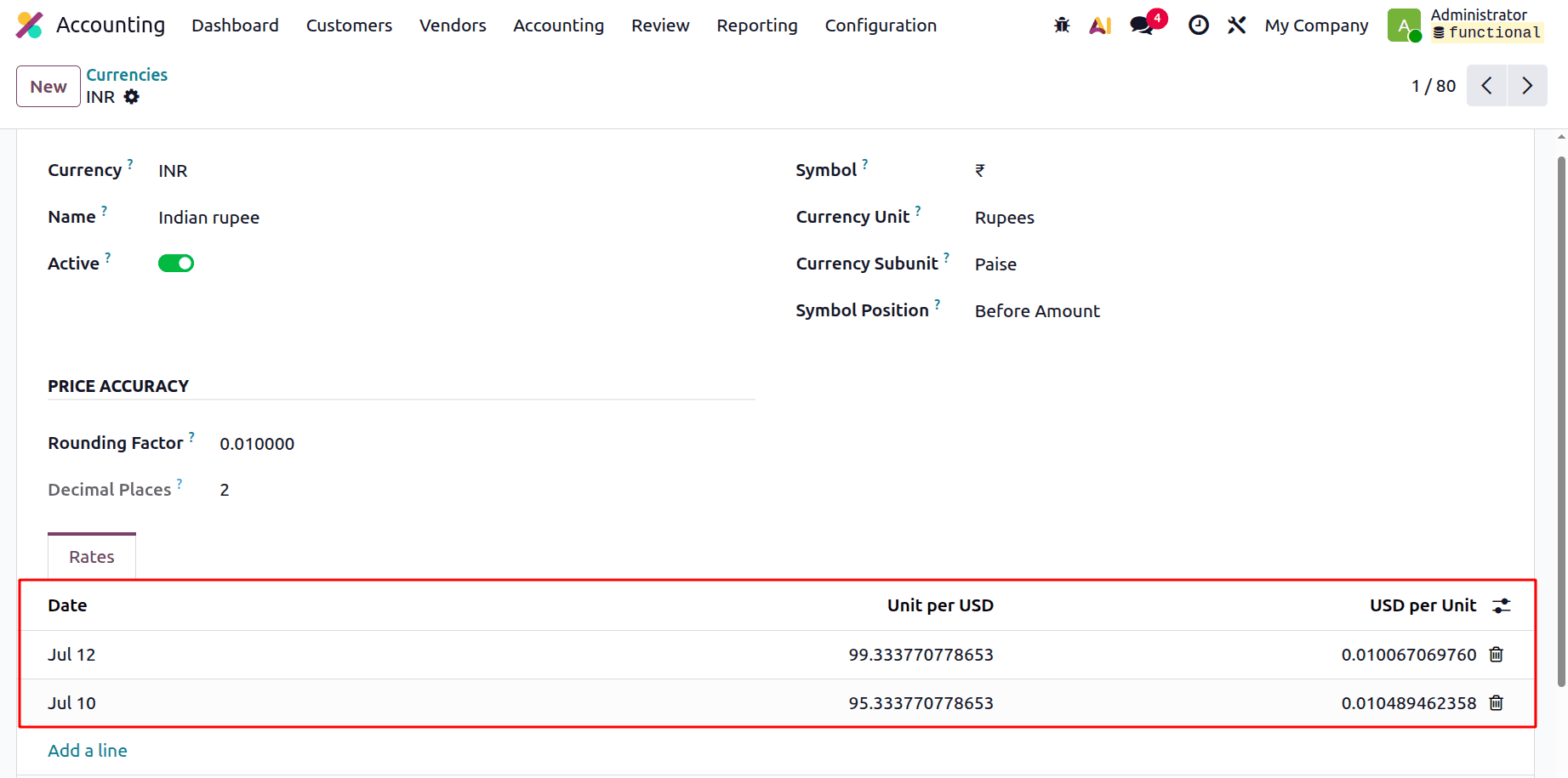
From the Configuration, select the Currencies option. The required currency will be selected from a list of available currencies. The most recent rate is shown on the Rates tab. The new unit rate per USD is 99.333770778653 on July 12th.
Thus, the invoice is still outstanding. Let's settle the bill first. To proceed, open the generated invoice again and click the Pay button to complete the payment process.
The payment will display the payment date. July 12th is displayed as the payment date.
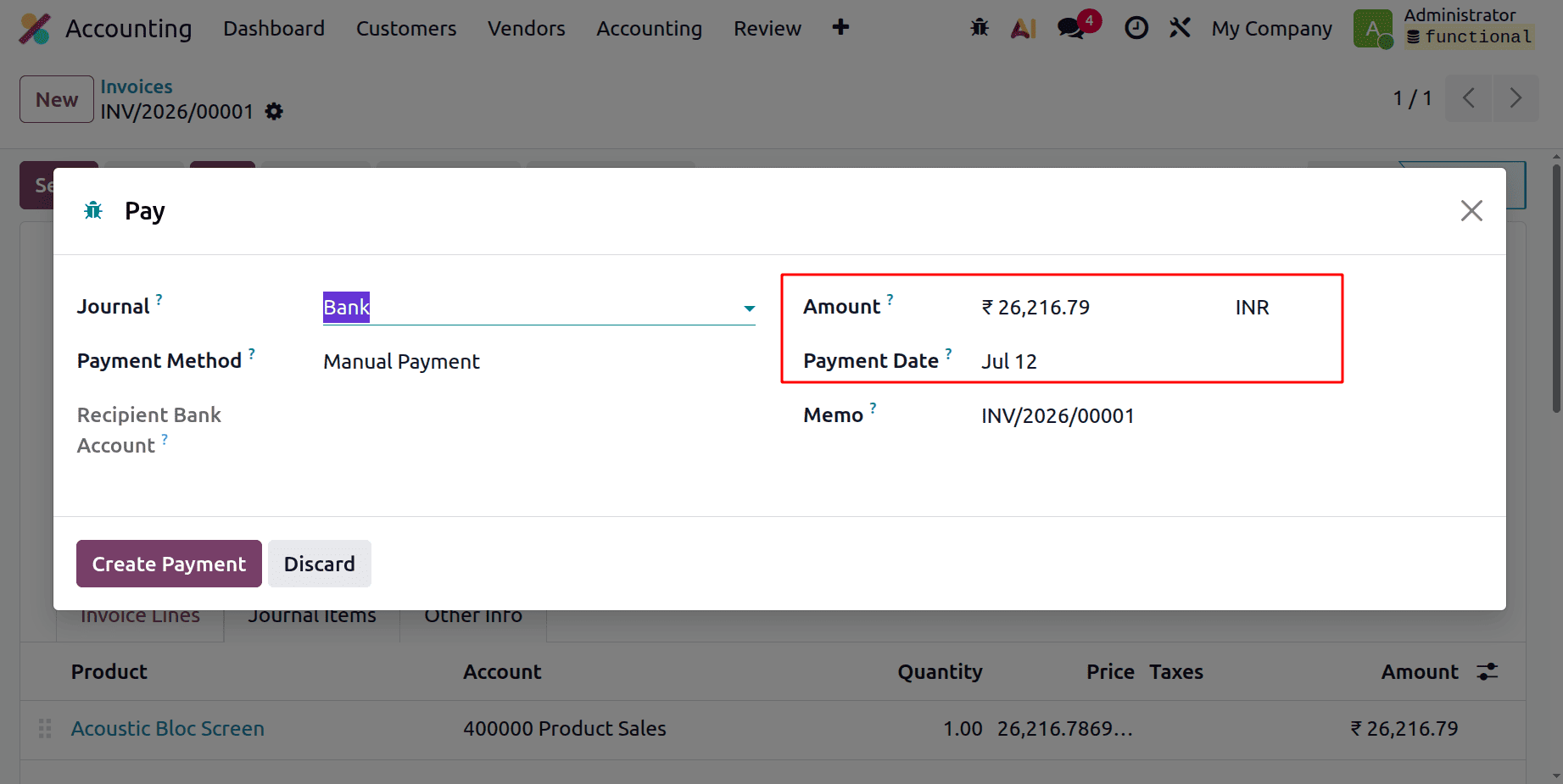
In this case, the invoice was created on July 10. The exchange rate was 95.333770778653 units per USD on that particular date. Nevertheless, the exchange rate has been increased to 99.333770778653 units per USD for the payment date of July 12. So the actual payment is 27,316.79 INR, but the customer only pays 26,216.79 INR.
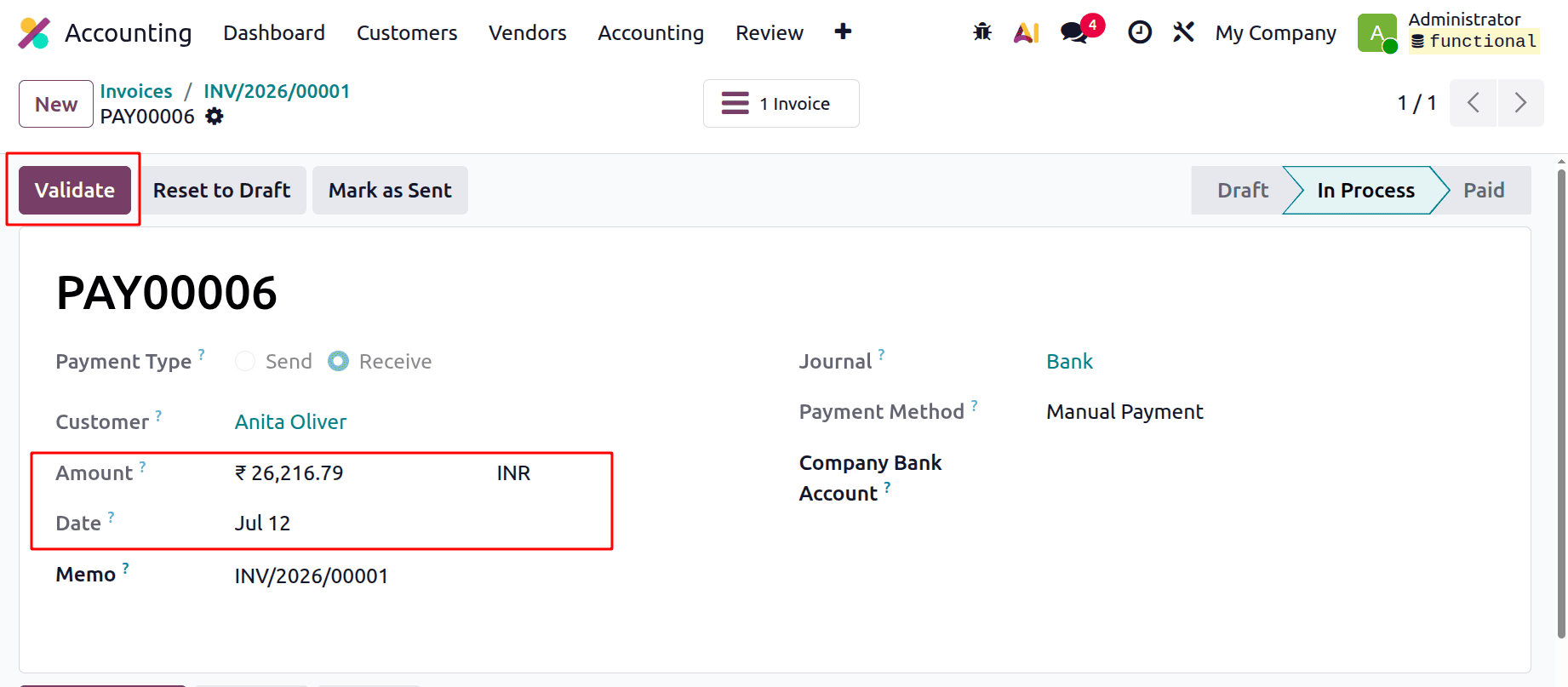
Validate the Payment, then let's review the Unrealised Currency Gain/Loss report once more. There have been some updates. Look at them. The snapshot below shows the data after the currency rate update. As mentioned earlier, the Balance in Foreign Currency column displays the invoice transaction amount in the original currency of the transaction. The Balance at the Operation Rate column shows the equivalent value converted into the company’s currency based on the exchange rate applied at the time of the transaction. The Acoustic Bloc Screen is actually sold for $275.
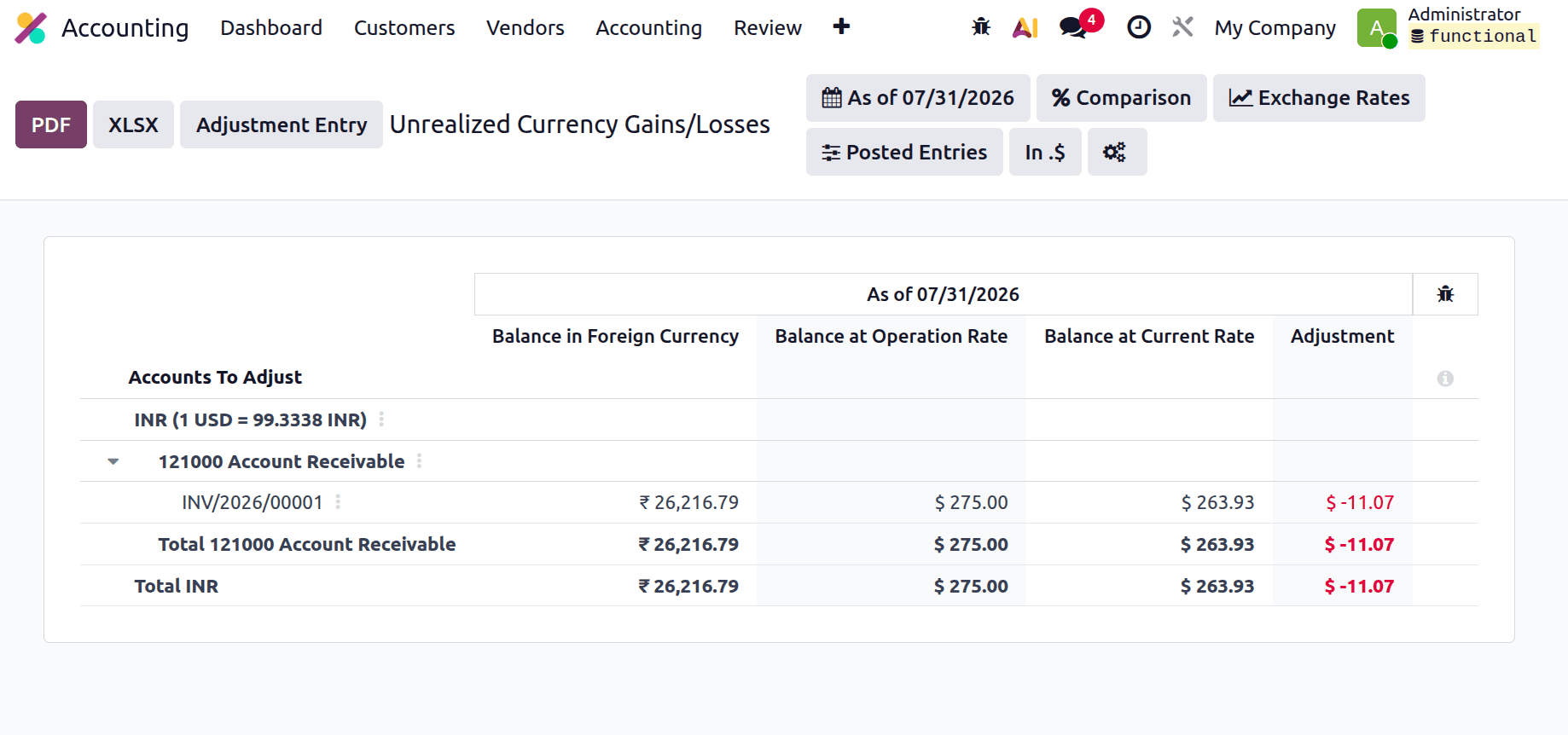
The currency rate has been updated to 99.333770778653 units per USD. The difference between the Balance at the Current Rate and the Balance at the Operation Rate represents the currency adjustment. Therefore, the Balance at the Current Rate is calculated using the following formula:
(Balance in Foreign Currency / Current rate).
Current Rate Balance = 26216.79 / 99.333770778653 = 263.93
Adjustment = 263.93 - 275 =-11.07
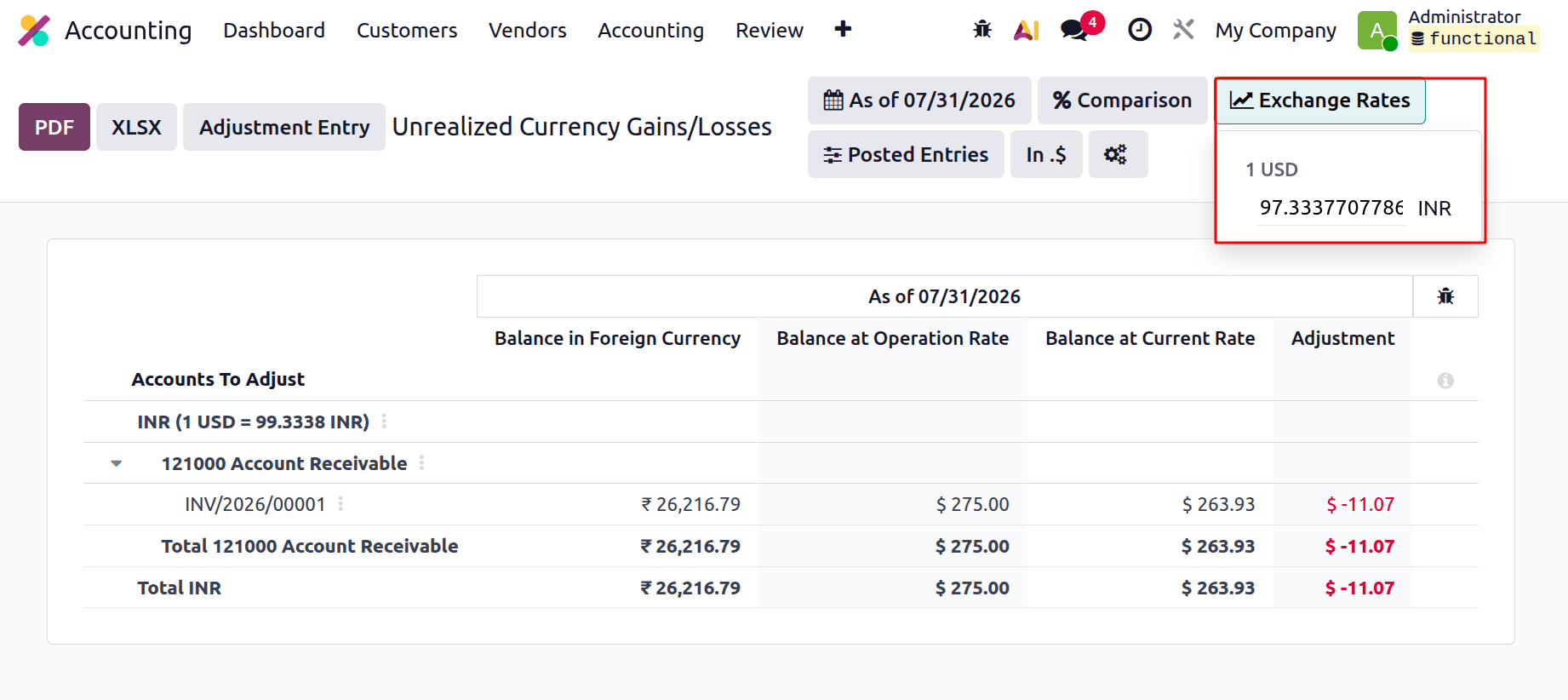
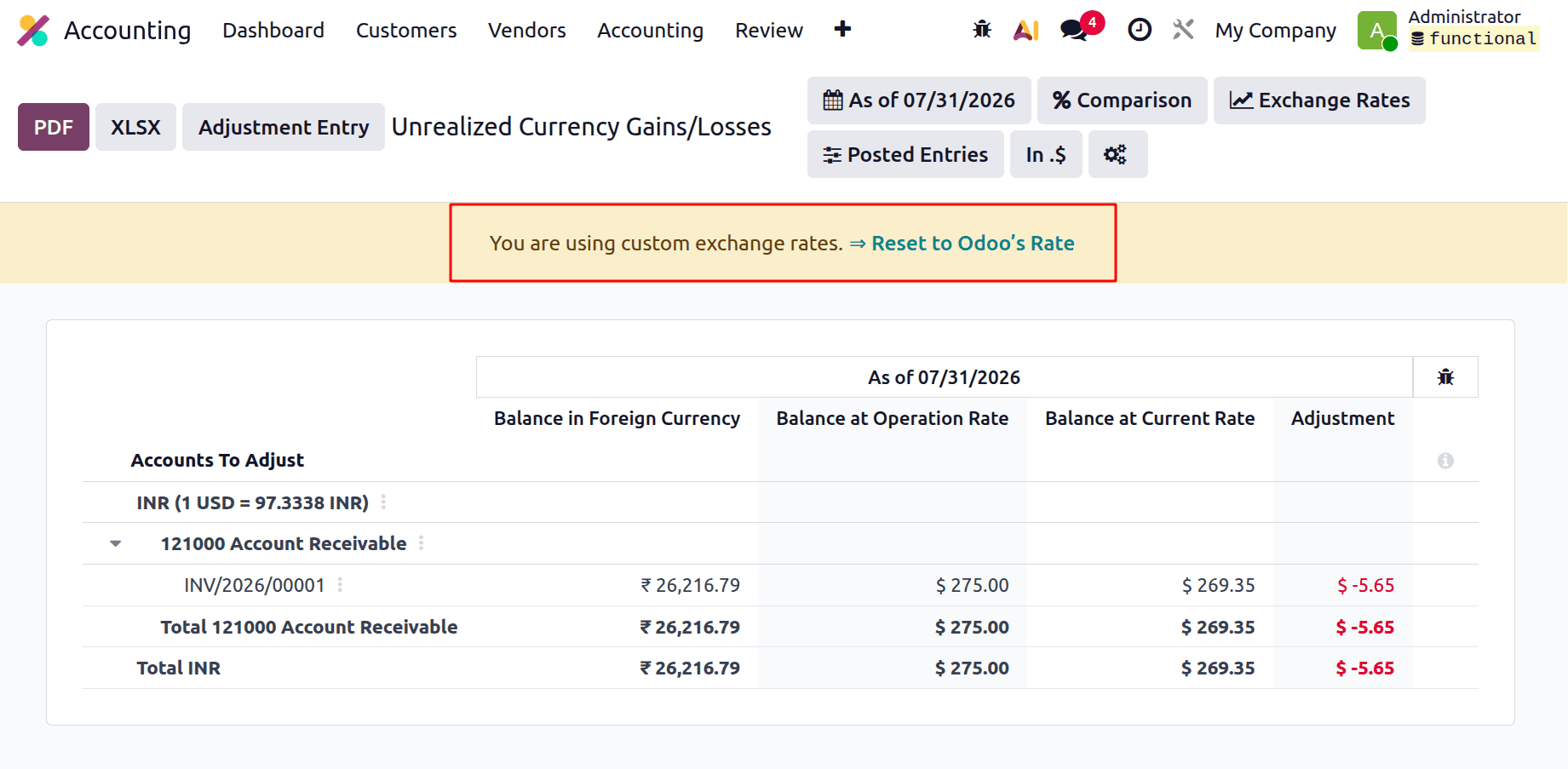
Exchange rates can be manually added by users. The exchange rates are displayed at the top of the screen, as illustrated in the screenshot below.
Therefore, all of the mentioned figures will automatically change in accordance with the currency rate's manual update.
The Unrealised Currencies in Odoo 19 is a helpful tool for accurately calculating the financial impact of fluctuating exchange rates on ongoing transactions. By accounting for potential gains and losses caused by currency fluctuations at the reporting date, this report helps maintain compliance with Odoo 19 accounting standards. It provides greater financial transparency and enables businesses to better evaluate and manage the risks associated with foreign currency transactions.
To read more about How to Manage Multi-currency and Exchange Rates in Odoo 19 Accounting, refer to our blog How to Manage Multi-currency and Exchange Rates in Odoo 19 Accounting.