Odoo 19 Social Marketing module brings all essential features into one unified platform, helping businesses turn social engagement into real opportunities. Generating high-quality leads from social media requires more than occasional posting—it demands consistency, insight, and the right tools. With built-in tools for scheduling posts, tracking links, and analyzing campaign performance, marketers can easily identify what works and refine their approach. The platform also allows seamless integration with other Odoo apps, ensuring that every lead captured flows directly into your sales pipeline. By centralizing your efforts, Odoo 19 reduces complexity and improves efficiency. Whether you're targeting an audience or expanding brand awareness, smart automation and real-time insights make it easier to attract, engage, and convert prospects into loyal customers. This blog examines how to utilize Odoo 19 Social Marketing effectively to enhance lead generation, increase conversion rates, and establish a sustainable pipeline of qualified prospects through strategic and automated social media efforts.
Advantages of Generating Leads from Social Media Comments:
- Direct Access to Interested Users
Comments come from people who are already paying attention to your content. This makes it easier to have meaningful conversations and convert interest into leads.
- Stronger Brand Visibility
Active discussions in the comment section increase your post’s reach. Greater visibility helps more potential leads find your business naturally.
- Personalized Interaction
You can tailor your replies based on each user’s question or interest. This personal touch makes potential customers feel valued and increases trust.
- Opportunity for Instant Problem Solving
Many users comment with doubts or issues they need clarity on. Addressing them quickly positions your brand as helpful and solution-oriented.
- Boost in Audience Loyalty
When people see consistent replies and engagement, they feel connected to your brand. This loyalty often turns followers into repeat customers or leads.
- Content Improvement Insights
Comments highlight what your audience likes or dislikes about your content. You can use this feedback to create more relevant and lead-focused posts.
- Higher Chances of Virality
Posts that have active comment sections are more likely to be prioritized and promoted by platform algorithms. This increases exposure and brings in more potential leads.
- Seamless Lead Transition
From a simple reply, you can guide users to direct messages, forms, or landing pages. This smooth transition helps convert casual interactions into qualified leads.
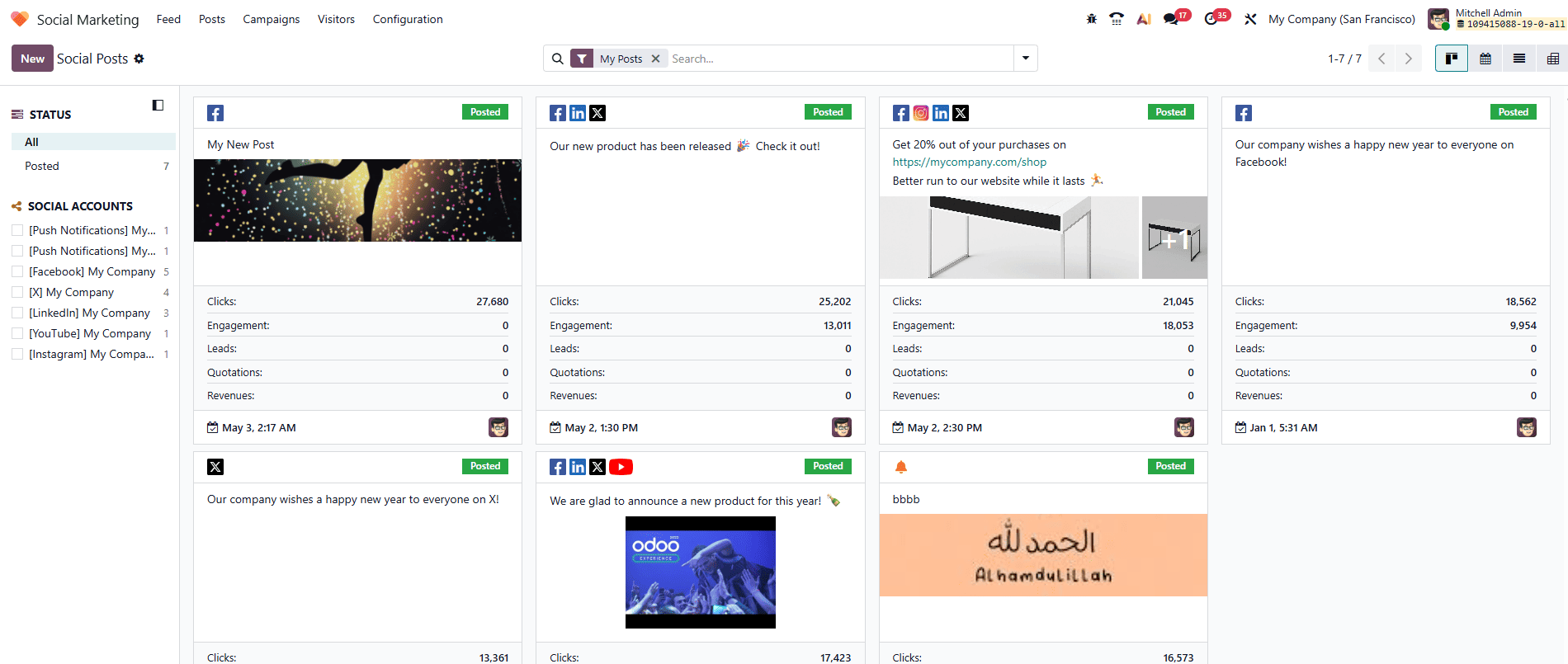
Odoo 19 Social Marketing module helps businesses to streamline their social media activities, manage posts across multiple platforms, and turn engagement into qualified leads more efficiently. To begin, access the Social Marketing module from the Odoo 19 dashboard. Under the Posts menu, you can see a lists all posts created and published in Odoo, enabling you to view, review, and manage them efficiently in a single platform as shown below:
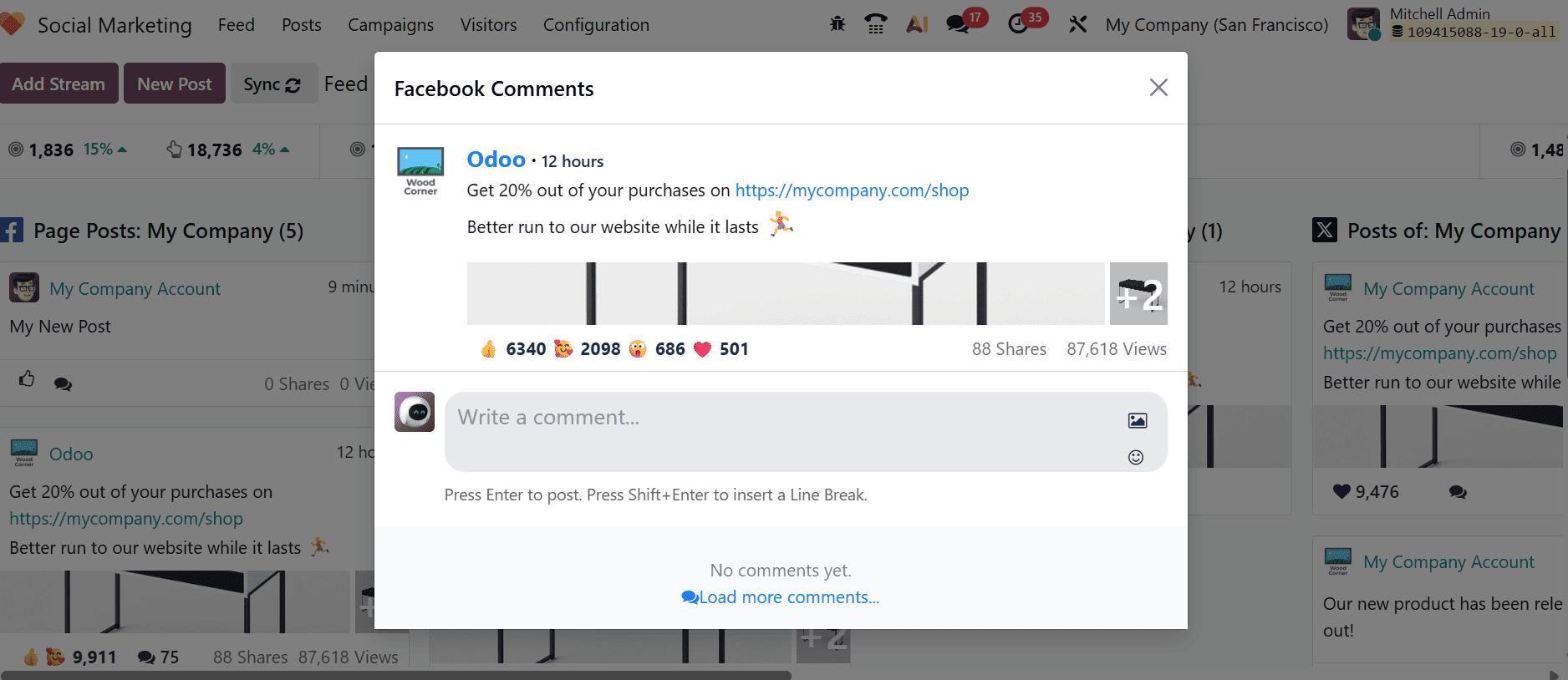
From the main dashboard of the Social Marketing module, choose a post from the stream. A pop-up screen appears displaying the post content along with engagement details such as likes, comments, and other interactions. It also lets you add a new comment by typing in the “Write a comment…” field and pressing Enter to publish it.
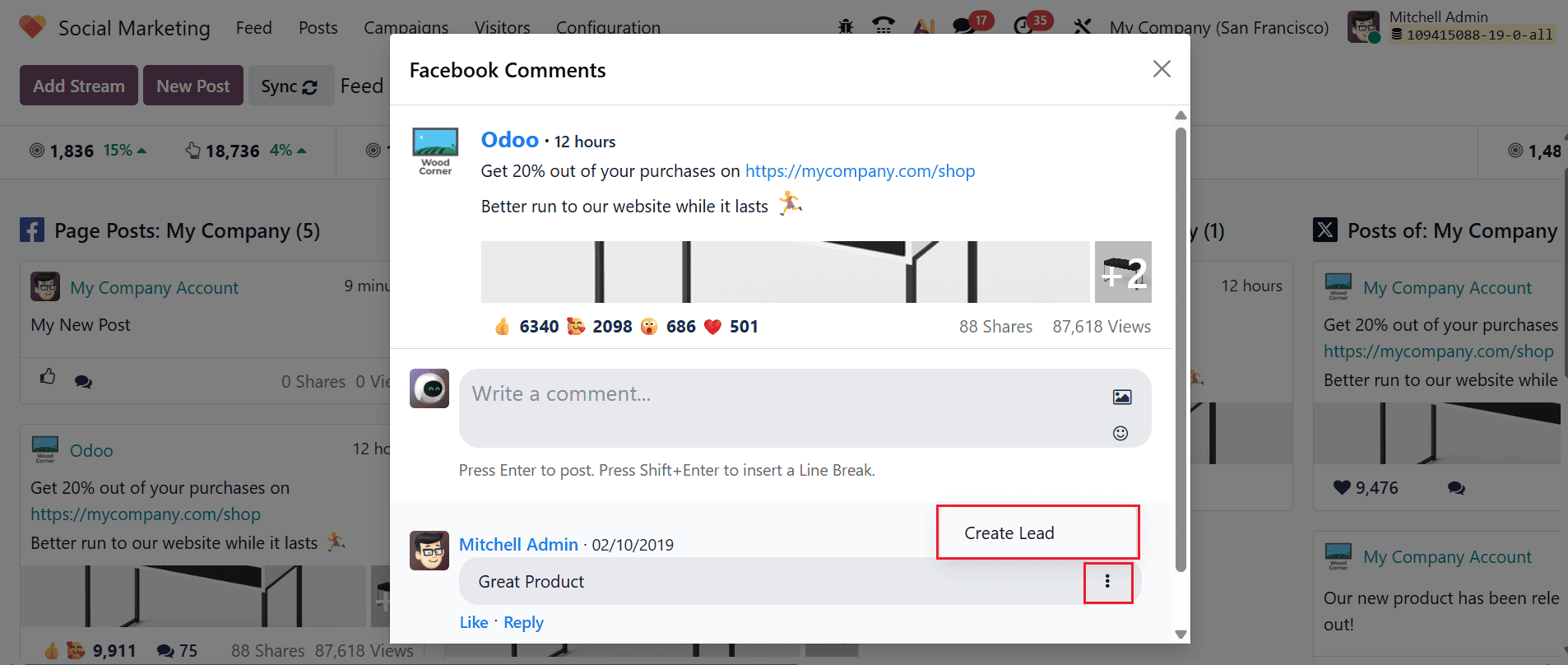
Create leads from comments:
Odoo Social Marketing enables you to convert social media engagement into actionable leads directly from comments. Start by choosing the desired post from the dashboard, which opens in a pop-up window. Then, find the specific comment you want to act on and click the three vertical dots beside it. From the options menu, choose Create Lead, and the system will automatically generate a new lead and add it to your CRM pipeline for further follow-up.
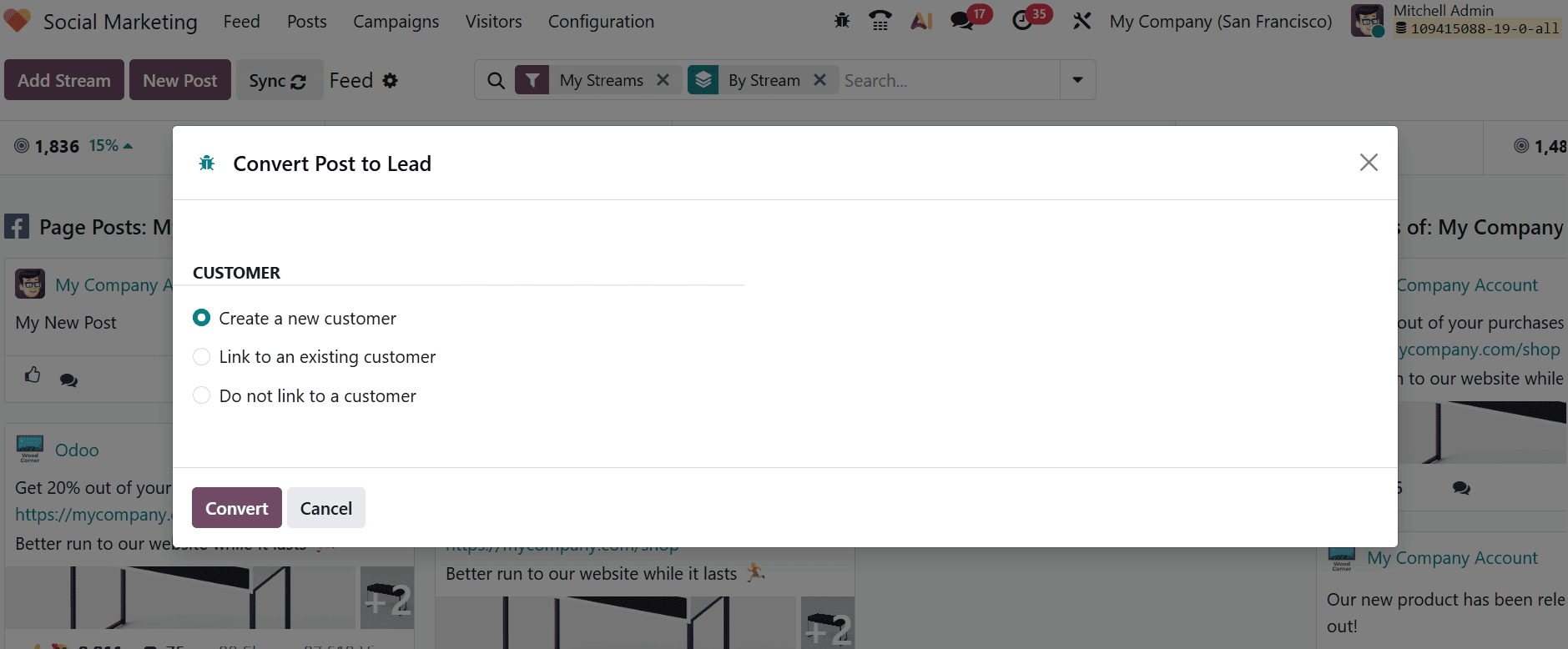
A new pop-up window appears where you can choose how the post will be converted into a lead. You can choose
- Create a new customer –Generates a new customer record and links it directly to the lead.
- Link to an existing customer – It links the lead to an existing customer record already available in the database.
- Do not link to a customer – It creates a lead without linking it to any customer record, which is useful for initial or incomplete prospect details.
After selecting the appropriate option, click the Convert button to proceed.
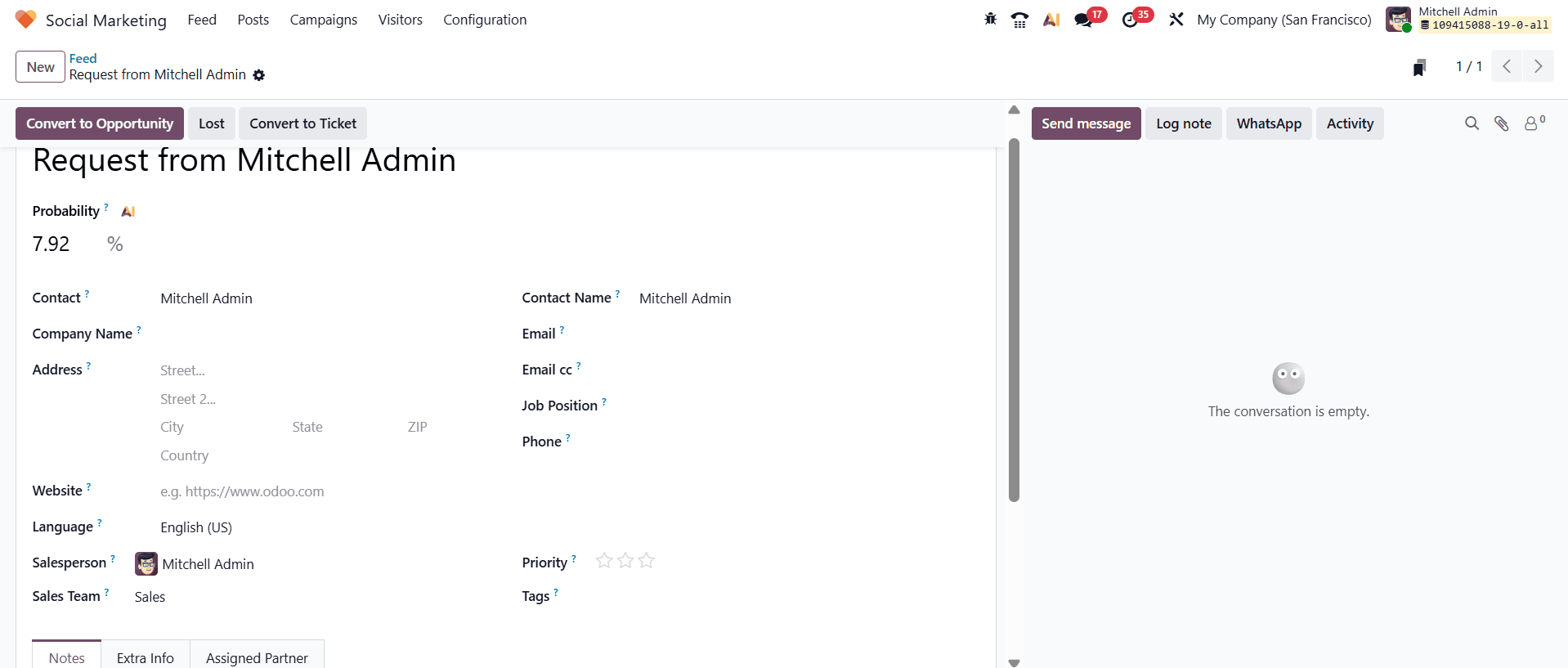
A new window will open where you can see the newly created lead, which is added to the CRM pipeline.
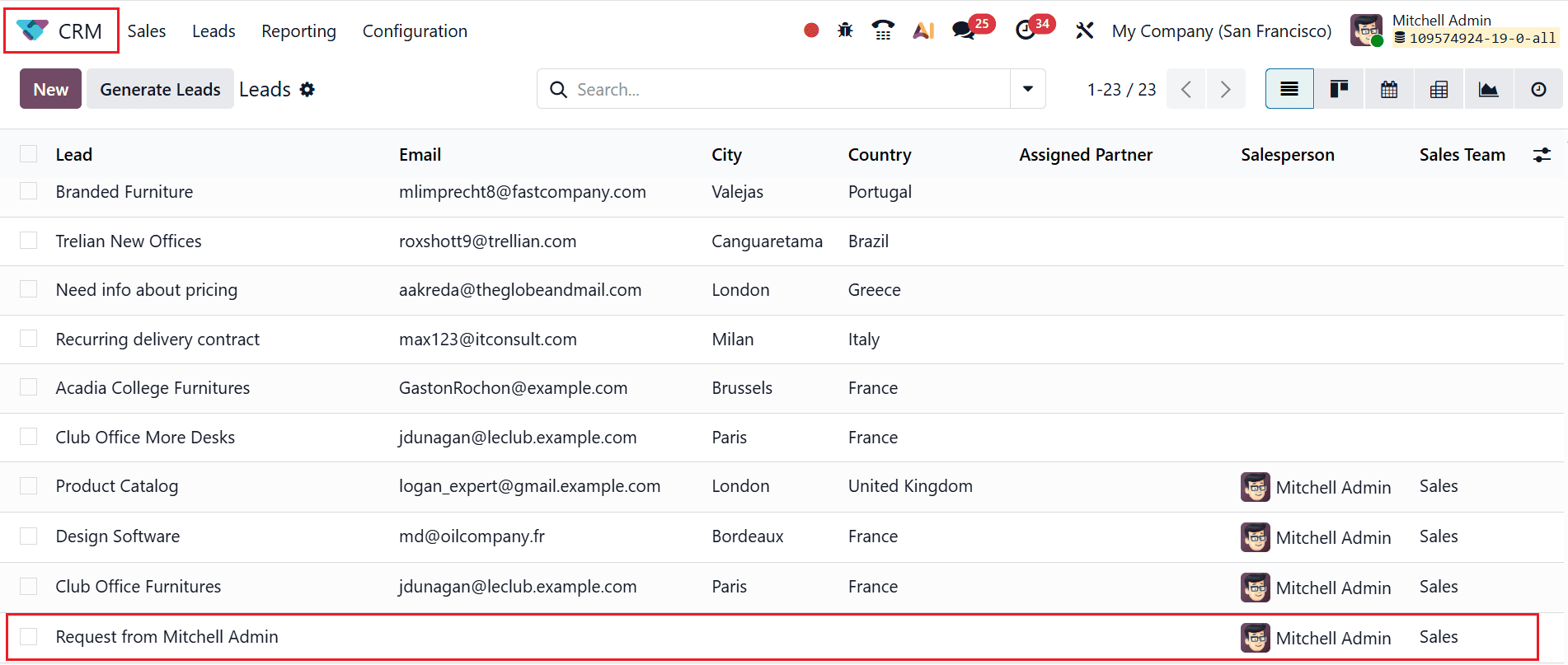
Then, navigate to the CRM module where you can see the newly created lead under the Leads menu as shown below:
Odoo 19 Social Marketing transforms how businesses approach lead generation by unifying content creation, campaign management, and analytics into one powerful platform. Rather than managing several tools, teams can concentrate on building meaningful interactions and using data-driven strategies to achieve better results. From scheduling posts to tracking link performance and analyzing audience engagement, every features designed to improve efficiency and maximize impact. The ability to monitor conversations and respond promptly also strengthens brand credibility and trust with key factors in converting prospects into leads. By leveraging automation and insights, businesses can continuously refine their campaigns and target the right audience at the right time. Ultimately, Odoo 19 empowers organizations to move beyond basic social media activity and build a structured, scalable approach to lead generation that supports long-term growth and stronger customer relationships.
To read more about Overview Lead Generation via Social Marketing in Odoo 18, refer to our blog Overview Lead Generation via Social Marketing in Odoo 18.