Sales teams play a key role in guiding customers from the first point of contact to the final contract. In Odoo 19 Sales, salespeople manage leads, follow up with customers, understand their needs, and ensure a smooth sales process. Their efforts directly impact revenue growth, customer satisfaction, and overall business success. To support and motivate these teams, Odoo 19 offers powerful tools to manage sales performance more effectively.
One of the most valuable features in Odoo 19 is the Sales Commission system, designed to reward salespeople based on their contributions. Businesses can set up flexible commission rules based on sales targets, revenue generated, or specific products sold. This allows companies to create fair and motivating compensation plans that align with business goals while encouraging better performance from the sales team.
Odoo 19 also makes tracking and managing commissions simple and transparent. Automated commission calculations reduce manual work and help avoid errors, while detailed reports provide clear insights into earnings and performance. In this blog, we will explore how to set up salesperson commission plans in Odoo 19, track commissions efficiently, and ensure accurate and timely payouts.
To begin configuring salesperson commissions in Odoo 19, users must first enable the commission feature from the Sales module settings. Navigate to the Sales module and open Configuration > Settings.
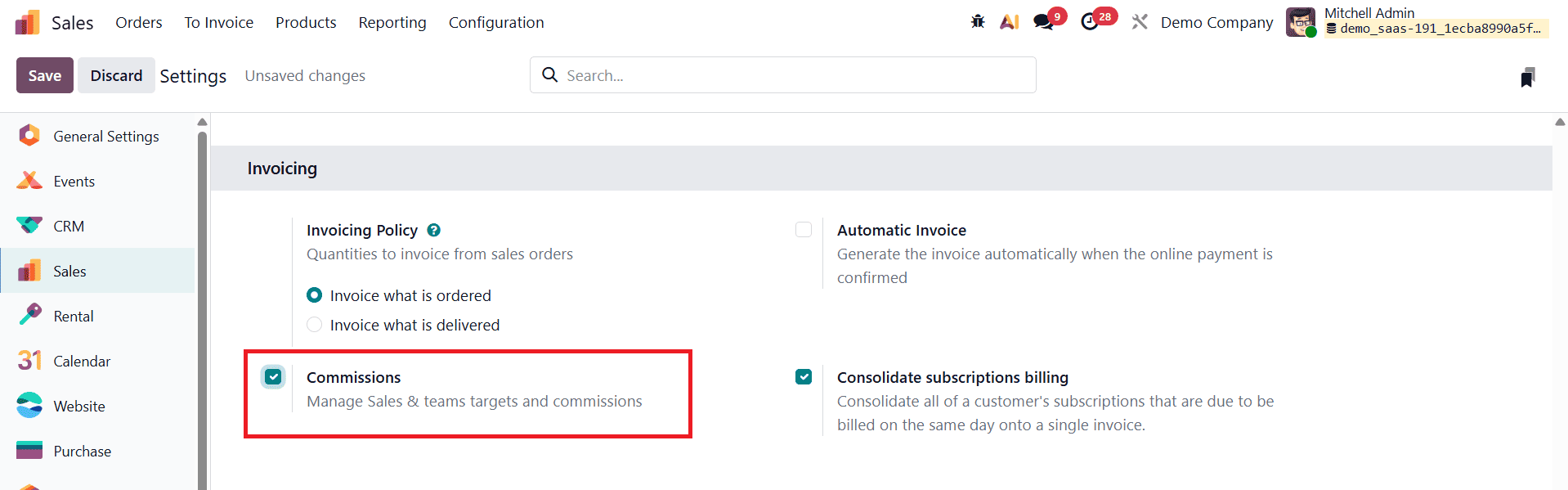
Within the settings window, locate the Commissions section and enable the commission option. Once enabled, save the configuration to apply the changes. After saving, a new Commissions menu becomes available in the Sales module, typically appearing alongside the Products menu. This activation allows businesses to define commission rules, plans, targets, and performance metrics for salespeople and sales teams.
The Commissions menu in Odoo 19 provides access to several important sections that help manage commission workflows efficiently. These include My Commissions, Commissions, Commission Plans, Achievements and Adjustments.
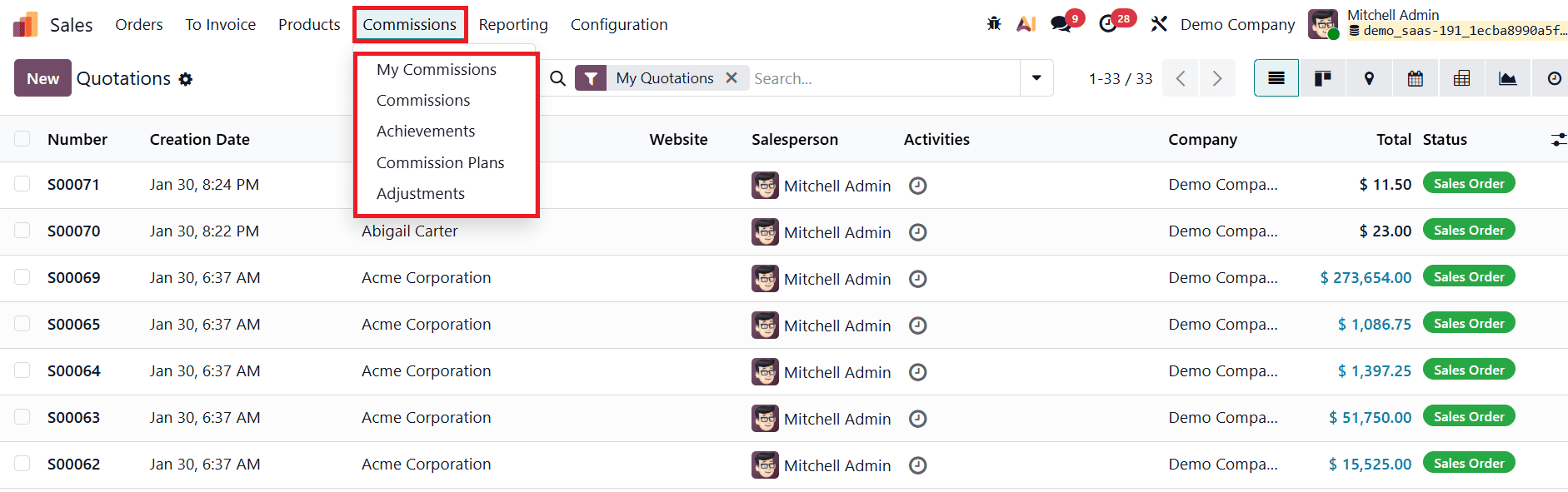
Each of these menus serves a specific purpose. My Commissions allows individual salespeople to view their own commission records and progress. The Commissions menu provides an overview of all generated commissions across the organization. Commission Plans is where users define the rules and structures for commission calculation, while Adjustments allow manual modifications when necessary. The Achievements menu automatically collects and displays data from confirmed and invoiced sales transactions that are eligible for commission. Each record represents a contribution toward a salesperson’s commission, based on the rules defined in the commission plan.
To configure a new commission structure, users must first create a Commission Plan. Navigate to the Commission Plans menu and click on New.

A list view displays all existing commission plans, showing details such as plan name, plan type, periodicity, company, start date, end date, and status. This overview makes it easy to manage multiple commission plans across different teams or time periods.
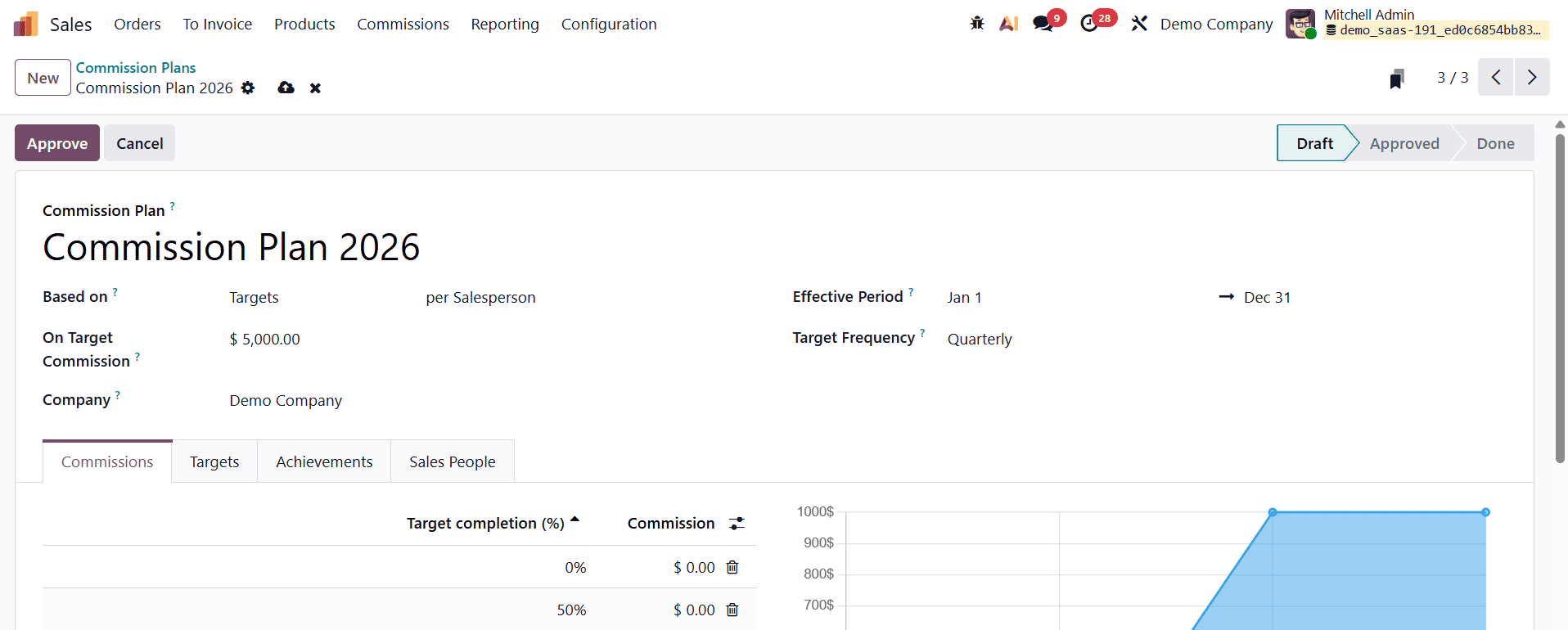
When creating a new commission plan in Odoo 19, users must provide a meaningful name for the plan to ensure clarity. The plan type can be configured based on Target-based or Achievement-based criteria. Target-based plans reward salespeople when they reach predefined sales goals, while achievement-based plans calculate commissions based on a percentage of invoiced revenue. These plans can be applied either to individual salespersons or to entire sales teams, depending on the company’s incentive strategy.
After selecting the plan type, users must define the On Target Commission (OTC) amount. This value represents the commission earned when the salesperson fully meets the target. The plan also requires specifying the start date and end date, which define the validity period of the commission plan. Additionally, users must select the target frequency, such as monthly, quarterly, or yearly. The chosen frequency determines how often commission targets are evaluated and paid.
Under the Commission tab within the commission plan form, users can configure multiple commission levels.
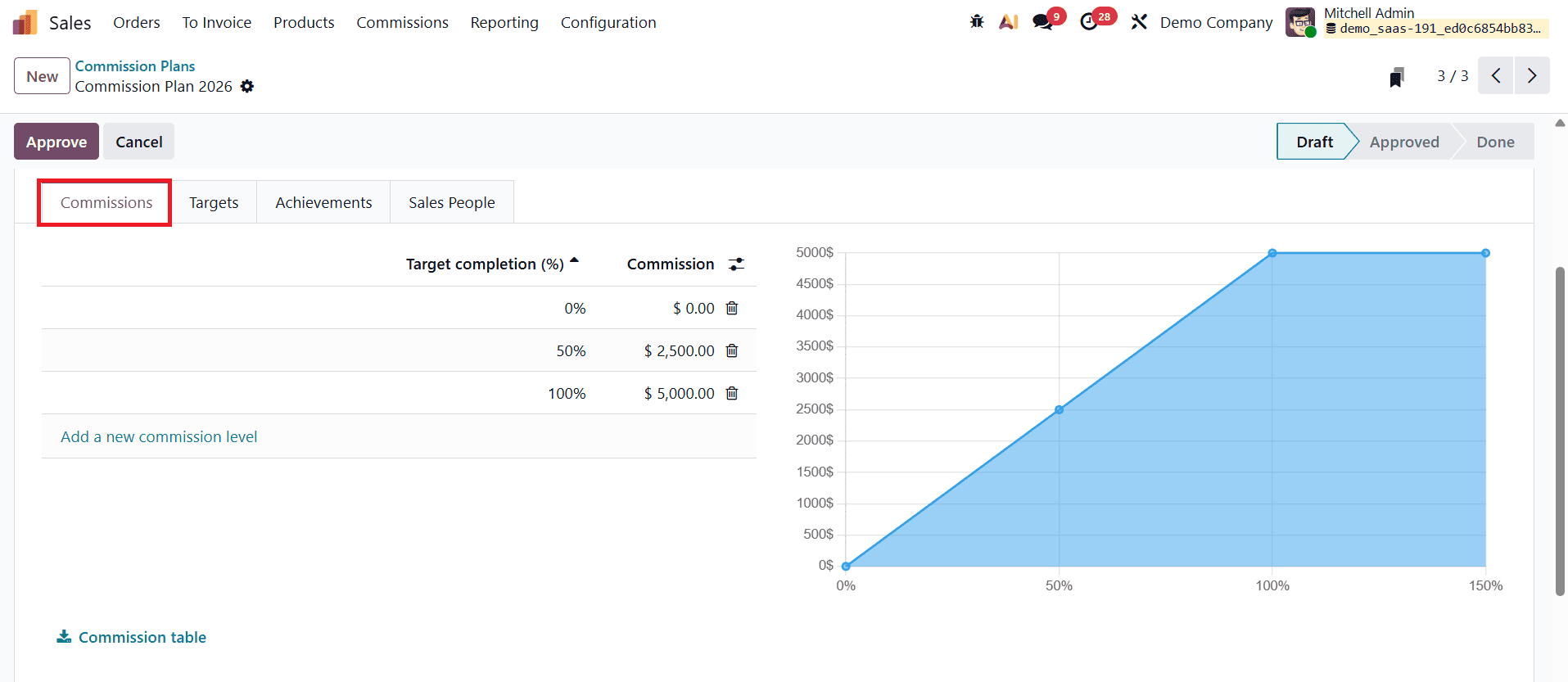
For each commission level, users define the target completion percentage and the corresponding commission amount. For example, a commission plan may reward a partial commission when 50% of the target is achieved and a higher commission when 100% of the target is completed. Odoo 19 also provides a visual graph on the side of the form, making it easier to understand how commission levels scale with performance.
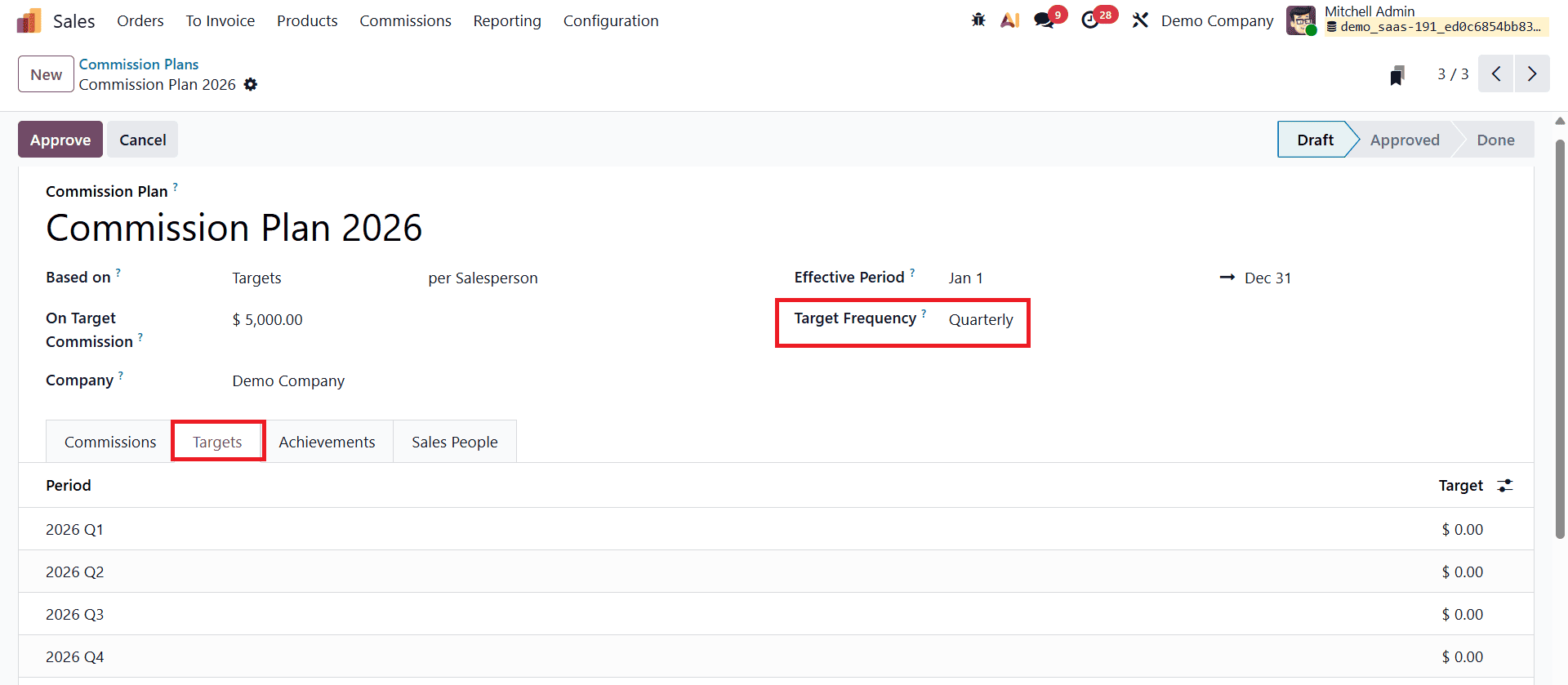
The Targets tab becomes available based on the selected target frequency. If the commission plan uses a quarterly frequency, the Targets tab displays individual quarterly periods. Each period shows the start date, end date, and target amount that salespeople must achieve during that timeframe.
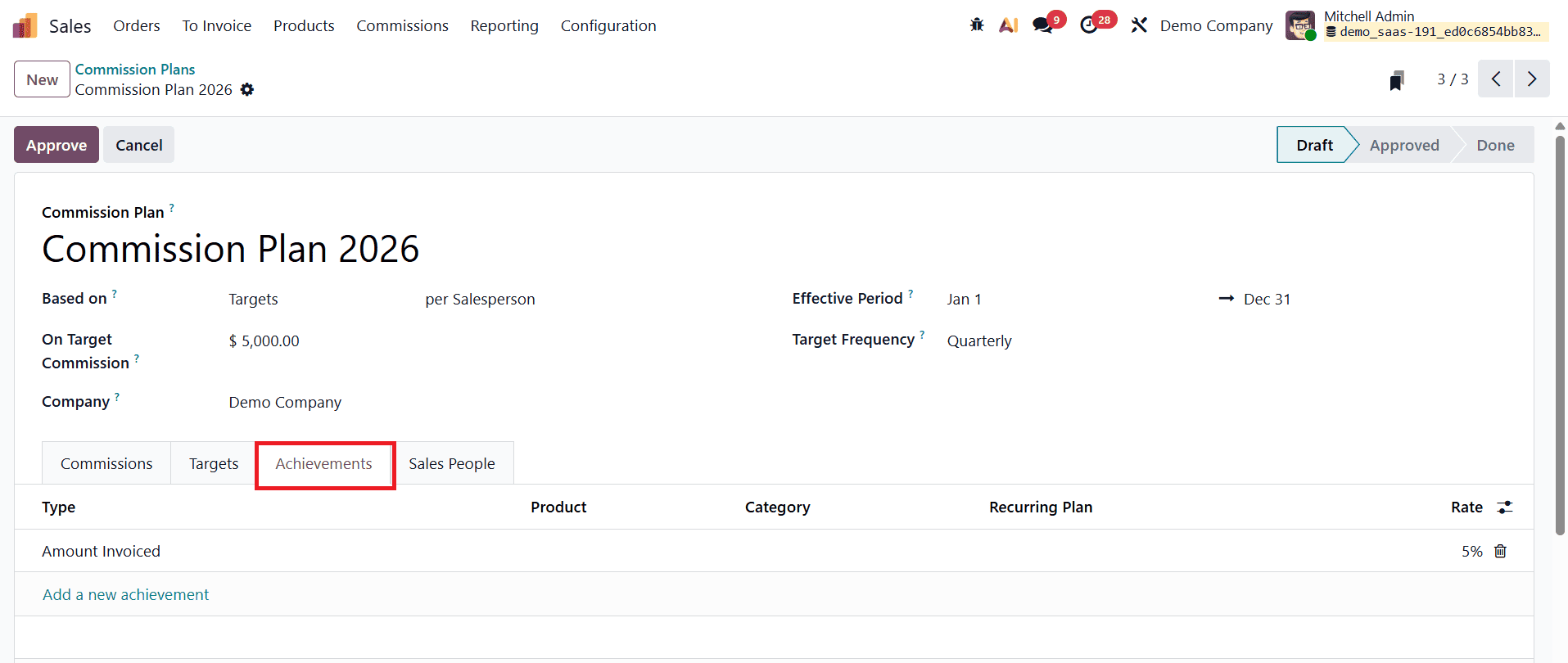
Next, the Achievement tab allows users to define how achievements are calculated. In Odoo 19, achievement-based commissions can be configured as a percentage of the invoiced amount. For instance, users can specify that a certain percentage of each posted invoice contributes toward the salesperson’s achievement value. This ensures that only confirmed and paid invoices are considered when calculating commissions, maintaining accuracy and fairness.
The Salesperson tab is used to assign the commission plan to specific users. From here, users can add one or multiple salespersons who will benefit from the plan.
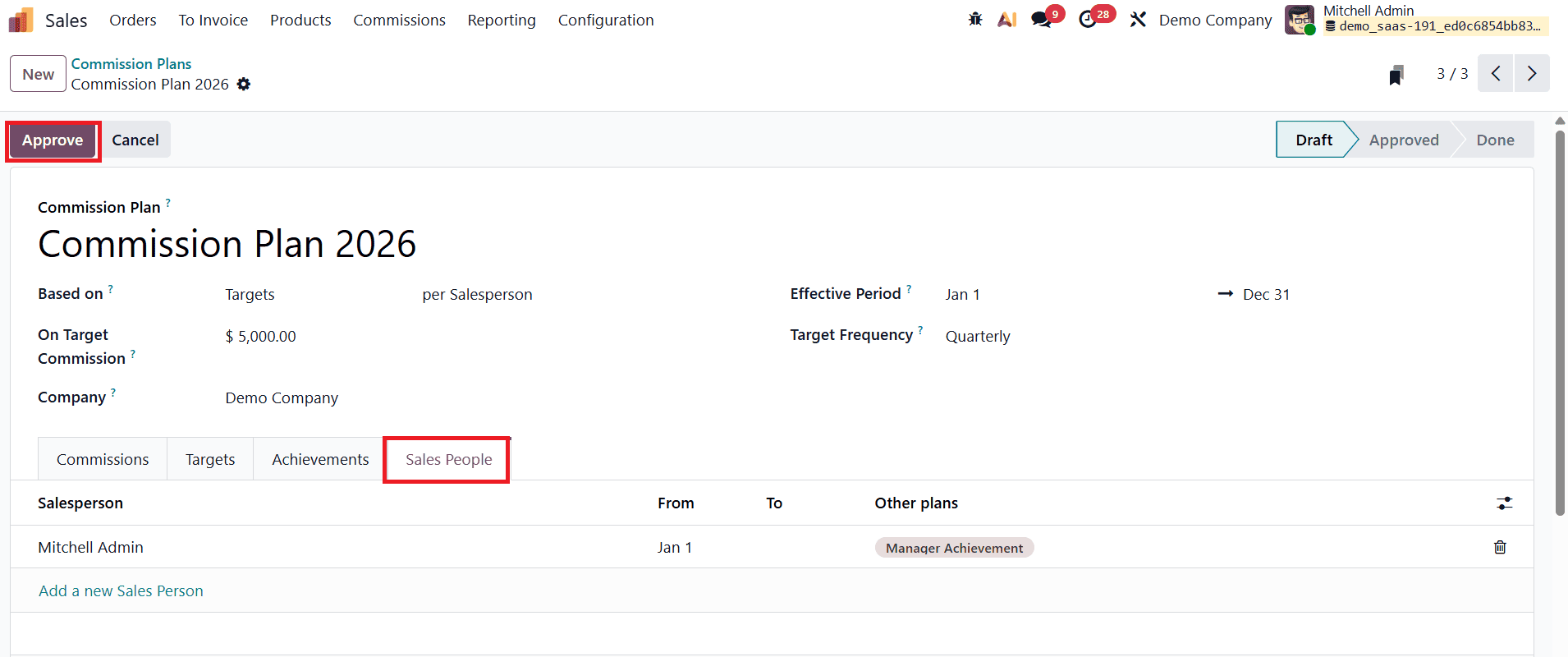
Once all required details are completed, the commission plan can be approved by clicking the Approve button. After approval, the plan’s status changes accordingly, and it becomes active for commission calculations.
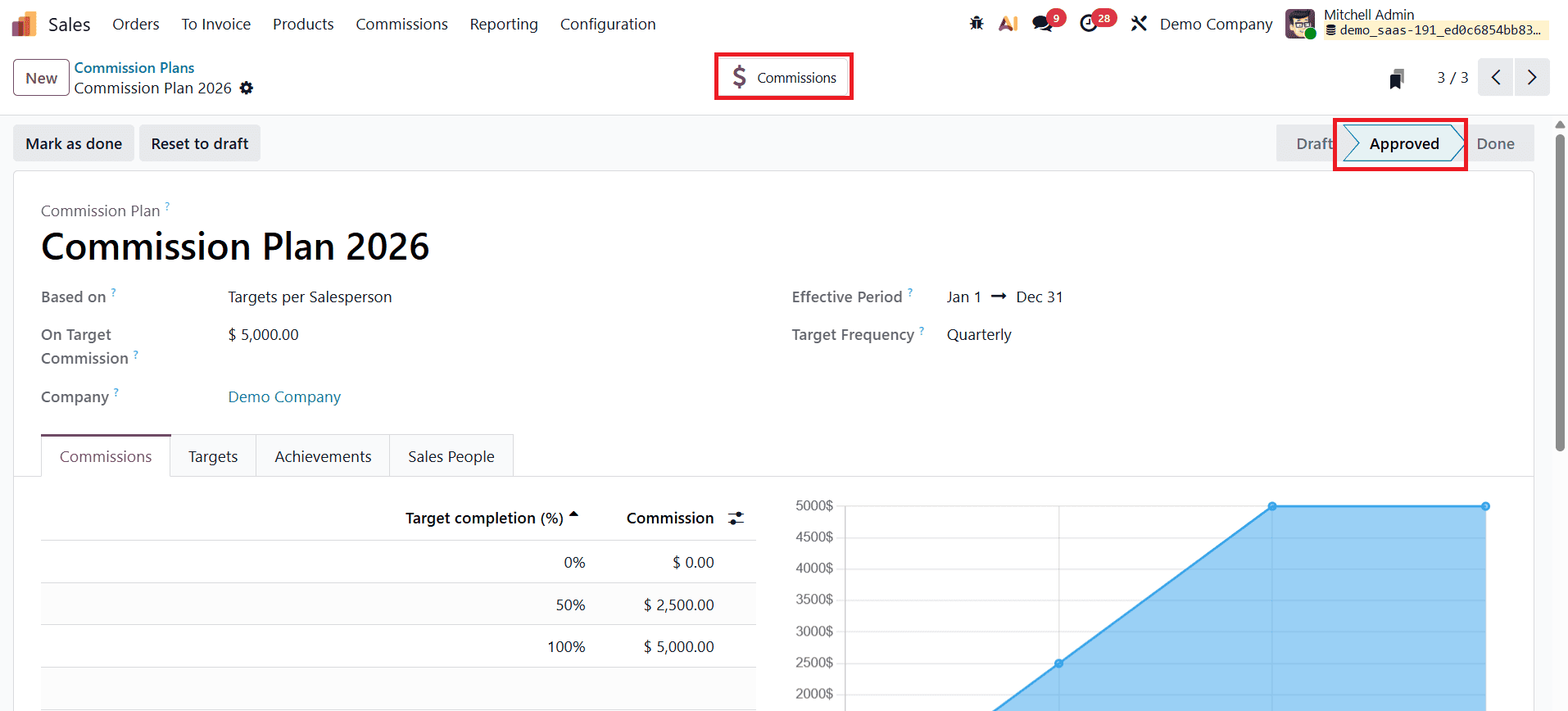
Once the commission plan is active, Odoo 19 automatically starts tracking eligible sales transactions. To understand how commissions are calculated in practice, users can create new sales orders from the Orders > Quotations menu in the Sales module.
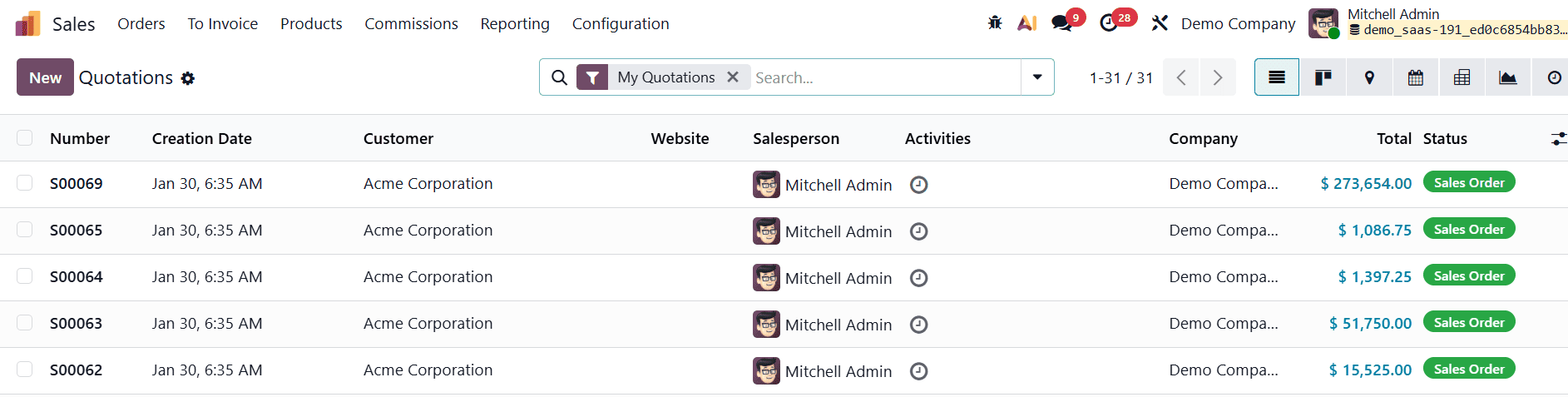
After creating a quotation, users select a customer, enter required order details, and add products to the order lines. Once the quotation is confirmed, it becomes a sales order.
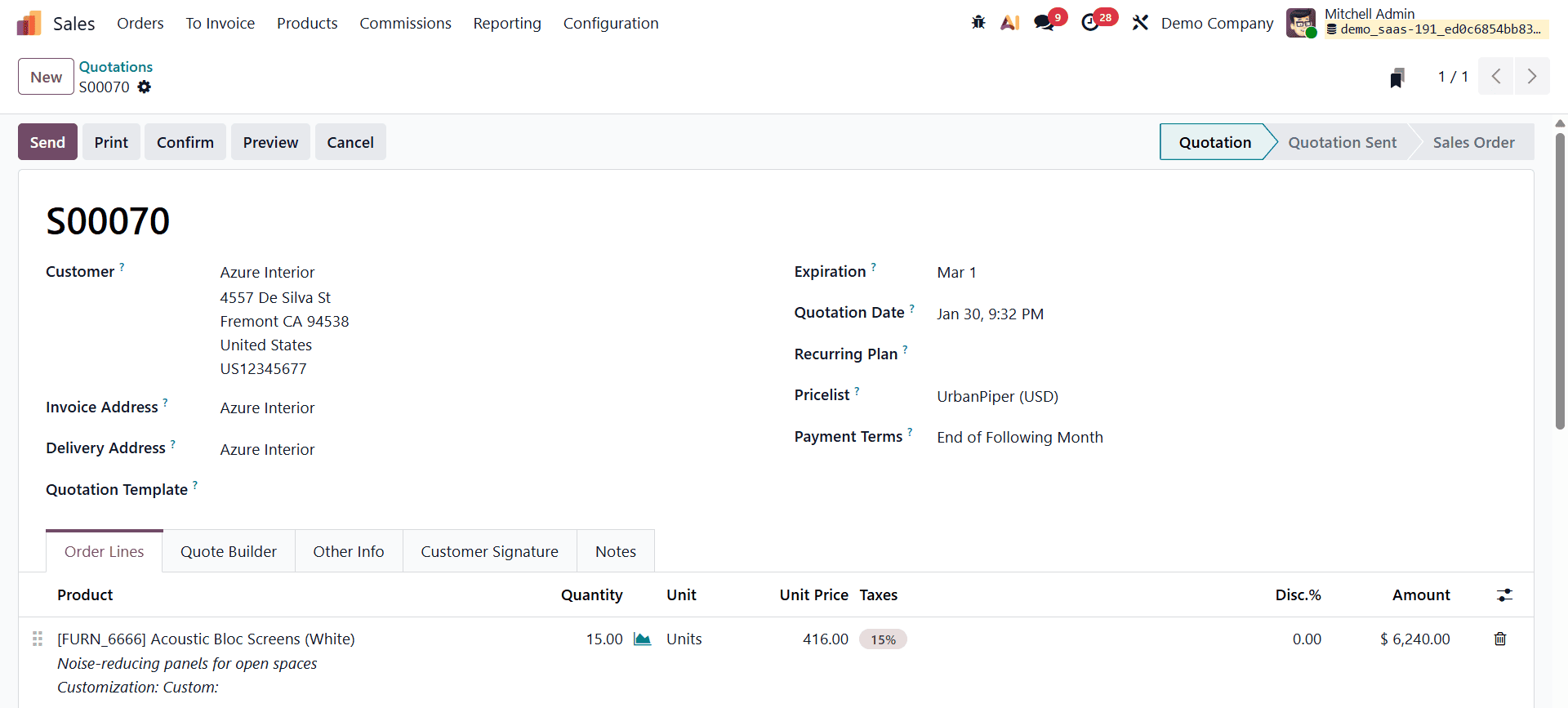
The next step involves completing the delivery process.
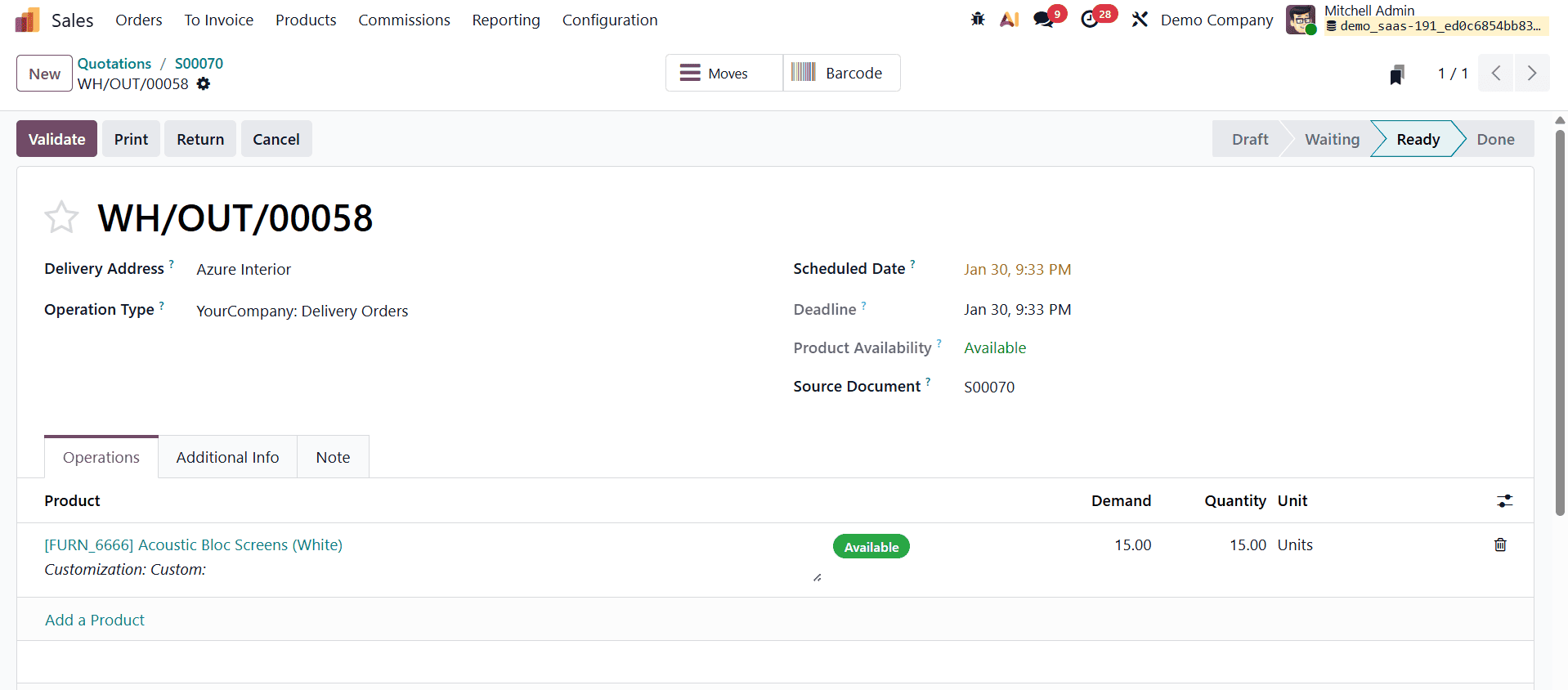
Users must validate the delivery order to confirm that the products have been delivered to the customer. After delivery, an invoice can be generated from the sales order.
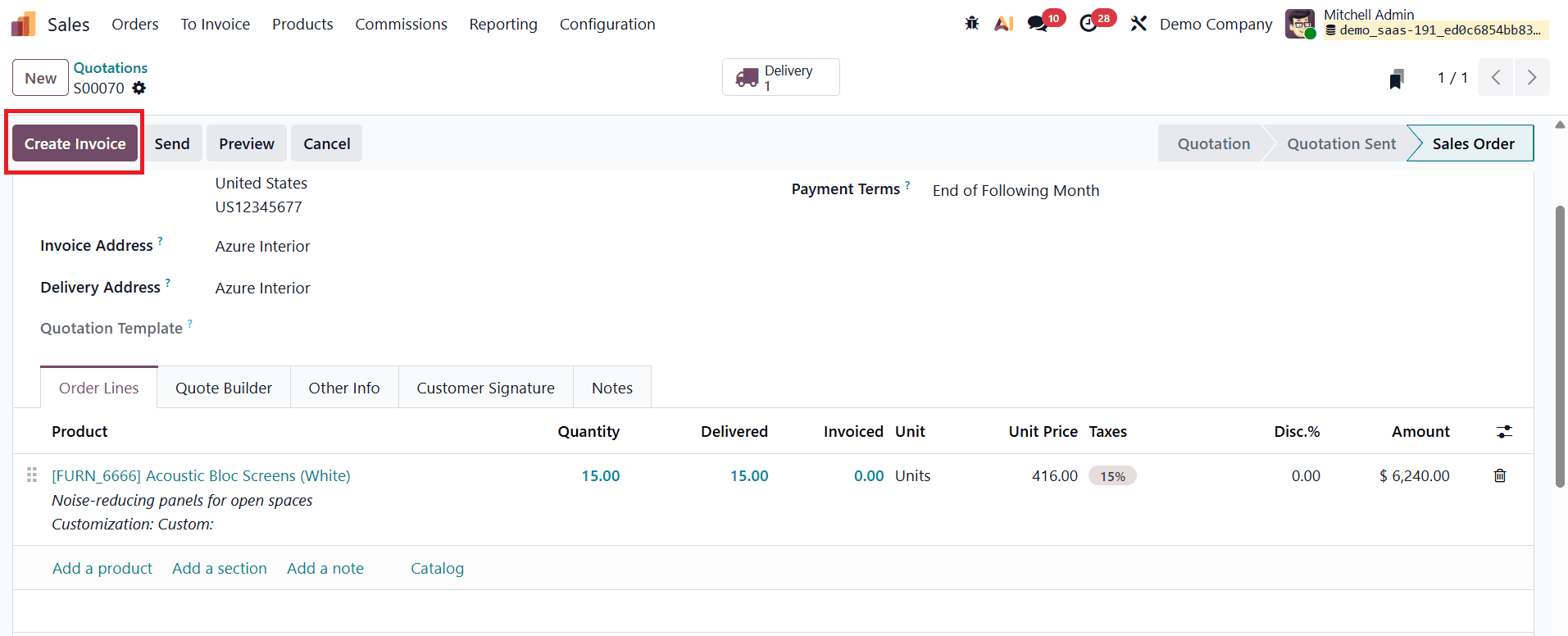
The invoice must then be confirmed and posted to register the accounting entries. Once posted, the payment can be processed by clicking the Pay button and completing the payment details. Only paid invoices contribute to commission calculations, ensuring accuracy.
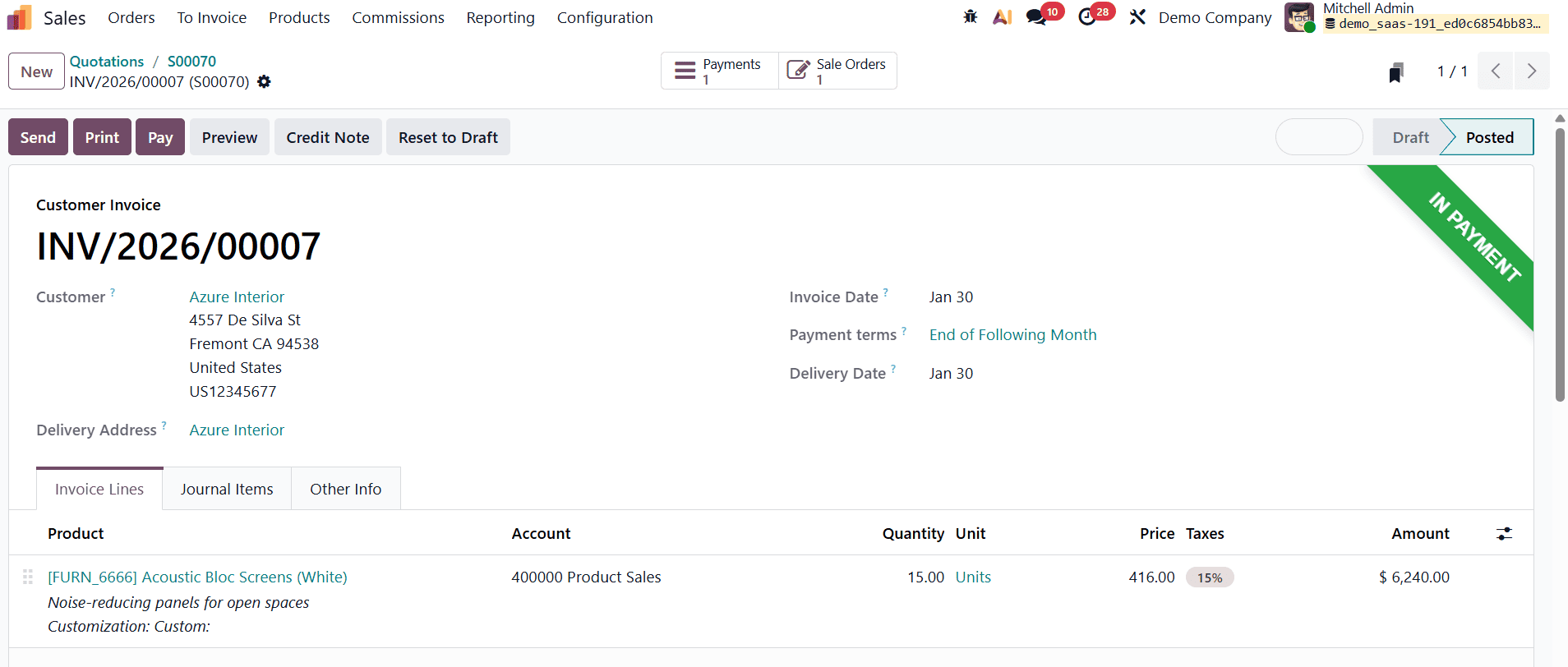
Salespeople may complete multiple sales within the same commission period. Odoo 19 automatically aggregates the invoiced amounts for each salesperson based on the commission plan settings. Users can track commission progress by navigating to the My Commissions menu.
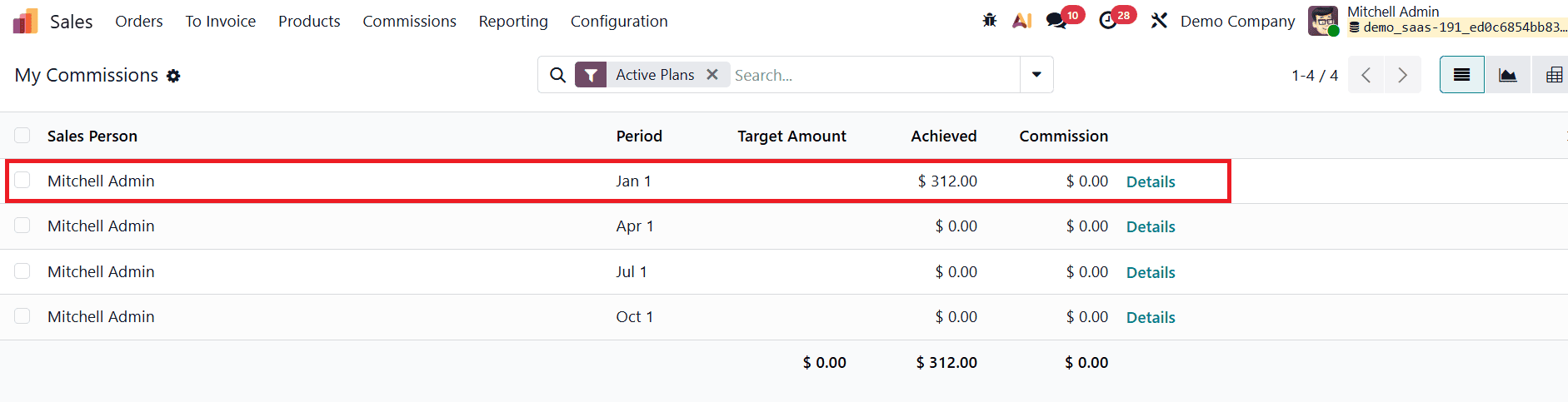
This view displays the target amount for the selected period, the total invoiced amount, the achieved value, and the achieved rate. The achieved rate shows how much of the target has been completed, expressed as a percentage.
In addition to automated calculations, Odoo 19 allows users to make manual changes through the Adjustments menu.
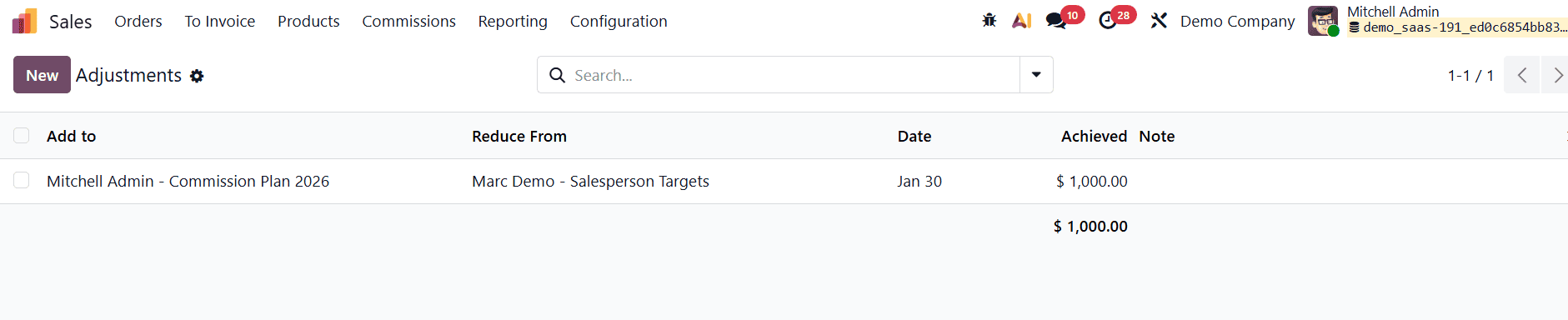
Adjustments are useful when special bonuses, corrections, or exceptional cases need to be applied. From the Adjustments menu, users can create a new adjustment by specifying the Add to and Reduced from details. Mention the Achieved amount in the given space. These adjustments directly impact the achieved amount and commission calculations, providing flexibility without disrupting the core commission plan.
After adjustments are applied, the updated commission values are reflected in the commission dashboard.
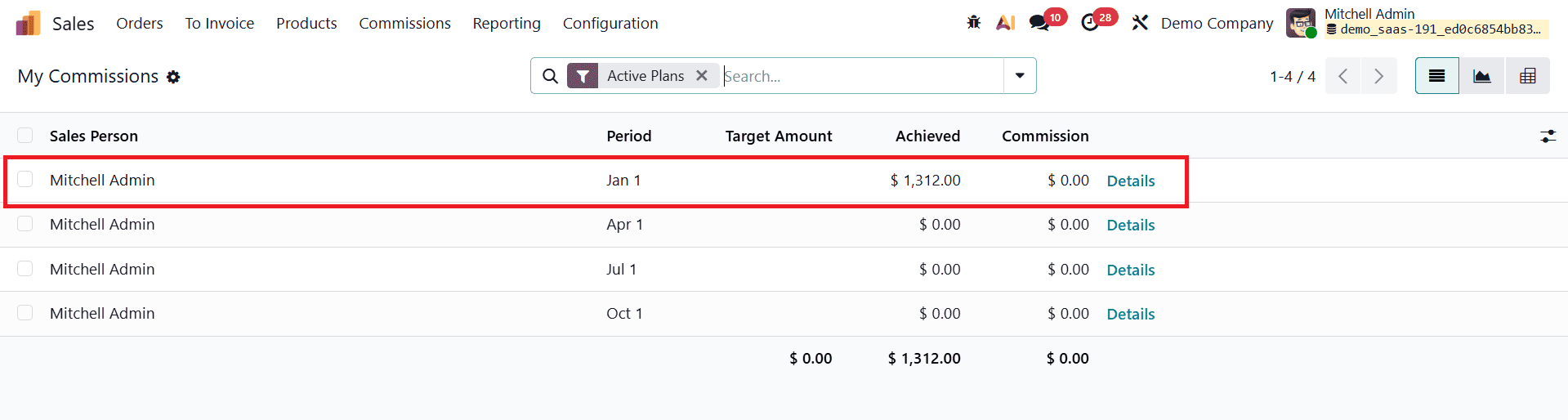
Users can clearly see how adjustments affect the achieved rate and final commission amount.
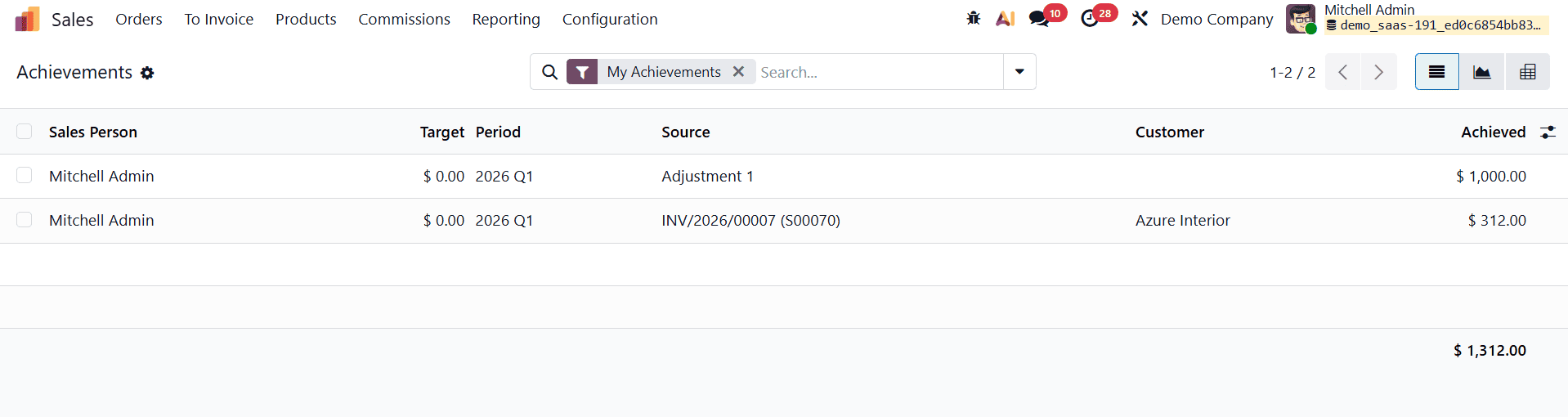
The Achievements menu in the Commissions section is used to track and display the actual sales performance of salespeople against their assigned commission plans. It automatically records commission-eligible sales activities based on confirmed and invoiced transactions, helping users clearly understand how sales contribute toward commission targets. In the list view, it shows key details such as the salesperson, the related commission target, the applicable period, the source document (such as an invoice), the customer involved, and the achieved amount or percentage.
Odoo 19 offers a streamlined and automated approach to salesperson commission management. By integrating commissions with sales orders, deliveries, and invoicing, the system ensures that commissions are calculated accurately and fairly. The ability to configure flexible commission plans, define targets, track achievements, and apply adjustments makes Odoo 19 a powerful solution for managing sales incentives. This automated commission system reduces administrative effort, improves transparency, and motivates sales teams to achieve higher performance and drive business growth.
To read more about How to Handle Salesperson Commission in Odoo 18 Sales, refer to our blog How to Handle Salesperson Commission in Odoo 18 Sales.