Tracking material quality, batch records, deviations, and batch release can be difficult when the quality team works in one system and the production team works in another. Most manufacturers still keep their specifications in a shared drive, their batch records on paper, and their deviations in a spreadsheet and then spend days putting all of it back together before an audit. The Pharmaceutical ERP module is designed to make this process simple. You can manage QC specifications, test orders, batch manufacturing records, in process checks, and out of specification investigations from inside Odoo. Lot status is updated automatically as quality decisions are made, and every approval is restricted to the role that is allowed to make it. In this blog, we'll explore the features of the module, understand how its workflow operates, and see how it helps pharmaceutical companies automate quality processing while improving accuracy, traceability, and compliance.
Let's now examine how Pharmaceutical ERP handles quality management. As seen in the screenshot below, you can set the role of each user for Pharmaceutical ERP.
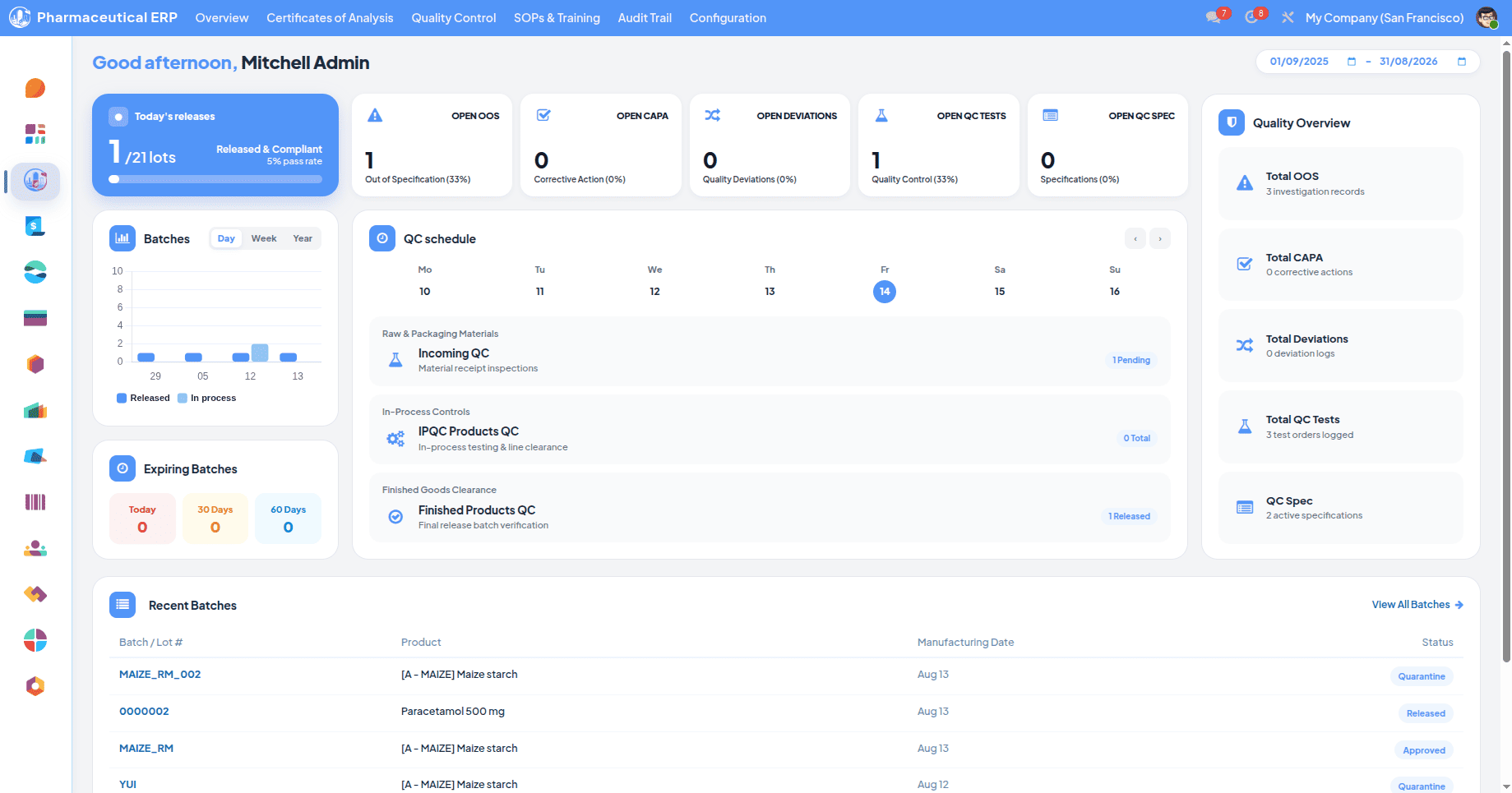
Dashboard of the pharmaceutical module, when all modules are installed.
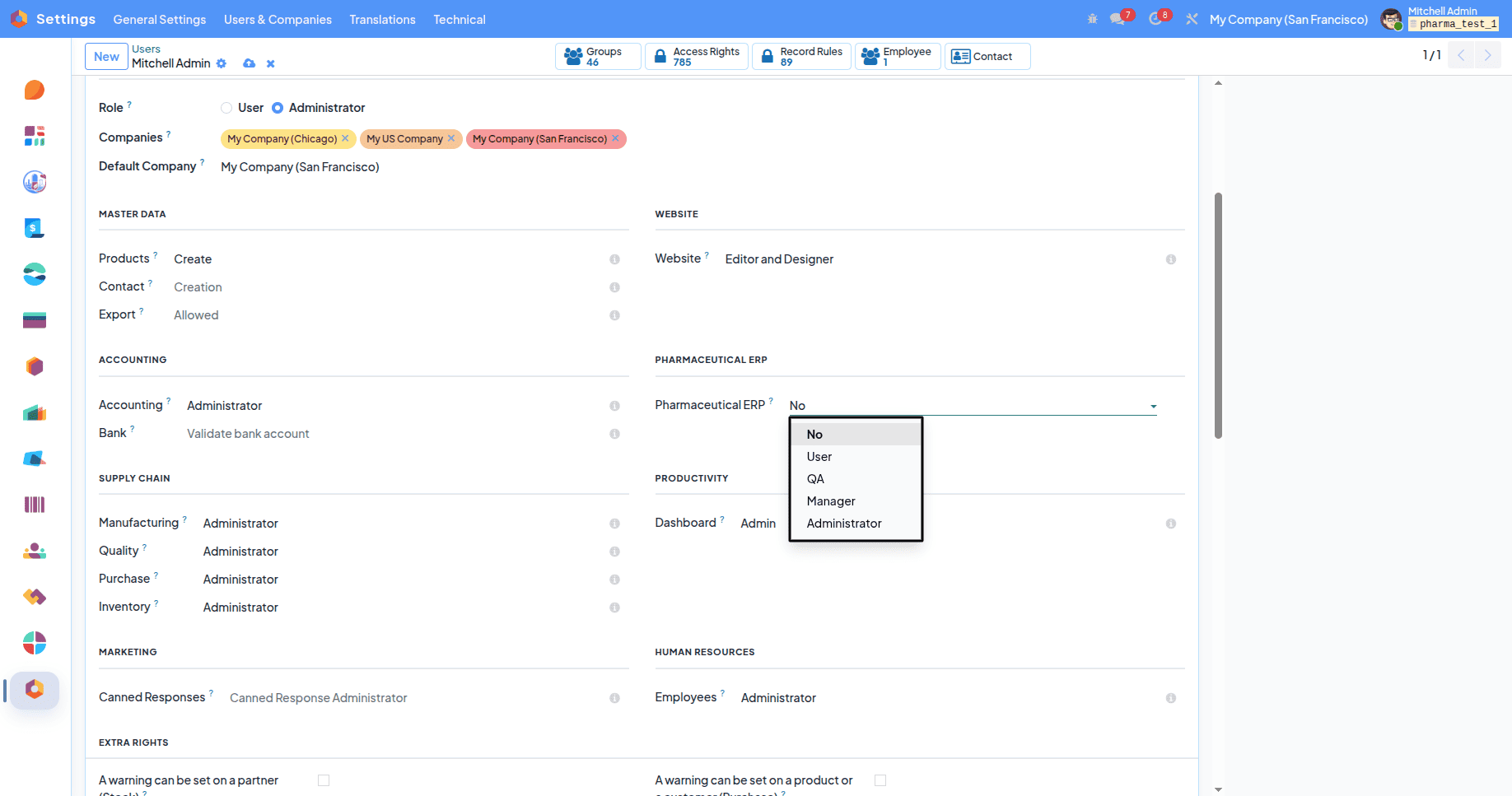
There are four roles. The user creates records and submits them; QA approves or rejects but cannot create or delete; the Manager can do both, and the Administrator has full access.
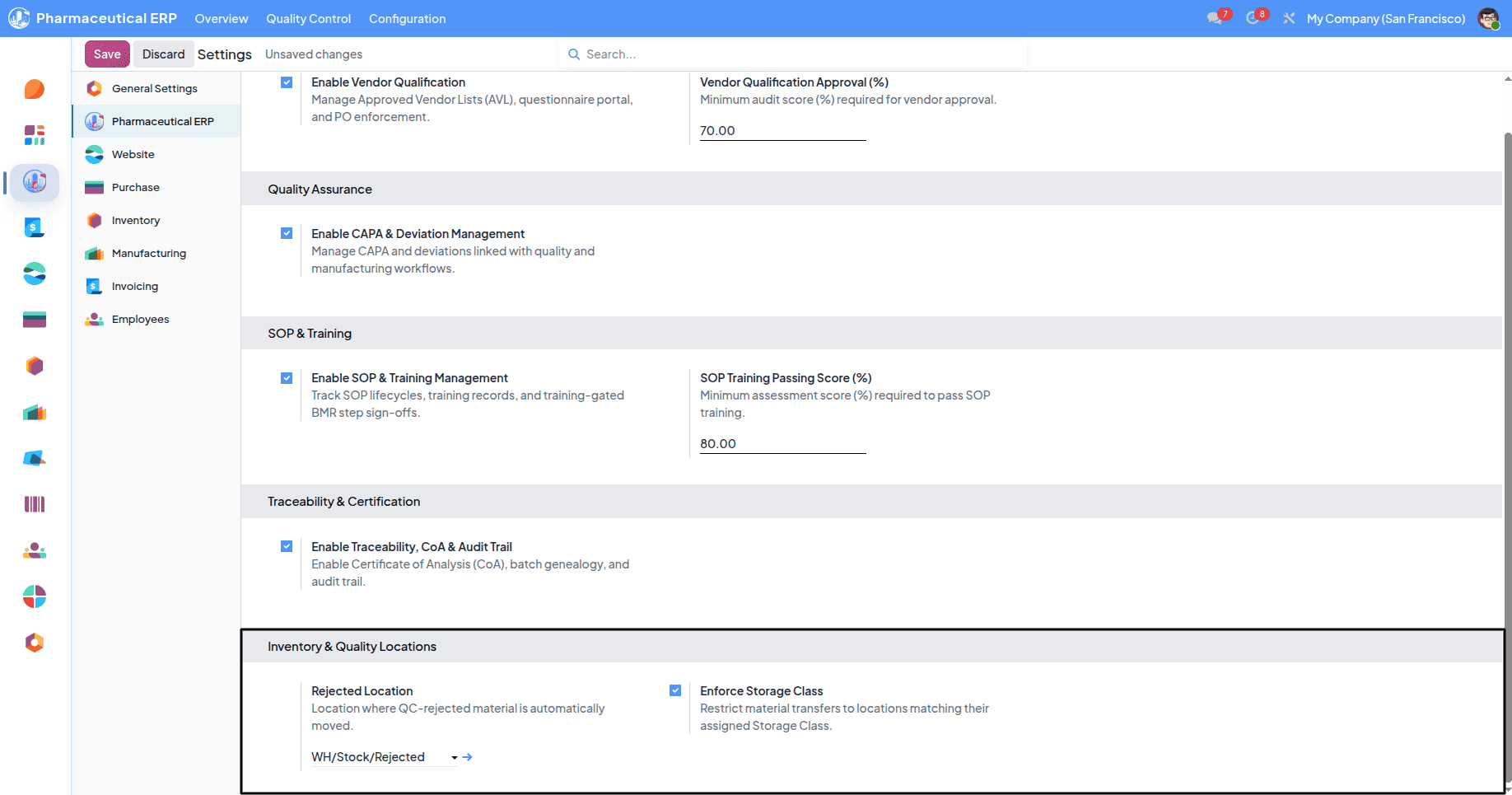
You can customize the storage location of raw materials after purchasing; it can be configured by enabling the Enforce Storage Class from the configuration settings.
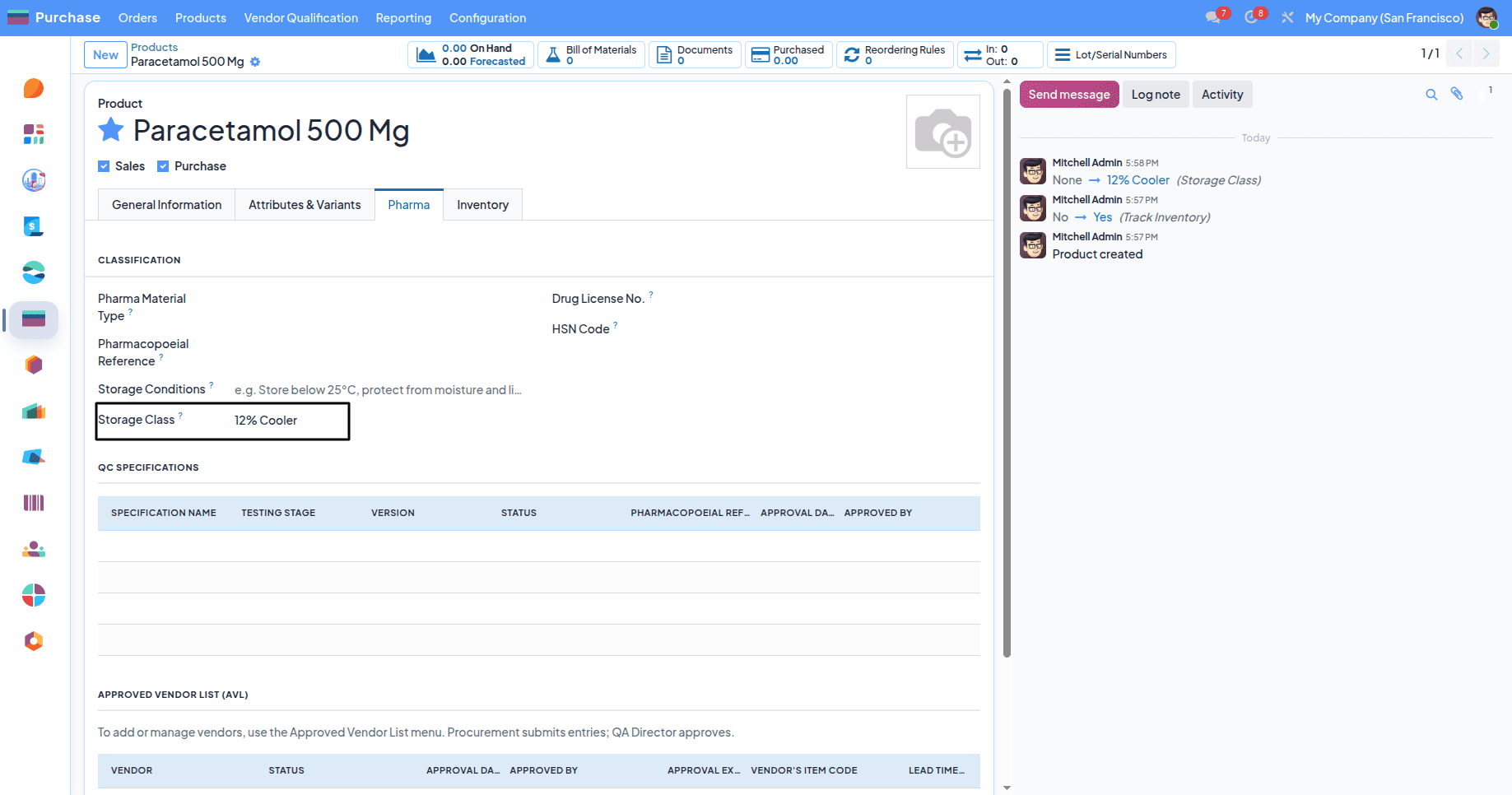
The location configuration can be accessed from the Pharma tab in the product.template form. If no location is given, the default storage is set to WH/Stock.
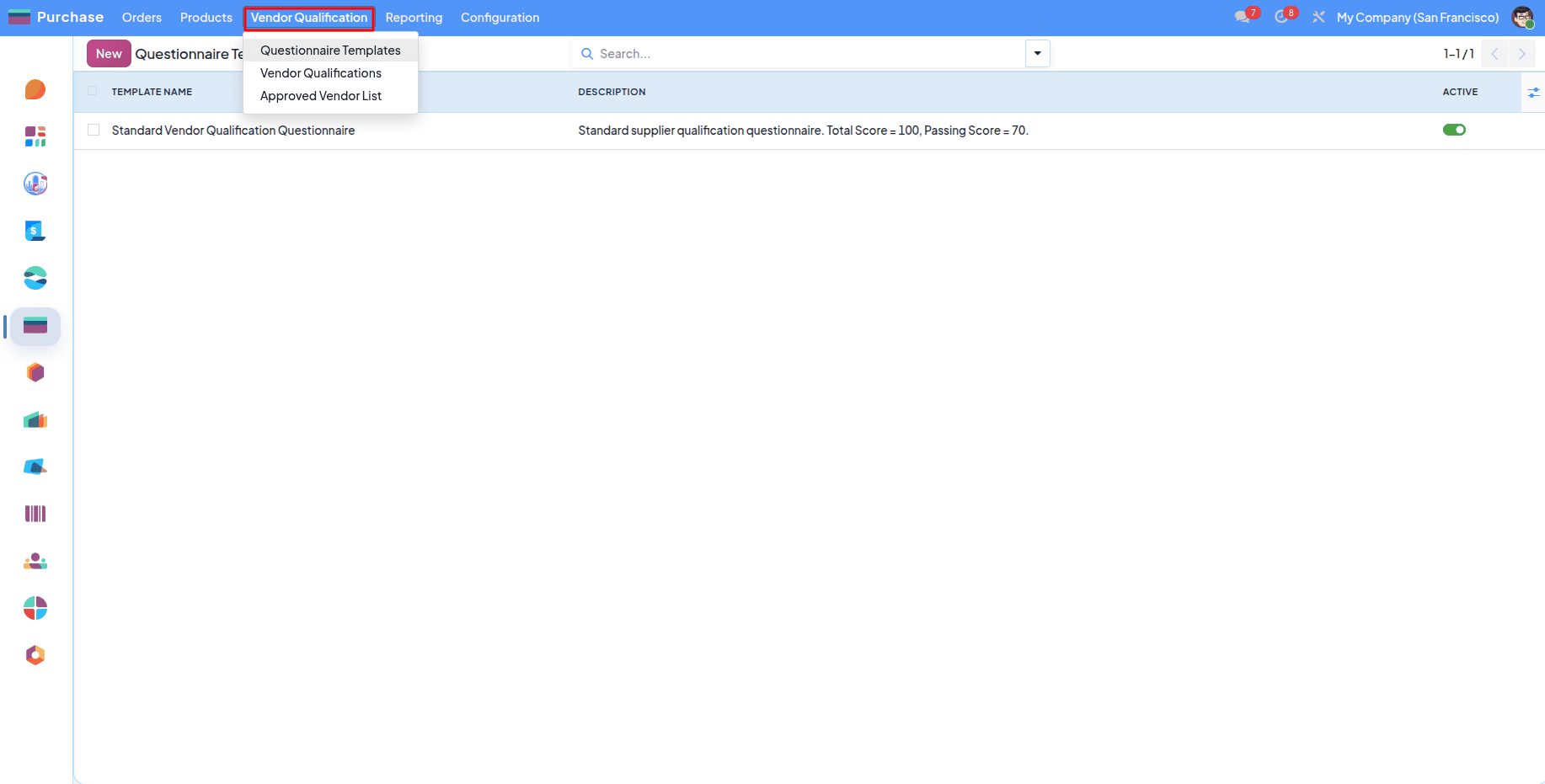
The first step for any manufacturing is to acquire the materials; for that, you have to purchase products from a qualified vendor (if the stocks are not available) . This menu is for the qualification of the vendors.
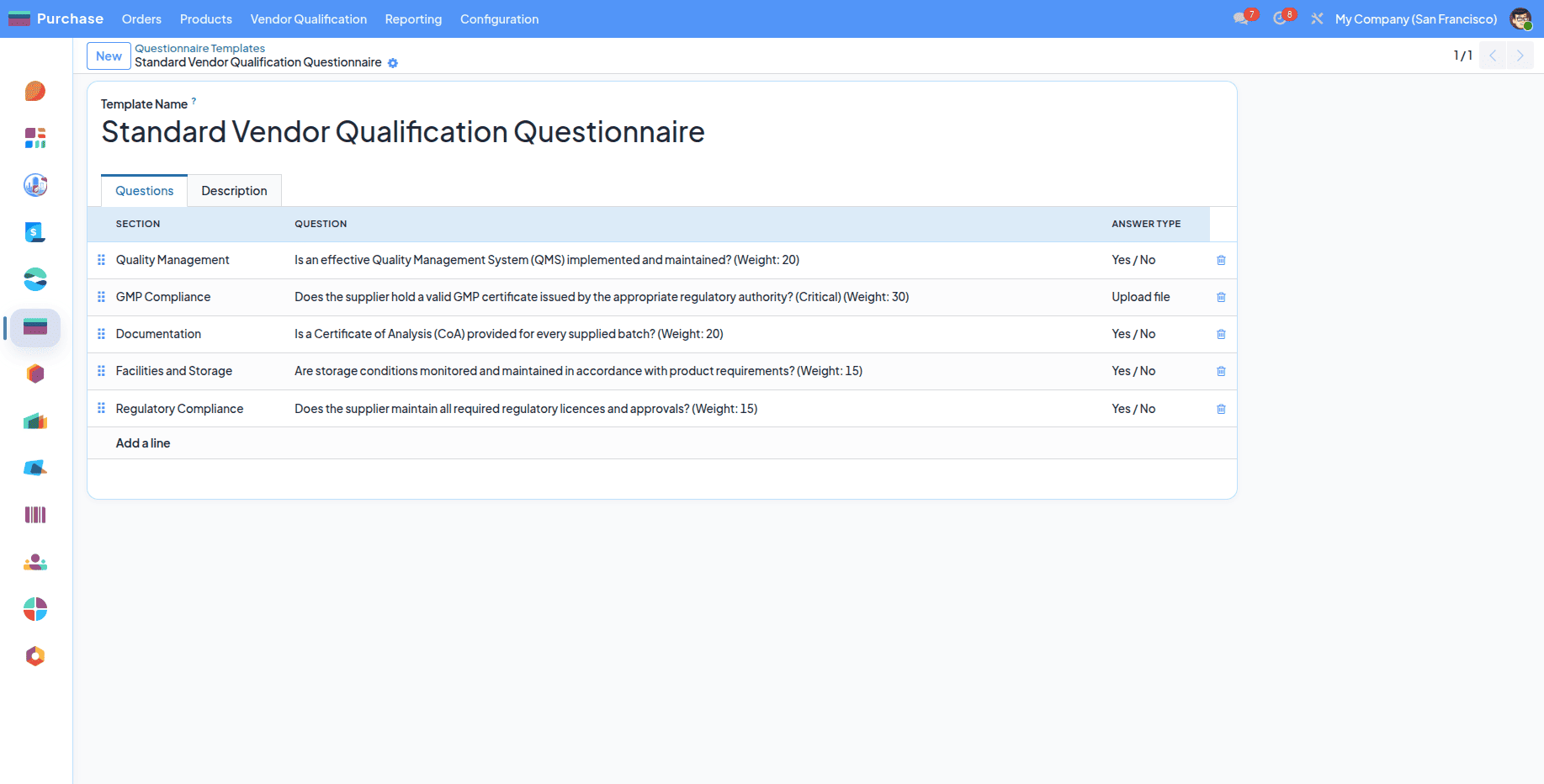
For the vendor qualification, you must define some questions to evaluate the vendor.
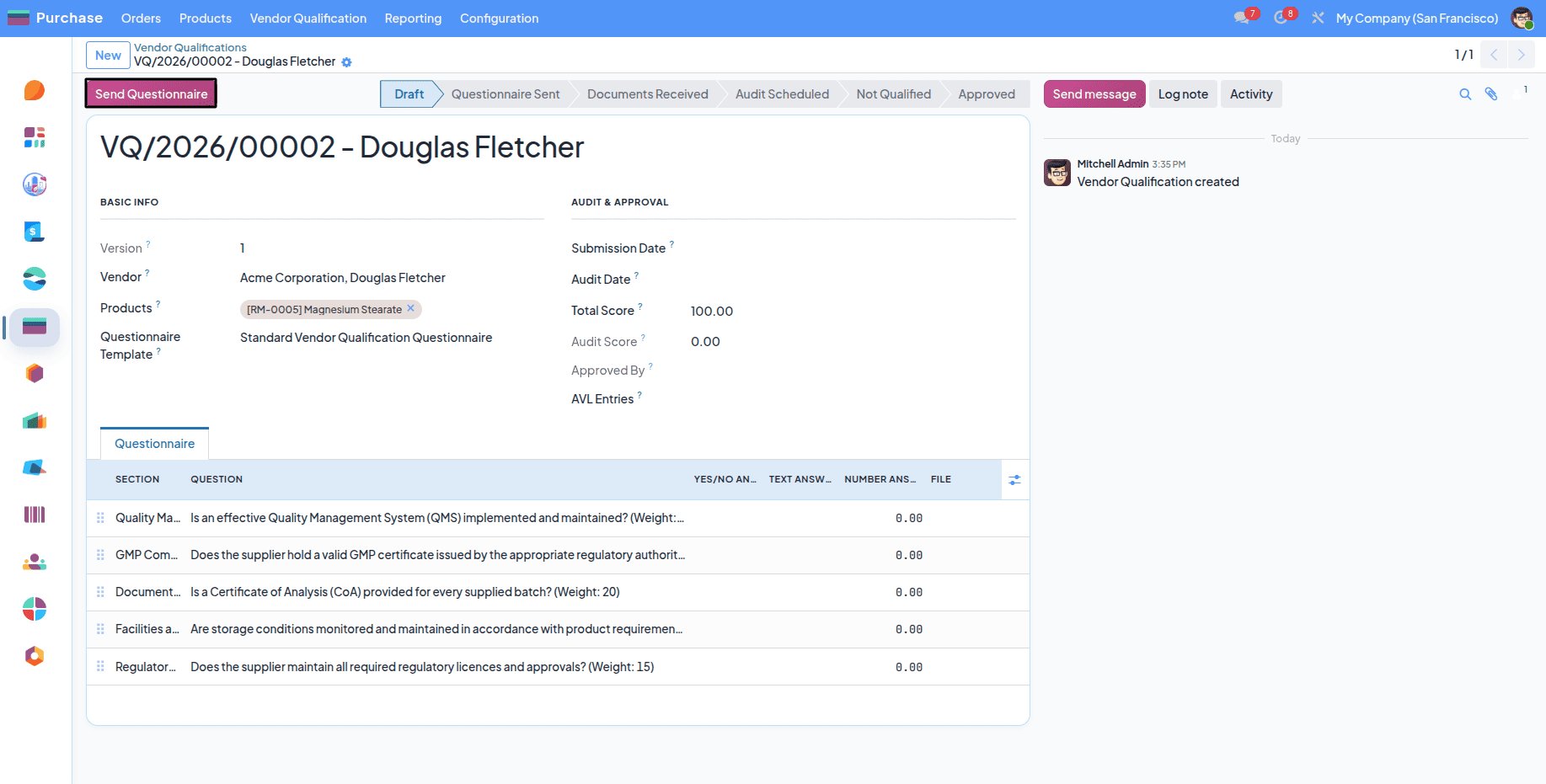
This Questionnaire template can be selected from the vendor qualification form. After clicking the send button, a questionnaire link will be sent to the vendor’s email.
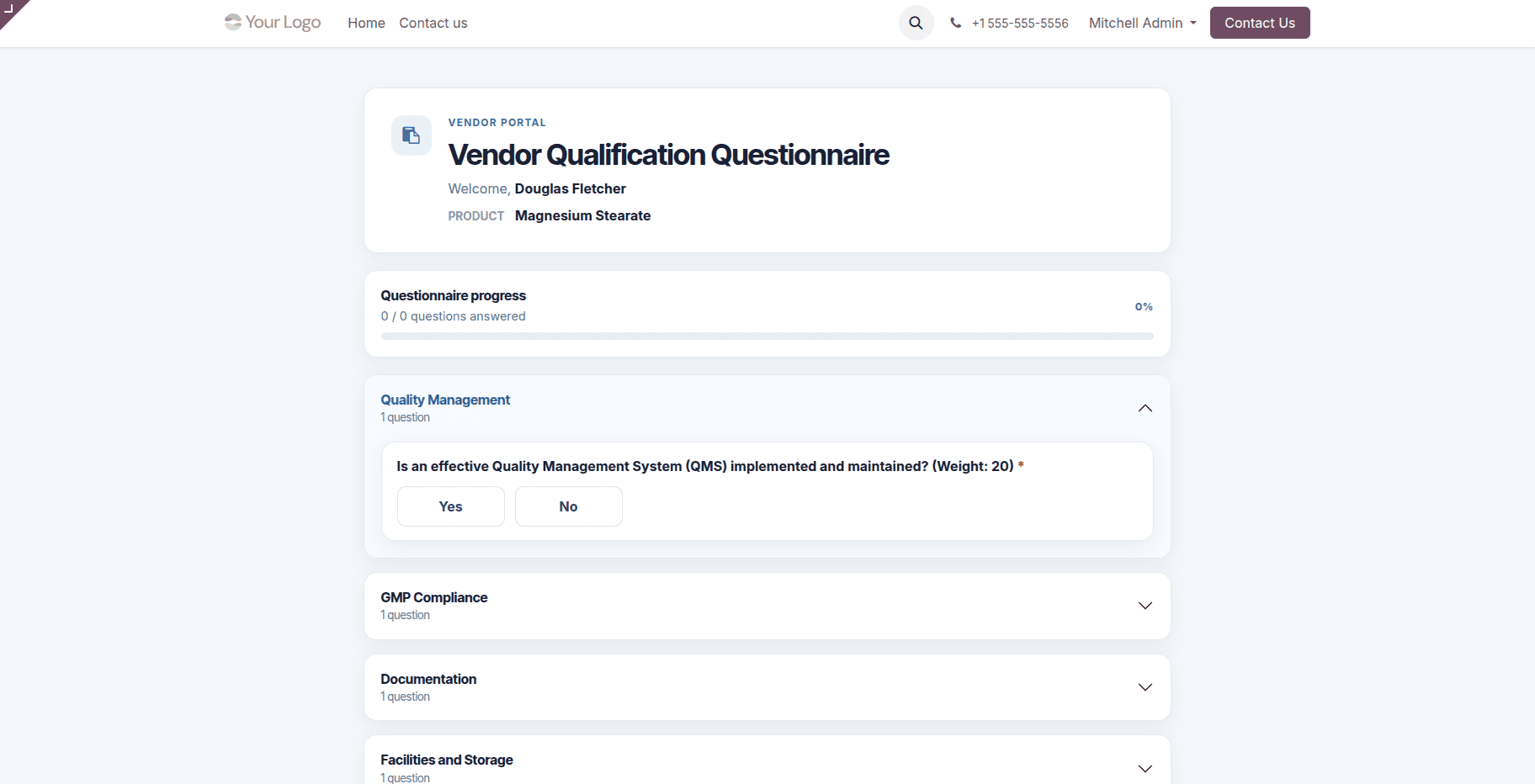
The vendor can access the questionnaire from their link like this.
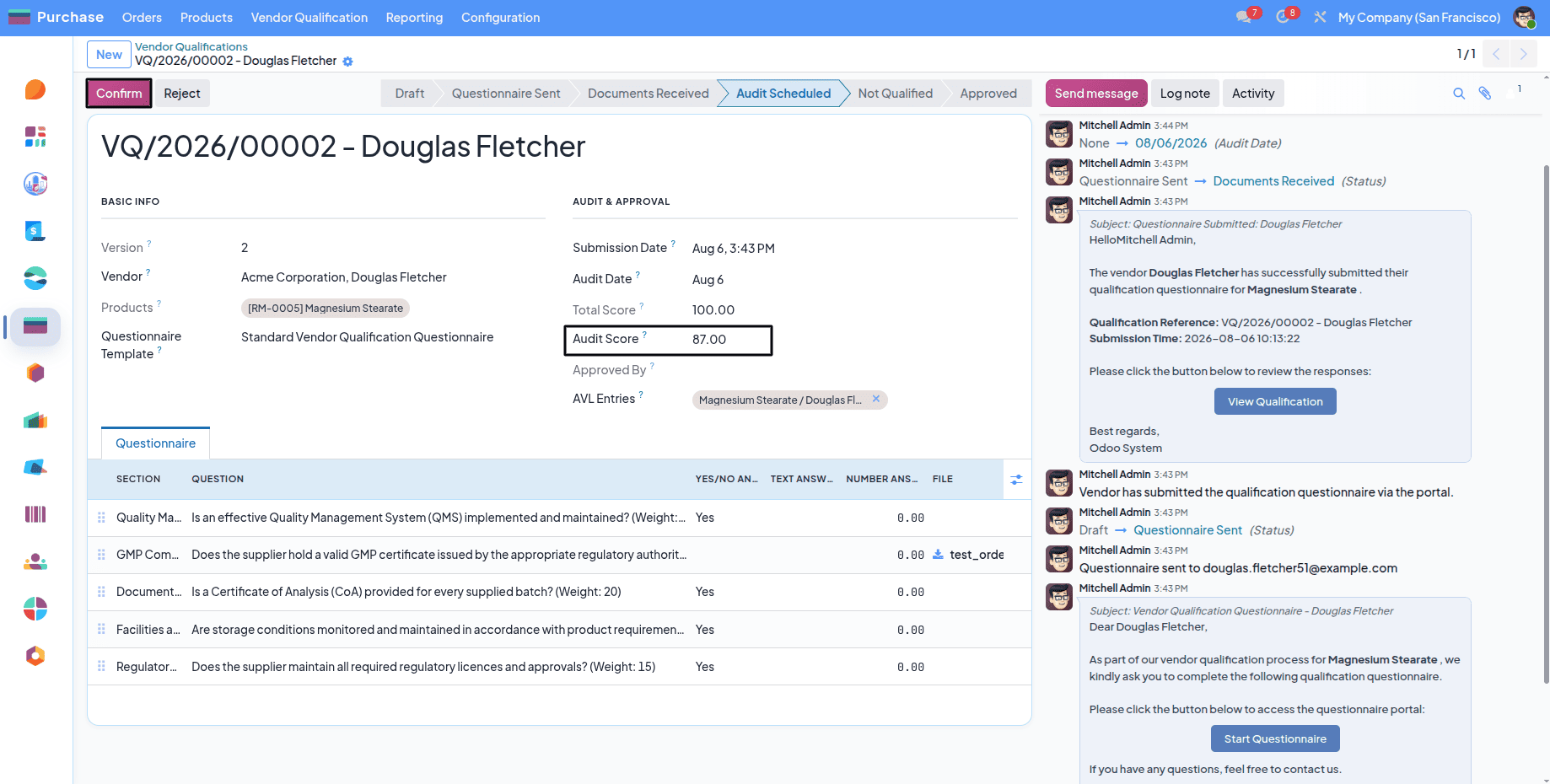
The next step is to evaluate the vendor’s answers by providing the total score.
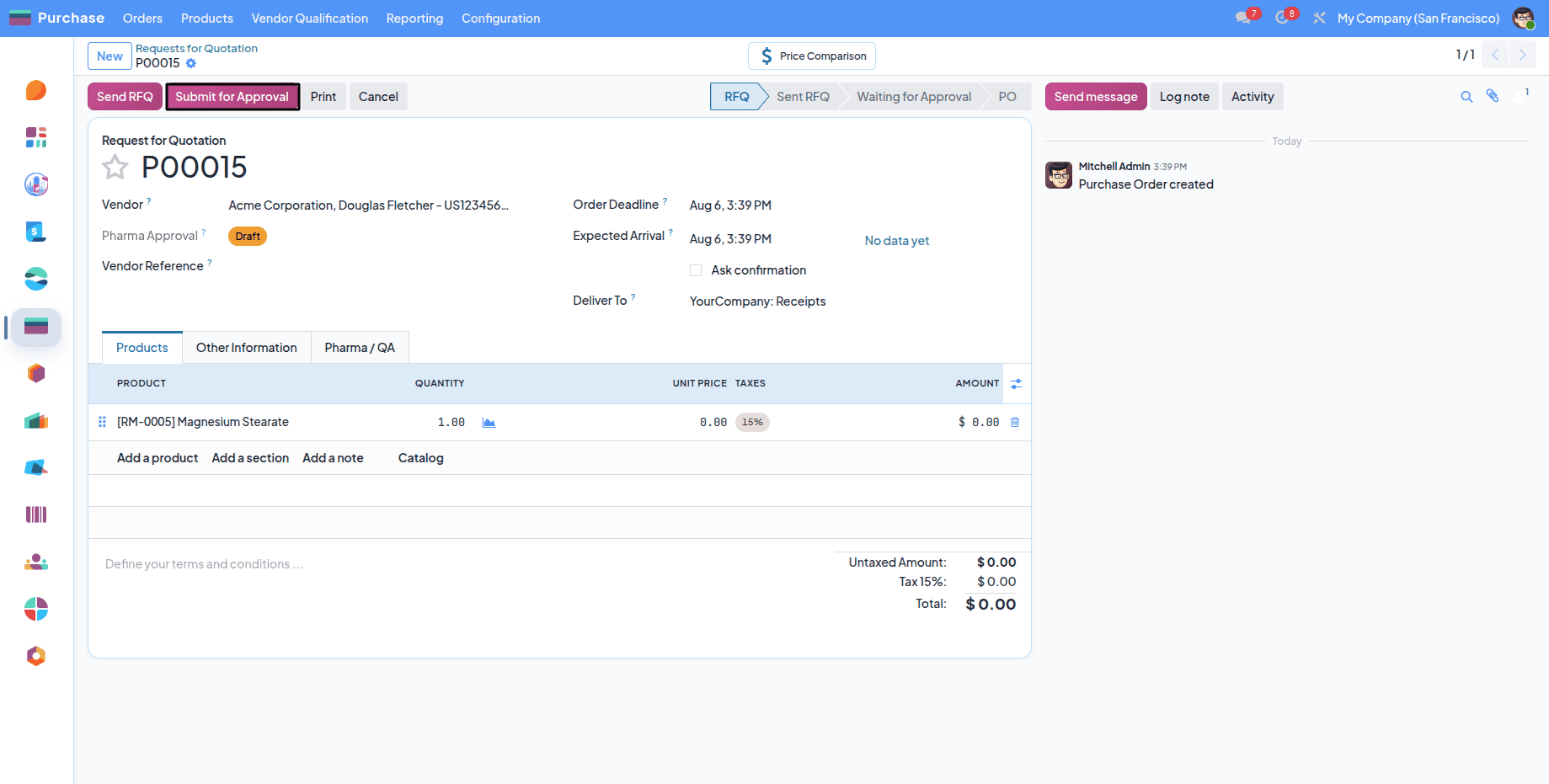
The approved vendor can be selected from the purchase order.
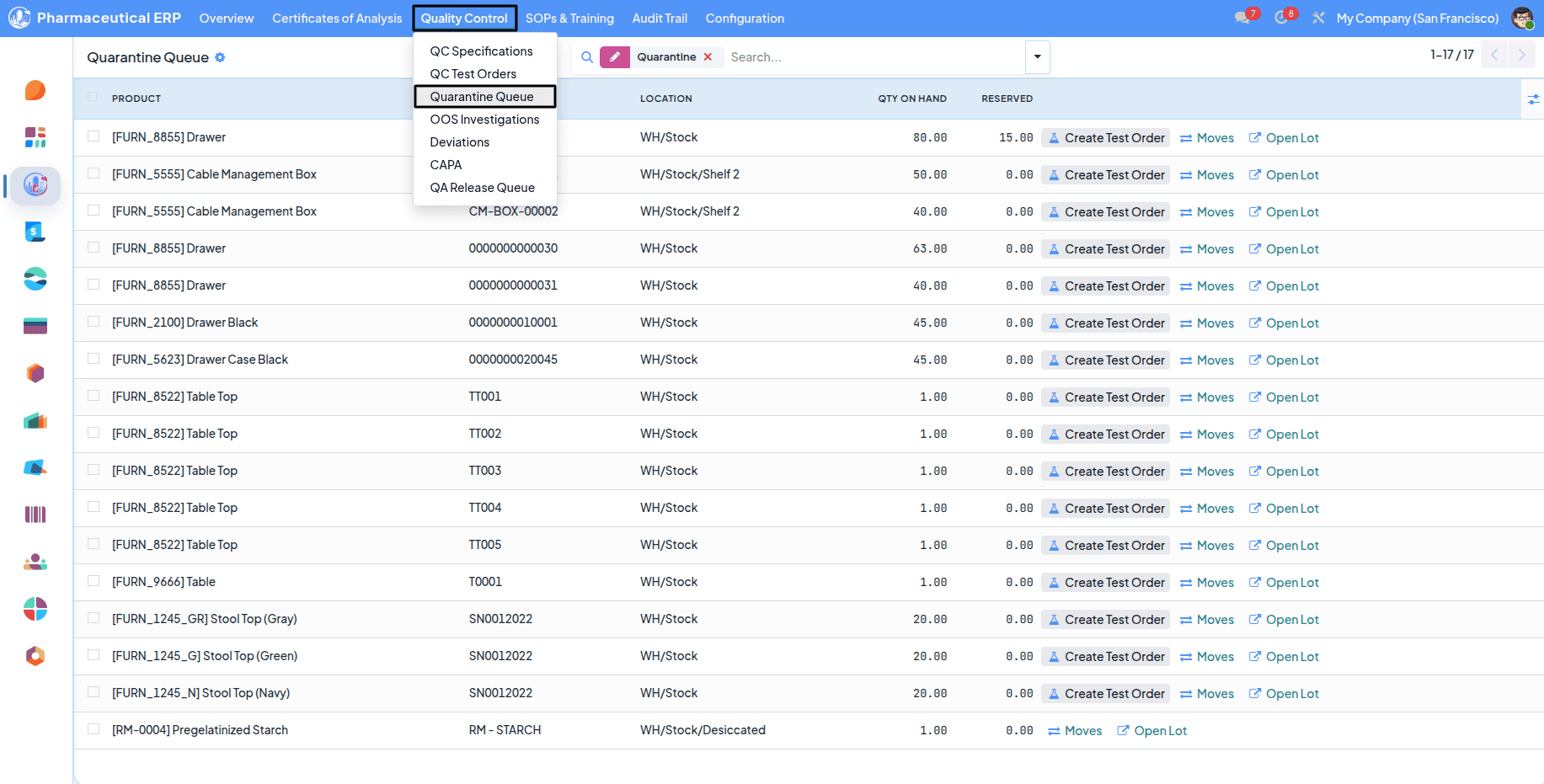
The purchased materials can be viewed from the Quarantine Queue, and also we can specify the storage location for each product as we mentioned earlier by enabling the Enforce Storage Class.
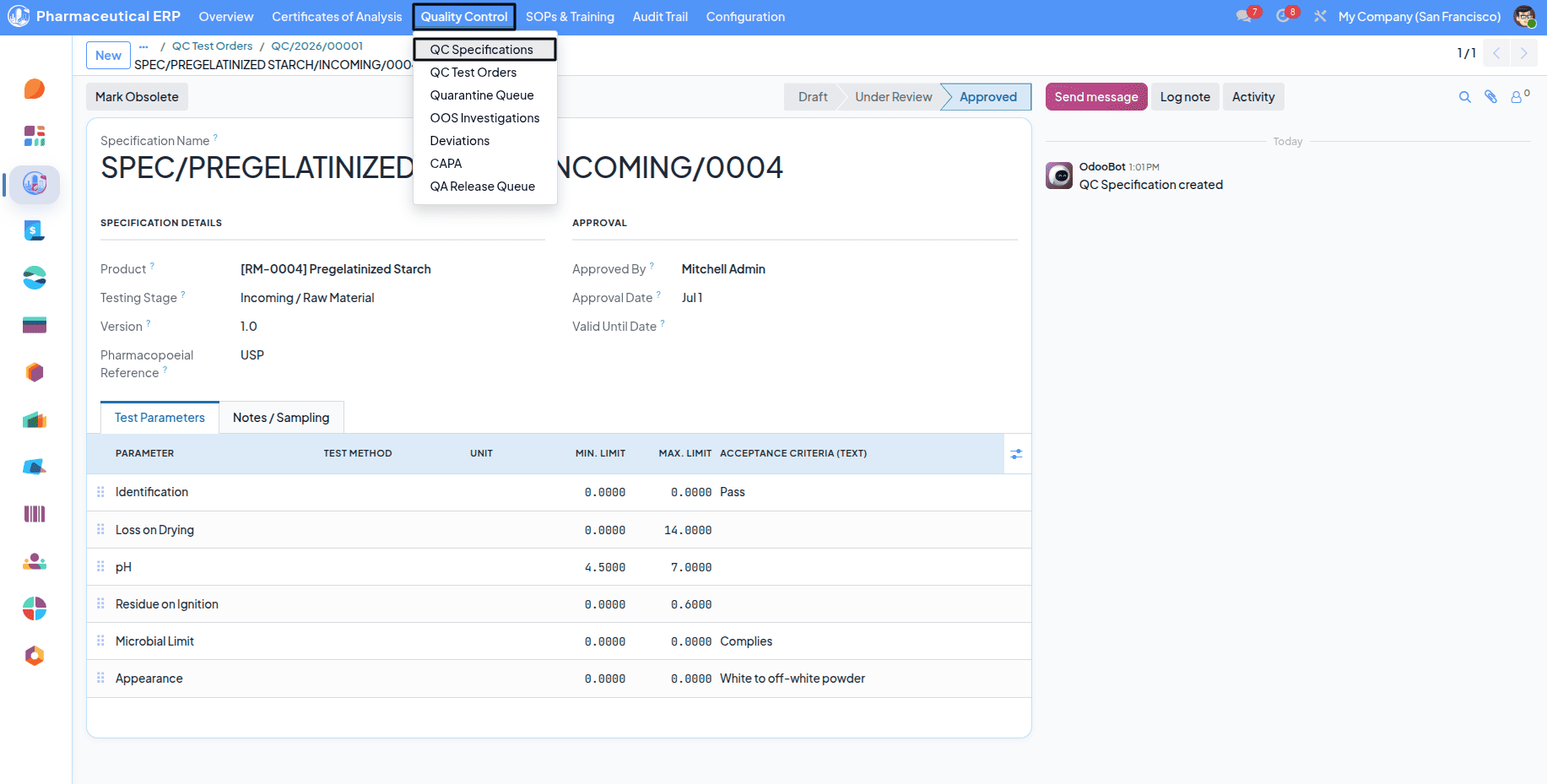
Before creating the Test Order for that material, you should have to create a QC Specification first.
You must also specify the stage and product carefully.
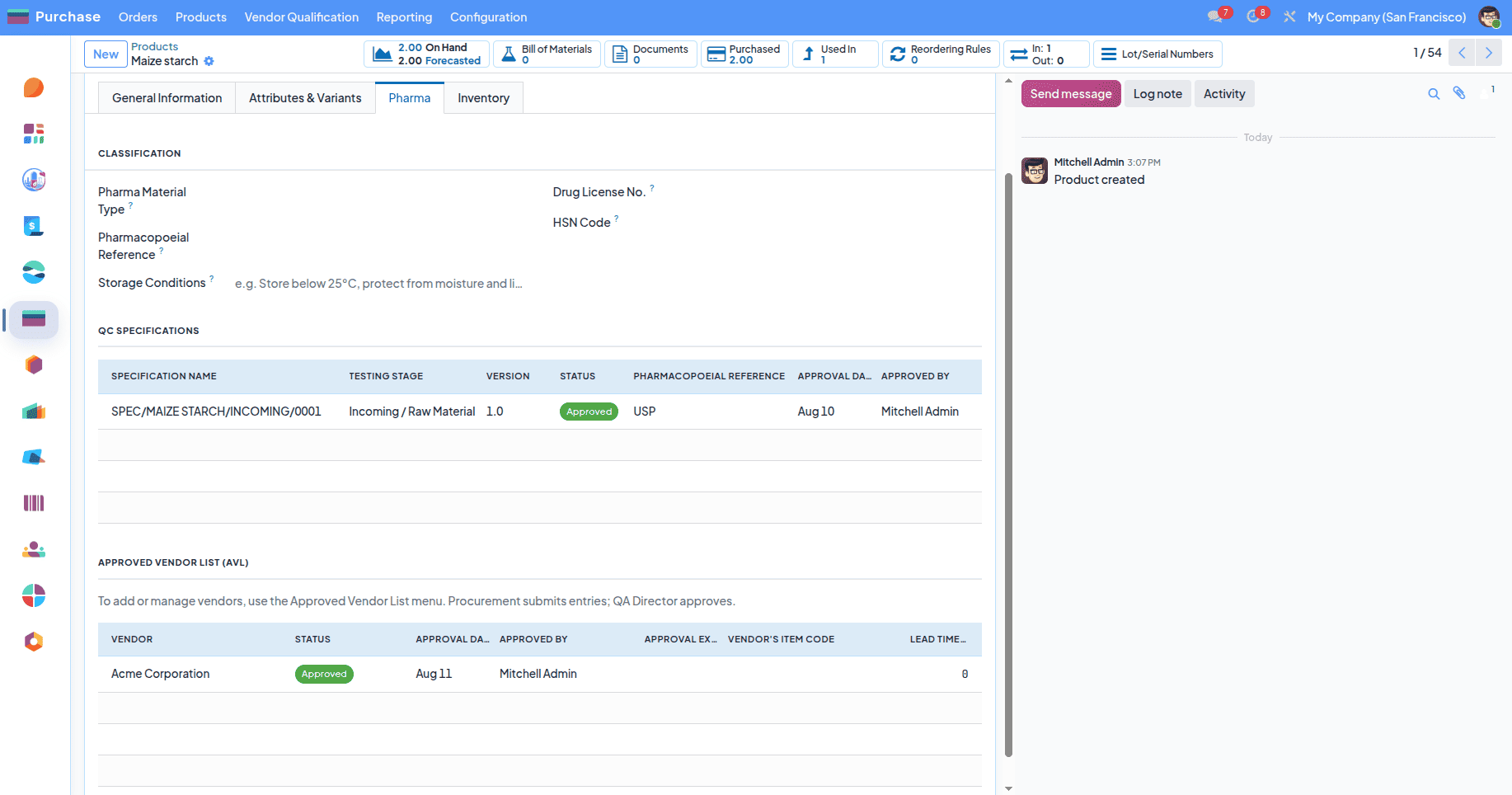
From the Pharma Tab in the product.template, you can see the approved QC specification and Approved Vendor for that material.
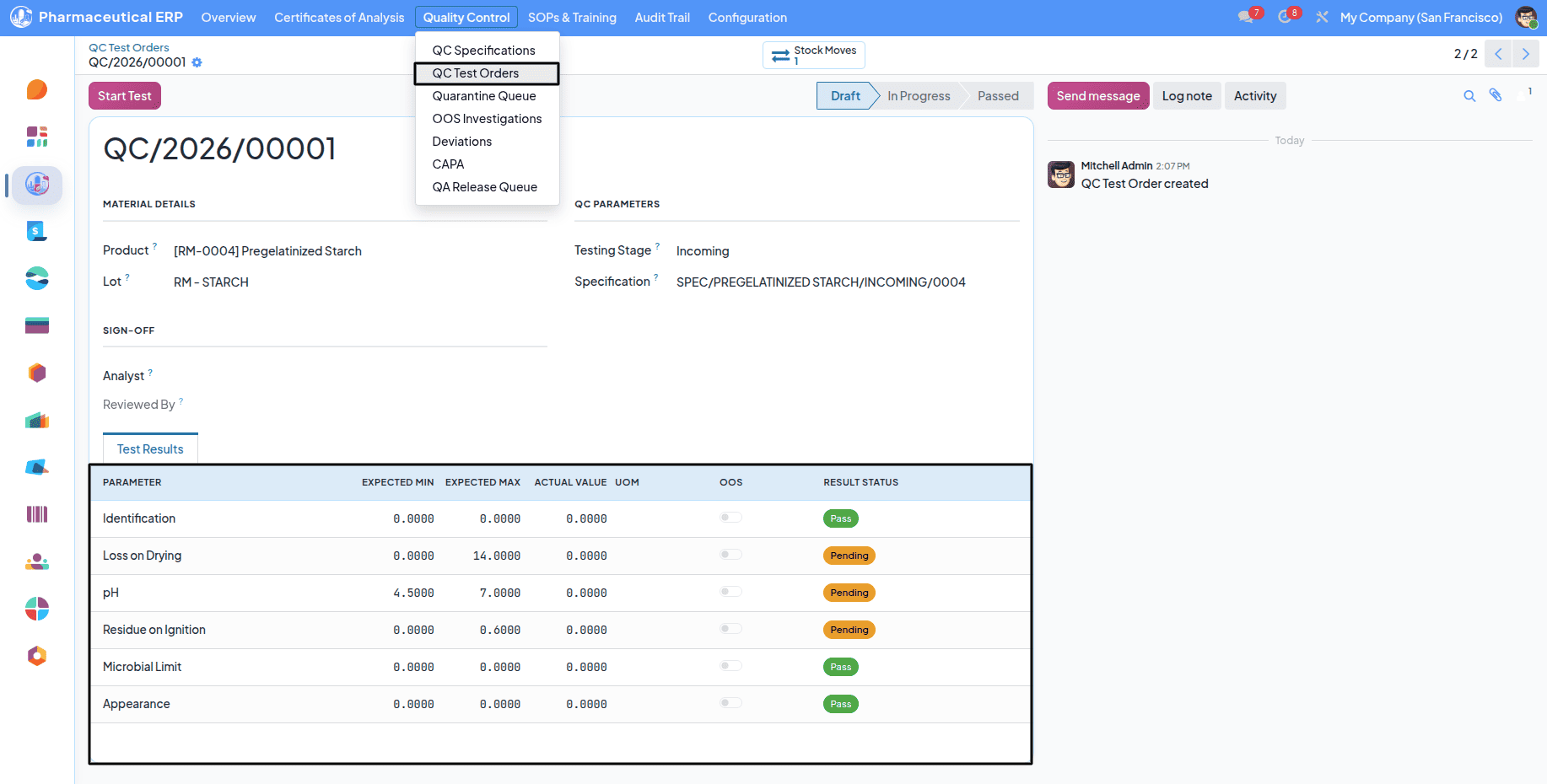
After that, you can create a test order for that material. The predefined QC Specification can be seen from this form.
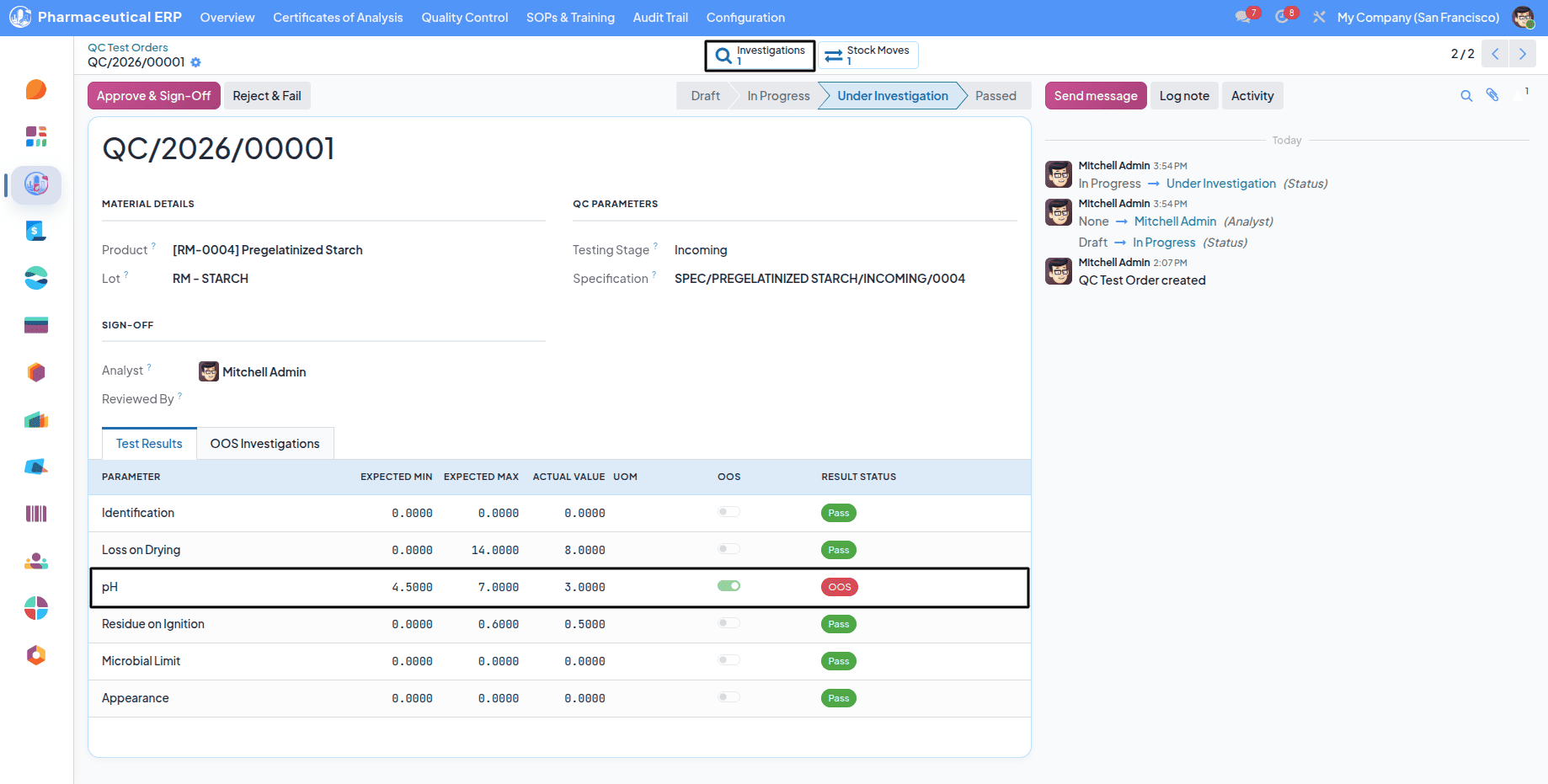
When the values mismatch, an Out Of Specification (OOS) is created for that material automatically.
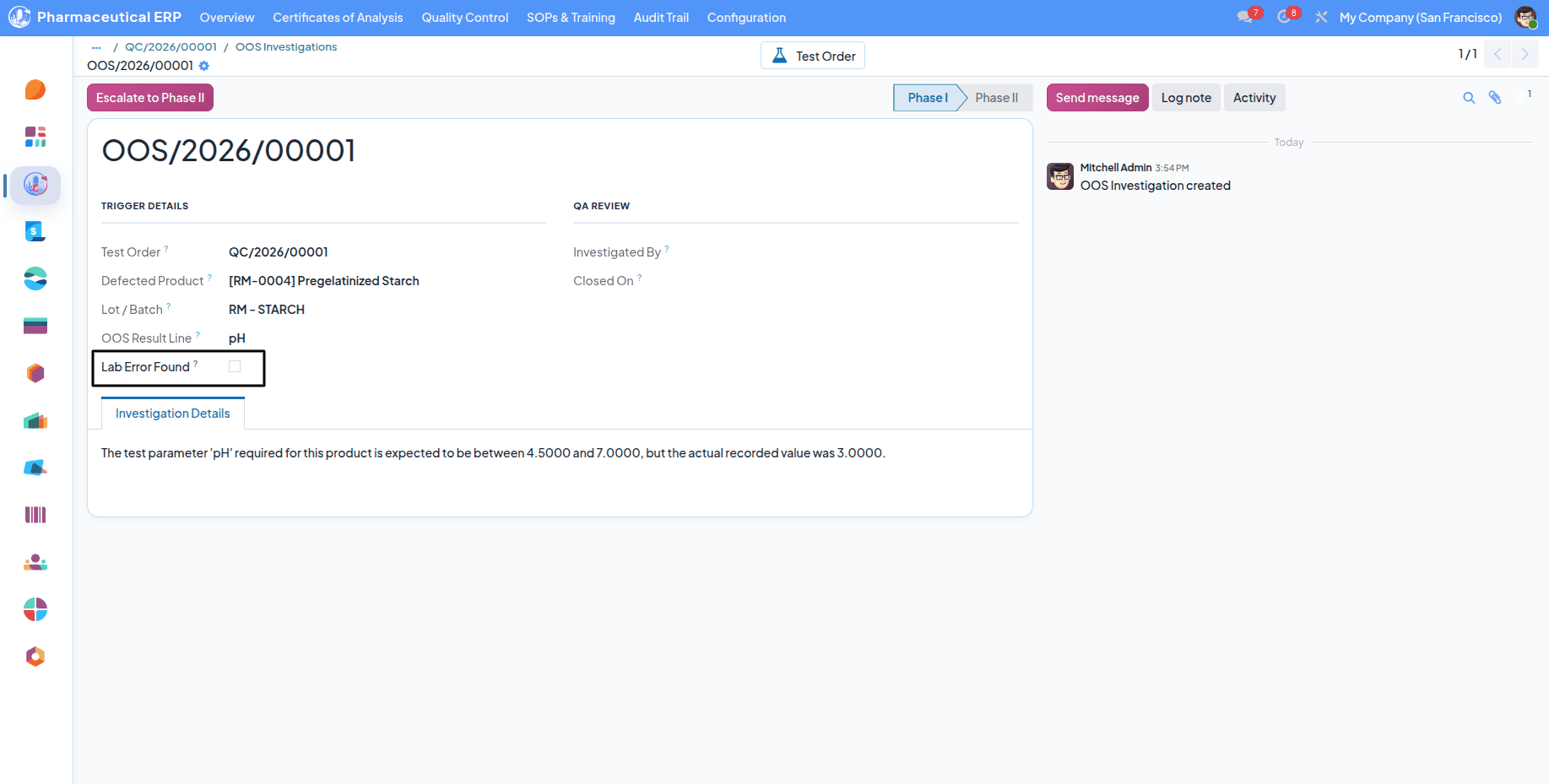
If the oos created due to a machine mistake, you should enable the Lab Error Found boolean and rework the values.
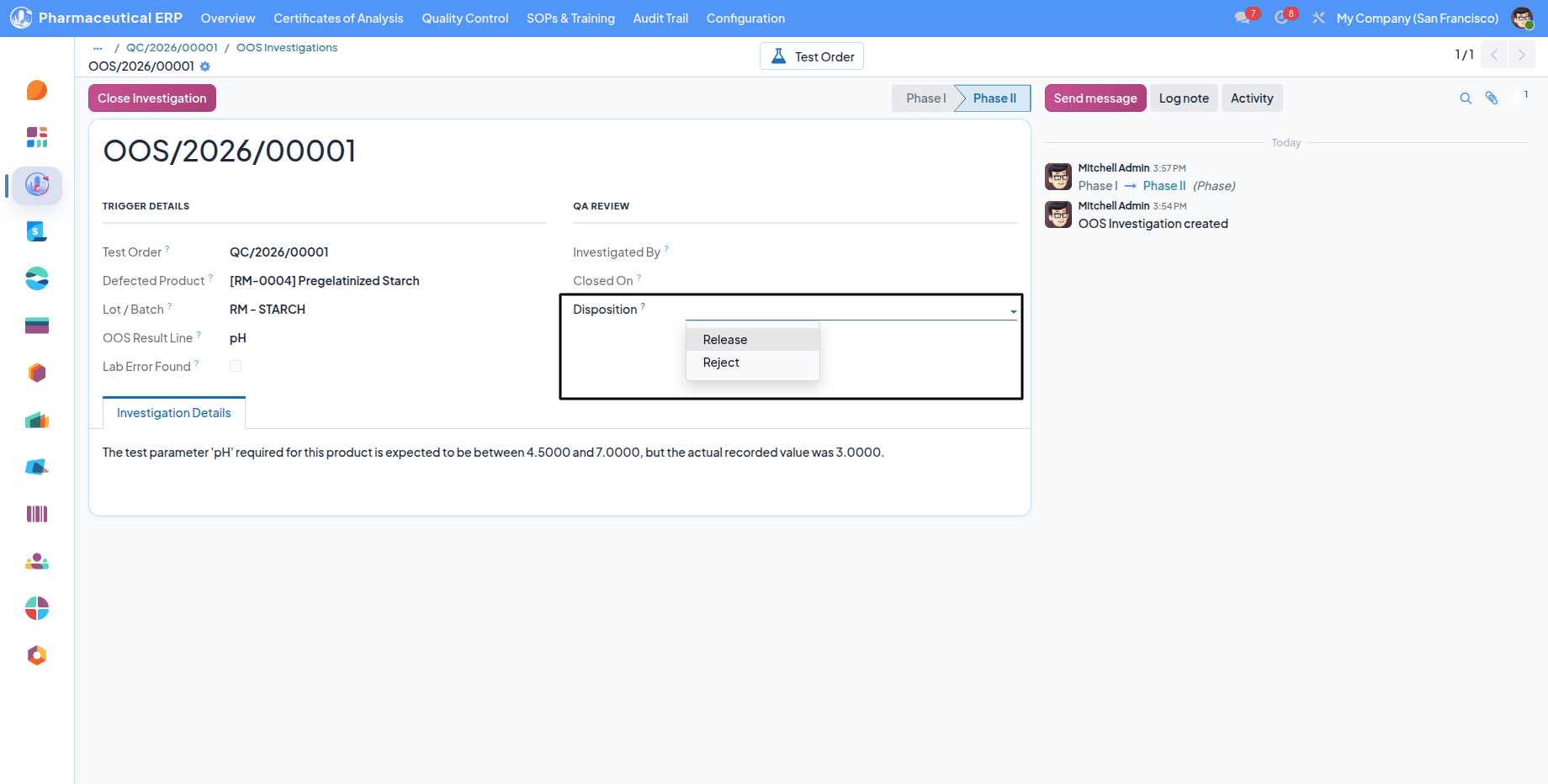
And if not, Escalate to Phase 2 and provide a Disposition.
- If the Disposition is ‘Release’, then the Test Order passes defaultly.
- If it is 'Reject,' a Deviation automatically created for that material.
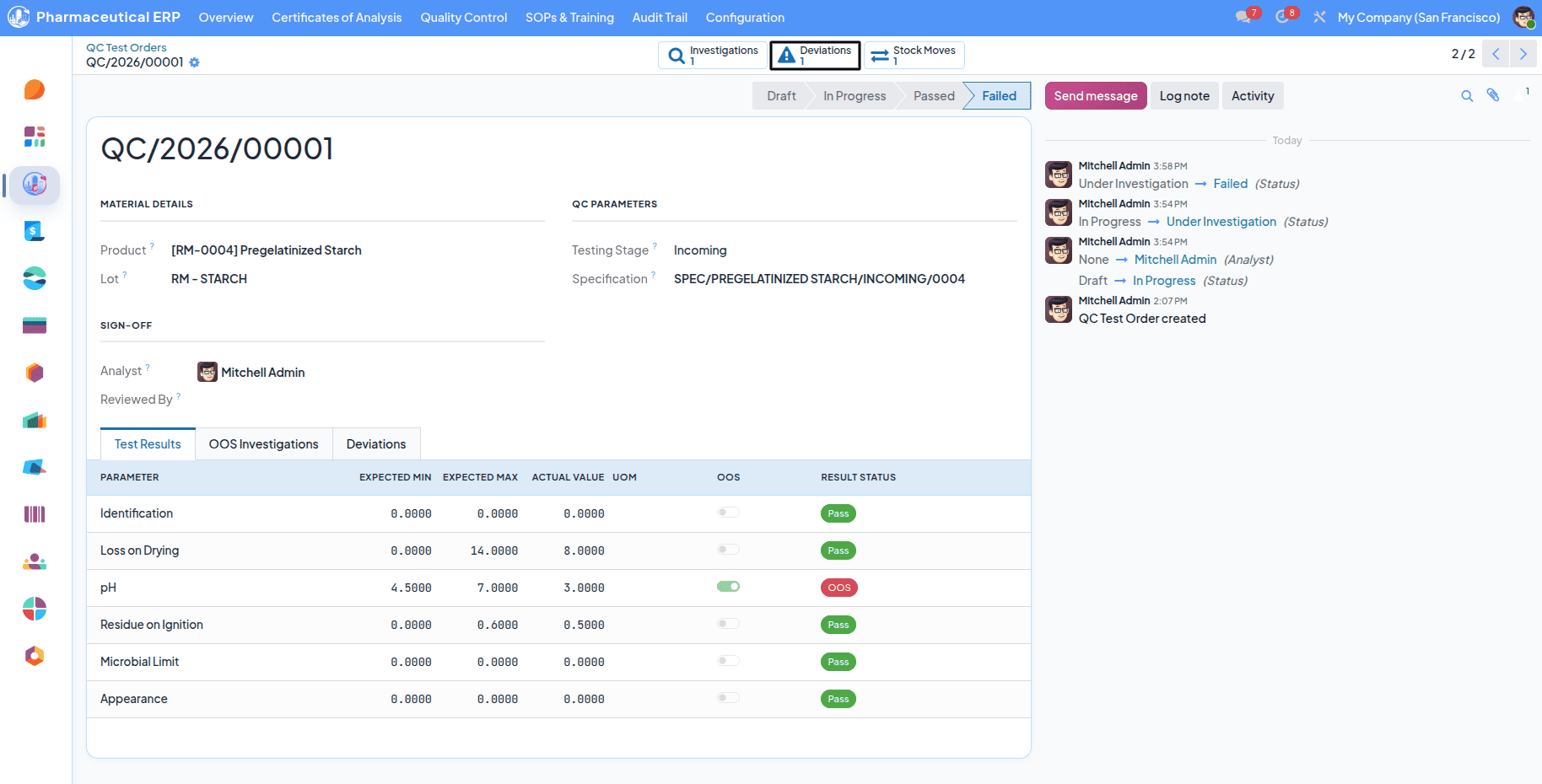
The deviation can be selected from the Deviation smart button.
From here, you can navigate to the Deviation form.
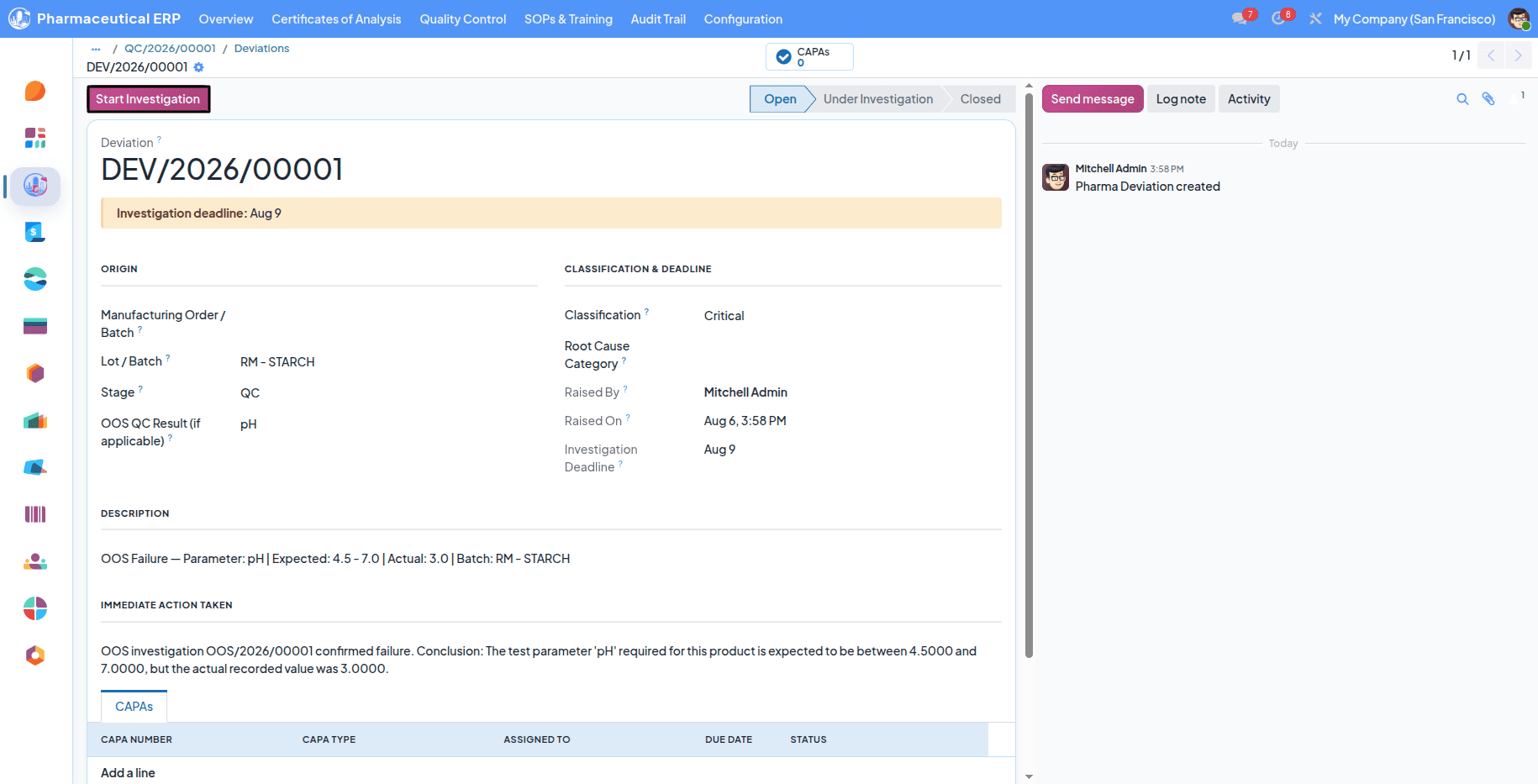
Deviation is what you call a problem or unexpected event.
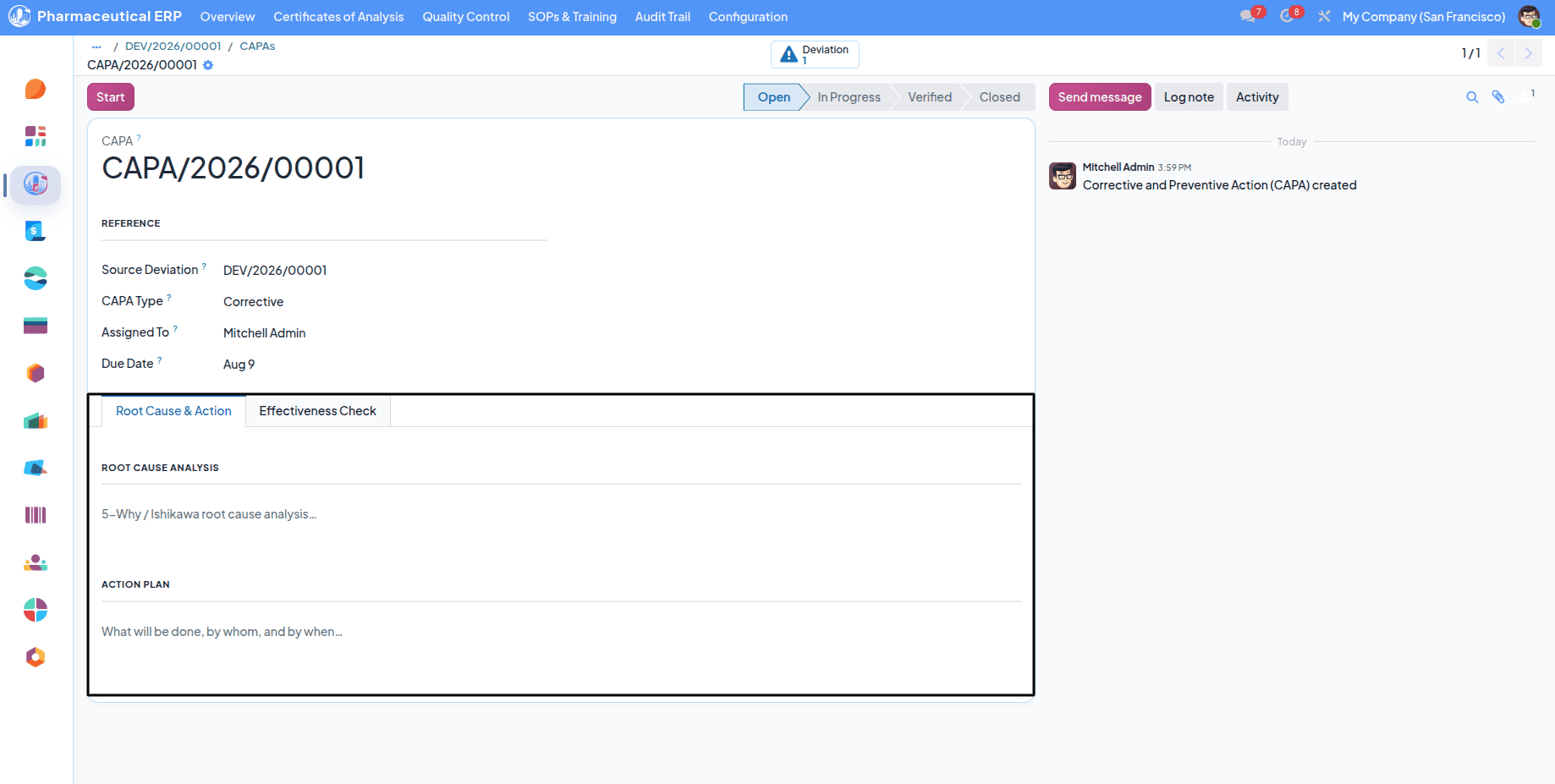
And CAPA is the solution for that.
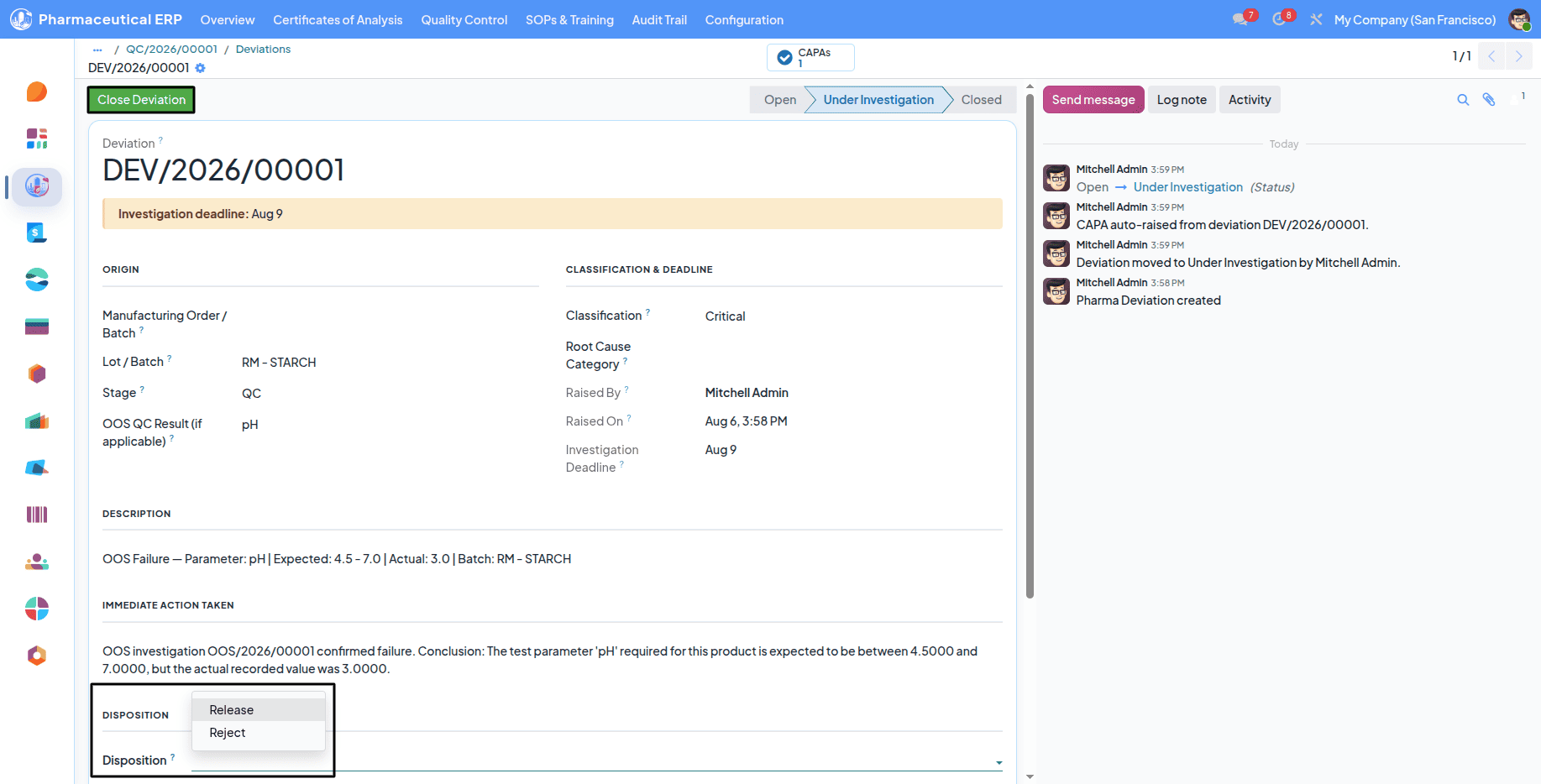
When closing the Deviation, you have to specify the Disposition Release or Reject.
The material is rejected if it is rejected; otherwise, it passes the Quality Test Order.
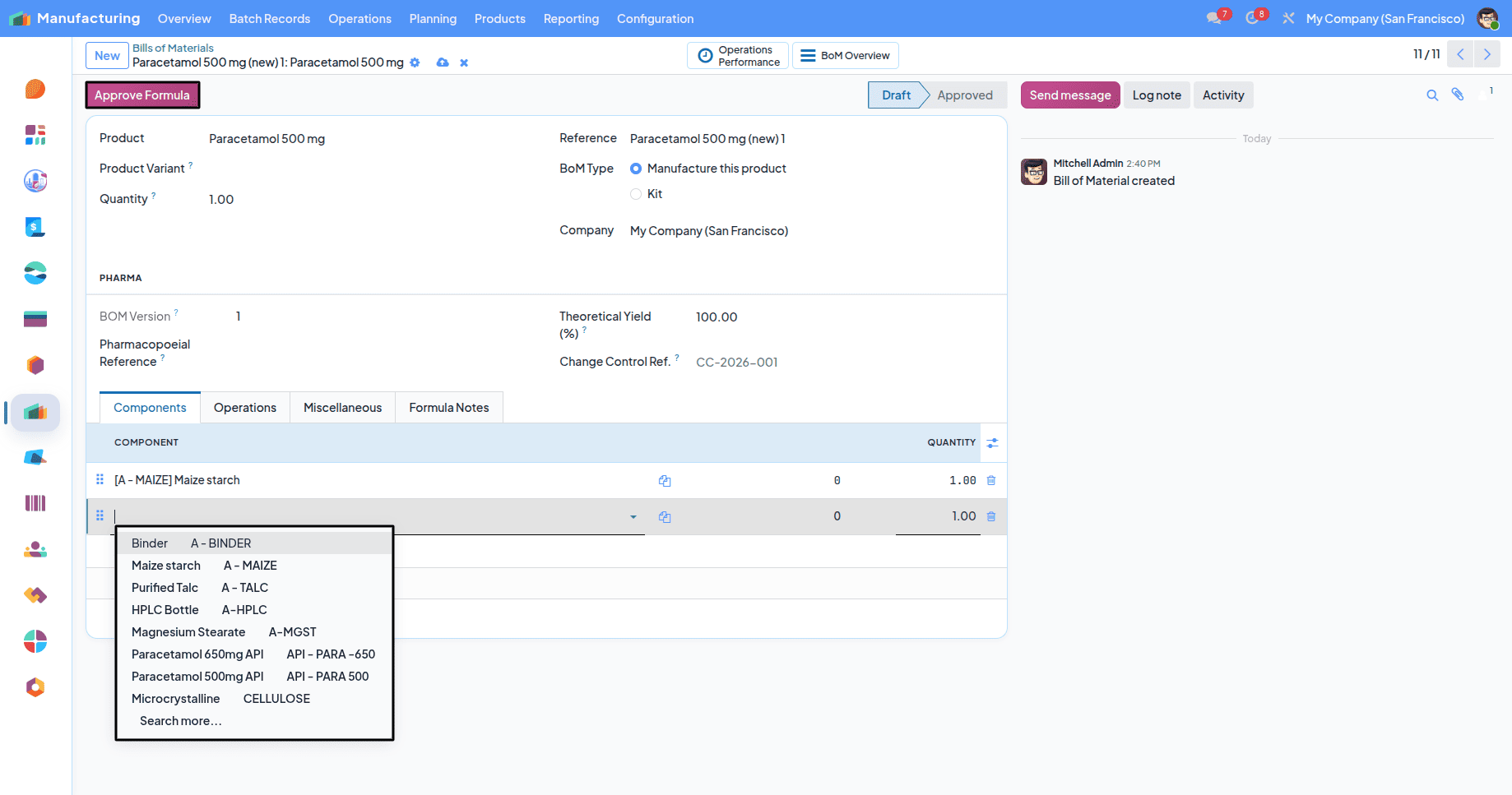
The next step is to create a BOM (Bill Of Material) for a product that needs to be manufactured.
Also define a SOP (Standard Operating Procedure) for the work center based operation.
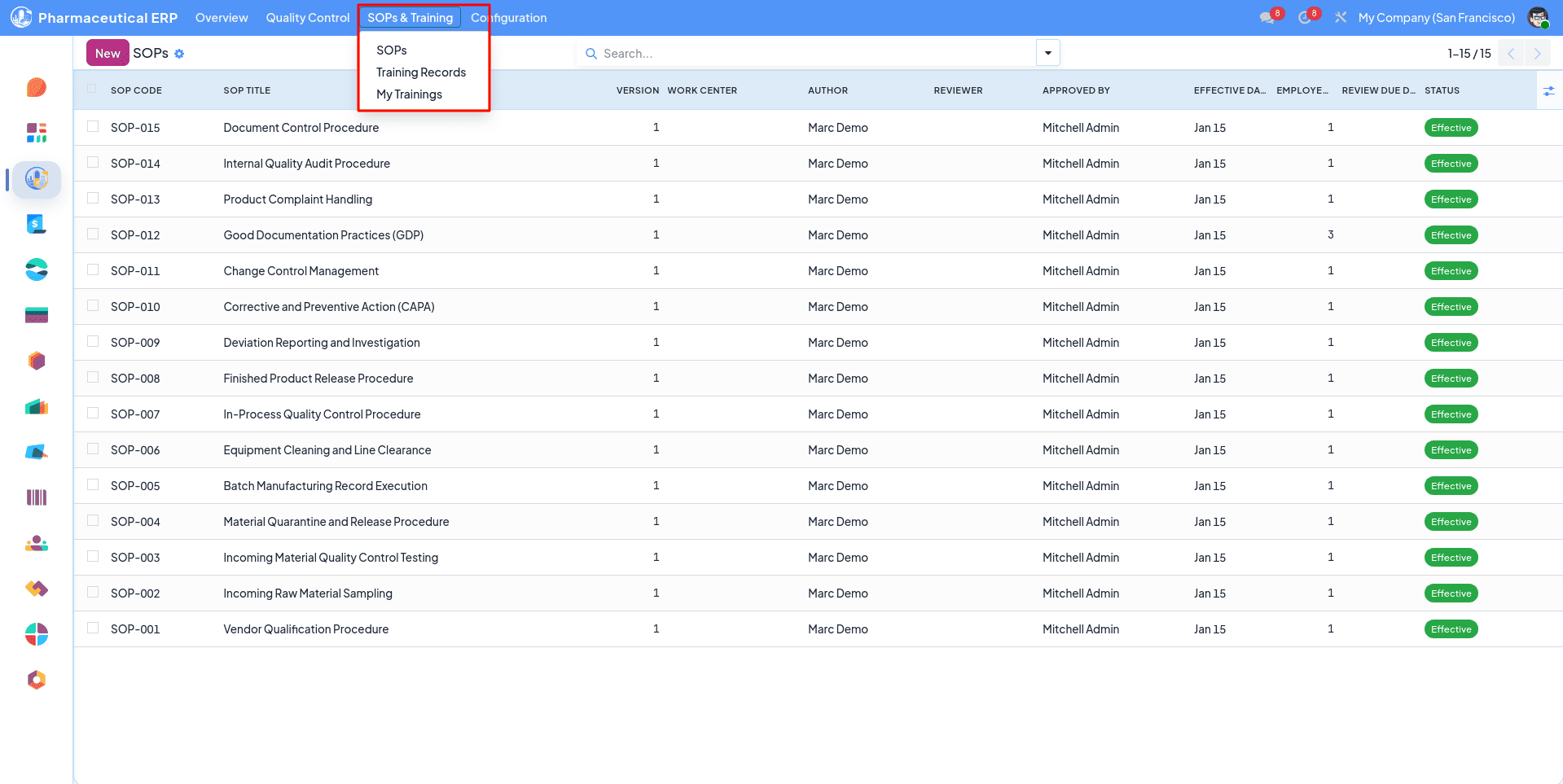
SOP can be configured from the SOP & Training menu from the pharmaceutical module.
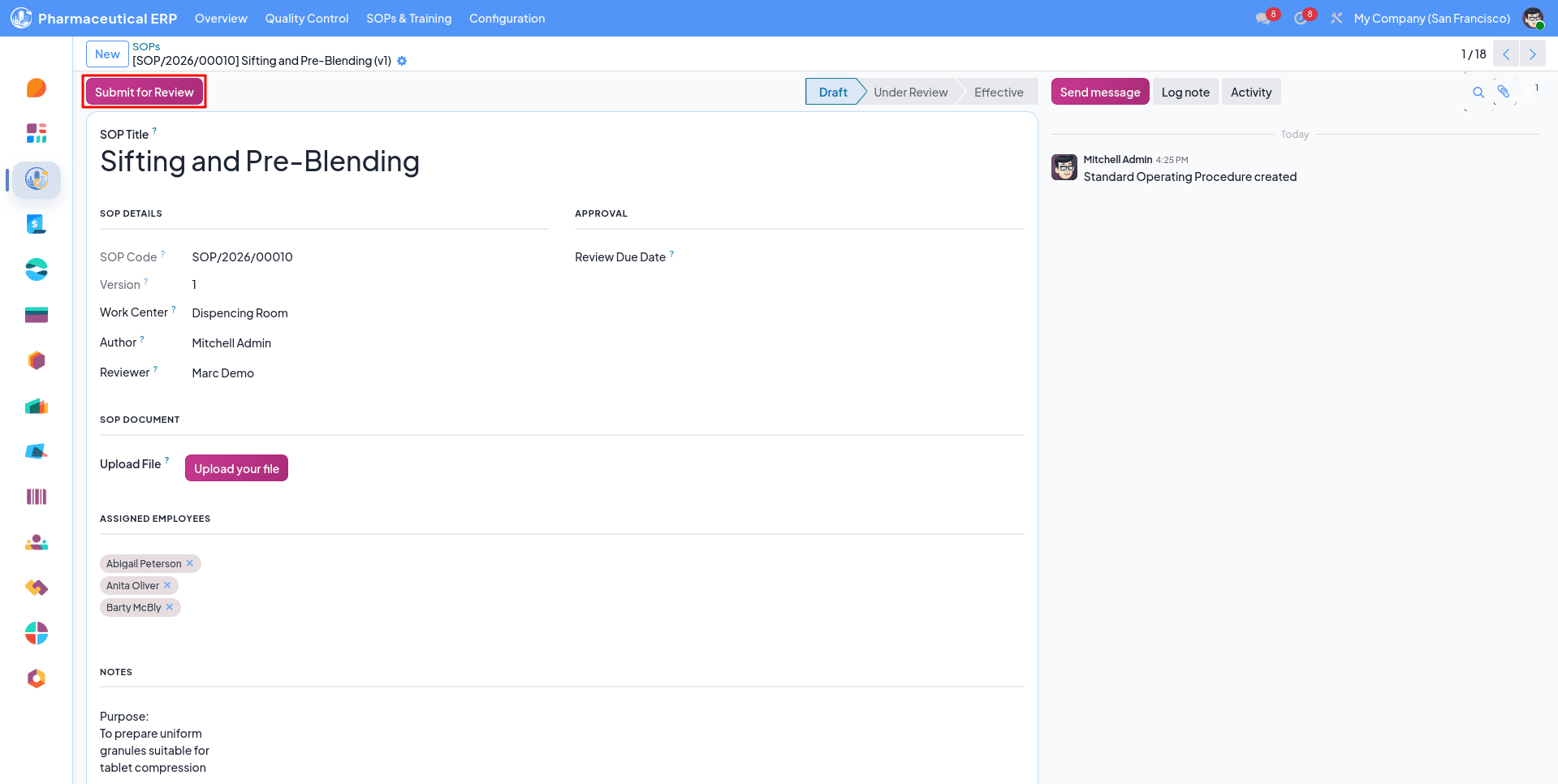
Assign Employees from the SOP form to perform the required operations.
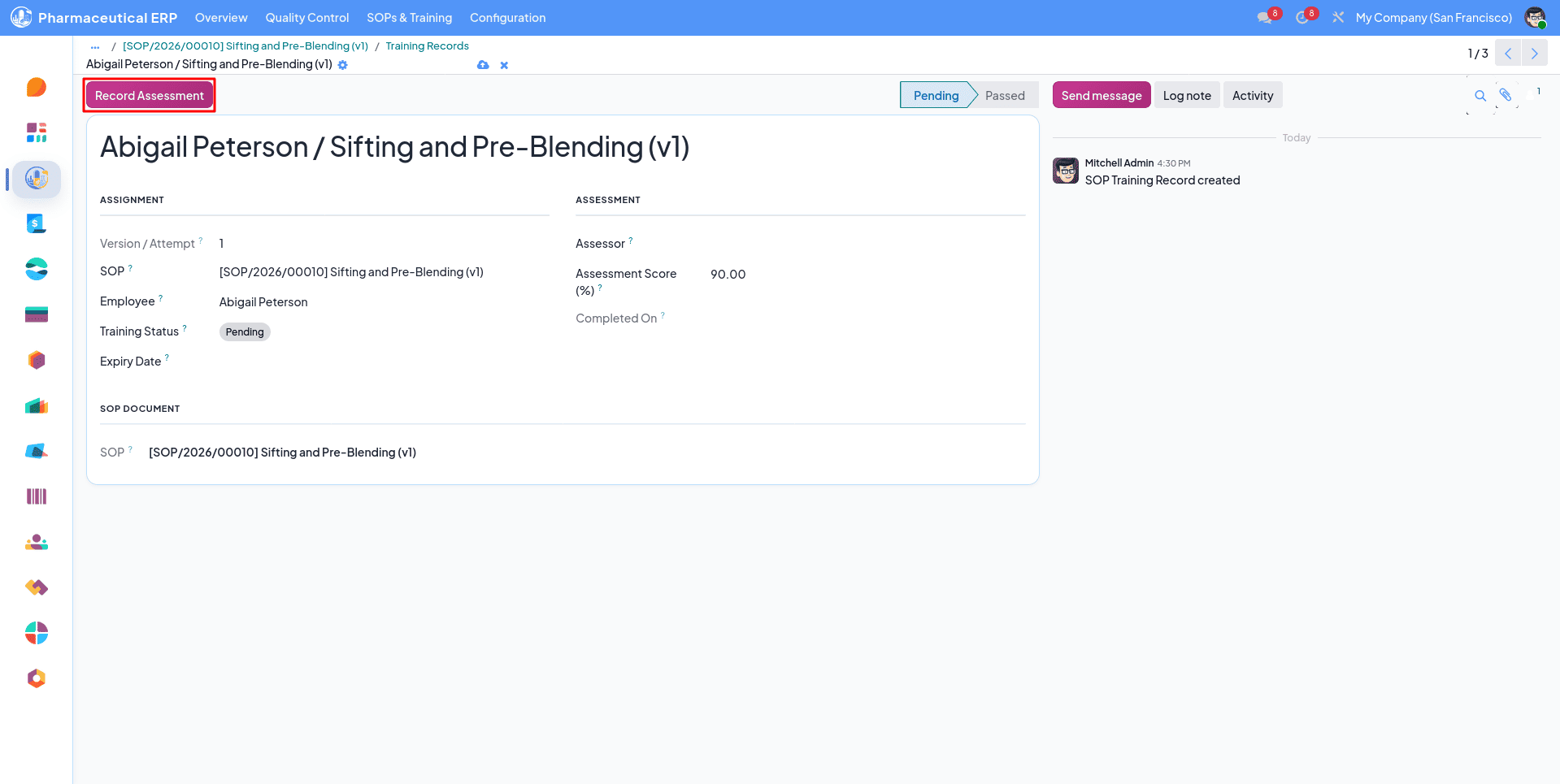
After the SOP is effective, a training record for the employees is automatically created. One should complete it to perform the required operations.
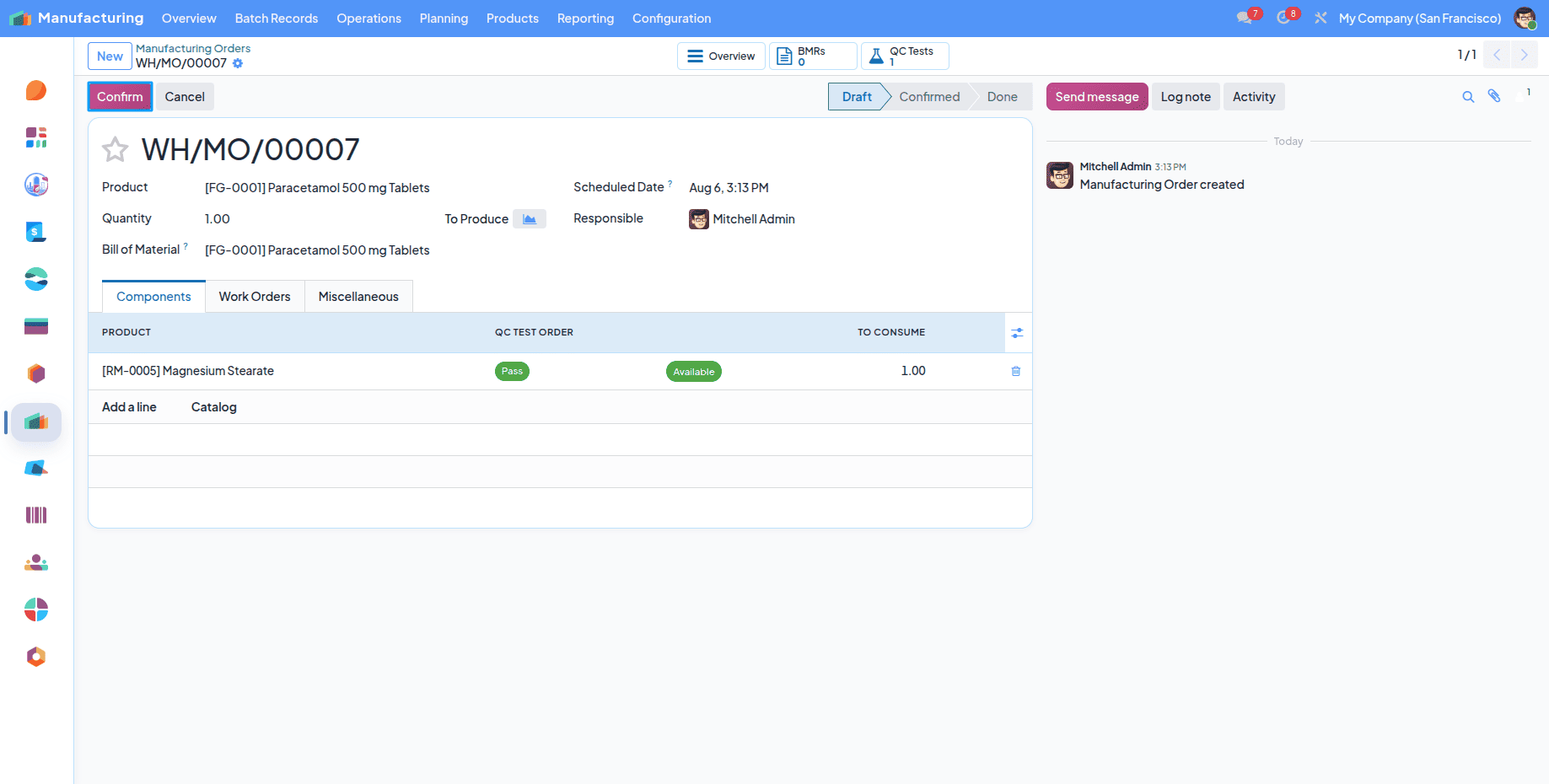
You can create an MO using BOM, only QC Test Order approved Materials can be selected from here.
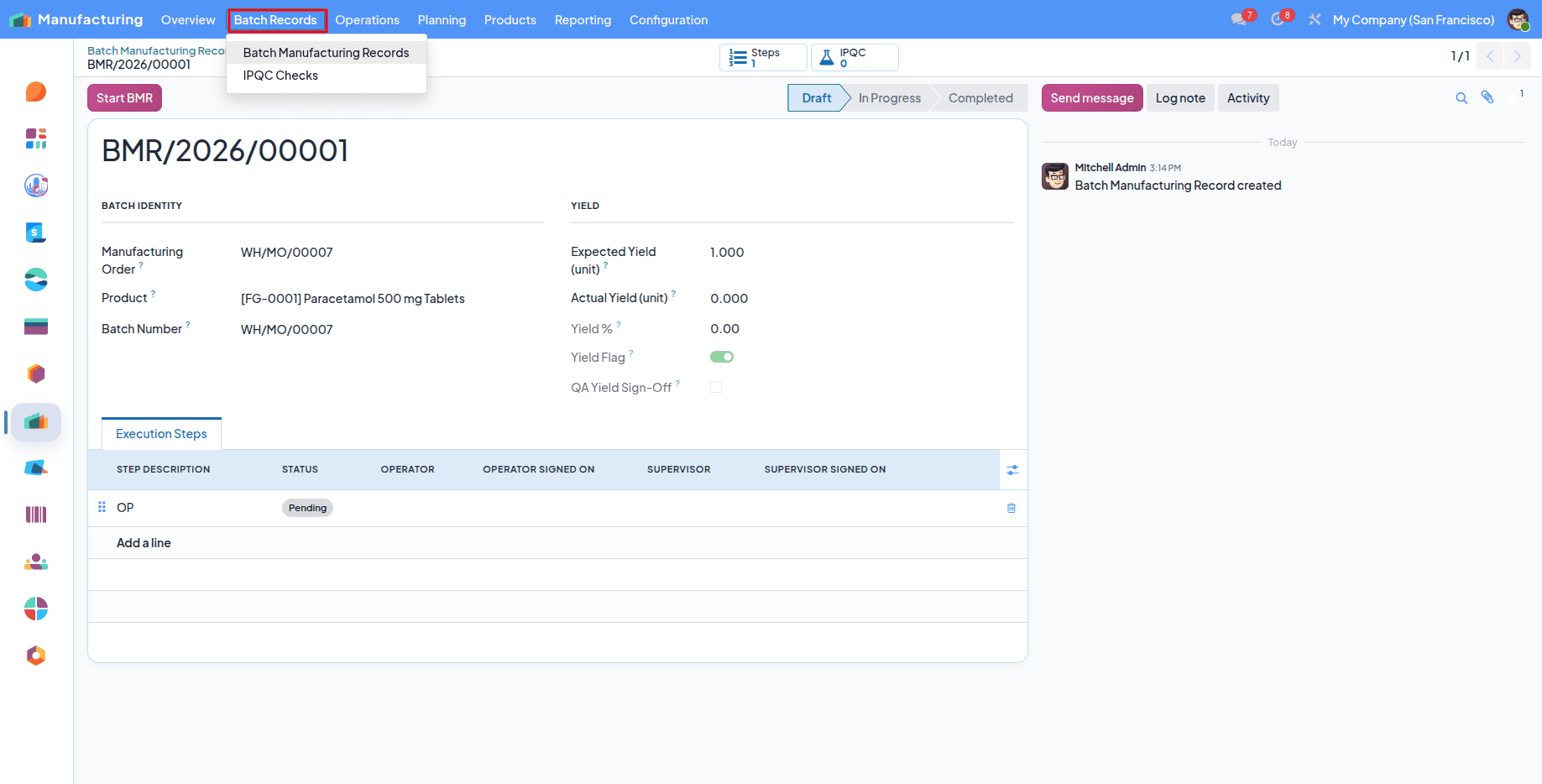
BMR (Batch Manufacturing Record) is automatically created after confirming the MO.
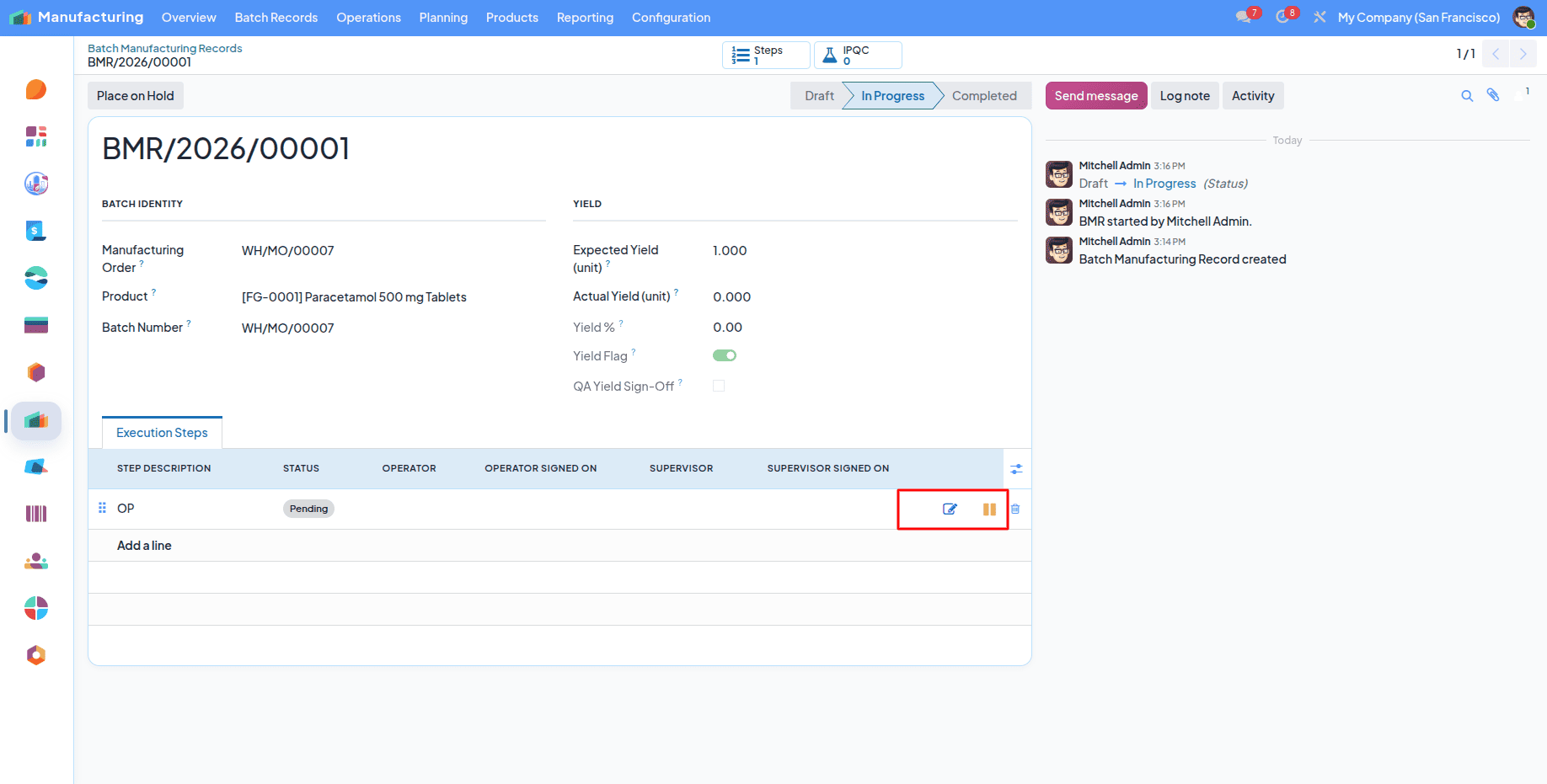
Starting the BMR shows the execution step operations like operator, supervisor sign in, hold, and release.
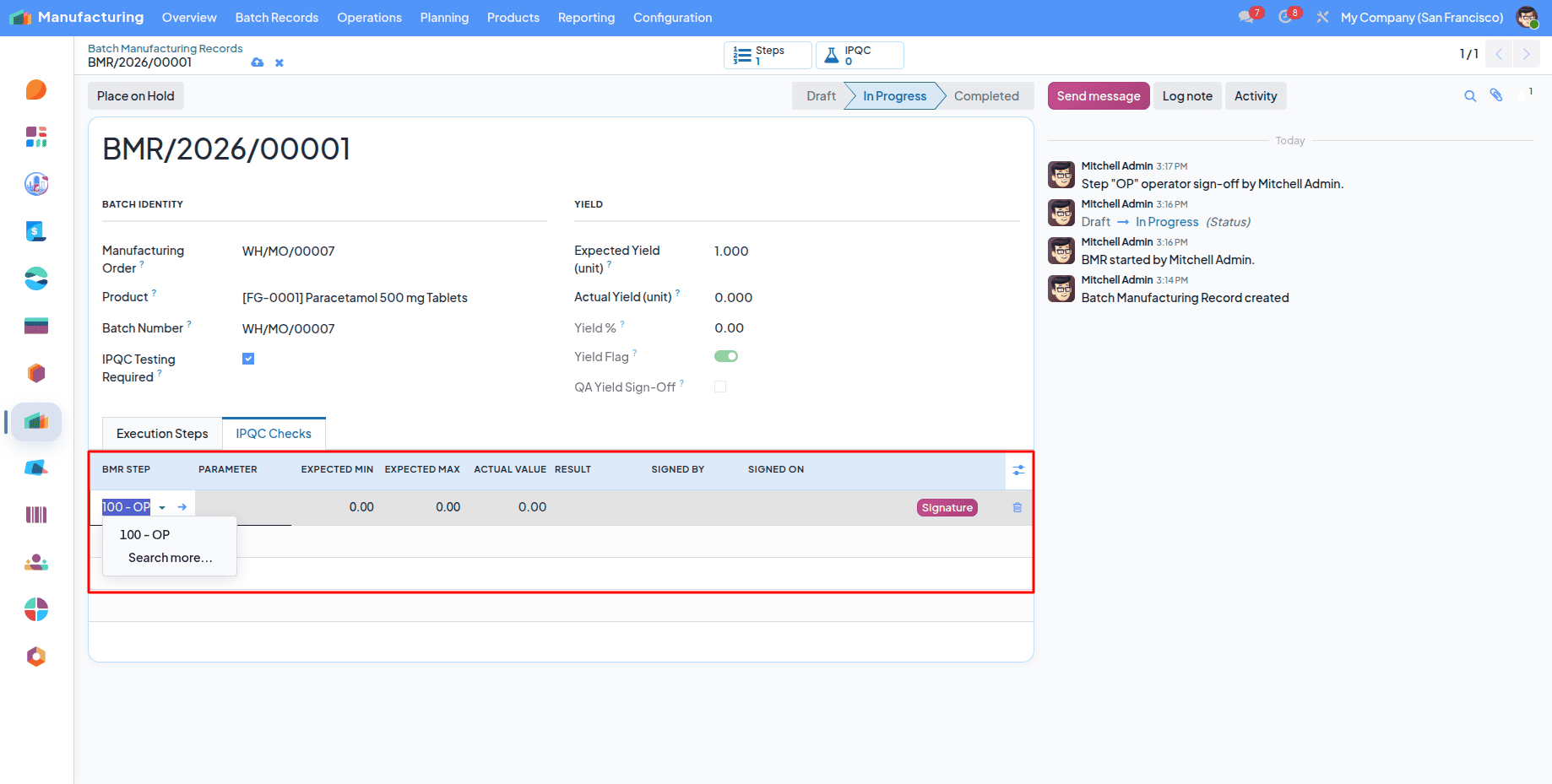
Operator sign-in starts the step, and you can create an IPQC(In Process Quality Check) for the step if any errors are found.
And if any, a Deviation created for that and CAPA. Same as the QC test order.
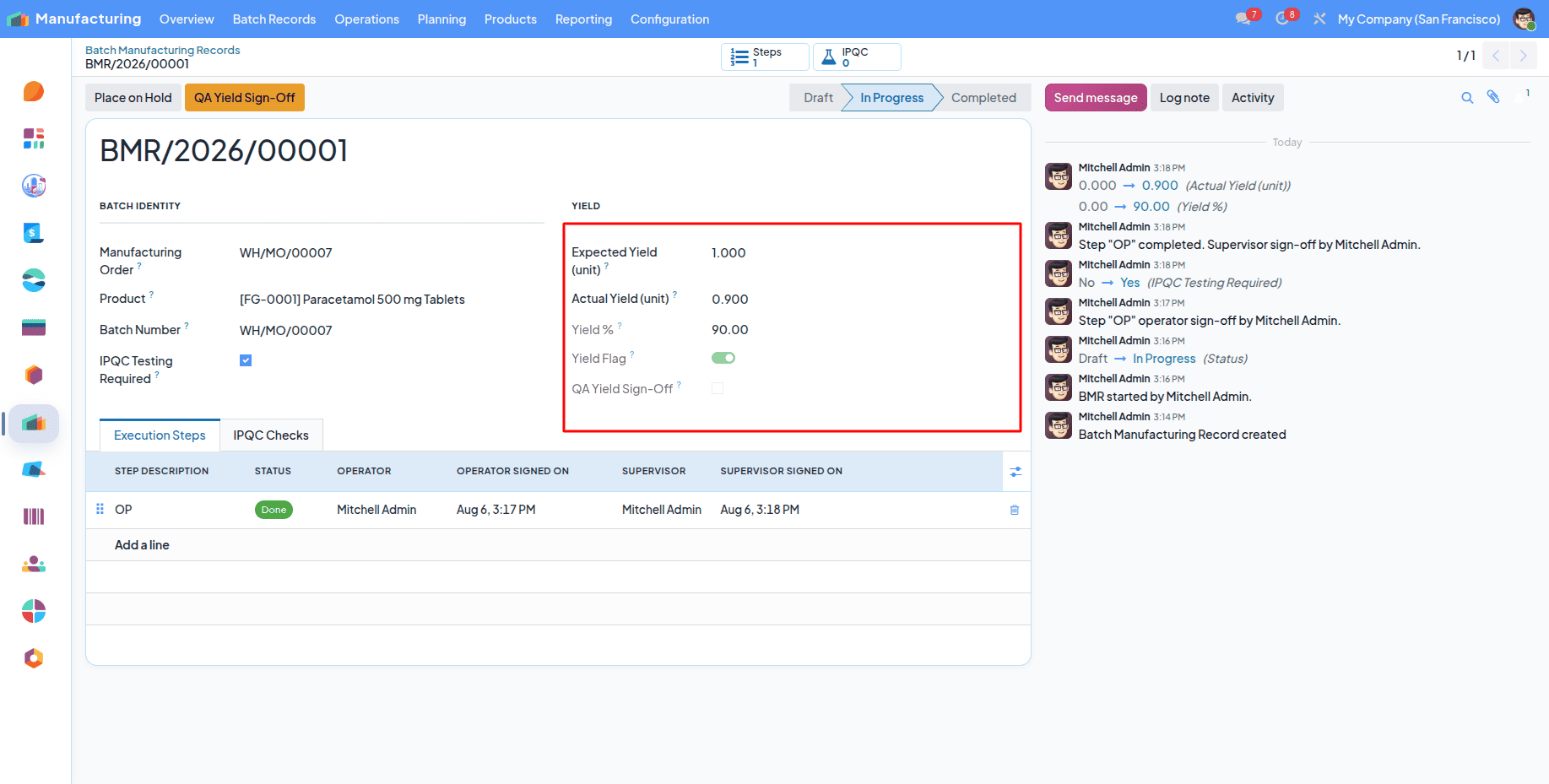
If none, or After completing all, you should provide an Actual Yield.
If the Actual and Expected Yield is equal then there is no need to QA yield Sign-Off.
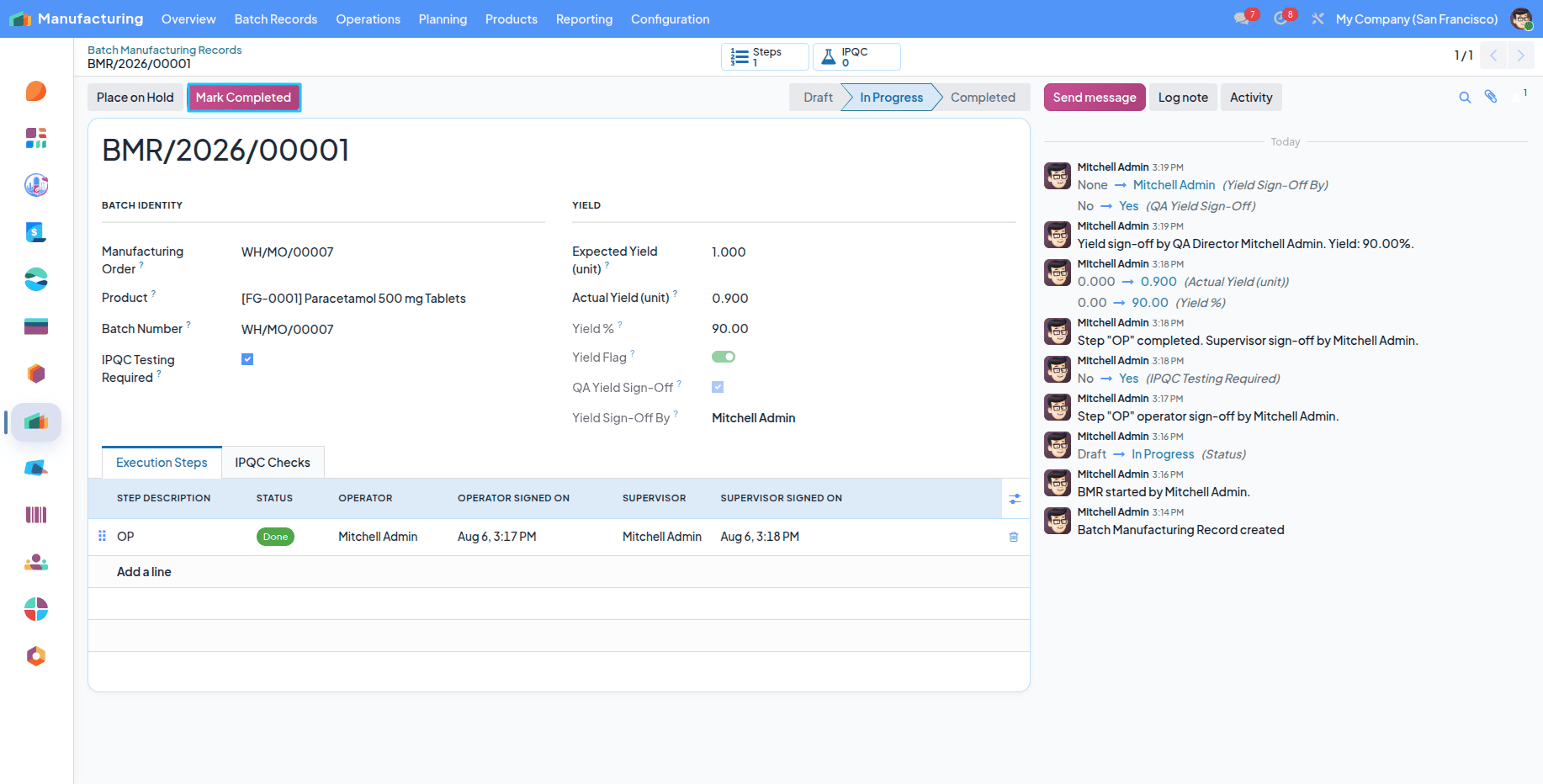
You can complete the BMR by clicking on the Mark Completed button.
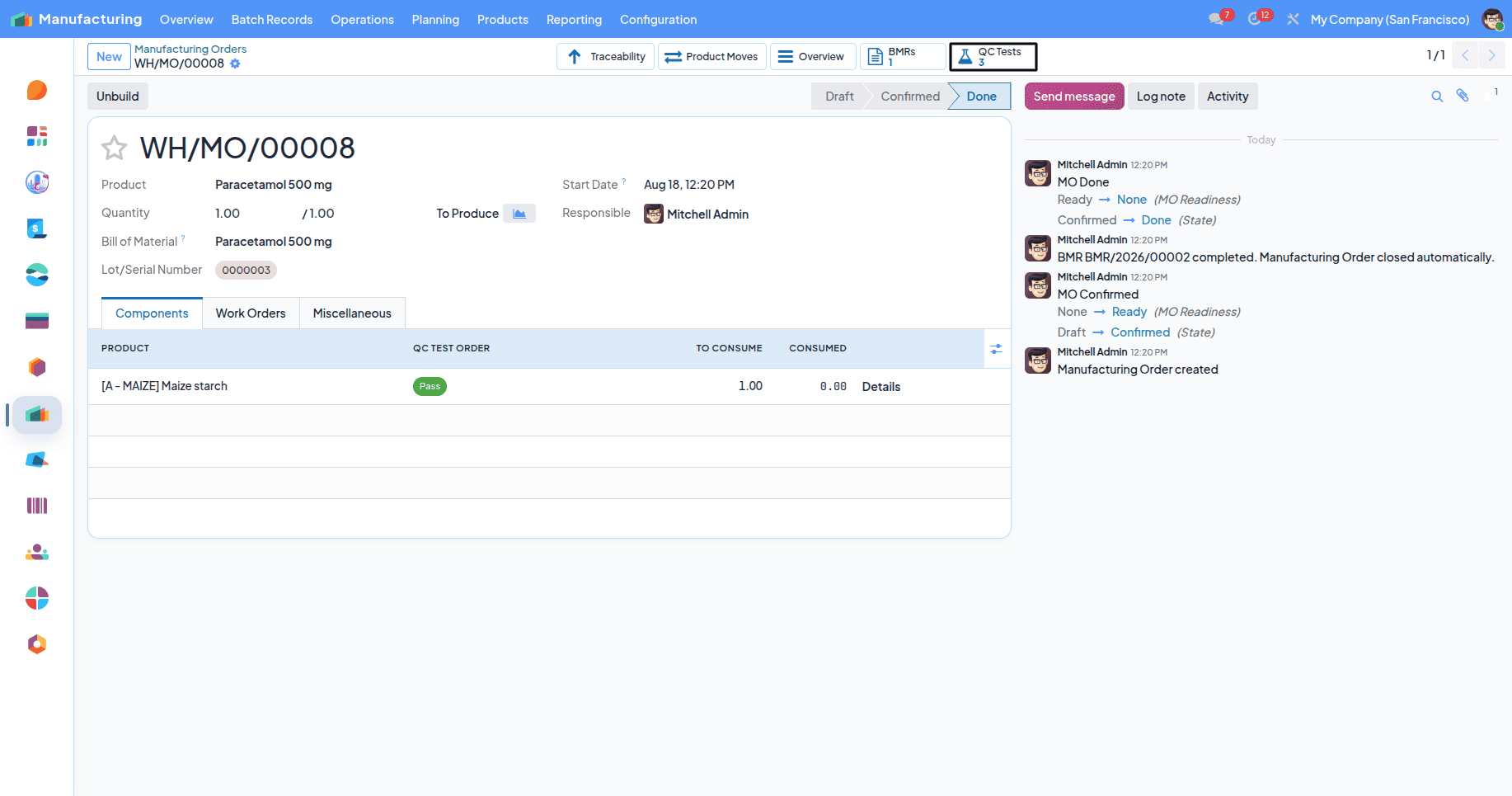
A finished product QC test order is automatically created after the BMR is completed.
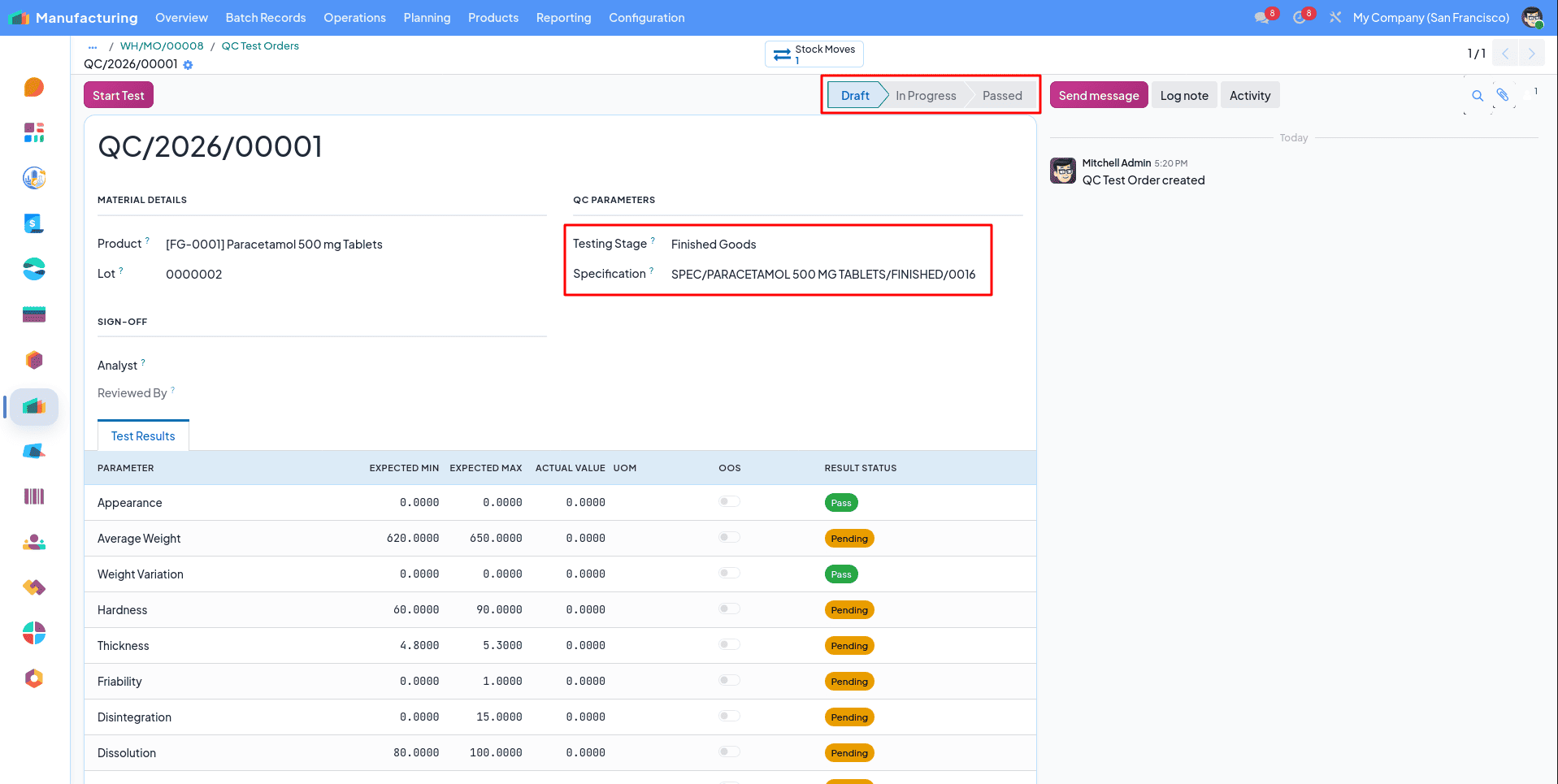
You can see the stage and the QC specification attached to the QC test order.
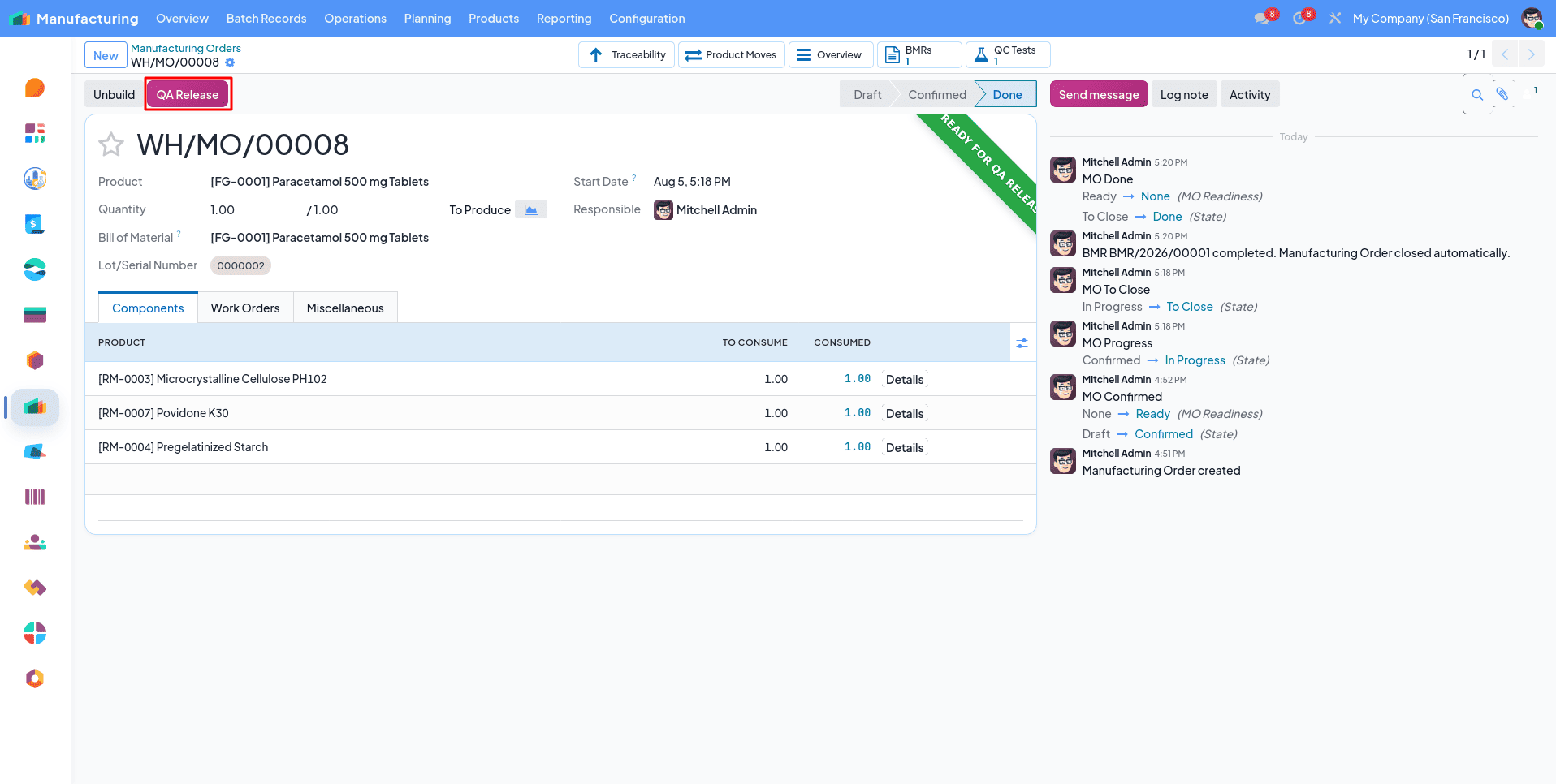
The QA release button appears in the MO after completing the QC test order.
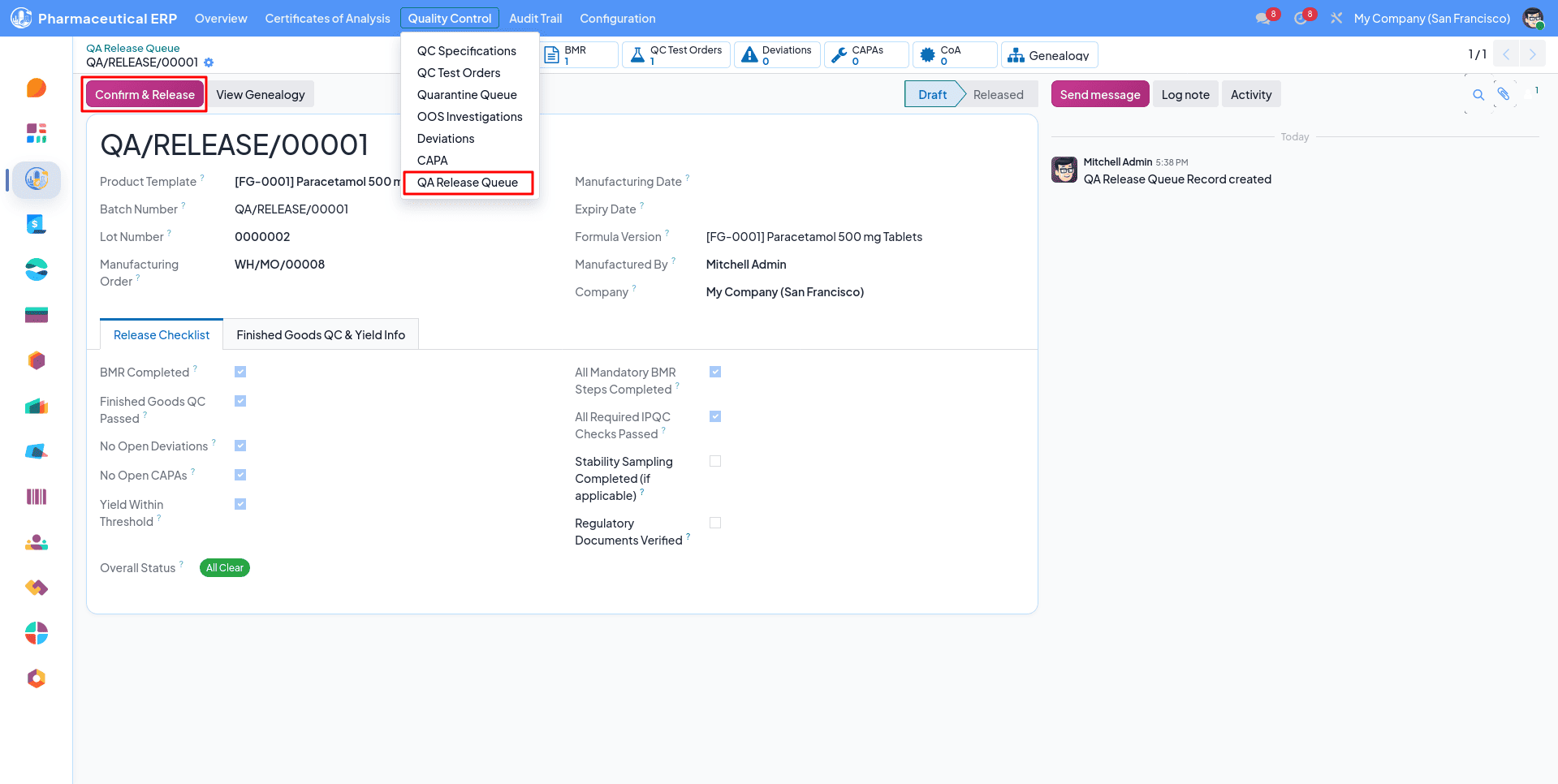
After clicking it, a QA release record is created in the QA Release Queue. You can view all the details of that finished product. A Batch Genealogy can be seen from there.
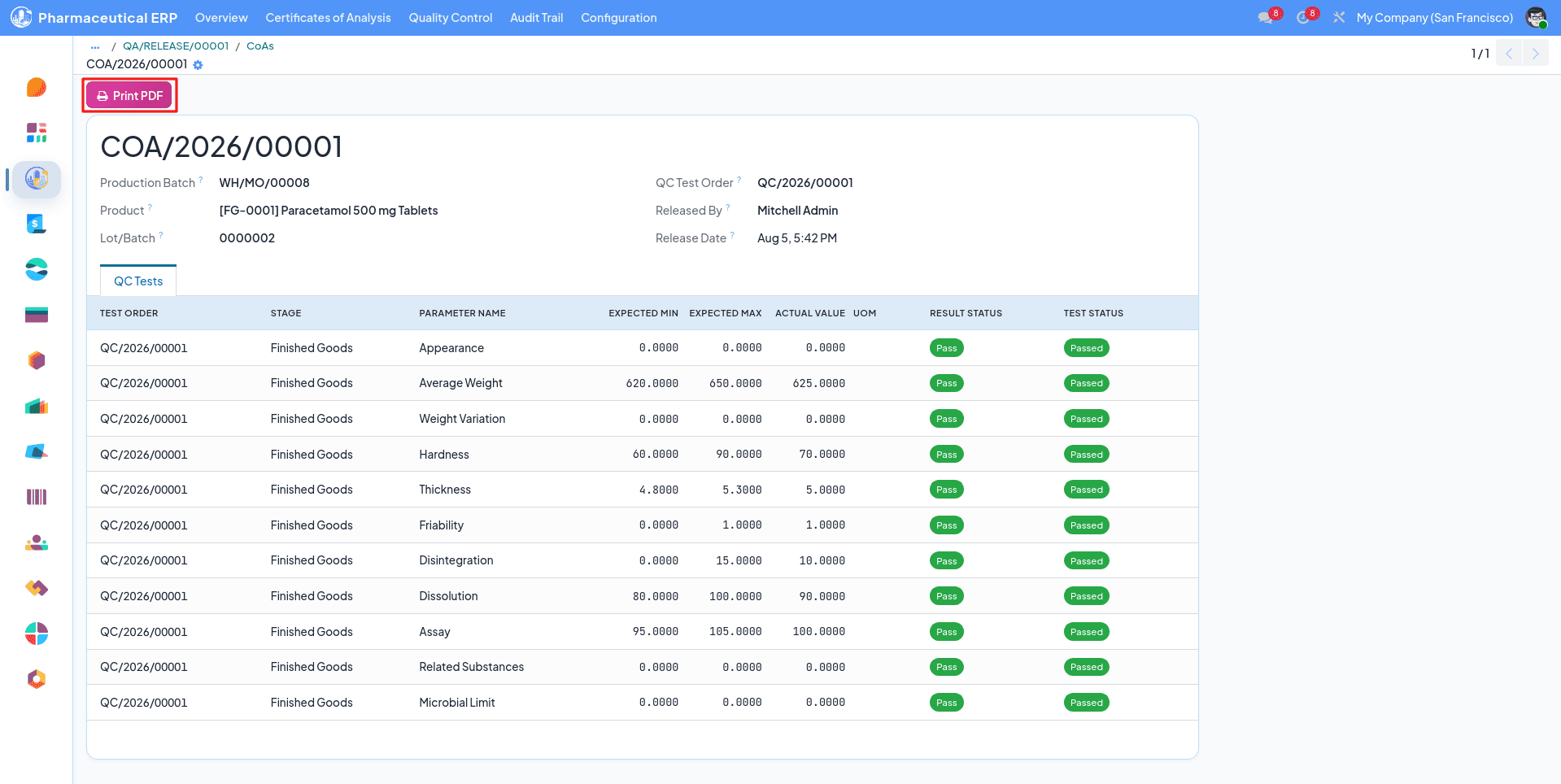
After confirming a CoA (Certificate Of Analysis) is automatically created, the record can be accessed from the pharmaceutical module, and a PDF report can also be generated from this
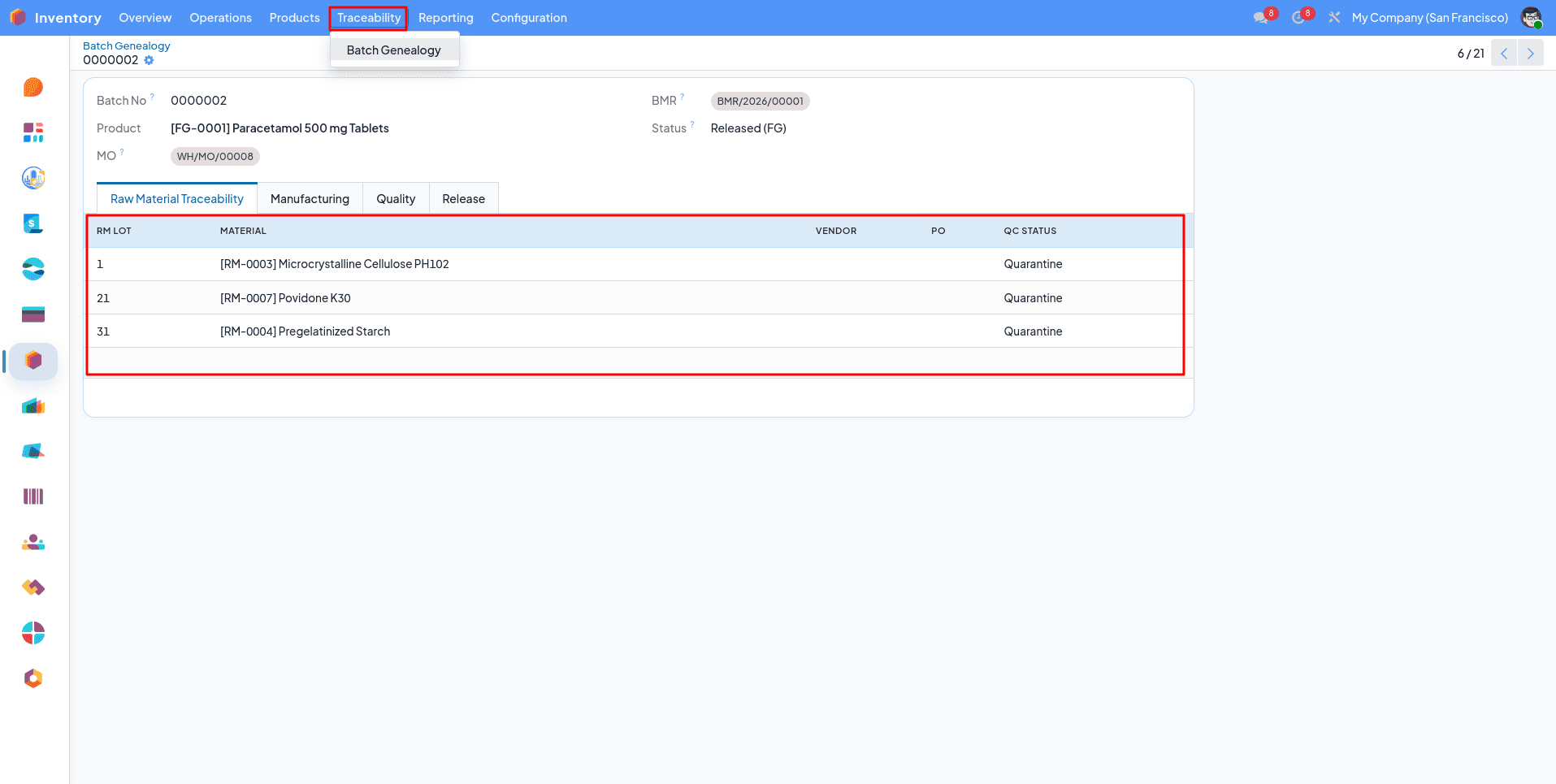
From here we can access the full details of the finished product.
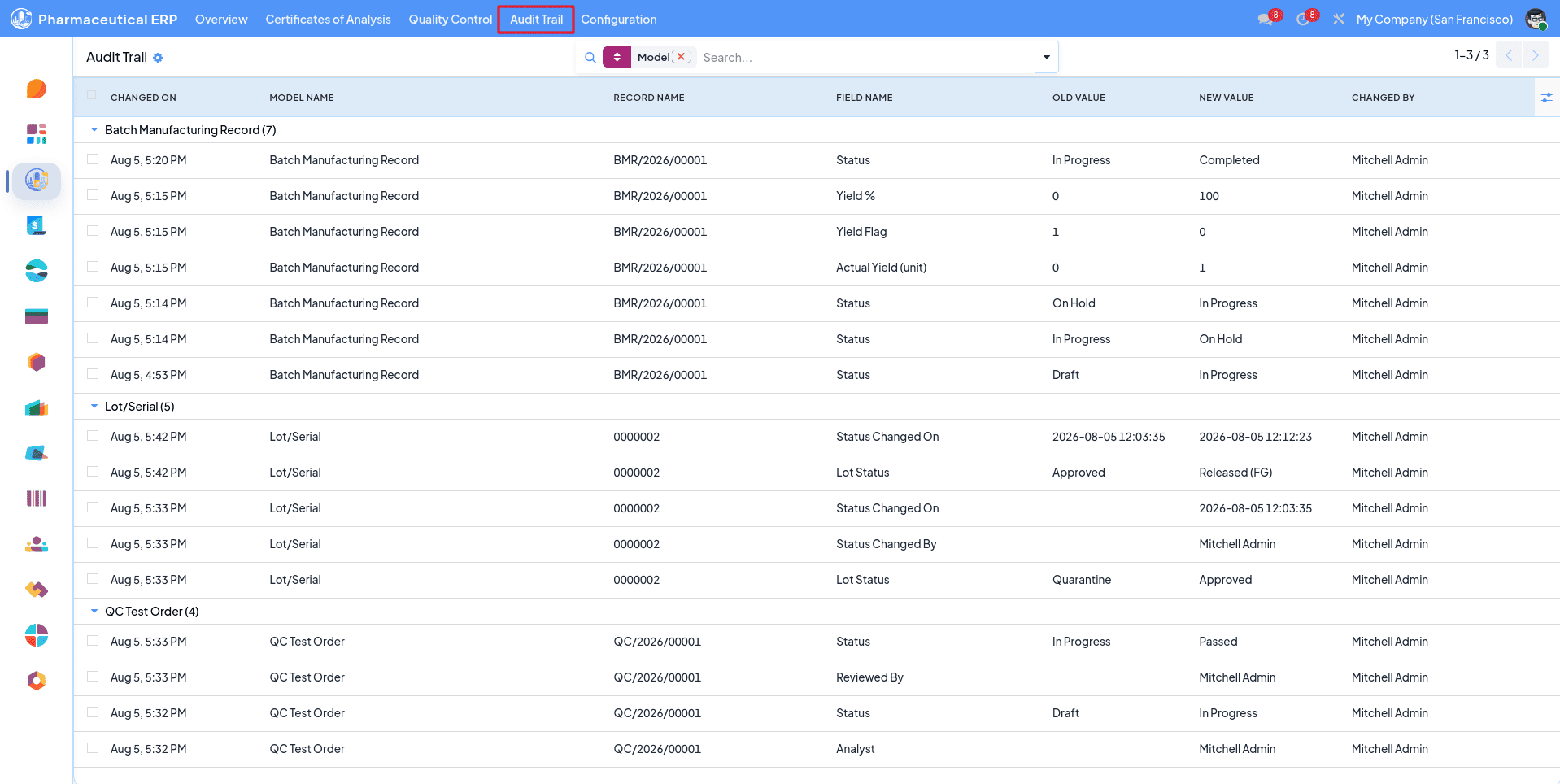
Immutable Audit trail, all the moves can be seen from here.
This covers all the screens of the module, from qualifying vendors and receiving a lot to the BMR and the Certificate of Analysis. The suite is made up of five modules that install from the same settings page.
Core holds the specifications, test orders, batch manufacturing records, and OOS investigations, along with the role setup and the dashboard. CAPA and Deviations classifies what went wrong, records the root cause, and tracks the corrective action through to closure. Traceability and CoA give you batch genealogy in both directions: the printed certificate and a field level audit trail. SOP and Training keeps procedures versioned against the operations they cover and records who is trained on which version. Vendor Qualification scores suppliers on a portal questionnaire and holds the approved vendor list at the purchase order.
You can start with Core and add the rest later. Only Traceability and CoA depend on another module, since the certificate pulls in deviation and CAPA records.
To read more about How to Connect Monday.com with Odoo Using the Monday Odoo Connector V19, refer to our blog How to Connect Monday.com with Odoo Using the Monday Odoo Connector V19.