One of Odoo's primary strengths lies in its flexible approach to
creating menus and sub-menus, which can be implemented through both
programmatic methods and user interface configurations. This dual
capability significantly enhances Odoo's accessibility and ease of
use for developers and administrators alike.
Let's explore how to create a menu structure using XML-based code
implementation.
First, establish a views directory within your visa module, assuming
this directory structure has been previously set up.
To implement a view, you need to incorporate an XML file that
contains the view definitions into your module structure.
Implementation Steps:
1. Generate an XML file named visa_application.xml that will contain
the data records for your UI view definitions.
2. Include the XML file reference in the data section of your
manifest.py file to ensure proper module registration.
'data': ['views/visa_application.xml'],
3. Define an action configuration for the view implementation.
<record id="record_action" model="ir.actions.act_window">
    <field name="name">Visa Application</field>
    <field name="type">ir.actions.act_window</field>
    <field name="res_model">visa.application</field>
    <field name="view_mode">list,form</field>
    <field name="help" type="html">
        <p class="o_view_nocontent_smiling_face">
            Create a new record!
        </p>
    </field>
</record>
Your action structure includes all the standard fields:
- id: A unique identifier for the action
- name: Display name for the action
- type: Set to ir.actions.act_window
- res_model: The model the action operates on (visa.application)
- view_mode: Defines available view types (list,form)
4. Create a menu entry within the visa_application.xml file to make
the functionality accessible to end users.
<menuitem id="parent_menu_root"  name="Visa" sequence="6"/>
<menuitem id="menu_id" name="Visa Application" parent="parent_menu_root" action="record_action" sequence="10"/>
- id - the unique identifier for the menu item.
- name - the name assigned to the menu item.
- sequence - the sequence in which the menu item will be
displayed.
- action - the identifier of the window action linked to this menu
item.
- parent - the identifier of the parent menu item, if applicable.
5. Integrate a view into the file.
<record id="visa_application_form" model="ir.ui.view">
    <field name="name">visa.application.form</field>
    <field name="model">visa.application</field>
    <field name="arch" type="xml">
        <form>
            <sheet>
                <group>
                    <field name="name"/>
                    <field name="age"/>
                    <field name="gender"/>
                    <field name="date_of_birth"/>
                </group>
            </sheet>
        </form>
    </field>
</record>
- name: Serves as the identifier for the specific view.
- model: Specifies the model to which the view is applied.
- arch: Represents the XML structure that outlines the layout and
elements of the view.
6. Also add a list view.
<record id="visa_application_list" model="ir.ui.view">
    <field name="name">visa.application.list</field>
    <field name="model">visa.application</field>
    <field name="arch" type="xml">
        <list>
            <field name="name"/>
            <field name="age"/>
            <field name="gender"/>
        </list>
    </field>
</record>
7. Check on the UI.
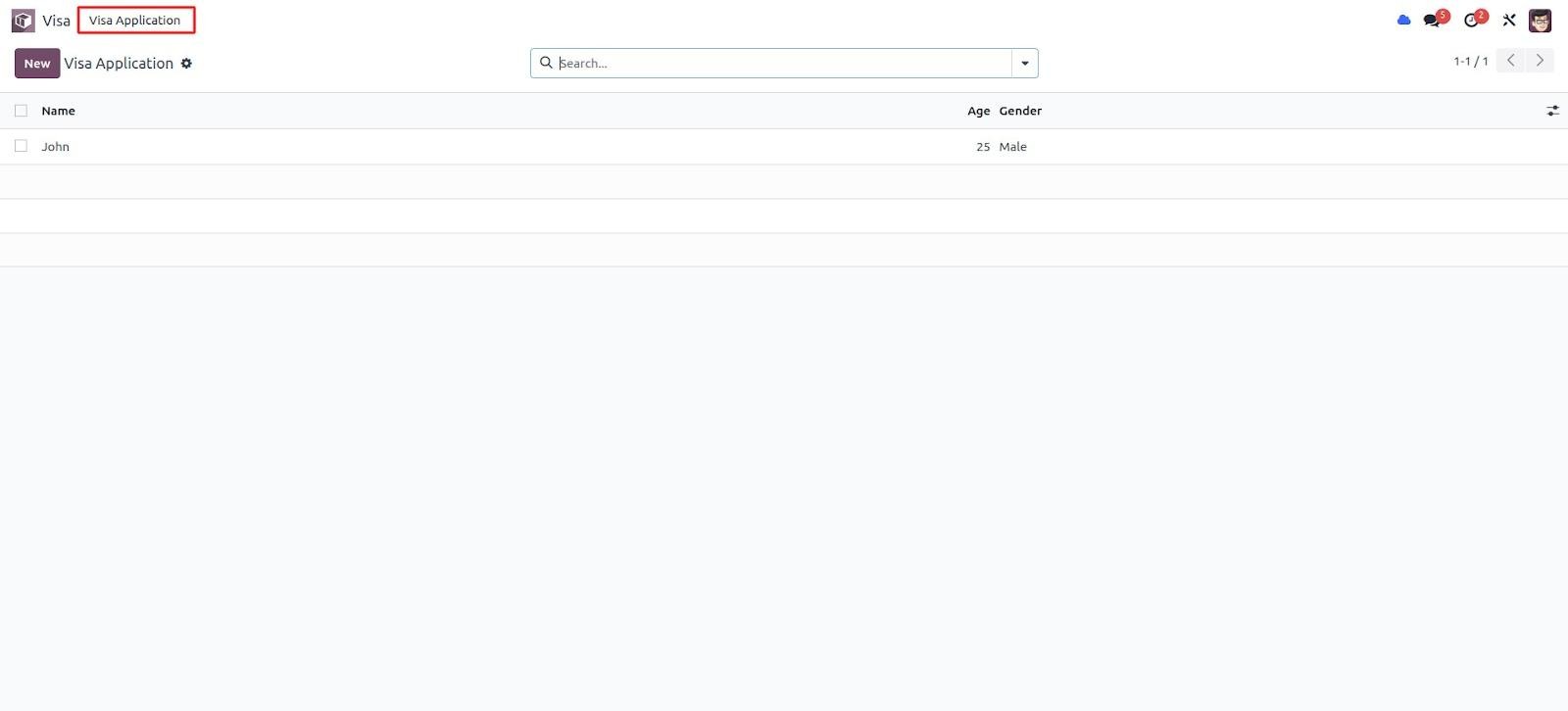
The newly added Visa Application menu is now visible.
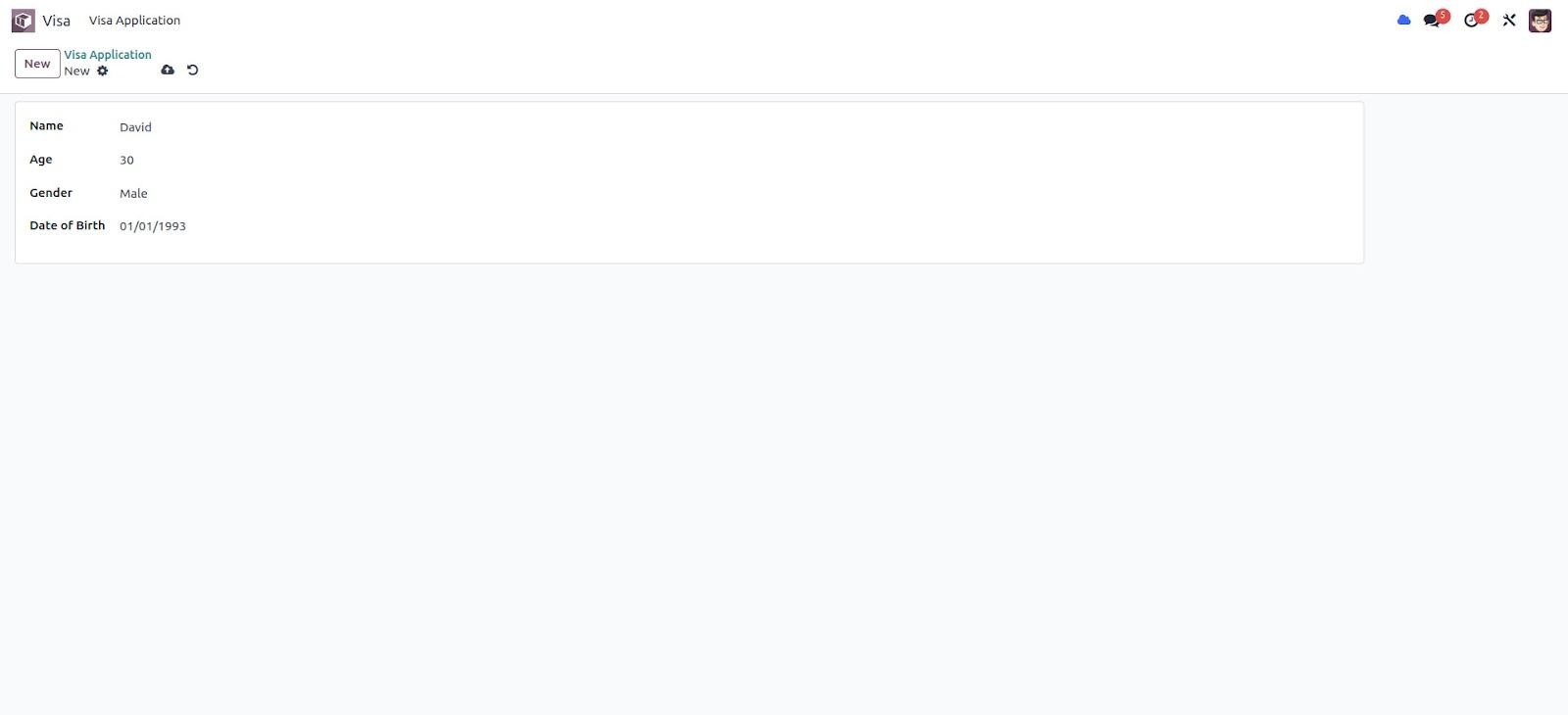
The image above illustrates the form view of the visa application.
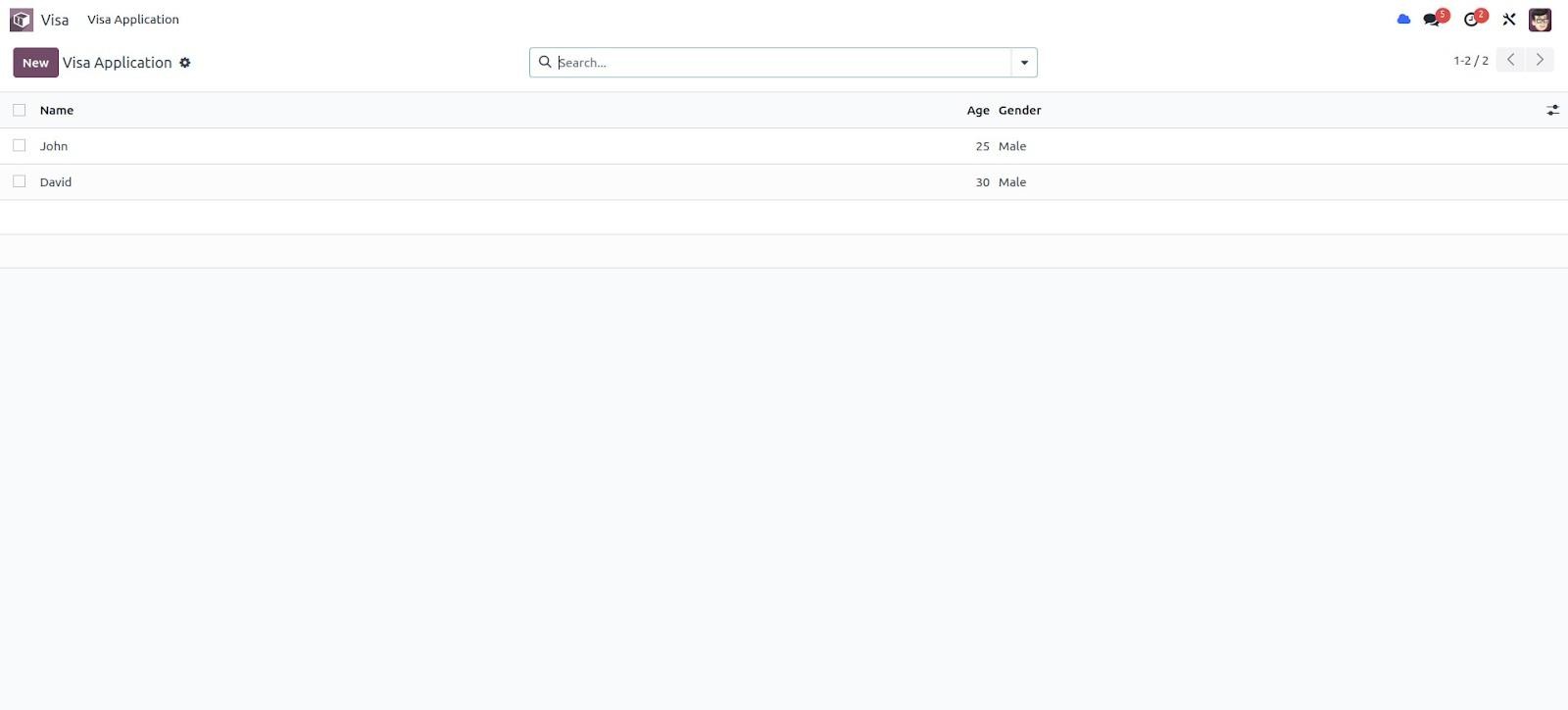
The image above shows the tree view of the visa application.
In the same way, Odoo allows us to define menus, actions, and views.