In Odoo, float fields are primarily used to store numerical or
floating-point values. These fields do not support null values; if a
field is left empty, a default value of 0.0 is returned. When
working with float fields, it may be desirable to allow users to
define the required decimal precision. For instance, in the Library
Books model, a Cost Price field can be added with user-configurable
decimal accuracy. However, maintaining the exact representation of
float values (e.g., 125.325) can be challenging due to the
limitations of floating-point arithmetic. Moreover, the
interpretation and handling of these values may vary depending on
the platform and specific context in which they are used.
Decimal accuracy
Decimal Accuracy in Odoo is a configuration tool that lets users
define the number of decimal places for different categories, such
as prices or units of measurement. This feature makes it easier to
control how precise values should appear in each category. To better
understand how this works, let’s walk through an example.

When we look at the product unit of measure, we can observe that its
decimal accuracy is 2.
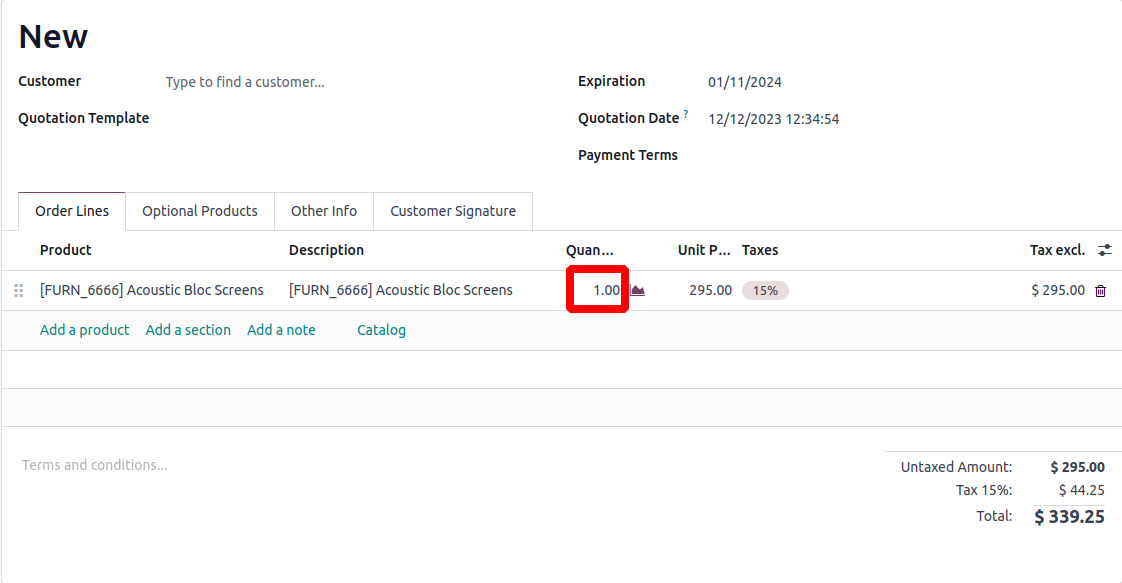
We observe that the current decimal points are set at 2, despite
defining a decimal accuracy of five.
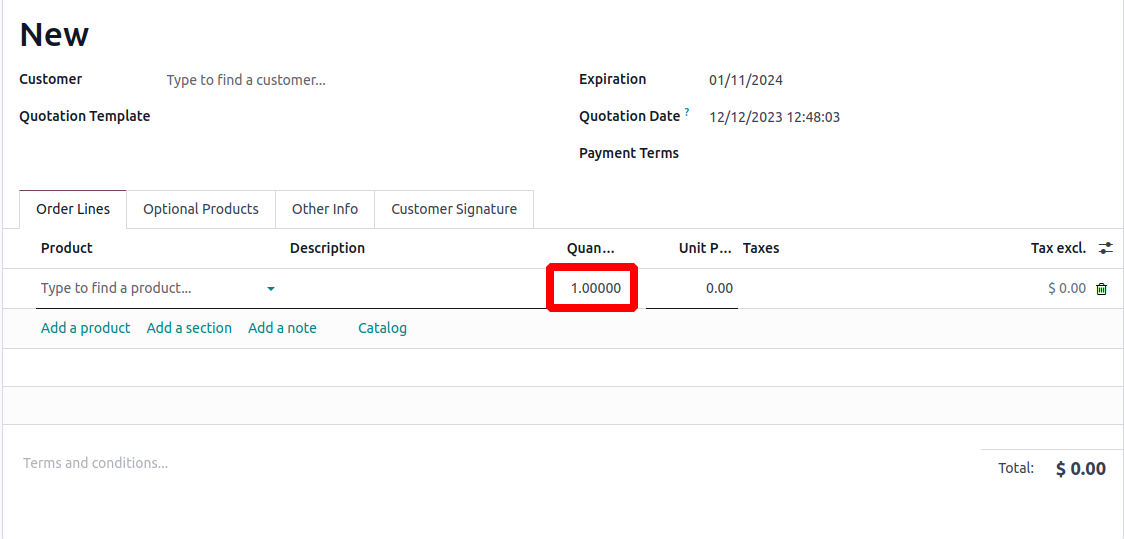
The decimal point is five in the present case.

We can create the float fields by code using the code below. At
default, the decimal accuracy will be 2.
fee = fields.Float(string='Fee')
Odoo offers several methods to determine the decimal position of a
value. These methods are described in more detail below..
float_compare(): Allows you to accurately compare
two floating-point numbers based on a specified decimal precision.
Useful for prices, quantities, or measurements where exact decimal
accuracy is important.
float_is_zero(): Compares floating-point numbers
based on a specified precision, making it easier to handle values
like prices and units without rounding errors.
float_round(): Returns the input value after
rounding it based on the given precision settings.
float_repr(): Returns the textual representation of
a given value with the chosen decimal precision. This is used to get
a float as a string. Rounding isn’t applied here; the exact
representation is returned. For rounded values, use float_round()
instead.
float_split_str(): Separates a floating-point number
into its integer and fractional components. It first rounds the
float using float_round() for accuracy, then converts it to a string
with float_repr(), and finally splits it into integer and decimal
parts returned as a tuple.
float_split(): Works similarly to
float_split_str()>, but instead of returning string values, it
returns the integer representations of both the whole and fractional
parts.