Chatter in Odoo is an integrated communication feature available on
various records like sales and purchase orders. It enables users to
send emails directly to clients and engage in discussions without
leaving the document. Internal notes offer a private space for
employees to exchange updates or address workflow-related matters.
Additionally, users can be added as followers to a record, allowing
them to receive updates and participate in conversations, even if
they weren’t initially involved.
For instance, open any sales order that is displayed towards the
bottom or right side of the screen. You will find the Chatter
section located there.
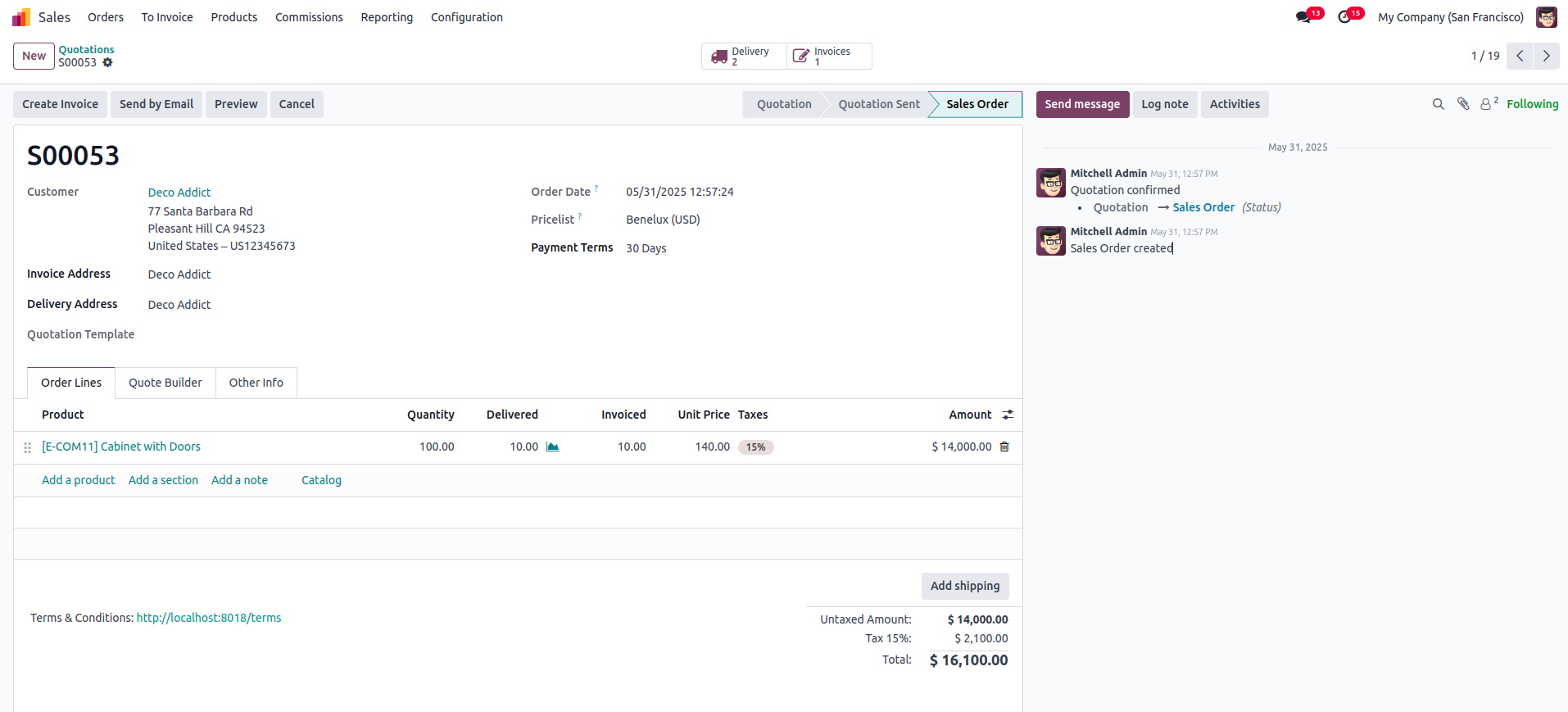
The following features are available within this section:
- To mention someone, use the '@' symbol, and to refer to a
channel, use the '#' symbol.
- Emojis can be used to convey reactions to the content.
- Document attachments can be included when necessary to enhance
communication.
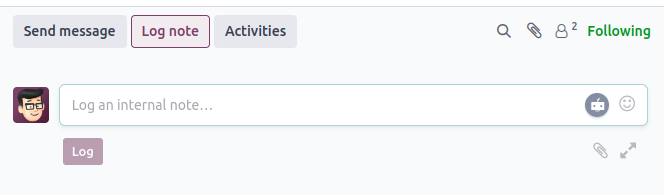
Log Note
This functionality helps in tracking progress and documenting
interactions with customers.
Schedule Activity
This feature allows you to assign and manage scheduled activities for
specific individuals.

Attachments
The attachment icon displayed in the image below indicates the total
number of attached files.

Followers
This option indicates whether you are following the document. To
unfollow, just hover over the 'Following' label and click on
'Unfollow.'

You can also view the list of followers by clicking on the followers
icon. From there, you can edit the list by removing existing
followers or adding new members.
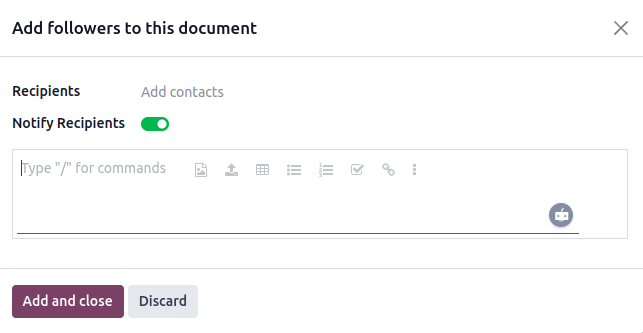
When you click on 'Add Followers,' the following window will be
displayed.
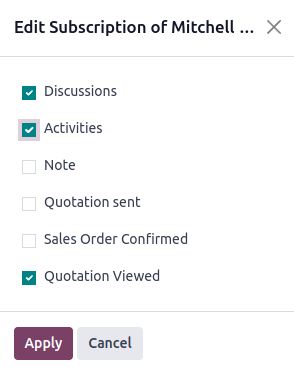
You can access editing options directly from the followers list.
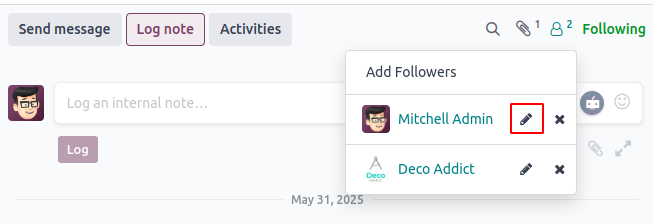
A list of subscriptions available for the selected follower, which
can be enabled or disabled as needed.
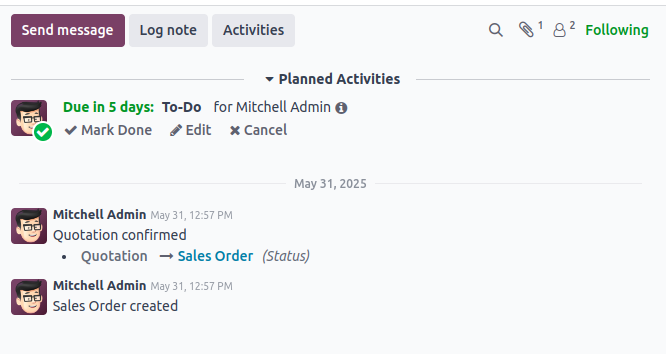
Once you add messages, log notes, or schedule activities, the
complete history will appear in the Chatter section of the form
view. This functionality is managed through the Chatter.
When specific fields are modified in the form view, the changes are
periodically recorded and displayed in the Chatter. This feature is
known as "Tracking". To enable tracking, you just need to set
the tracking=True attribute in the field declaration. This allows
Odoo to log any updates made to that field.
Odoo’s multi-user environment allows several users to access and
update records at the same time, making it essential to monitor
changes. The Chatter feature automatically captures and logs these
field updates for better visibility and tracking.
How to Include Chatter in the Form View
Chatter is an essential feature available in Odoo, and adding it to a
form view requires just a few simple steps. To enable its basic
messaging capabilities, you need to inherit the mail.thread model in
your Python file.
class YourModel(models.Model):
    _name = 'your.model'
    _inherit = ['mail.thread', 'mail.activity.mixin']

    name = fields.Char(string="Name", tracking=True)
In Odoo 18, use the <chatter> tag within your form view
definition to integrate the Chatter interface.
<record id="your_model_form_view" model="ir.ui.view">
    <field name="name">your.model.form</field>
    <field name="model">your.model</field>
    <field name="arch" type="xml">
        <form string="Your Model">
            <sheet>
                <group>
                    <field name="name"/>
                </group>
            </sheet>
            <chatter/>
        </form>
    </field>
</record>
One of the main purposes of adding Chatter to your module is to keep
track of activities related to a particular section. This
demonstrates how Chatter is utilized in Odoo to enhance tracking and
communication.