Periodic Digest Emails are automatic summary emails that show
important business information, like sales, tasks, or support
tickets. These emails are sent to selected users at regular
intervals — daily, weekly, monthly, or yearly — without you having
to send them manually.
Why Use Digest Emails?
They help keep your team updated with key business data. For example:
- Managers get daily updates on open tickets
- Sales teams get weekly reports on quotations.
- HR gets monthly hiring stats
All of this happens automatically once you set it up.
How to Set It Up
1.Go to:
Settings > Statistics > Digest Emails
You’ll see a checkbox to enable digest emails.
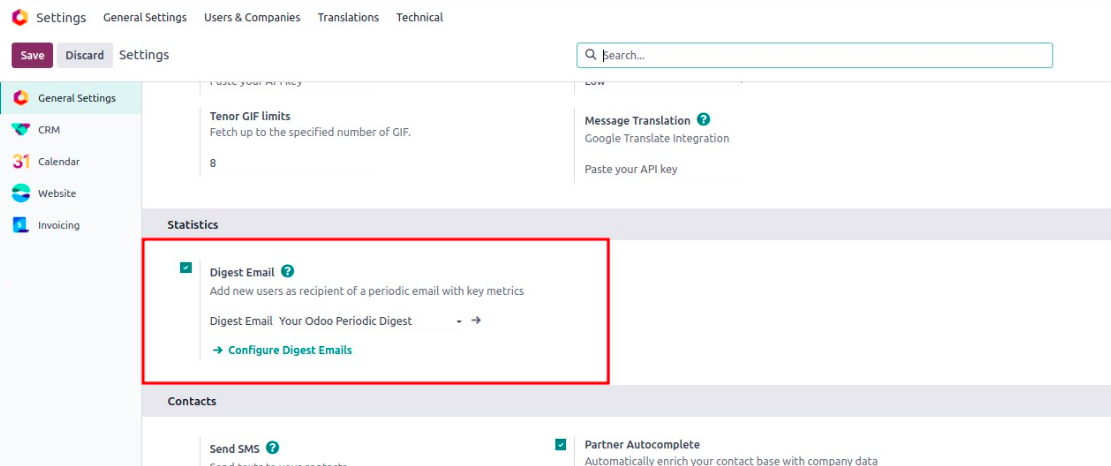
2. Enable the Checkbox
Once it's enabled, a list of digest emails will appear. Odoo includes
a default one called "Your Odoo Periodic Digest".
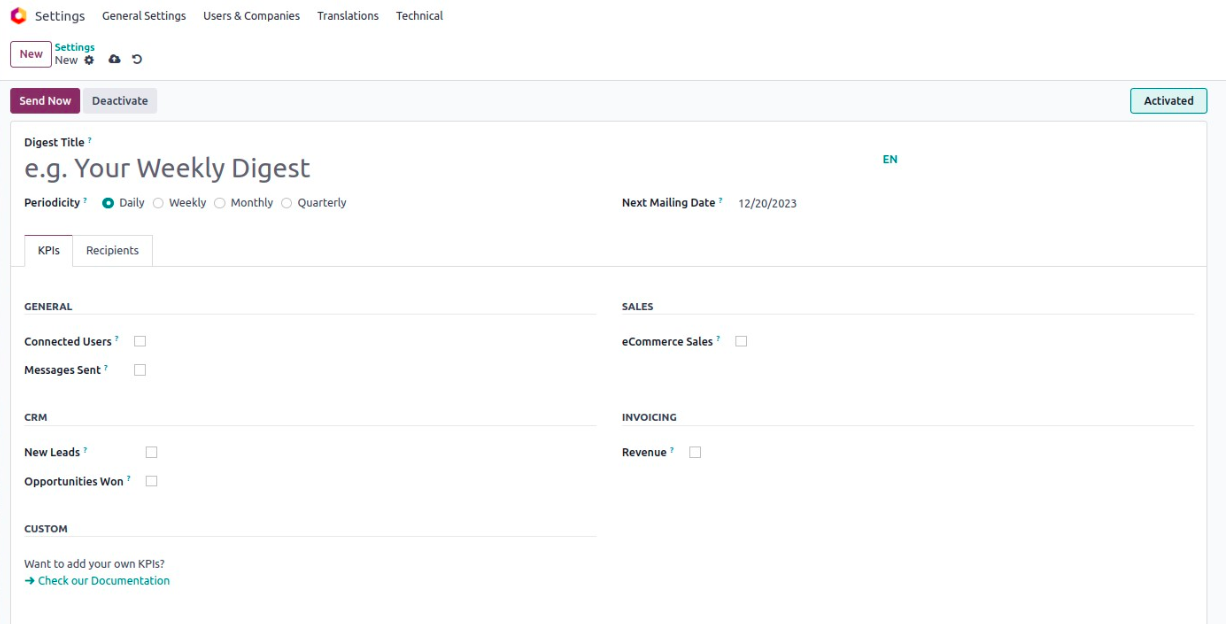
3. Create or Edit a Digest Email
Click on an existing one to edit or click “Configure Digest Emails”
to create a new one.
Inside the form, you’ll see:
- Periodicity: How often the email is sent (daily, weekly, etc.)
- Next Mailing Date: When the next email will go out
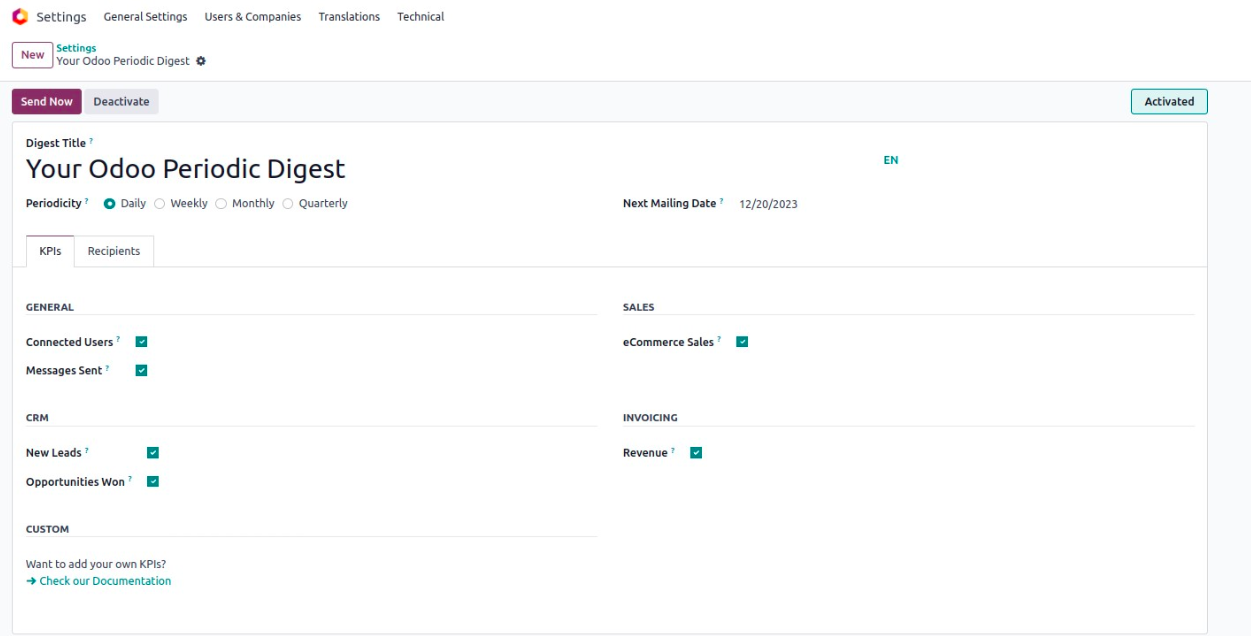
What’s Inside the Digest?
On the KPIs tab, you can choose what to include — like number of
leads, open tickets, revenue, etc.
You can turn each item on or off based on what’s important to your
team.
Who Gets the Email?
On the Recipients tab, you can add users who should receive the
email.
When Are Emails Sent?
Odoo sends digest emails using a scheduled action (background job),
which runs every day and checks whether it’s time to send each
digest.
If needed, you can go to:
- Settings > Technical > Automation > Scheduled Actions
- Then look for "Digest Email Scheduler" to change how often it
runs.