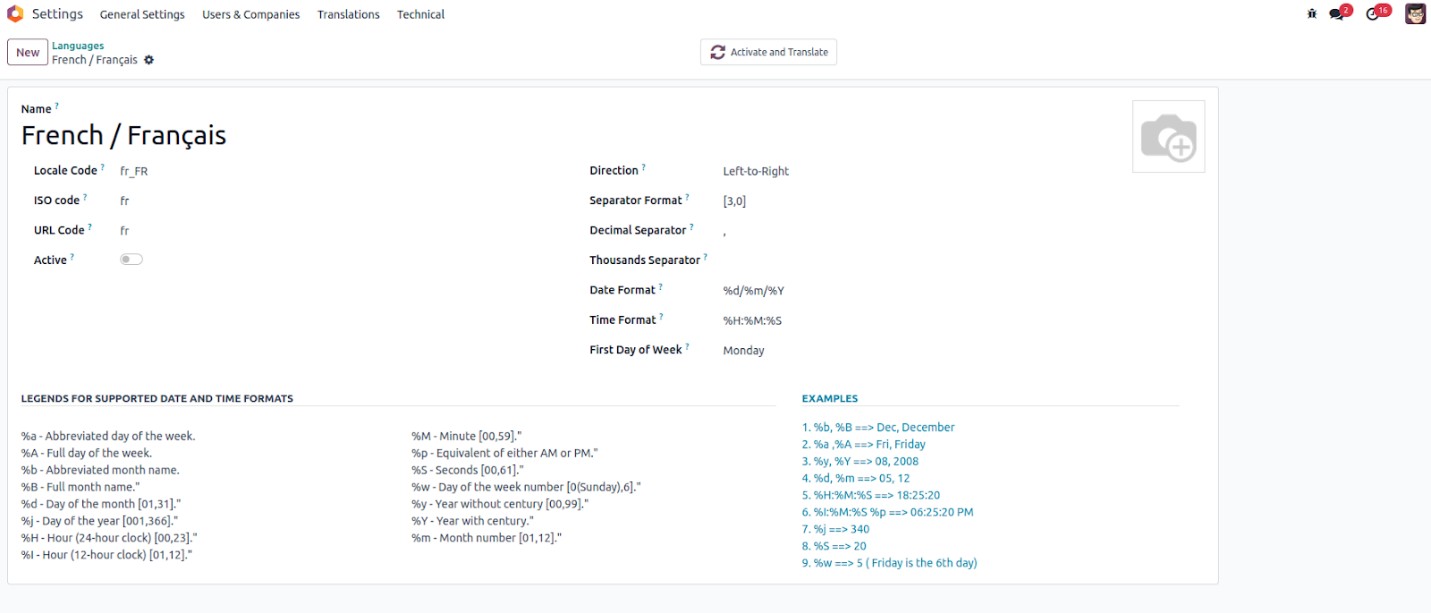
In Odoo 18, you can view the list of supported languages by
navigating to Settings → Translations → Languages.
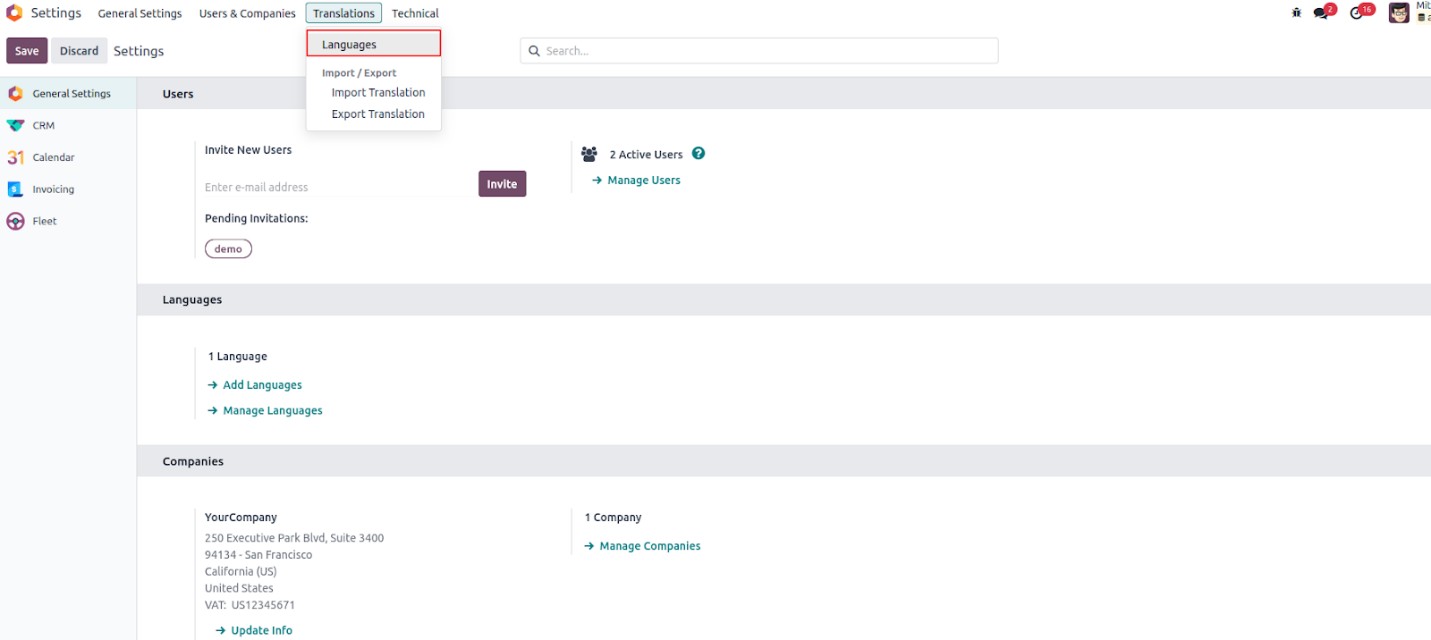
Select a language from the list to configure its settings in Odoo 18.
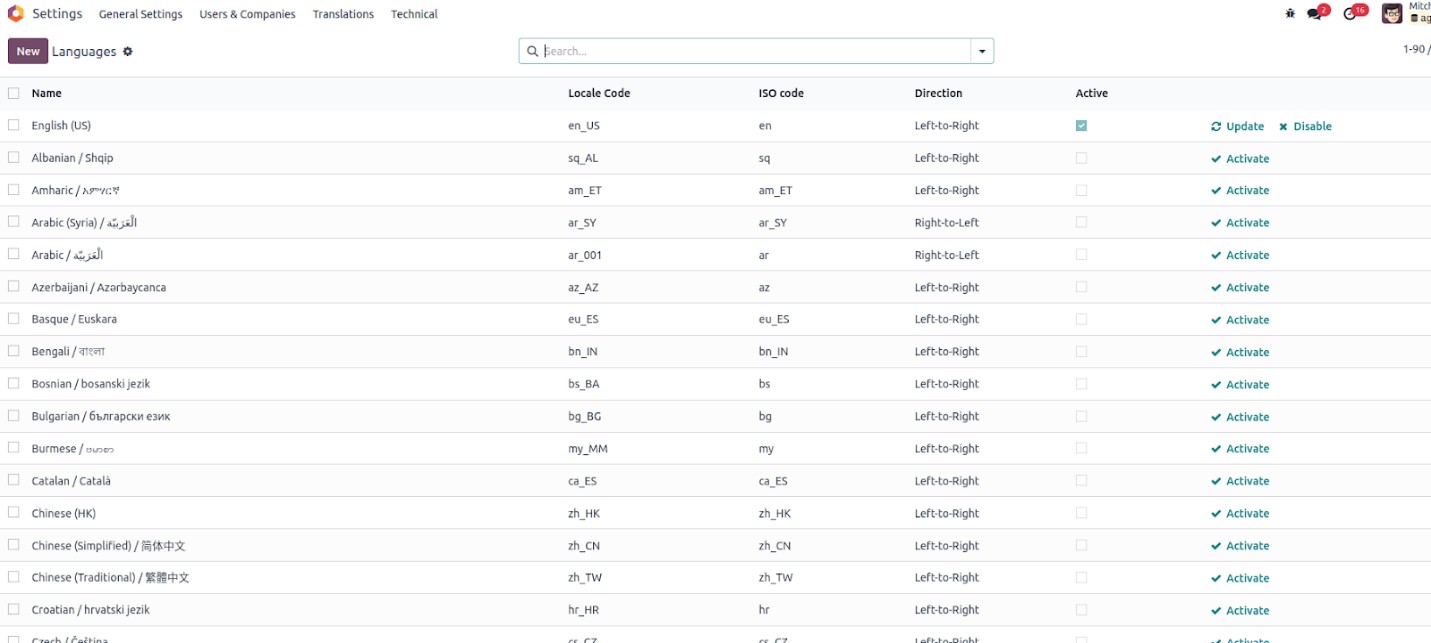
In the form view of a language in Odoo 18, you can customize various
language settings, including the language name, locale code, ISO
code, URL code, and text direction (e.g., left-to-right or
right-to-left). This interface also allows you to activate or
deactivate the selected language. Additionally, users can define
formatting preferences for numerical values by specifying the
decimal separator, thousands separator, and number format.
At the bottom of the language form, reference legends and examples
are provided to assist users in customizing date and time formats
effectively. These examples offer clarity on how different
formatting options will appear. Users also have the flexibility to
configure various date and time display formats to suit their
preferences. Additionally, there is a specific field where users can
define the first day of the week, allowing further localization
based on regional or personal preferences.