GNU gettext tools are vital for generating, managing, and utilizing
translation files. Odoo leverages gettext functions, such as the
underscore _() method, to simplify and speed up the translation
process. This method allows developers to flag specific string
literals in the code for translation according to the current
language context. To implement this in Python code, the _ function
must be imported from Odoo’s modules.
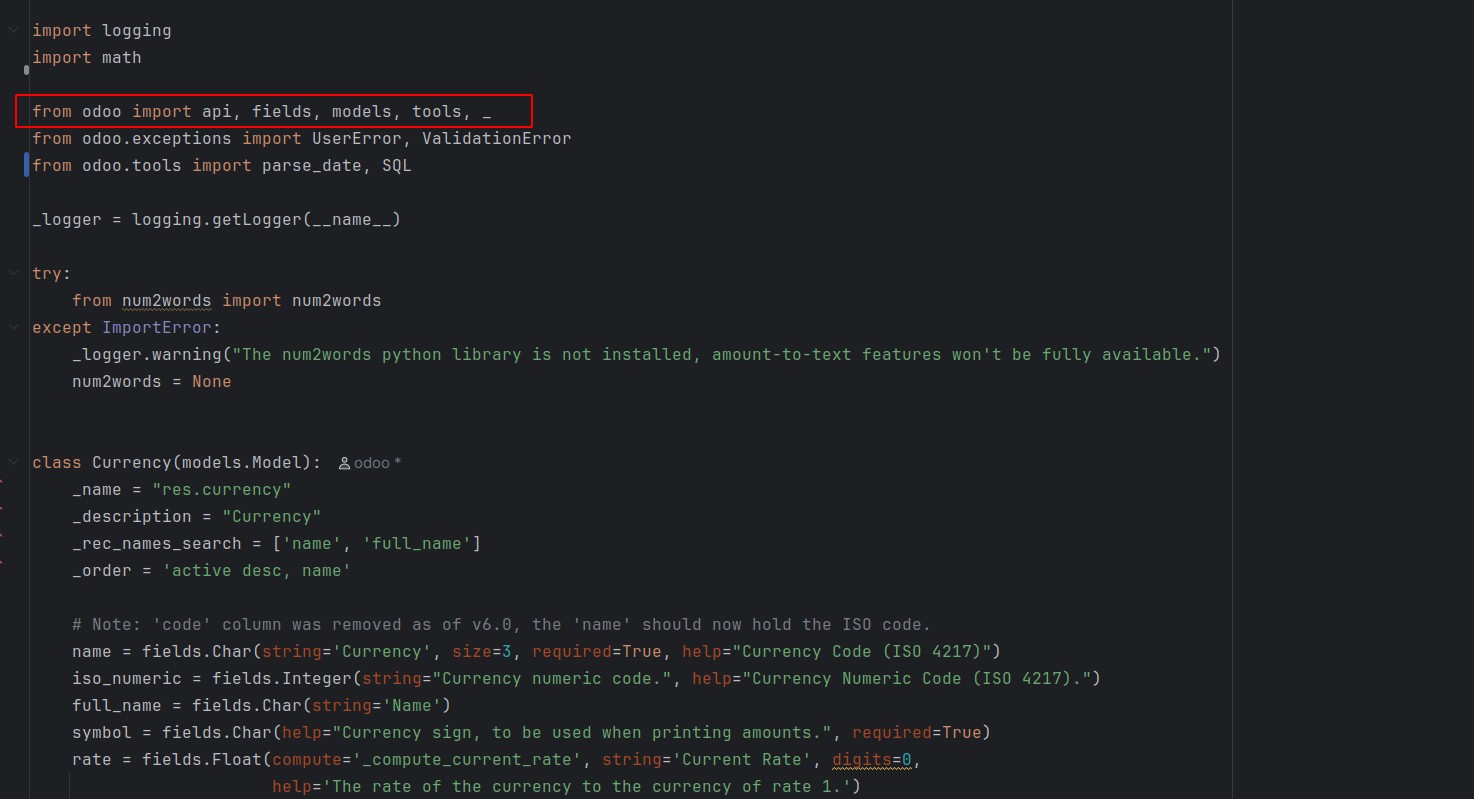
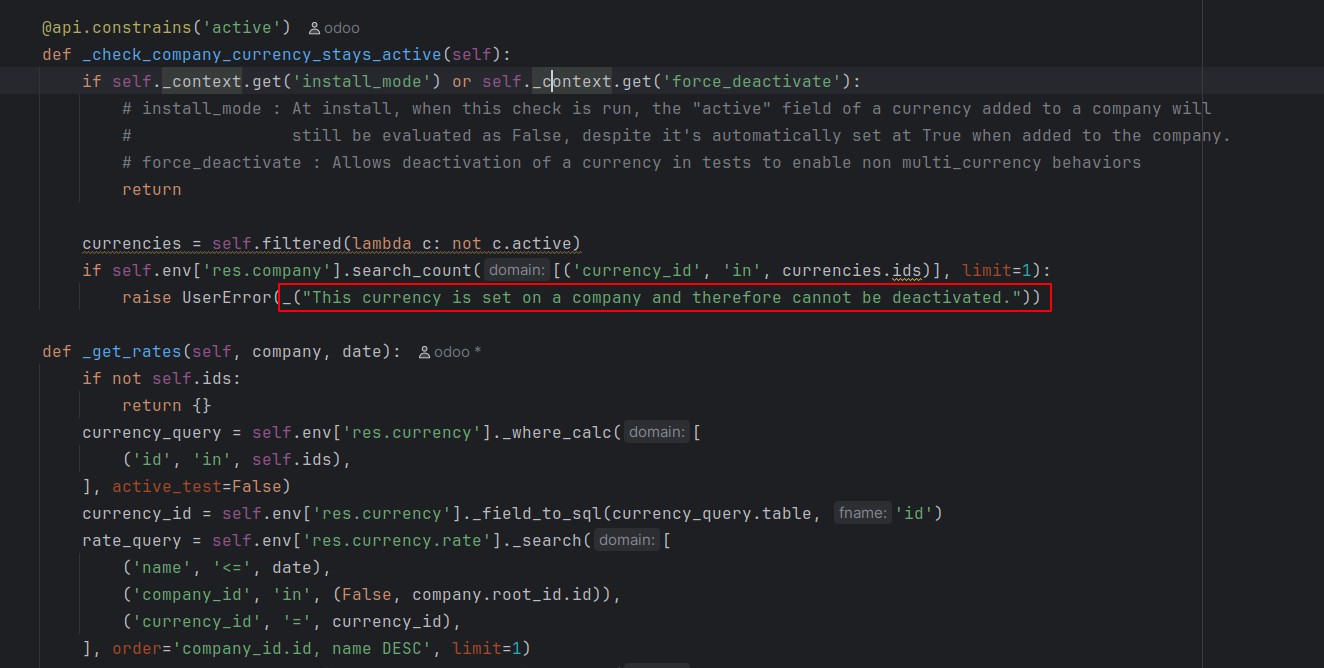
Once imported, you can enclose string literals within _(), which
ensures they are included in the translation file.
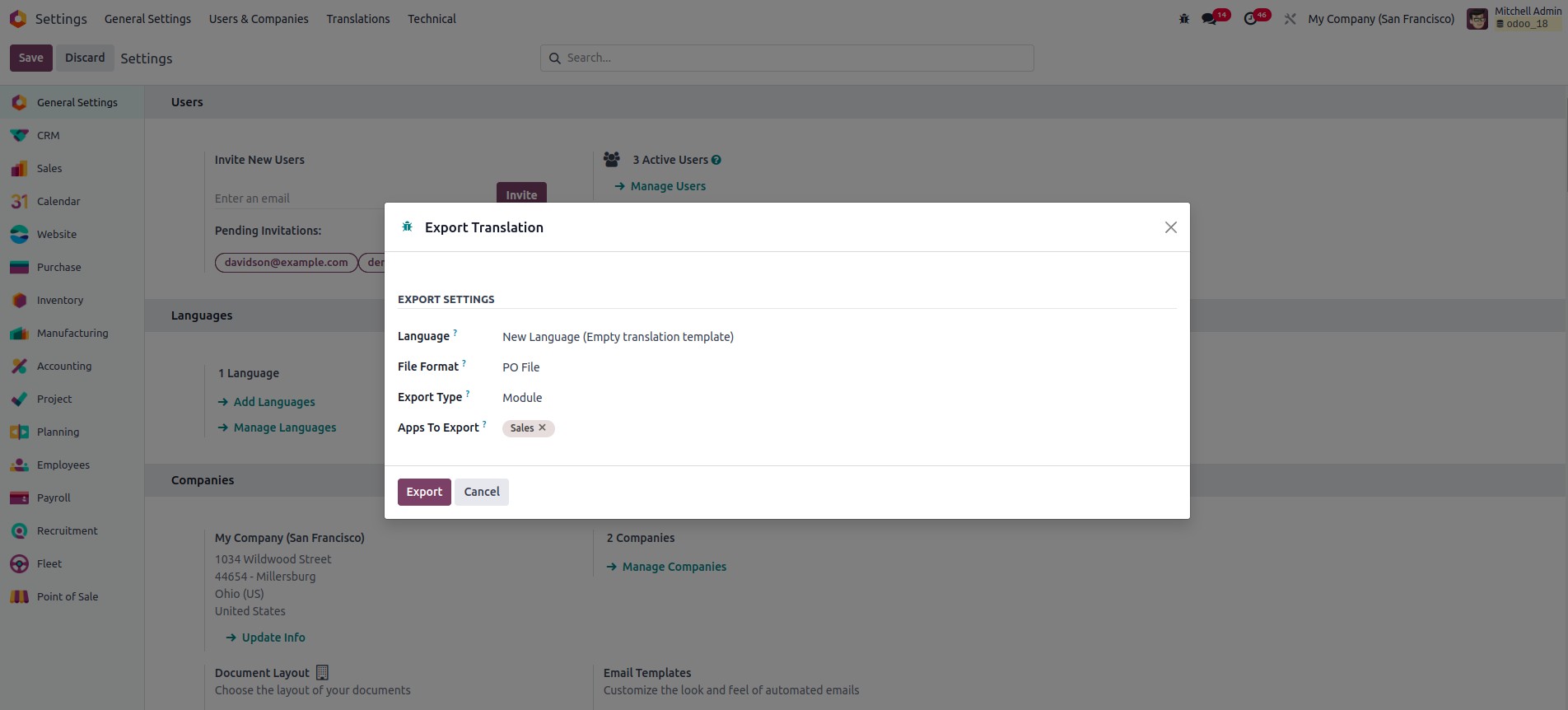
Export the translations for the selected language specific to the
corresponding module.
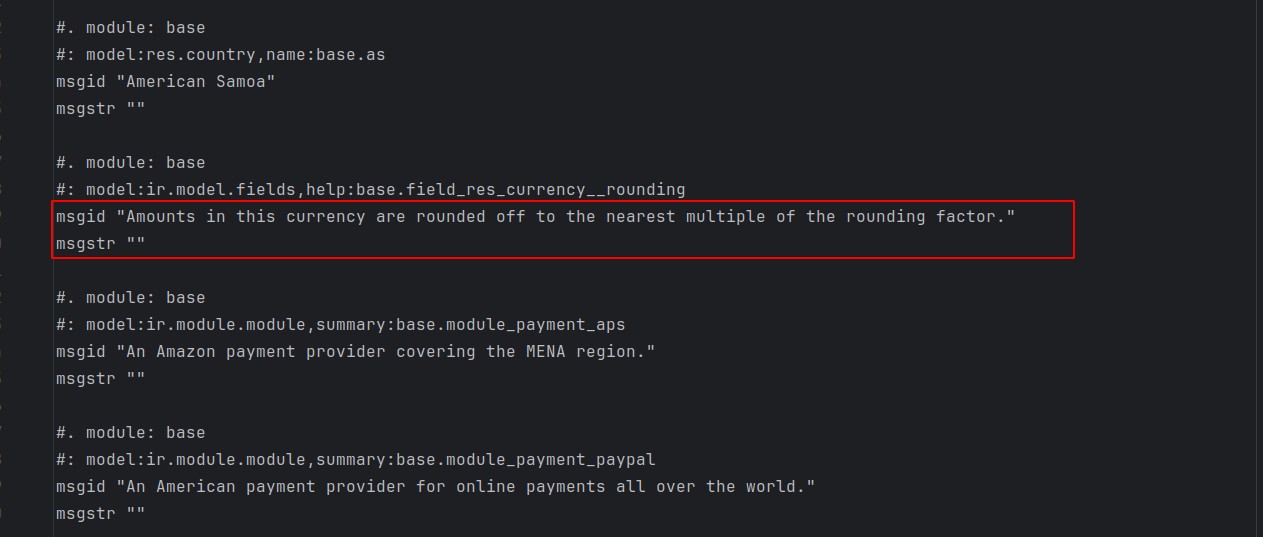
In the PO file, the string marked for translation is displayed under
msgid, and the translated version for the selected language is
entered under msgstr.
Once the translations are added, they can be integrated into the
module through two methods, one of which is by importing the
translated file.
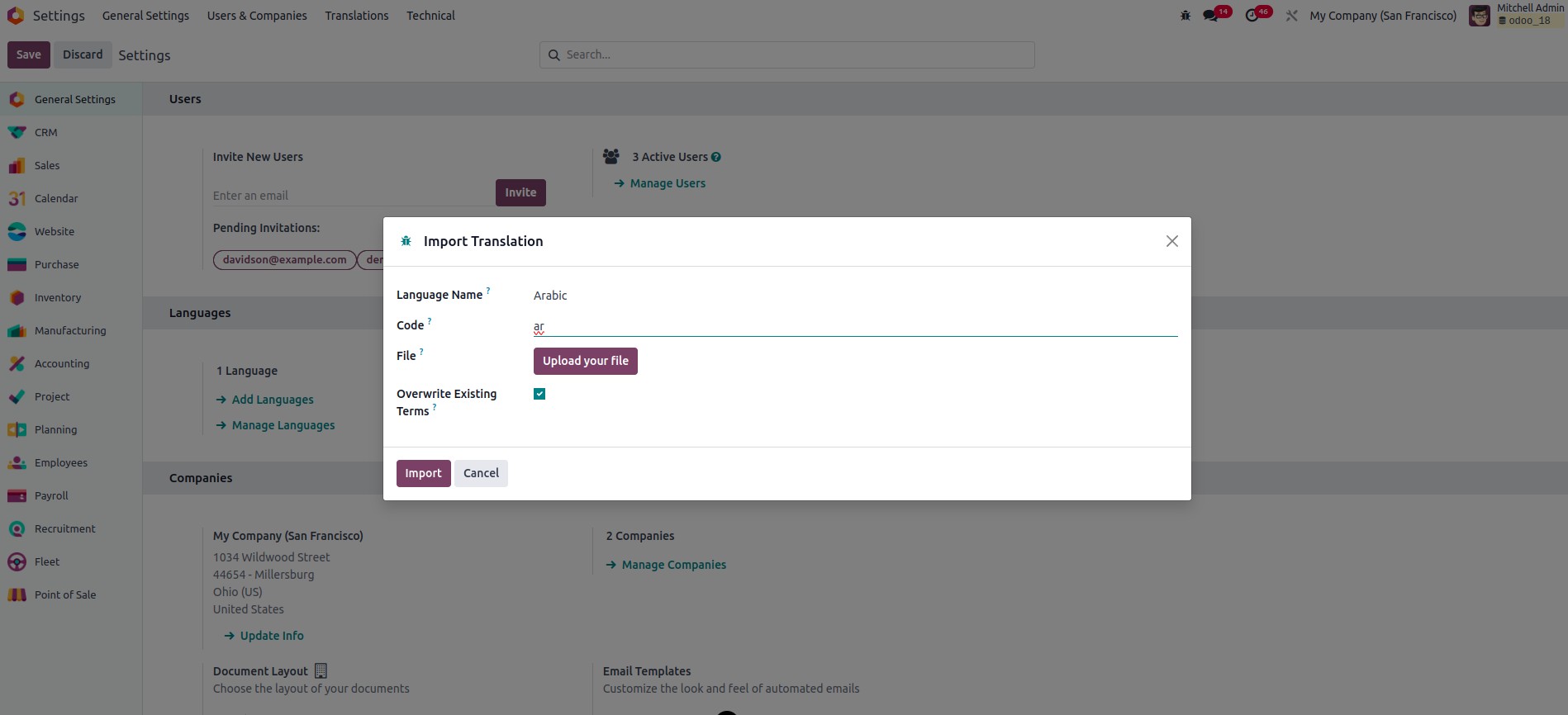
The next method is to include the translation files in the module’s
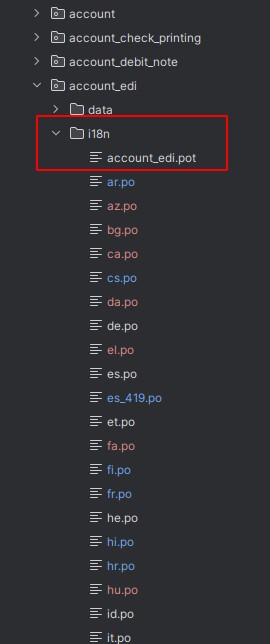
i18n directory, where Odoo will automatically detect and apply the
translations. This is particularly effective when distributing
modules or apps that support multiple languages. Translation files
should be named using the appropriate ISO language code (e.g.,
ar.po), and a template file with the module name (e.g.,
account_edi.pot) should also be placed in the same directory.
The translations will be integrated into the modules and
automatically loaded when the corresponding languages are activated.