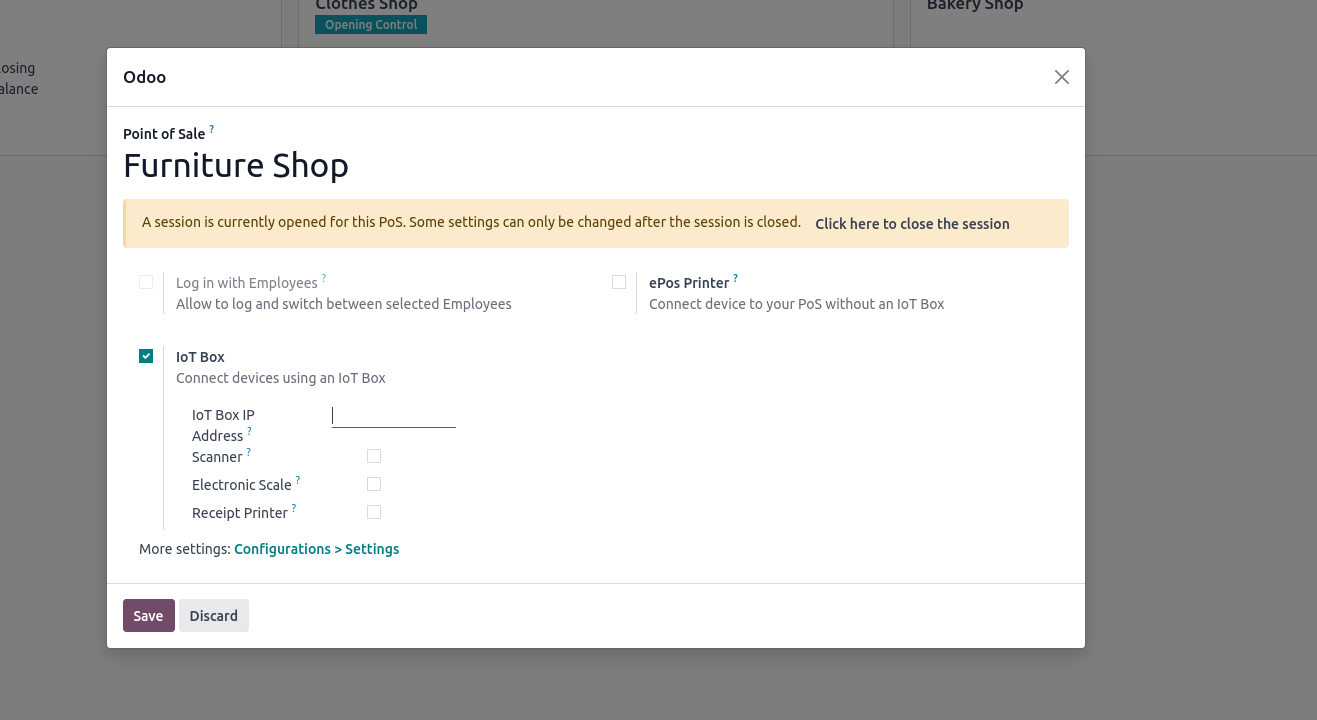
Master Odoo 17 Point of Sale with this all-in-one guide to POS setup.
Discover how to configure products, payment methods, and more to
streamline your sales process.
Then, move on to setting up the IoT Box with POS.
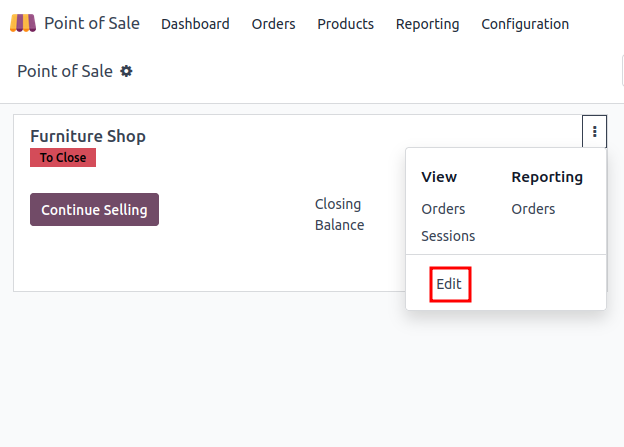
1. Open the 'Point of Sale' app and navigate to the PoS session
settings.
2.In the settings page, go to the Connected Devices section and check
the IoT Box option. Enabling it will display more configuration
settings related to the IoT Box.
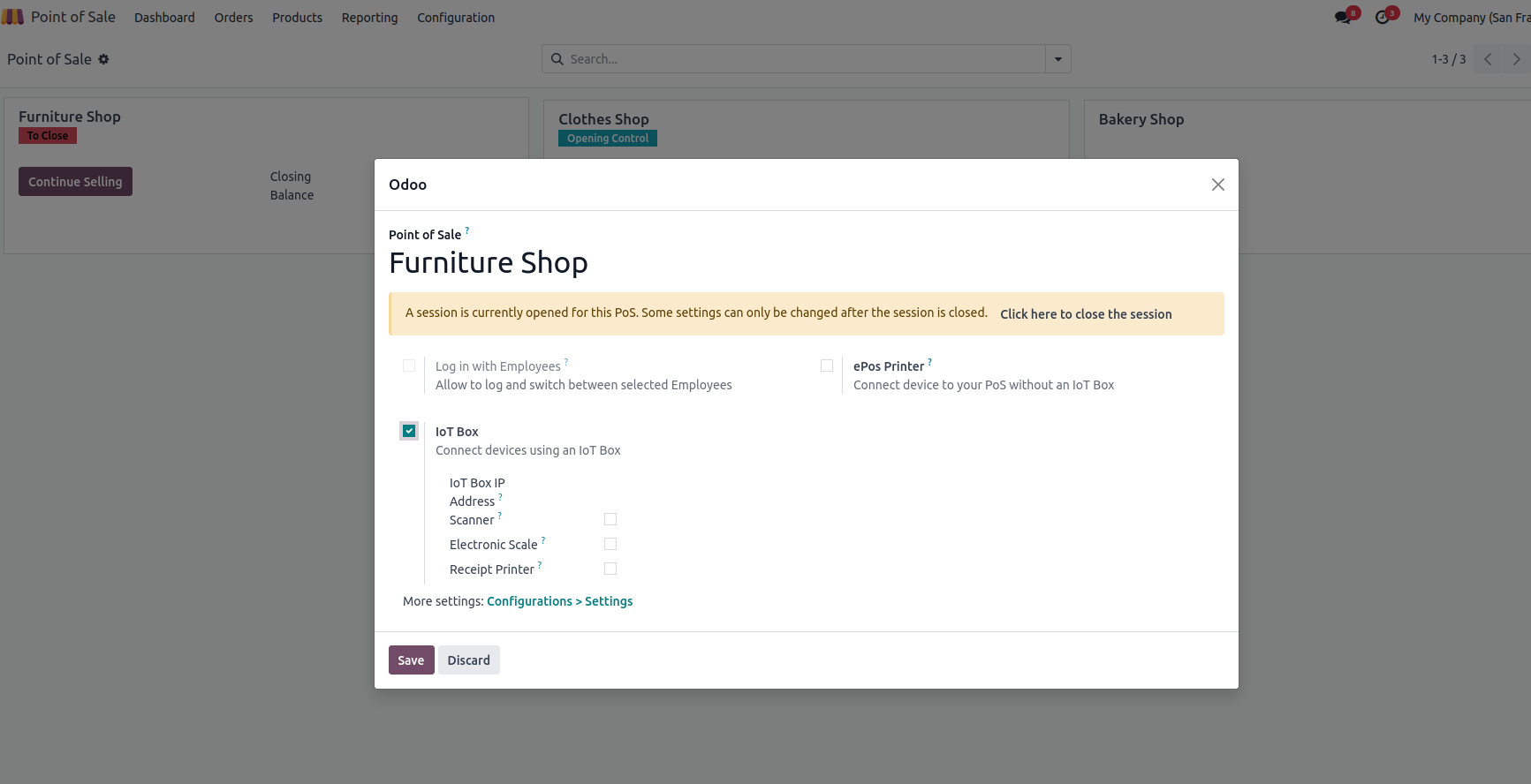
3. Next, select the relevant devices for each field, such as the
printer, barcode scanner, and other peripherals.
4. Then, click the Save button.
Once these steps are completed, the IoT Box will be ready for use in
the PoS session.
To connect hardware in the Odoo Community Edition, you must add the
IoT Box's IP address to the configuration.