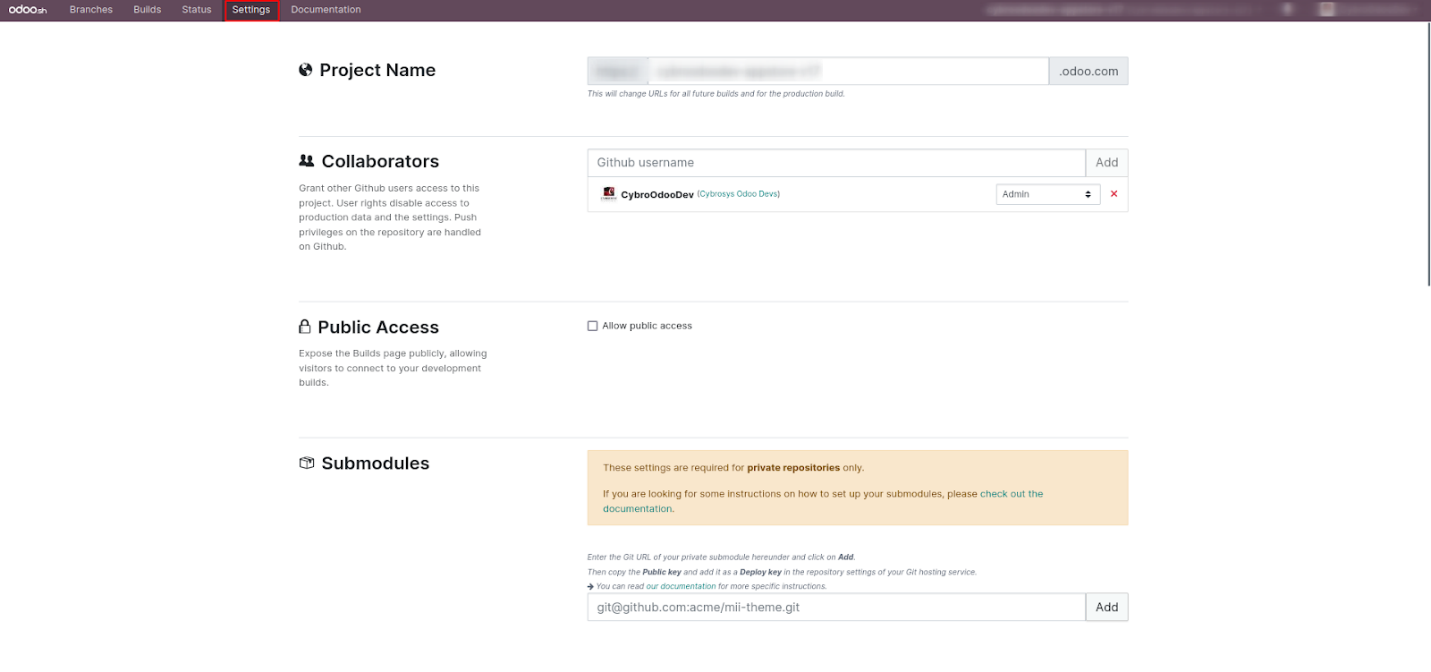
Branch Settings
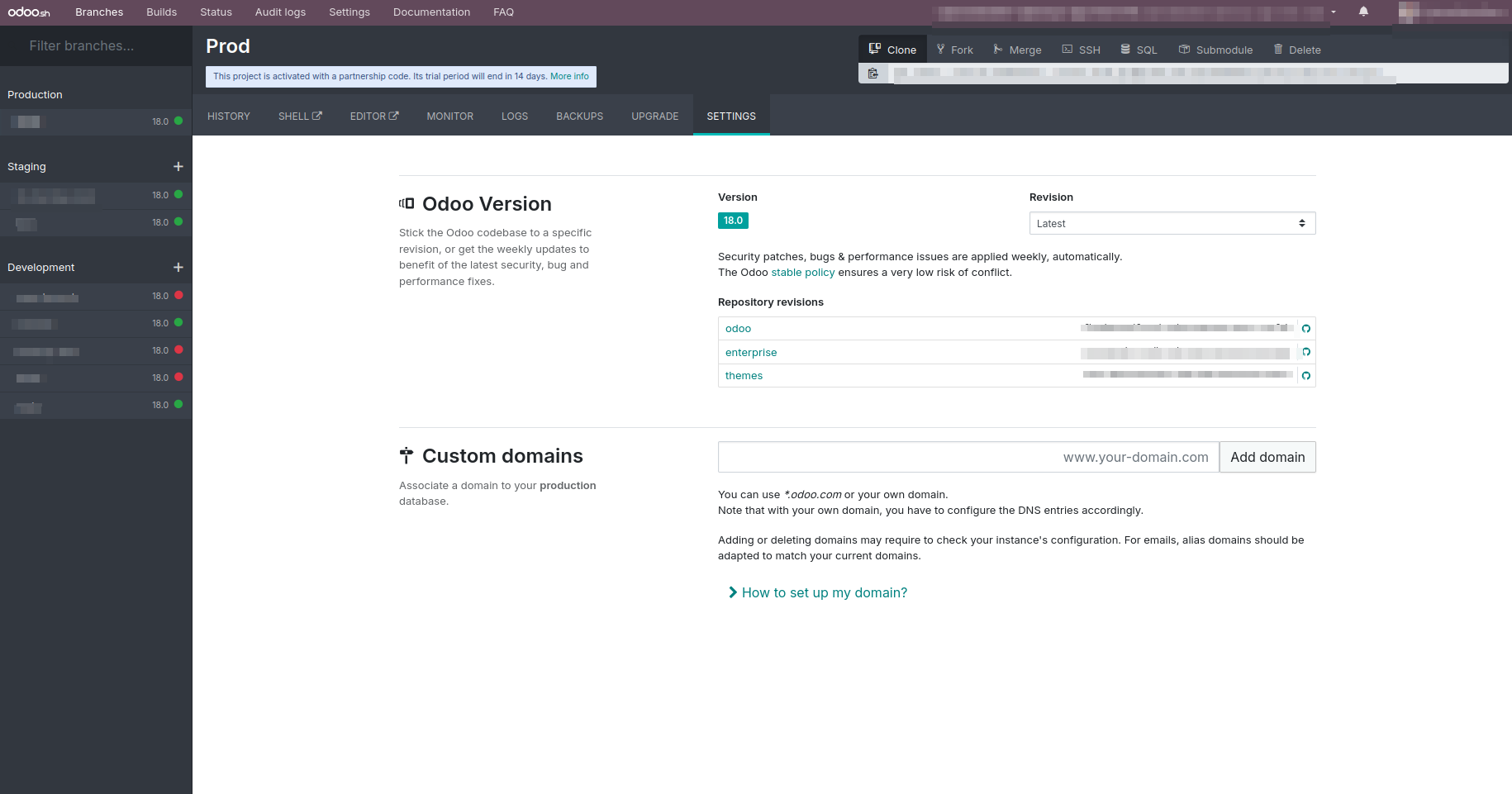
Configuration for New Commits:
This feature lets you define how builds react to new commits,
offering three options — Do Nothing, New Build, and Update the
Previous Build. By default, the staging branch is set to update the
previous build, while the development branch creates a new one. When
you drag a staging instance into development, the behavior changes
to Do Nothing.
Odoo Version:
This field specifies the version of Odoo being used. While the Odoo
version can be changed for individual builds, it remains fixed for
production builds. Any changes made to the source code are
automatically applied to the version.
Test Suites:
Test suites are automatically enabled during the development phase.
Custom Domains:
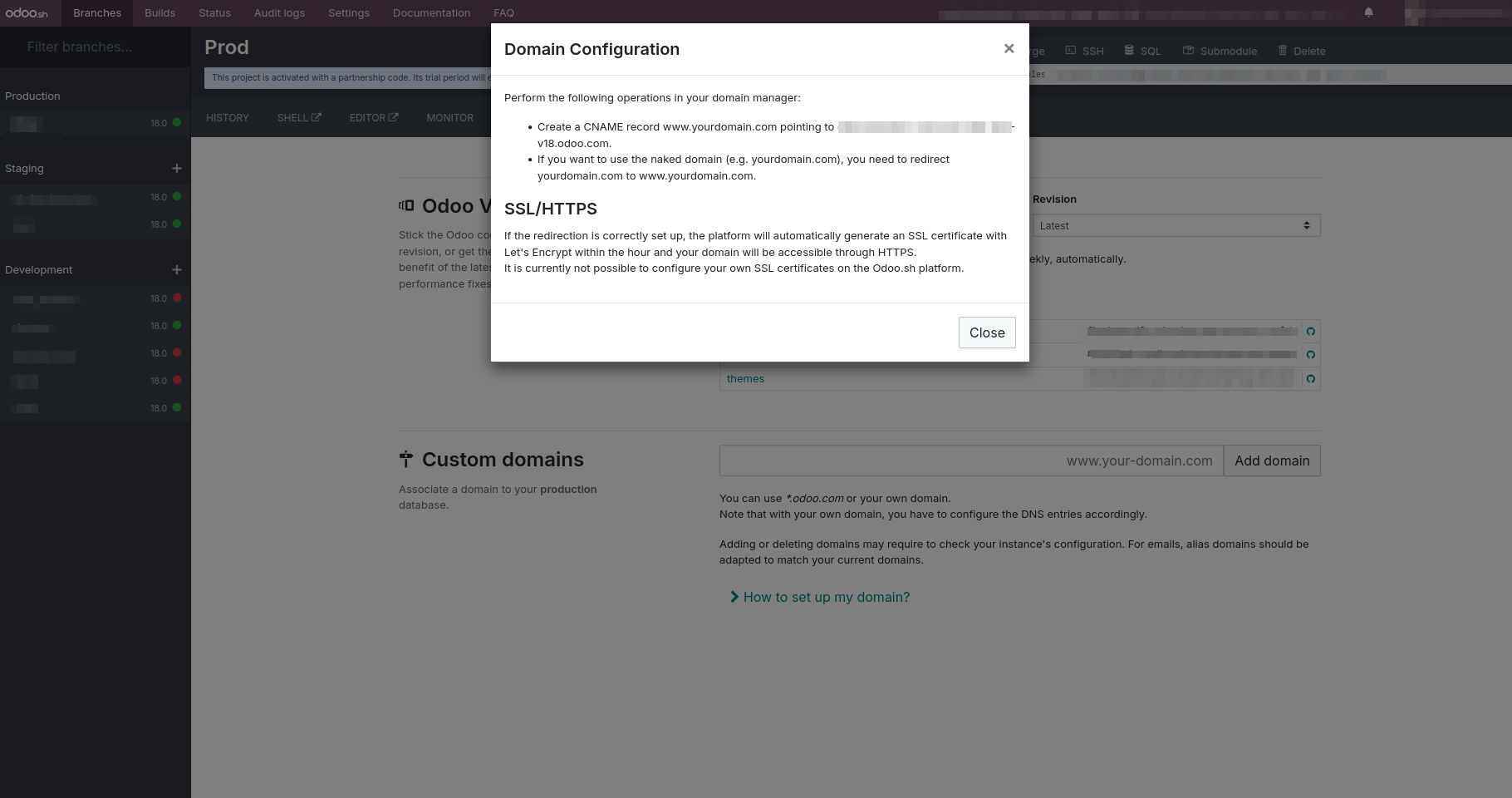
Users can configure custom domains for their instances, including the
option to use subdomains under *.odoo.com. To set up your own
domain—such as yourdomain.com—follow the instructions outlined
below:
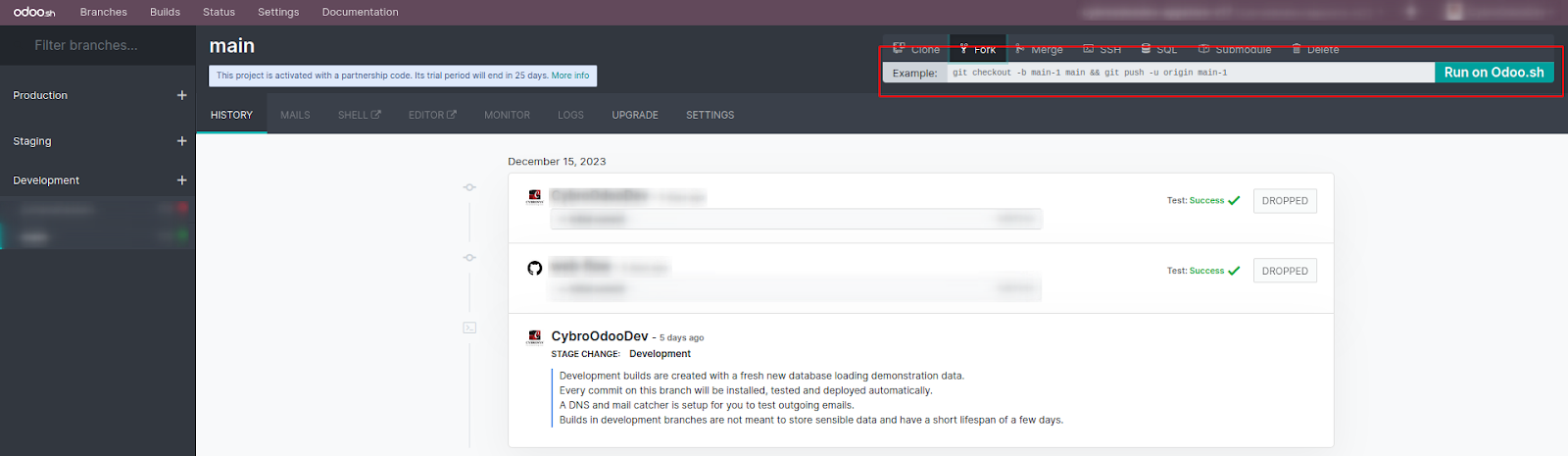
Shell Commands:
You can perform various actions—such as merge, fork, and clone—by
executing Git commands.
The Execute button, located on the right, allows you to run
commands automatically with a single click, eliminating the need for
manual input.
For certain actions like cloning, you’ll need to include specific
arguments within the Git command.
Commands can be easily copied and edited in the terminal using the
copy icon on the left side of each command.
SSH access to the build is also available, but it requires you to
first generate and save a public key in your user profile.
Once set up, you can access the build using the following command:
ssh < build_id>@< domain>
Once the public key is added, you can easily retrieve the executable
command from the top-right corner.
Submodules: When working with modules that rely on external
repositories, submodules are used. They allow you to include and
manage dependent modules within your own repository.

You can use Git commands to manage submodules from private
repositories.
Project Settings
Collaborators: Add individuals who will participate in the
project. This section serves as the authorization area for managing
collaborator access, with two main roles:
Admin: Full access to all Odoo features.
User: Limited access, with restrictions on database settings,
production, and staging environments.
Allow Public Access: Enable this option to allow visitors to
access development builds. This also allows public linking to your
project structure.
Module Installation: Settings related to module installation
are handled within the development build.
Full Installation (All Modules): Installs all submodules and
modules in the project.
Install a List of Modules: Specify and install selected
modules by listing them, separated by commas.
Production Database Size: Displays a summary of your
production database size, along with associated payment details. The
subscription dynamically adjusts based on database growth,
reflecting the current storage usage.
Database Workers :Indicates the number of active workers
assigned to handle incoming requests. Proper allocation ensures
efficient processing based on system load and usage.
Staging Branches:Specifies the number of staging branches
available. The subscription plan automatically updates based on the
number of active staging branches.
Activation: Displays the current subscription key. You can
update or modify the key if necessary.