Server actions in Odoo 18 allow you to automate operations directly
on database models. These actions can be triggered manually by
users, automatically via automation rules, or programmatically
through code. They offer flexibility for operations like updating
fields, executing Python code, sending emails, and more—all without
writing full modules.
Accessing Server Actions
To create a server action:
- Enable Developer Mode.
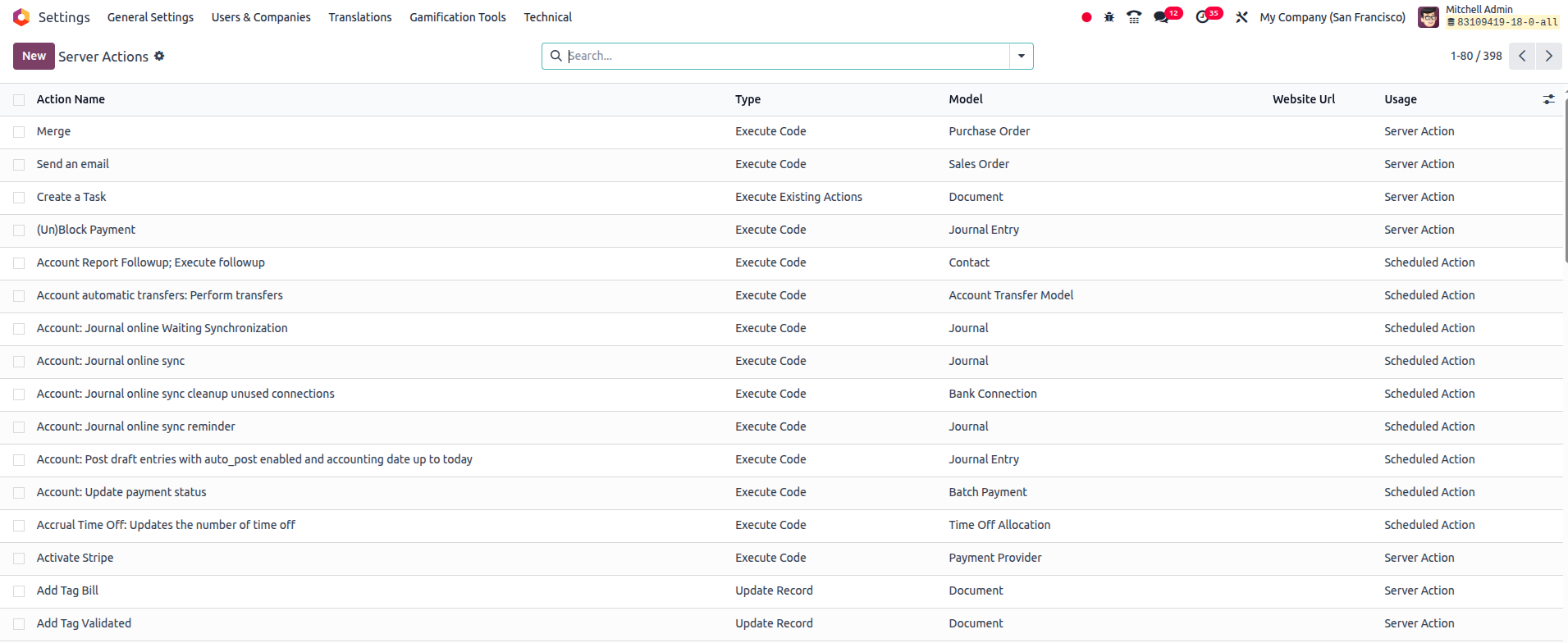
- Go to Settings > Technical > Actions > Server Actions.
You’ll see a list of existing server actions. From here, you can
create a new one.
Types of Server Actions
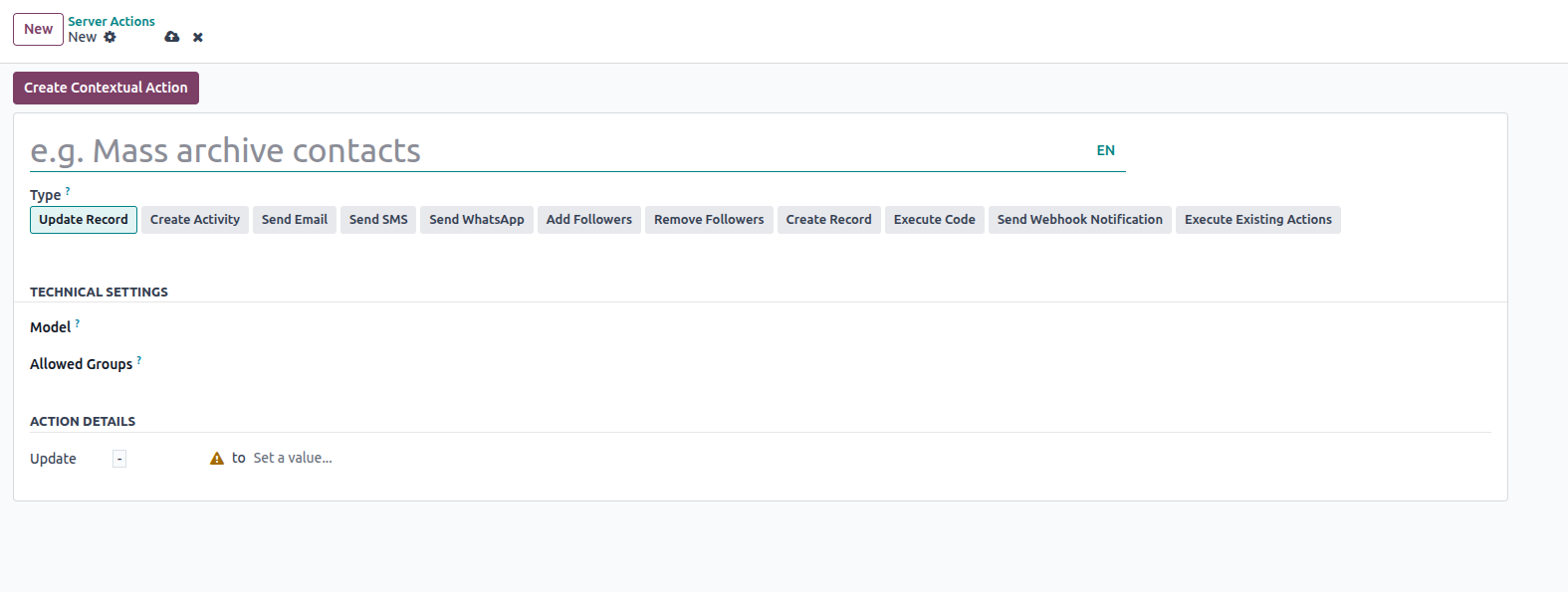
When creating a server action, you're asked to choose a model and an
action type. Below are the supported types in Odoo 18:
- 1. Update Record
- 2. Create Record
- 3. Execute Python Code
- 4. Execute Existing Actions
- 5. Send Email
- 6. Send SMS
- 7. Add Followers
- 8. Remove Followers
- 9. Create Activity
- 10. Send Webhook Notification
Each action type is designed for a specific use case.
Example: Creating a Server Action via XML
You can also define server actions through XML, useful for modules or
customizations:
<record id="action_set_salesperson" model="ir.actions.server">
  <field name="name">Set Sales Person</field>
  <field name="model_id" ref="base.model_res_partner"/>
  <field name="state">code</field>
</record>
- model_id defines the model this action operates on.
- state defines the type of action (e.g., code, object_write,
etc.).
Action Type Breakdown
1. Update Record
Used to update fields on existing records. For example, assigning a
salesperson to contacts:
- Set the action type to Update Record.
- Choose a model (like res.partner).
- In the "Action Details" section, define the field and value to
update.
Click "Create Contextual Action" to make the action available from
list or form views.

2. Create Record
Used to generate new records in a specified model. You define which
model to create and populate any necessary fields.

3. Execute Code
Lets you write Python code that will run on the records selected.

Example XML:
<field name="state">code</field>
4. Execute Existing Actions
Allows you to chain multiple existing server actions together. Ideal
for building complex flows by combining smaller actions.

XML:
<field name="state">multi</field>
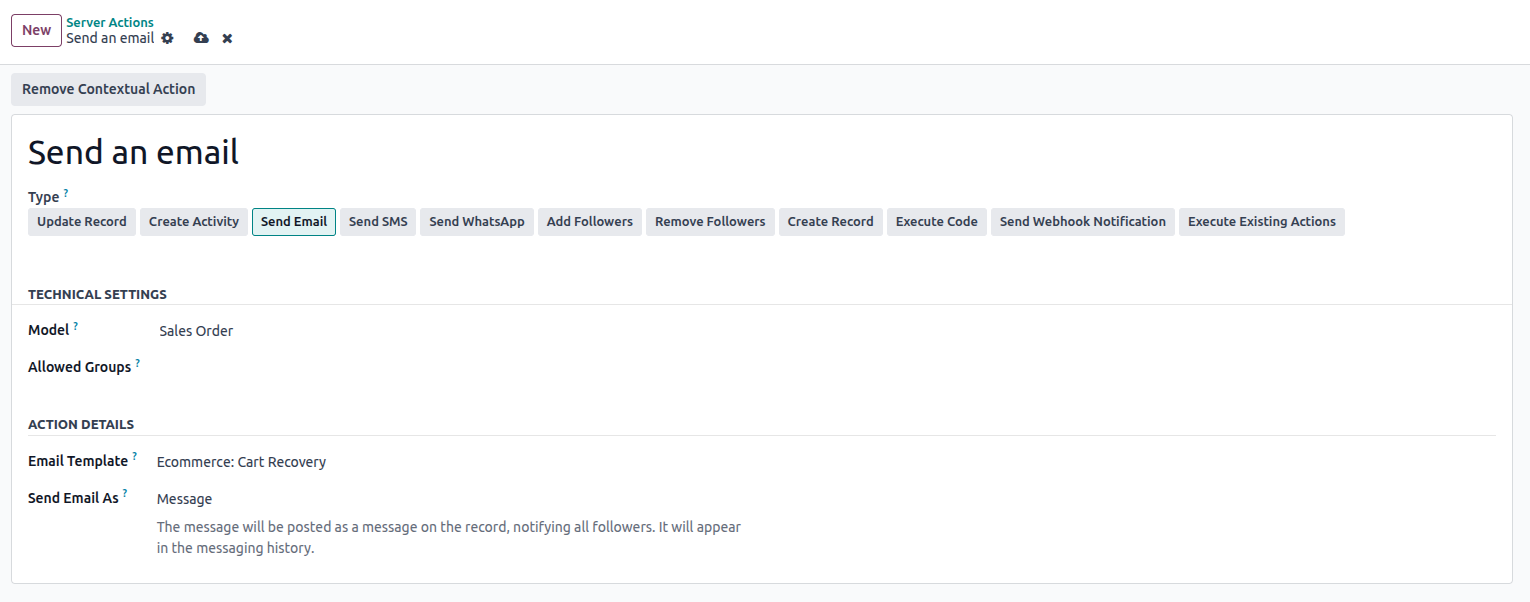
5. Send Email
Enables you to send emails from the selected record context. You can
choose whether to send as Email, Message, or Note.
XML:
<field name="state">mail_post</field>
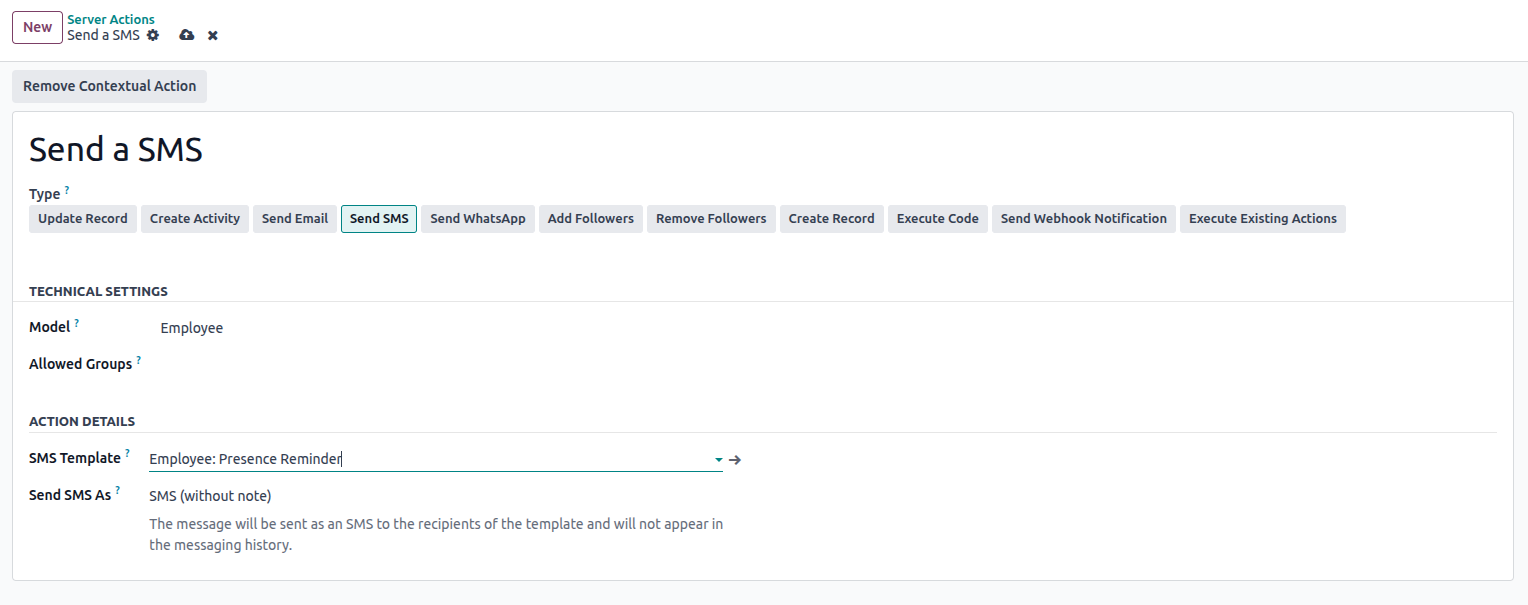
6. Send SMS
Works similarly to the email action but sends SMS notifications.
Select whether it should be just SMS, with a note, or only a note.
XML:
<field name="state">sms</field>
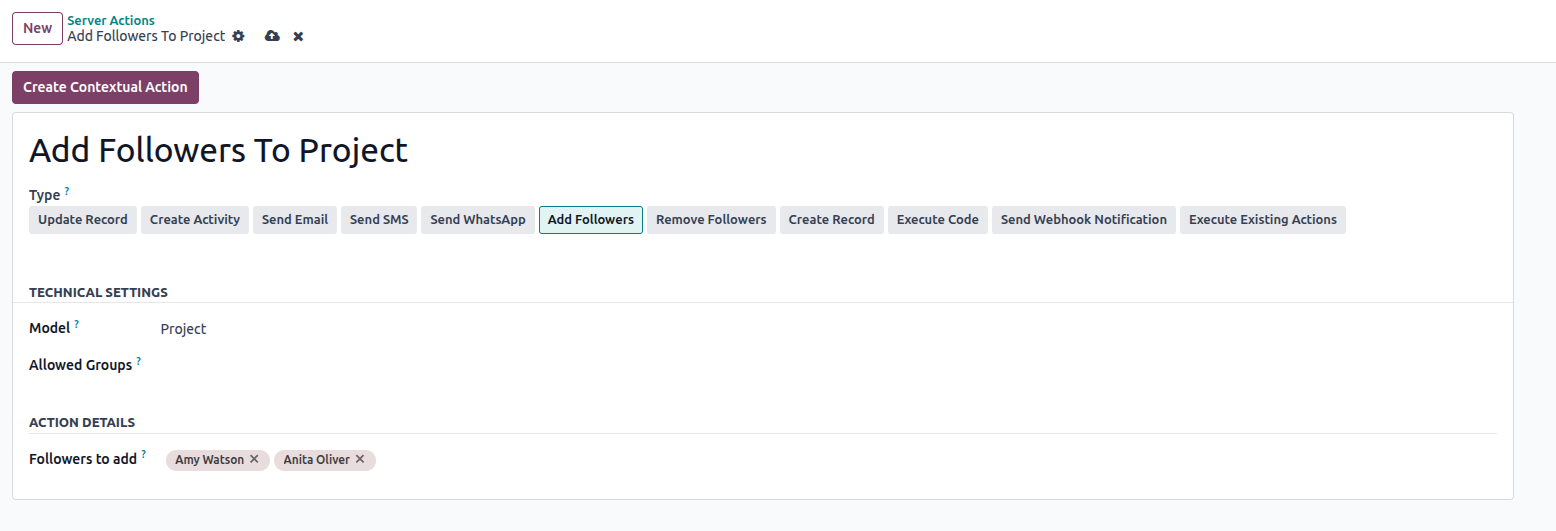
7. Add Followers
Adds specified partners as followers to the record.
- Select the target model.
- Choose partners to add.
XML:
<field name="state">followers</field>
8. Remove Followers
Removes partners from the follower list of a record.

XML:
<field name="state">remove_followers</field>
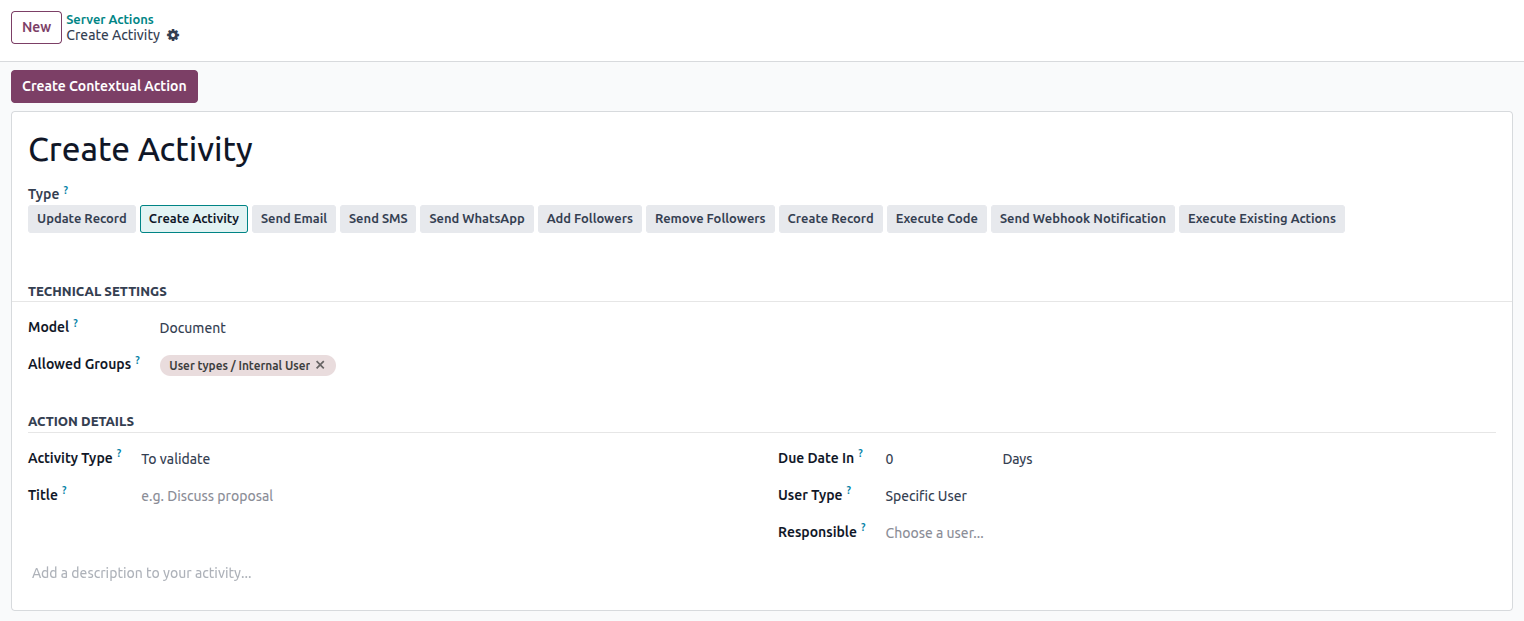
9. Create Activity
Schedules an activity (like a call, meeting, or email follow-up) for
the target record.
XML:
<field name="state">next_activity</field>
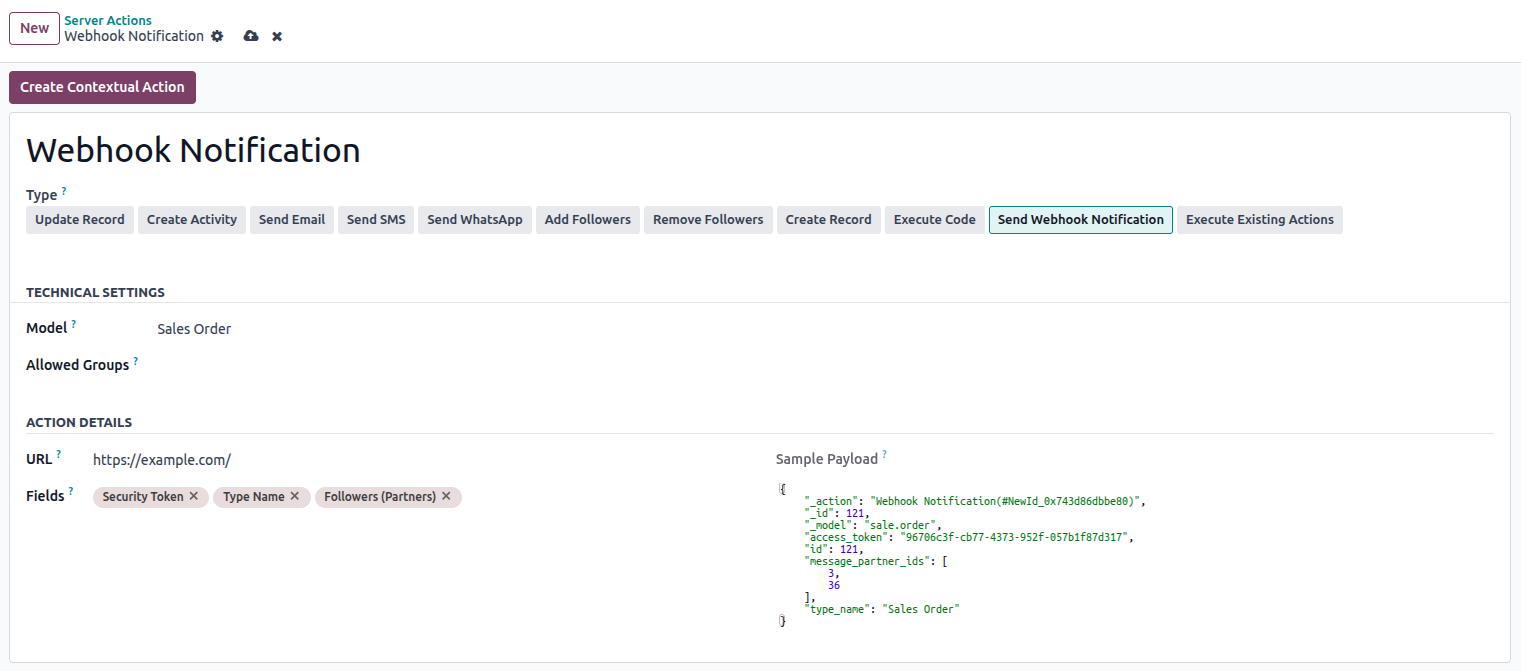
10. Send Webhook Notification
Sends a webhook (HTTP POST) to a specified endpoint. This is useful
for integrating with external systems.
- Define the URL endpoint.
- Choose which fields to send in the payload.
Odoo 18 server actions are a powerful no-code/low-code automation
tool. Whether you're looking to schedule reminders, trigger
notifications, update records, or integrate with external platforms,
server actions give you the flexibility to define business logic
within the user interface or extend it through XML and Python.