This section provides an explanation of how to modify PoS receipts.
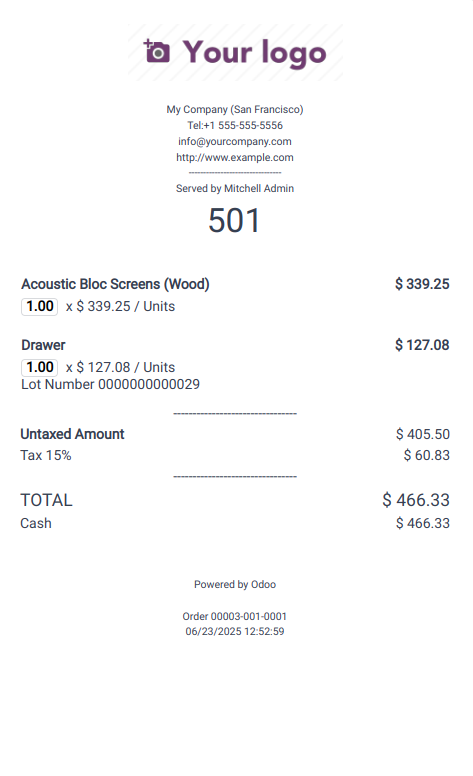
The default receipt template is used in the Point of Sale. To display
the customer's name below the cashier's name, the
getReceiptHeaderData() function must be patched in the JavaScript
file.
                       /** @odoo-module */
import { patch } from "@web/core/utils/patch";
import { PosStore } from "@point_of_sale/app/store/pos_store";
patch(PosStore.prototype, {
   getReceiptHeaderData() {
       return {
           ...super.getReceiptHeaderData(...arguments),
           partner: this.get_order().get_partner(),
       };
   },
});
Following this, the "ReceiptHeader" template should be inherited to
apply the necessary customizations.
                       <?xml version="1.0" encoding="UTF-8" ?>
<templates id="template" xml:space="preserve">
<t t-name="ReceiptHeader" t-inherit="point_of_sale.ReceiptHeader" t-inherit-mode="extension">
    <xpath expr="//div[hasclass('pos-receipt-contact')]" position="after">
        <t t-if="props.data.partner">
            <div class="pos-receipt-center-align">
                <div>Customer : <t t-esc="props.data.partner.name" /></div>
                <br />
            </div>
        </t>
    </xpath>
</t>
</templates>
Finally, we need to update the assets on the manifest file to include
the JS file and templates.
'assets': {
       'point_of_sale._assets_pos': [
           'custom_module_name/static/src/js/po_receipt.js',
           'custom_module_name/static/src/xml/order_receipt.xml'
       ]
    },
We made changes to the standard Odoo ReceiptHeader template by
inserting the customer’s name below the cashier’s name using XPath.
The customer’s name will be displayed on the receipt when a customer
is assigned to the order.
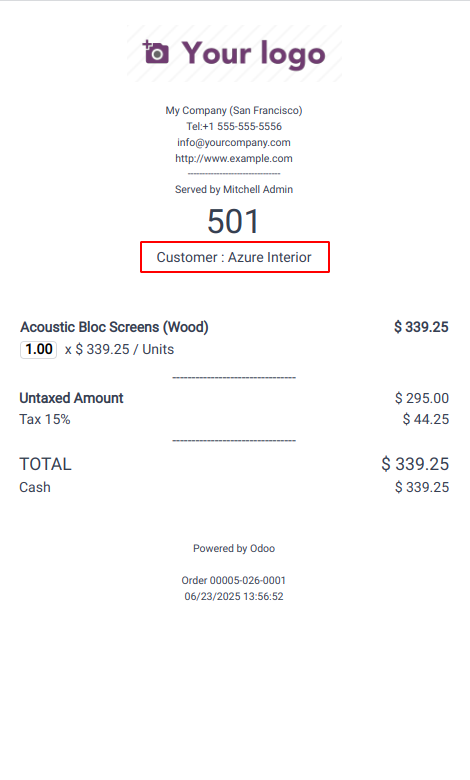
When a customer is linked to an order, their name is automatically
shown on the receipt, as the receipt environment has direct access
to customer details. However, to include additional information not
available by default, you need to override the export_for_printing()
function.
This enables you to pass custom data to the receipt environment,
which can then be utilized within the QWeb receipt template.
For example, customers earn loyalty points based on their purchases.
To reflect this, the receipt should display the number of points
earned from the current order, calculated at a rate of 2 points for
every unit of currency spent. In this case, the earned loyalty
points are calculated based on the subtotal and passed to the
receipt environment as earned_points.
/** @odoo-module */

import { Order } from "@point_of_sale/app/store/models";
import { patch } from "@web/core/utils/patch";

patch(Order.prototype, {
   export_for_printing() {
       const result = super.export_for_printing(...arguments);
       var loyalty_points = Math.floor(Math.round(result.amount_total * 2))
       result.loyalty_points = loyalty_points
       return result;
   },
});
Update the xml template.
            <?xml version="1.0" encoding="UTF-8" ?>
<templates id="template" xml:space="preserve">
  <t t-name="OrderReceipt" t-inherit="point_of_sale.OrderReceipt" t-inherit-mode="extension">
     <xpath expr="//div[hasclass('after-footer')]" position="after">
         <div style="font-weight: bold; text-align: center;">
               "You have earned <t t-esc="props.data.loyalty_points"/>
           points from this order"
       </div>
     </xpath>
   </t>
</templates>
Update the assets on the manifest file to include the JS files and
templates.
'assets': {
       'point_of_sale._assets_pos': [
           'custom_module_name/static/src/js/pos_order.js',
           'custom_module_name/static/src/xml/order_receipt.xml'
       ]
    },
The receipt layout is updated to include the customer's earned
loyalty points.
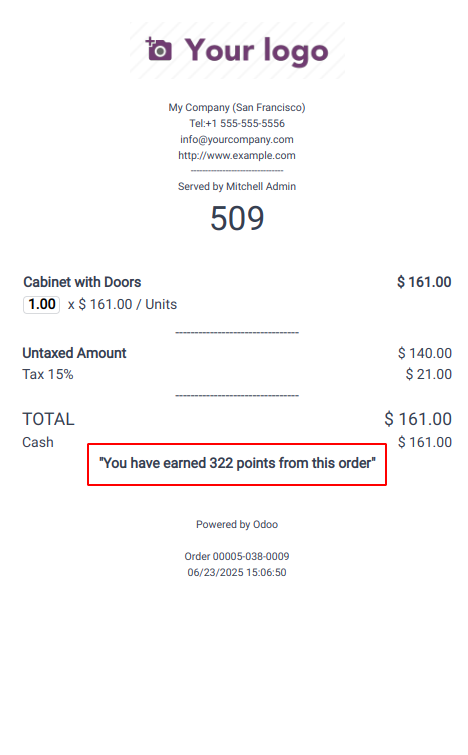
Customizing the receipt allows for a more personalized and
informative customer experience by displaying relevant details such
as loyalty points, customer information, and other order-specific
data.