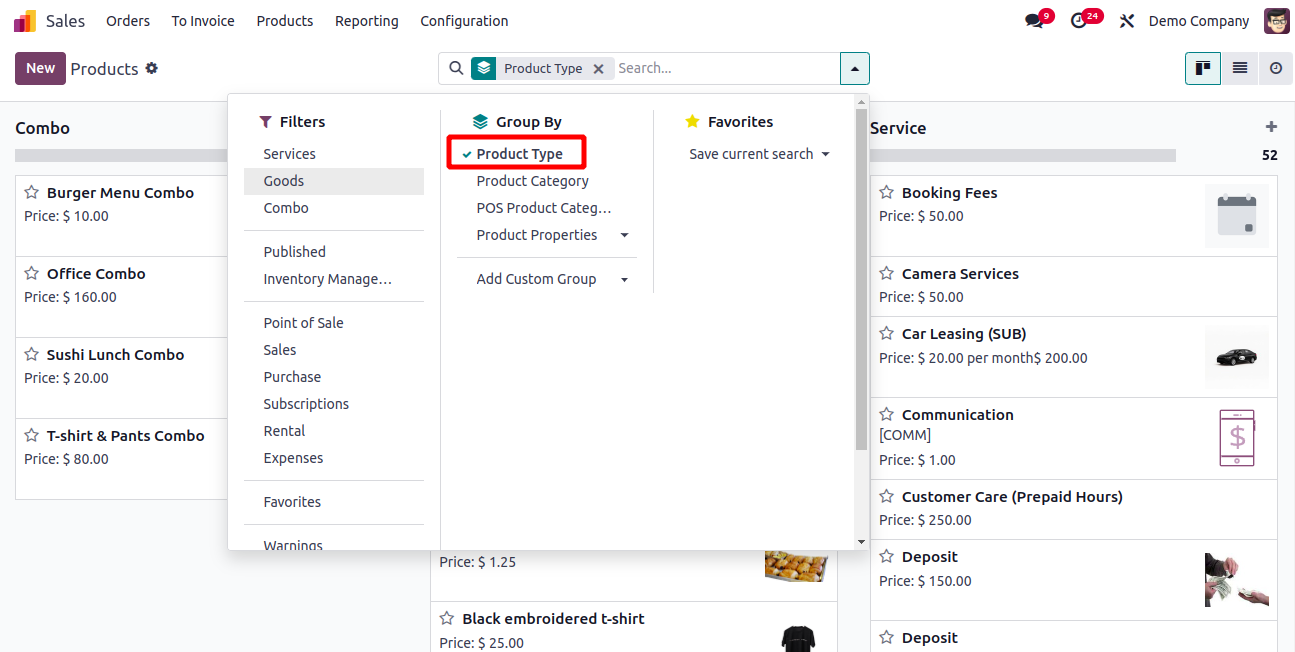
In list or kanban views, grouping records helps users quickly analyze
and categorize data. The Group By operation in the search view
allows users to group records based on specific fields, making it
easier to navigate and interpret large datasets.
Instead of manually clicking "Add Custom Group" each time, you can
predefine grouping options using the group and filter tags within
the search view XML. This makes the grouping options directly
available in the UI.
Here’s an example:
<search>
    <group expand="1" string="Group By">
        <filter string="Product Type" name="type"
            context="{'group_by': 'type'}"/>
    </group>
</search>
- group defines a group of filters under a common label.
- expand="1" means the group is expanded by default in the
UI.
- string="Group By" is the label shown in the search panel.
- The filter tag adds a group-by filter named Product Type.
context="{'group_by': 'type'} tells Odoo to group
the records by the field type.