In Odoo, the addons_path parameter defines the directories where the
system searches for modules to load.
addons/: This folder holds Odoo modules — these are feature-specific
components like CRM, Sales, Inventory, etc.
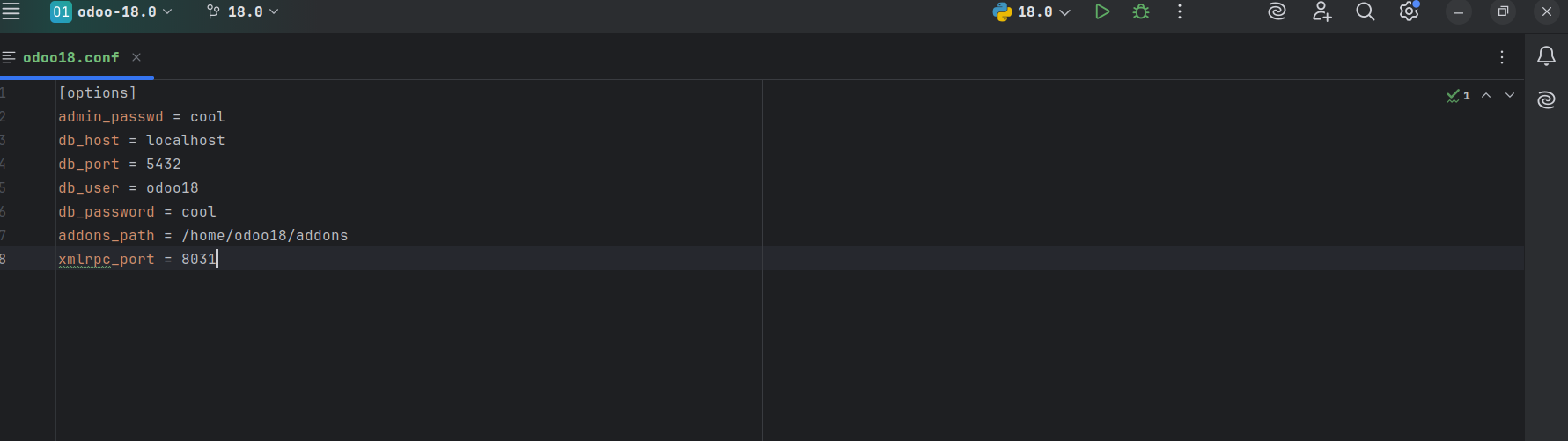
To use a new addon in Odoo, you must add the absolute path of its
directory to the addons_path parameter in the Odoo configuration
file.
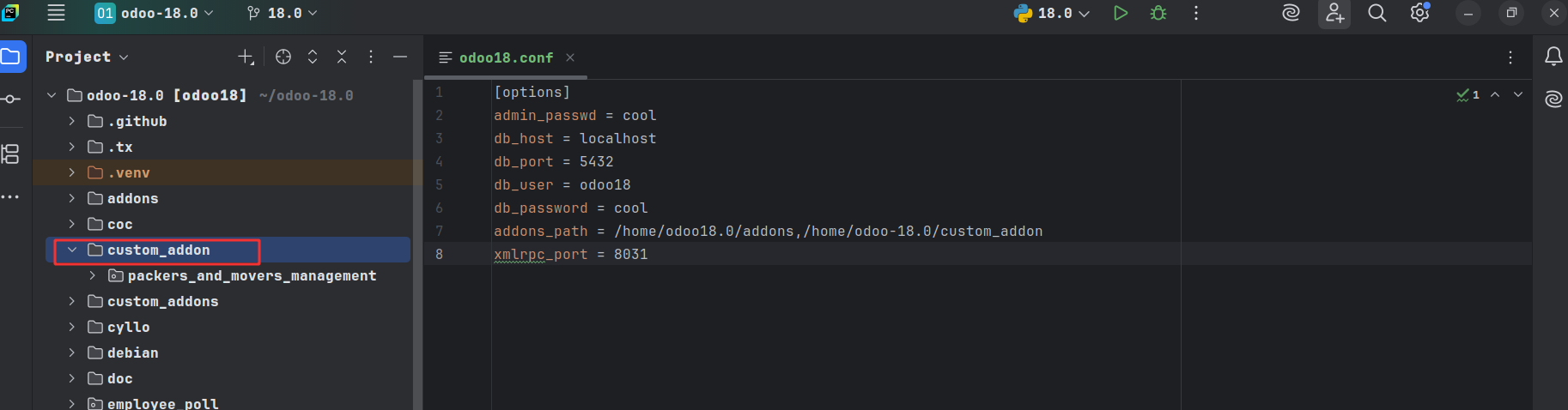
We can use the terminal to modify the addons_path in the
configuration file on the server. If the configuration file is
located at /etc/odoo.conf, it can be accessed with the command sudo
nano /etc/odoo.conf. To include custom addons located in
/opt/odoo/custom, append their path to the addons_path line along
with the existing addon directories.
E.g.: addons_path = /opt/odoo/addons, /opt/odoo/custom_addon
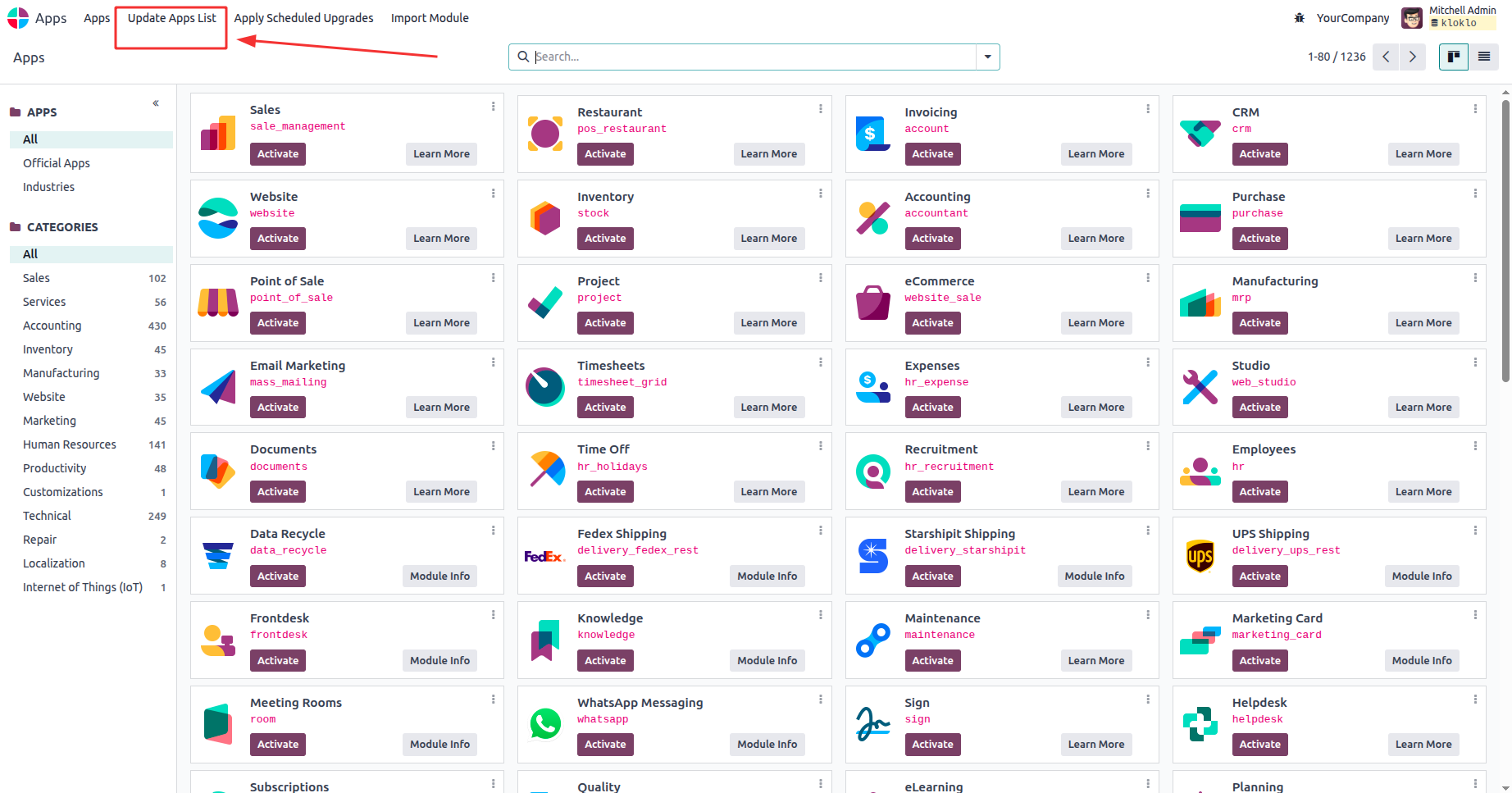
To install the recently added module, open Apps and switch to
developer mode. After activating developer mode, several additional
menus will become visible within Apps. To load the most recently
added Apps and modules, select "Update Apps List" from the menu.
Click the Activate button to begin the installation of the
app/module.
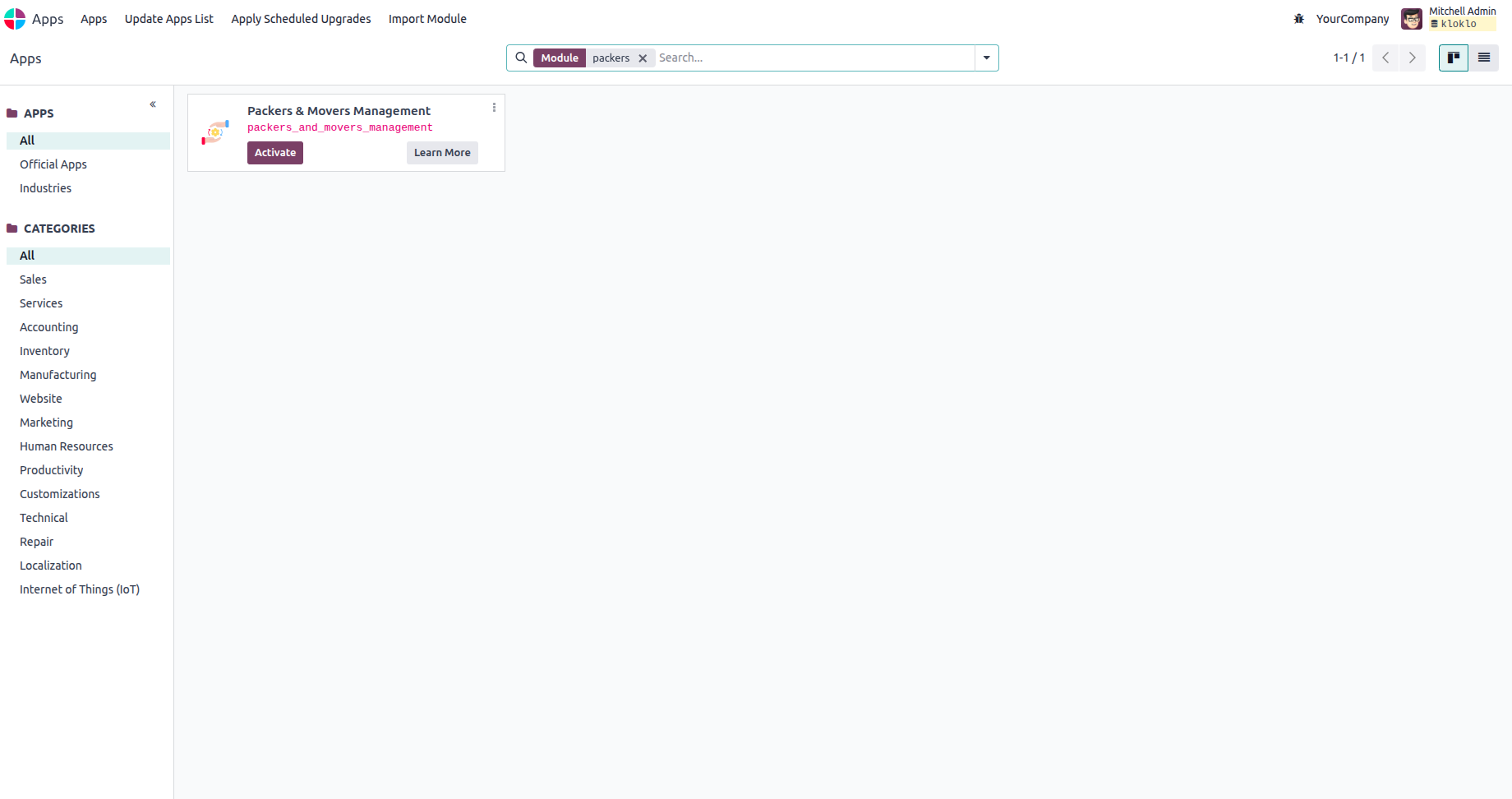
You can install the module and start using its features by clicking
the Activate button.