In advanced workflow tracking scenarios, it's often important to
monitor how long a record stays in a particular stage. Odoo 18
continues to support this functionality through the use of a mixin:
mail.tracking.duration.mixin.
This mixin enables automatic duration tracking on a Many2one field
(typically a stage/status field), storing time spent in each value
of that field as a JSON object.
To use this feature, inherit from mail.tracking.duration.mixin in
your model. This provides a computed field called duration_tracking,
which stores the time spent (in seconds) for each value of the
tracked Many2one field.
                       class MailTrackingDurationMixin(models.AbstractModel):
    _name = "mail.tracking.duration.mixin"
    _description = "Mixin to compute the time a record has spent in each value a many2one field can take"

    duration_tracking = fields.Json(
        string="Status time",
        compute="_compute_duration_tracking",
        help="JSON that maps ids from a many2one field to seconds spent"
    )
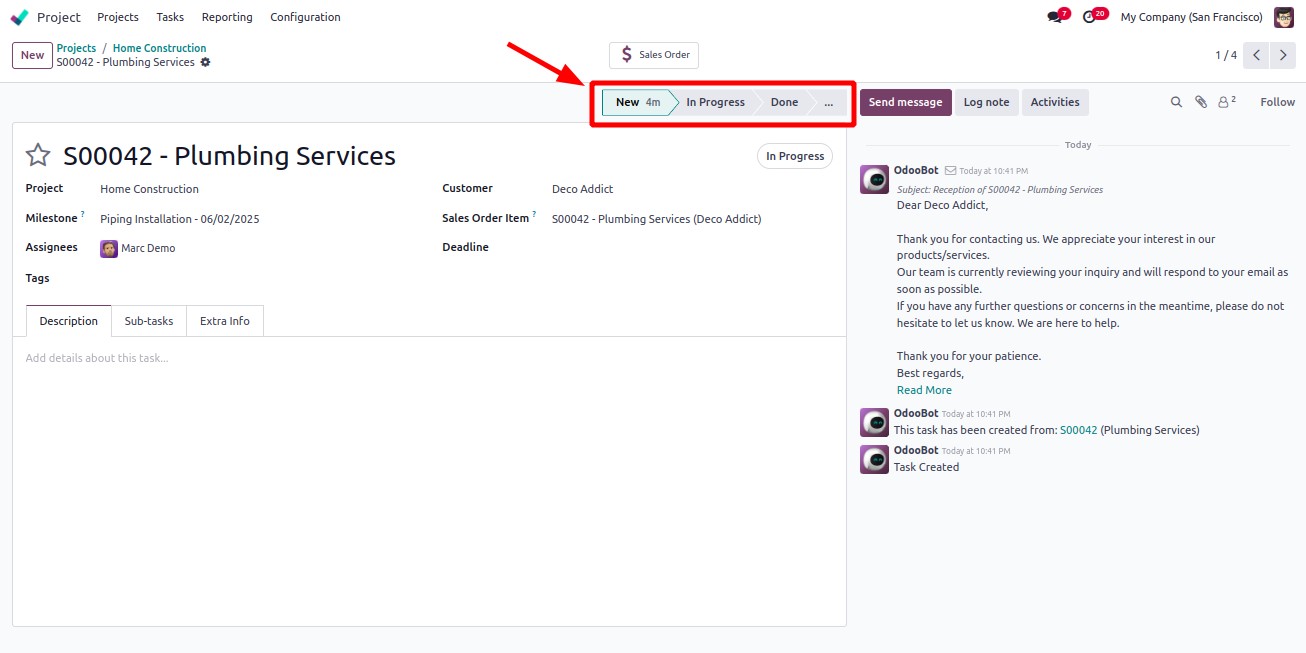
To visualize the time spent in each stage, use the statusbar_duration
widget in the form view. This widget is built to display time
metrics in the status bar alongside the stage name.
<field name="stage_id" widget="statusbar_duration" />
This enhances the user interface by making it easier to identify
process bottlenecks and time inefficiencies.