Odoo supports multiple view types such as tree, form, list, kanban,
pivot, and calendar views. Among these, the Gantt view is an
advanced visualization used for timeline planning. This view is
available only in the Enterprise edition. To use the Gantt view in a
custom module, you need to install the "web_gantt" module and
include it in the module’s manifest file.
Let’s look at an example:
                       class TrainingSession(models.Model):
   _name = "training.session"
   _inherit = ['mail.thread', 'mail.activity.mixin']
   _rec_name = 'title'

   title = fields.Char(string="Session Title", required=True, tracking=True)
   trainer_id = fields.Many2one('res.partner', string="Trainer", help="Trainer in charge")
   participant_ids = fields.Many2many('res.partner', string="Participants")
   date_start = fields.Datetime(string="Start Date", default=lambda self: fields.Datetime.now())
   date_end = fields.Datetime(string="End Date")
   location = fields.Char(string="Location")
After creating the model, we can proceed to add the menu and define
the corresponding action for it.
   <record id="action_training_session" model="ir.actions.act_window">
    <field name="name">Training Sessions</field<
    <field name="type">ir.actions.act_window</field<
    <field name="res_model">training.session</field<
    <field name="view_mode">tree,form,activity,gantt</field<
    <field name="help" type="html"<
        <p class="o_view_nocontent_smiling_face"<
            Schedule a new training session!
        </p<
    </field<
</record<
<menuitem id="menu_training_root"
          name="Training"
          sequence="10"/ >

<menuitem id="menu_training_session"
          name="Sessions"
          parent="menu_training_root"
          action="action_training_session"
          sequence="20"/ >
Now, we can configure the model to include a Gantt view.
<record id="view_training_session_gantt" model="ir.ui.view">
    <field name="name">training.session.gantt</field>
    <field name="model">training.session</field>
    <field name="arch" type="xml">
        <gantt date_start="date_start"
               date_stop="date_end"
               default_group_by="trainer_id"
               color="trainer_id">
            <field name="title"/>
            <field name="trainer_id"/>
        </gantt>
    </field>
</record>
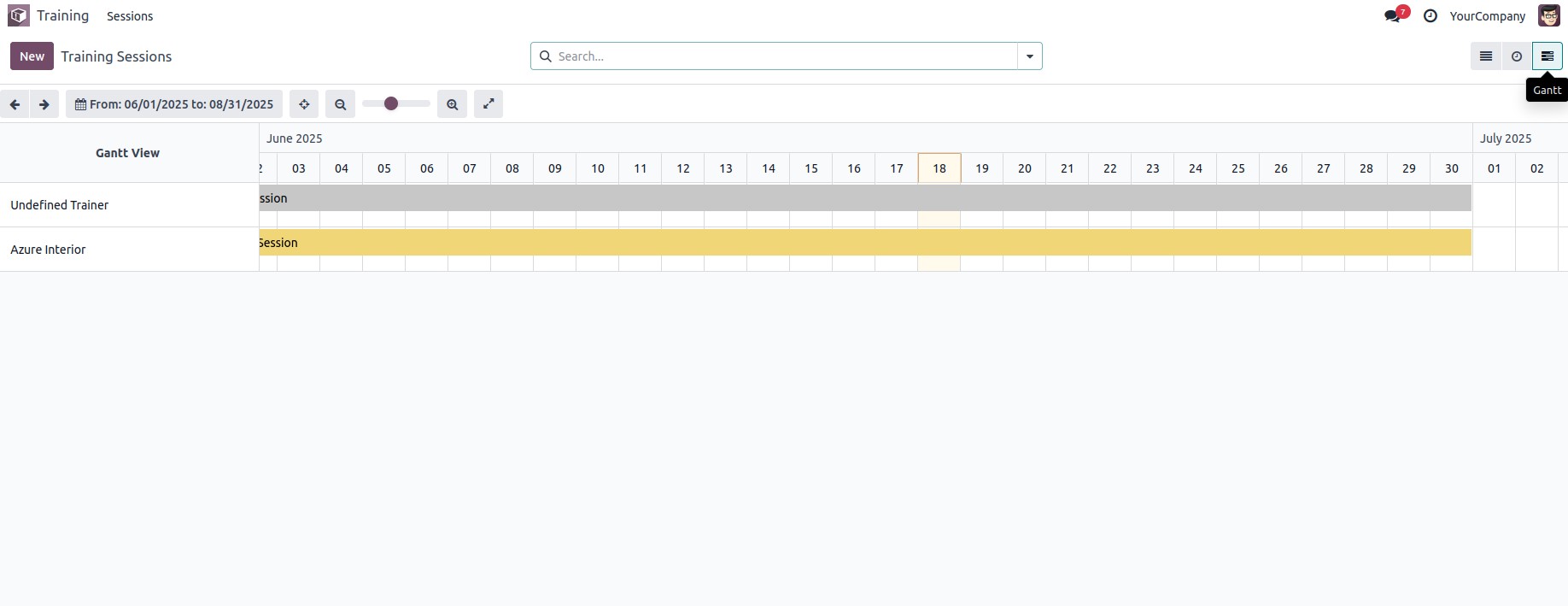
The view looks like: