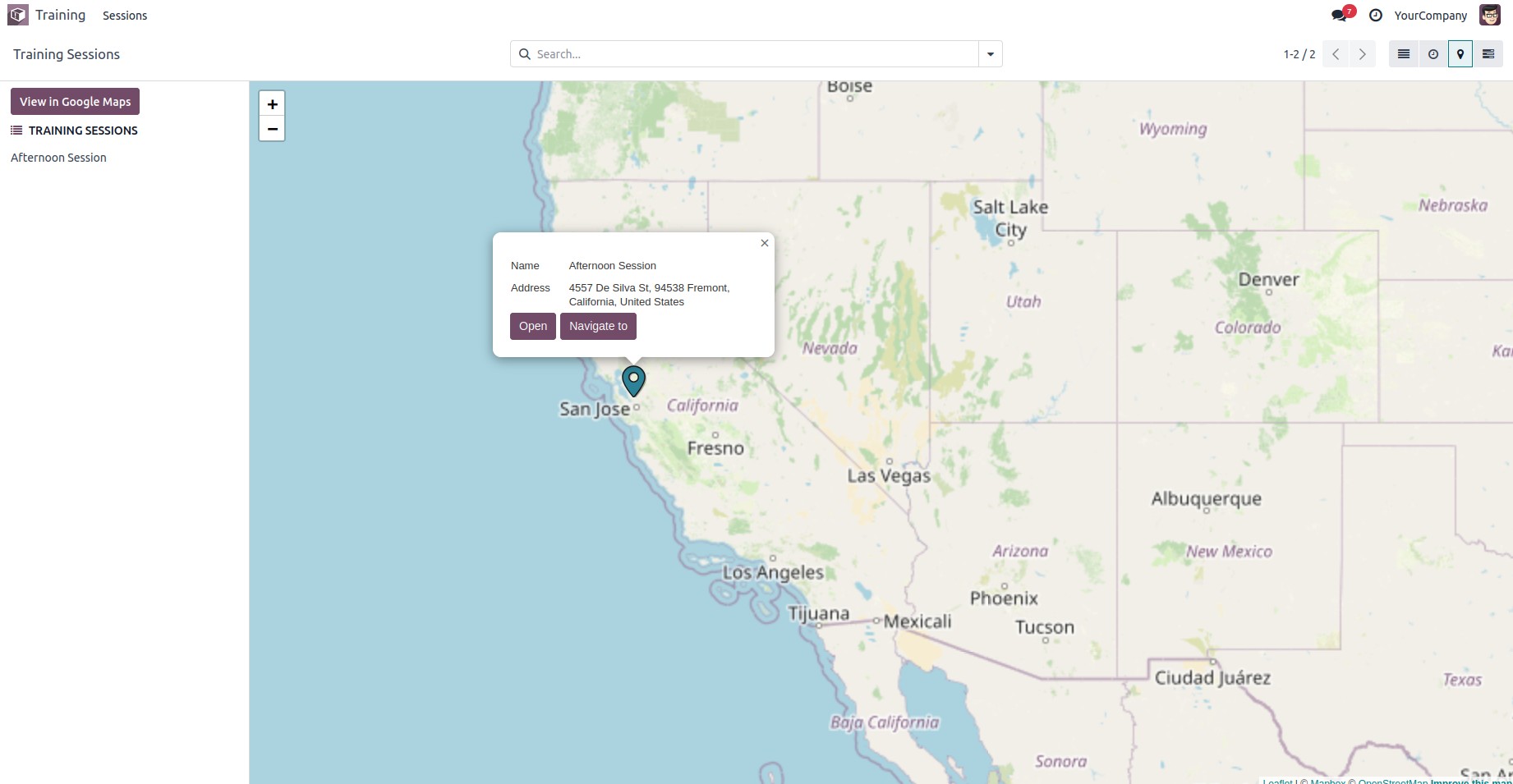
Odoo supports a Map View, which allows records to be displayed
geographically on a map. The core element used to define this view
is
Before proceeding, make sure to add 'web_map' to the depends list in
your module’s manifest file.
To begin, we first need to define the model.
class TrainingSession(models.Model):
    _name = "training.session"
    _inherit = ['mail.thread', 'mail.activity.mixin']
    _rec_name = 'title'

    title = fields.Char(string="Session Title", required=True, tracking=True)
    trainer_id = fields.Many2one('res.partner', string="Trainer", help="Trainer in charge", required=True)
    participant_ids = fields.Many2many('res.partner', string="Participants")
    date_start = fields.Datetime(string="Start Date", default=lambda self: fields.Datetime.now())
    date_end = fields.Datetime(string="End Date")
    location = fields.Char(string="Location")
The field trainer_id is a Many2one to res.partner, which is required
for the map to determine the geographic location.
You need to define an action that includes the map view as part of
the view_mode.
<record id="action_training_session" model="ir.actions.act_window">
    <field name="name">Training Sessions</field>
    <field name="type">ir.actions.act_window</field>
     <field name="res_model">training.session</field>
    <field name="view_mode">tree,form,map</field>
    <field name="help" type="html">
        <p class="o_view_nocontent_smiling_face">
            Schedule a new training session!
        </p>
    </field>
</record>
Now, configure the map view using the trainer_id field as the contact
for geolocation.
<record id="view_training_session_map" model="ir.ui.view">
    <field name="name">training.session.map</field>
    <field name="model">training.session</field>
    <field name="arch" type="xml">
        <map res_partner="trainer_id"
             default_group_by="trainer_id"
             color="trainer_id">
            <field name="title"/>
            <field name="date_start"/>
            <field name="location"/>
        </map>
    </field>
</record>
Once a record is created in this model, the map view will become
visible.