Odoo includes several view types, and the search view is unique in
its purpose. Instead of displaying all records or focusing on
individual records like form views, the search view is specifically
used to apply filters and narrow down the records shown in other
views. It helps users quickly locate relevant data without altering
the form view display
For Example:
<record id="hospital_patient_view_search" model="ir.ui.view">
   <field name="name">hospital.patient.view.search</field>
   <field name="model">hospital.patient</field>
   <field name="arch" type="xml">
       <search>
           <field name="name"/>
           <field name="email"/>
           <field name="age"/>
           <field name="phone"/>
       </search>
   </field>
</record>
The provided code defines the search view for the "hospital.patient"
model, enabling users to search using fields like name, email, age,
and phone. This setup allows efficient filtering of records based on
these specific criteria within the view.
Search Filter
In the search view, filters and grouping are essential tools used to
refine and organize records. Filters are applied using the filter
tag based on specific conditions, while grouping is implemented
through the group attribute to categorize records by a particular
field. To enhance user experience and reduce repetitive actions,
Odoo allows you to define default filters and groupings directly
within the search tag. This enables automatic application of
frequently used filters and groups, eliminating the need to manually
select "Add Custom Filter" or "Add Custom Group" each time.
<record id="hospital_patient_view_search" model="ir.ui.view">
  <field name="name">hospital.patient.view.search</field>
  <field name="model">hospital.patient</field>
  <field name="arch" type="xml">
      <search>
          <field name="name"/>
          <field name="email"/>
          <field name="age"/>
          <field name="phone"/>
          <filter string="Archived" name="archived"
                  domain="[('active', '=', False)]"/>
      </search>
  </field>
</record>
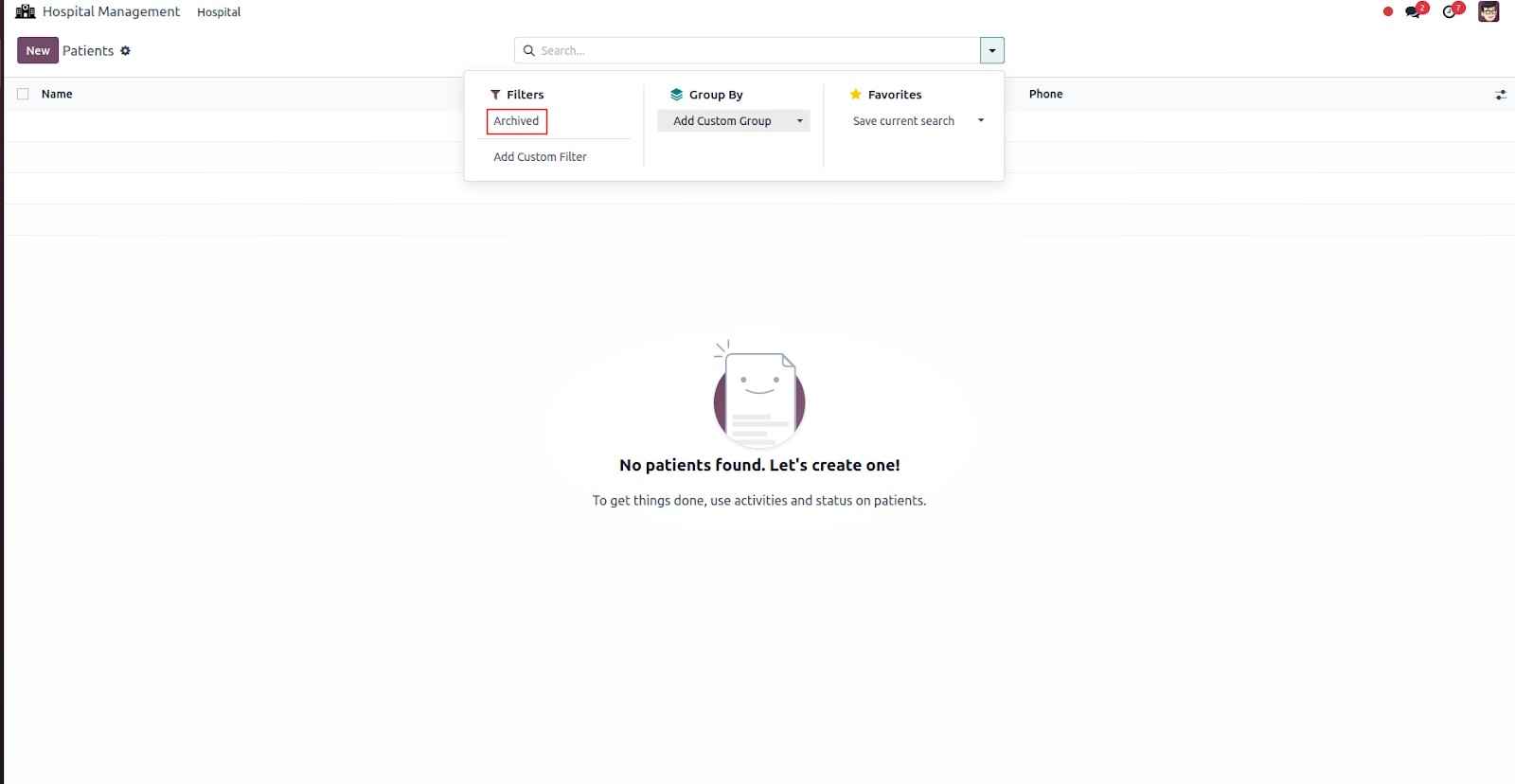
By selecting the "Archived" filter, you will access all records that
have been archived.
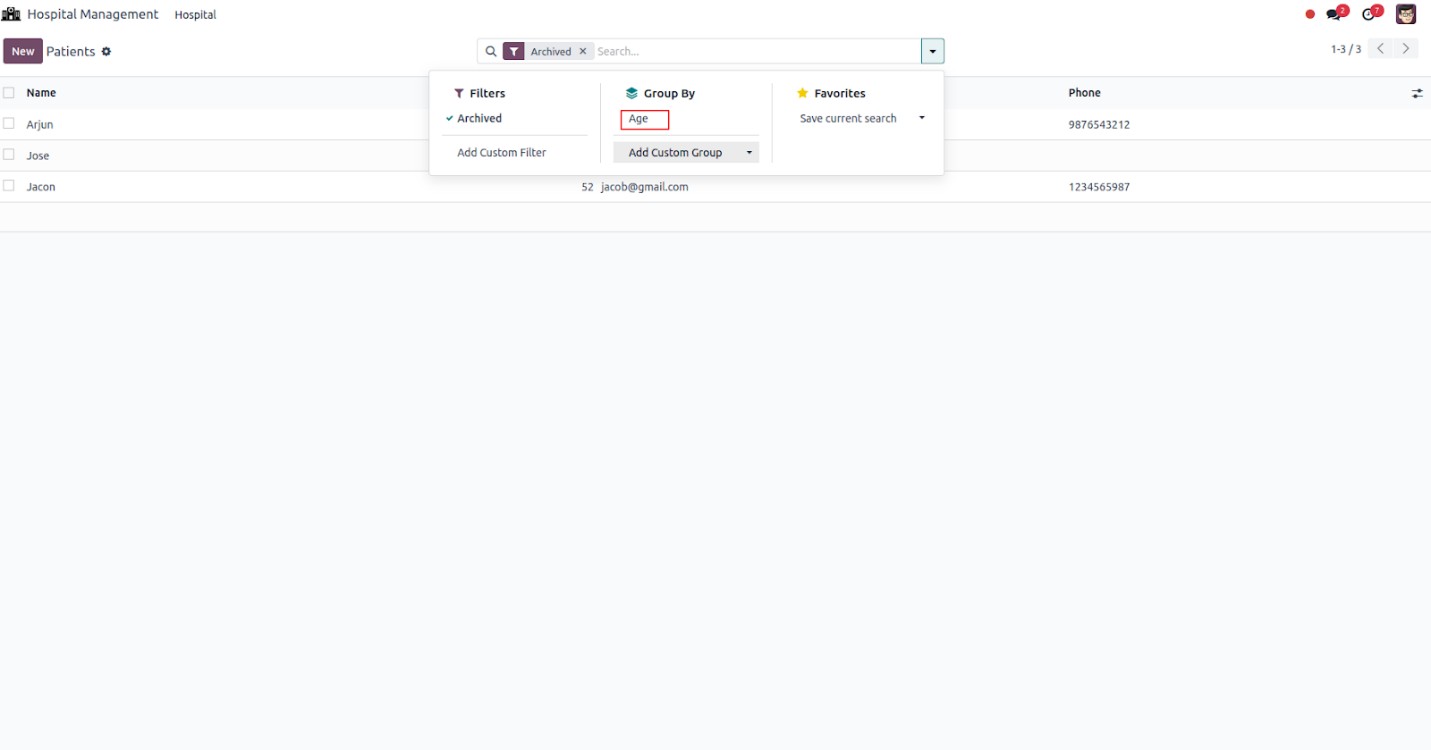
The process of grouping is facilitated through the use of the "group
by" command, which organizes records based on a specific field.
<record id="hospital_patient_view_search" model="ir.ui.view">
  <field name="name">hospital.patient.view.search</field>
  <field name="model">hospital.patient </field>
  <field name="arch" type="xml">
      <search>
          <field name="name"/>
          <field name="email"/>
          <field name="age"/>
          <field name="phone"/>
          <filter string="Archived" name="archived"
                  domain="[('active', '=', False)]"/>
          <group expand="0" string="Group By">
              <filter string="Age" name="age"
                      context="{'group_by':'age'}"/>
          </group>
      </search>
  </field>
</record>
In the code, a group by operation is applied to the age field by
passing the grouping criteria through the context. This effectively
organizes the records based on the specified age attribute. Notably,
any field from the associated model can be used for grouping,
providing flexibility and enabling meaningful categorization of data
based on business requirements.