Widgets enhance the display and interaction of fields in Odoo. They
are set via widget="..." in XML views. This list groups commonly
used widgets by field type and purpose.
Numeric Widgets (Integer / Float)
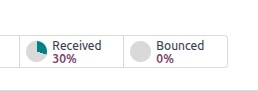
Percentage Pie(percentpie)
Renders a value inside a circular gauge — ideal for computed
percentages.
Demonstrates the presentation of a value within a percentage circle,
commonly employed for computed values. Directly editing the value in
the user interface is not feasible; however, it is possible to set a
default value.
Progress Bar(progressbar)
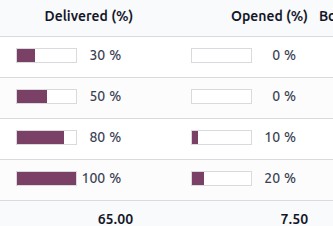
Displays a horizontal bar with percentage completion. Also read-only
for computed values.
Shows the value using a percentage bar, typically for computed
fields. Although users can't edit it manually, a default value can
be set.
Handle(handle)
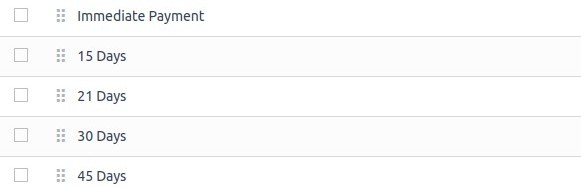
Shows a drag handle in tree/list views for manual record reordering.
Shows a drag handle icon that enables users to manually rearrange
records within the List view.
Boolean/Toggle Fields
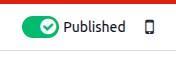
Toggle (boolean_toggle)
A switch-style toggle, usable without entering edit mode.
Displays a toggle button that functions smoothly without needing to
switch to edit mode.
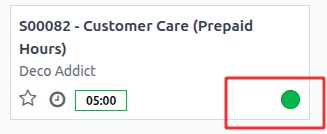
Button
Shows a radio button that works effortlessly without requiring a
switch to edit mode.Displays a radio button that functions smoothly
without the need to switch to edit mode.
Selection & Radio Fields
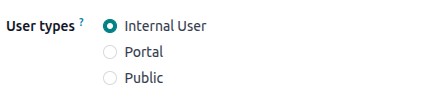
Radio
Shows all options as radio buttons. Presents every option
concurrently in the form of radio buttons.
Status Bar
Visually tracks state through steps, displayed as arrows or segmented
bar. Apply this widget to reflect the status visually.

The widget visually represents priority or satisfaction using
stars, offering a similar experience to the built-in Priority
field with its four predefined options.Displays importance or
satisfaction with star symbols.

Many2many Fields
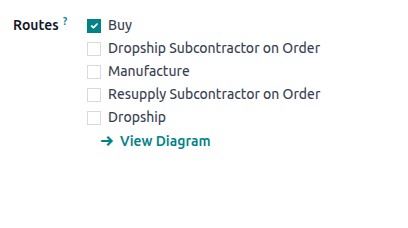
Checkboxes(many2many_checkboxes)
Enables multi-selection via checkboxes. This widget allows users to
select multiple related records by checking boxes. It displays all
available options at once, making it easy to choose several items
quickly.
Tags (many2many_tags)
Presents selections as tag-like pills; supports color and editing
options.This widget lets users choose multiple items, each shown as
a rounded tag—much like the standard Tags field.

Binary Files (many2many_binary)
Allows attachment of multiple files via drag & drop or file chooser.
This enhanced widget simplifies the process of attaching multiple
files, improving user experience

File & Binary Fields
Image
Upload and display images inline.
Users can upload an image, which is then displayed directly in the
Form view, similar to the behavior of the Image field.

PDF Viewer
View PDFs and other embedded content directly.
Users can upload a PDF file, which becomes viewable directly within
the Form view.
Phone
Render clickable/tappable links that open call/SMS or compose
windows.

Email
Render clickable/tappable links that open mail or compose windows.

URL
Auto-render full URLs as clickable hyperlinks.

Text and Character Fields
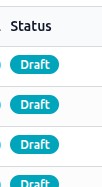
Badge
Displays a tag-like pill for showing values. Read-only.
The main difference between tags and badges in Odoo is that tags are
interactive and used to categorize or filter records (often stored
as many2many fields), whereas badges are purely visual indicators
used to highlight information like status, priority, or achievements
and are not typically used for filtering or editing.
Copy to Clipboard (CopyClipboardChar)
Adds a button to copy text.This widget displays a button that enables
users to copy a URL directly to the clipboard.

Char Emojis
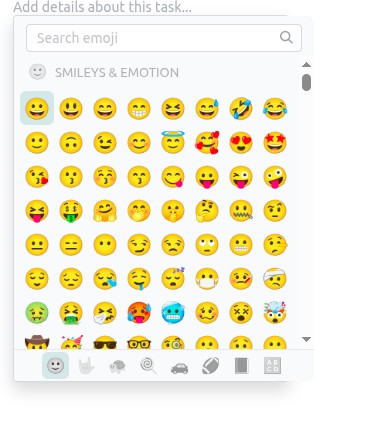
This widget allows users to easily enter or choose emojis.