In Odoo 18, QWeb is the primary templating engine used for rendering
views in both the backend (JavaScript/OWL-based) and frontend (HTML,
website, reports). It plays a crucial role in defining how things
look and behave in the UI — from simple buttons and labels to entire
dynamic popups, widgets, and website layouts.
Think of QWeb as the HTML for Odoo, but smarter. It supports custom
logic, loops, conditions, and even integration with OWL (Odoo Web
Library) components, making it a flexible and powerful tool for
interface development.
QWeb is used for:
- Customizing form and tree views
- Creating custom widgets with OWL
- Designing website pages
- Generating PDF reports
- Building dynamic UI templates (like popovers, dialogs, etc.)
Key Features of QWeb
- Pure XML format
- Supports dynamic data binding using t-out, t-if, t-foreach, etc.
- Integrates with JavaScript components
- Reusable and modular
- Seamlessly hooks into the Odoo framework
Basic Syntax
Here are some commonly used QWeb directives:
- t-name : Template name
- t-out : Outputs a variable value
- t-if : Conditional rendering
- t-foreach : Loops over a list of items
- t-call : Reuse another template
- t-on-click : Binds a click event in OWL
- -att-* : Dynamically sets attributes
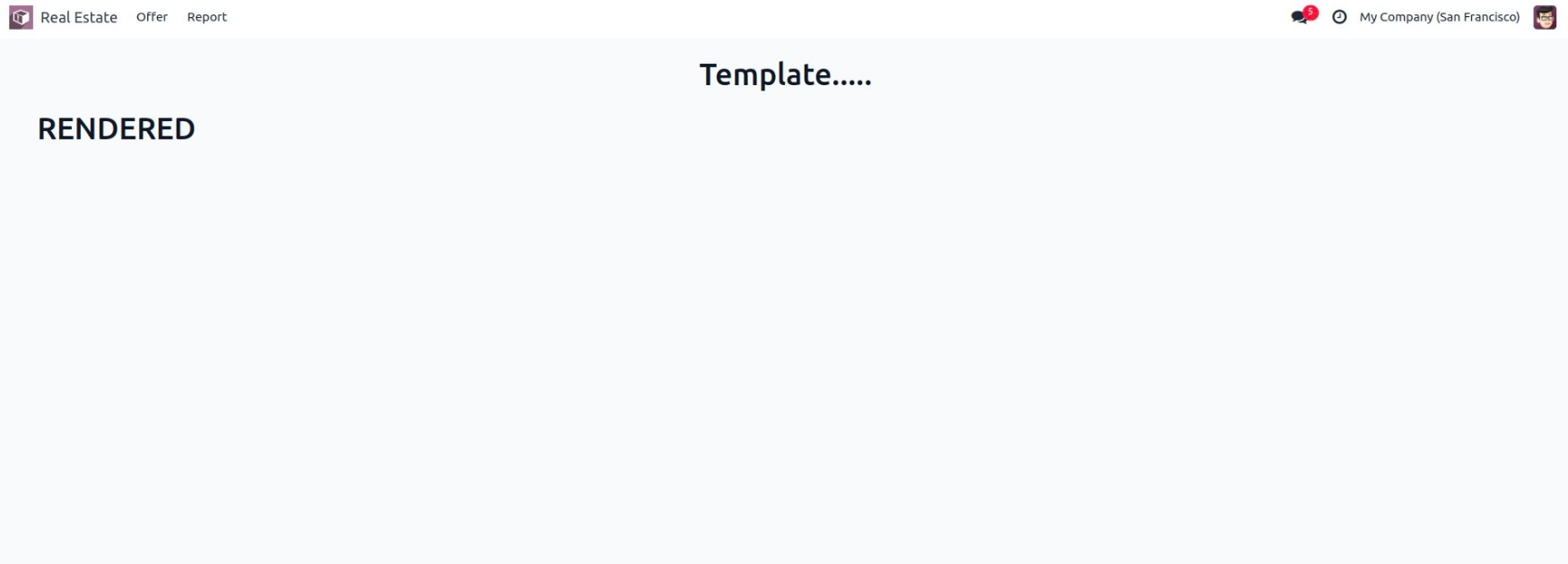
Example: Render a qweb template from client-side
1. Create the JavaScript Component
                         /** @odoo-module */

import { registry } from "@web/core/registry";
import { Component, useRef, onMounted } from "@odoo/owl";
import { renderToFragment } from "@web/core/utils/render";

const actionRegistry = registry.category("actions");

export class QwebTemplate extends Component {
    setup() {
        this.root = useRef("root-template");
        onMounted(() => {
            this.render_template();
        });
    }

    render_template() {
        // Render 'ViewData' into the target element dynamically
        const target = this.root.el.querySelector(".view_template");
        if (target) {
            const fragment = renderToFragment("ViewData", {});
            target.appendChild(fragment);
        }
    }
}

QwebTemplate.template = "QwebTemplate";

// Register it as a client-side action
actionRegistry.add("qweb", QwebTemplate);
2. Define the QWeb Templates
<templates xml:space="preserve">

    <t t-name="QwebTemplate">
        <div t-ref="root-template">
            <center >
                <h1 style="margin: 20px;">Template.....</h1>
 </center>
            <div class="view_template" style="width: 95%; margin: auto;"/>
        </div>
    </t >


    <t t-name="ViewData" >
        <div class="alert alert-info" role="alert">
            <h3>RENDERED DATA</h3>
            <p>This content is dynamically rendered using QWeb from JavaScript.</p>
        </div>
    </t>
</templates>
- QwebTemplate is the main template structure.
- Inside it, we use a placeholder < div
class="view_template"/> to inject our dynamic content.
- The ViewData template will be rendered and injected at runtime
via JS.
3. Register the Assets in the Manifest
'assets': {
    'web.assets_backend': [
        'your_module/static/src/js/QwebTemplate.js',
        'your_module/static/src/xml/QwebTemplate.xml',
    ],
},
4. Add an Action to Trigger It
If you want to make this accessible via a menu item in Odoo:
Add an ir.actions.client record in XML:
<odoo>
    <record id="action_qweb_template" model="ir.actions.client">
         <field name="name">QWeb Template View</field>
         <field name="tag">qweb</field>
     </record>

     <menuitem id="menu_qweb_template"
              name="QWeb Template"
              parent="base.menu_custom"
              action="action_qweb_template"/>
 </odoo>