To transition to the Odoo website, you’ll need to migrate from your current platform. This involves replacing your existing URL with the new one. Doing so not only improves your site's SEO performance but also ensures a seamless user experience. Our step-by-step guide will help you manage this transition effectively, including how to implement proper redirects from the old URL to the new one.
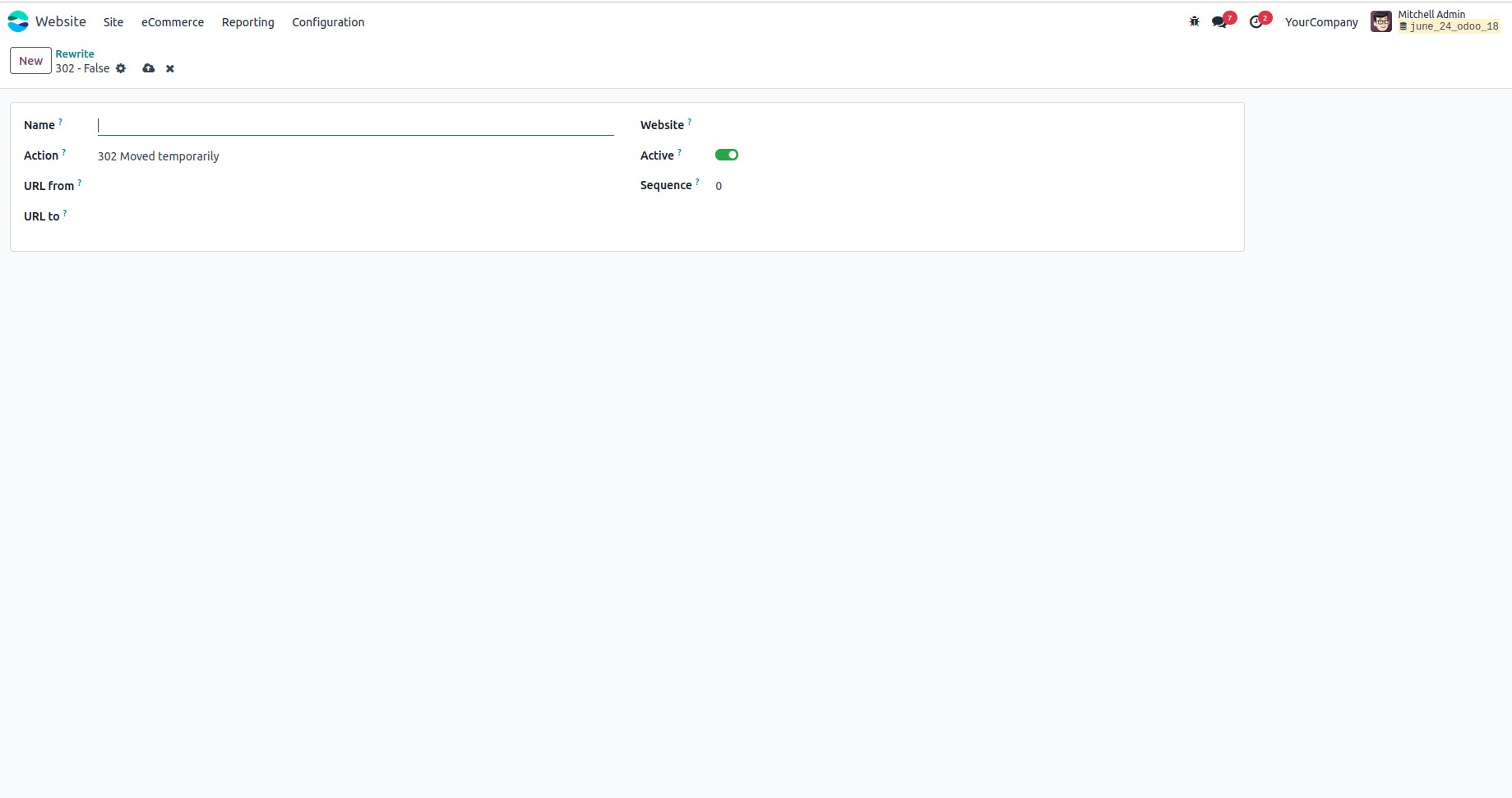
Name:The label for the redirect rule.
Action:Select the type of redirect to apply:
- 302 Temporarily Moved: This indicates that the page has been temporarily relocated. Visitors are redirected to a new location, but browsers continue to reference the original URL for future requests.
- 404 Not Found: This signals that the requested page does not exist on the server.
- 301 Moved Permanently: This means the resource has permanently moved to a new URL. Browsers and search engines update their records accordingly, passing SEO value to the new location.
- 308 Redirect / Rewrite: Similar to 301, this is a permanent redirect, but it also preserves the original HTTP method (e.g., POST). Search engines recognize this as a permanent move and transfer SEO authority to the new URL.
URL From: The original URL being redirected.
URL To: The destination URL to which the traffic should be redirected.
Website: If using the Multi-Website feature, this field allows you to limit the redirect to a specific website. By default, the redirect applies to all websites.
Active: Toggle this setting to enable or disable the redirect rule as needed