Visitor information refers to the data collected about individuals
who browse your website. This data is stored in the backend. To
access it, navigate to Website → Reporting → Visitors.
There, you'll find a Kanban view displaying all website visitors,
along with details such as their name, status (active or inactive),
number of visits, and other relevant information.
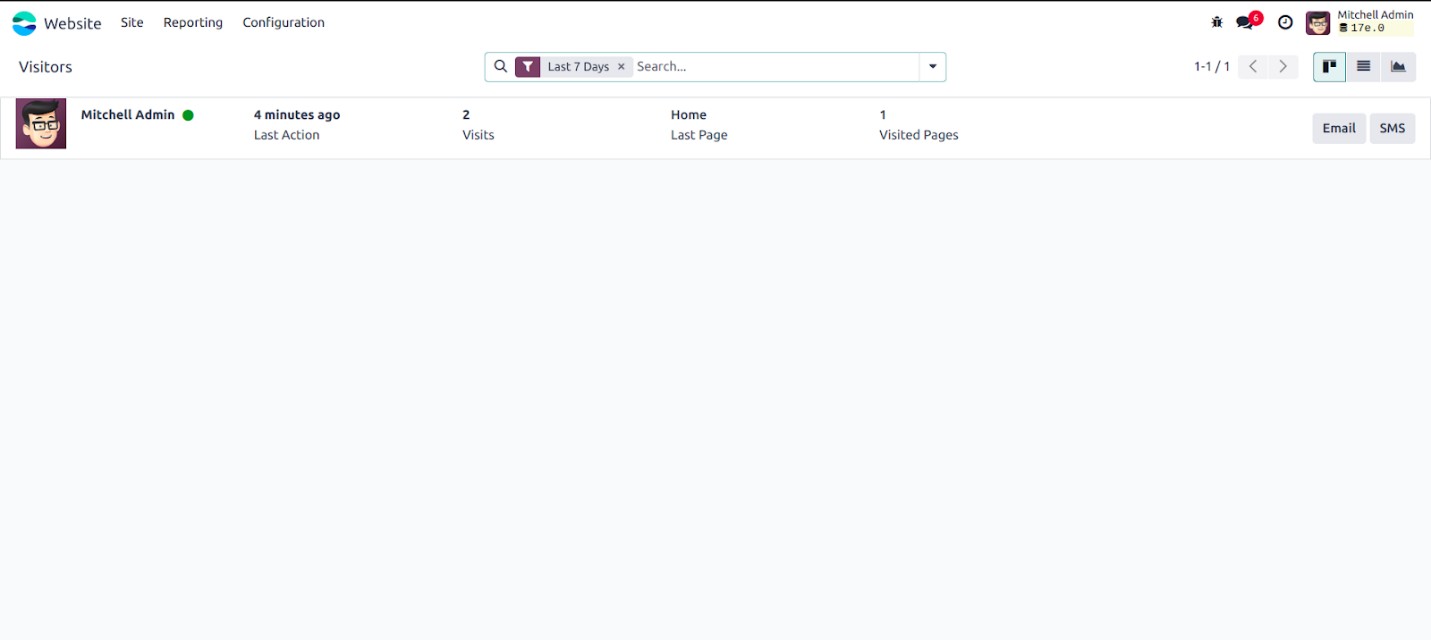
The icons in the top-right corner allow you to easily switch between
list view and graph view based on your preference. Odoo also
provides powerful filtering and grouping options to help you
categorize and manage your website visitors effectively.
If a visitor’s contact details are saved in the system, you can reach
out to them directly via SMS or email.
Simply click on a visitor’s record to open its form view for more
details.
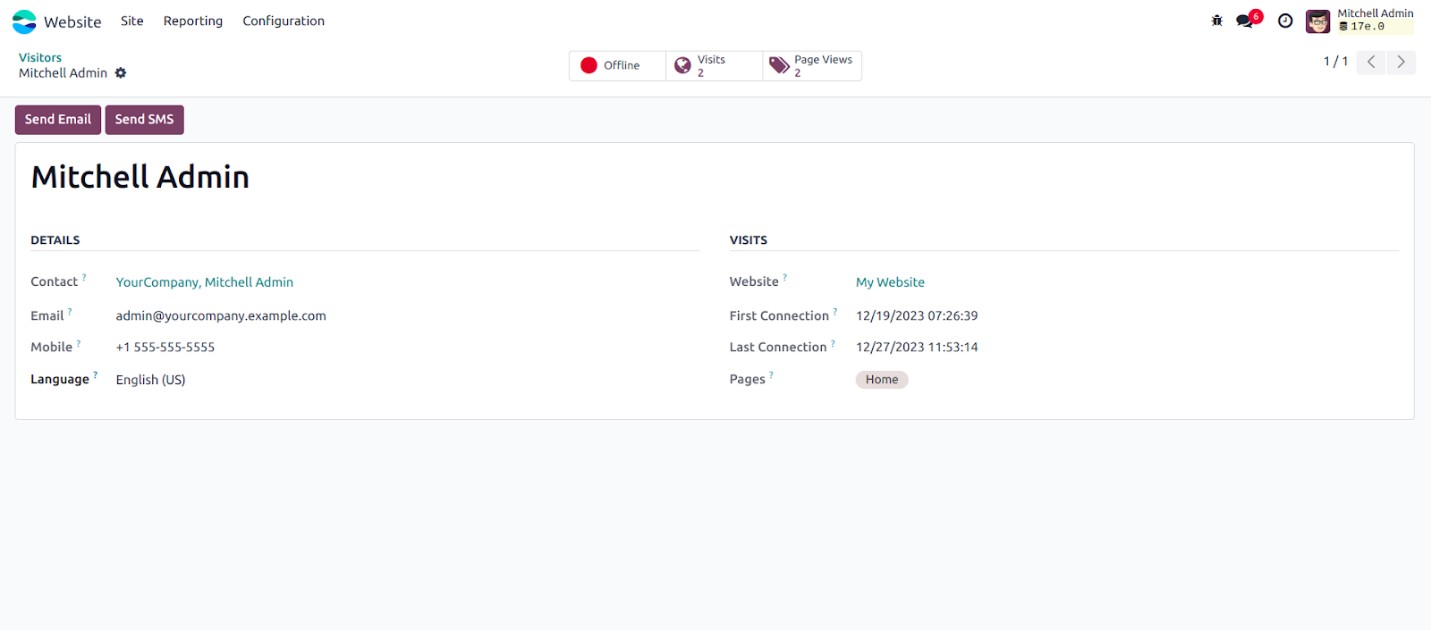
In this system, you can view both visitor details and their browsing
history. The visitor information form displays key data such as the
associated partner, email, language, and mobile number.
Under the "Visit" section, you'll find information related to website
activity — including the first and last connection dates, pages
visited, and products viewed.
You can also gain insights into the most frequently visited pages and
how often they've been accessed, along with the ability to identify
whether a visitor is currently online.