In Odoo applications, performance is critical, especially when handling large datasets and multiple concurrent users. One effective way to improve speed and reduce database load is by implementing caching. In this blog, we’ll explore how to integrate Redis caching with Odoo to enhance performance, optimize response times, and ensure a smoother user experience.
Why Redis?
Redis (Remote Dictionary Server) is an open-source, in-memory data structure store used as a database, cache, and message broker. It stores data in memory rather than on disk, making it extremely fast compared to traditional databases. Redis provide
- High Performance
Since Redis operates entirely in memory, it delivers microsecond-level response times, making it ideal for high-traffic applications.
- Reduced Database Load
By caching frequently accessed data, Redis minimizes repeated queries to the main database, improving overall system efficiency.
- Scalability
Redis supports replication and clustering, allowing applications to scale horizontally as traffic grows.
- Flexible Data Structures
Unlike traditional key-value stores, Redis supports advanced data types such as hashes, lists, sets, and sorted sets, enabling more complex use cases.
- High Availability
With features like persistence, replication, and Redis Sentinel, it ensures reliability and minimal downtime.
- Real-Time Processing
Redis is well-suited for real-time features like notifications, live counters, session storage, and background job queues.
For applications like Odoo, where performance and responsiveness are critical, Redis provides a powerful solution to improve speed, handle concurrent users efficiently, and deliver a smoother user experience.
Redis Installation
To add Redis caching to our Odoo stack, we’ll run Redis as a separate service using Docker Compose. Alongside it, we’ll also run RedisInsight, a lightweight UI that helps you view keys, inspect memory usage, and debug cache behavior.
Create a file named compose.yml
services:
  redis:
    image: redis:latest
    ports:
      - "6379:6379"
    volumes:
      - ./redis_data:/data
    command: redis-server --appendonly yes
  redis_insight:
    image: redis/redisinsight:latest
    ports:
      - "5540:5540"
    depends_on:
      - redis
    volumes:
      - ./redis_insight_data:/db
From the directory containing your compose.yml, run:
docker compose up -d
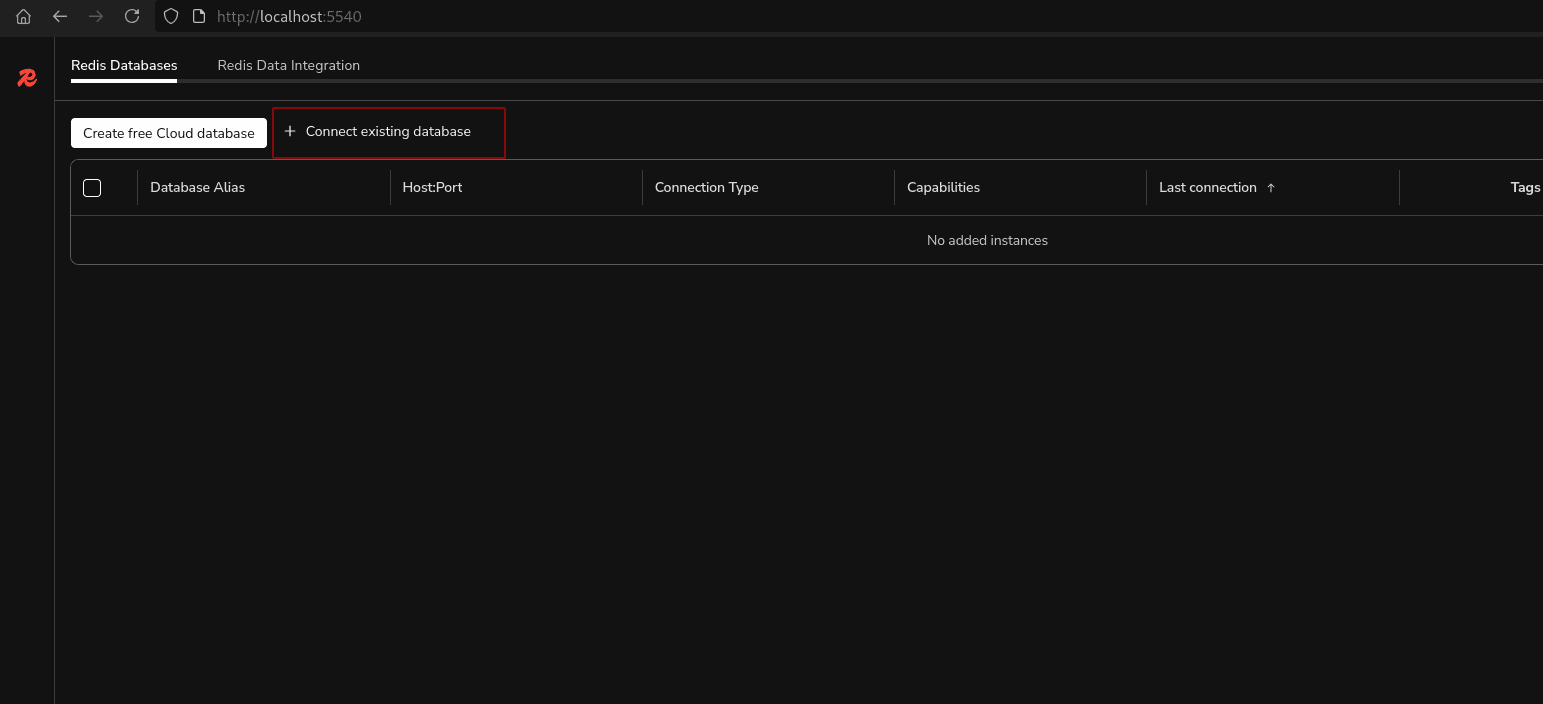
Now we can go to http://localhost:5540 to check the Redis Insight and connect it with the Redis endpoint.
By clicking the button ‘Connect existing database’, we can connect to our default Redis database to monitor redis cache.
This will open a wizard where we can configure our default redis database.
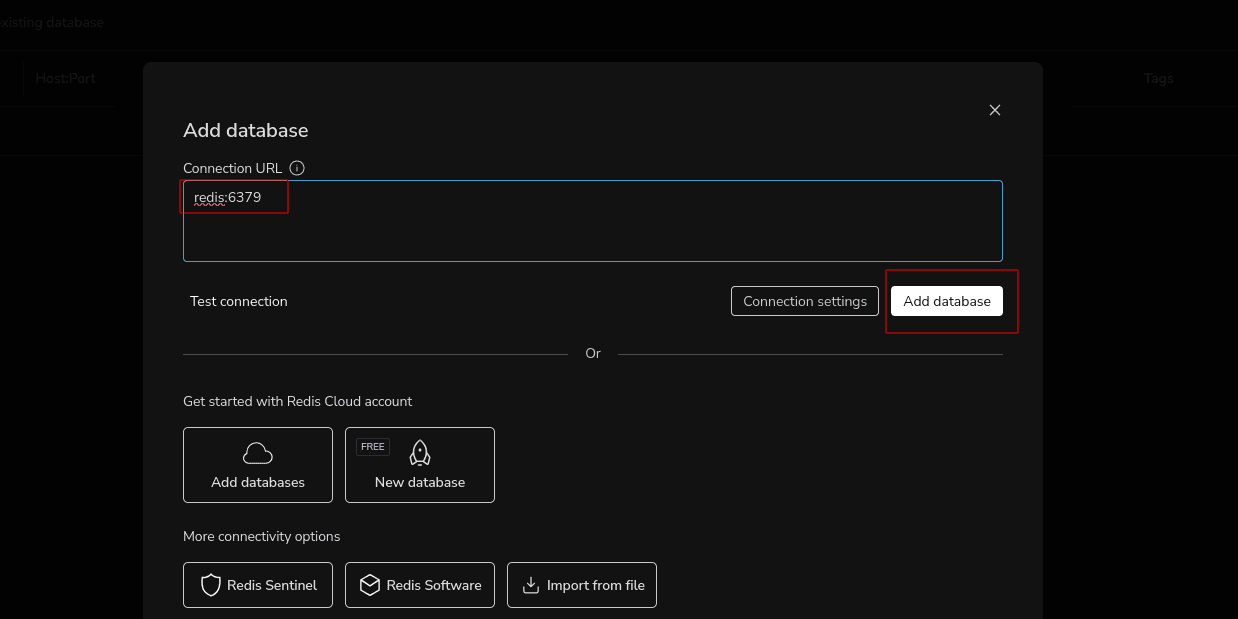
At this point, Redis is installed and running. The next step is to configure Odoo to use Redis for caching.
Odoo Configuration
We will add Redis cache for a simple controller in Odoo. The module structure is given below.
.
+-- controllers
¦   +-- cache.py
¦   +-- __init__.py
¦   +-- main.py
+-- __init__.py
+-- __manifest__.py
First, we can create a decorator that can be used to cache the controller response.
cache.py
# -*- coding: utf-8 -*-
import redis
import functools
from odoo.http import request
# Create Redis connection
# host='localhost' ? Redis running locally
# port=6379 ? Default Redis port
r = redis.Redis(host='localhost', port=6379, decode_responses=True)

def redis_cache(ttl=60):
    """
    Decorator to cache controller responses in Redis.
    ttl = Time To Live (seconds)
    """
    def decorator(func):
        @functools.wraps(func)
        def wrapper(*args, **kwargs):
            # Get current request path (example: /api/v1/res_partner)
            path = request.httprequest.path
            # Get query parameters (if any)
            query_string = request.httprequest.query_string.decode()
            # Create unique cache key using path + query params
            cache_key = f"redis_cache:{path}:{query_string}"
            # Check if data exists in Redis
            cached = r.get(cache_key)
            # If cached data exists ? return immediately
            if cached:
                return request.make_response(cached)
            # Otherwise execute original function
            response = func(*args, **kwargs)
            # Only cache successful responses (status 200)
            if response.status_code == 200:
                # Store response data in Redis
                # ex=ttl ? expire after ttl seconds
                r.set(cache_key, response.get_data(as_text=True), ex=ttl)
            return response
        return wrapper
    return decorator
main.py
# -*- coding: utf-8 -*-
# Import our custom Redis cache decorator
from .cache import redis_cache
from odoo.http import Controller, request, route
import json
import logging
import time
_logger = logging.getLogger(__name__)

class RESTAPIController(Controller):
    """
    REST API Controller.
    This class defines custom HTTP endpoints.
    """
    @route(
        '/api/v1/res_partner',
        type='http',
        auth='none',
        csrf=False,
        methods=['GET'],
        cors='*'
    )
    # Apply Redis caching decorator (cache for 10 seconds)
    @redis_cache(ttl=10)
    def get_res_partner(self, **kw):
        """
        Fetch partner data from Odoo.
        """
        try:
            # Simulate slow processing (for testing cache effect)
            time.sleep(5)
            # Fetch all partner records
            data = request.env['res.partner'].sudo().search_read(
                fields=[
                	'id', 'name', 'parent_name', 'child_ids',
                	'lang', 'website', 'active', 'street',
                	'street2', 'zip', 'city', 'state_id',
                	'country_id', 'email', 'phone'
            ])
            # Return JSON response with status 200
            return request.make_response(
                json.dumps(data), status=200
            )
        except Exception as e:
            _logger.error(e)
            return request.make_response(
                "Something went wrong", status=500
            )
Now we’ll measure how long the request takes before and after caching using the command
time curl -s http://localhost:8019/api/v1/res_partner -o /dev/null
Also, we can monitor the caching using the redis insight connection below.
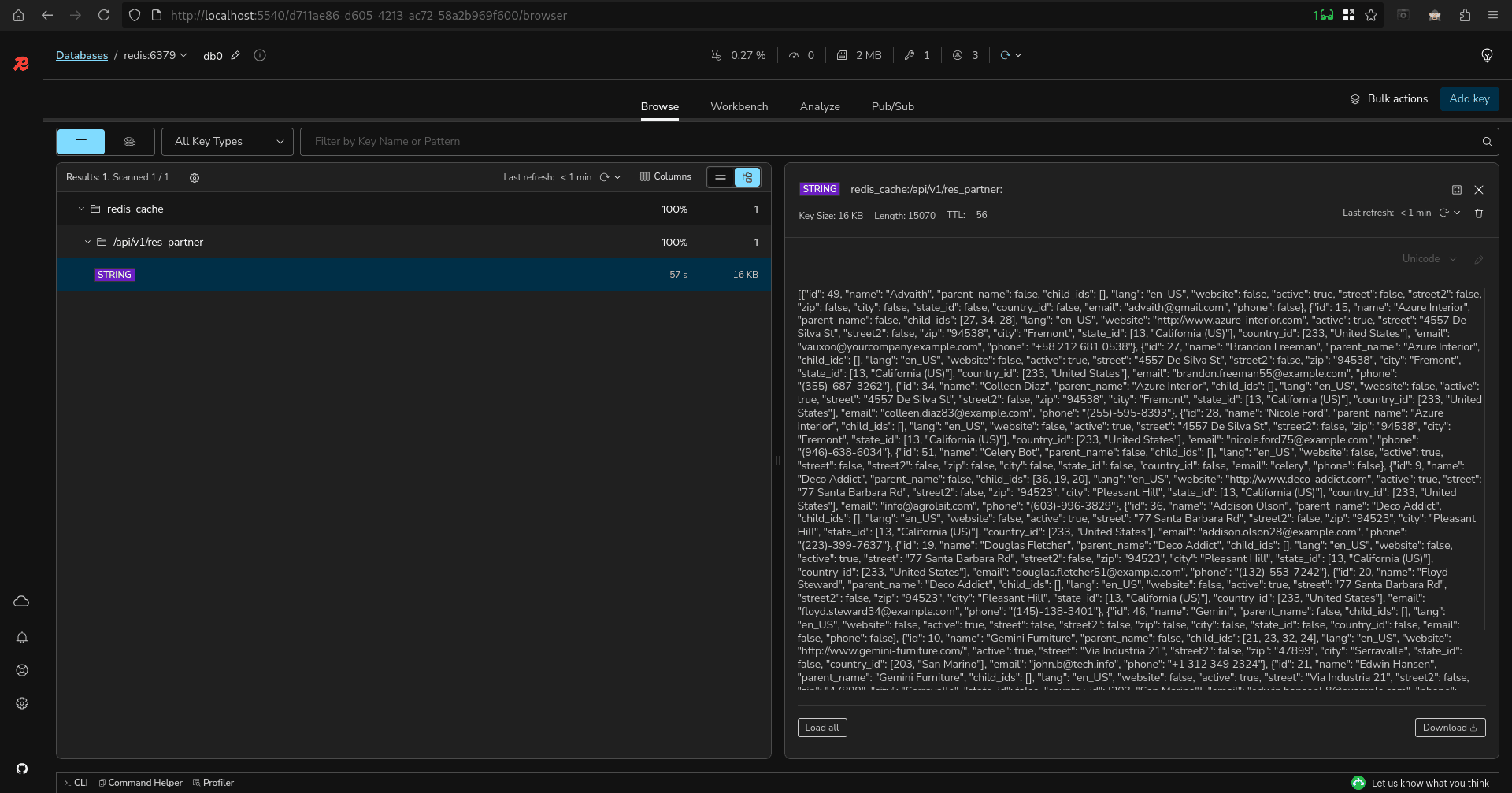
In this blog, we implemented Redis caching in Odoo to improve API performance and reduce database load. By creating a simple reusable @redis_cache decorator, we were able to cache controller responses and significantly speed up repeated requests. This approach is simple, powerful, and production-ready with proper configuration. Integrating Redis with Odoo is an effective way to handle high traffic, improve response times, and build scalable applications.
To read more about The Ultimate Guide to Odoo 19 New Features and Enhancements, refer to our blog The Ultimate Guide to Odoo 19 New Features and Enhancements.