Odoo is a free software system for managing business tasks like sales, purchases, inventory, etc. It has different types of fields to store data, like the "many2many" field. This field allows users to select multiple records as tags using the widget ‘many2many_tags’. If a tag has a color, we can change its default color.
Using this already existing feature, let’s see how to open a tag’s form view by clicking on it. For that, we can create a js file inside the static/src/js directories
as ‘many2many_tags_field.js’.
/** @odoo-module */
import { _t } from "@web/core/l10n/translation";
import { useService } from "@web/core/utils/hooks";
import { Many2ManyTagsFieldColorEditable } from "@web/views/fields/many2many_tags/many2many_tags_field";
import { ConfirmationDialog } from "@web/core/confirmation_dialog/confirmation_dialog";
import { patch } from "@web/core/utils/patch";
patch(Many2ManyTagsFieldColorEditable.prototype, {
   setup() {
       super.setup();
       this.action = useService("action");
       this.dialogService = useService("dialog");
   },
   onTagClick(ev, record) {
       this.dialogService.add(ConfirmationDialog, {
           body: _t("To open the form view, click 'Open Form View'."),
           confirmClass: "btn-primary",
           confirmLabel: _t("Open Form View"),
           confirm: () => {
               this.action.doAction({
                   type: 'ir.actions.act_window',
                   res_model: this.relation,
                   res_id: record.resId,
                   views: [[false, 'form']],
                   target: 'current',
               });
           },
       cancelLabel : _t("Cancel"),
           cancel: () => { },
       })
   }
})
Firstly, we can import all the files needed. The setup() function is executed when the component is initialized. It is a good place to perform initialization logic. super.setup() calls the setup() function of the original class to make sure any existing logic runs. useService("action") and useService("dialog") are used to interact with Odoo’s core services for handling actions and dialogs.
We'll extend the Many2ManyTagsFieldColorEditable prototype in the many2many_tags_field.js file to complete the patching process. This allows us to override the onTagClick() function. onTagClick(ev, record) is the function that gets triggered when a user clicks on a tag in a Many2many field. The ev is the event object, and the record contains information about the clicked record. When a tag is clicked, we show a confirmation dialog with the button Open Form view. If the user clicks the "Open Form View" button in the dialog, the form view of the selected record will be opened. this.action.doAction() method defines the action to open the form view of the clicked record.
In the __manifest__.py file, include the JavaScript file in the assets:
'assets': {
   'web.assets_backend':
       [
           'many2many_tag_open/static/src/js/many2many_tags_fields.js',
       ]
},
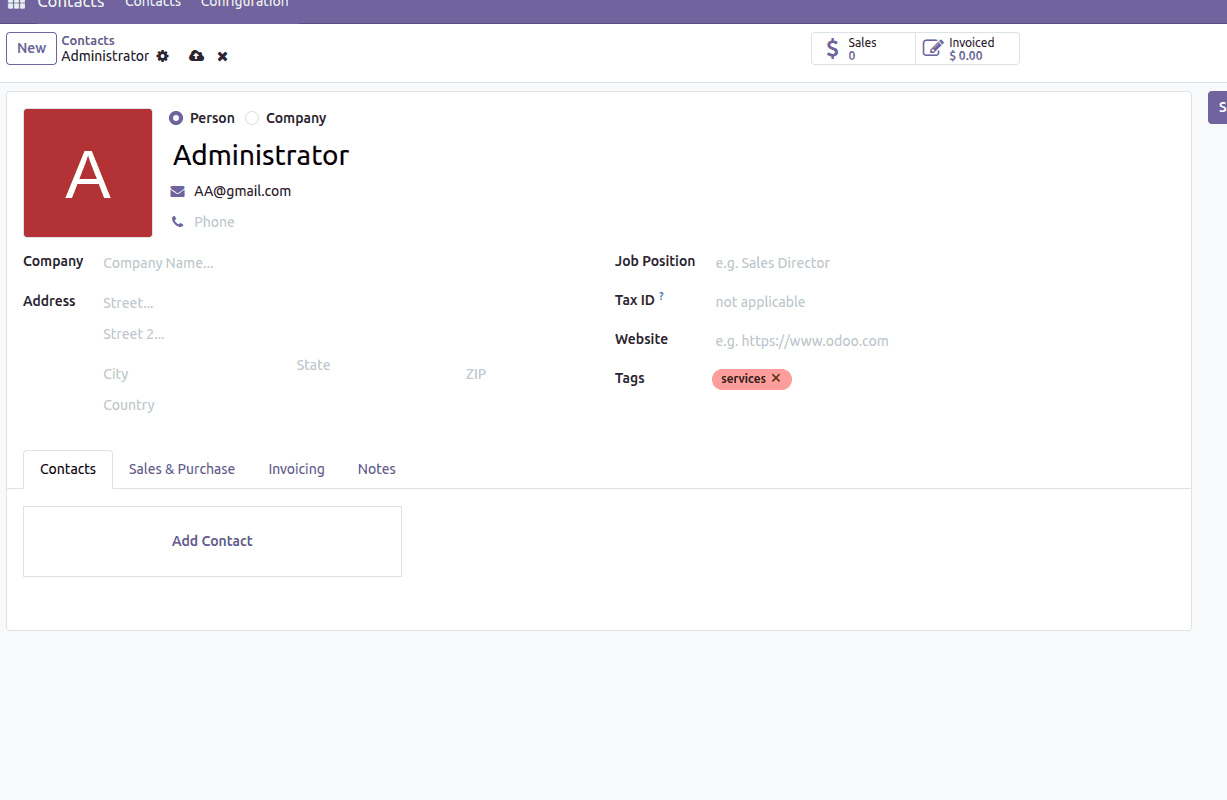
Here’s an example of a user interface showcasing this functionality. In the Contacts form view, there is a Many2many field called "Tags" that uses the many2many_tags widget
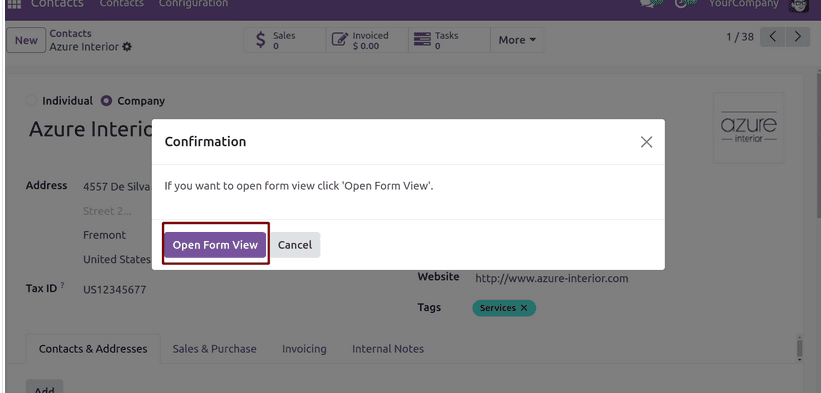
After clicking on it, a dialog box opens.
If you click on the Open Form View button, We can open the form view for the selected tag.
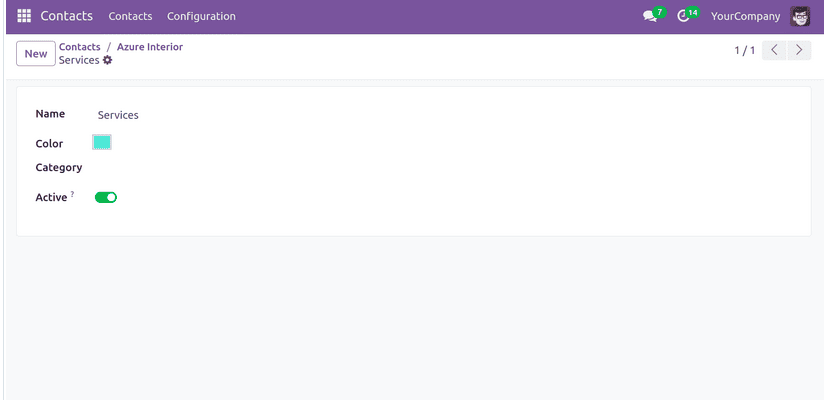
This is how we can open the form view of many2many tags upon clicking on them.
By extending the functionality of the Many2many_tags widget in Odoo 19, we have enabled a more intuitive user experience by allowing users to open the form view of a related record directly from a tag. This approach not only enhances navigation within the interface but also streamlines access to detailed record information. With a few lines of JavaScript and proper configuration, you can further customize the behavior of Many2many fields, making Odoo a more user-friendly platform for handling complex relationships.
To read more about How to Open the Form View of Many2many Clicking Tag in Odoo 18, refer to our blog How to Open the Form View of Many2many Clicking Tag in Odoo 18.