Odoo development has evolved significantly with the change to OWL in Odoo 19. This makes the framework move away from the old jQuery-driven approach and toward a modern, reactive, component-based frontend. For developers working with Odoo 19, learning OWL became an important factor for building clean, efficient, and scalable user interfaces.
Props and State are two fundamental ideas in OWL. These concepts define how data is shared between components and how the interface responds when that data changes. Instead of page reloads, OWL updates the UI instantly, resulting in a faster and simpler user experience.
In this blog, we will walk through these concepts step by step, explaining how Props and State work and how they work together. By the end of the blog, you will have a solid foundation to build well-structured, component-driven interfaces in Odoo 19.
Components in OWL:
Before going into Props and State, it is important to understand that OWL is built around components. Each component represents a small, reusable part of the user interface. A component:
- Receives data
- Manages its own behavior
- Renders UI
- Automatically updates when its data changes
Props and State define where the data comes from and who controls it.
Props:
Props are values passed from a parent component to a child component. They allow a component to receive data or configuration without owning it.
Key characteristics:
- Props are read-only inside the child component.
- Data flows in one direction, from parent to child
- Commonly used to control display values, behavior, or actions.
Usage:
- Passing records, IDs, or configuration options.
- Sharing callbacks or actions.
- Displaying data that should not be modified by the component.
Example:
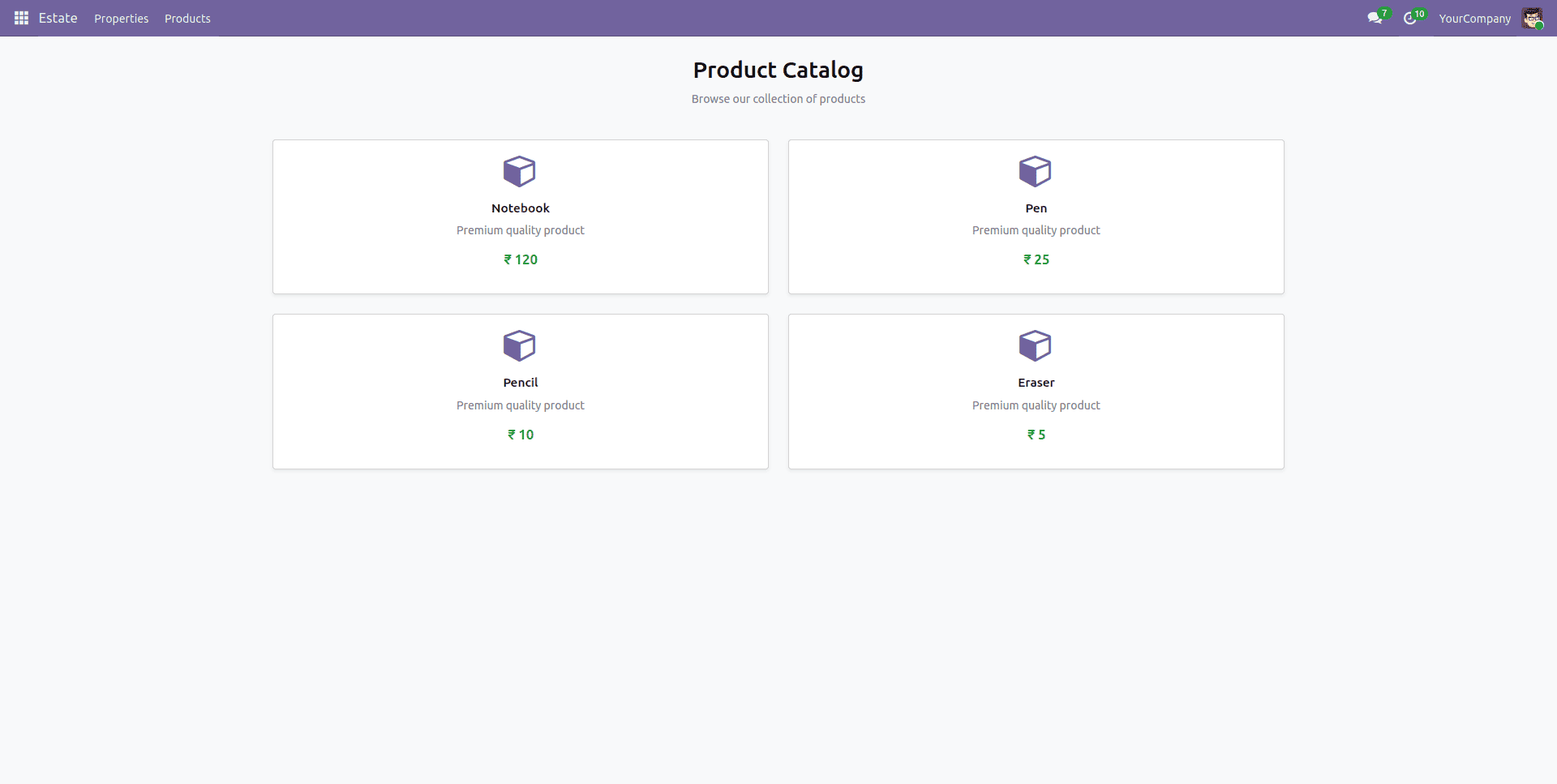
Here, a product view page is added to the ‘estate’ module.
Child Component (ProductItem):
js-
import { Component } from "@odoo/owl";
export class ProductItem extends Component {
   static template = "estate.ProductItem";
   static props = {
       name: String,
       price: Number,
   };
}
Xml-
<?xml version="1.0" encoding="UTF-8"?>
<templates xml:space="preserve">
  <t t-name="estate.ProductItem">
      <div class="card h-100 shadow-sm">
          <div class="card-body text-center">
              <div class="mb-3">
                  <i class="fa fa-cube fa-3x text-primary"/>
              </div>
              <h5 class="card-title">
                  <t t-esc="props.name"/>
              </h5>
              <p class="card-text text-muted">Premium quality product</p>
              <h4 class="text-success mb-3">
                  ? <t t-esc="props.price"/>
              </h4>
          </div>
      </div>
  </t>
</templates>
Parent Component (ProductList):
js-
import { Component } from "@odoo/owl";
import { ProductItem } from "../product_item/product_item";
import { registry } from "@web/core/registry";
export class ProductList extends Component {
   static template = "estate.ProductList";
   static components = { ProductItem };
}
registry.category("actions").add("estate.ProductListAction", ProductList);
Xml-
<?xml version="1.0" encoding="UTF-8"?>
<templates xml:space="preserve">
   <t t-name="estate.ProductList">
       <div class="o_action_manager">
           <div class="o_content">
               <div class="container-fluid">
                   <!-- Header -->
                   <div class="row mt-4 mb-4">
                       <div class="col-12 text-center">
                           <h1 class="mb-2">Product Catalog</h1>
                           <p class="text-muted">Browse our collection of products</p>
                       </div>
                   </div>
                   <!-- Product Grid - Centered -->
                   <div class="row justify-content-center">
                       <div class="col-lg-8 col-md-10 col-12">
                           <div class="row g-4">
                               <!-- Product 1 -->
                               <div class="col-md-6">
                                   <ProductItem
                                       name="'Notebook'"
                                       price="120"
                                   />
                               </div>
                               <!-- Product 2 -->
                               <div class="col-md-6">
                                   <ProductItem
                                       name="'Pen'"
                                       price="25"
                                   />
                               </div>
                               <!-- Product 3 -->
                               <div class="col-md-6">
                                   <ProductItem
                                       name="'Pencil'"
                                       price="10"
                                   />
                               </div>
                               <!-- Product 4 -->
                               <div class="col-md-6">
                                   <ProductItem
                                       name="'Eraser'"
                                       price="5"
                                   />
                               </div>
                           </div>
                       </div>
                   </div>
               </div>
           </div>
       </div>
   </t>
</templates>
Client Action and Menu:
<?xml version="1.0" encoding="utf-8"?>
<odoo>
   <!-- Client Action for Product List -->
   <record id="action_product_list" model="ir.actions.client">
       <field name="name">Product List</field>
       <field name="tag">estate.ProductListAction</field>
       <field name="target">current</field>
   </record>
   <!-- Sub Menu -->
   <menuitem
       id="menu_product_list"
       name="Products"
       parent="existing_menu_root"
       action="action_product_list"
       sequence="10"/>
</odoo>
In this example, ProductItem receives data via props and simply renders it. It does not own or modify the data.
State:
State represents the internal, mutable data of a component. It is used to manage values that change, such as user input or UI toggles.
Key characteristics:
- Reactive.
- When State changes, OWL automatically re-renders the template.
- Managed using useState.
Usage:
- UI toggles (open/close, enable/disable)
- Counters and form inputs
- Temporary data
Example:
Child Component (ProductItem):
js-
/** @odoo-module **/
import { Component, useState } from "@odoo/owl";
export class ProductItem extends Component {
  static template = "estate.ProductItem";
  static props = {
      name: String,
      price: Number,
  };
  setup() {
      this.state = useState({
          qty: 1,
      });
  }
  increaseQty() {
   this.state.qty++;
  }
  decreaseQty() {
      if (this.state.qty > 1) {
          this.state.qty--;
      }
  }
}
Xml-
<?xml version="1.0" encoding="UTF-8"?>
<templates xml:space="preserve">
  <t t-name="estate.ProductItem">
      <div class="card h-100 shadow-sm">
          <div class="card-body text-center">
              <div class="mb-3">
                  <i class="fa fa-cube fa-3x text-primary"/>
              </div>
              <h5 class="card-title">
                  <t t-esc="props.name"/>
              </h5>
              <p class="card-text text-muted">Premium quality product</p>
              <h4 class="text-success mb-3">
                  ? <t t-esc="props.price"/>
              </h4>
              <div class="quantity-control">
                  <button t-on-click="decreaseQty" class="m-2 btn btn-primary">
                      -
                  </button>
                  <span t-esc="state.qty"/>
                  <button t-on-click="increaseQty" class="m-2 btn btn-primary">
                      +
                  </button>
              </div>
          </div>
      </div>
  </t>
</templates>
Here, ‘qty’ is internal to the component. Updating it automatically refreshes the UI and renders updated value.
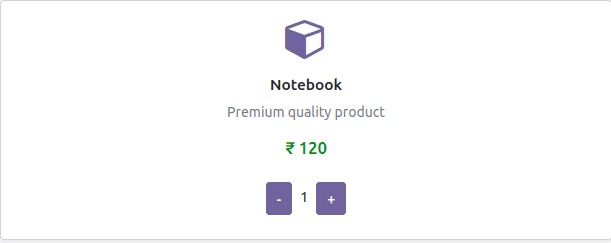
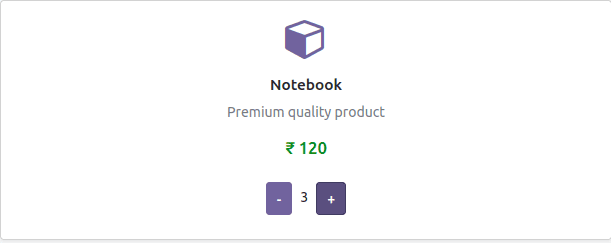
Clicking the buttons modified the quantity, and because of state, it is rendered automatically.
Conclusion:
In Odoo 19, state is a way that enables components to manage their own dynamic behavior. While props define what data a component receives from its parent, state defines how that component changes in response to user actions or internal logic. By using useState() inside setup(), OWL understands that any state change automatically triggers a re-render, keeping the UI updated with the current data.
A clear difference in concerns is there. Use props for external, read-only data and state for internal, mutable UI data such as counters, toggles, and temporary values. This discipline leads to predictable behavior, easier debugging, and highly reusable components—especially critical in complex Odoo interfaces like POS screens, dashboards, and backend widgets. Mastering state management in OWL is therefore a foundational skill for building scalable and maintainable Odoo frontend modules.
To read more about An Overview of OWL Components in Odoo 18, refer to our blog An Overview of OWL Components in Odoo 18.