Fleet management is a critical part of businesses that rely on vehicles for transportation, logistics, delivery, or service operations. Efficiently tracking vehicles, monitoring costs, managing drivers, and scheduling maintenance can significantly impact operational efficiency and overall profitability. This is where the Fleet module in Odoo 19 comes into play.
Odoo 19 Fleet provides a centralized system to manage all vehicle-related activities in one place. It allows organizations to register and track vehicles, assign drivers, log fuel and maintenance costs, monitor odometer readings, and schedule preventive servicing. By consolidating all fleet data within a single platform, businesses gain real-time visibility into vehicle usage, expenses, and performance.
With its integrated approach, the Odoo 19 Fleet module helps companies to reduce operational costs, extend vehicle lifespan through timely maintenance, and improve accountability in fleet operations. This makes it an essential tool for organizations aiming to streamline transportation management and enhance overall efficiency.
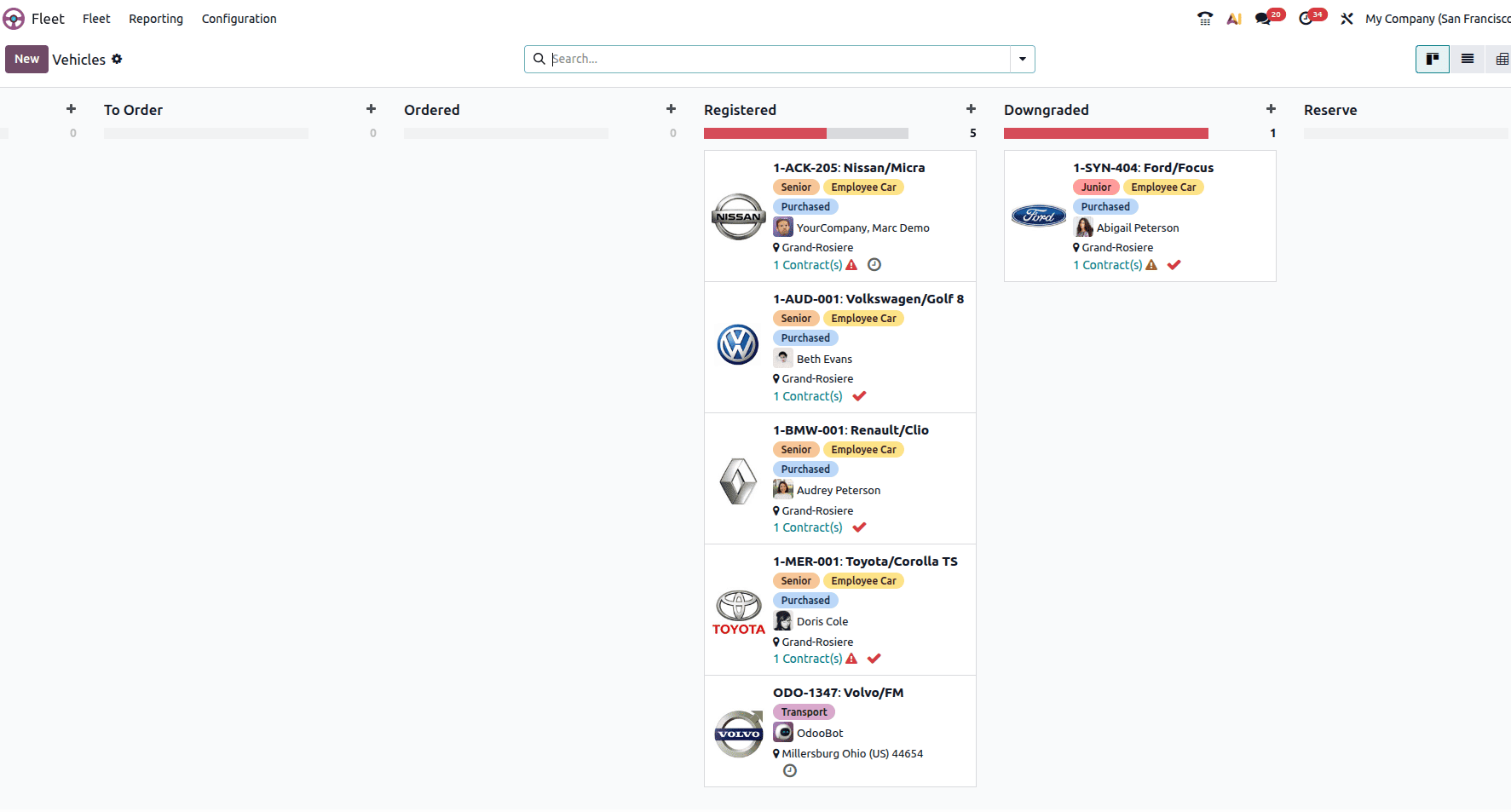
When you first open the Fleet Module, a kanban view of all the registered vehicles can be seen there.
In the dashboard, the automobiles are arranged in the Kanban view according to their present status, as can be seen in the image. A car's owner, location, contacts, name, logo, and tags are all included in the preview. You can plan an activity for a particular car by using the Activity icon.
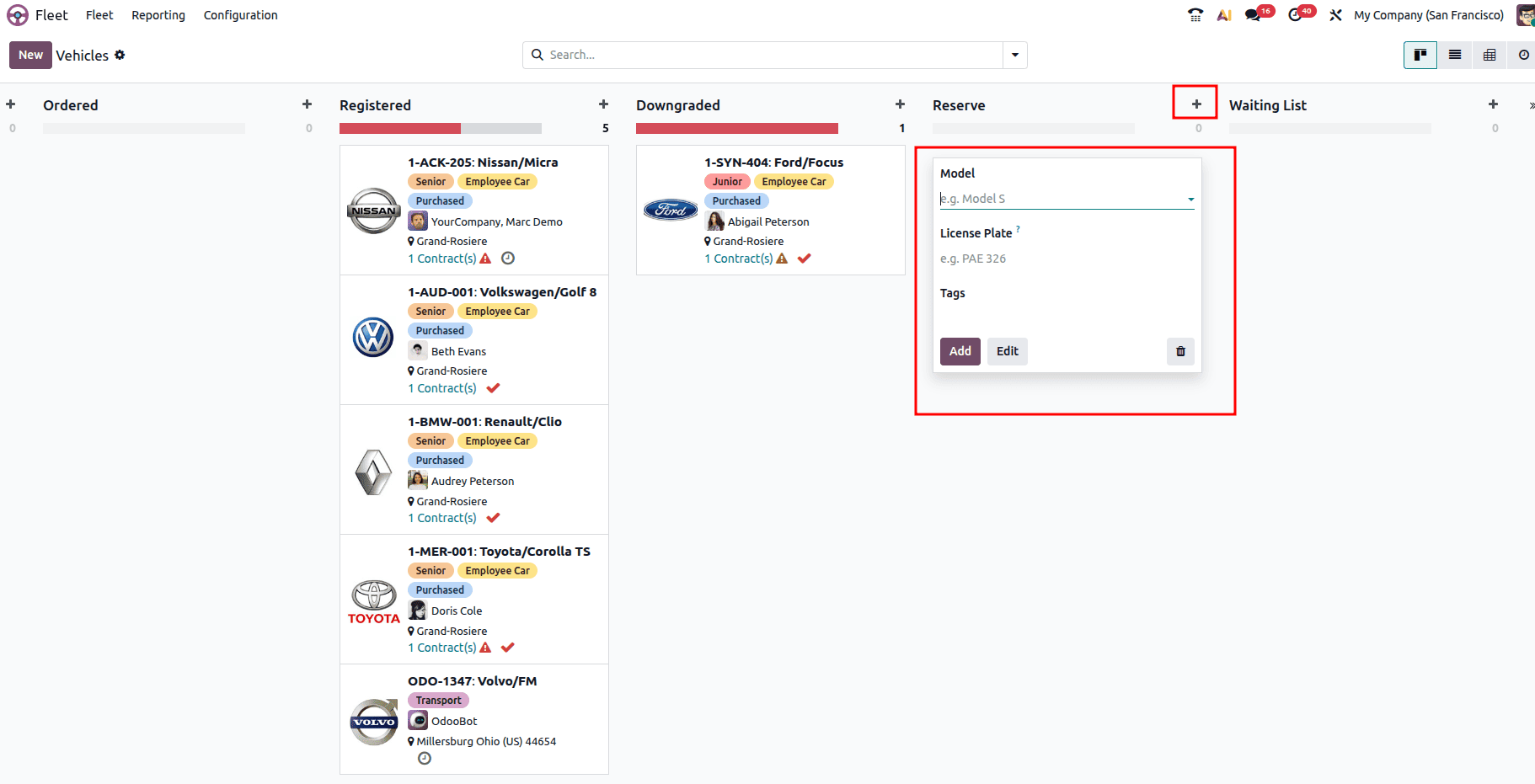
When you click on the ‘+’ icon, you will be able to create a new fleet by filling out the details like model, license plate, etc.
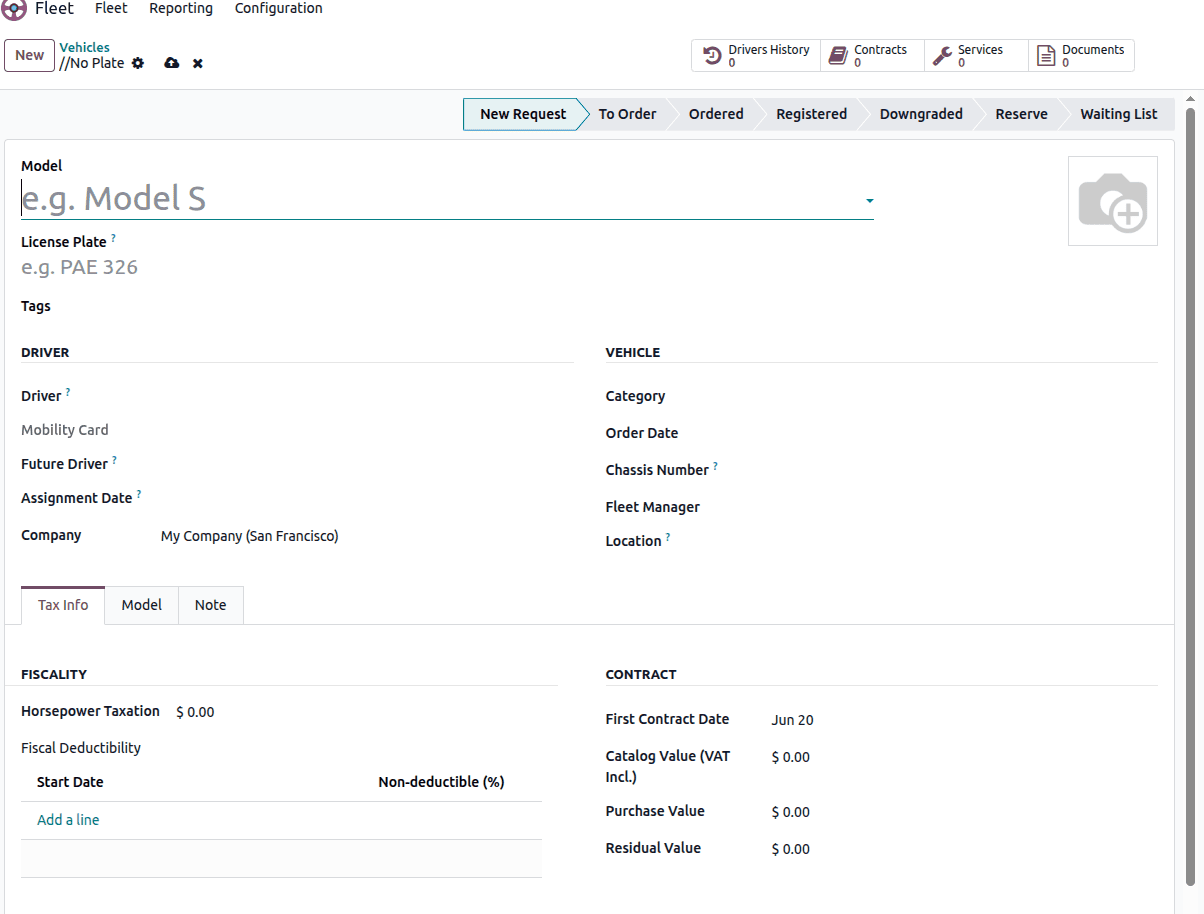
When you click on the New button, you will have the above window where you can add the details of a new vehicle and create one. In the Model field, you can choose the model of the car from the list. In the Driver field, you can choose a driver for the vehicle. When you choose the model, the Category and Registration Date will be auto-filled based on the model configuration. In the Future Driver, you can choose the next driver's address of the vehicle. The Assignment Date specifies the date on which the vehicle becomes available for assignment or use.
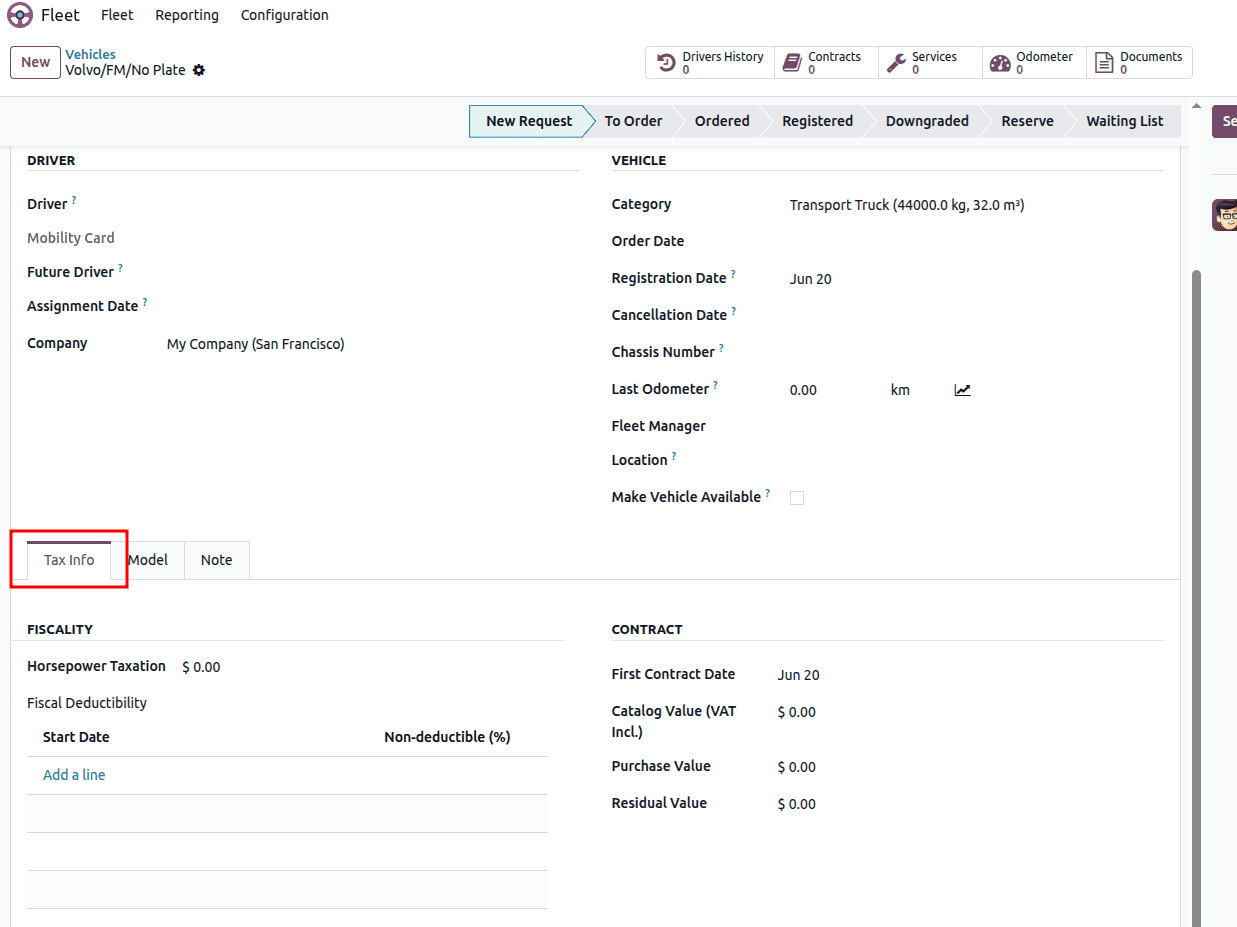
Within the Tax Info tab, the Fiscality section contains the Horsepower Taxation and Disallowed Expenses Rate fields. You can define the applicable tax percentage and its effective start date by selecting Add a Line. The Contract section provides important contract information, including the First Contract Date, Catalog Value, Purchase Value, and Residual Value.
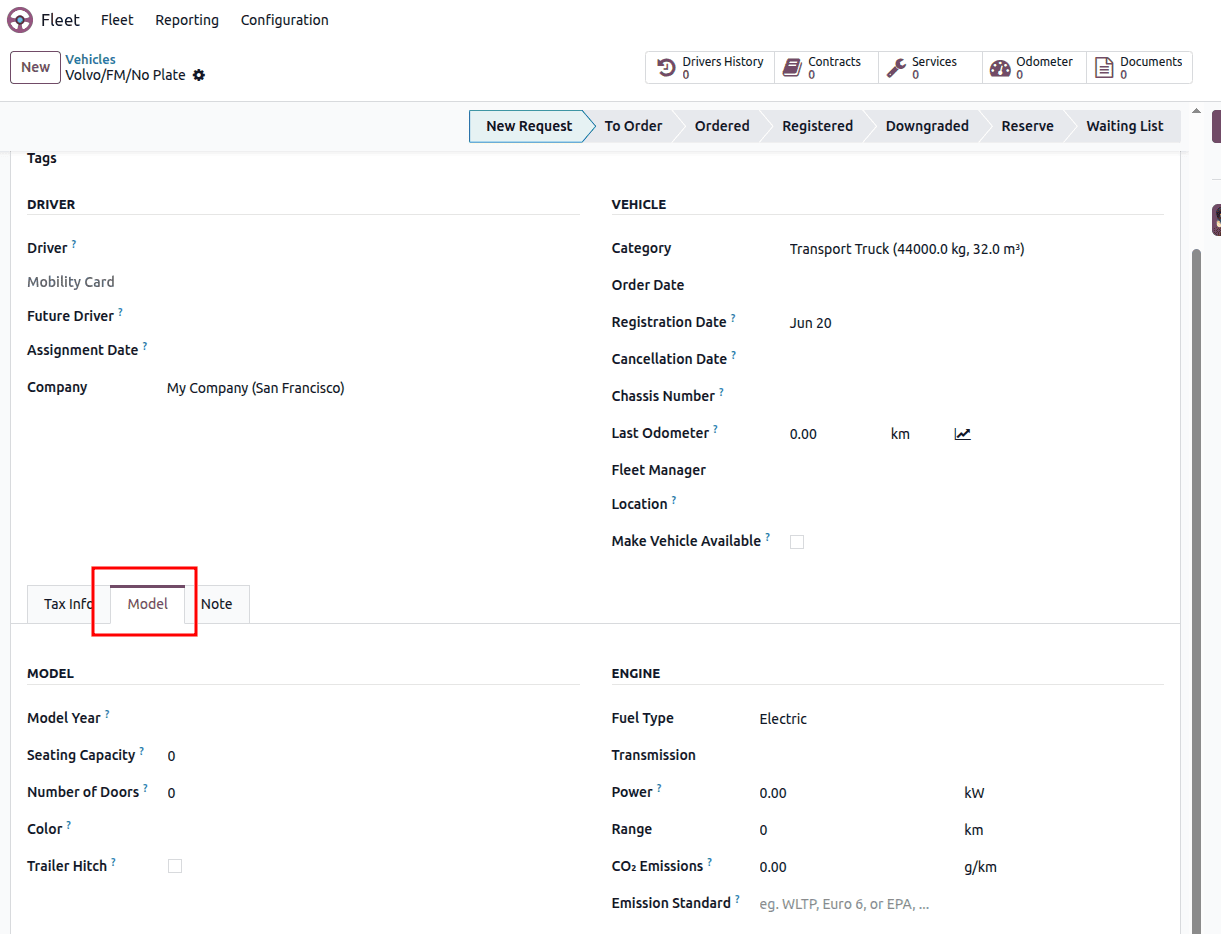
Vehicle model specifications can be entered in the Model tab. This section includes fields for the Model Year, Color, Power, Horsepower, Fuel Type, CO2 Emissions, and CO2 Standard.
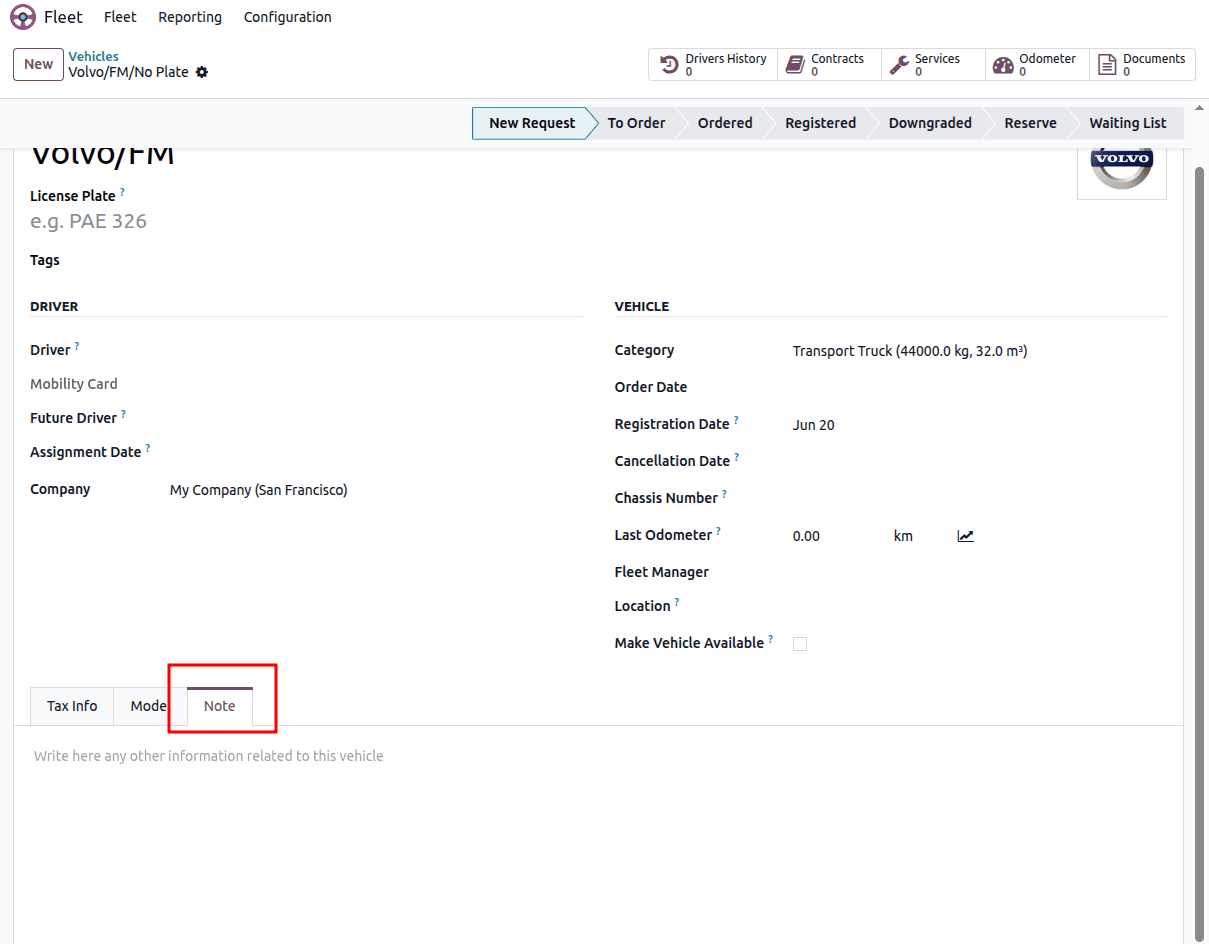
The Notes tab allows you to add any additional vehicle-related information.
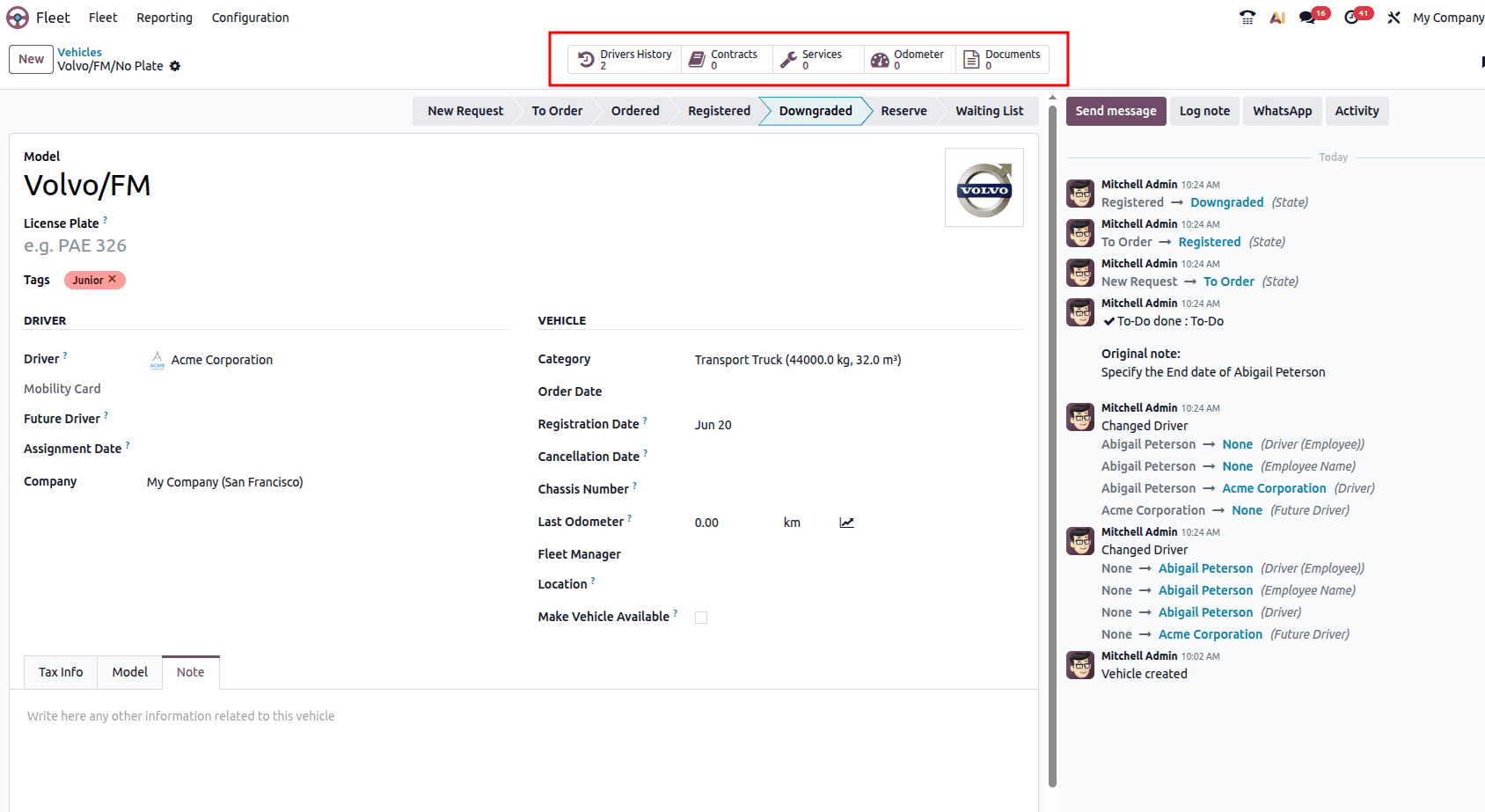
After entering all the required information, a set of smart buttons becomes available at the top of the vehicle form. These buttons provide quick access to related records, including Odometer, Contracts, Services, Driver's Histories, and Employees.
- Odometer: The Odometer smart button displays the vehicle's mileage records over time. This information helps monitor vehicle usage, estimate operating costs, analyze fuel consumption, and plan maintenance based on mileage.
- Contracts: The Contracts smart button provides access to all contracts associated with the vehicle, such as insurance, rental, or leasing agreements. It allows users to review contract periods, monitor costs, and track the current status of each contract.
- Services: The Services smart button opens the vehicle's maintenance and service history. It records completed and scheduled services, associated costs, and service providers, making it easier to manage maintenance activities and control expenses.
- Driver's Histories: The Driver's Histories smart button shows the list of employees who have been assigned to the vehicle over time. It helps maintain a record of vehicle assignments, monitor usage history, and support operational tracking and auditing.
- Employees: The Employees smart button displays the employee who is currently assigned to the vehicle. It simplifies fleet management by linking each vehicle to its responsible employee, improving accountability and resource allocation.
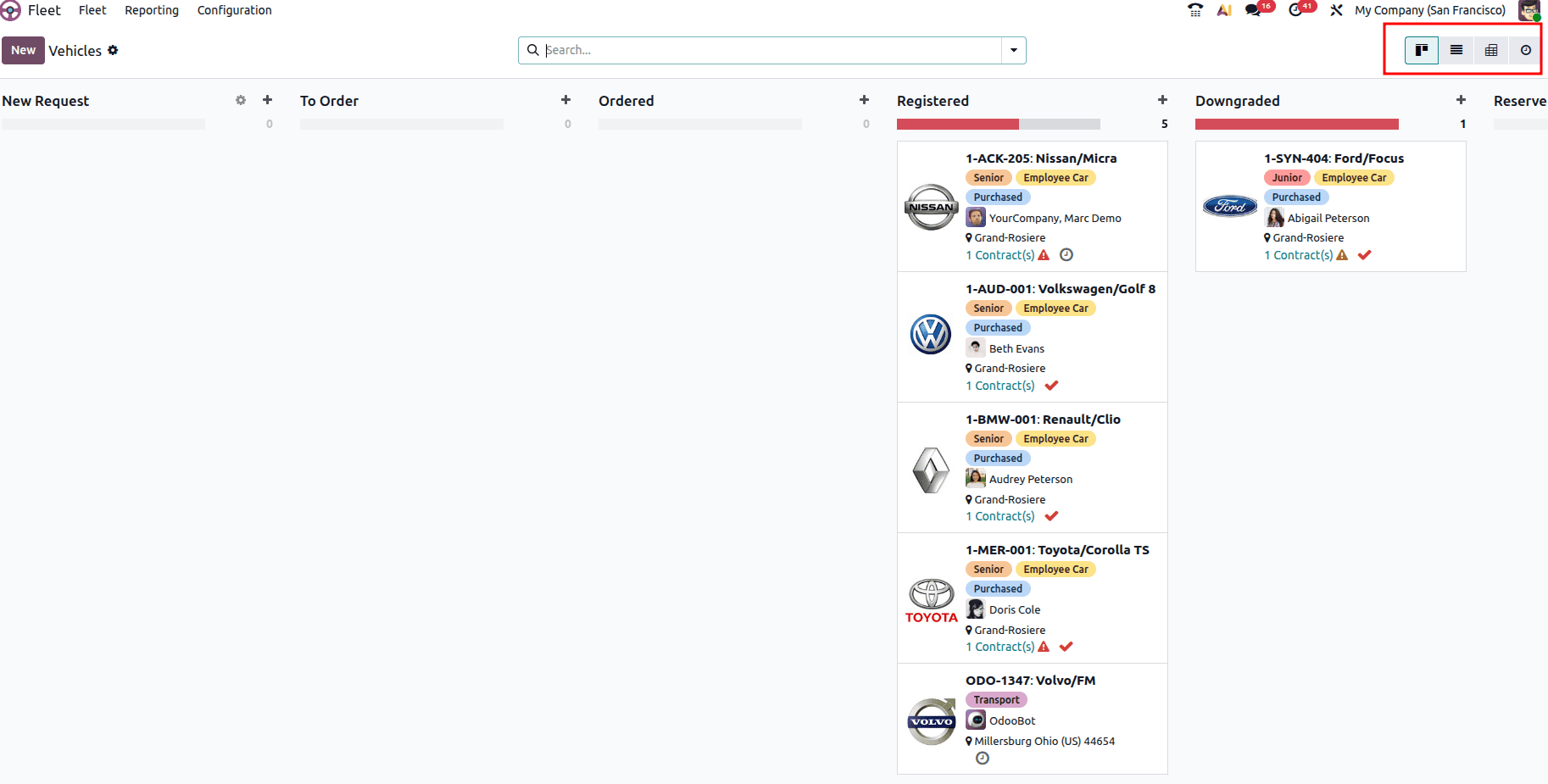
We have different types of views, like List, Pivot, and Activity.
The Odoo 19 Fleet module provides a centralized and efficient solution for managing an organization's vehicles, drivers, contracts, maintenance activities, fuel consumption, and operational costs. By automating fleet-related processes and offering real-time visibility into vehicle performance and expenses, businesses can reduce administrative workload, improve vehicle utilization, and make data-driven decisions. With its seamless integration with other Odoo applications, the Fleet module helps organizations maintain better control over their transportation assets, optimize operational efficiency, and ensure cost-effective fleet management. Whether managing a small vehicle pool or a large fleet, Odoo 19 offers the tools needed to streamline fleet operations and enhance overall productivity.
To read more about How Fleets Are Managed With Odoo 18 Fleet Module, refer to our blog How Fleets Are Managed With Odoo 18 Fleet Module.