Odoo 19 supports two main accounting methods: Anglo-Saxon Accounting and Continental Accounting. In companies that use Odoo, these two kinds have distinct functions. Depending on the demands and characteristics of a firm, various nations employed these two distinct forms of accounting. We can discuss Anglo-Saxon accounting and how to use it for business management in this blog.
Anglo-Saxon accounting
In certain countries, the company's expense accounts must be used immediately upon the completion of a product purchase, whereas in other countries, they may only be used once the products have been sold. Anglo-Saxon accounting can be used for firms if the expense accounts are only impacted after a product's sales procedures are finished. Businesses that comply with international financial reporting standards commonly use Anglo-Saxon accounting.
There are some changes in Odoo 19 from the previous versions. Odoo 19 provides two inventory valuation approaches: Periodic valuation, which is performed at the end of a period, and Perpetual valuation, which is updated during invoicing. So, the company that follows Anglo-Saxon accounting can use the Inventory Valuation Perceptual (at Invoicing).
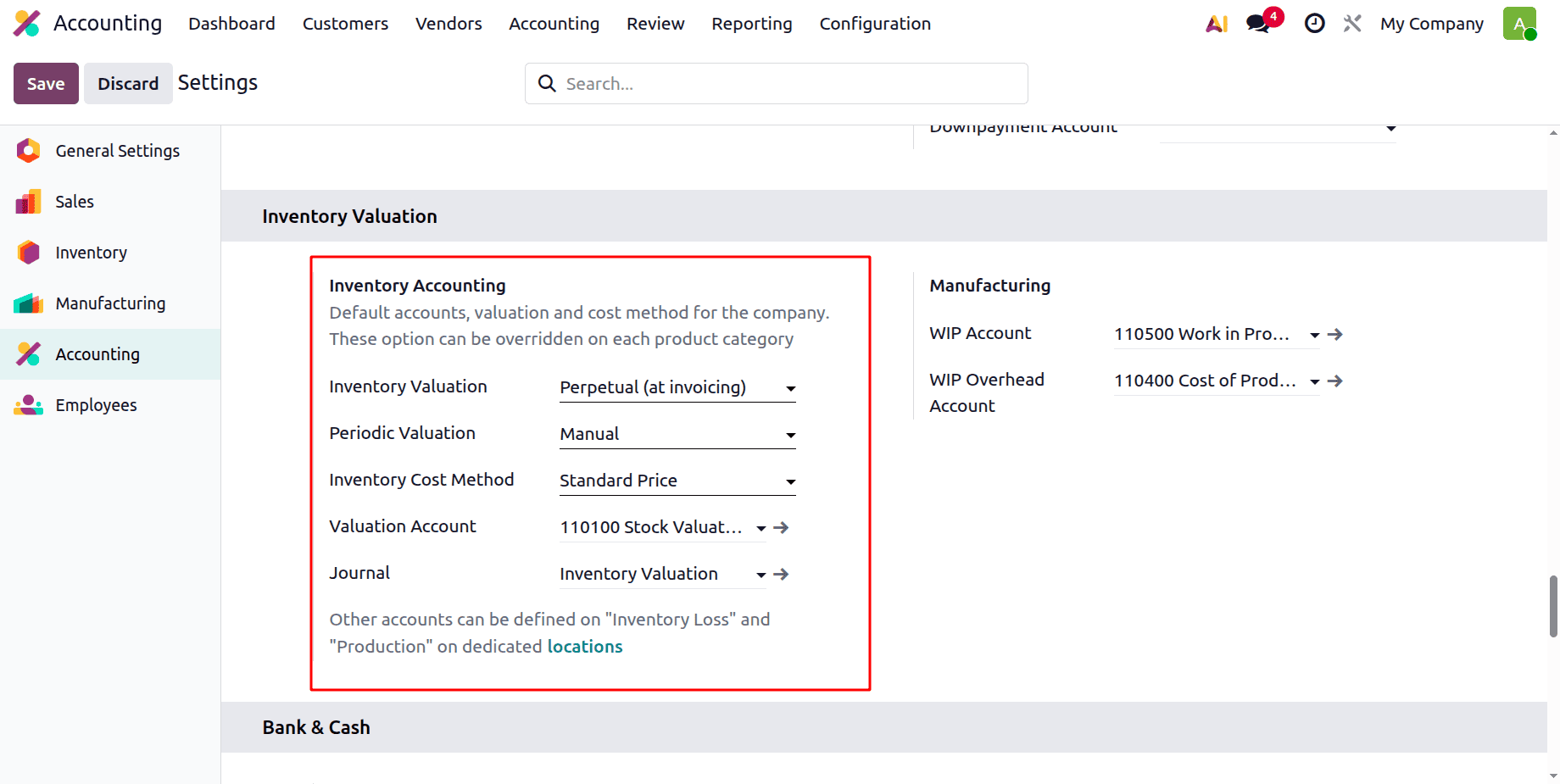
Then, let's check how this works in Odoo 19 Accounting.
After configuring Automatic Accounting, navigate to the Product Categories section. Select the appropriate product category and change the Inventory Valuation setting to Automated.
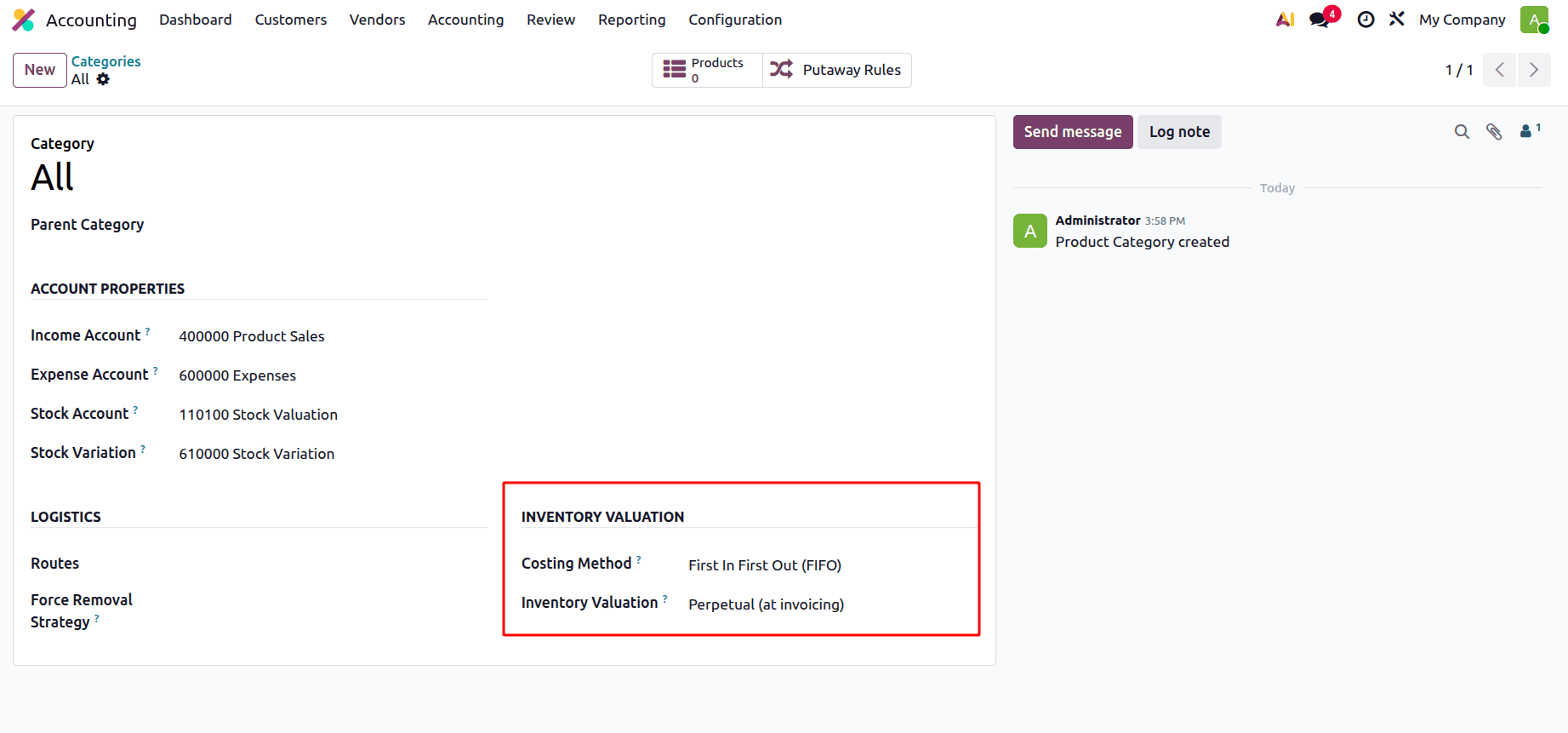
For the "All" product category, the Inventory Valuation can be configured as Perpetual (at Invoicing). The products in this category will then also have their Account Stock Properties updated here.
To identify the action of Anglo-Saxon Accounting, develop a new product from this category, and apply various operations to it.
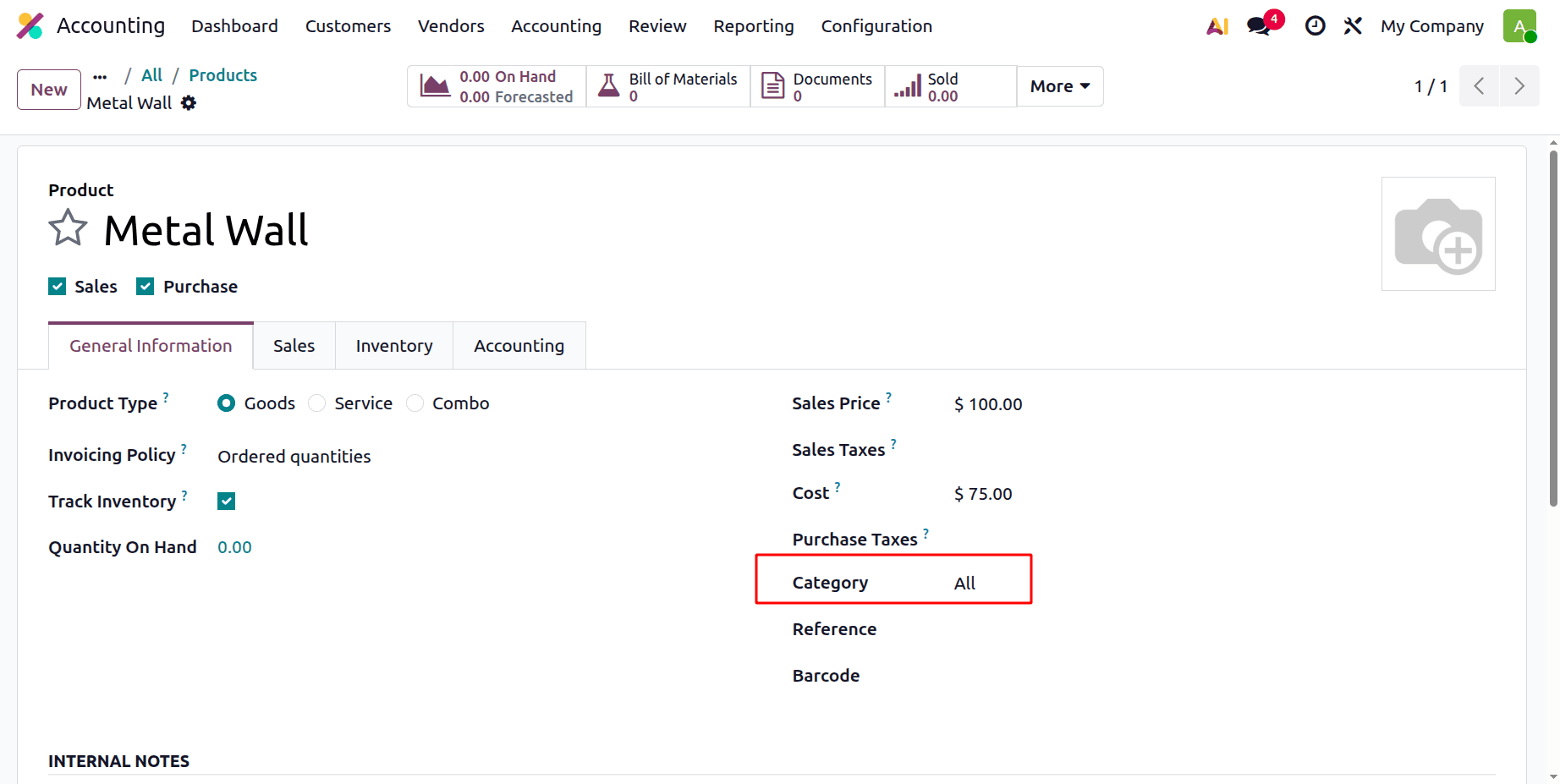
Here, we have established a new product under the Product Category "All" with the product type "Goods," which manages inventory by amount. We can then make a purchase order for this product, "Metal Wall."
Therefore, we have two options for purchasing this product: we can either create a vendor bill directly from the Accounting application or navigate to the Purchase application, generate a new Request for Quotation (RFQ), and proceed with creating the purchase order. Therefore, all of the vendor invoices in various statuses will be accessible when we click on the Bill sub-menu under the Vendor menu in the accounting program. Click the New button to create a new vendor bill.
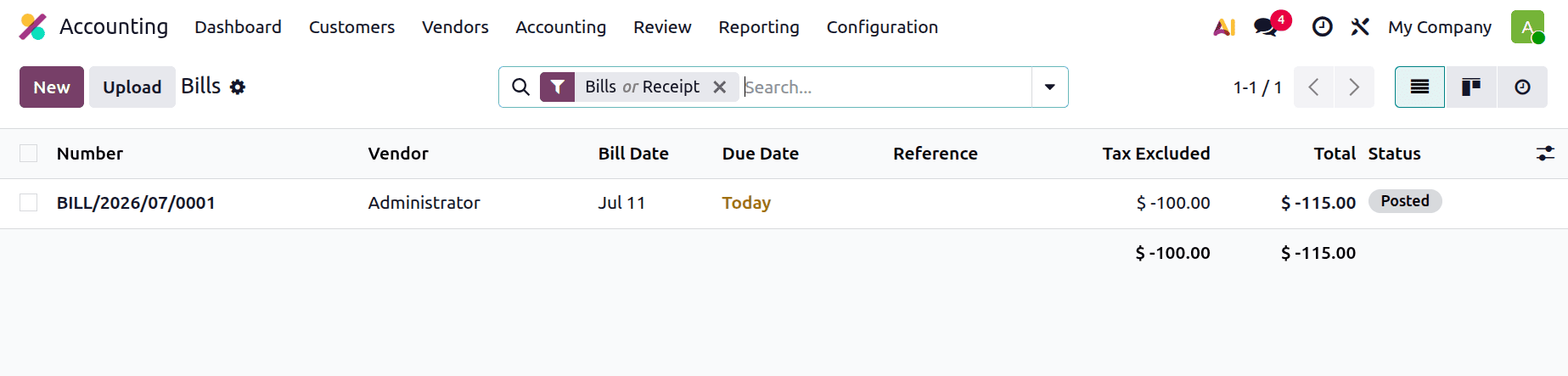
After that, we can make a fresh vendor bill for the newly developed "Metal Wall" product and click the Confirm button to validate it.
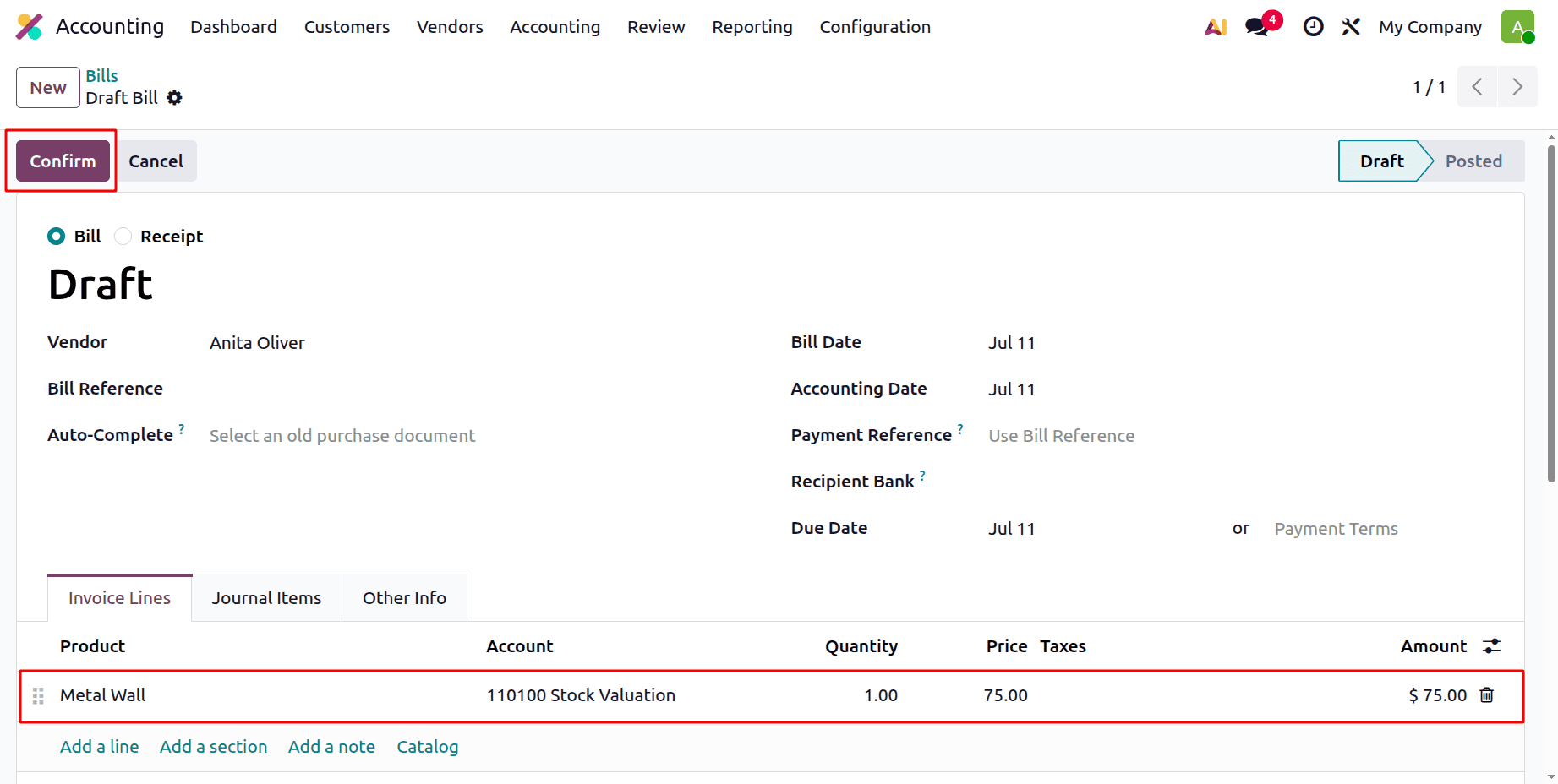
The journal items made in relation to the product purchase are visible when we navigate to the Journal Items page of the vendor bill after it has been created.
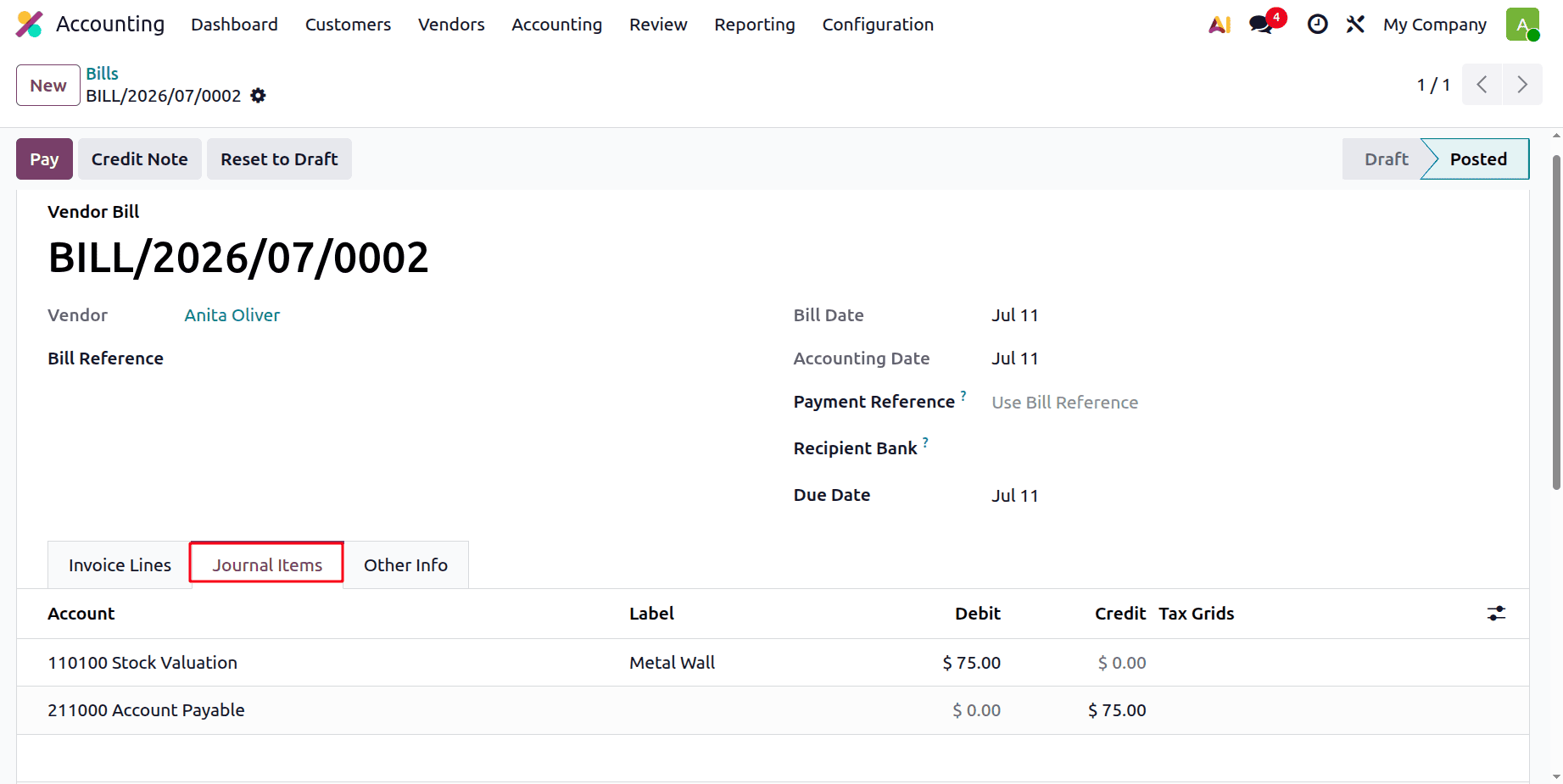
Here, we can observe that the Stock Valuation and Account Payable accounts were impacted when the product Metal Wall was purchased. Generally, creating a purchase order results in changes to the "Accounts Payable" and "Expense" accounts. The "Expense" account is debited to recognize the cost incurred, while the "Accounts Payable" account is credited to record the liability to the vendor. We are aware that Account Payable is a liability account, and that an increase in liability results in an increase in credit and a transfer to the second account, the "Expense Account," where a debit will also be recorded as expenses rise.
| Account | Nature | Increasing / Decreasing | Credit / Debit |
| Stock Valuation | Asset | Increasing | Debit |
| Account Payable | Liability | Increasing | Credit |
The identical product can then be sold from our stock, and the expense account won't be impacted until the product has been sold. To determine whether the expenditure account is impacted by the sale of these goods, simply generate an invoice for the "Water bottle."
To create an invoice for this product, open the Odoo 19 Accounting application and navigate to the Invoice submenu under the Customers menu. We can view all of the invoices in various statuses by selecting the invoice sub-menu. Click the "New" button to generate a new invoice.
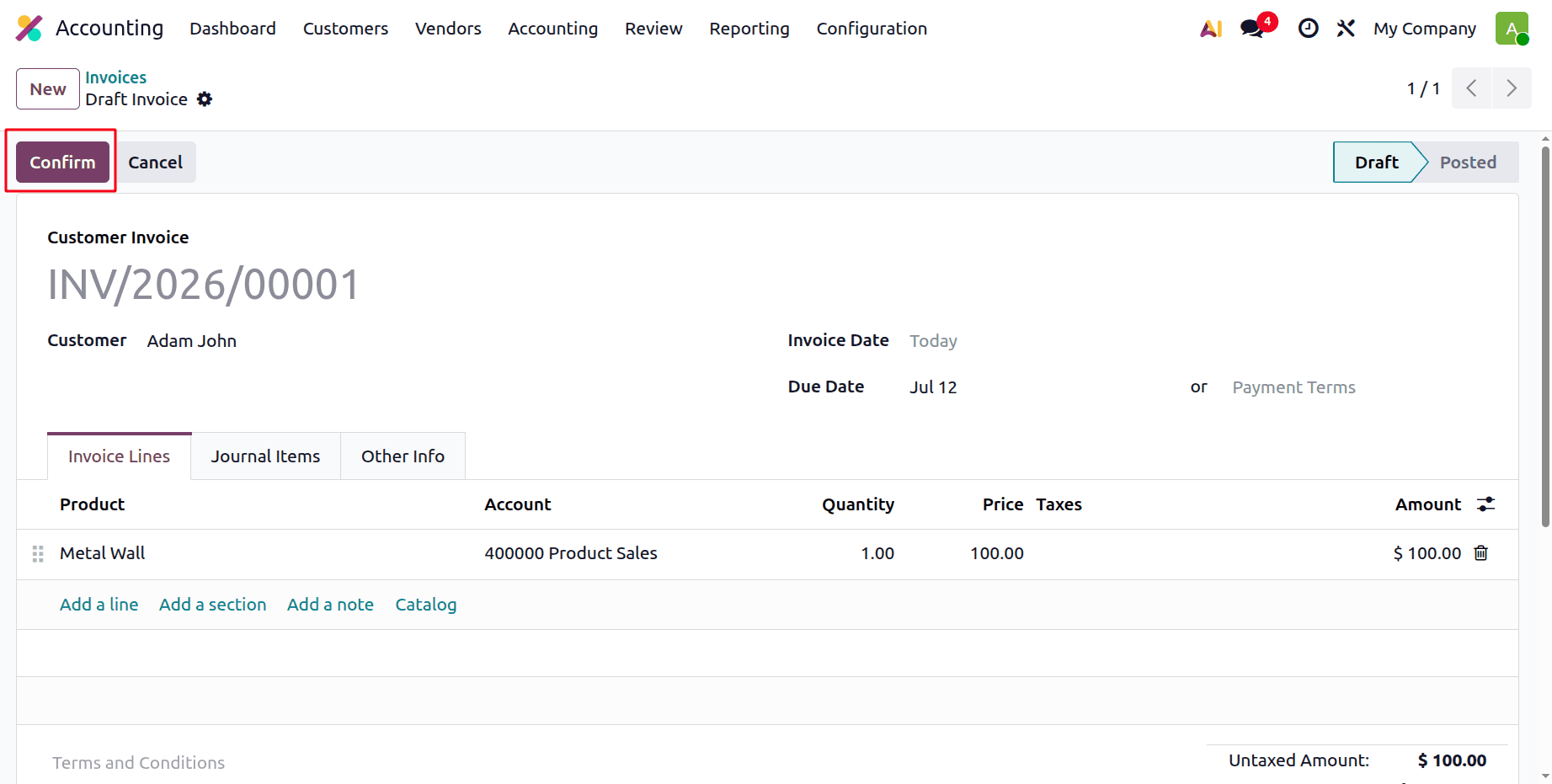
Once the required product is added, select the "Confirm" button to complete the invoice validation process.
Then, when the accounting system is configured to Anglo-Saxon Accounting, selling the product affects every account on the journal items tab.
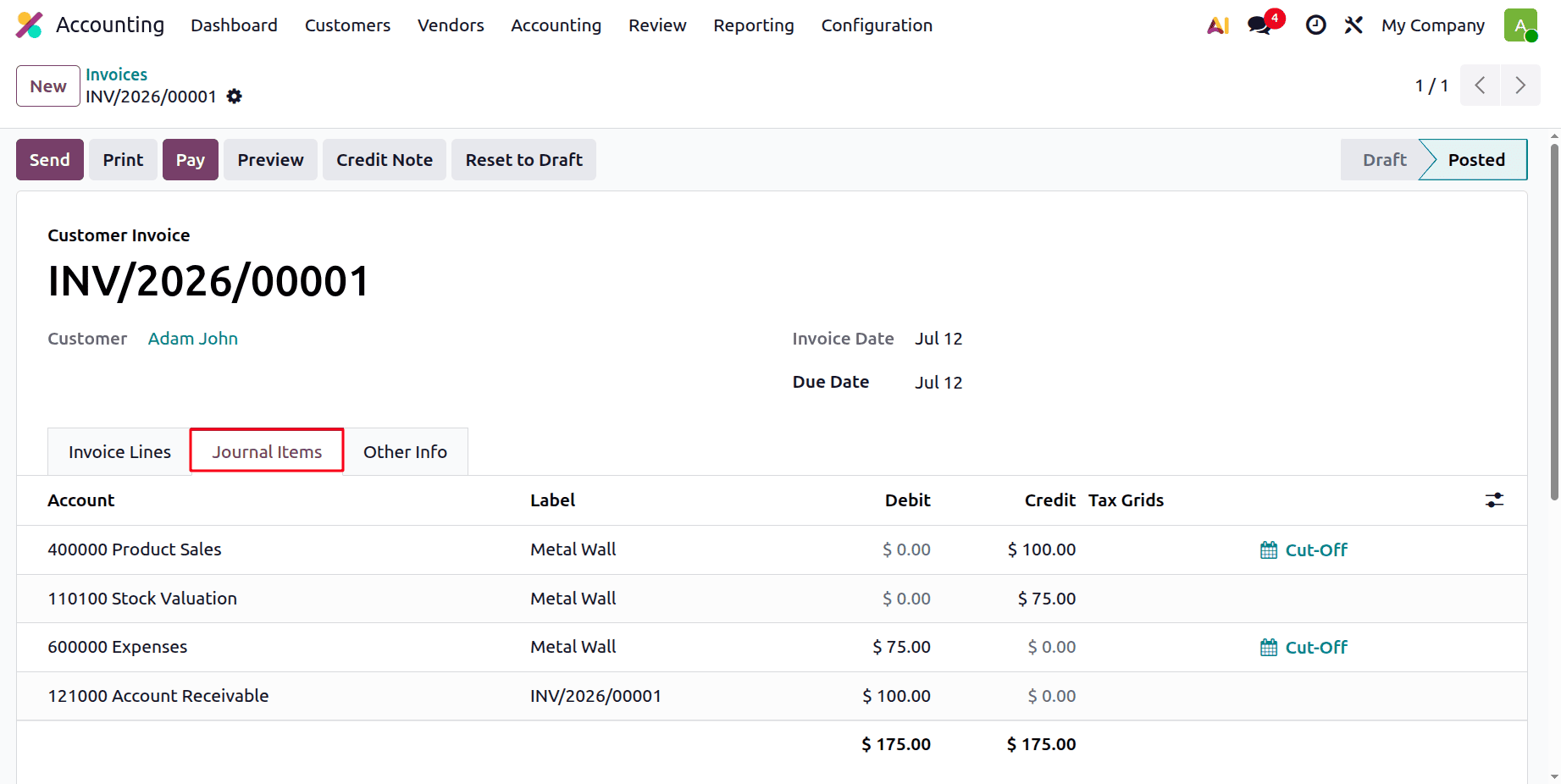
Here, the account Stock Valuation is Credited and the Expense account is Debited with the cost.
| Account | Nature | Increasing / Decreasing | Credit / Debit |
| Product Sale | Income | Increasing | Credit |
| Stock Valuation | Asset | Decreasing | Credit |
| Expenses | Expenses | Increasing | Debit |
| Account Receivable | Asset | Increasing | Debit |
Thus, the expense account is finally impacted only after the product's sales are finished. Additionally, all of these journal entries can be seen or appropriately reported under the Accounting menu's Journal item sub-menu.
The Anglo-Saxon accounting standards and the ledger posts made while buying and selling goods in accordance with these standards have thus been covered in this blog. We can now state that Odoo 19 provides businesses adhering to Anglo-Saxon accounting standards with a comprehensive and effective solution.
To read more about How to Manage a Business Using Anglo-Saxon Accounting in Odoo 18, refer to our blog How to Manage a Business Using Anglo-Saxon Accounting in Odoo 18.