One of the most important resources for obtaining a comprehensive picture of a business's financial operations is the General Ledger report in Odoo 19 Accounting. Combining all journal entries from different accounts, it enables users to monitor balances, confirm posts, and guarantee overall financial accuracy. Odoo 19 makes it simpler than ever to analyse transactions at both summary and detailed levels, thanks to improved filtering, grouping, and drill-down features. This report helps accountants maintain compliance with financial rules, conduct audits, and reconcile accounts. All things considered, Odoo 19's General Ledger offers a strong, intuitive basis for trustworthy financial management and decision-making.
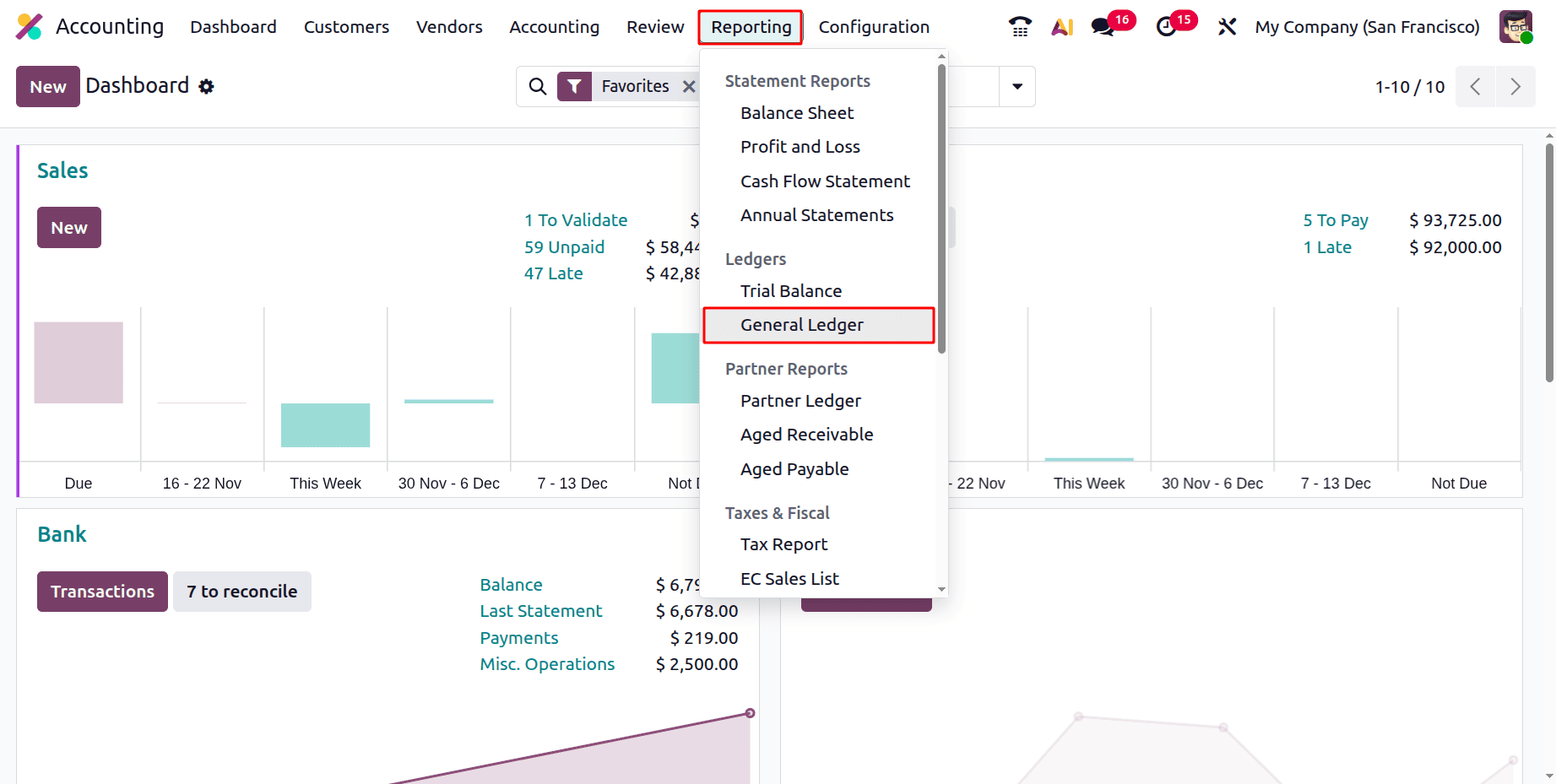
To open the General Ledger report. Open the Accounting module, then click on the Reporting menu. Choose the General Ledger Report, which is available under the Ledgers report.
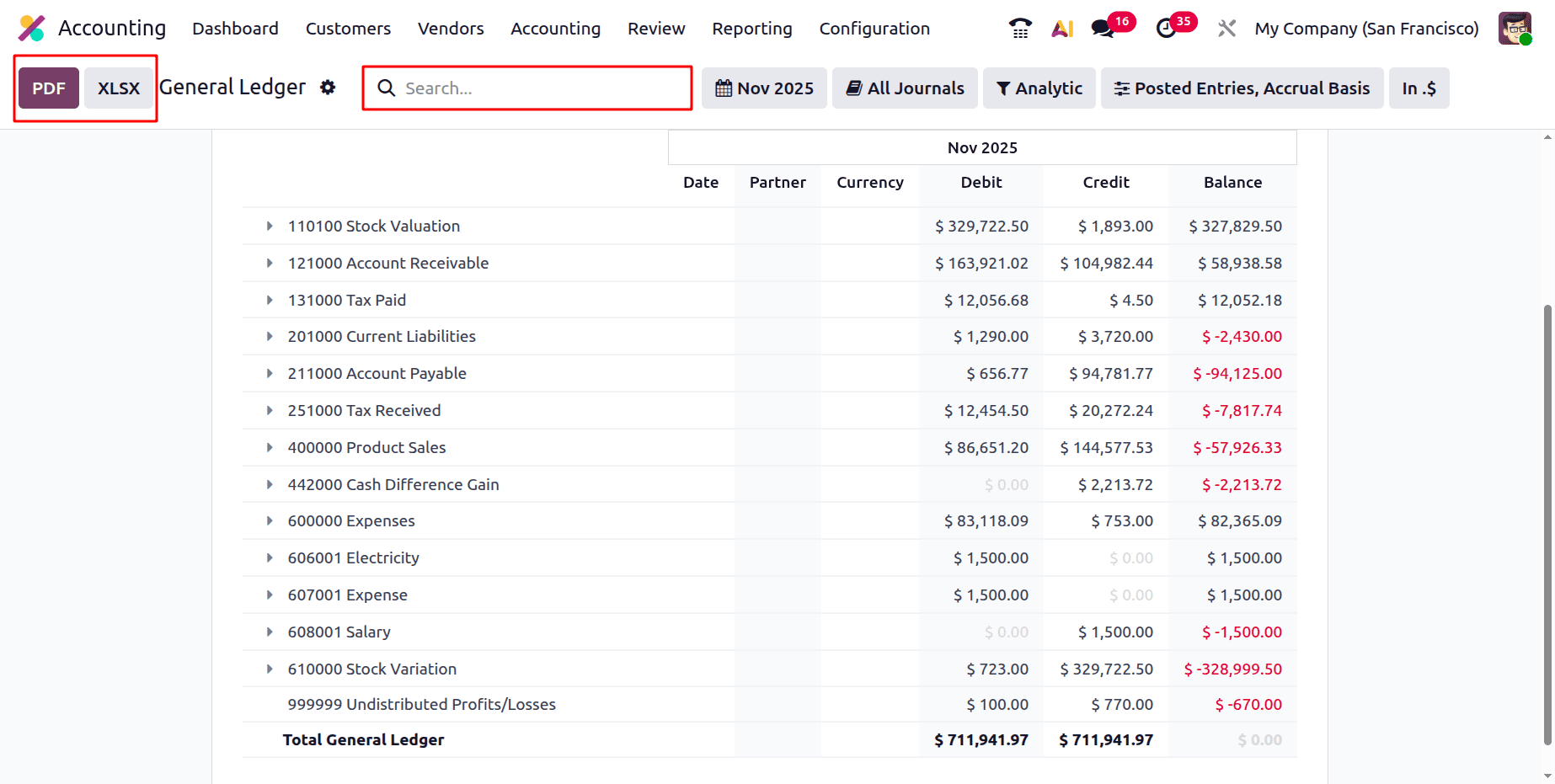
While opening the General Ledger, the General Ledger report can be exported as PDF and XLSX formats. There is a Search option also available.
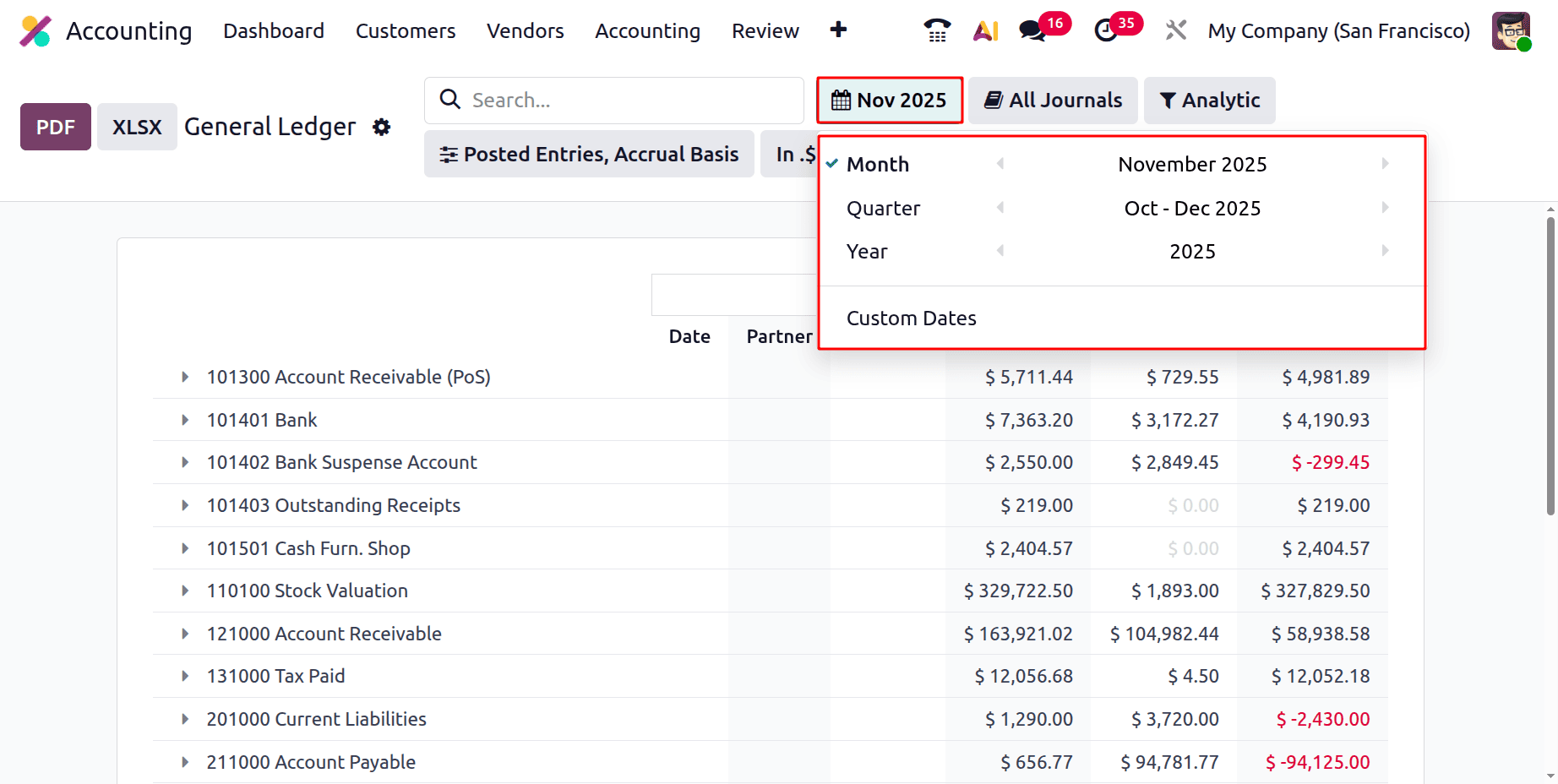
Then there are several filters. The first one is the Date filter. There, the users can filter the general ledger report on the basis of Month, Quarter, Year. and it is also possible to filter it based on Custom Dates.
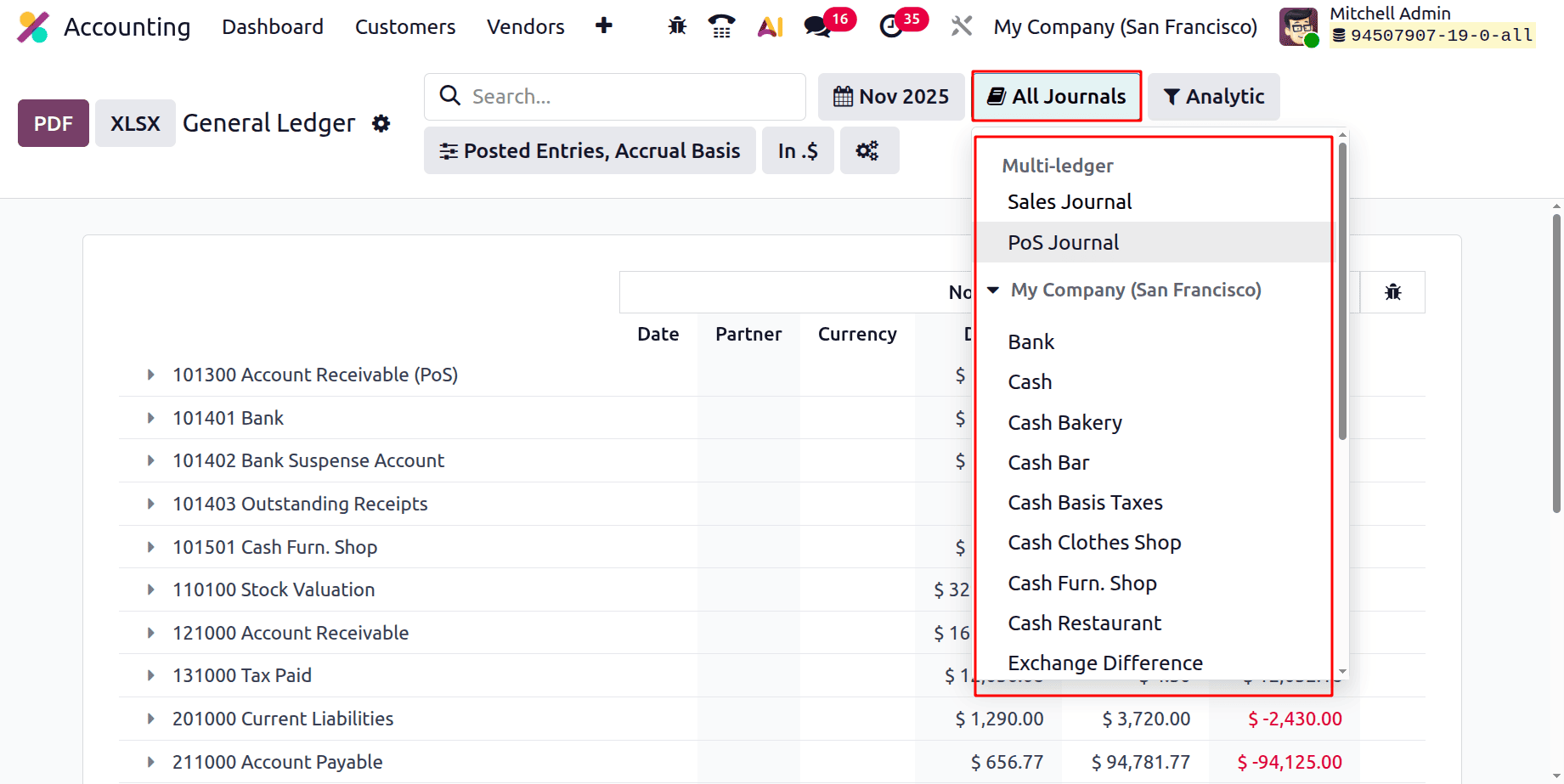
Next is the Journals filter. The list contains Journal Groups and all the created journals. So the users can filter the report on the basis of the Journal.
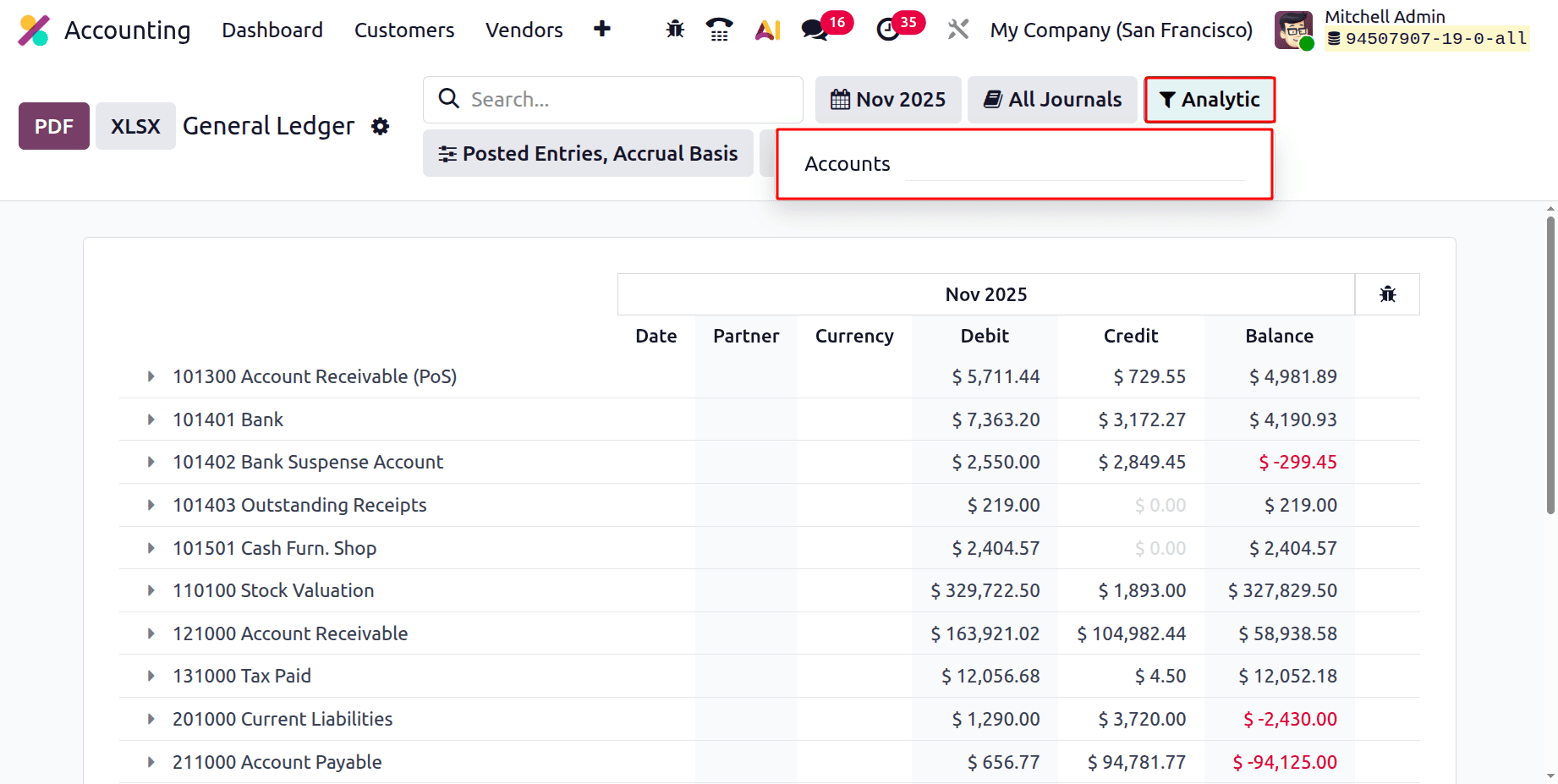
The general ledger report can be filtered by Analytic Accounts. So click on the filter named Analytic. There, the users can mention the required Analytic Account, and the users can filter it based on the chosen analytic filter.
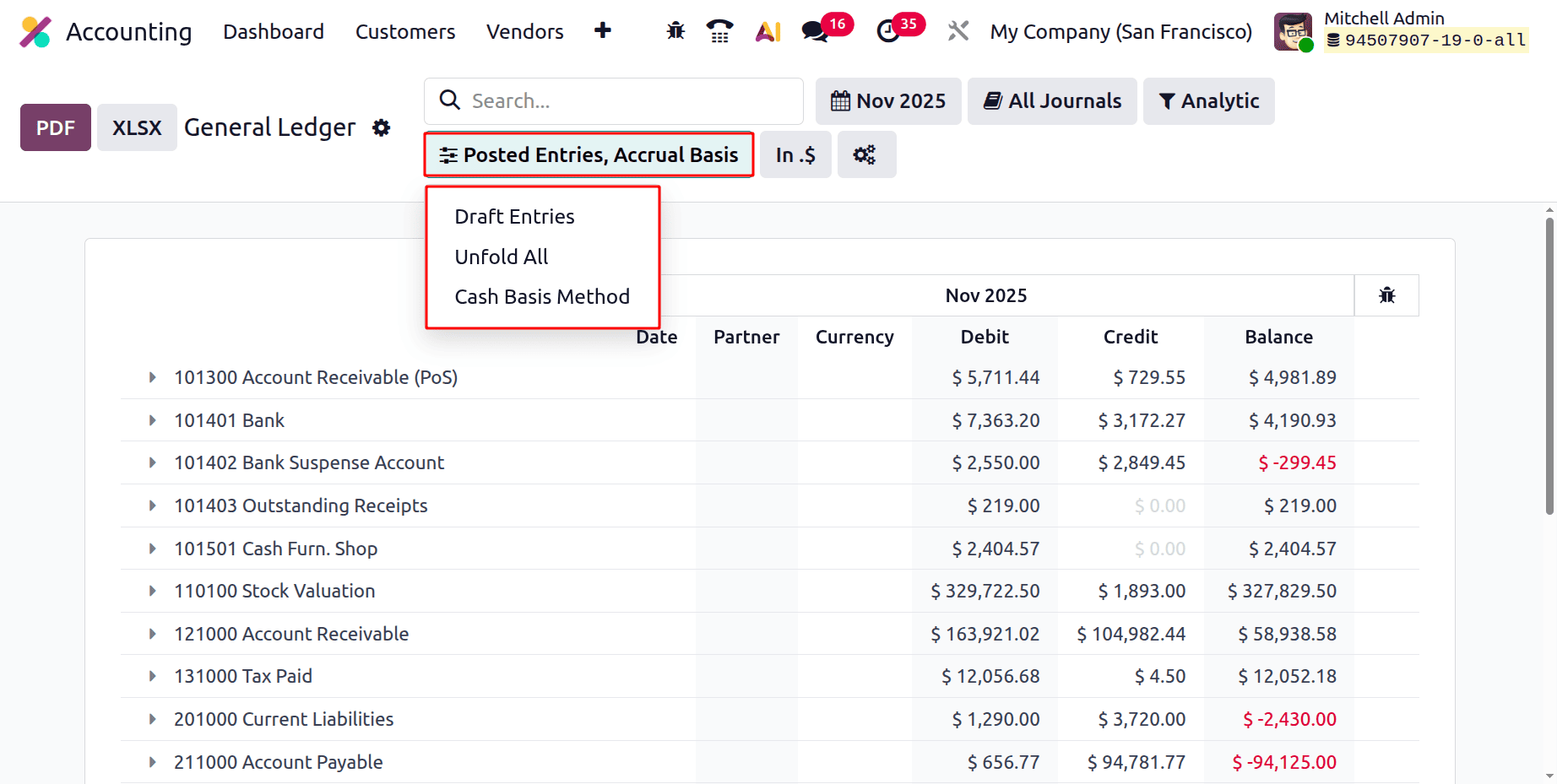
Next is Posted Entries, which contains filters Draft Entries, Unfold All, and Cash Basis Method. By using Draft Entries, all the unposted entries will be shown in the report. The Unfold All will unfold all the entries. To view the entries based on the Cash Basis Method , enable the filter.
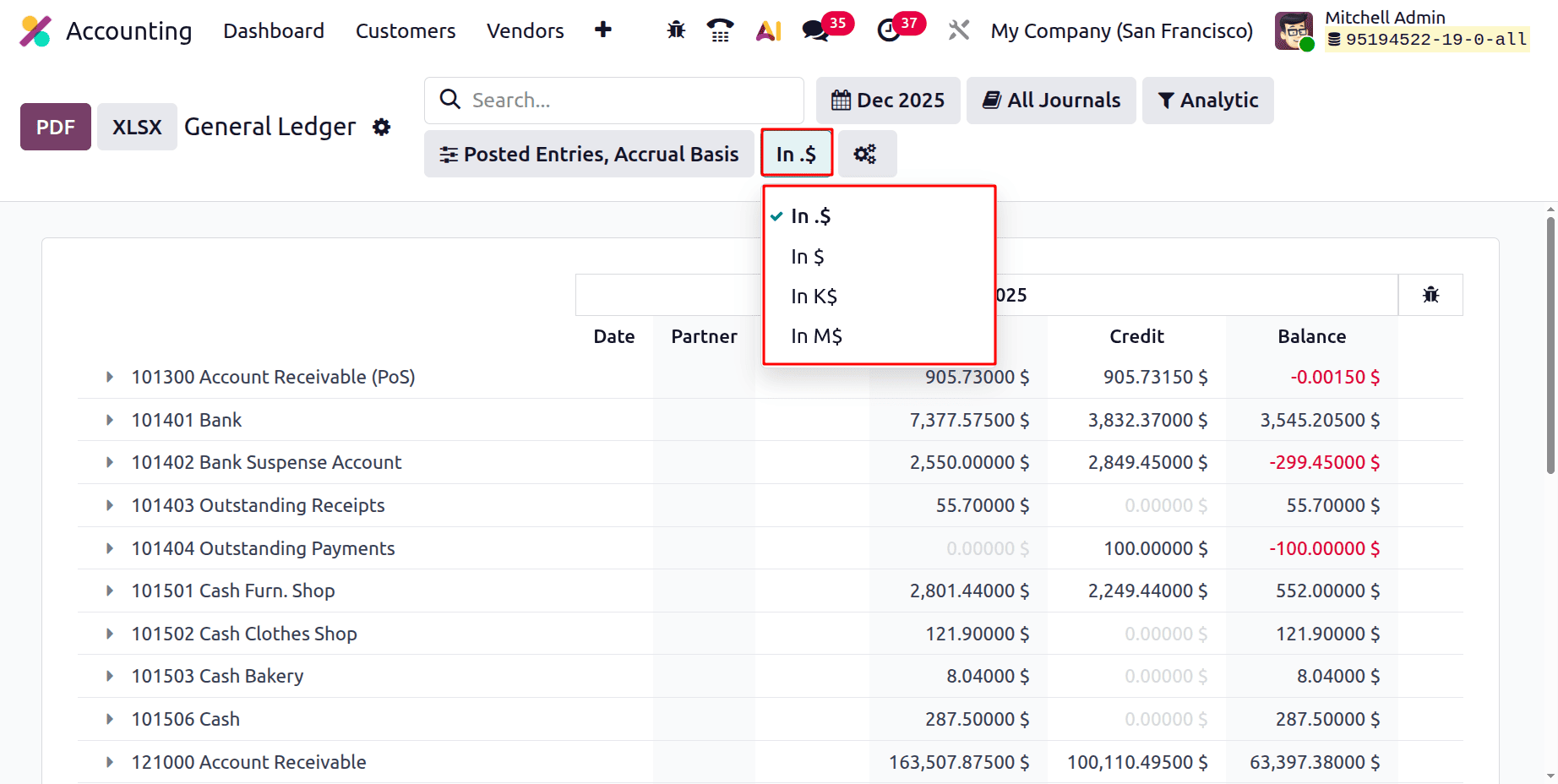
Next is the currency filter. Using these filters gives you the option to decide how the General Ledger report displays monetary quantities. Only the presentation of the accounting values on the screen and in exported reports is altered; the underlying accounting values remain unchanged.
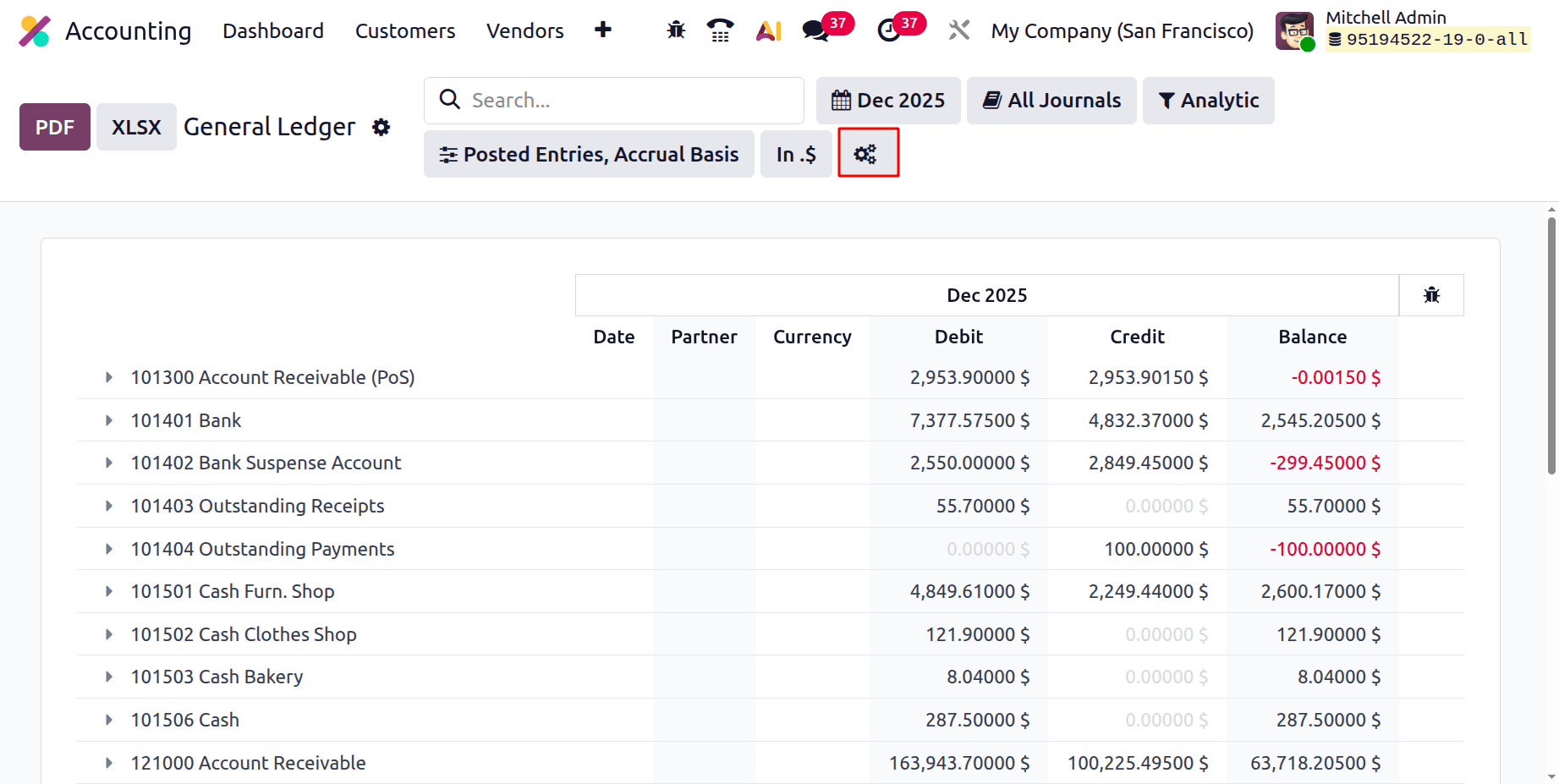
The next icon is to choose the Accounting Report. From there, the users can change the options, filters etc inside the General Ledger Report.
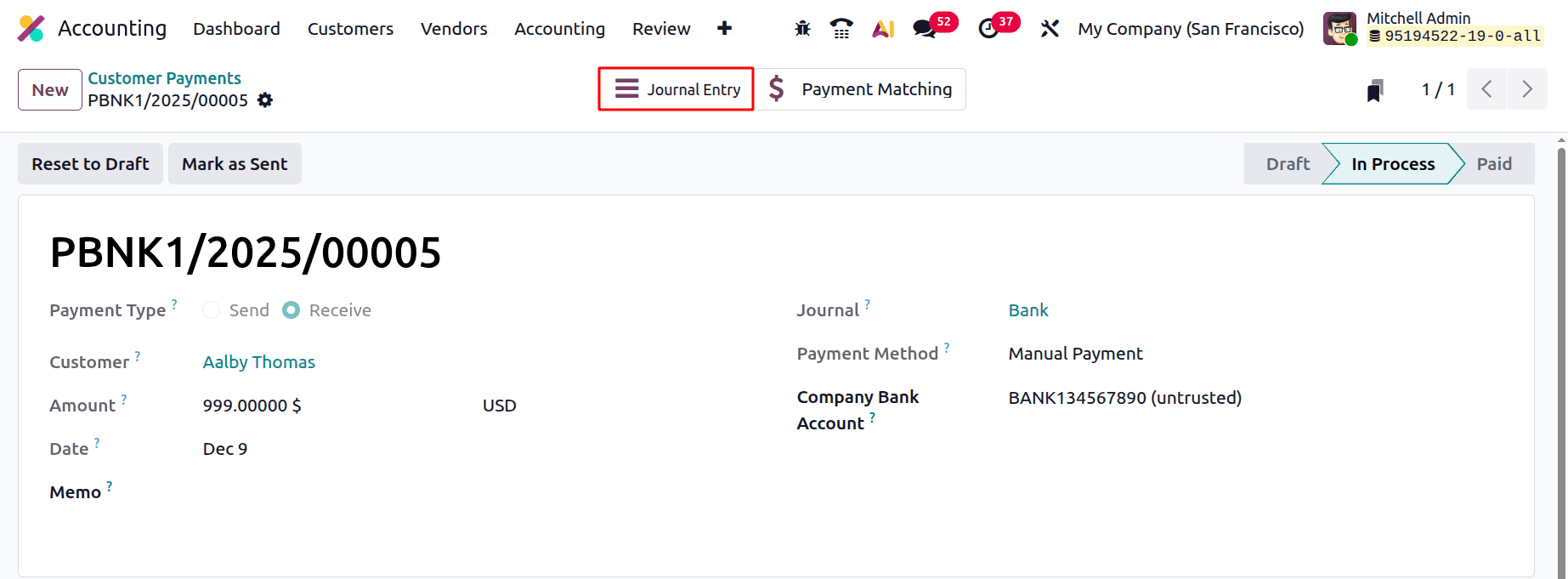
Let's create a new customer payment. Add the Customer, Amount, and Memo. Then confirm the payment. There is a smart tab named Journal Entry.
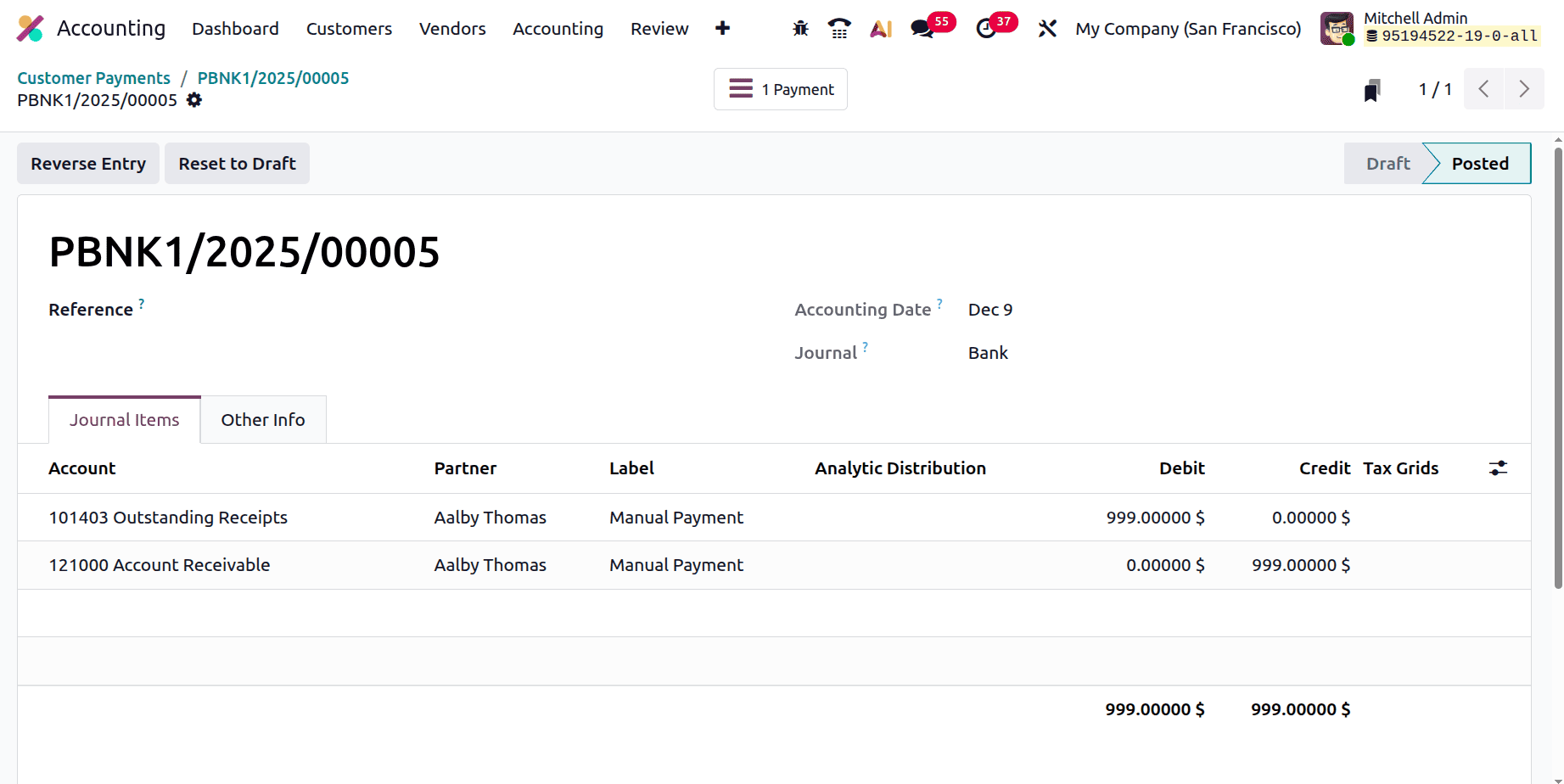
While checking the Journal Entry, as shown below the Outstanding Receipt Account is Debited, and the Account Receivable is Credited.
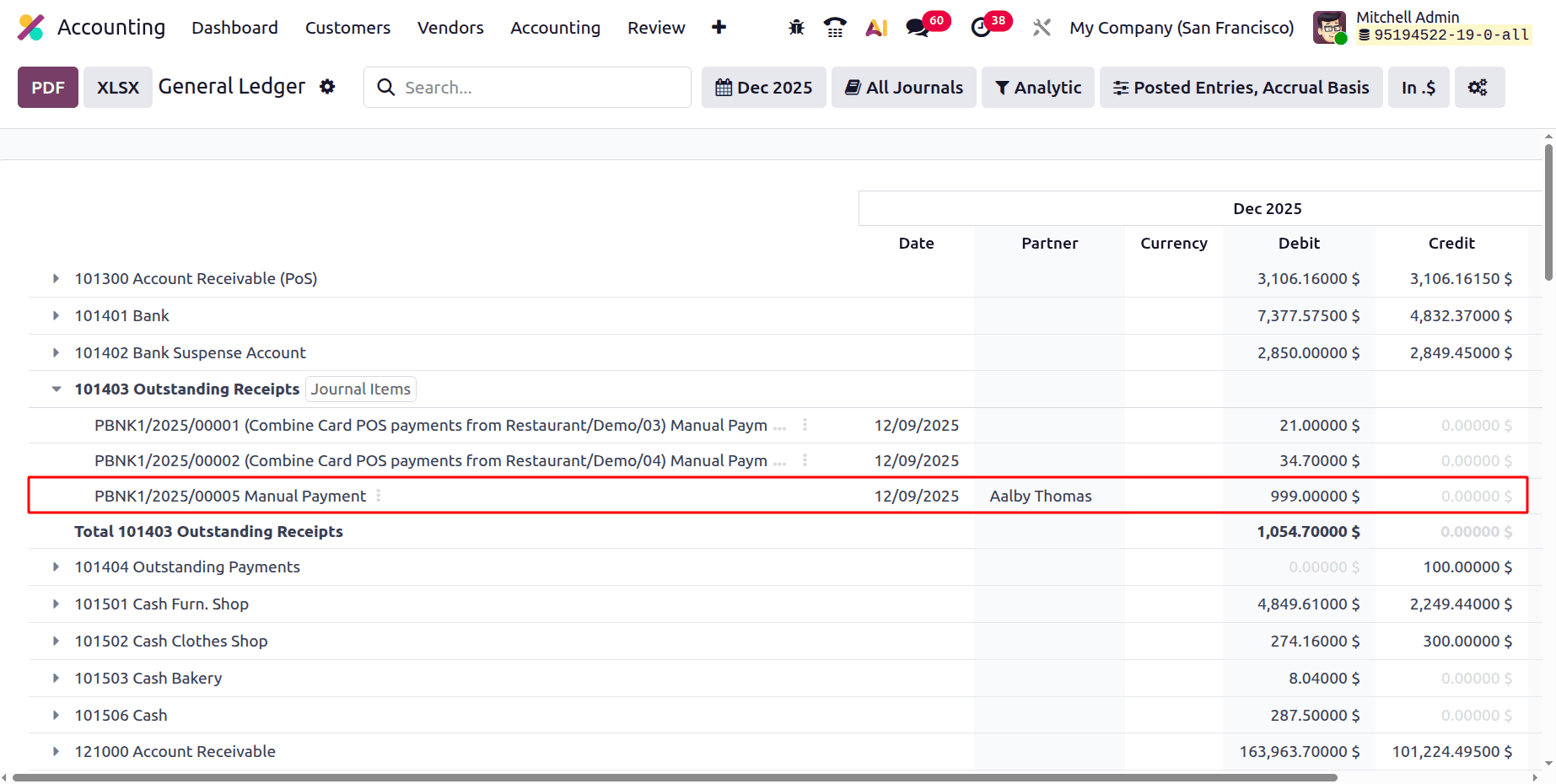
Then let's check the General Ledger report. As shown below, the accounting entry is updated inside the General Ledger report as shown below.
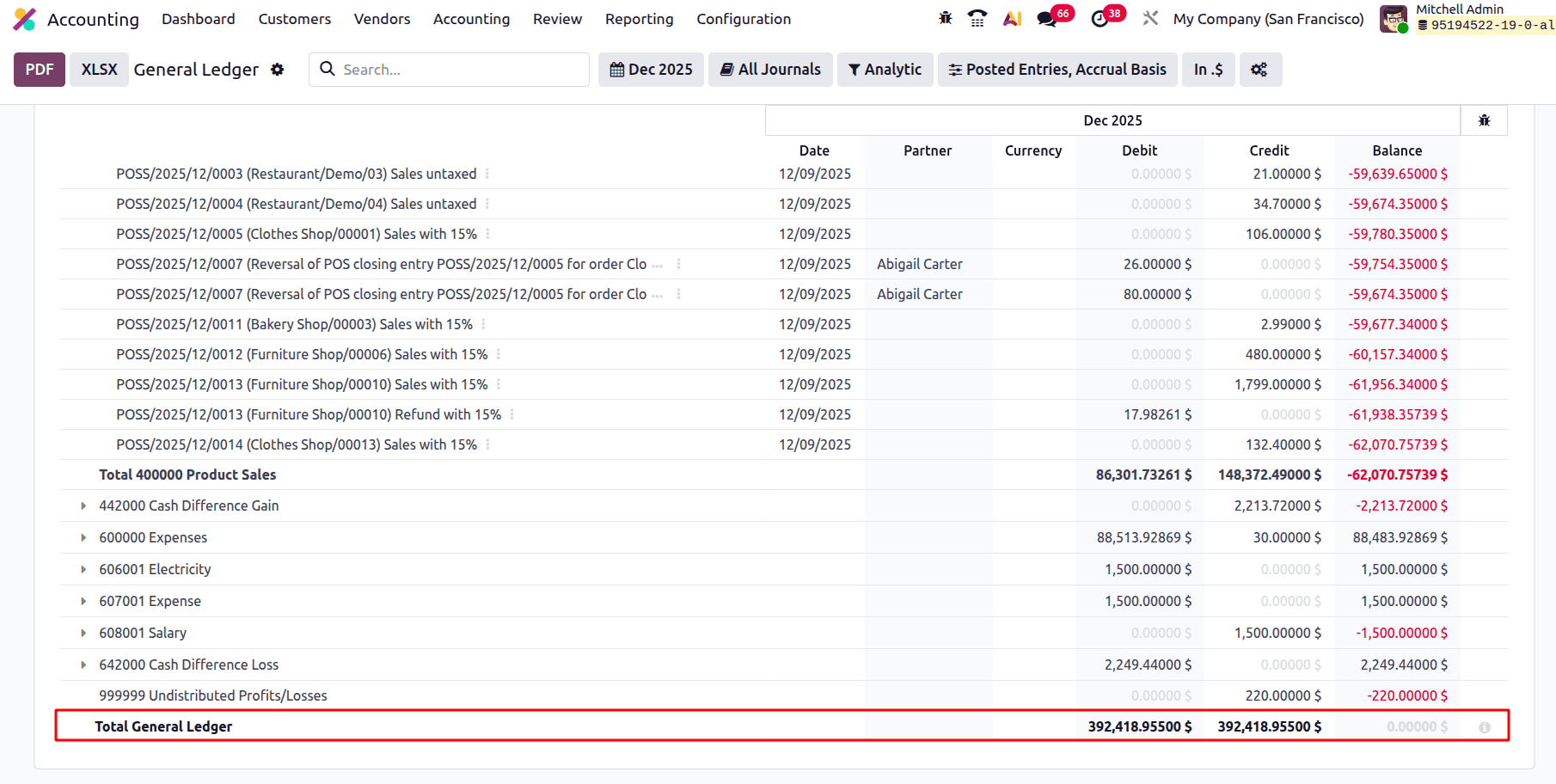
At the bottom of the report, the Total of General Ledger is shown as follows.
To sum up, Odoo 19 Accounting's General Ledger Report offers a clear and thorough overview of all financial transactions across accounts. It is a crucial tool for precise financial tracking and auditing because of its adaptable filters, drill-down features, and real-time data. Businesses may guarantee improved financial control and better decision-making by utilising this report.
To read more about The Ultimate Guide to Journal Items and Entries in Odoo 19 Accounting, refer to our blog The Ultimate Guide to Journal Items and Entries in Odoo 19 Accounting.