Journal entries form the basis of Odoo 19's accounting module, which keeps track of a business's financial transactions. By recording both the inflow and outflow of funds, they maintain a historical record of financial activity. With a variety of built-in modules, Odoo's user-friendly interface makes it simple for users to enter journal entries manually or automatically. To keep the accounting equation balanced, each input has debit and credit lines.
Odoo makes accurate and organised record-keeping easier by allowing users to add descriptions, references, and category-based journals.Because journal entries facilitate analysis, compliance, and decision-making, they are crucial for maintaining financial openness.
The inventory and accounting integration of Odoo 19 depends on journal items. They represent the goods or services that a company purchases or sells by serving as a go-between for inventory control and financial transactions. The Odoo inventory module facilitates the production and administration of objects as well as the specification and classification of attributes, such as tax rates, units of measurement, and price.
To ensure that sales and purchases correspond with inventory adjustments and financial statements, items and journal entries are synced. By enabling efficient inventory assessment and analysis, items support accurate financial reporting and well-informed business decisions.
The Odoo accounting system's journal entries and items cooperate to maintain the accuracy of financial transactions. Journal entries provide a visual record for compliance, auditing, and analysis since they capture the core of transactions. By merging inventory and financial management, the integration of items allows for precise value and smooth reconciliation.
Both components smoothly connect financial activity and actual goods to give organisations valuable information that helps their decision-making, adherence to industry standards, and bookkeeping accuracy.
Why Manage Journal Entries and Items with Odoo 19 Accounting?
Journal Entry Automation: Odoo 19 improves automation by letting users create rules for automatic journal entries. This feature minimises errors, guarantees accurate transaction recording, and significantly lowers the quantity of human data entry. Automation saves time and increases the overall correctness of financial data.
Sophisticated Reconciliation: Odoo 19 Accounting offers great tools for reconciliation, which is an essential part of financial management. Businesses may guarantee accurate and up-to-date financial accounts and expedite bank reconciliations by being able to reconcile many items at once.
Customised Products and Journals: Odoo 19 lets you personalise journal entries and other products since it recognises that every company has unique bookkeeping needs. In order to keep track of different financial actions, users can create customized diaries. This degree of flexibility guarantees that Odoo 18 Accounting can adjust to the particular organisational structure and operational procedures of any business.
Real-time reporting: Having access to financial performance data in real-time is essential for making informed business decisions. Odoo 19 Accounting's broad reporting features offer a thorough picture of the business's financial status.
Multiple Currency Support: Managing currency exchange is a common challenge for businesses who have clients from multiple countries or operate worldwide. To solve this, Odoo 19 has enhanced support for a number of currencies. The ease with which users may track and record transactions in several currencies simplifies the accounting process for global organisations.
Connectivity to Other Odoo Modules: Odoo 19 Accounting's smooth integration with other Odoo modules results in an integrated business management solution. By linking to the modules for sales, inventory, and human resources, the connection guarantees the constant flow of financial data throughout the entire company. In addition to increasing efficiency, this integrated strategy provides a thorough grasp of how firms function. Odoo 18 Accounting demonstrates the company's commitment to offering dependable, user-friendly solutions to businesses. Odoo 19 enhances accuracy, simplifies financial procedures, and provides companies with the information they require to thrive in the present competitive environment by placing a strong emphasis on journal entry and item management.
In this blog, we'll examine how Odoo 19 accounting helps businesses streamline their financial operations.
Odoo 19 Accounting's user-friendly interface is one of its main advantages. Even people with little accounting knowledge can easily use the system thanks to its user-friendly architecture.
The clean user interface and well-structured menu make it simple to maintain journal entries and other items.
A Journal Entry can be used to record a transaction. Important elements of a good journal entry are the accounting date, the reference information, the amount to be debited and credited, and a summary of the transactions. A minimum of one credit line and one debit line are needed for Odoo's Double Entry Bookkeeping System. The amount of credit and debit in a journal entry must be equal. The individual lines that comprise a journal entry are called journal items. The Journal Entries platform is accessible through the module's Accounting option.
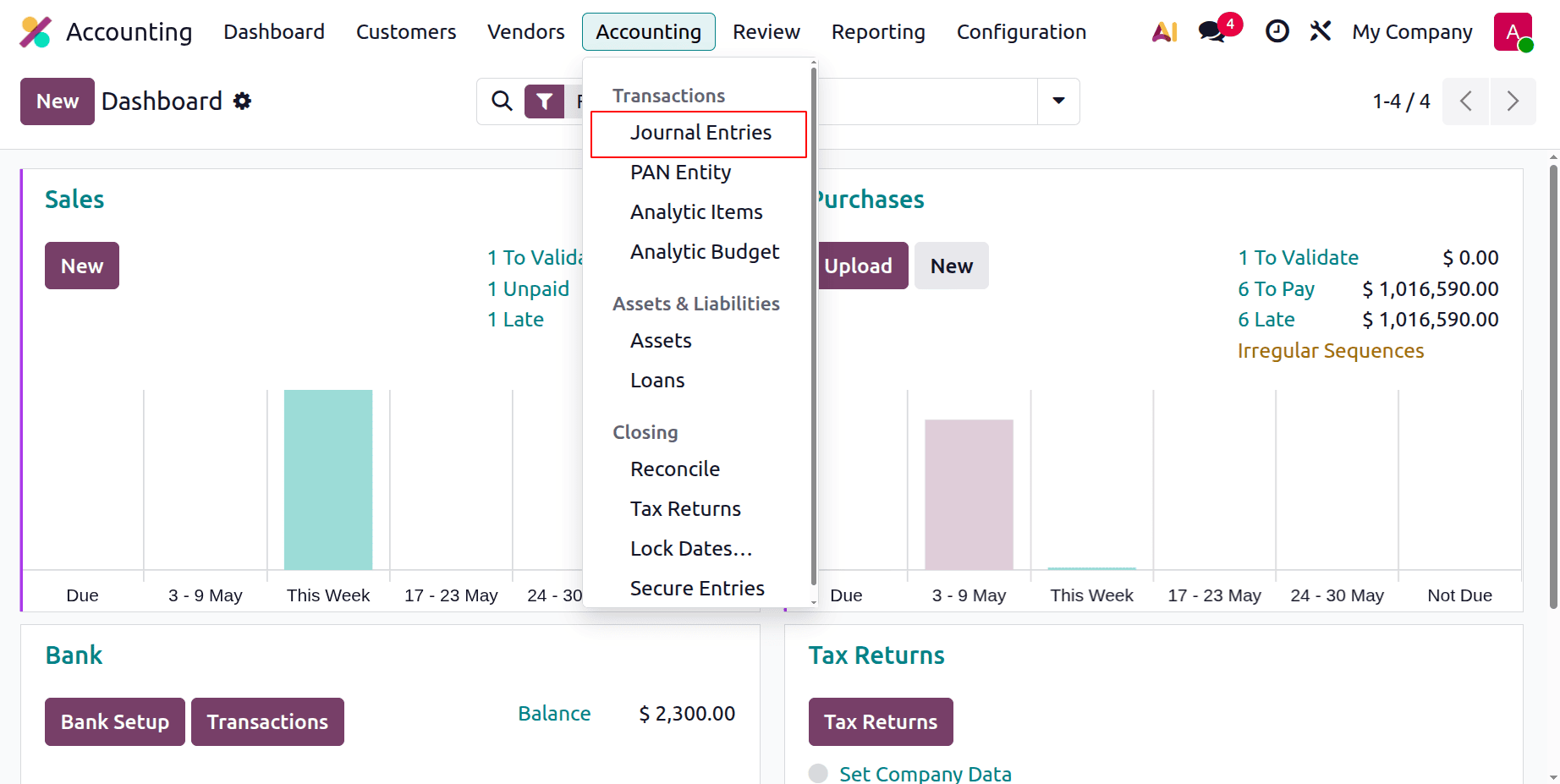
The list view displays the Date, Number, Partner, Reference, Journal, Company, Total, and Status of each journal entry. To begin adding a new journal entry to a specific journal, click the New button.
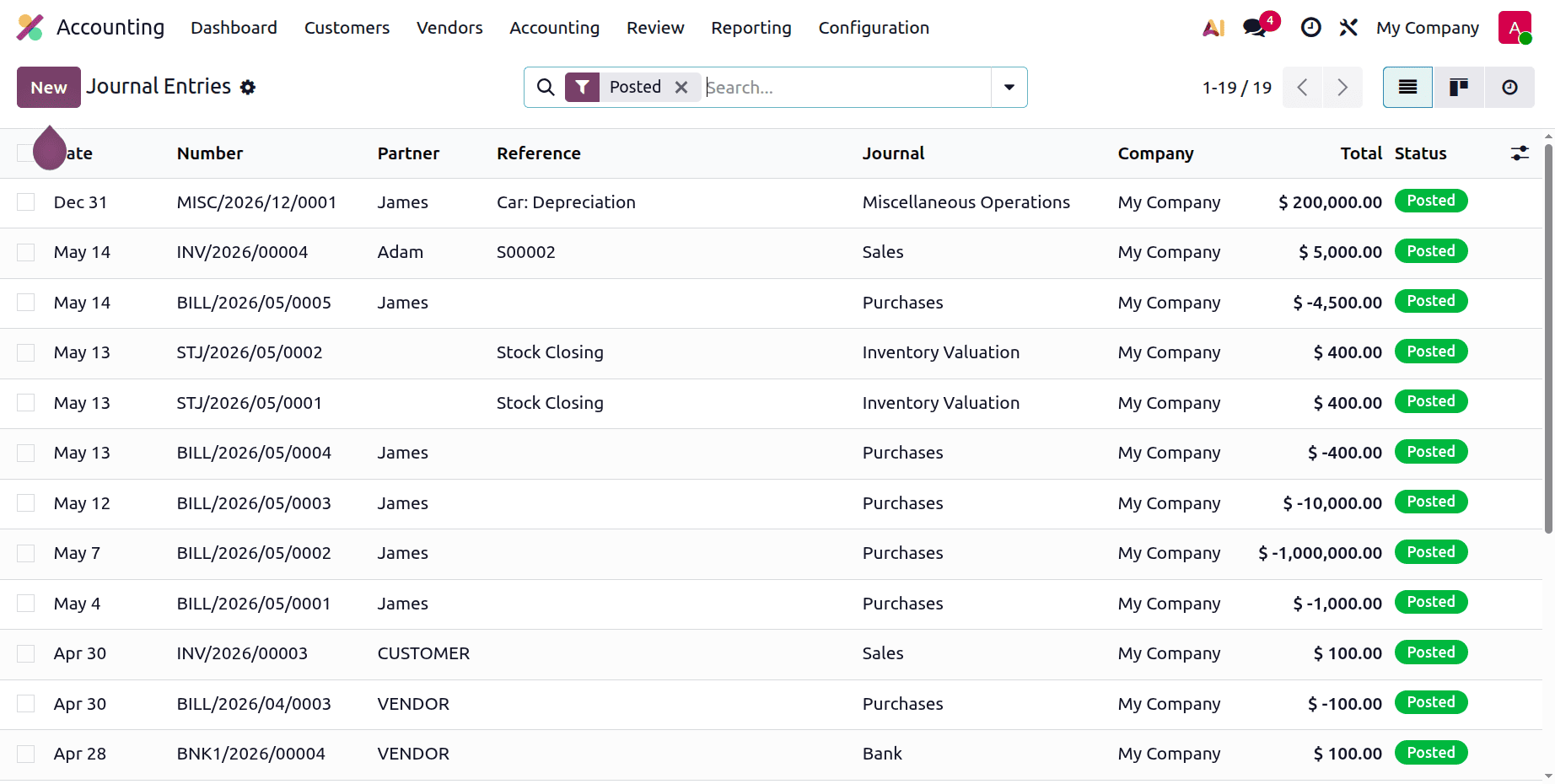
Any pertinent sources may be cited in this journal article's Reference section. The accounting date of the entry will be shown in the appropriate field. To add this entry to your journal, select the relevant journal from the list of possibilities. The Add a Line option underneath the Journal Items menu allows you to add journal entries one at a time. One diary entry consists of these sentences.
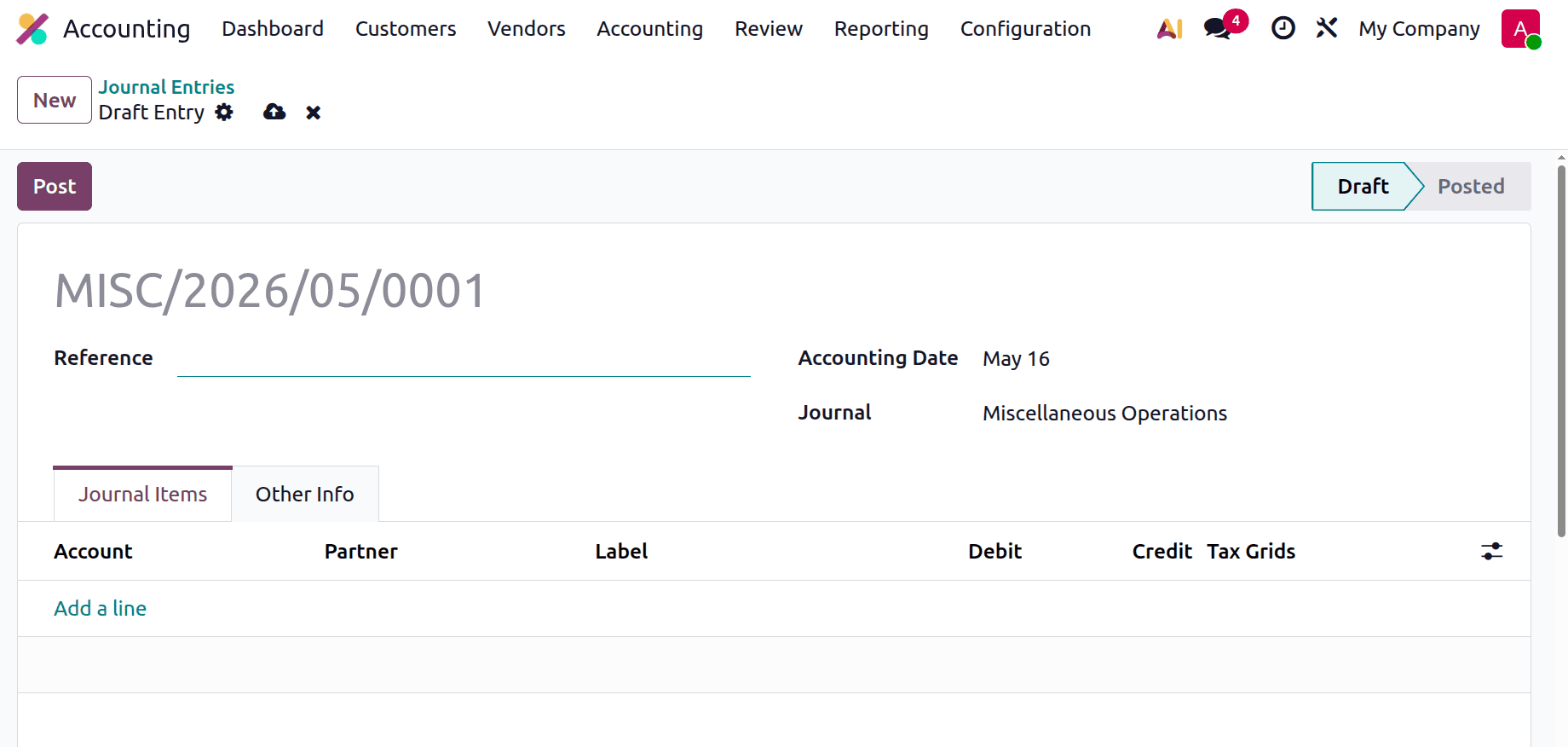
You can enter details about Account, Partner, Label, Analytic, Debit, Credit, and TaxCloud on this page.
Let's check a scenario where the user wants to transfer an amount from the Bank to Petty Cash. So the reference was added as “Transfer from Bank to Petty Cash”. Here, the amount $500 is credited from the Bank account and debited to the Petty Cash account. Click the Post button to publish the journal item.
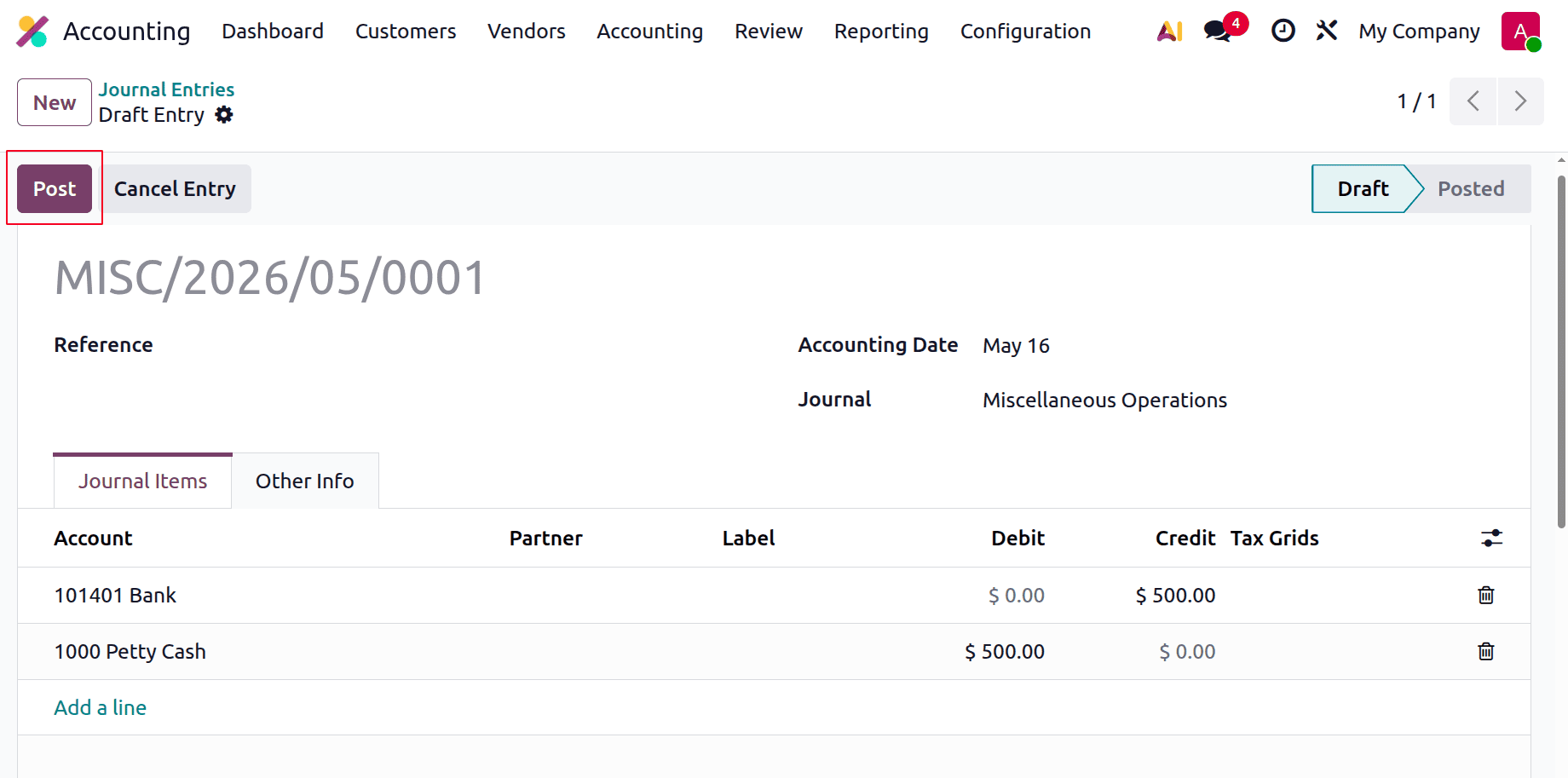
The item will be posted automatically on the relevant accounting date if you select the Auto-post option under the Other Information page. The To Check field can be enabled if you need to review the entry again. You can post the entry in the appropriate journal by clicking the Post button after choosing the Fiscal Position and Company.
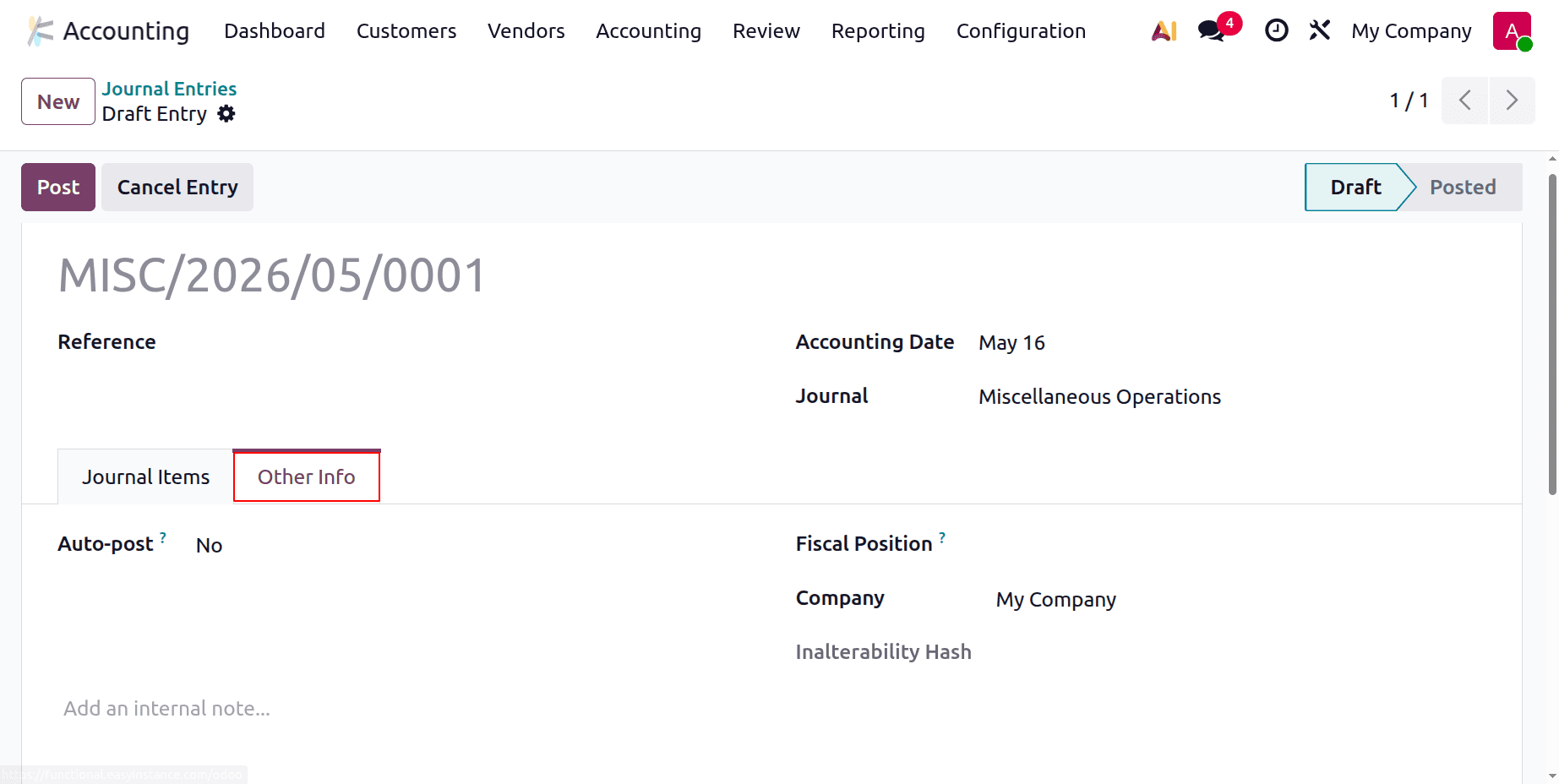
The entry can be removed using the Cancel Entry option before it is published in the journal.
Let's check another Journal entry.
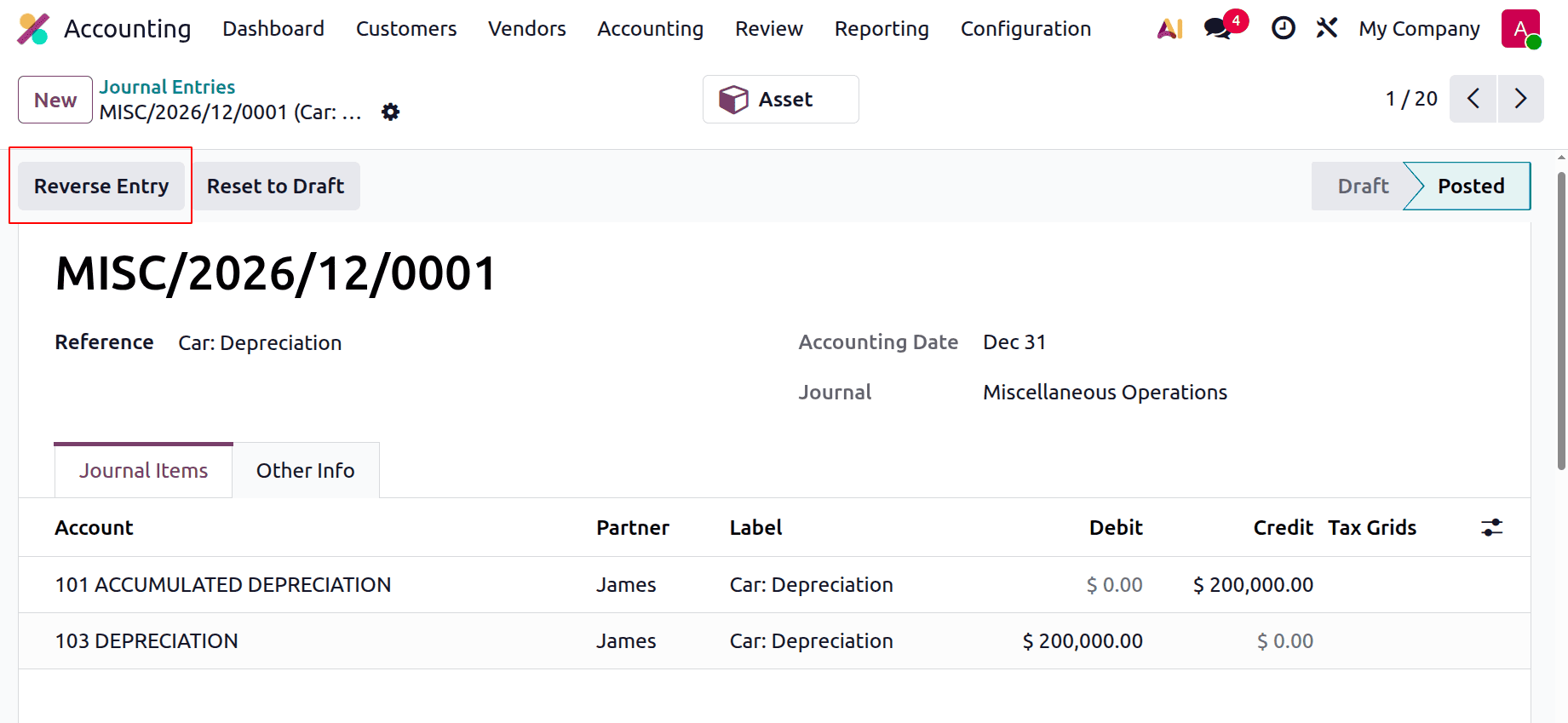
You will be able to use Reverse Entry when the journal entry has been published. You can quickly reverse a published journal entry by using this button.A pop-up window allows you to enter the Reversal Date and Specific Journal.
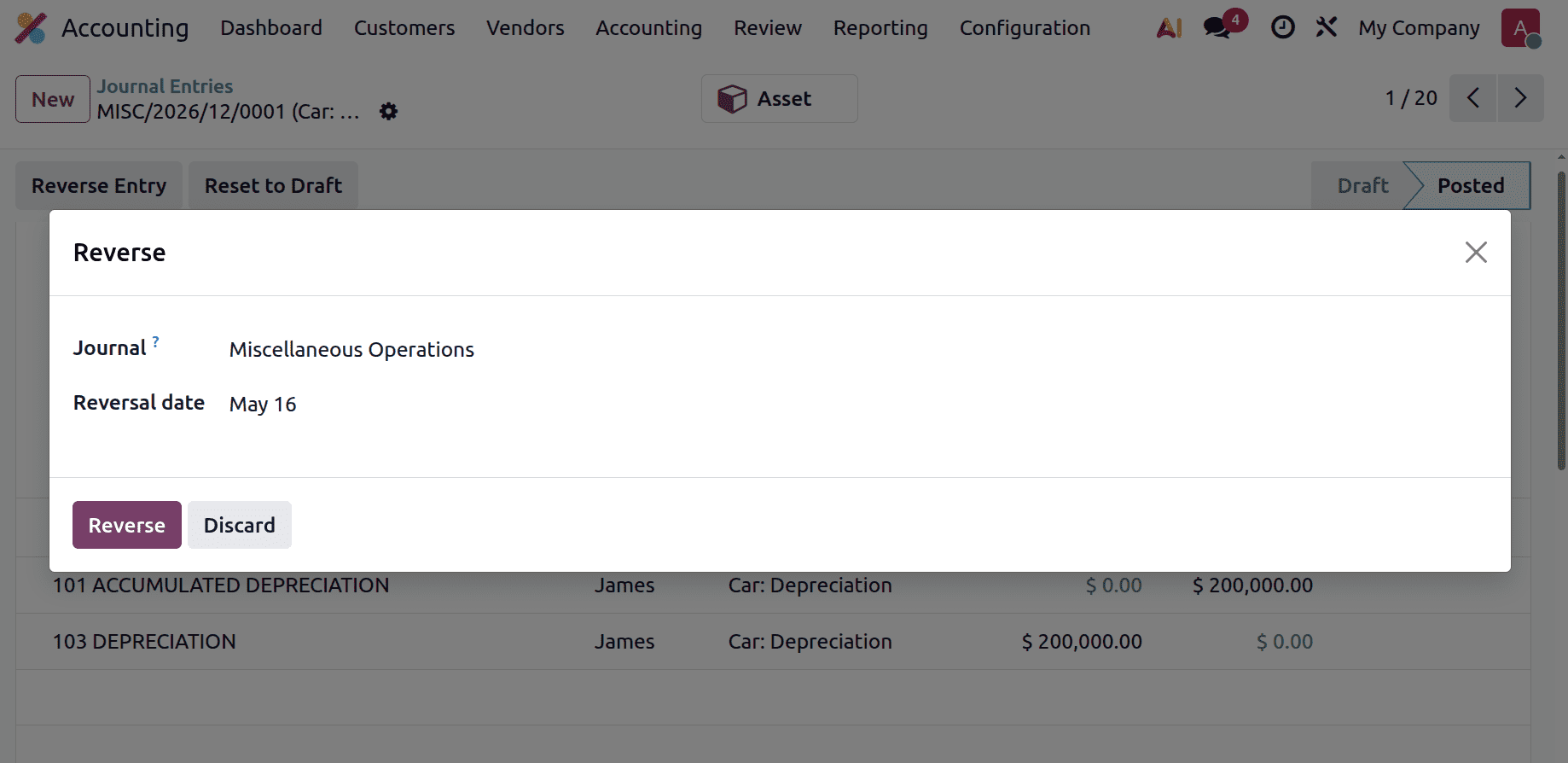
The Reversal Date can be adjusted to match the Journal by selecting the appropriate option Date of Entry. Clicking the Reverse button will reverse the journal entry.
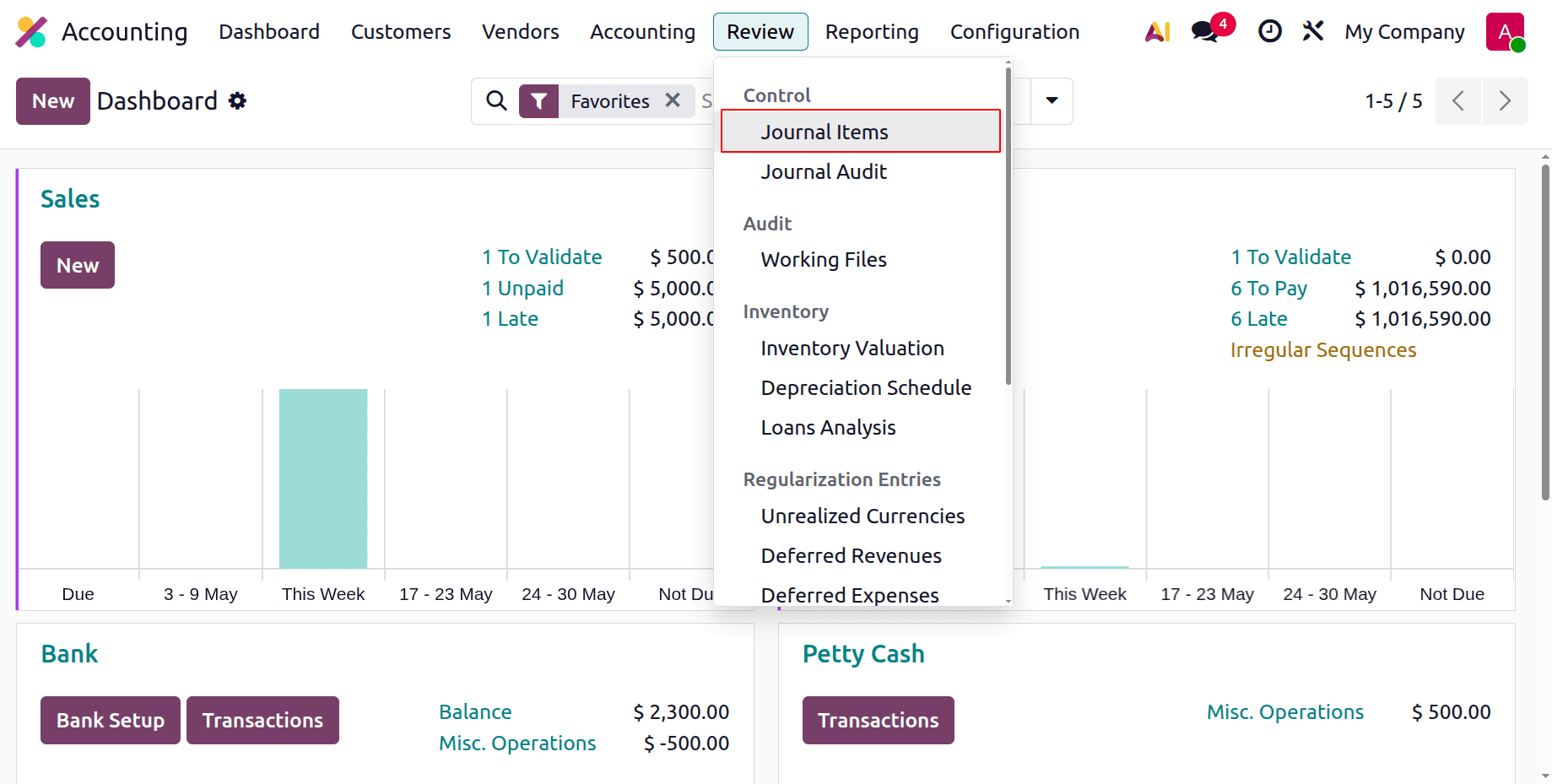
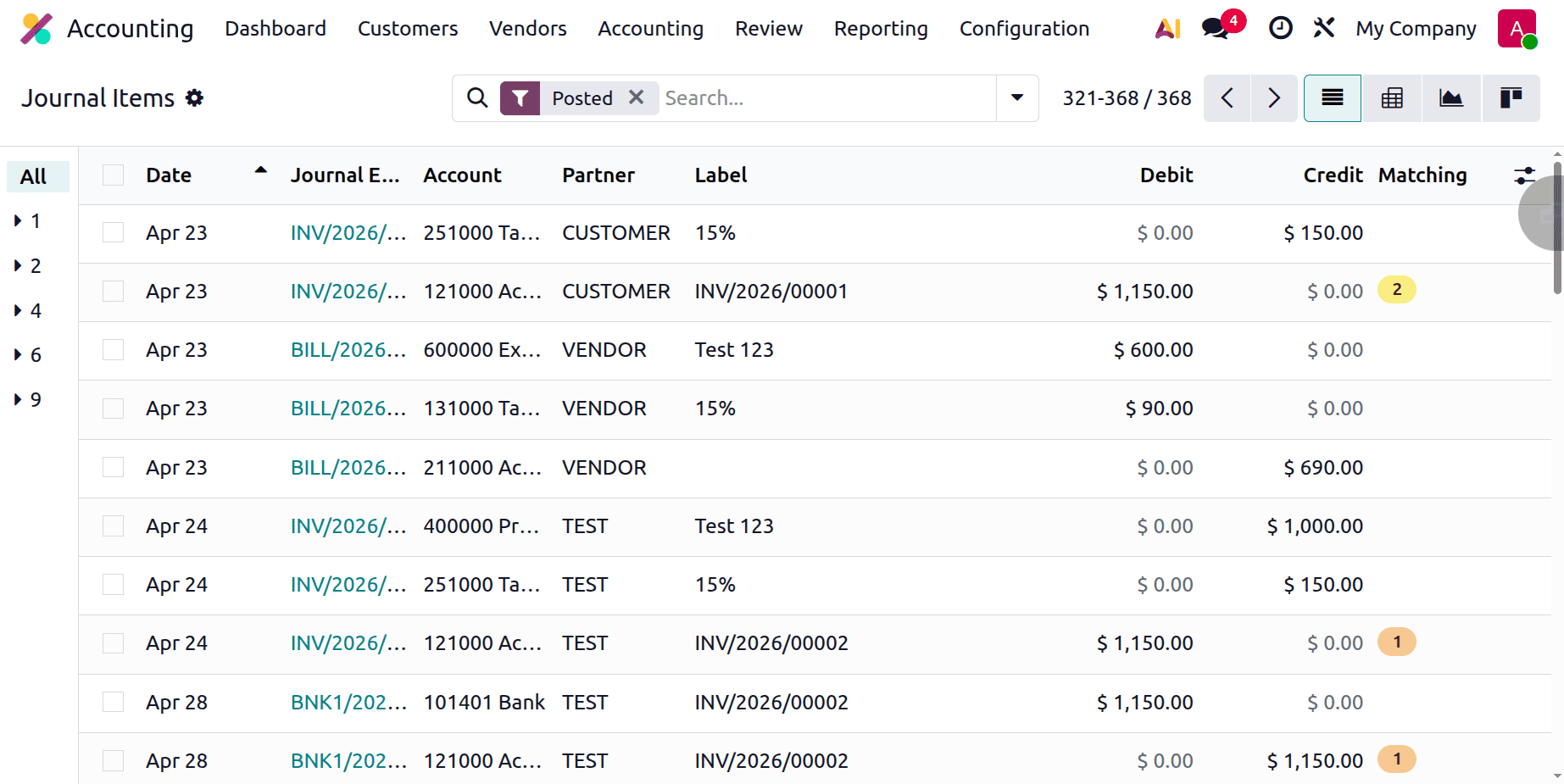
Users can access the journal items contributed to different journal entries on a single platform with the Odoo Accounting module. By choosing the Journal Items option from the Review menu, you may document every journal item for your accounting entries.
The list view will show the following: Date, Journal Entry, Account, Partner, Label, Currency Amount, Debit, Credit, Matching Number, and Analytics. The Match option allows you to match a particular bank statement with a diary entry.
For organisations to keep accurate financial records, accounting job entries and items must be managed. "Job entries" refer to the specific interactions and activities related to certain projects or contracts. These entries offer a thorough picture of each project's financial performance since they cover a wide variety of variables, such as costs, income, and resource allocation. Businesses can monitor project profitability, manage costs, and evaluate the effectiveness of resource utilisation by meticulously documenting task entries.
Accounting items are the particular products, services, or materials that a company buys, sells, or uses in its operations. Proper item management requires classifying items, assigning them suitable identifiers or IDs, and maintaining current records of their quantities and values. This can be used by businesses to calculate their cost of goods sold, accurately track inventory levels, and assess the financial impact of their purchases and sales. Effective item management guarantees tax and reporting compliance, expedites ordering and stocking procedures, and lowers the possibility of errors.
All things considered, managing accounting task entries and items well provides businesses with a comprehensive understanding of their financial operations. It facilitates educated decision-making, streamlines resource allocation, and provides accurate financial records and reporting. Businesses can increase operational performance, meet legal obligations, and ultimately generate better financial returns by keeping thorough and well-organised records of work entries and goods.
To read more about How Journal Entries & Journal Items are Recorded in Odoo 18 Accounting, refer to our blog How Journal Entries & Journal Items are Recorded in Odoo 18 Accounting.