Deferred or prepaid expenses are sums of money paid in advance that have not yet been used or spent. They are gradually reflected on the income statement over time and are also known as amortisation or expense recognition. A delayed expense that shows up on the balance sheet as an asset that will contribute to future economic benefits is created when a corporation pays for a service, asset, or benefit before it is actually used or consumed. Instead of recognising the entire cost at once, businesses must defer it to later times as the benefit becomes apparent. Effectively managing deferred expenses ensures that costs are documented as they are spent and contributes to income generation, which is essential for accurate financial reporting.
In the accounting sector, keeping correct financial records depends on controlling postponed spending. Odoo 19 is a flexible business management platform that offers strong accounting features, including tools for handling delayed expenses. In this blog post, we'll look at how to calculate deferred expenses in Odoo 19 accounting, providing businesses with a clear road map for effective financial management.
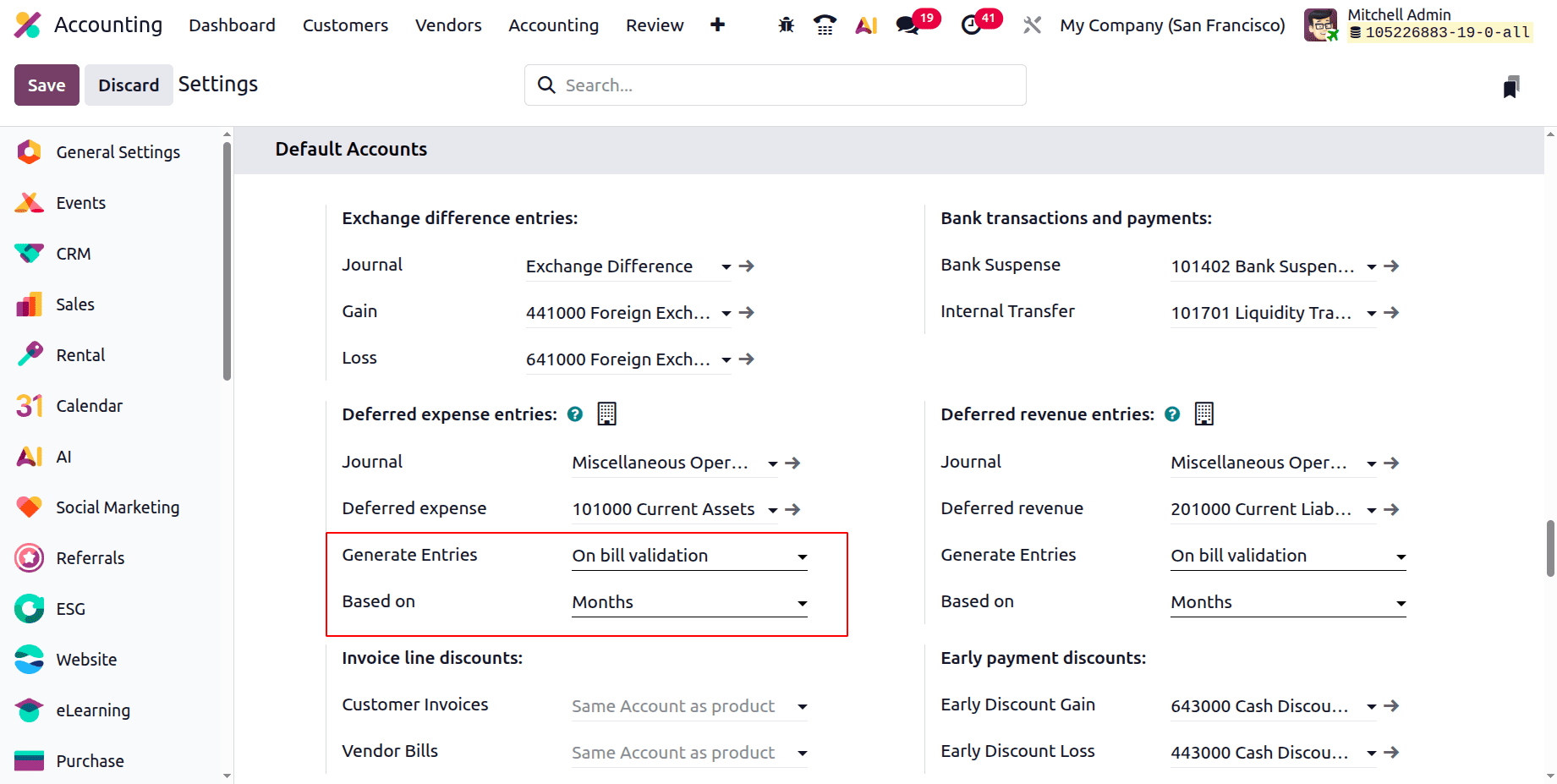
Click the Configuration menu after opening the accounting modules. Select Settings from the list. As seen below, customers can view Deferred Expense entries under the Default Accounts area.
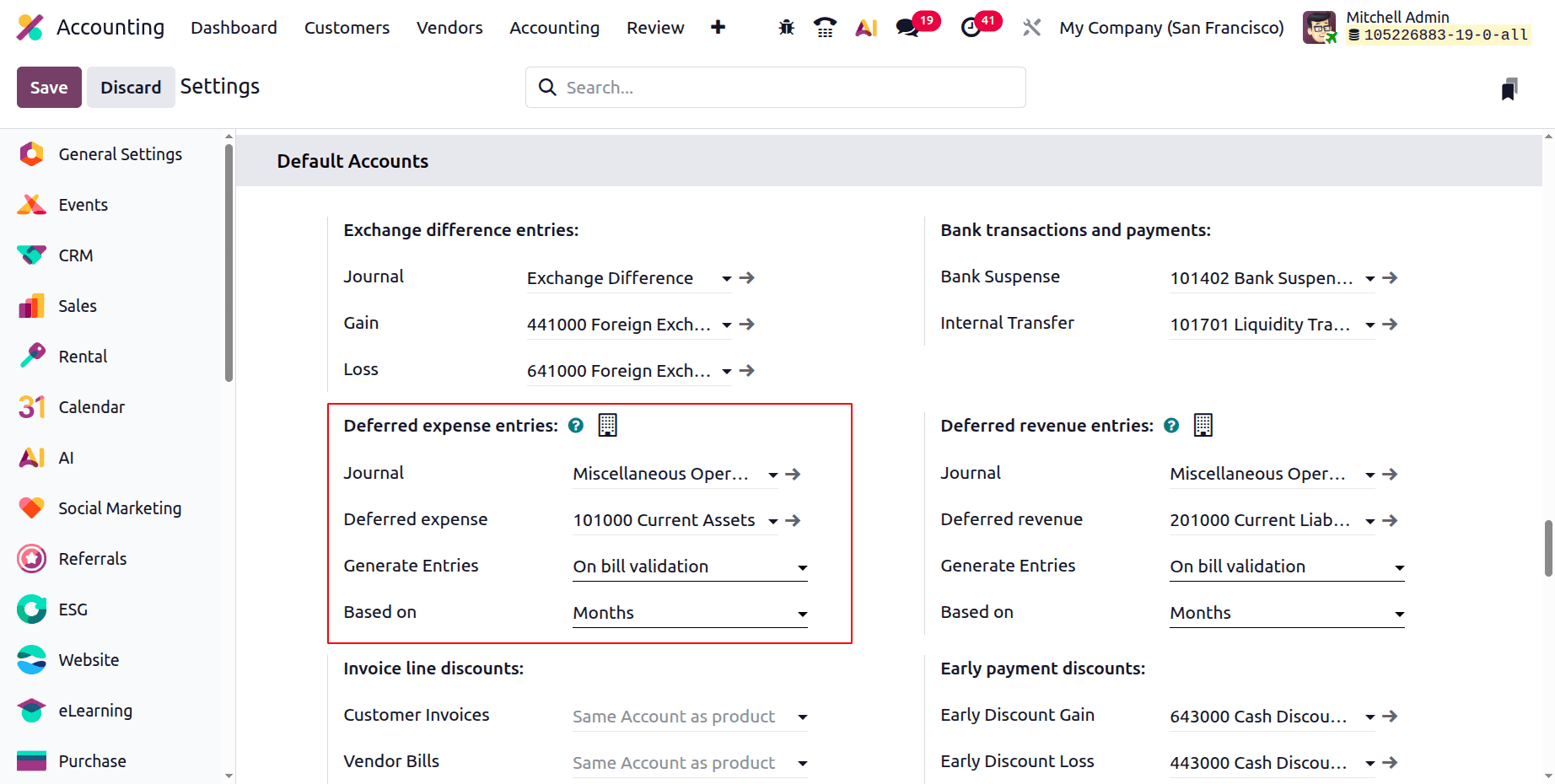
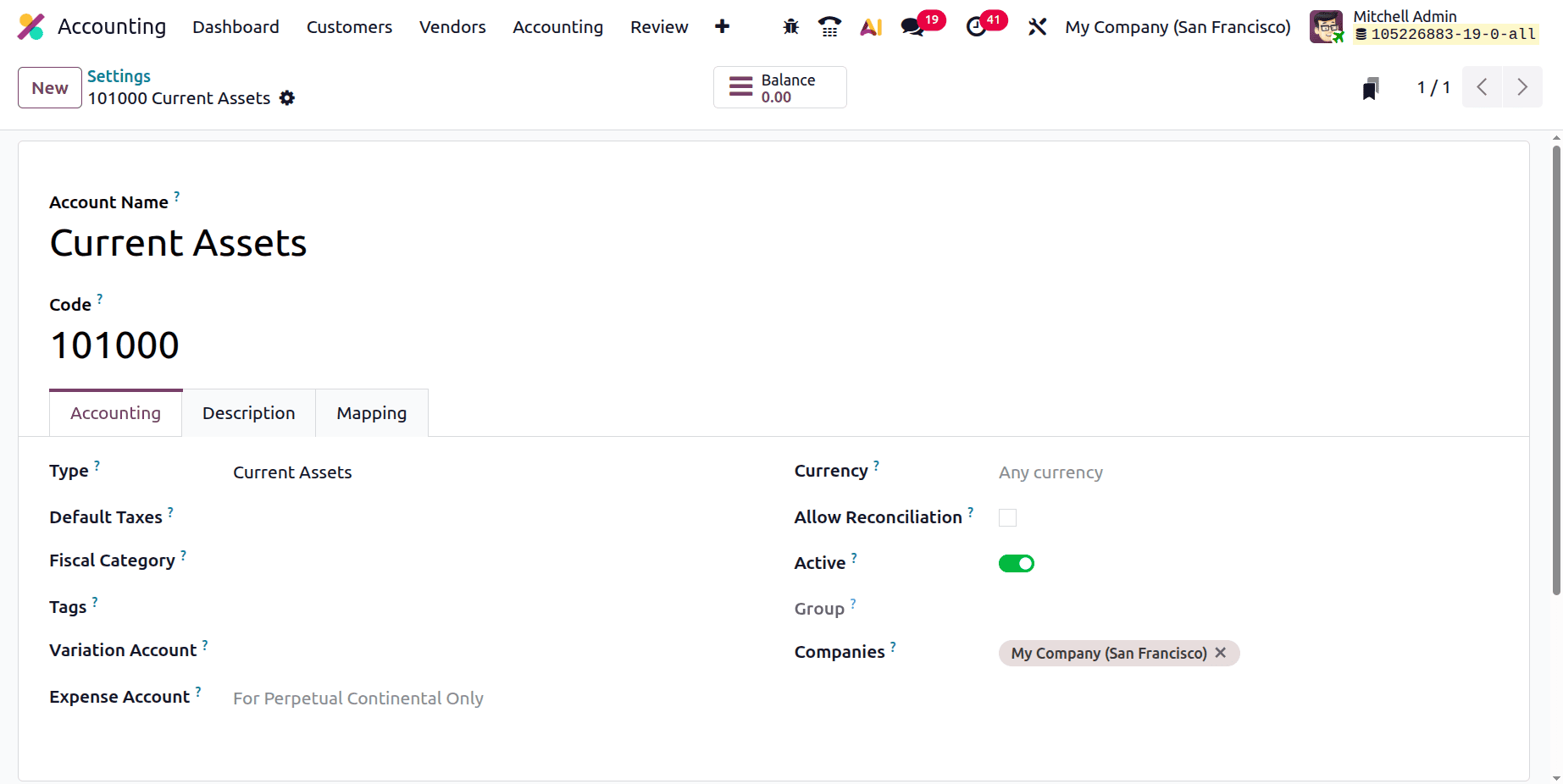
It starts with the Journal that was used to create a deferred expense journal entry. After that, the Deferred Expense Account appears in the settings. It is evident from examining the account that the kind of account is Current Assets. The internal link can be used to open the account from the settings.
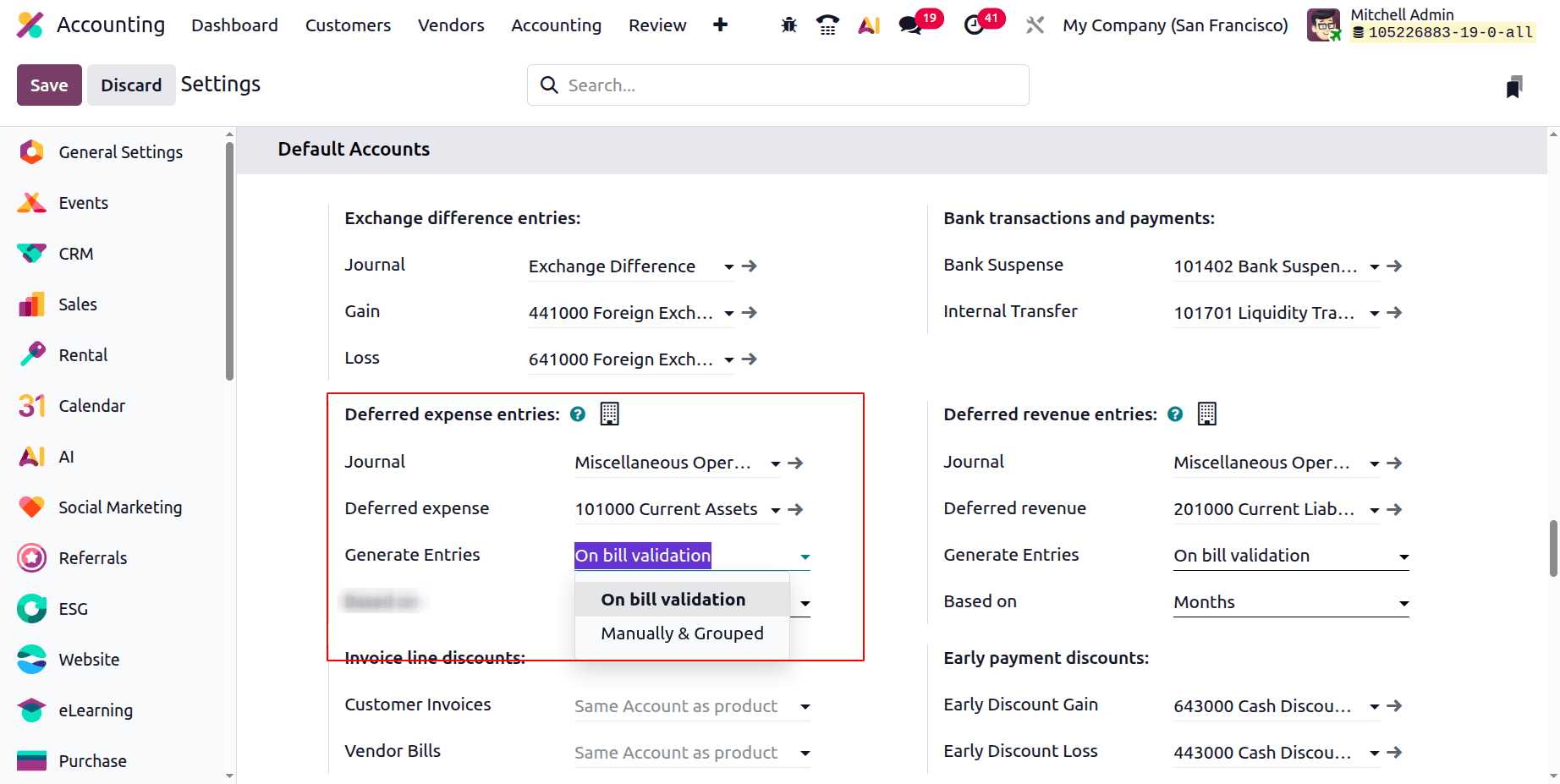
Users can generate diary entries in two different ways. One is to create entries while the bill is being validated. Manually creating the diary entries is the second approach. In this article, let's examine each approach independently.
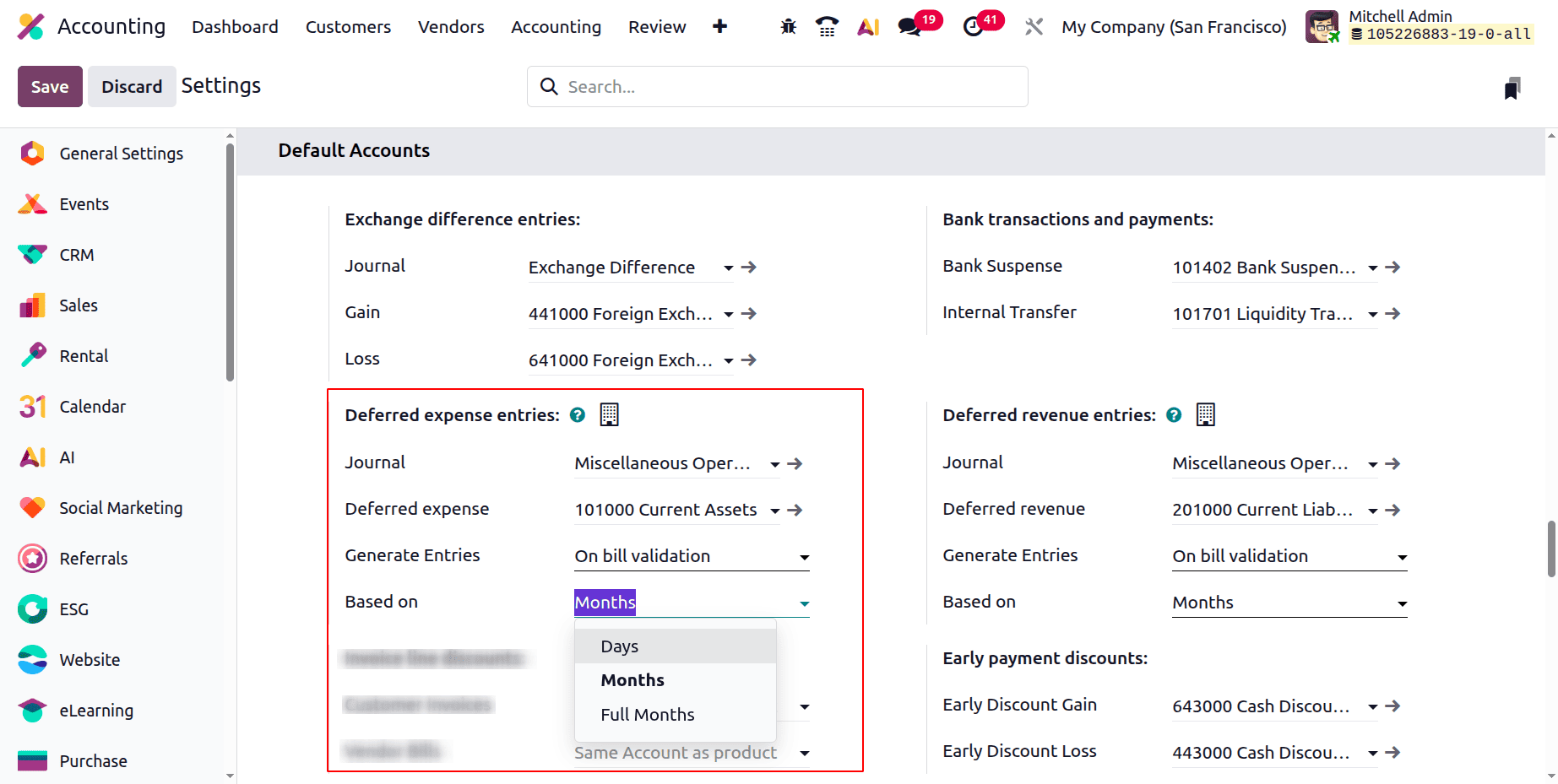
The depreciation value can be computed using days, months, or whole months. This will be used to determine the depreciation amount.
Let's examine how Odoo 19 generates journal entries for deferred expenses.
Generate Entries On Bill Validation
Journal entries for deferred expenses may be automatically created upon bill validation. Journal entries for that set of deferred expenses are produced in accordance with bill validation. There are three methods for calculating the deferred entries. based on days, months, and full months.
Based on Months
Configure Deferred Expense, Generate Bill Validation Entries, and Based on Months.
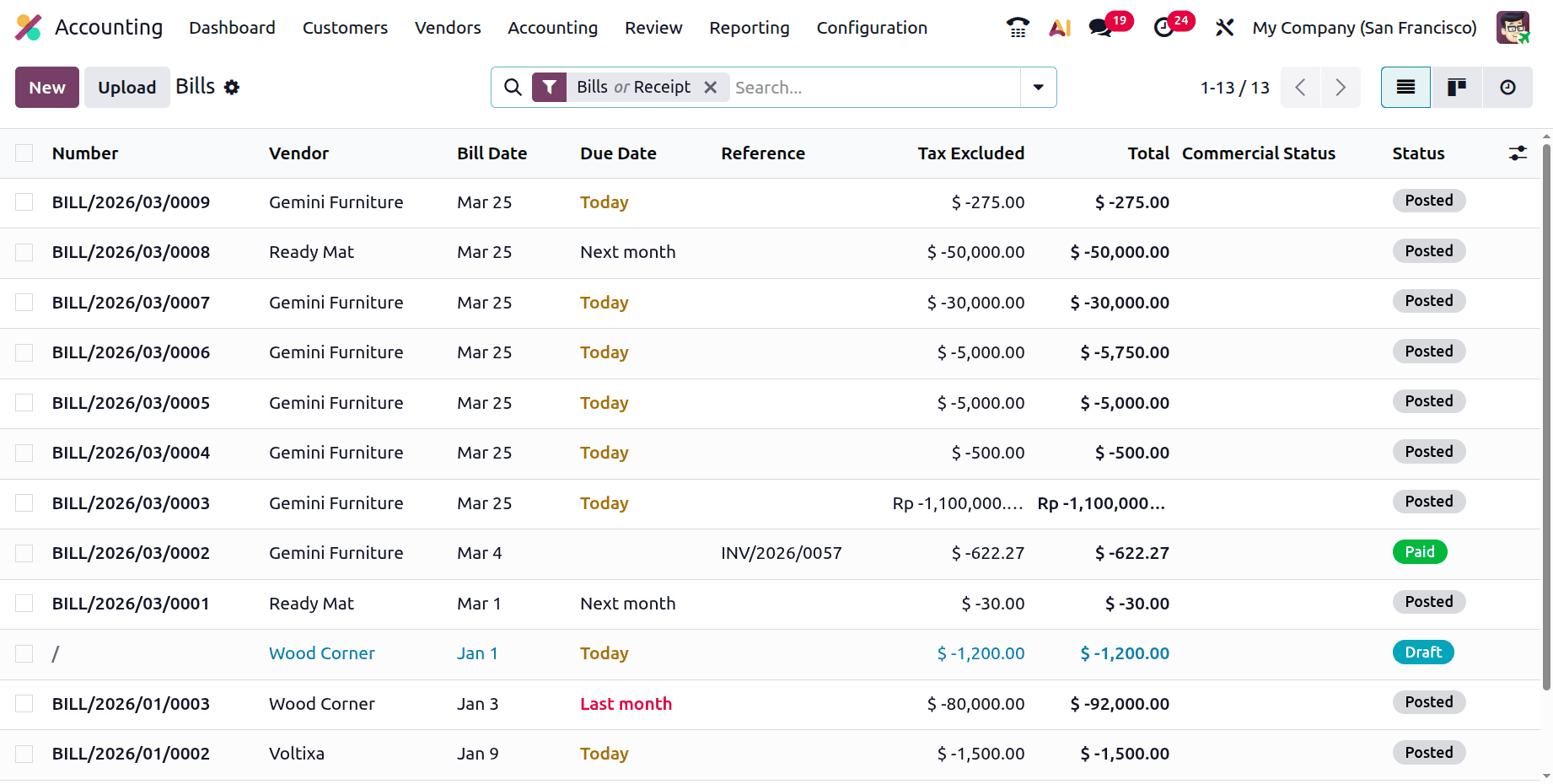
Next, let's draft a fresh vendor bill. Click on the Vendor menu to do that. A list includes bills, refunds, payments, goods, and suppliers. A list of the bills that have been created appears when you click on the Bills. The list view of bills shows information about the generated bills, such as Number, Vendor, Bill Date, Due Date, Reference, Tax Excluded, Total, and Status. Users can upload the bill by clicking the Upload button. To add a new bill, click the New button.
The product, quantity, and unit price are added using the bill's invoice lines. In this instance, the company creates a bill for a service related to insurance. In this case, the insurance is taken out for 4 months. Thus, the invoice line can include the start and end dates.
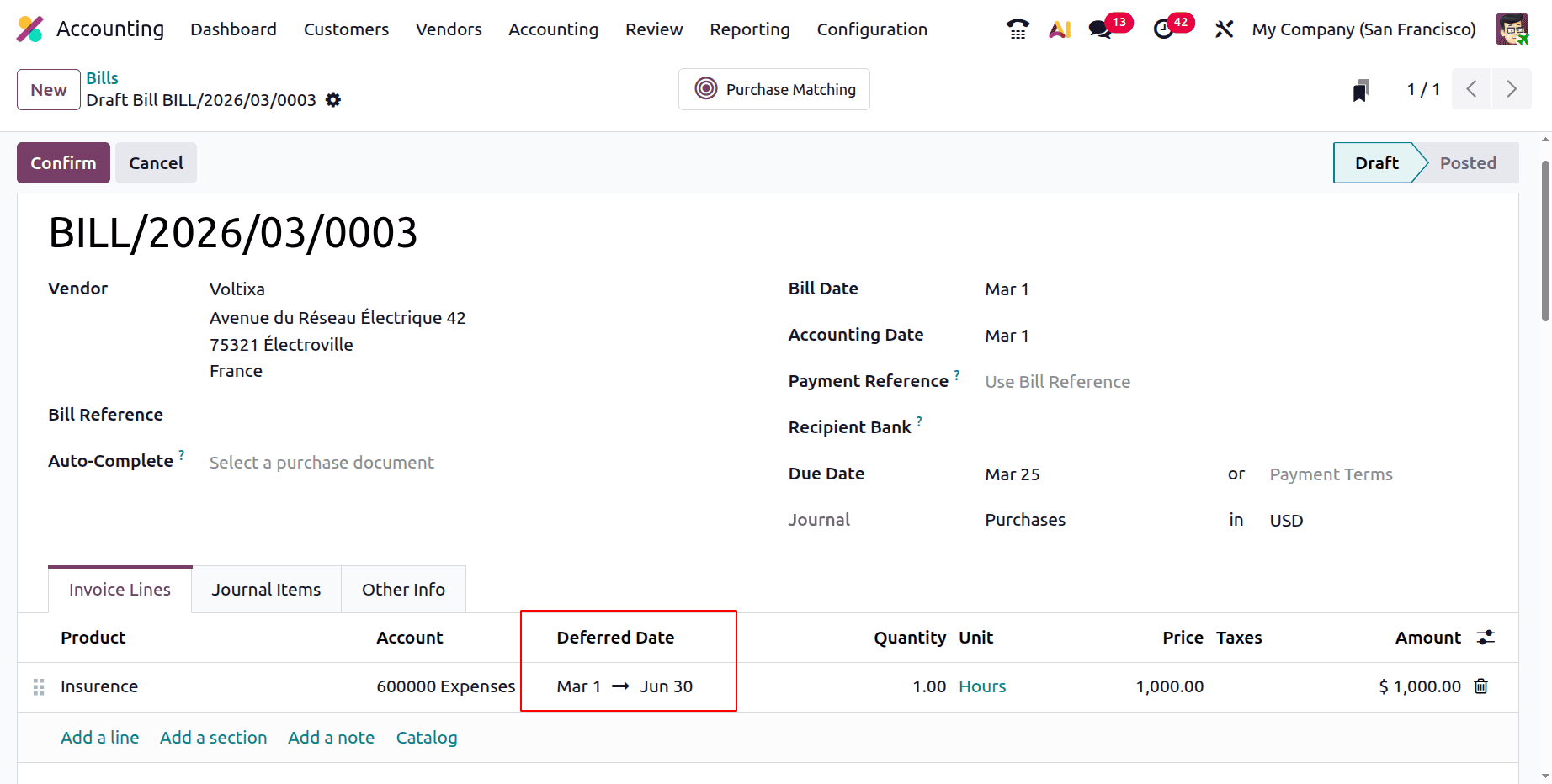
In this case, the $1000 service product insurance is added.
March 1st is the start date, and June 30th is the finish date. Verify the bill first.
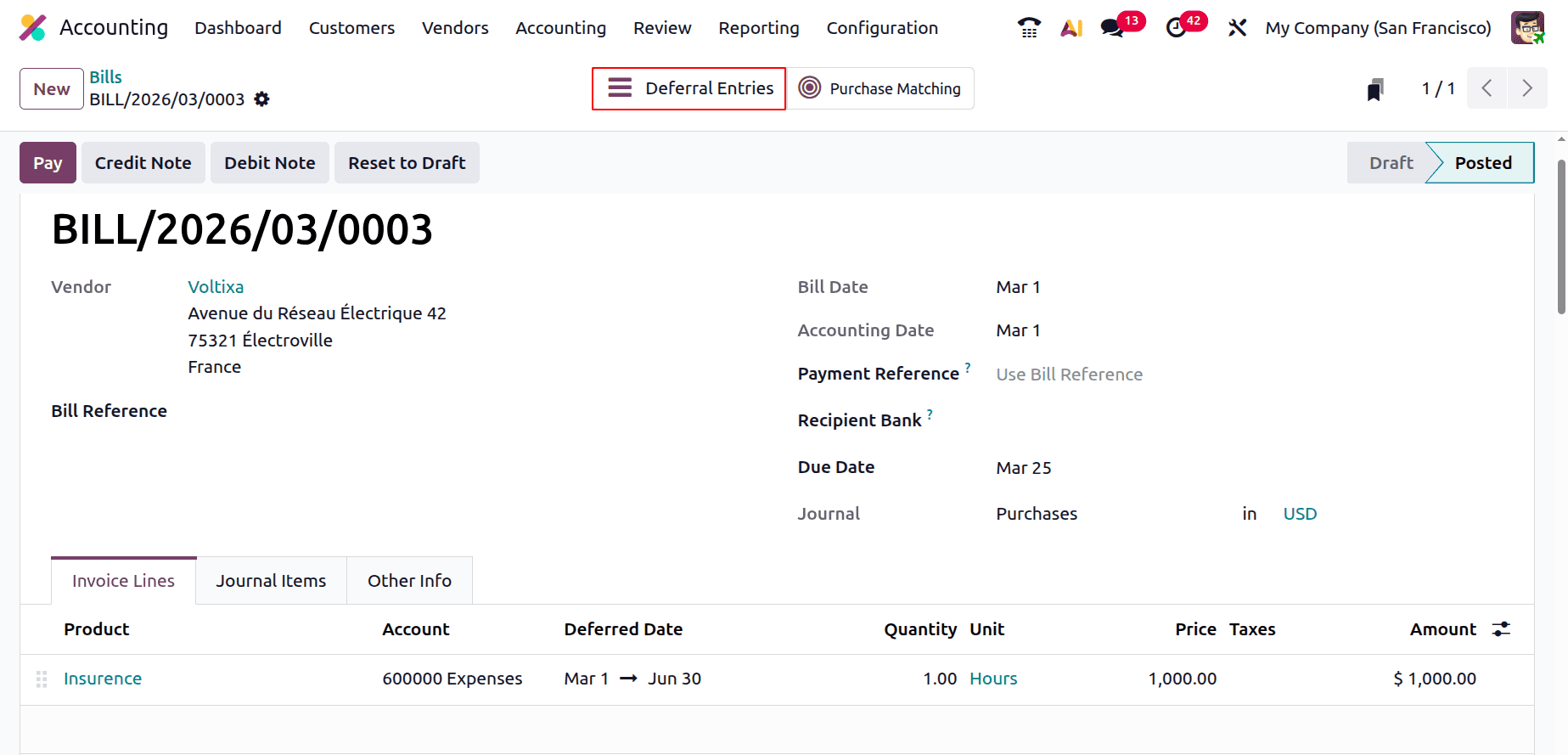
The bill will switch to a posted stage following confirmation. There, a brand-new smart tab called Deferred Entries will show up. To see the generated delayed expense entries, select the smart tab.
There is a collection of journal entries that have been postponed for 4 months. The remaining entries are still in draft form, but the first one has been published.
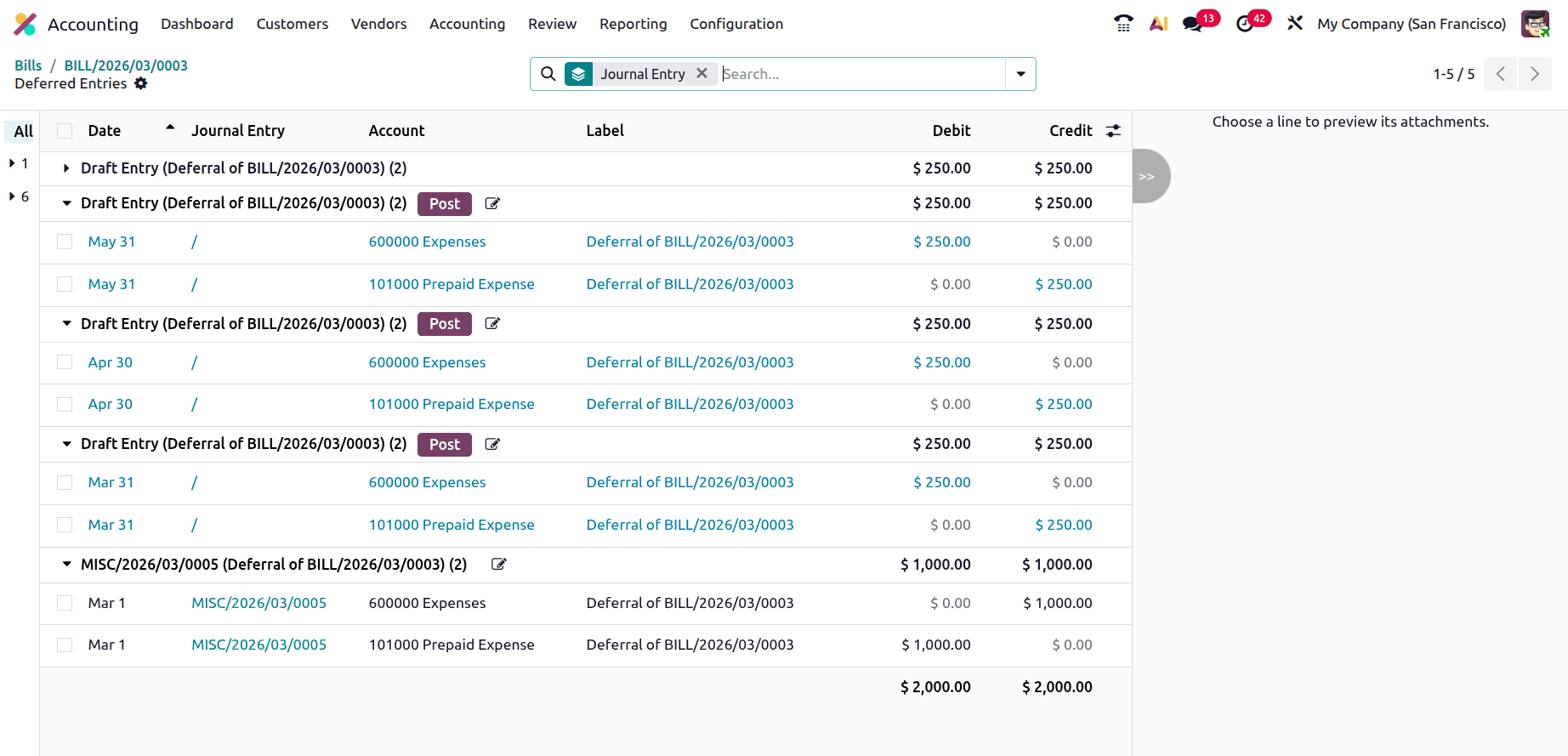
The second journal entry, which is seen below and has not yet been posted, will be posted automatically on the accounting date.
Expense and Current Asset are the two accounts displayed in this journal entry.
The $1000 bill was for three months.
Monthly Deferred Expense = 1000/4 = 250
Thus, the monthly depreciated amount is $250, which is equal to the (Total amount in bills/Total number of months).Thus, the monthly depreciated amount is $250, which is equal to the (Total amount in bills/Total number of months).
Since March 1st is the commencement date in this case, the entire month is taken into account. $250 will be depreciated.
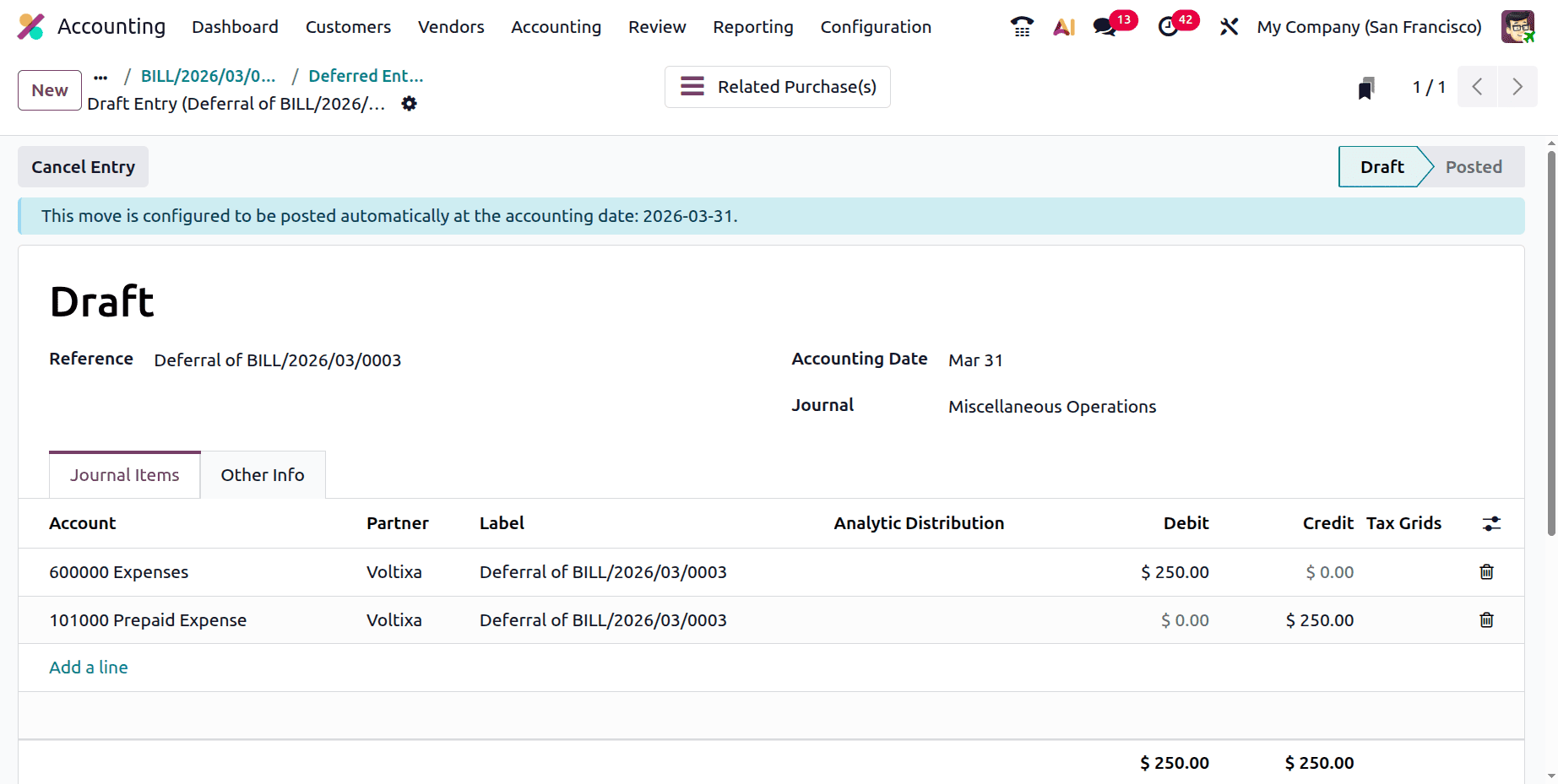
The asset value will decline, and expenses will rise every month. As a result, the depreciation amount is transferred to the Prepaid Expense account and deducted from the Expense account.
Based on Days
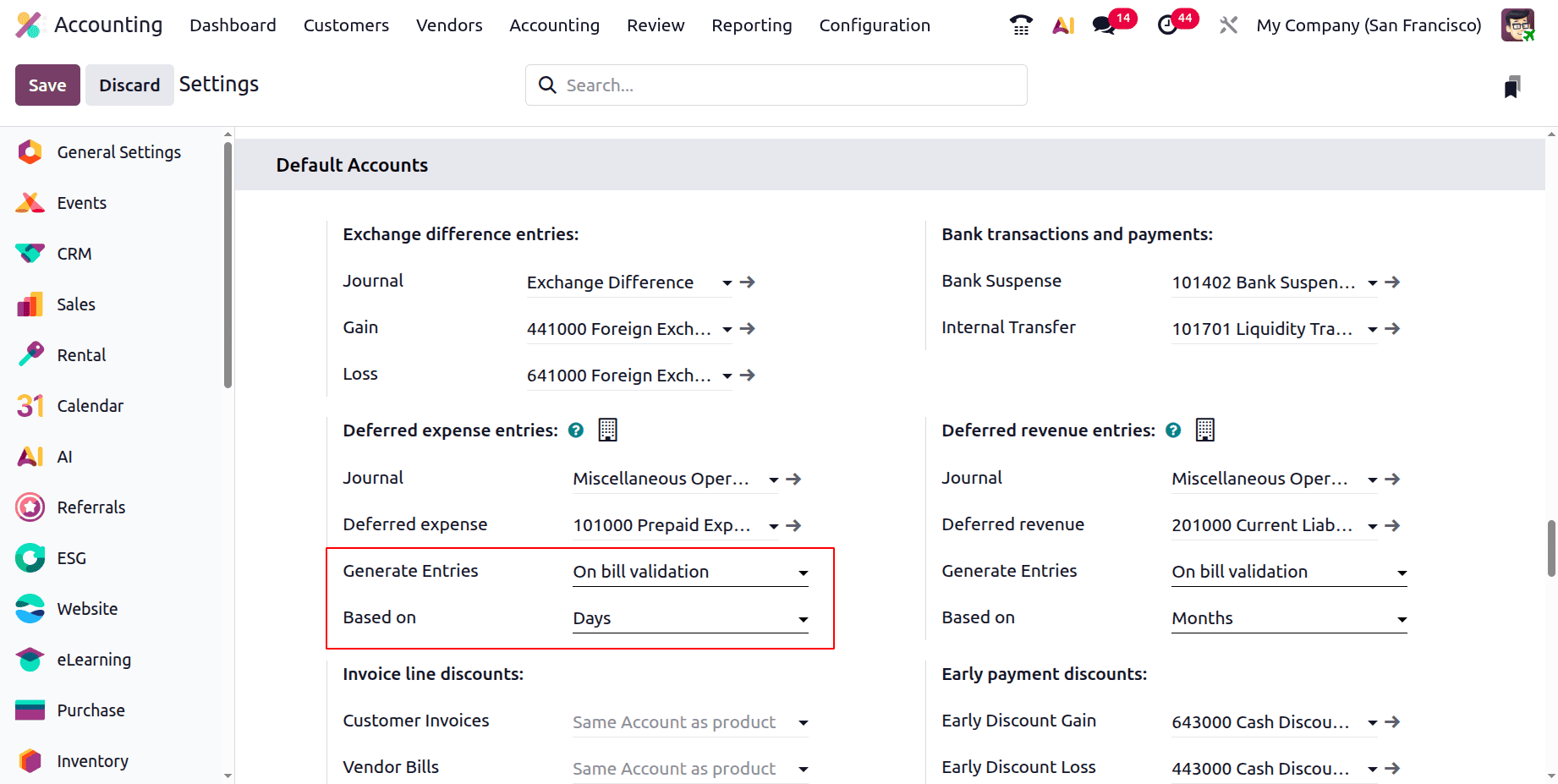
Make the necessary adjustments first. As seen below, the set deferred entries are based on days. The deferred entries are computed using the total number of days.
Write a new bill after that. The customer and the vendor are one and the same. The period begins on March 25 and ends on May 31. Once the bill has been confirmed, the entries will appear on the smart tab, Deferred Entries.
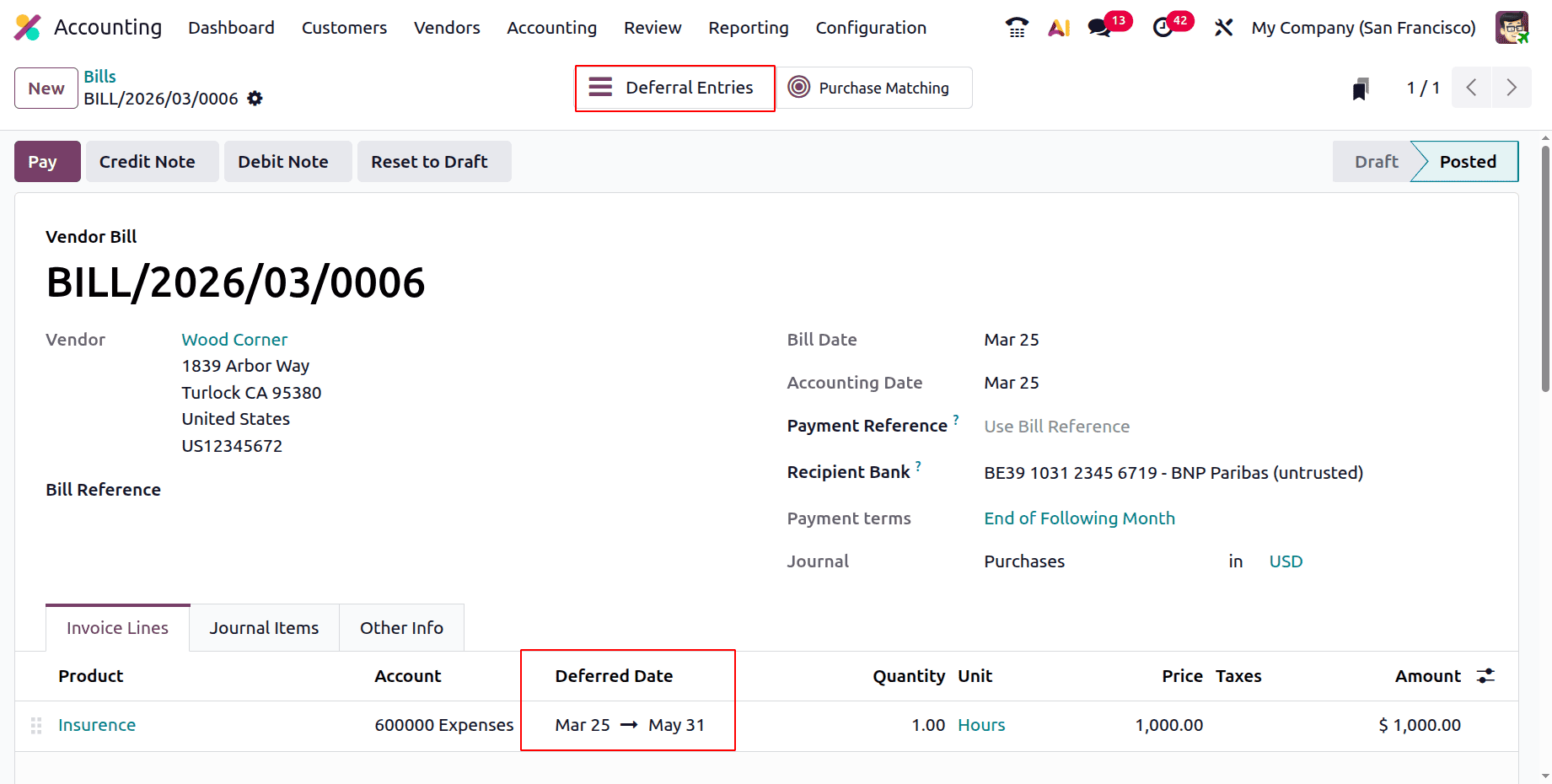
There, the accounts are identical. However, the values could shift. Simply because the method of calculation that was selected is based on days. Consequently, the entire bill amount divided by the total number of days yields the depreciation value.
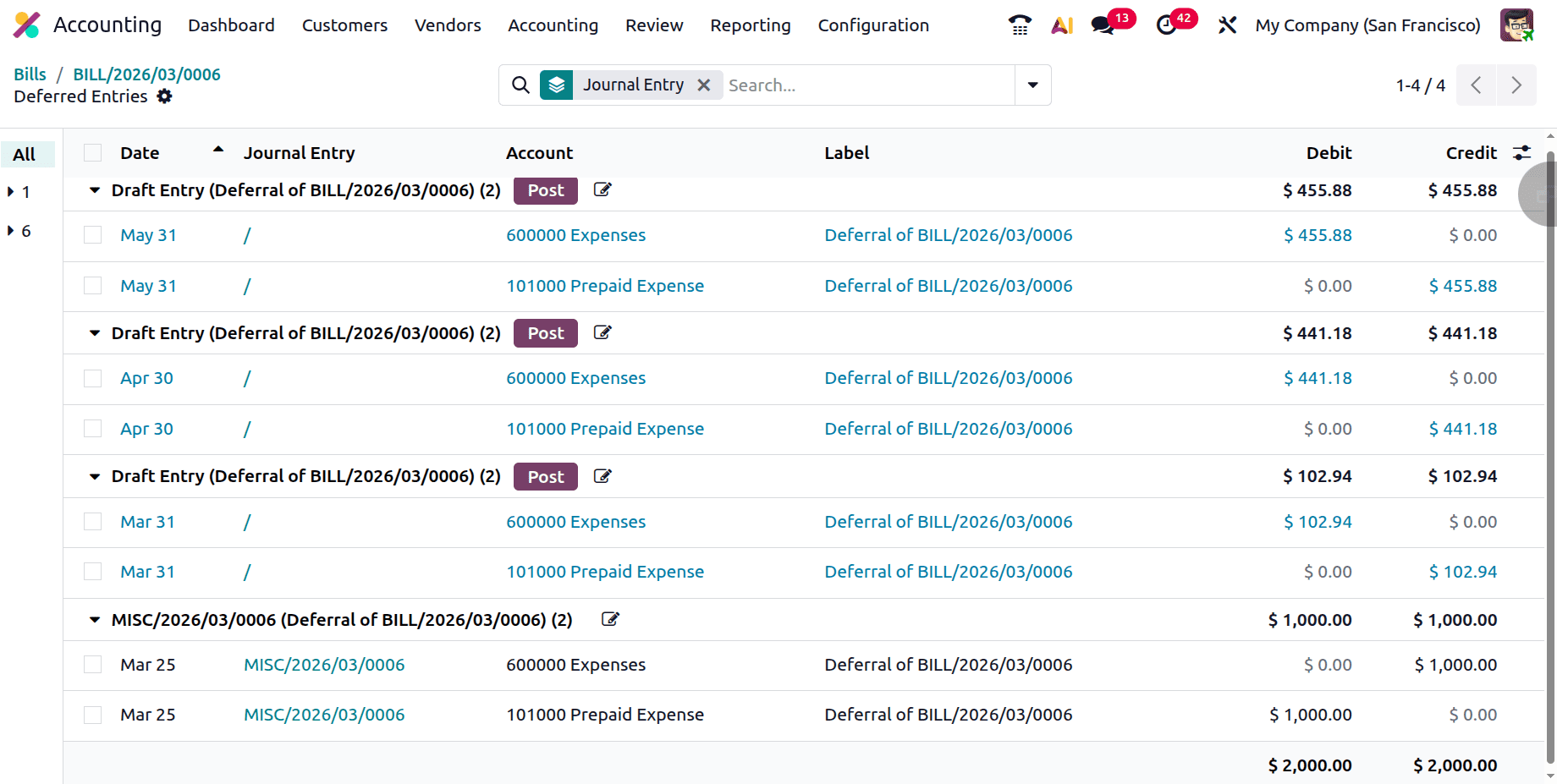
In this case, the start date is March 25, and the end date is May 31. Thus, 68 days remain.
$1000 is the total bill amount.
For one day, the deferred expense amount is 1000/68 = 14.7059.
Therefore, the January deferred expense amount is 14.7059 * 7 = 102.9412 (31 days in March).
This will be credited to the Prepaid Expense Account and deducted from the Expense Account.
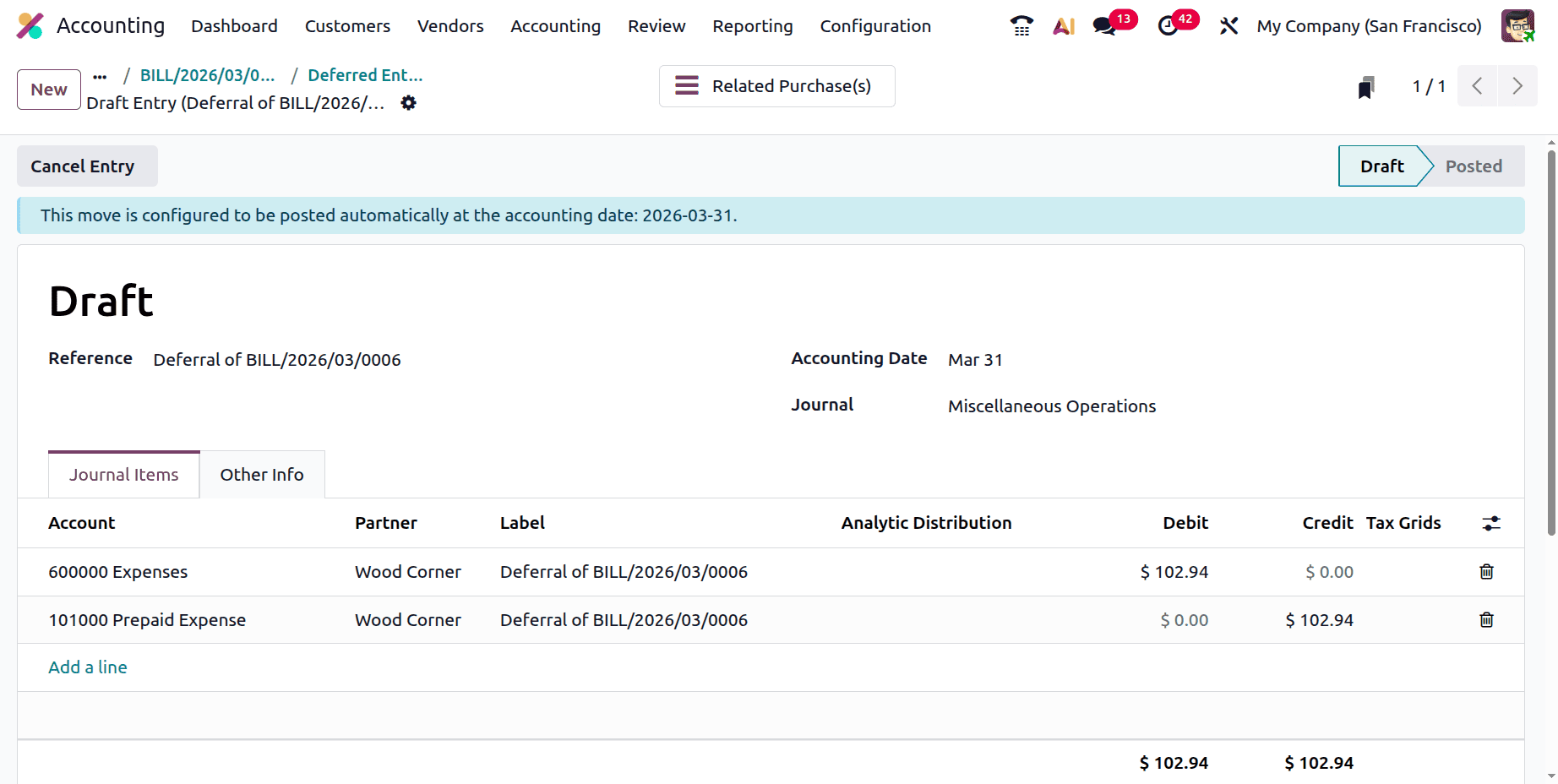
Next, upon examining the April deferred expenses,
April has thirty days in total.
The Prepaid Expense Account credit is therefore equal to 14.7059 * 30 = 441.18.
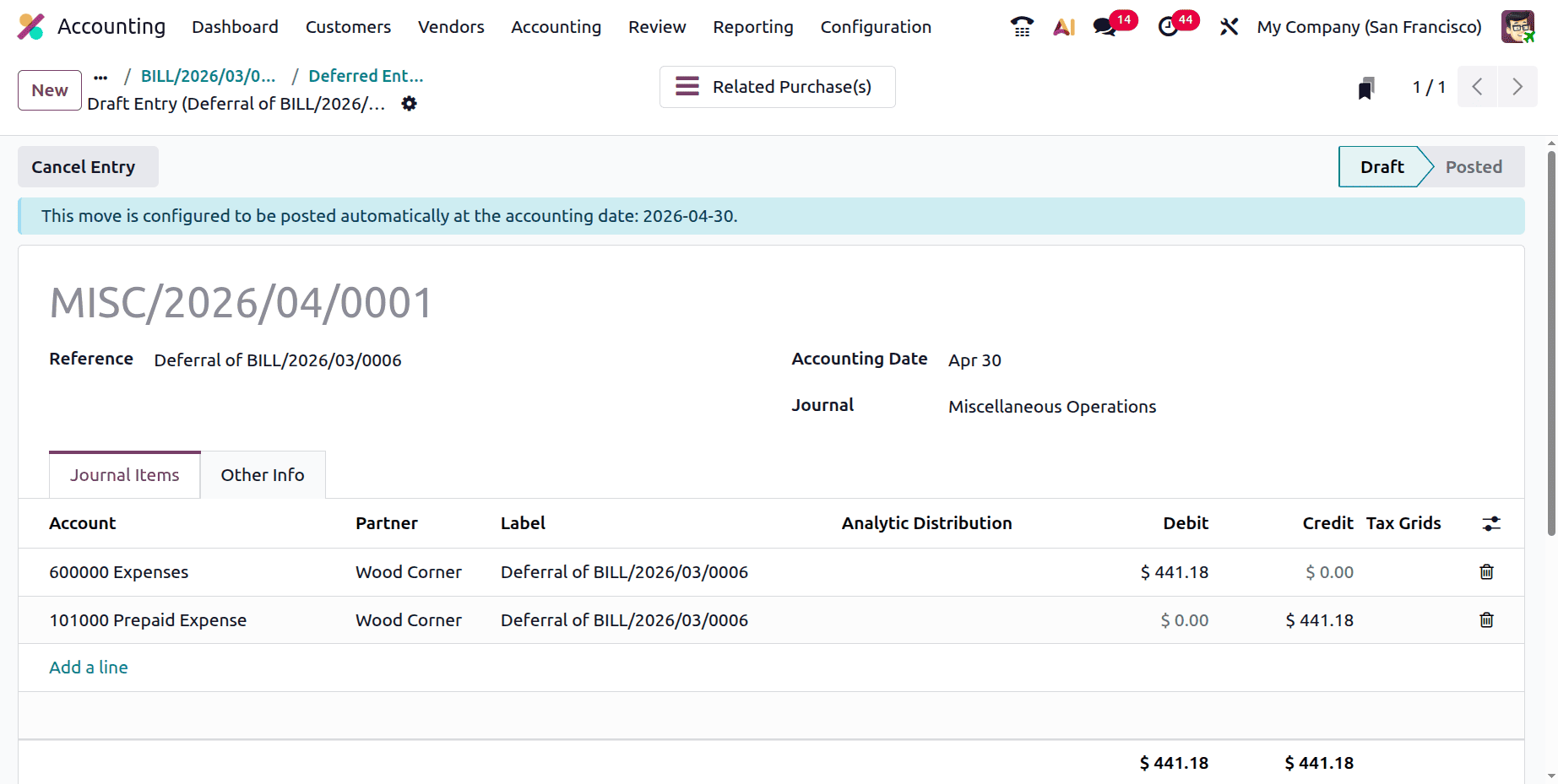
The deferred entry is computed using days in this manner.
Based on Full Months
Modify the setup. Calculate the entry using full months.
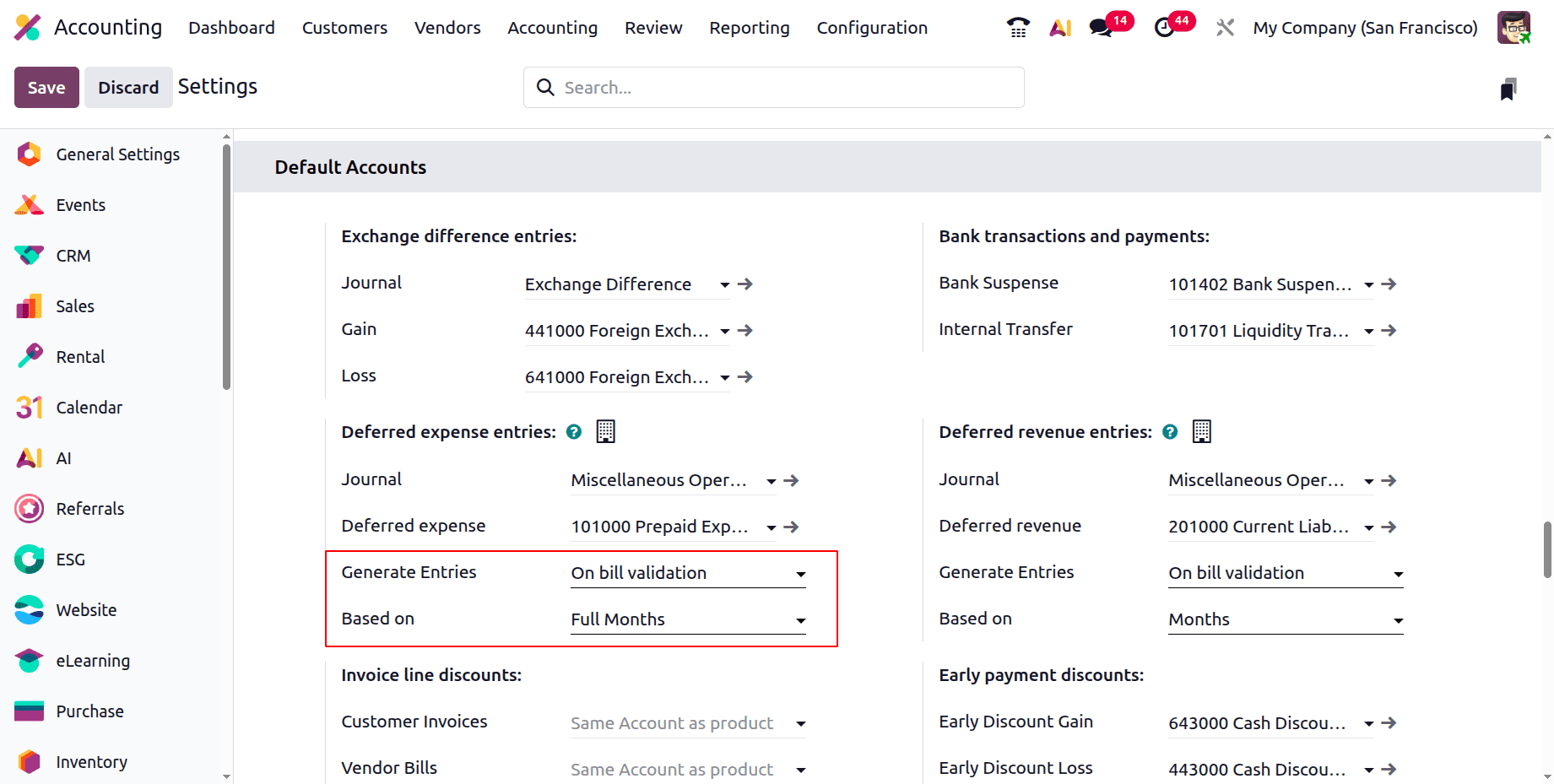
Next, draft a fresh bill. For $1000, add the same product: insurance. The start date in this instance is March 1st, and the expiration date is June 30th. Check the bill after that.
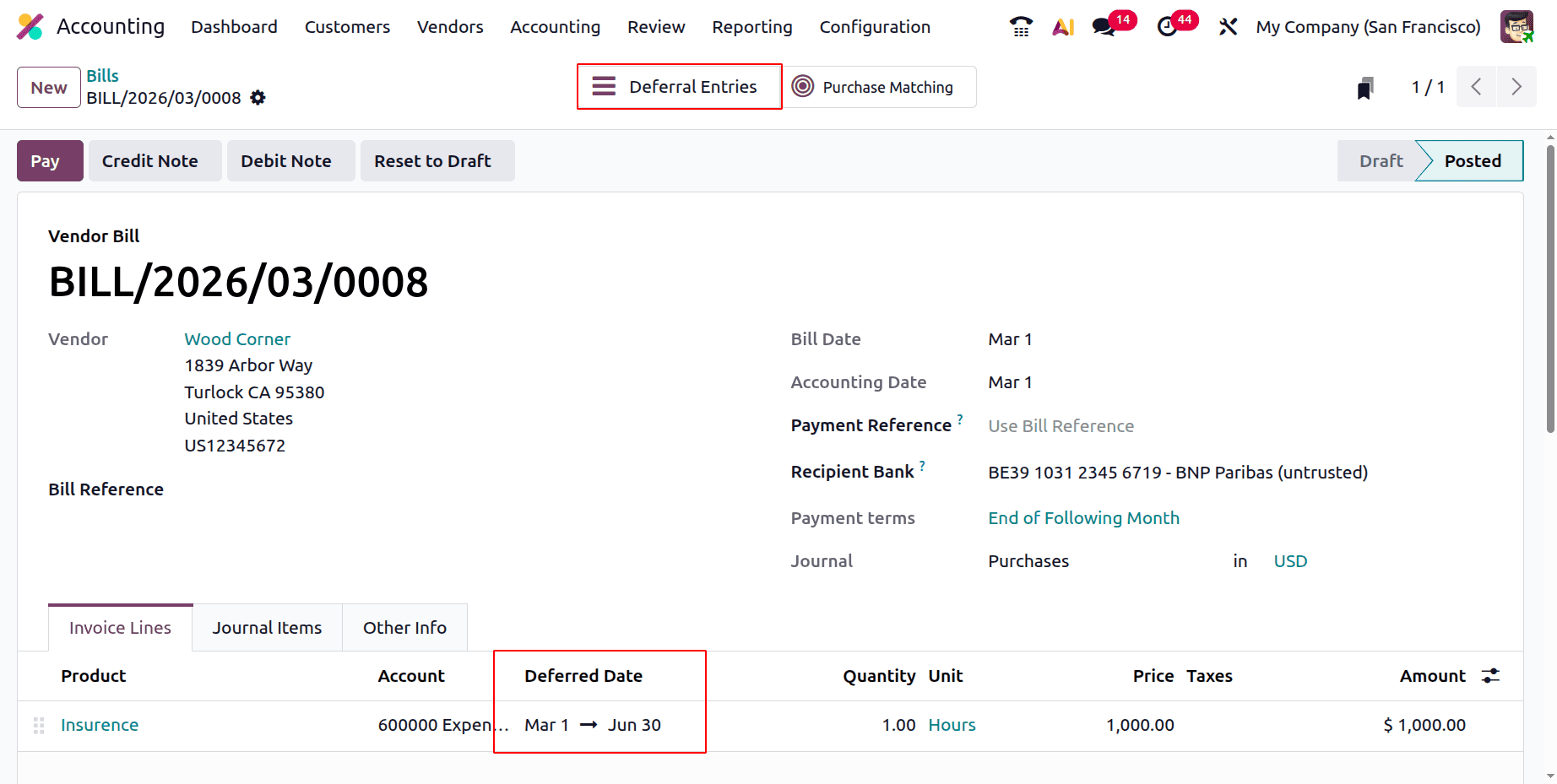
Open the smart tab for Deferred Entries.
In this case, the Prepaid Expense Account receives a monthly credit of the same amount.
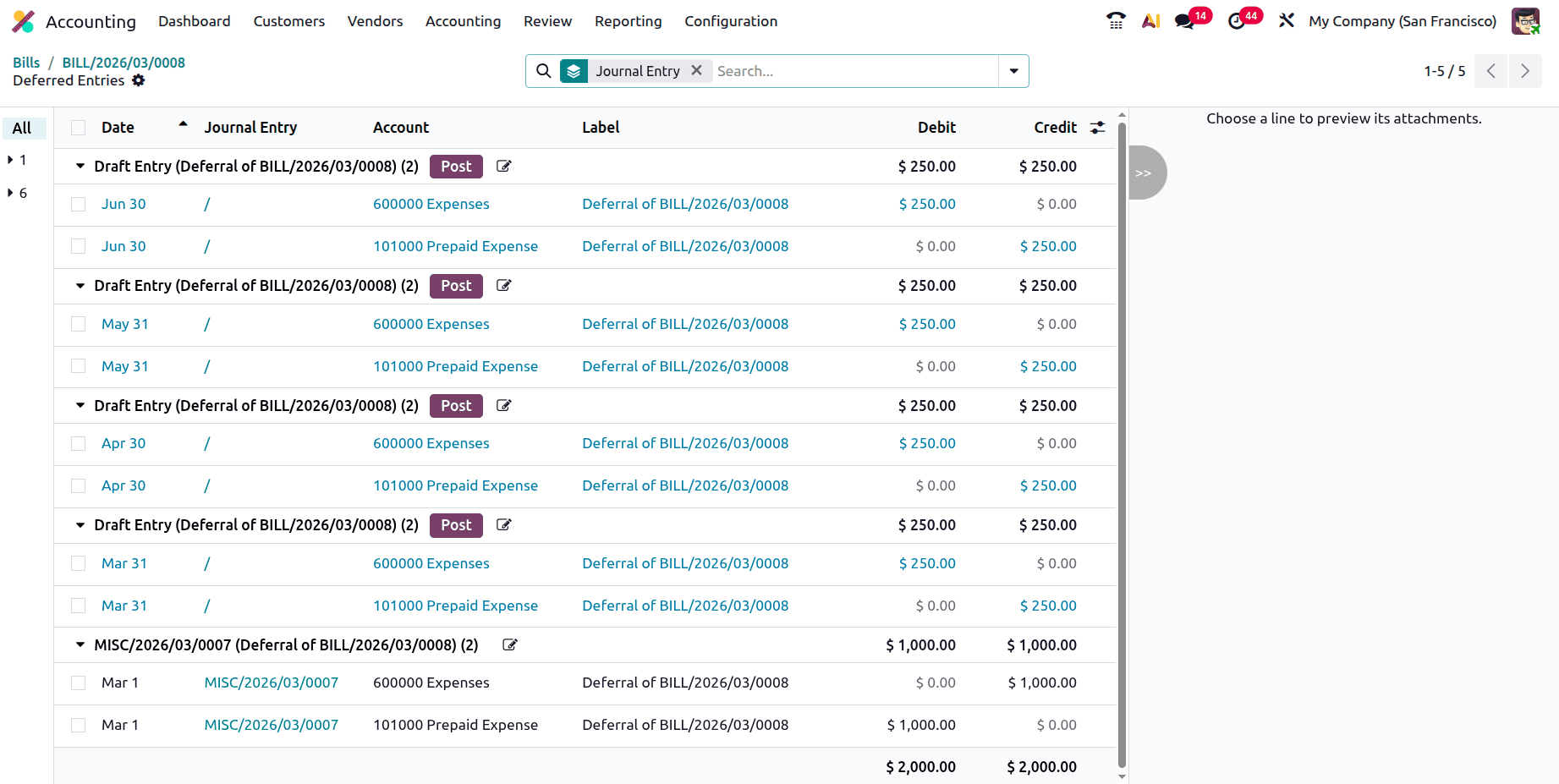
In this case, the timeframe is four months, and the total bill amount is $1000. Therefore, the total amount is divided by the period to determine the deferred expense for each month.
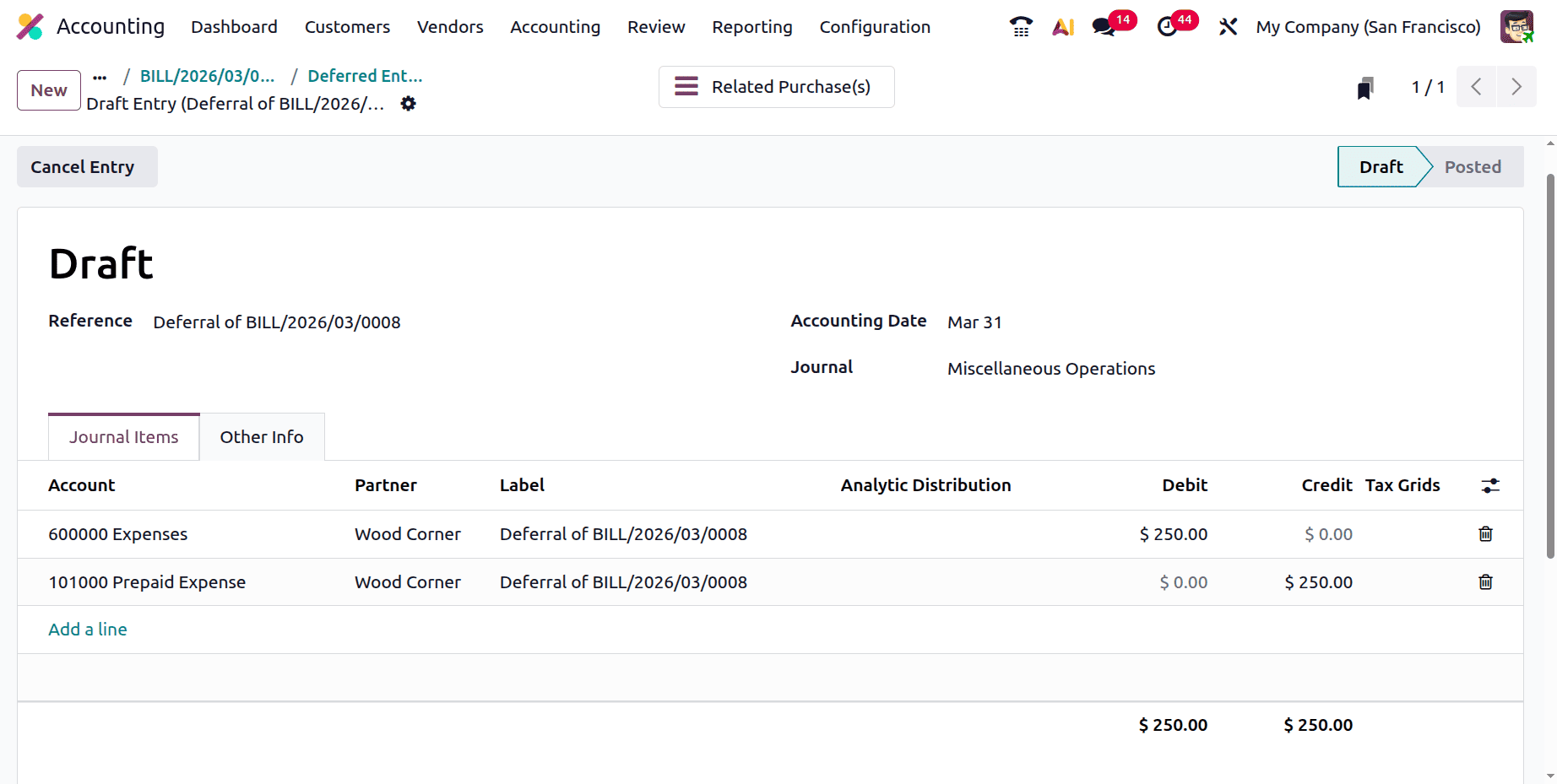
Monthly Deferred Expense = 1000/4 = 250.
Generate Entries Manually & Grouped
The second method for generating deferred entries is Manually & Grouped. When employing this strategy, the journal entries are not produced automatically. Consequently, each month's entry must be independently created by the user. The user must first choose the Deferred Entries option in Accounting Settings. Next, in the Generate Entries section, choose Manually & Grouped.
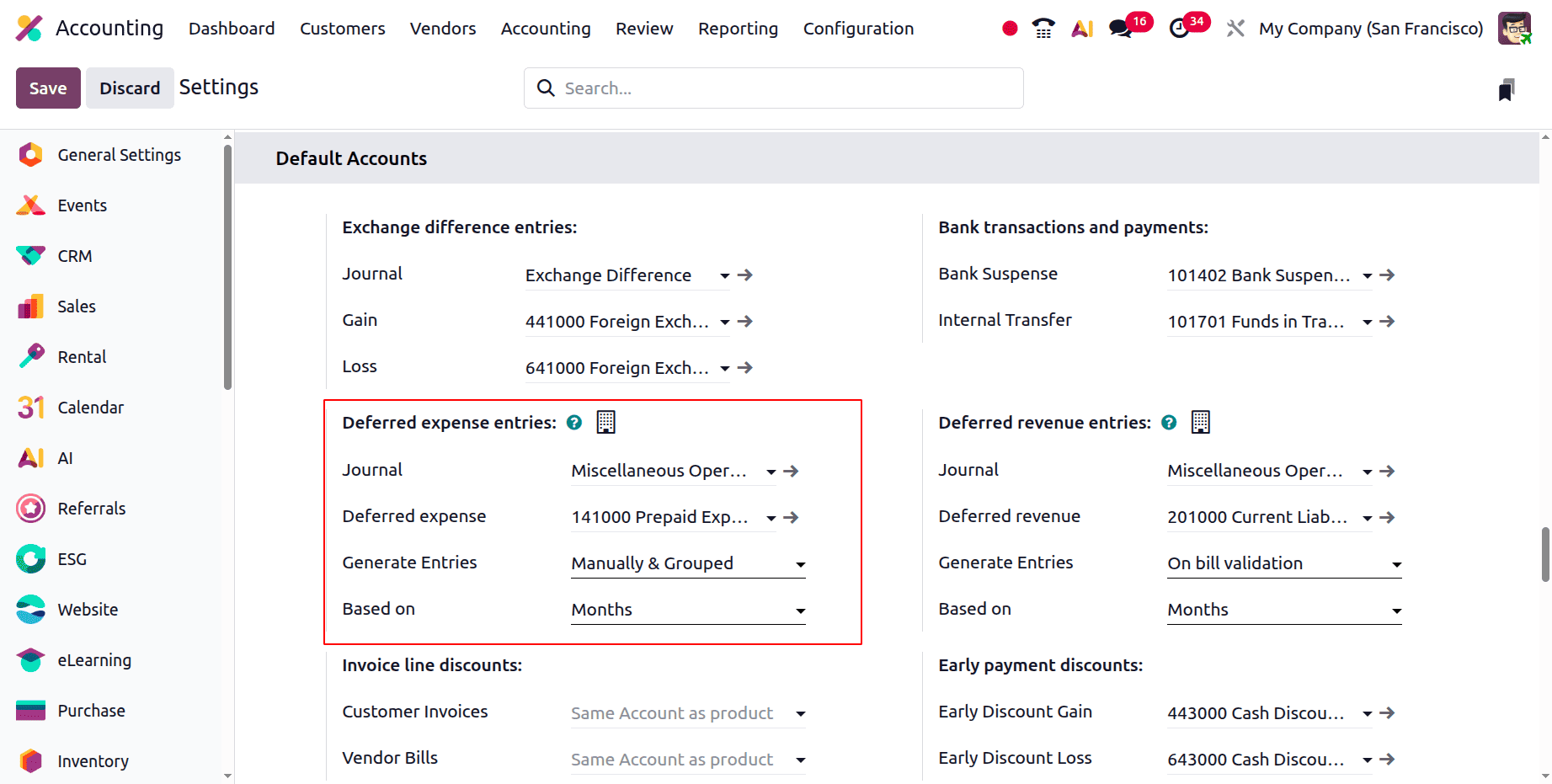
Save the settings and make a fresh bill, as previously mentioned. Include the vendor and additional information in the bill. Add the product after that. In this case, insurance is an additional service product. March 1st is the start date and May 31st is the finish date. Check the bill. After confirmation, no journal entries are made there.
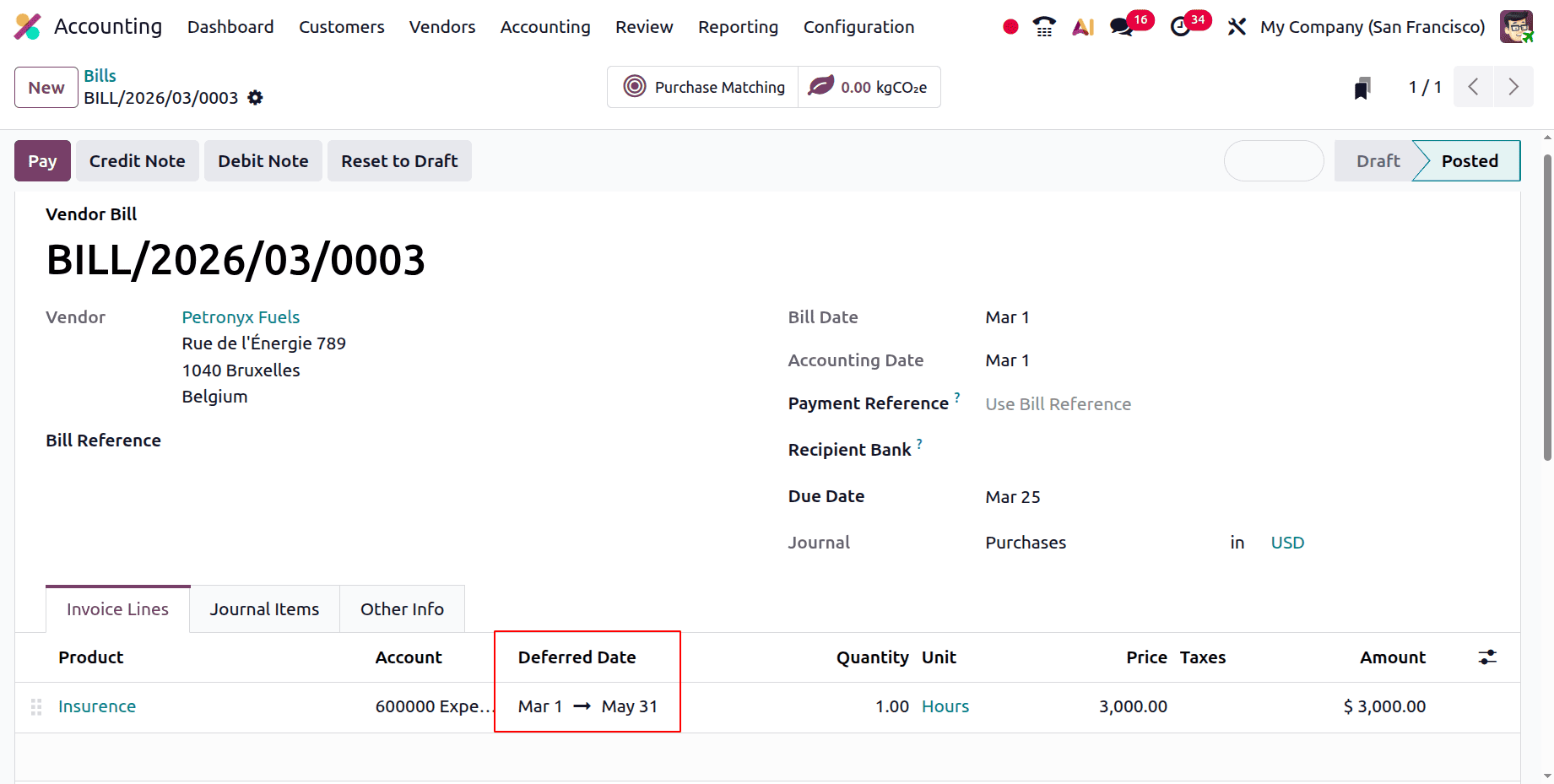
Therefore, the journal entries can be manually generated using the Deferred Expense Report. Click the View menu to do that. The Deferred Expense Report is available to users under the Regularization Entries.
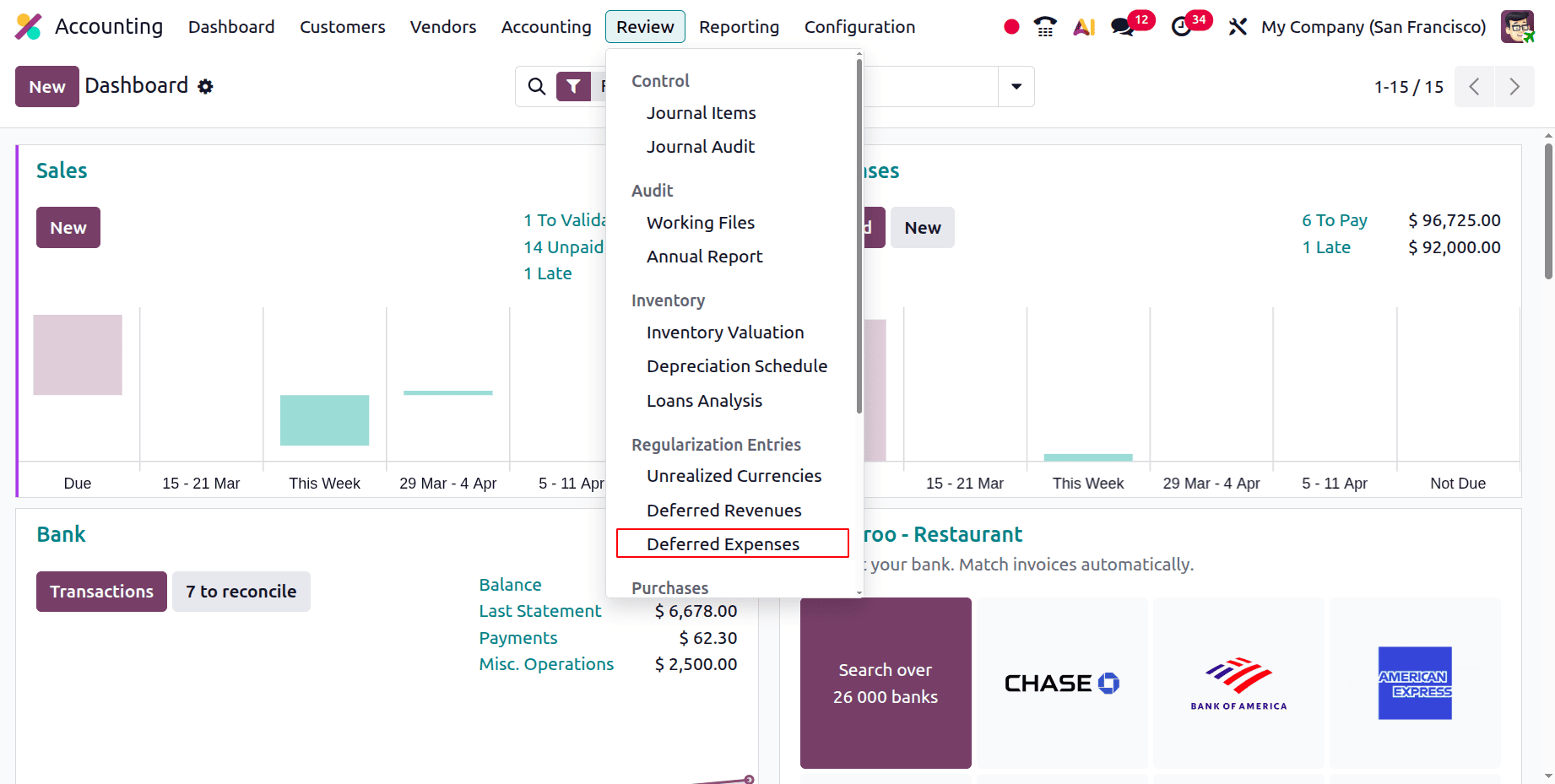
Select the desired month for the entry to be generated first from the report. Next, select the "Generate entry" button located in the top left corner.
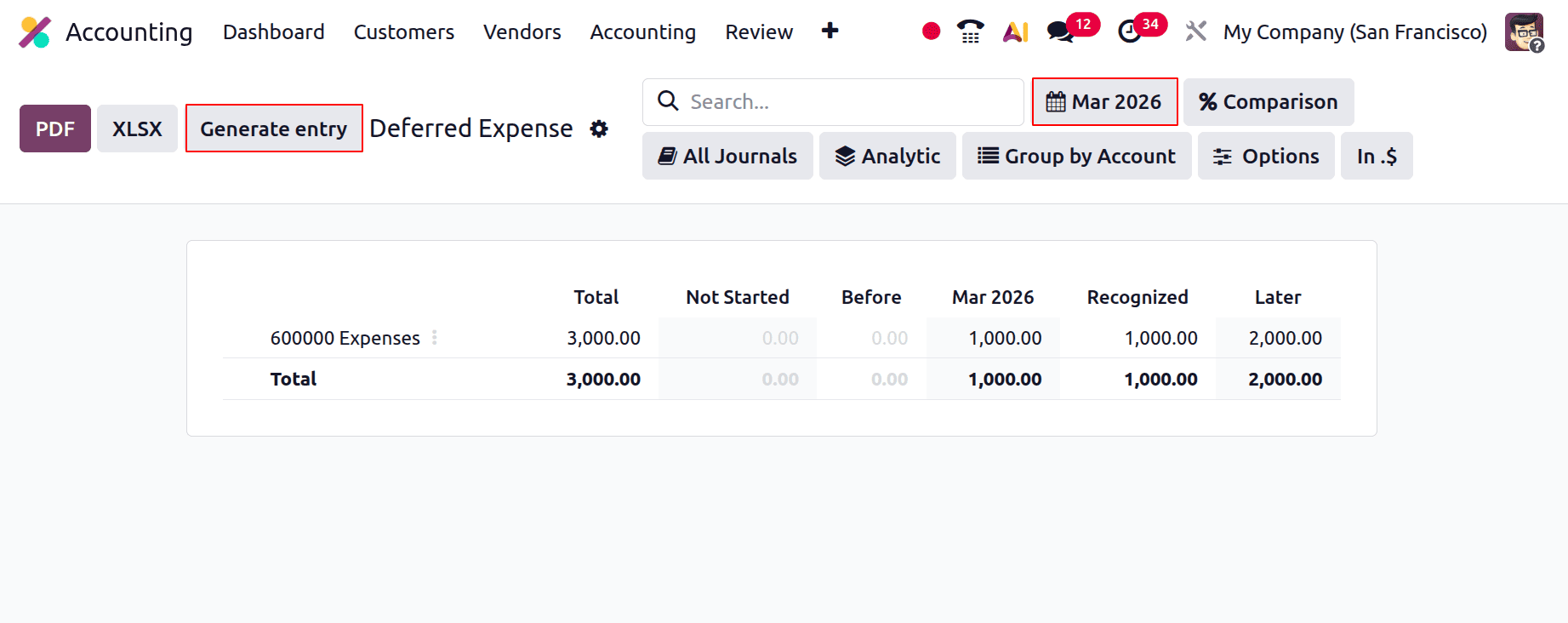
As their users can see, two journal entries are created. The first is the January 2025 Grouped Deferral Entry, and the second is the January 2025 Grouped Deferral Entry Reversal. Thus, pick the first option.
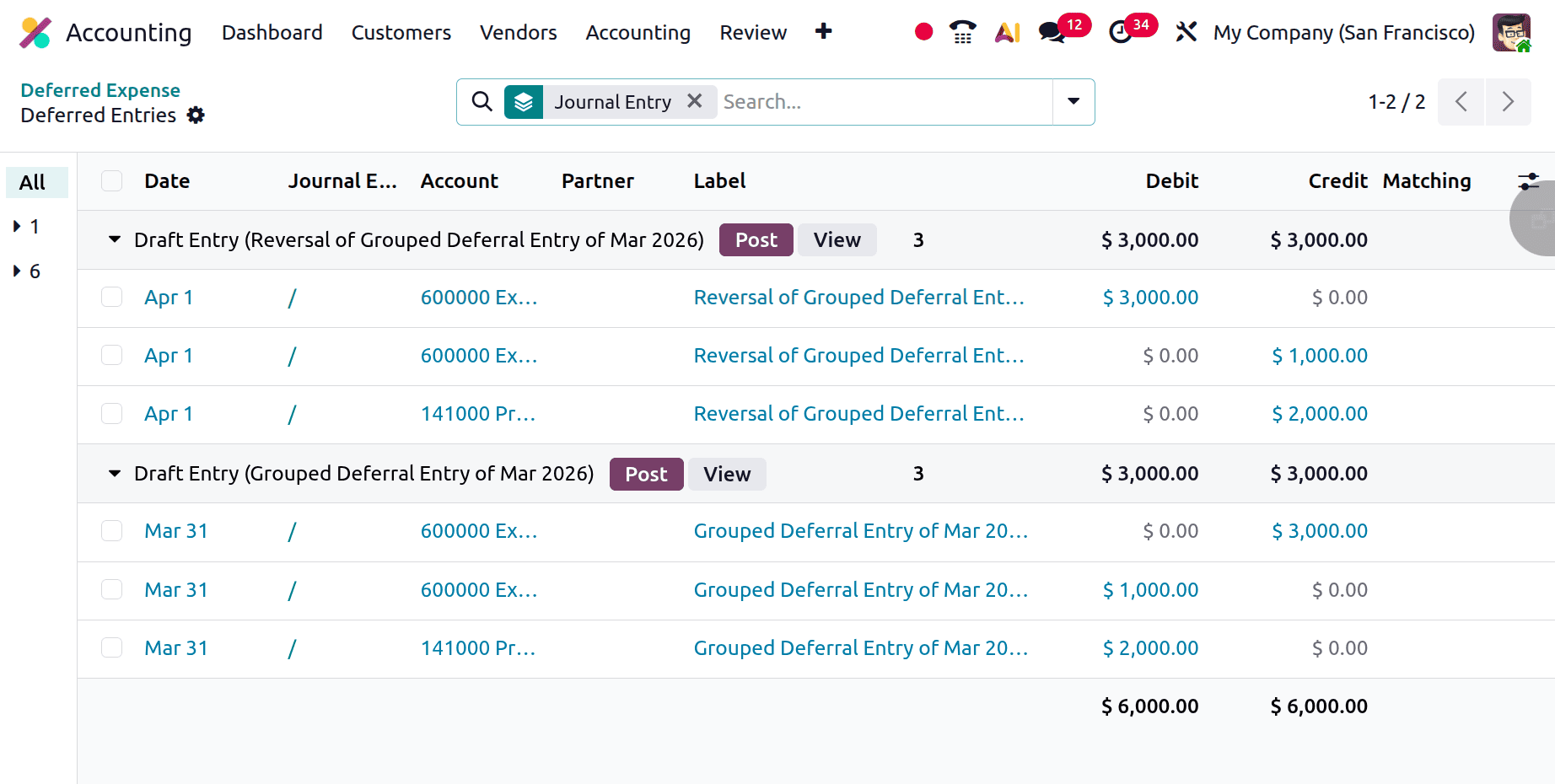
The Grouped Deferral entrance of March is the first entrance to be opened.
There are three months total in this instance (March through May). and the computation we already covered, in addition to the month's technique.
Monthly Deferred Expense = 3000/3 = 1000.
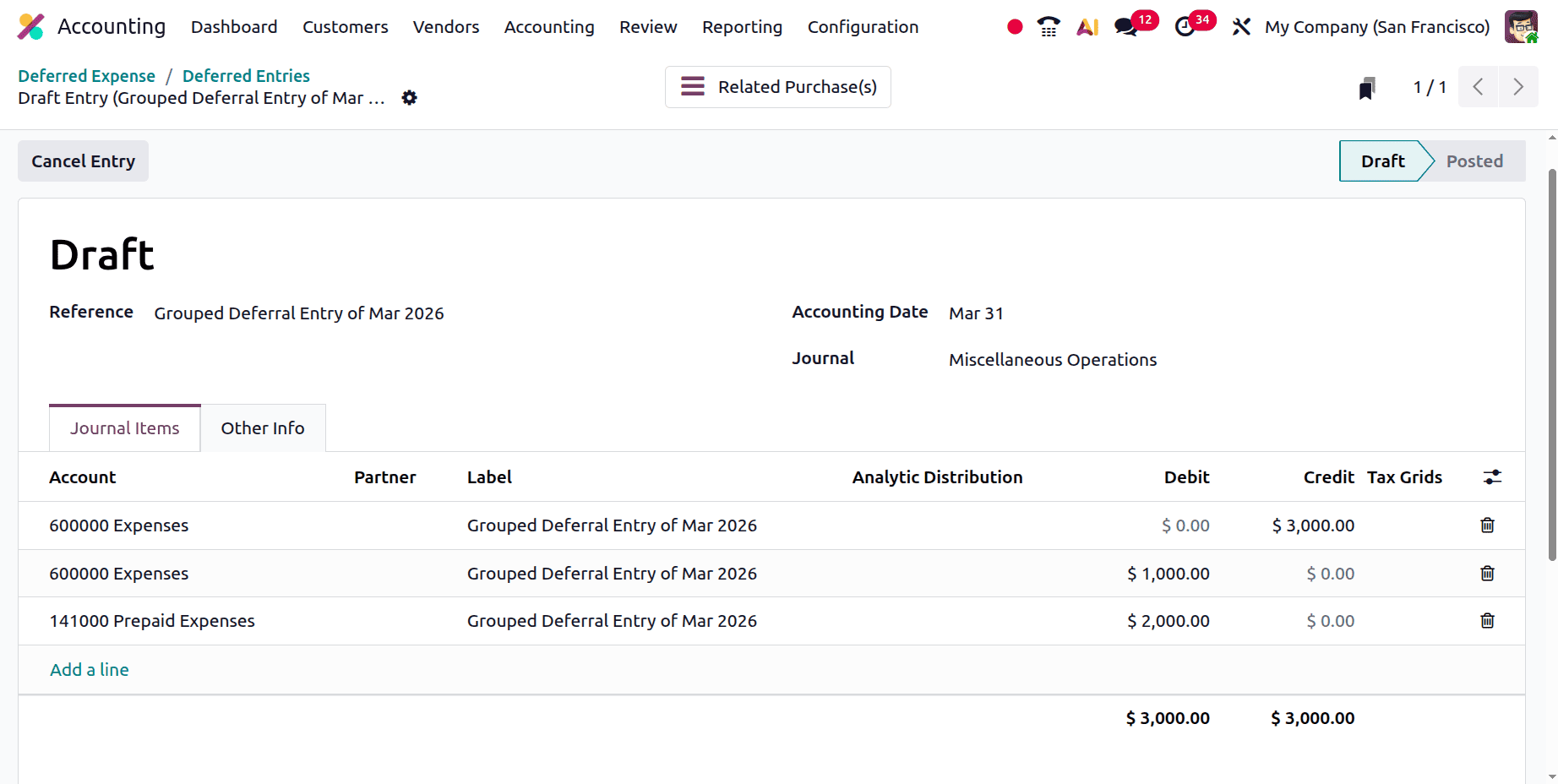
Here the total billed amount is credited in the Expense account. Then the monthly deferred amount of 1000 is debited in the Expense account, and the balance of 2000 is debited in the Prepaid Expense account.
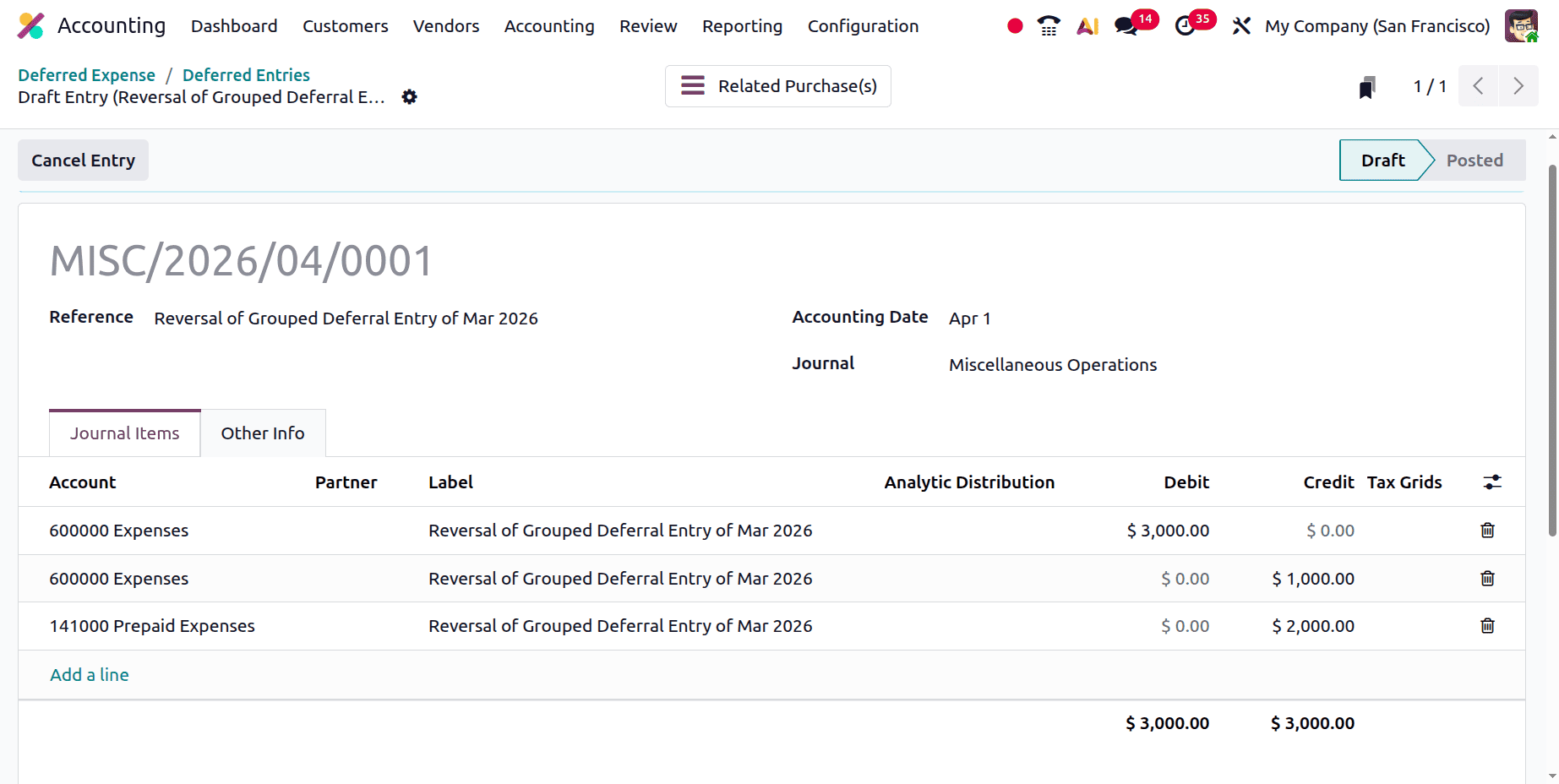
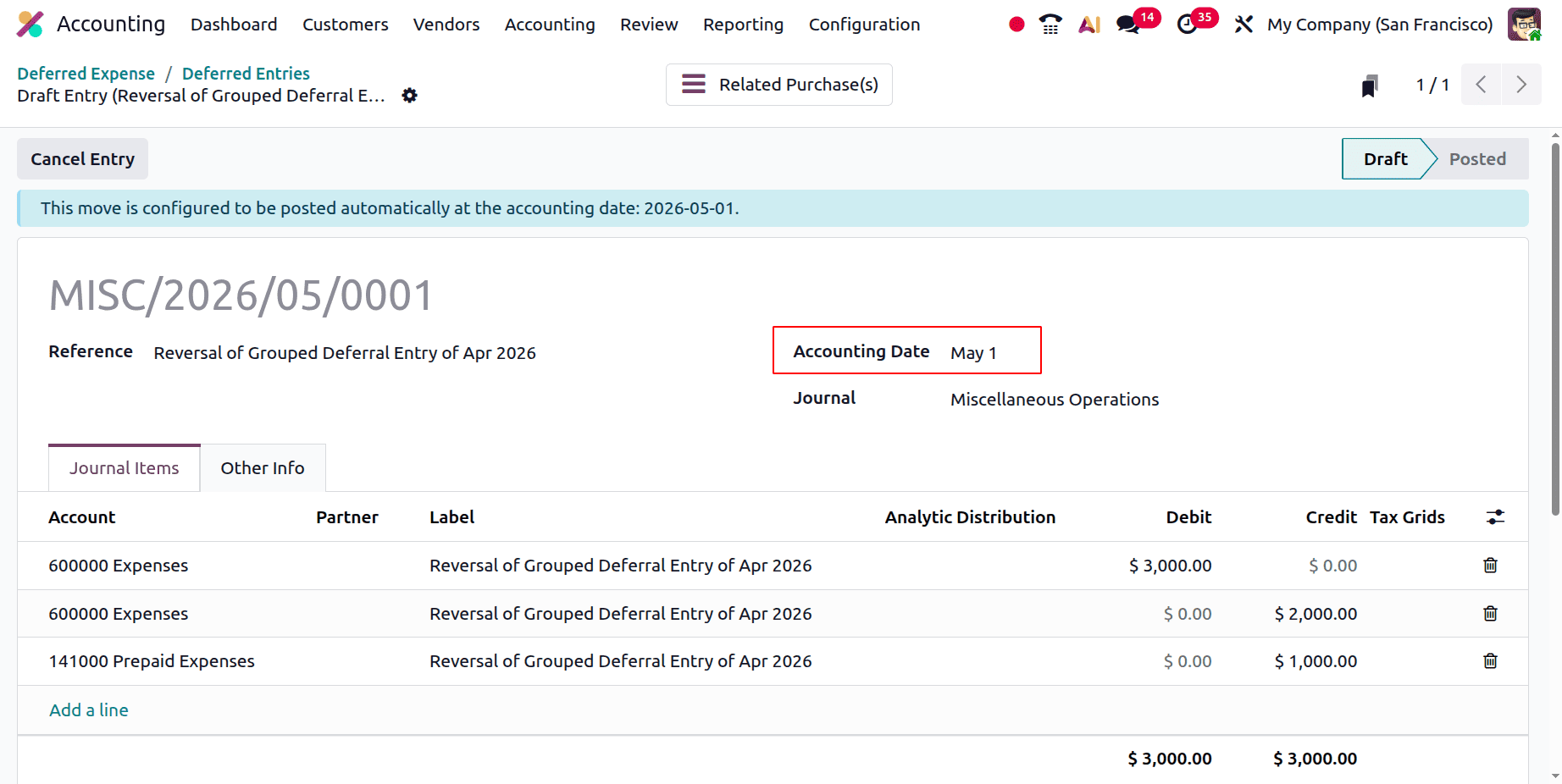
Next is the Reversal of the January 2025 Grouped Deferral Entry. This diary entry was made in reverse of the previous one, as can be seen by opening it. The bill amount is subtracted from the expense account in this instance. The Expense account and the Prepaid Expense account are credited with the depreciation amount and the remaining amount, respectively.
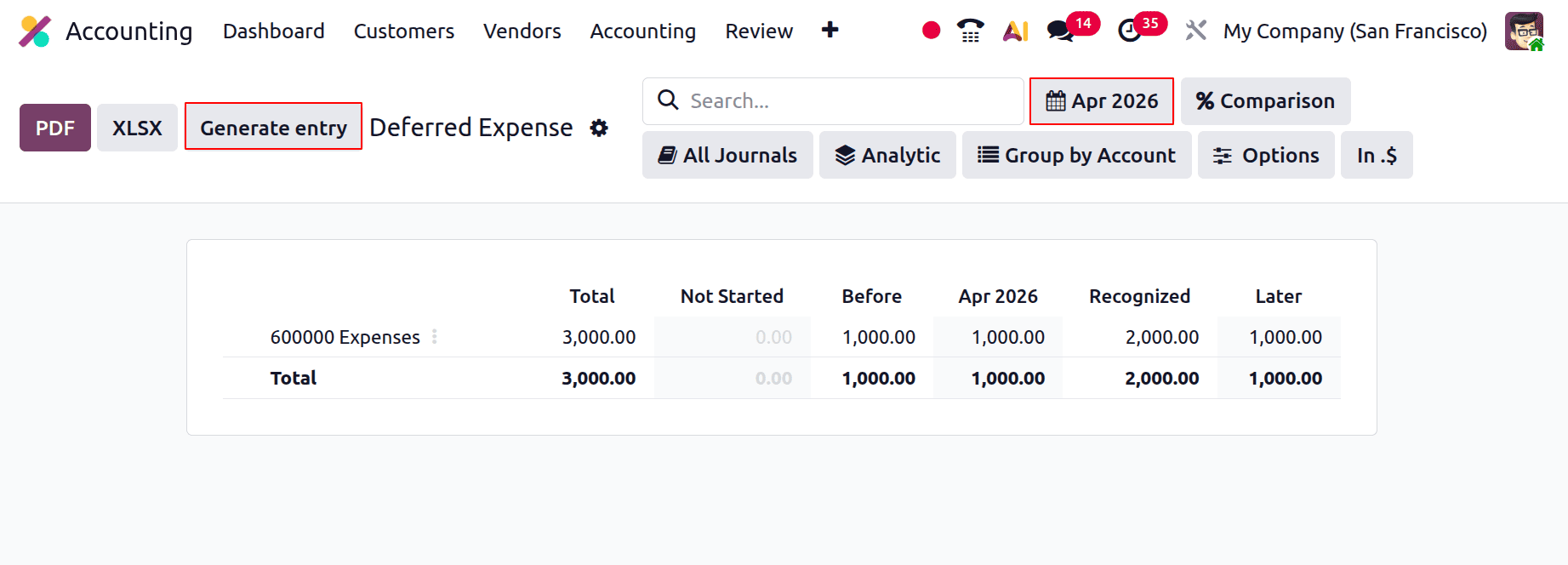
After that, return to the report and switch the filter to the following month. The Generate entry button must be clicked. As mentioned earlier, two journal entries will be made there.
The April Grouped Deferral Entry is the first, and the April Reversal of Grouped Deferral Entry is the second. Right now, both entries are in the draft stage.
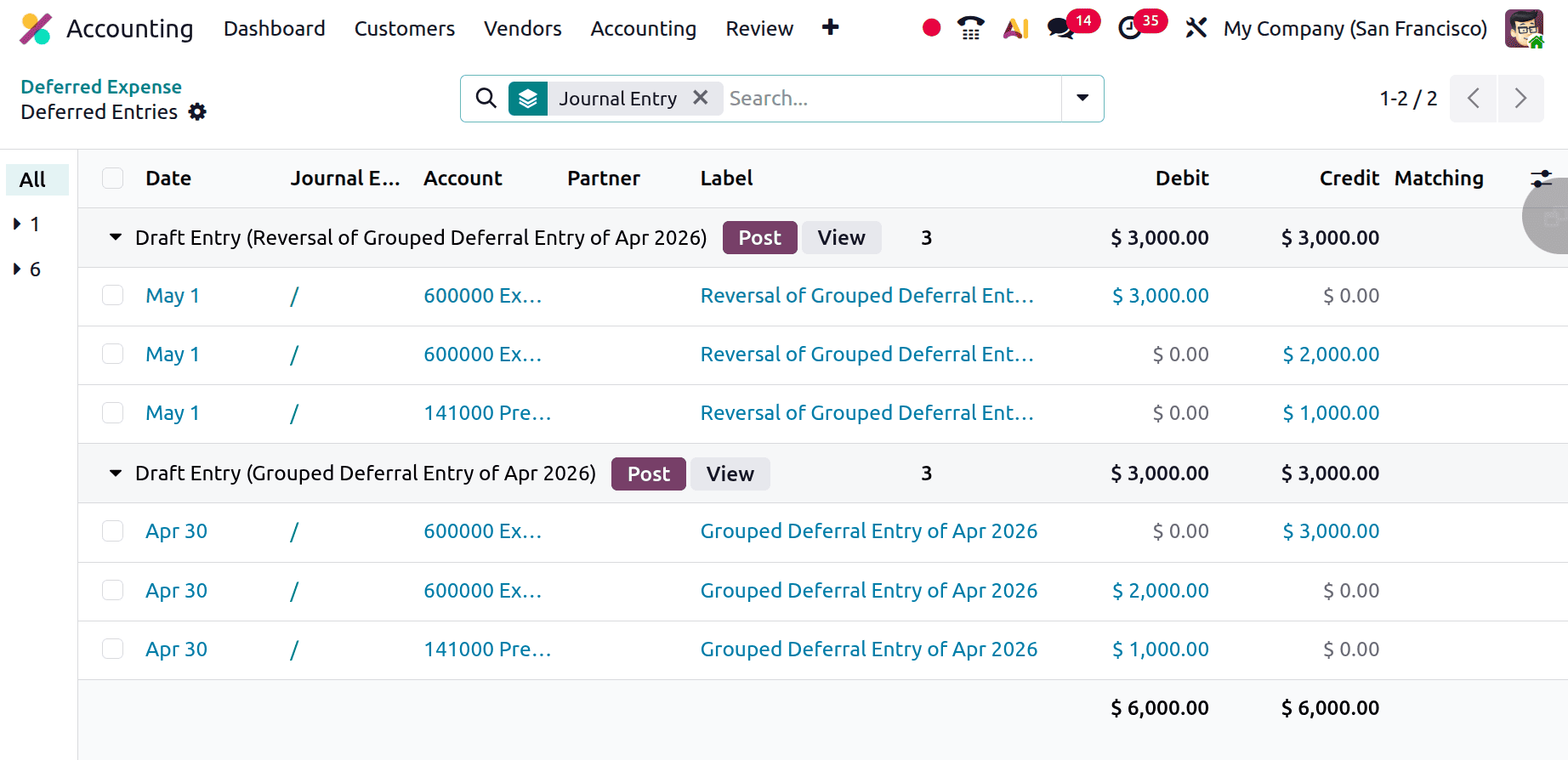
Here is the “Grouped Deferral Entry of Apr 2026”. As shown below, the Expense account is credited with the total billed amount. The remaining amount is then deducted from the Prepaid Expense account after the 2000 is deducted from the Expense account.
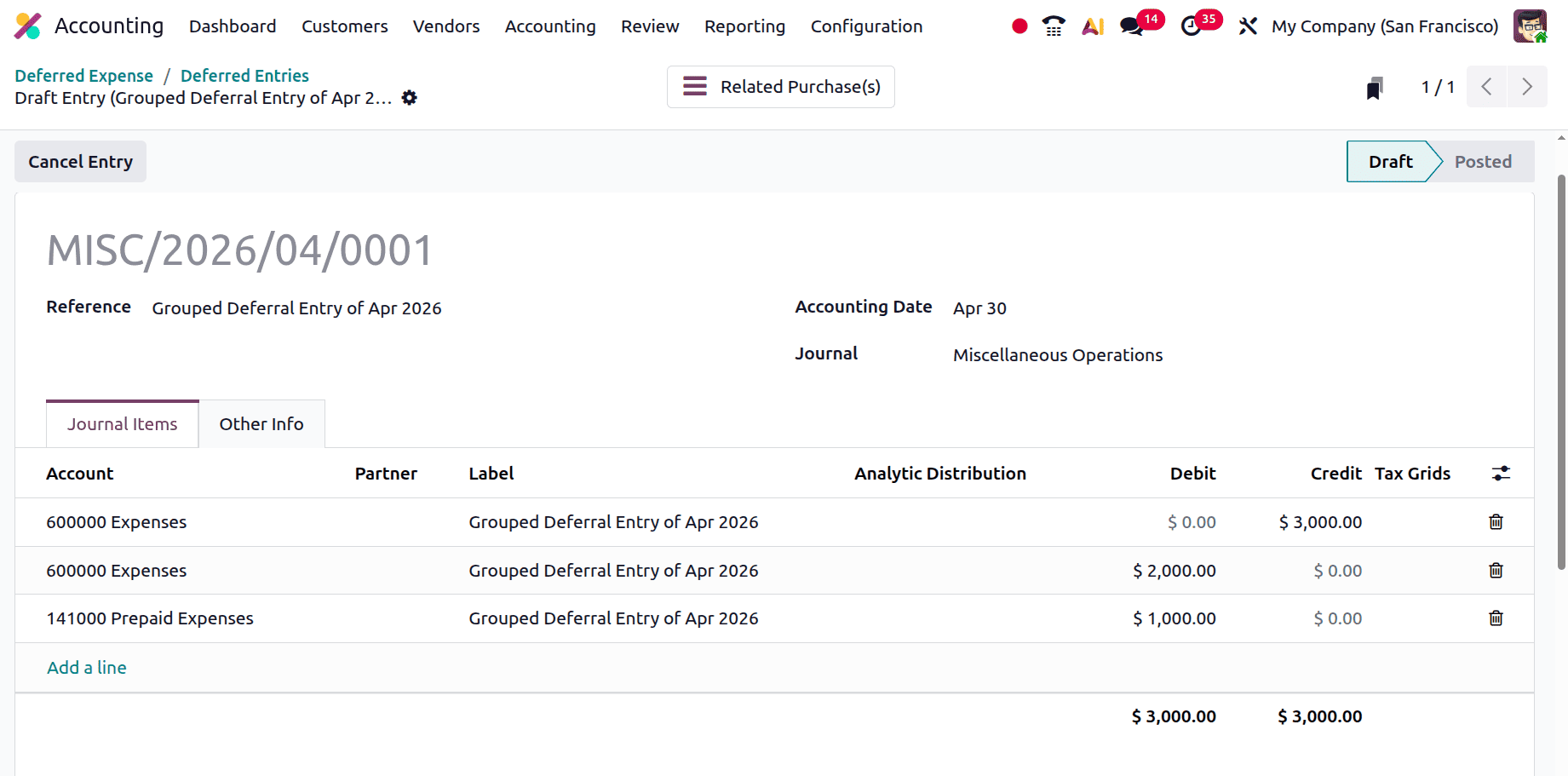
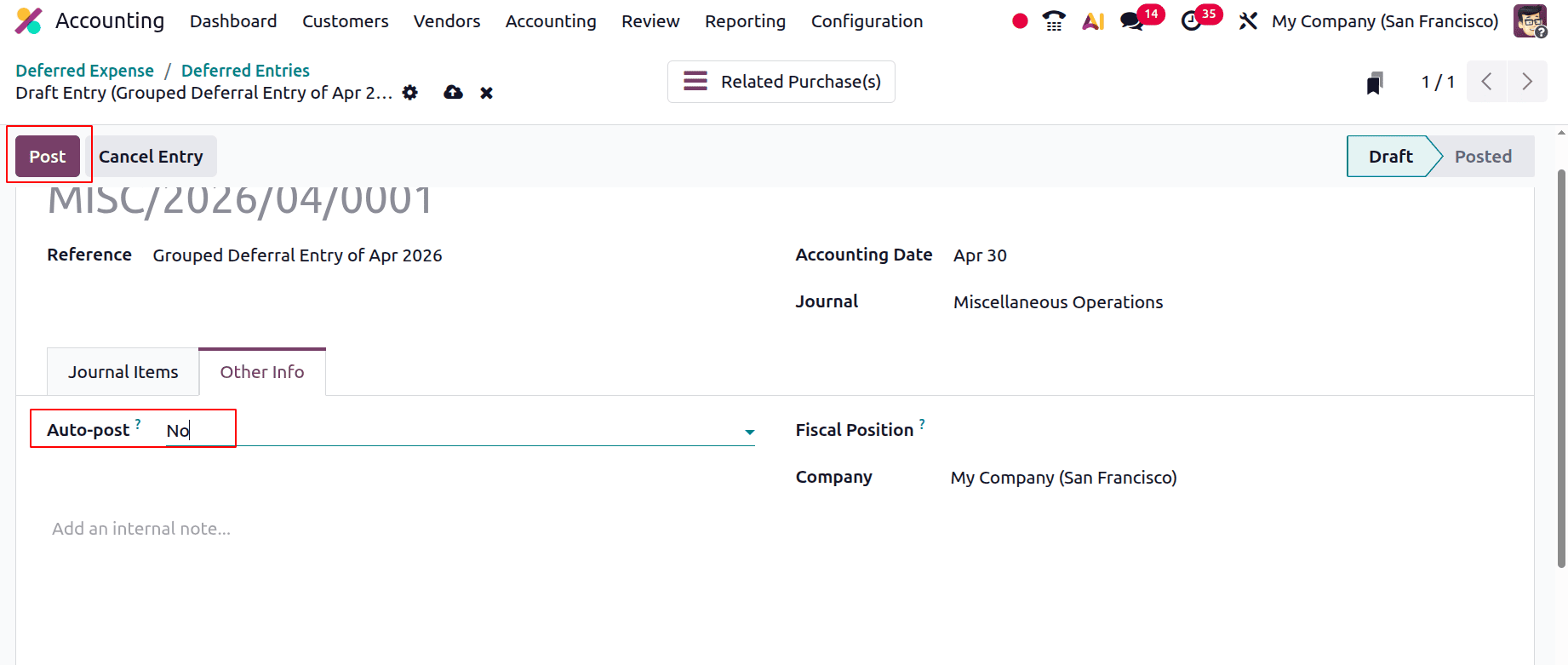
The entry will automatically post on the accounting date even though it is still in the draft stage. Select the Auto Post Option from the Other Info tab and set it to No if the user wishes to post the entry. Next, click "Post".
As can be seen in the image below, the next entry is the opposite of the previous one. Only on May 1 will this be released.
For the remaining months, the deferred expense value will remain the same.
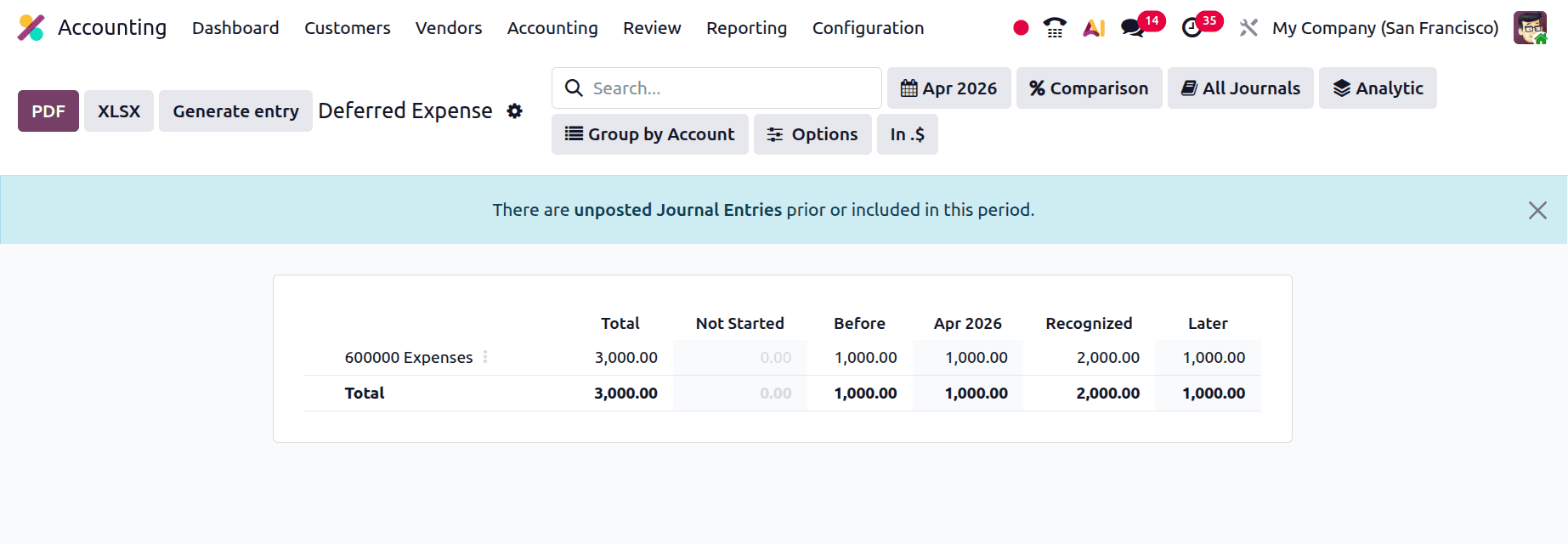
The report will be updated with all of the posted Deferred Expense entries. Thus, the report displays the expense account. The report displays the monthly depreciation amount and the total value of deferred expenses.
By efficiently managing delayed expenses in Odoo 19 Accounting, businesses may split costs over relevant periods, ensuring accurate financial reporting and compliance. Businesses can improve control over their financial processes and expedite spending management by utilising Odoo's automation and tracking tools.
To read more about How to Manage Deferred Expenses in Odoo 18 Accounting, refer to our blog How to Manage Deferred Expenses in Odoo 18 Accounting.