The approval process continues even when the designated approver is unavailable. This may occur if the employee is on leave, attending a conference, or traveling for business. The approval process must remain uninterrupted to ensure smooth business operations.
To facilitate this, Odoo 19 offers a delegation feature for approval rules. This allows an approver to delegate their approval responsibilities to another user for a specific period of time.
What Are Delegation Approvals?
Delegation of Approval is a module where the approver can assign their rights of approval to another authorized user for a certain period of time.
For example:
- The Purchase Manager is going on a vacation for a week.
- For this period, he delegates his rights of approval to another manager.
- Upon the end of the delegation period, the rights of approval revert back to the original approver.
This enables organizations to prevent work process interruptions without modifying the permissions of the users.
Why Use Delegation Approvals?
The benefits of delegation approvals are as follows:
- Approval processes will not be delayed if the approvers are not available.
- Business processes continue uninterrupted.
- Manual actions of the administrators are minimized.
- There is an audit trail of all delegated approvals.
- Approval privileges are automatically reinstated after the expiration of delegation.
Prerequisites
Before setting up delegations of approvals, ensure that:
- The desired approval rule is already set up.
- The user is appointed as the approver in at least one approval step.
- The user has the proper permissions to perform the approval process.
Creating Delegation Approvals in Odoo 19
The following steps explain how to configure delegation approvals.
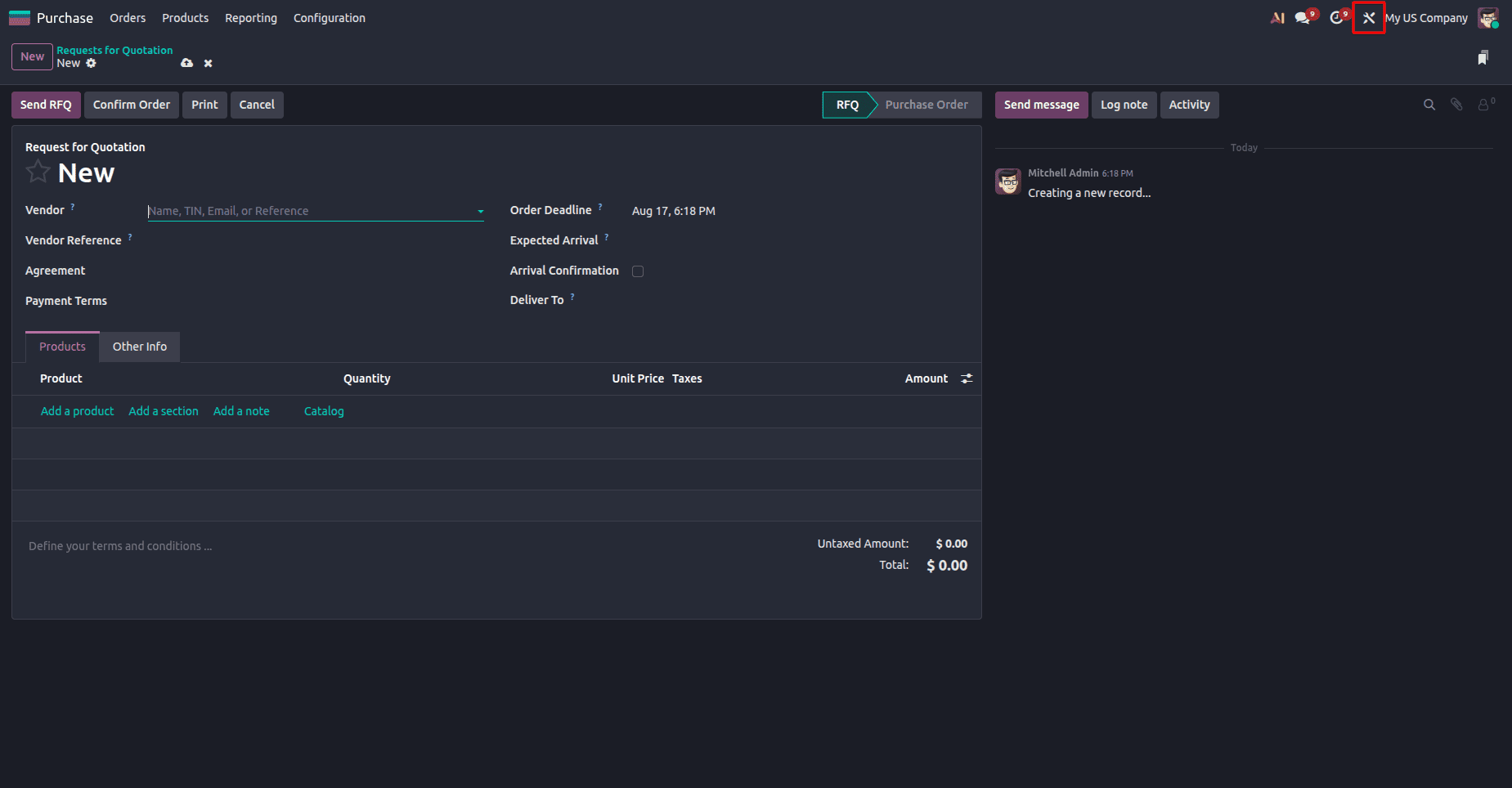
Step 1: Open a Document with Approval Rules
Open a document that has a Studio approval rule configured, such as a Purchase Order, Sales Order, Expense Report, or another business document with an approval-enabled button.
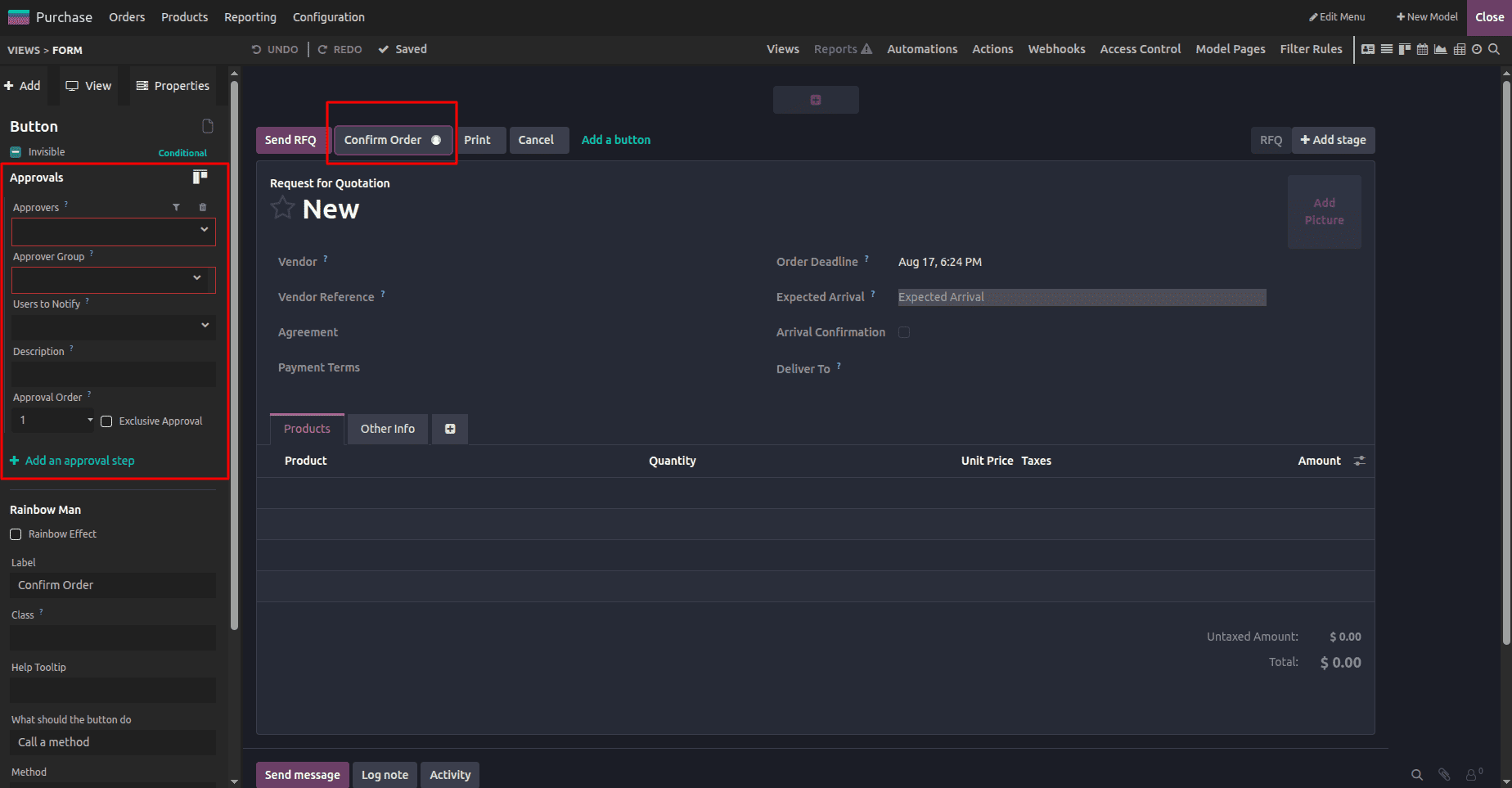
If an approval rule is not available, activate Studio, select the button that requires approval, and click Add an approval step. Select the required approver and save the configuration.
Configuring an approval step for the selected button using Odoo Studio.
Step 2: Open the Delegation Window
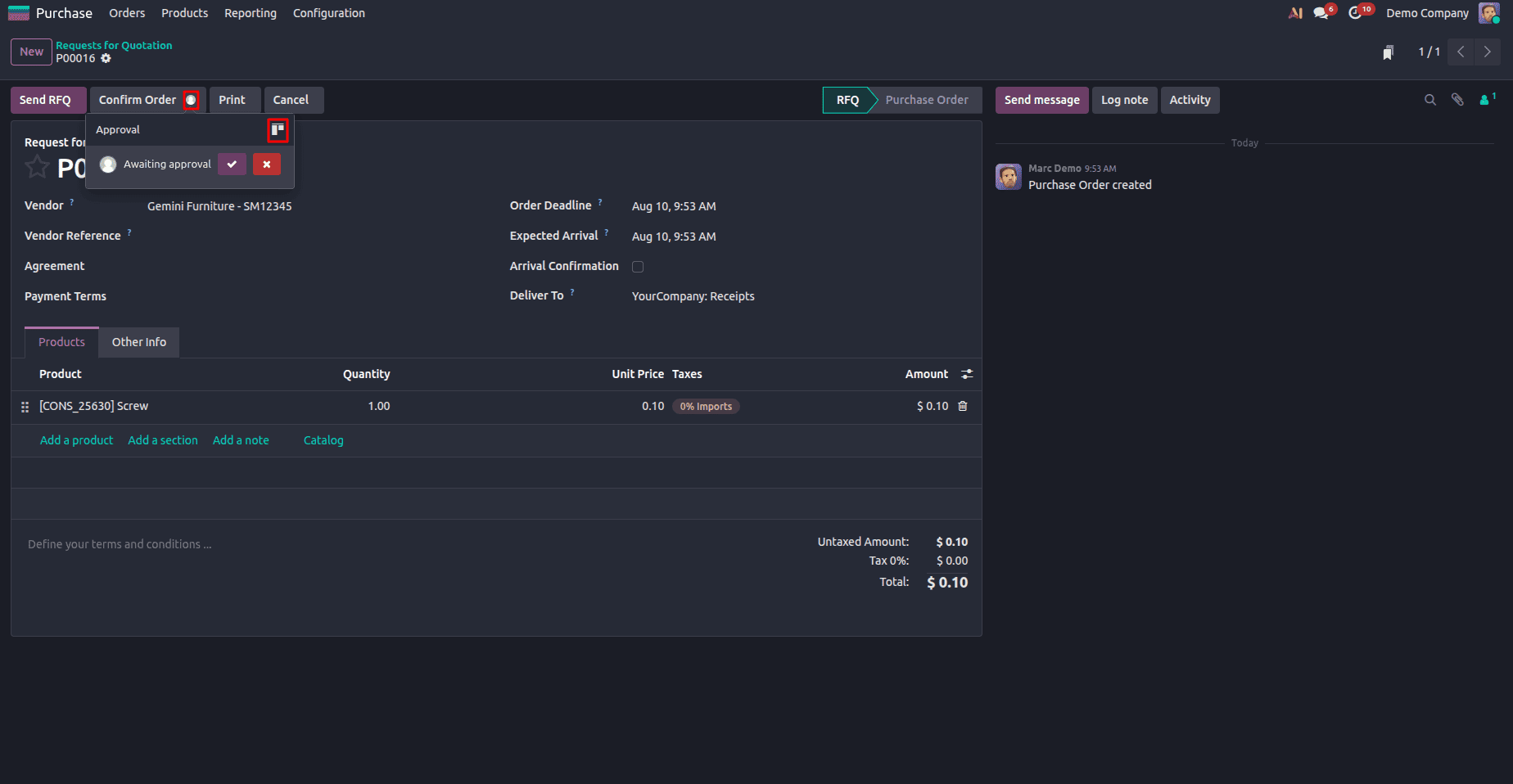
Click on the avatar of the approver appearing next to the Approve button.
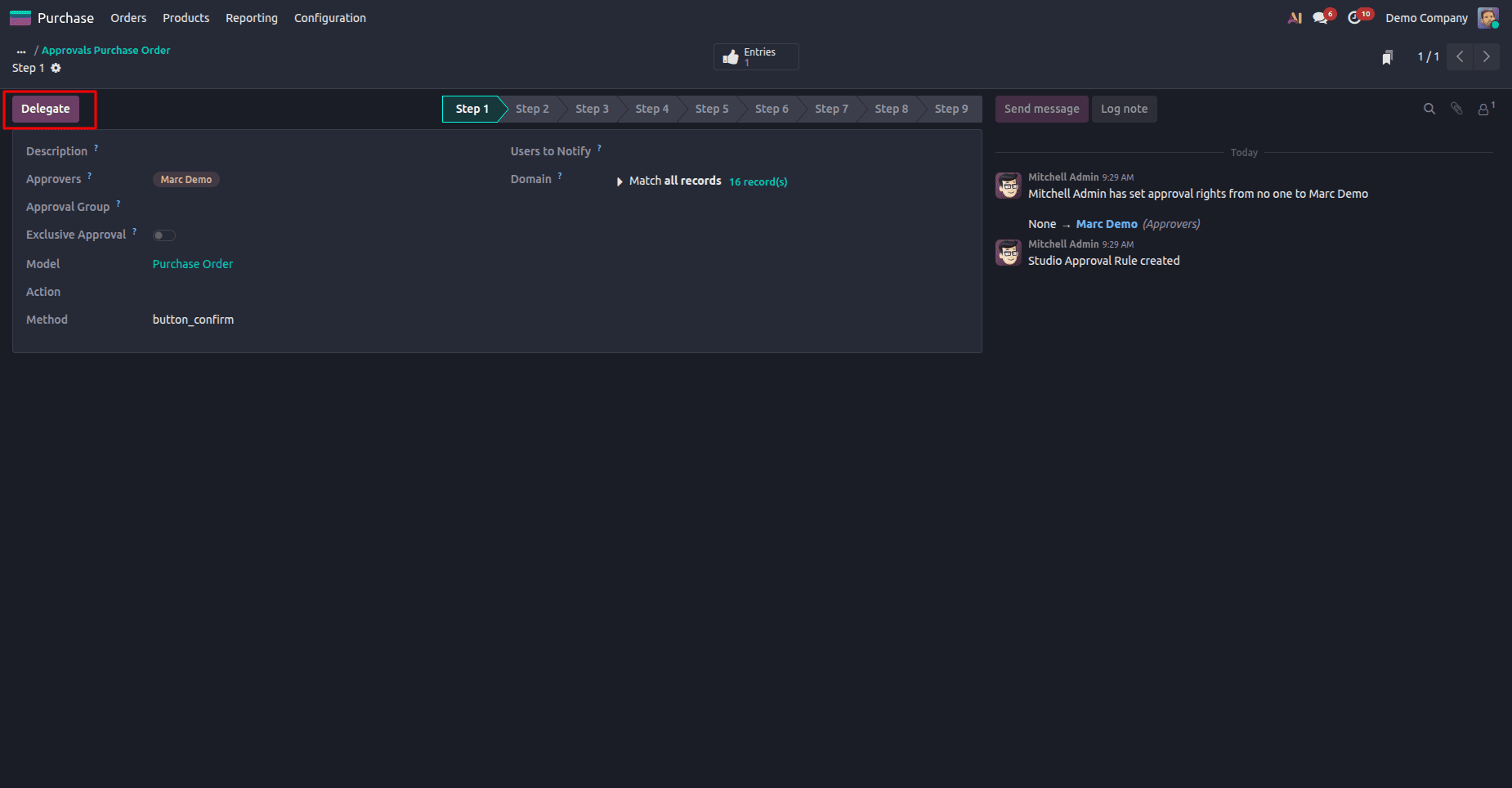
Choose the option as Delegate from the form view.
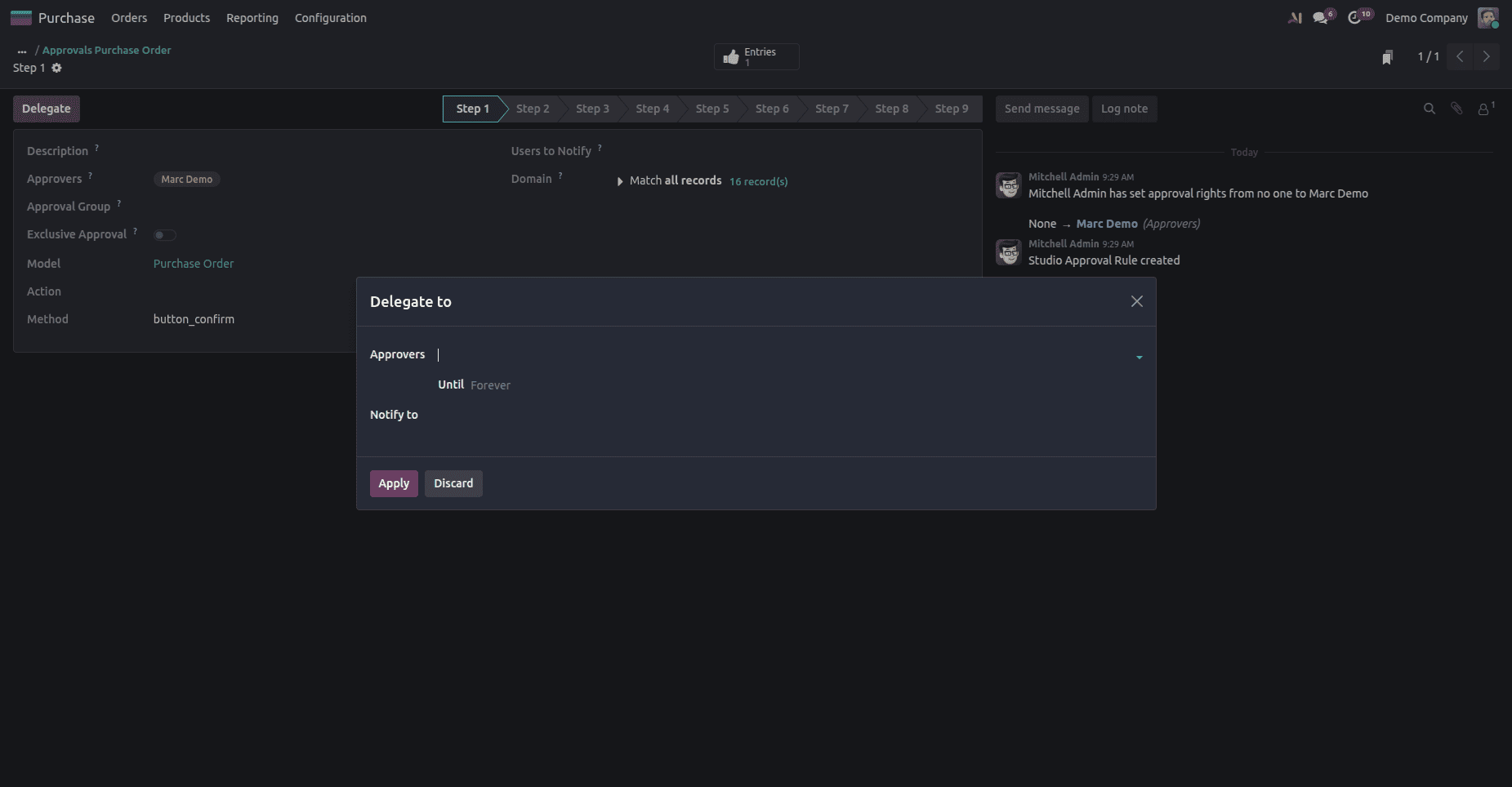
This will open the Delegation Setup window.
Step 3: Configure the Delegation
Enter all the necessary details.
Choose the user who is supposed to have the approval responsibility.
Enter the date up to which this delegation is valid.
Notify the delegated user about this new responsibility, if desired.
Save the setup details.
Step 4: Verify the Delegation
The user will become eligible for approving the request when the save process is completed.
The system automatically deletes the delegation process when the end date expires.
Technical Example
Assume that in your organization, you have approval rules for Purchase Orders.
The workflow is configured as follows:
| Purchase Amount | Required Approver |
| Less than $5,000 | Purchase Officer |
| More than $5,000 | Purchase Manager |
Assume further that the Purchase Manager is absent.
In order to process Purchase Orders, the Purchase Manager delegates approval permissions to another manager for a period of one week.
Create a Purchase Order with the cost of $8,500.
- The process goes as follows:
- Purchase Order reaches the approval step.
- The Purchase Manager becomes the approver of the document.
- As the delegation is performed, the delegating manager also gets approval permissions.
- The delegating manager approves the document.
- Purchase Order moves to confirmation.
When the delegation period ends, only the Purchase Manager is able to approve other Purchase Orders.
No changes to approval rules or user permissions needed.
It is vital for developers who build custom modules to know how delegation works within the approval process.
Suppose your custom module contains an approval action.
from odoo import models
from odoo.exceptions import UserError
class CustomRequest(models.Model):
    _name = "custom.request"
    def action_approve(self):
        self.ensure_one()
        if self.env.user != self.approver_id:
            raise UserError("Only the assigned approver can approve this request.")
        self.state = "approved"
This validation only applies to the approver who has been assigned by you.
In case your module includes support for delegated approvals, the logic of your approval would have to confirm that the current logged-in user has delegation of approval permissions through the approval process defined by Odoo. Rather than implementing an additional process of delegation, it is recommended to utilize Odoo's approval and delegation process as much as possible.
Approvals Delegations in Odoo 19 offer a great way to sustain approval processes when certain users become unavailable. Organizations are able to delegate approvals to another user temporarily without changing permission settings and approval rules and retain full control over the process.
Regardless of the need to manage approvals of purchases, expenses, and any other business-specific workflows, delegations of approvals are useful in ensuring that essential business processes are carried out without any delays. In case you are developing some applications, using the native Odoo approvals system is preferable to implementing custom solutions.
With the information provided above, you will be able to configure the required setup and streamline your workflow effectively.
To read more about How to Set Up Approval Rules in Odoo 19, refer to our blog How to Set Up Approval Rules in Odoo 19.