How to configure Periodic Digest Emails in Odoo 19
It's important to be able to quickly get important operational information in order to keep the business running smoothly and make smart choices. As businesses deal with a lot of data every day, it gets harder and harder to find important patterns or changes in performance without automated tools. Odoo 19 solves this problem with Periodic Digest Emails, a feature that sends you short summaries of business activity directly to your email inbox at set times.
These digest emails are very helpful for managers, administrators, and decision-makers who need quick overviews without having to go through a lot of different modules. Odoo 19 makes sure that the right people get the right information at the right time by letting you set your own KPIs, schedule, and recipients.
This blog explores how to configure, customize, and manage Periodic Digest Emails in Odoo 19, along with reviewing the KPIs available in the system.
Enabling Periodic Digest Emails in Odoo 19
To begin using the digest email feature:
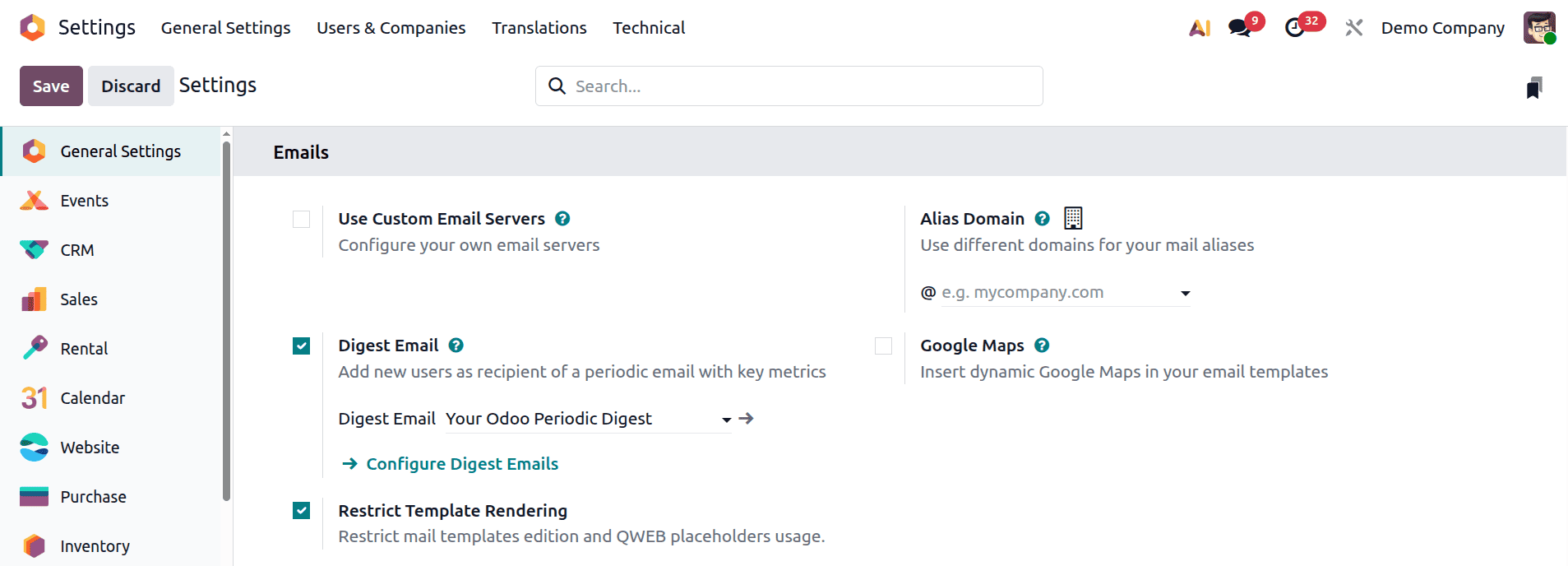
- Navigate to Settings > Emails > Digest Email
- Activate the Digest Email option.
Once enabled, Odoo displays a blue hyperlink titled “Configure Digest Emails”. Clicking on this link—or navigating through Technical > Email > Digest Emails—opens the full configuration menu containing all existing digest templates.
Managing Digest Email Records
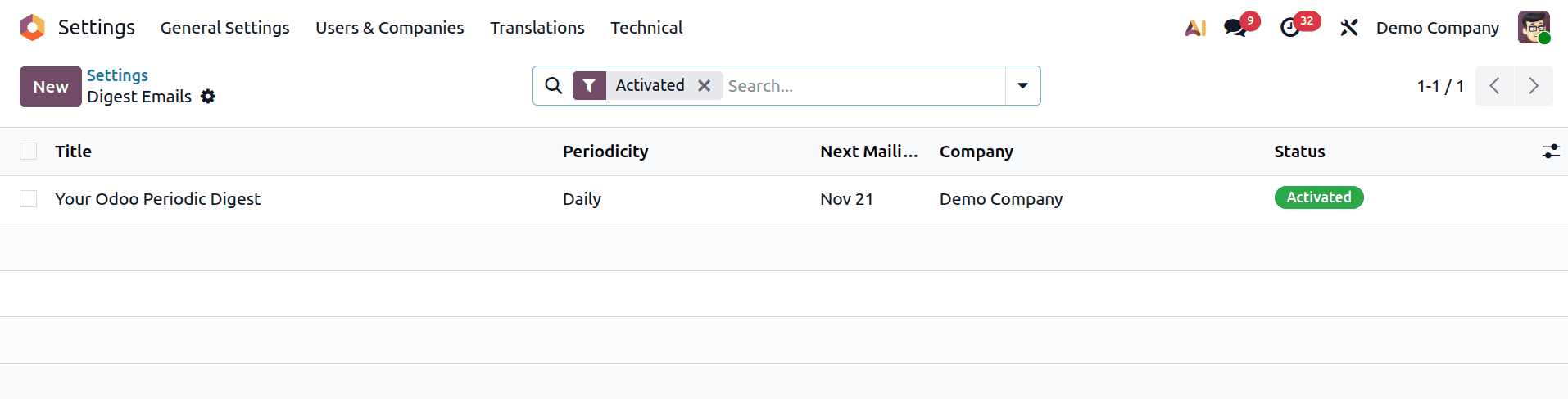
After entering the Digest Emails menu, Odoo 19 displays all available digest entries. You may edit the default system-provided template or create your own by clicking New.
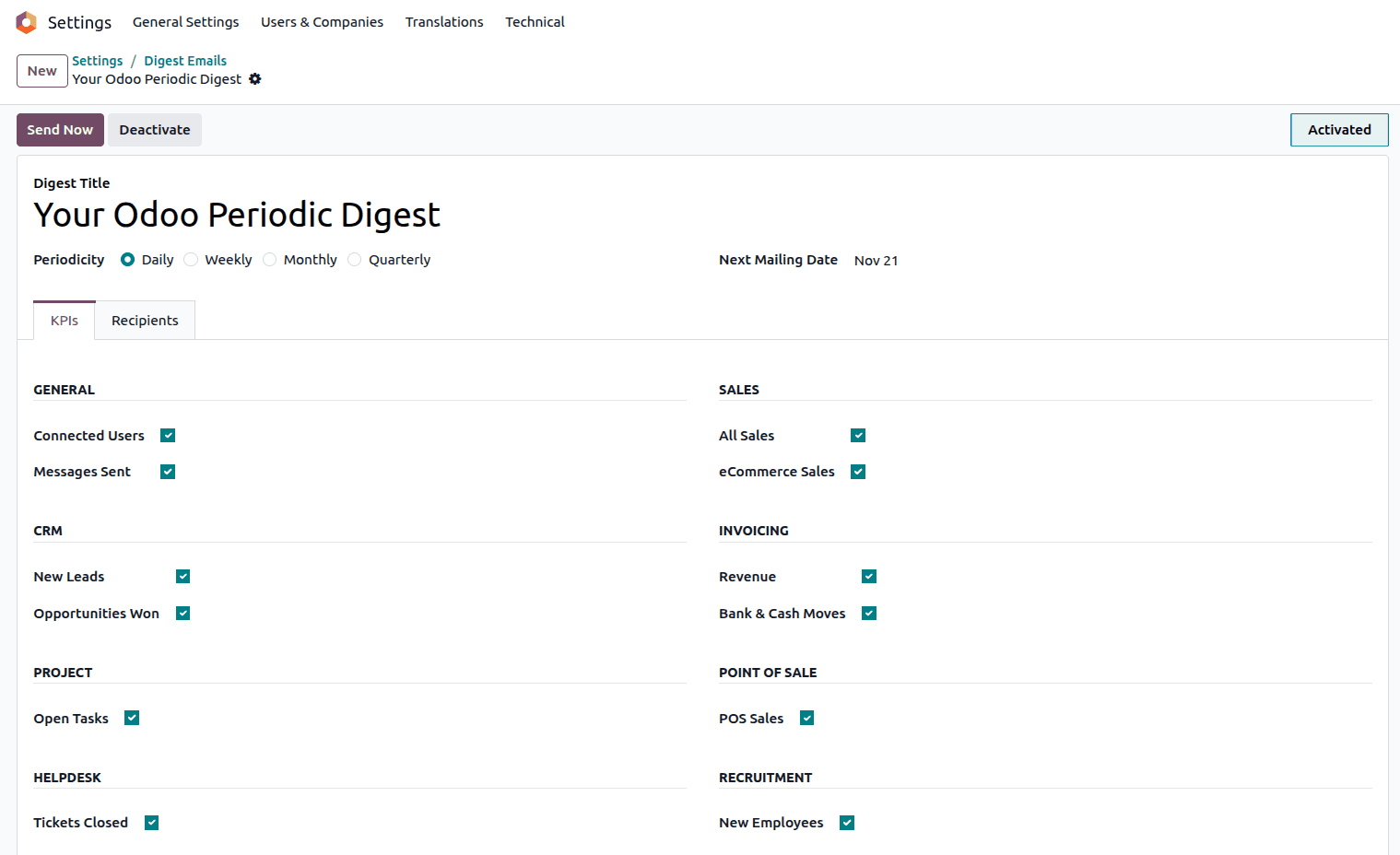
Opening any digest record loads a form view where you can modify various parameters:
Key Fields in the Digest Form
1. Digest Title
The field that holds the name of the Periodic digest configuration.
2. Periodicity
Decide how often the digest should be sent:
- Daily
- Weekly
- Monthly
- Quarterly
This is calculated automatically based on the periodicity. This date is updated by Odoo each time the digest is sent.
4. Tabs for Detailed Configuration
Odoo 19 organizes digest customization into two main tabs:
Understanding KPI Options in Odoo 19
Odoo 19 extracts KPI values from installed modules. User can enable or disable any KPI depending on what information you want included in the digest email.
Some commonly KPIs available are:
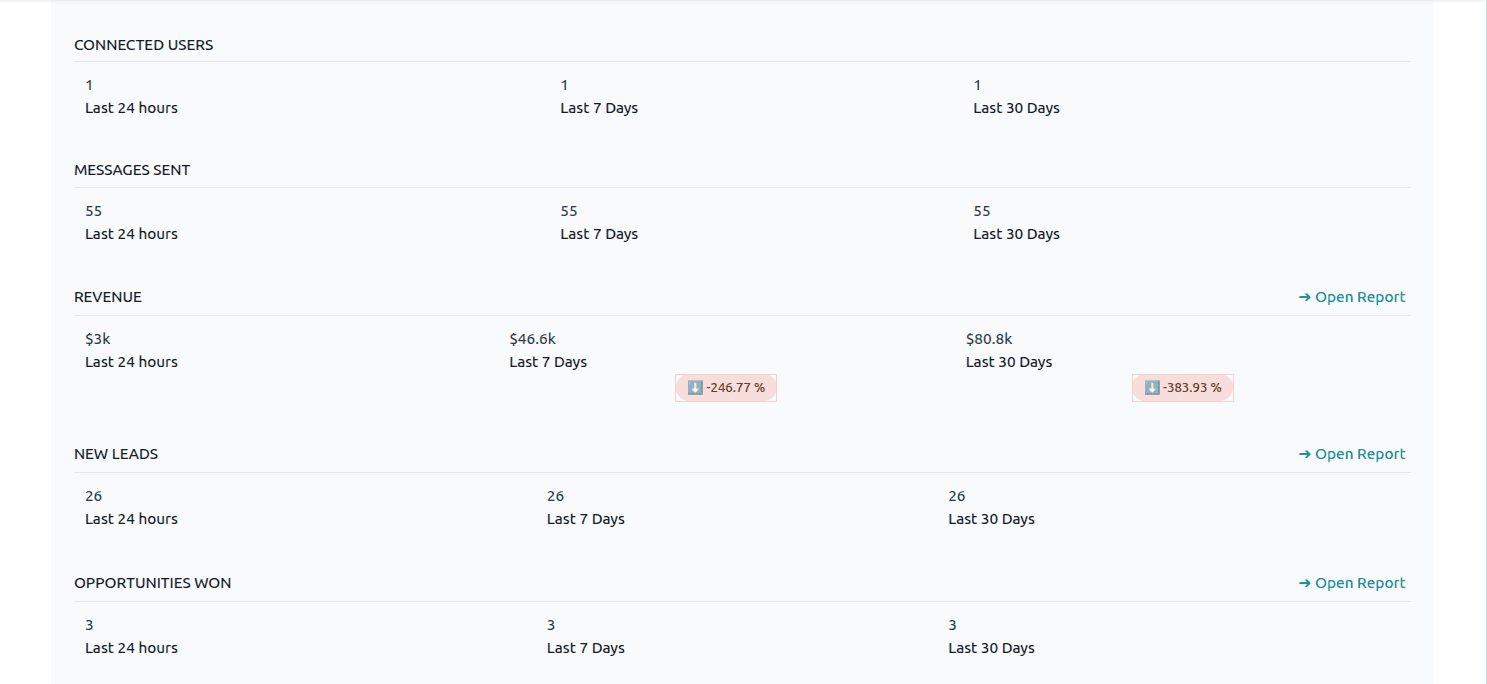
GENERAL KPIs
- Connected Users: When enabled shows how many users have been active in the previous 24, 7, and 30 days.
- Messages Sent:Shows total number of messages sent and received through the system.
SALES KPIs
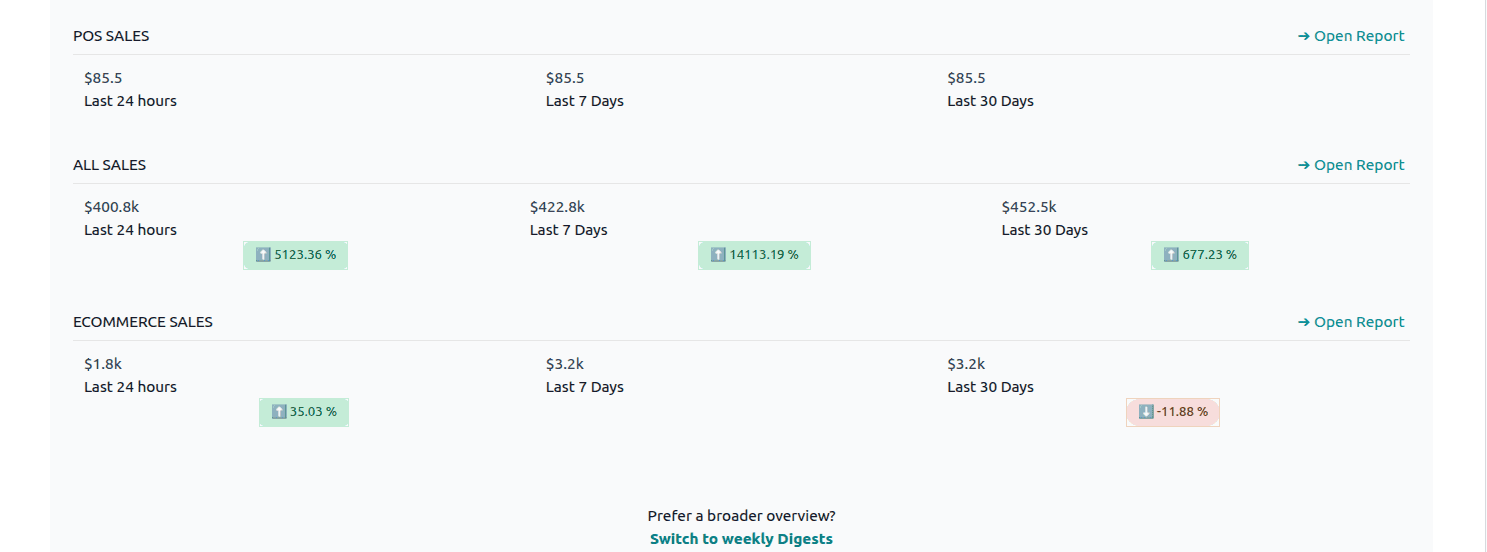
- All Sales: Shows the total revenue generated from confirmed sales orders.
- eCommerce Sales: Shows the total revenue generated from the online sales channels.
CRM KPIs
- New Leads: Number of leads created in the selected time periods.
- Opportunities Won: Number of successful opportunities closed during the given intervals through the system.
INVOICING KPIs
- Revenue: Summarizes the revenue generated through company sales for the business.
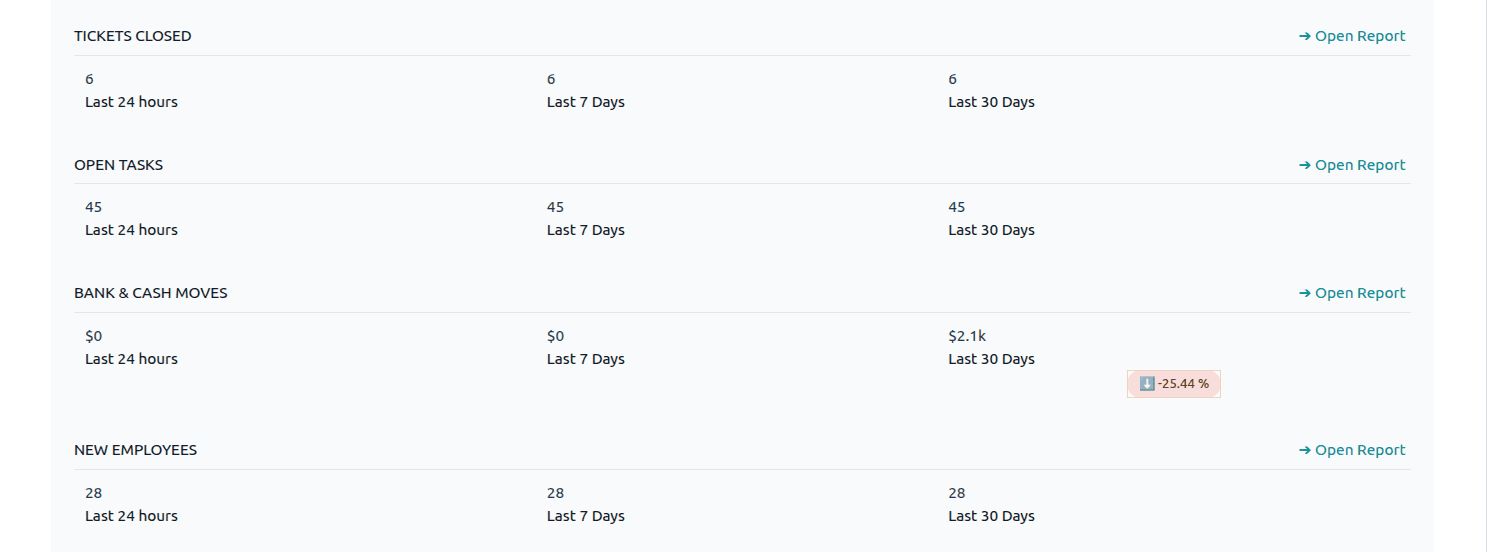
- Bank & Cash Moves: Provides insights into financial transactions made using bank or cash journals.
Additional KPIs from Other Modules
Depending on the installed modules, you may also find KPIs for:
Configuring Digest Email Recipients
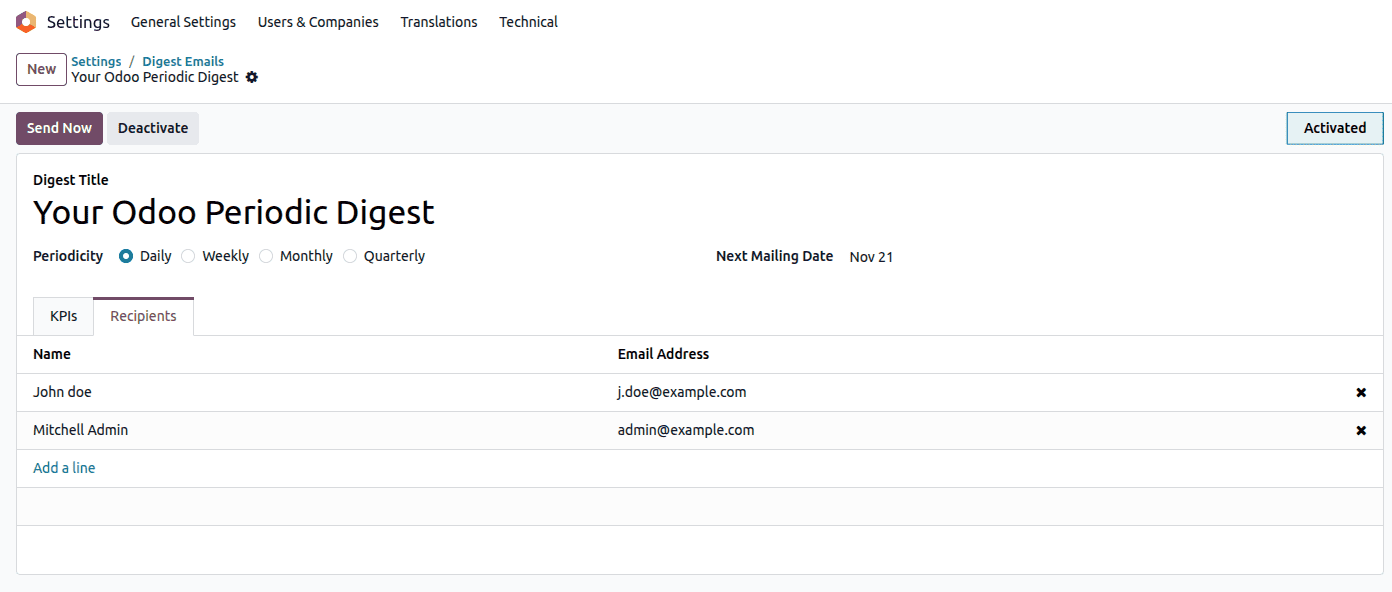
Switch to the Recipients tab to define who should receive the digest email.
You can:
- Add new users with valid mail IDs by using Add a line
- Also remove recipients using the delete icon on each line from the lsit
Each user added will receive an independent email containing the same digest content.
Using Send Controls in Odoo 19
At the top of the form, Odoo provides two actions:
1. Deactivate
Disables the digest mail temporarily without deleting it.
This is ideal when pausing automated emails during system updates or structural changes.
2. Send Now
This action immediately sends the digest email manually to all recipients regardless of the Next Mailing Date.
After sending, Odoo automatically recalculates and updates the next scheduled date.
All sent digests mails can be reviewed from:
Settings > Technical > Emails
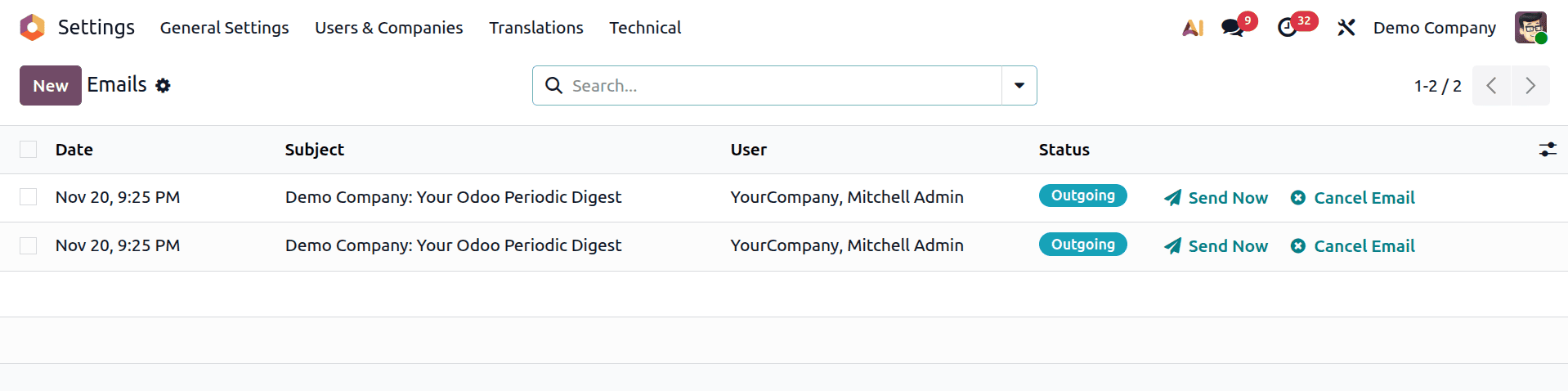
Opening any recorded email will show its content, recipients, and delivery status.
Why Periodic Digest Emails Matter in Odoo 19
The periodic digest system in Odoo 19 increases organizational efficiency through:
- Providing configurable KPIs for quick operational insights and keeping decision-makers informed without needing them to log into the system
- Notifying several users in a timely manner
- Increasing departmental transparency
- Encourage improved business forecasting and planning
In the end, Digest Emails enable companies to monitor important activities in real time and make well-informed decisions more quickly.
For businesses that depend on current operational metrics, Odoo 19's Periodic Digest Emails are a crucial tool. Digest emails provide information directly to the stakeholders who require it, whether they are tracking sales, CRM performance, user activity, or financial indicators.
Odoo 19 makes business stay on top with its straightforward setup options, customizable KPIs, and flexible scheduling.
To read more about How to Configure Periodic Digest Emails in Odoo 18, refer to our blog How to Configure Periodic Digest Emails in Odoo 18.