Managing multiple companies within a single Odoo environment can get tricky, especially when each company needs its own clean and independent numbering system. Whether you’re dealing with invoices, registrations, sales orders, or any custom model, it’s important that each company maintains its own sequence—starting from 1 and following its own prefix, format, and rules.
The good news is that Odoo 19 makes this process much easier once you understand how its sequence engine works behind the scenes. In this guide, we’ll break things down in a simple and practical way, walking you through both the functional setup and the technical implementation so you can confidently create company-specific sequences that stay organized, consistent, and completely isolated from one another.
What Are Company-Wise Sequences?
Company-wise sequences allow each company in Odoo to maintain its own numbering format, independent of other companies. For example:
| Company | Sequence Output |
| Company A | INV-A/2025/001 |
| Company B | INV-B/2025/001 |
Even when both companies are generating the same type of document, each one continues its own numbering from 1. This keeps records clean, prevents numbering conflicts, and makes auditing much easier.
Step 1: Define the Model
First, you’ll need to create the model where the sequence will be used. In this example, we’re building a model inside hospital_management to represent OP tickets. Once the model is in place, we’ll set up a sequence that automatically generates a unique reference number for every new ticket created.
from odoo import api, fields, models
class HospitalManagement(models.Model):
   _name = 'hospital.management'
   _description = 'Sample Model'
   _inherit = ['mail.thread', 'mail.activity.mixin']

   name = fields.Char(string='Name', required=True)
   reference_number = fields.Char(string='Sequence',copy=False,default="New",readonly=True, required=True)
   description = fields.Text(string='Description')
   date = fields.Date(string='Date')
   active = fields.Boolean(string='Active', default=True)
   state = fields.Selection([
       ('draft', 'Draft'),
       ('confirmed', 'Confirmed'),
       ('done', 'Done')
   ], string='State', default='draft', tracking=True)

   @api.model_create_multi
   def create(self, vals):
       """Create records using provided values."""
       for rec in vals:
           code = self.env['ir.sequence'].next_by_code('hospital.registration')
           rec['reference_number'] = code
       res = super().create(vals)
       return res
Explanation of the Code:
- reference_number – This is a Char field with a default value of "New." It will store the unique ID assigned to every ticket.
- create – The create method is overridden so that each time a new record is created, Odoo automatically fetches the next number from the sequence and assigns it to reference_number.
Step 2: Define the Sequence in XML
Now that the model is ready, the next step is to create the sequence for the hospital.management model. This setup goes into an XML file located in your module’s data directory.
Create a file named ir_sequence_data.xml and add the following content:
<?xml version="1.0" encoding="UTF-8" ?>
<odoo>
   <record id="ir_sequence_hospital_registration" model="ir.sequence">
       <field name="name">Op Ticket Reference Numbers</field>
       <field name="code">hospital.registration</field>
       <field name="prefix">OP/%(year)s/</field>
       <field name="padding">5</field>
       <field name="number_next">1</field>
       <field name="number_increment">1</field>
       <field name="company_id" eval="False"/>
   </record>
</odoo>
Now, if you open Settings > Technical > Sequences, you’ll be able to see the sequence you just created listed there.
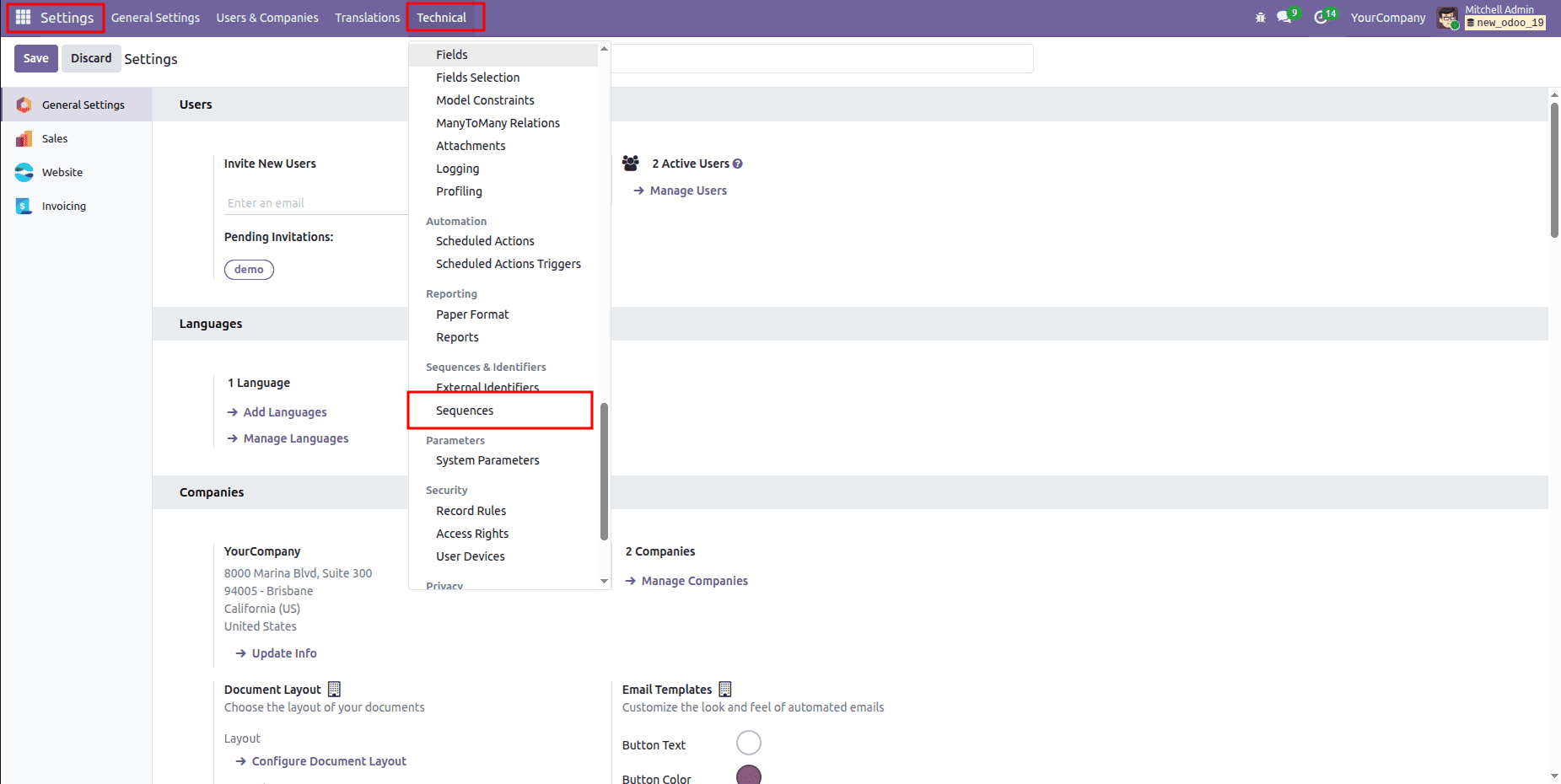
Inside the Sequence menu, you can see the sequence record that was created.
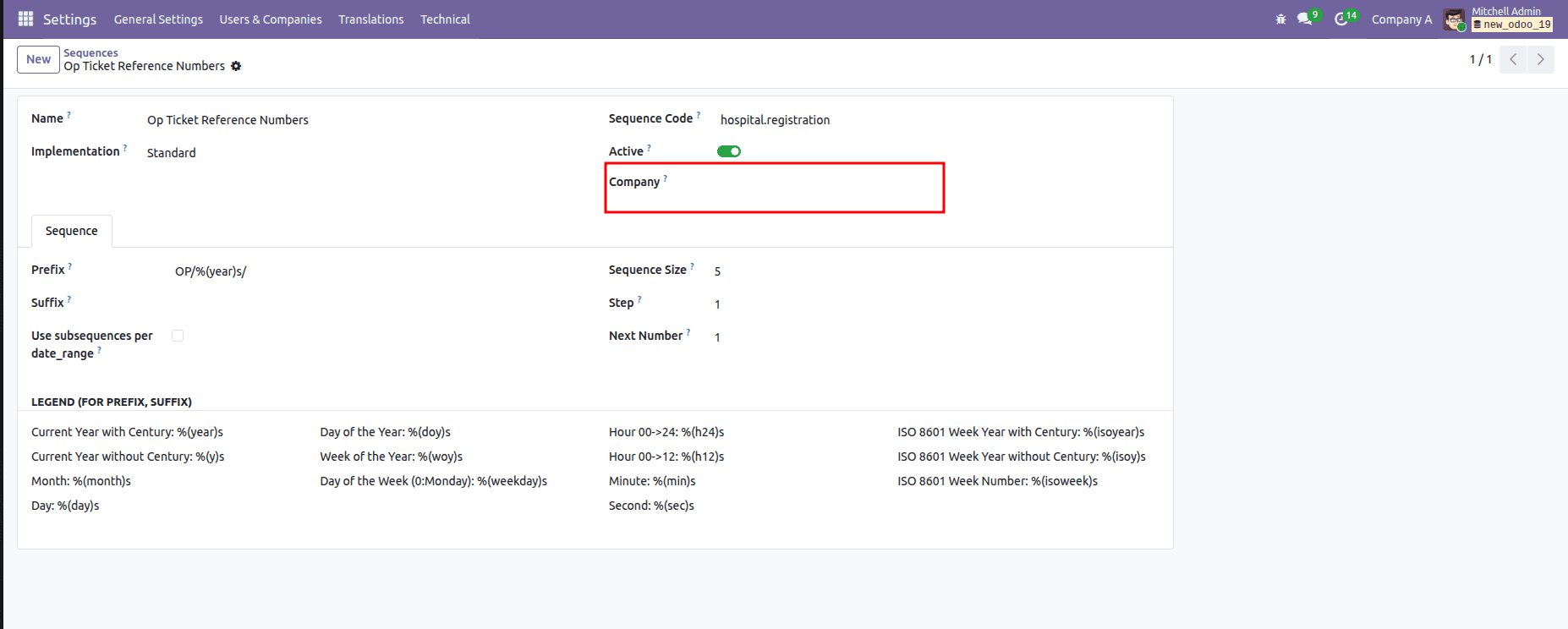
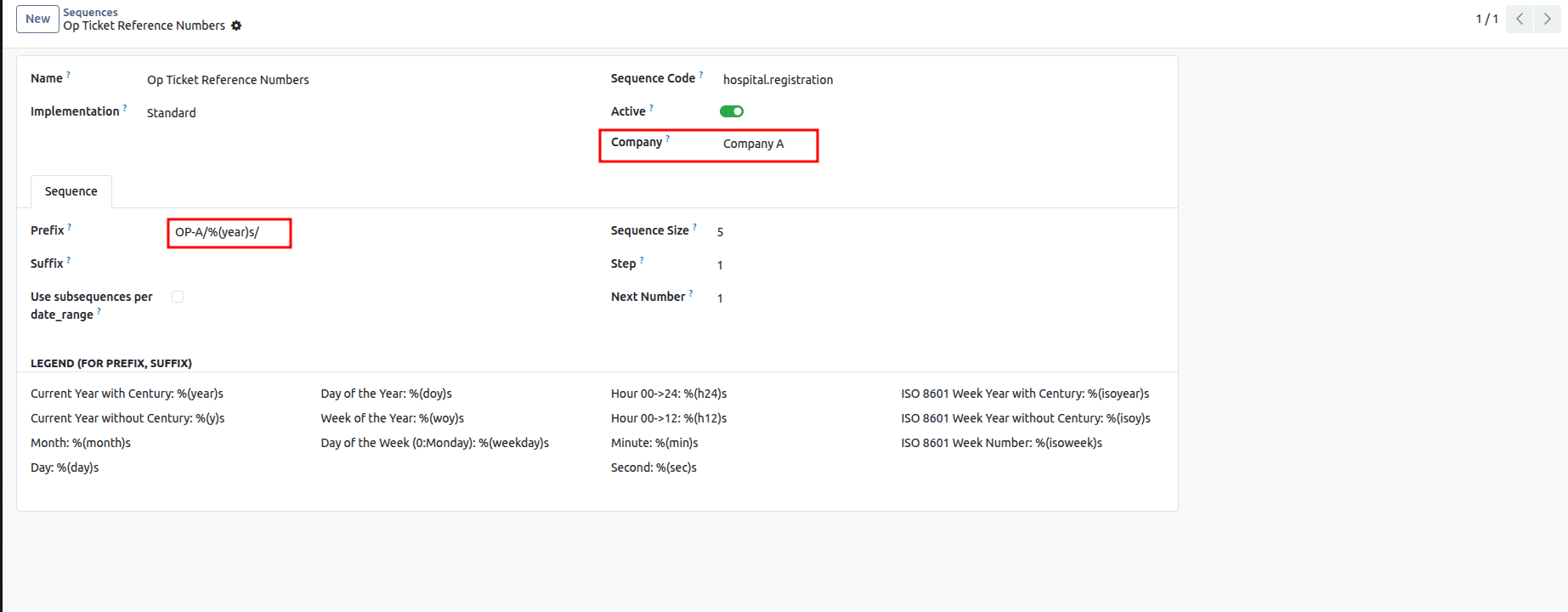
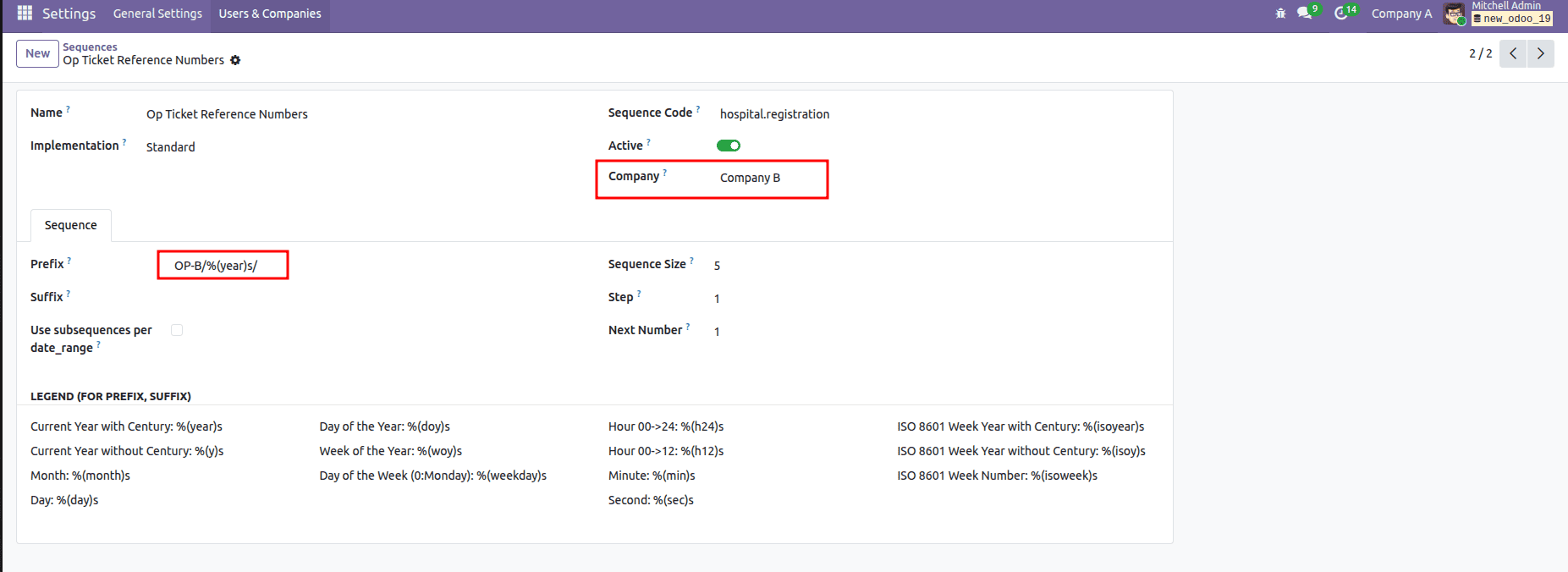
Since no company was selected for it, we’ll now duplicate this record and assign a specific company to each copy. While doing that, we’ll also update the prefix individually so every company gets its own customized sequence format.
Company A
Company B
Now, let’s go ahead and create a record from Company A:
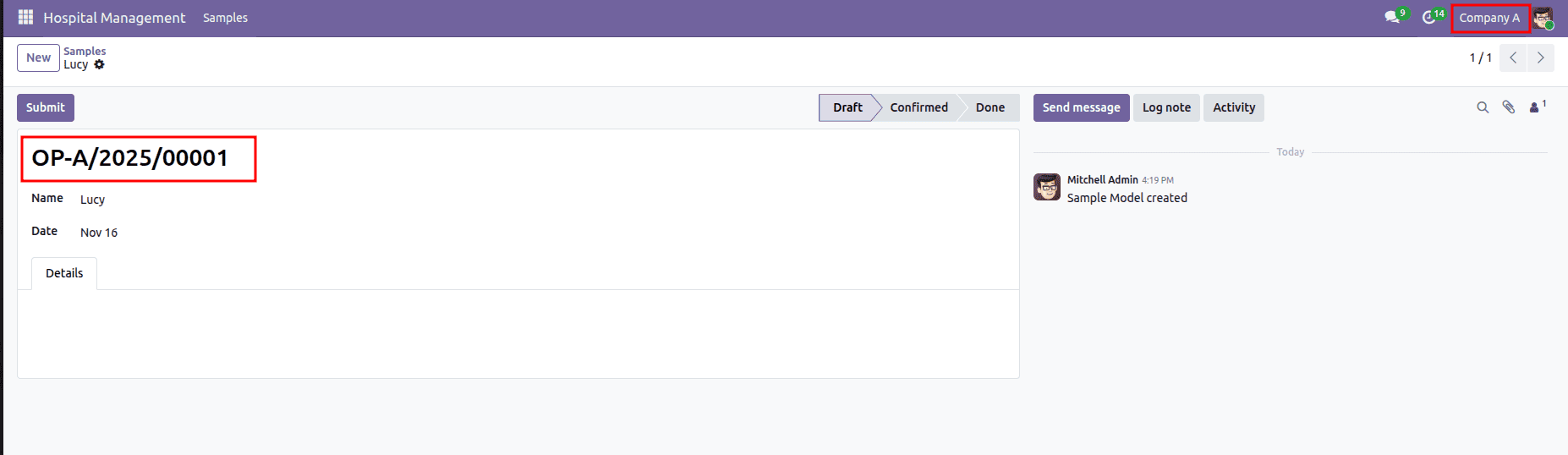
Here, you can see that the generated sequence is OP-A/2025/00001.
Now, let’s create a record from Company B:
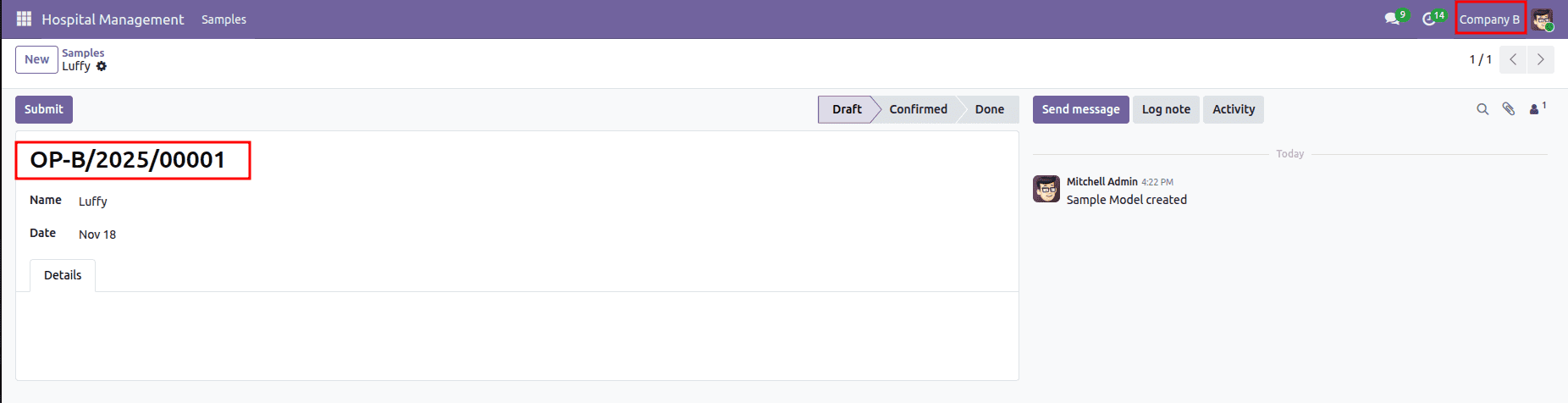
Here, you can see that the generated sequence is OP-B/2025/00001.
You can also achieve this same functionality directly through code. To do that, you’ll need to create two separate XML data records—one for each company—and then set the company_id field using the external ID of the respective company.
<field name="company_id" eval="Company_External_Id"/>
Conclusion
Setting up company-wise sequences in Odoo 19 is a simple yet powerful way to keep your data organized and clearly separated across multiple companies. Whether you configure it through the interface or automate it with XML, each company gets its own clean numbering flow, ensuring better transparency, easier auditing, and smoother operations. By implementing this approach, you create a structured environment where every document is traceable and each company maintains its own identity within a shared Odoo system.
To read more about How to Create Sequence Numbers in Odoo 18, refer to our blog, How to Create Sequence Numbers in Odoo 18.