The Odoo 19 Subscription module offers a streamlined solution for handling subscription renewals, helping companies stay organized, reduce manual workload, and maintain steady cash flow. With Odoo, businesses can create flexible subscription plans, automate invoicing, and set up timely renewal reminders, ensuring that customers are billed accurately and on schedule. Integration with Sales, Accounting, and CRM modules provides a comprehensive view of customer interactions, payment history, and revenue streams, allowing companies to make informed decisions and improve retention. Whether it’s offering trial periods or custom billing cycles, Odoo 19 supports diverse business models while simplifying complex processes. By leveraging these tools, businesses can focus on enhancing customer satisfaction, reducing churn, and building long-term relationships, making subscription management not just a task but a strategic advantage. This blog helps you to understand how to manage subscription renewals in Odoo 19.
From the Odoo 19 dashboard, open the Subscription module.
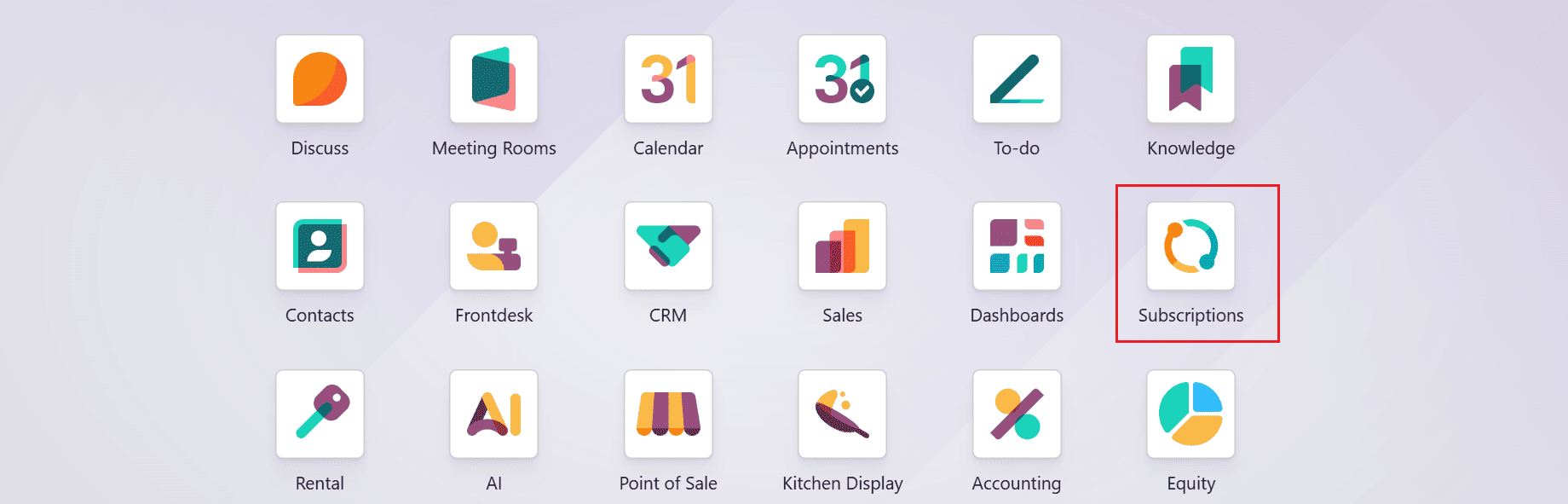
From the main dashboard of the Subscription module, navigate to the Subscriptions menu and select the Quotations as shown below. Next, select any confirmed quotation from the available list.
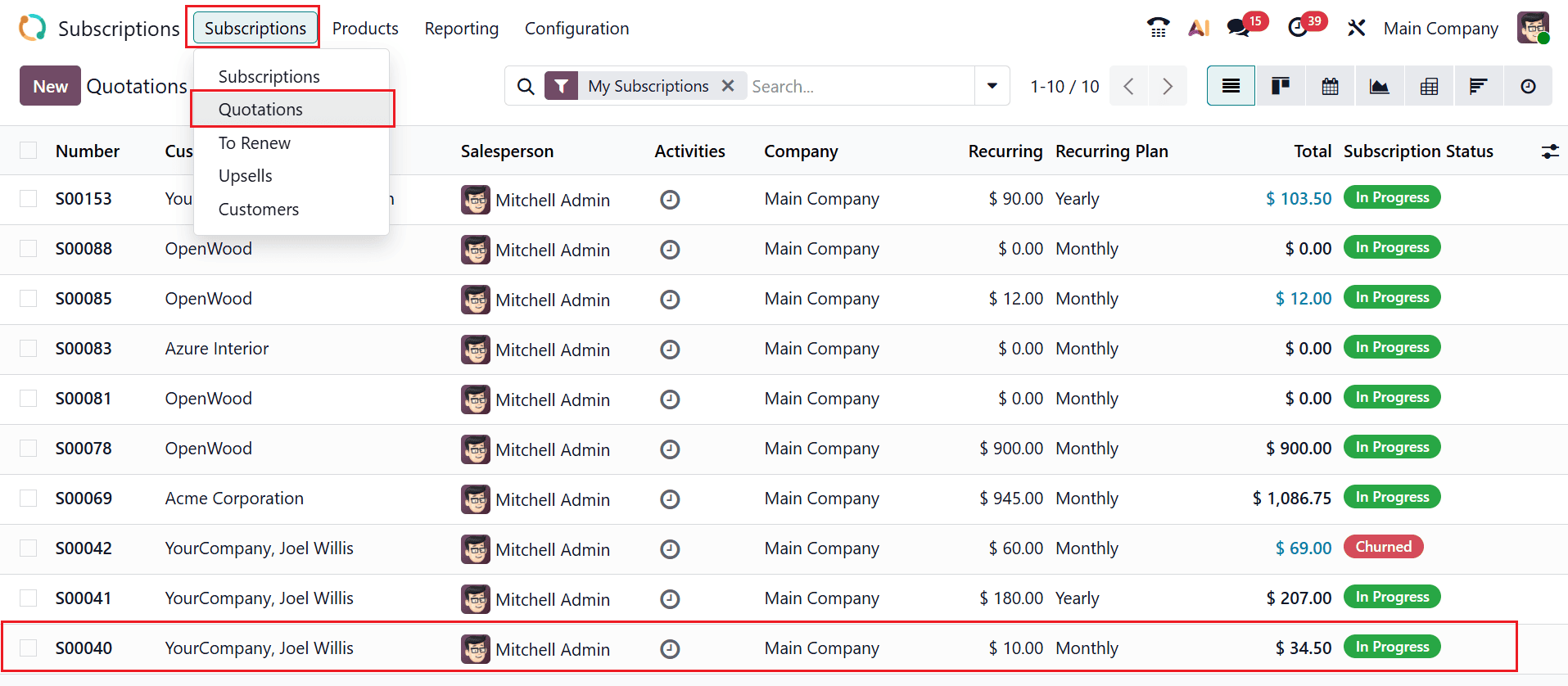
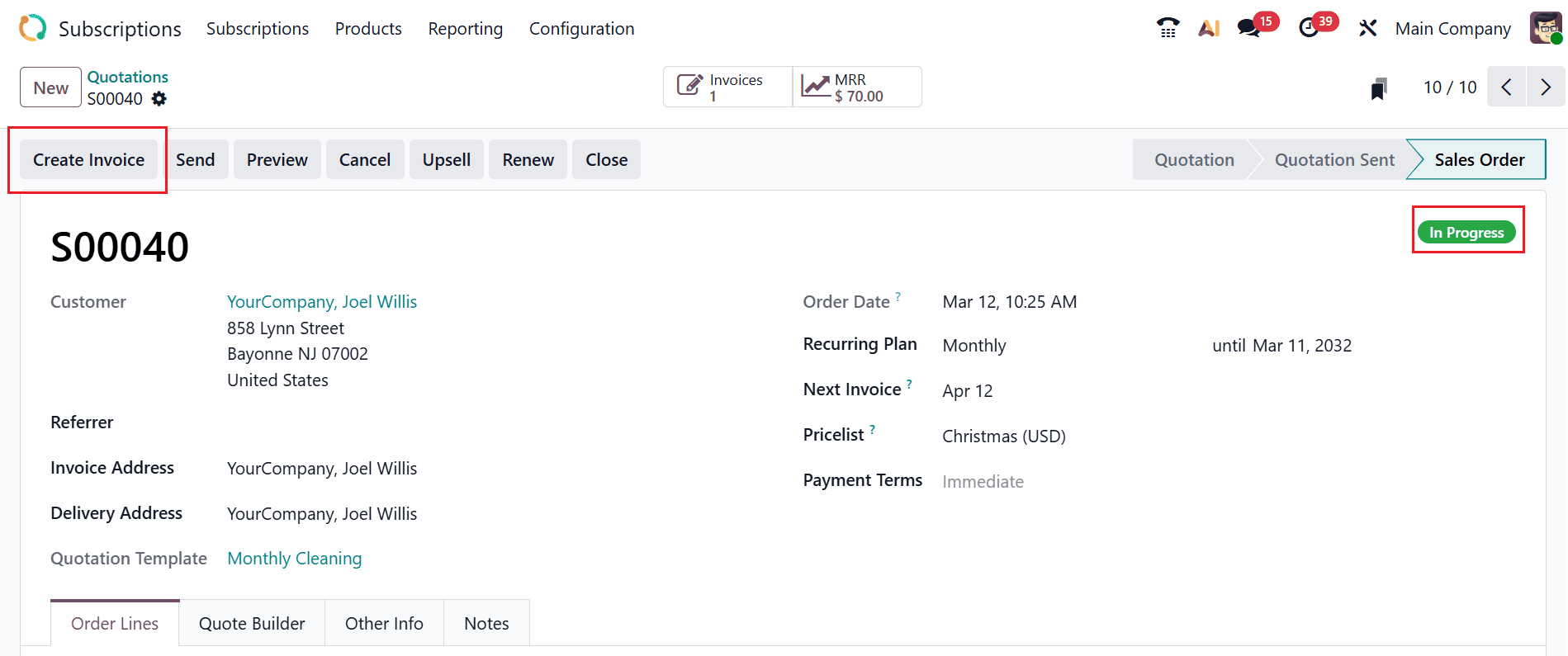
Here, you can see the selected quotation is in the In Progress stage. To process the initial payment for the quotation, click on the Create Invoice button as illustrated below.
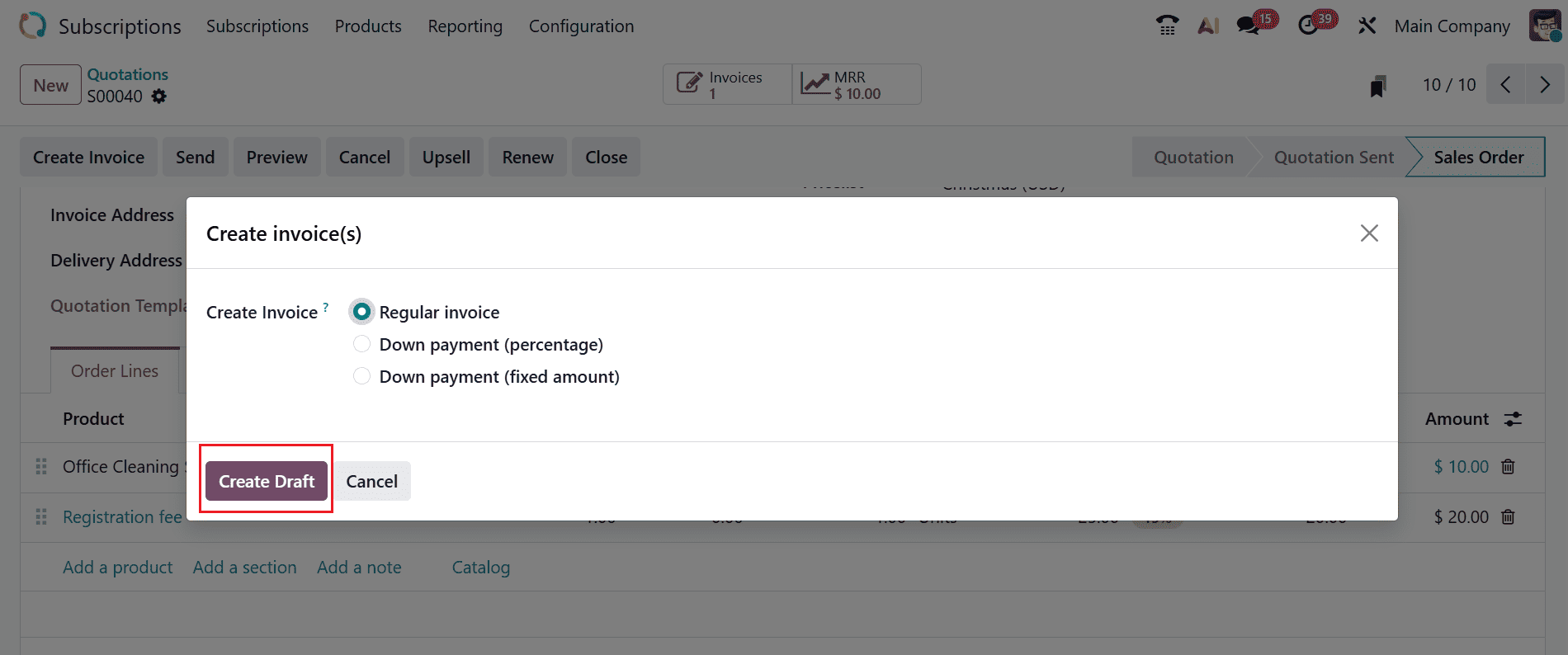
A new pop-up window will appear, letting you select the invoice method: Regular Invoice, Down Payment (percentage), or Down Payment (fixed amount). Choose Regular Invoice and click the Create Draft button, as shown below.
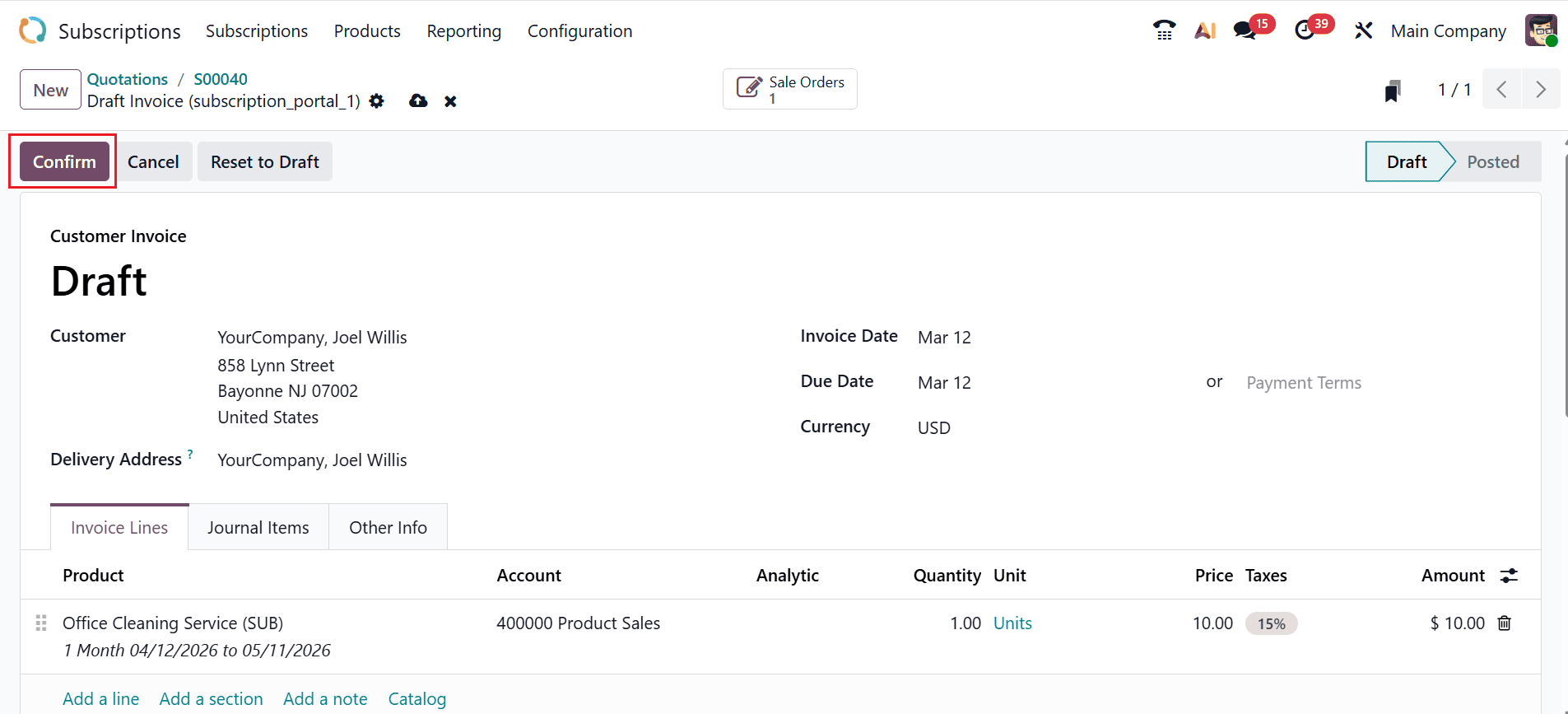
A new window will open where the customer invoice details can be viewed. To confirm the invoice, click the Confirm button as illustrated below.
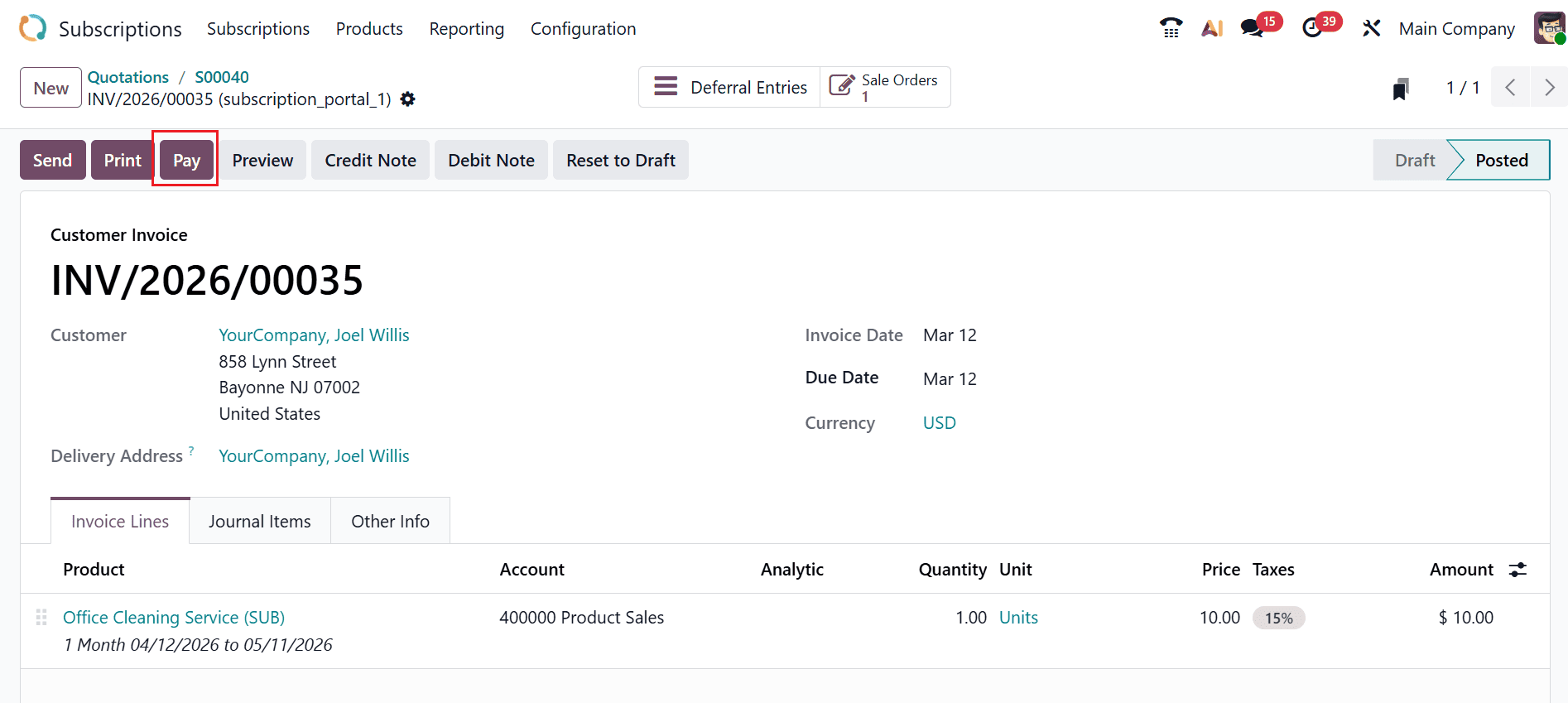
The customer invoice is now recorded in the Posted stage. Before initiating the renewal process, ensure that the subscription quotation includes at least one recurring product, is confirmed, and that the initial payment has been invoiced. To confirm the payment procedure, click on the Pay button as shown below:
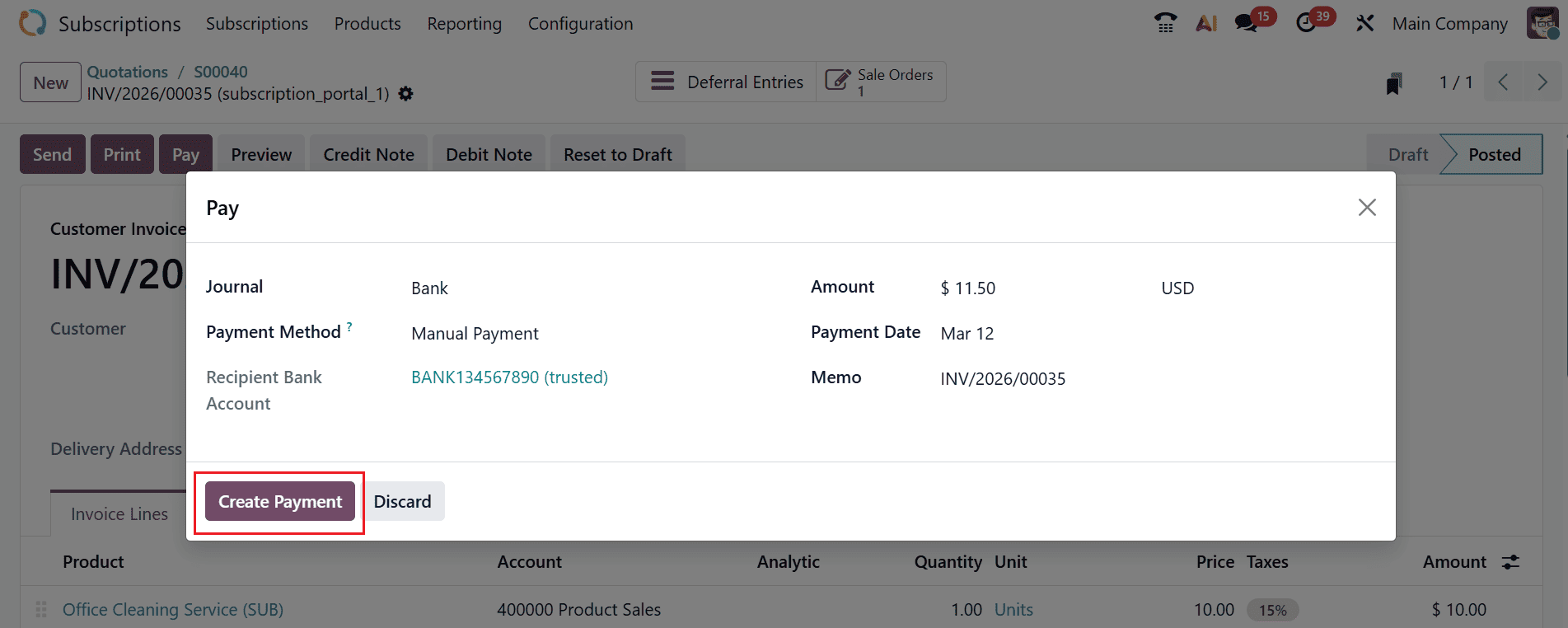
A new pop-up screen will appear where you can view the details of the payment, such as Journal, Payment Method, Recipient Bank Account, Amount, Payment Date, and Memo. To begin the payment process, select the Create Payment button as illustrated below.
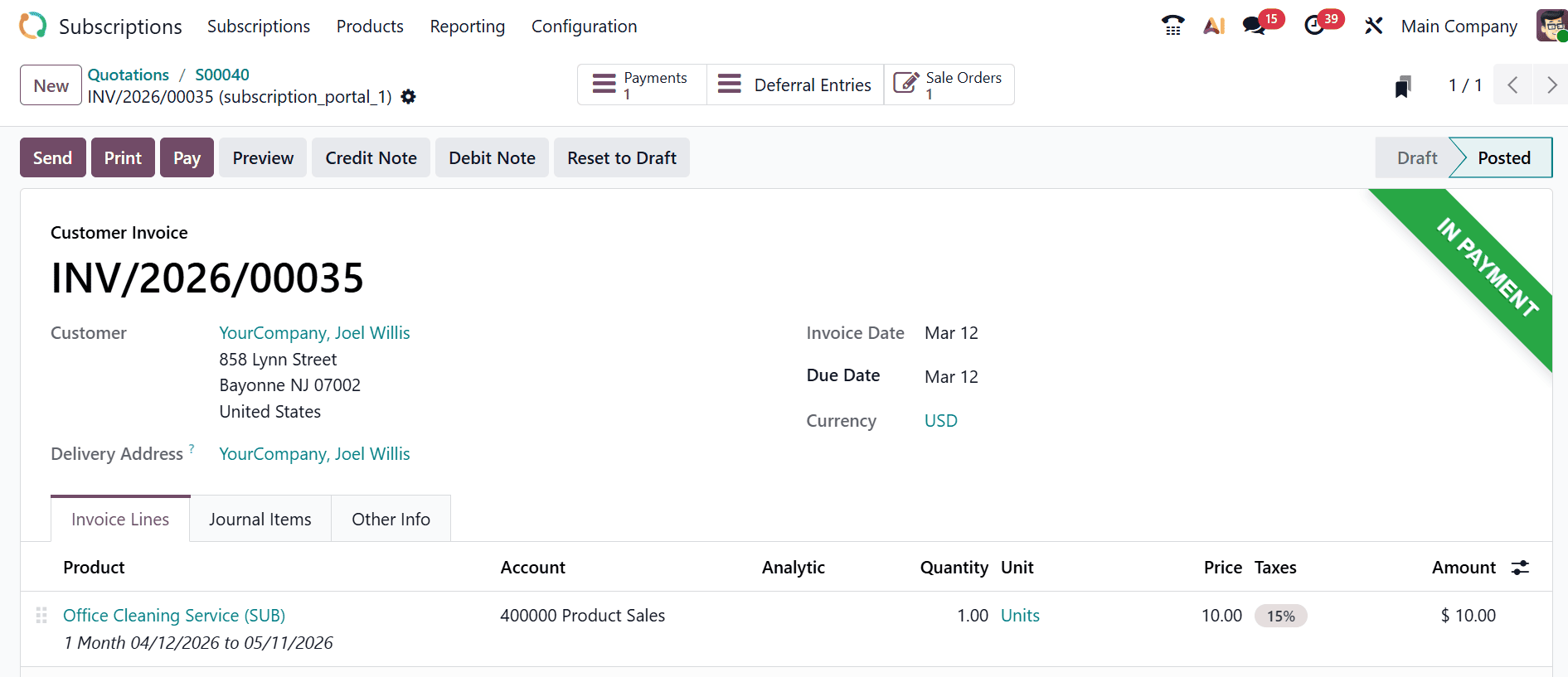
Once the payment is created, the customer invoice will be displayed in the In Payment state.
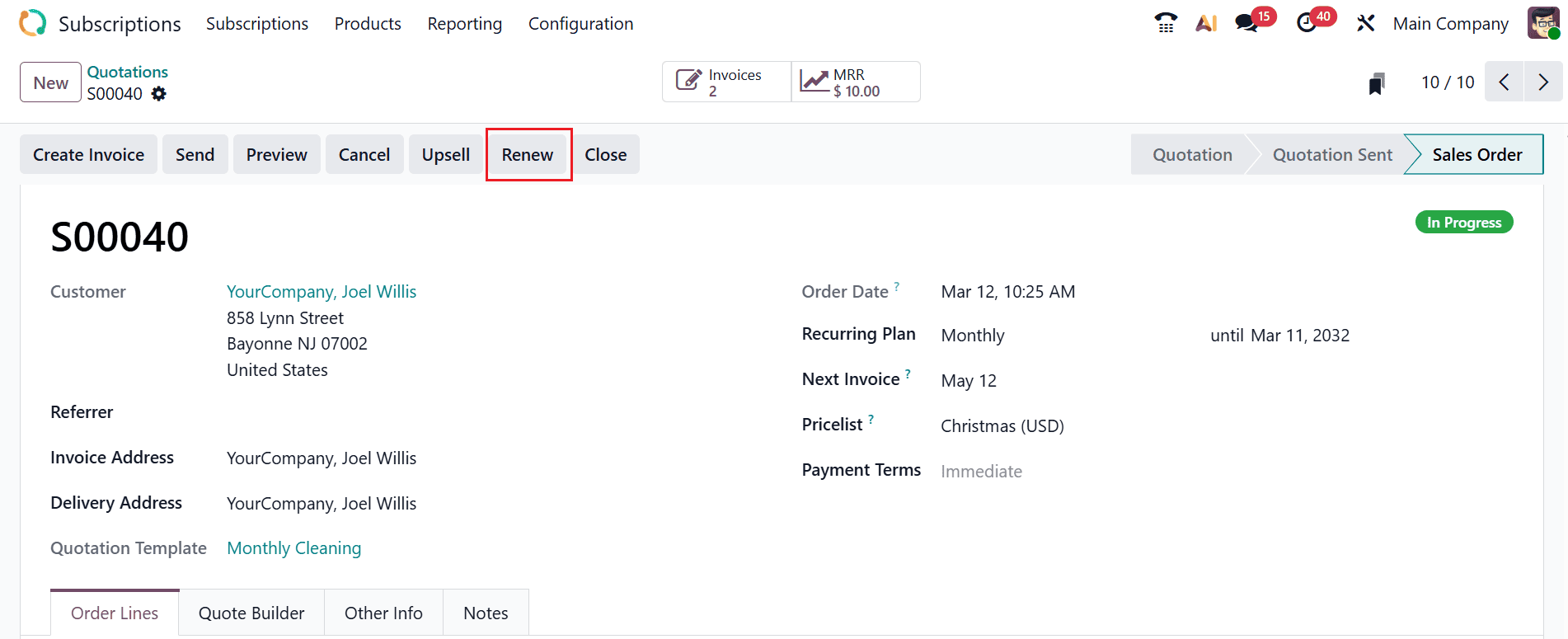
Now, you can create a new renewal quotation after confirming the initial payment. Click the Renew button to generate a new renewal quotation, as shown below:
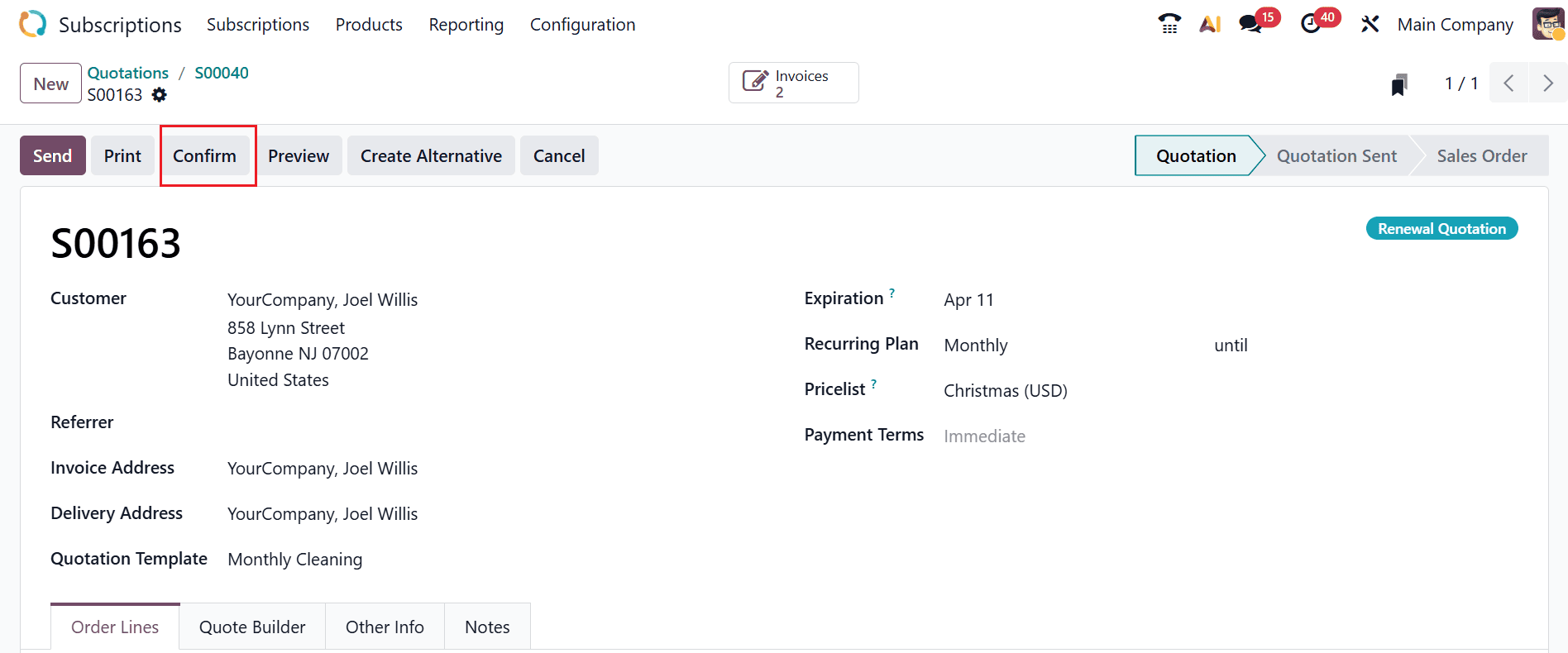
The subscription status is now updated to Renewal Quotation. The chatter confirms that this subscription is a renewal of the subscription linked to the specified reference number. To finalize the renewal quotation, click the Confirm button.
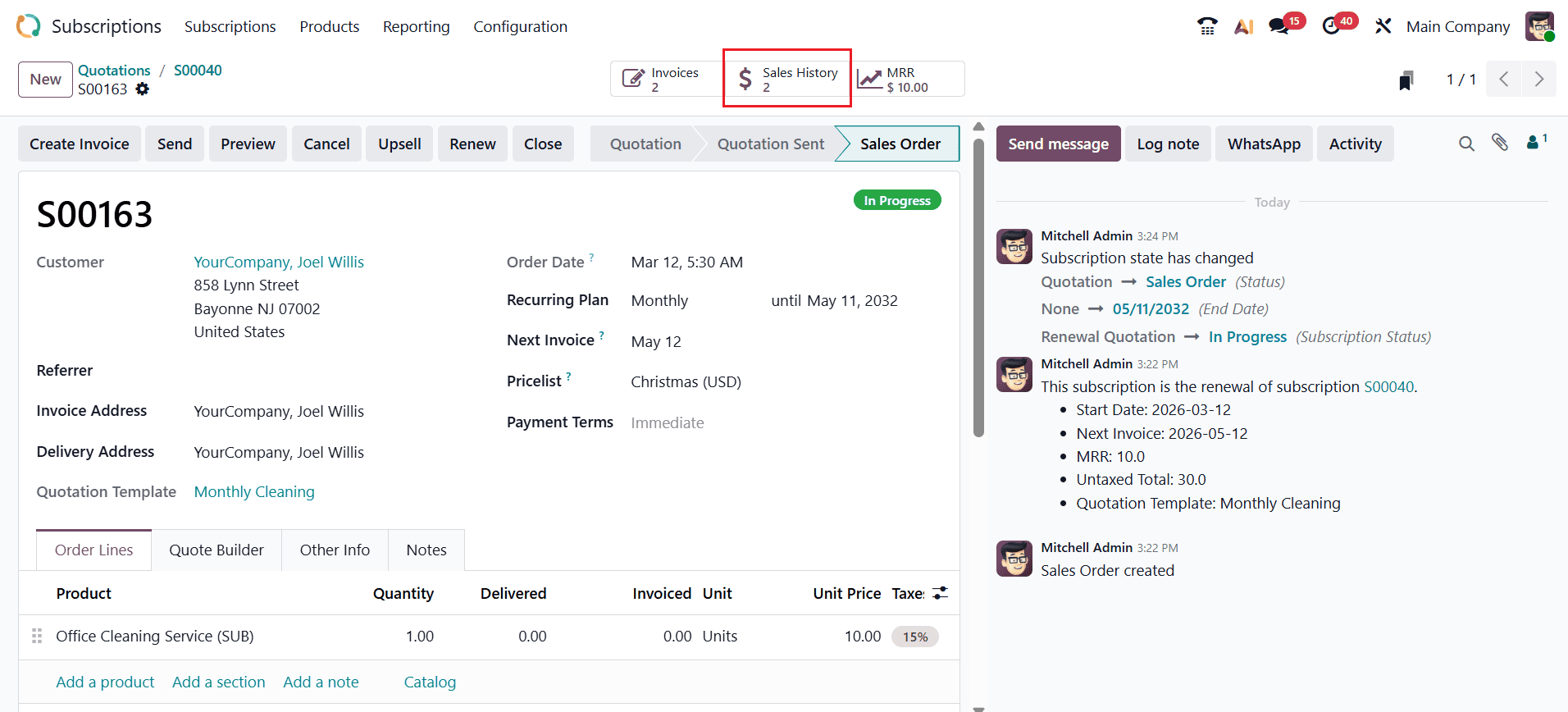
To check the subscription’s sales history, select the Sales History smart tab as illustrated below.
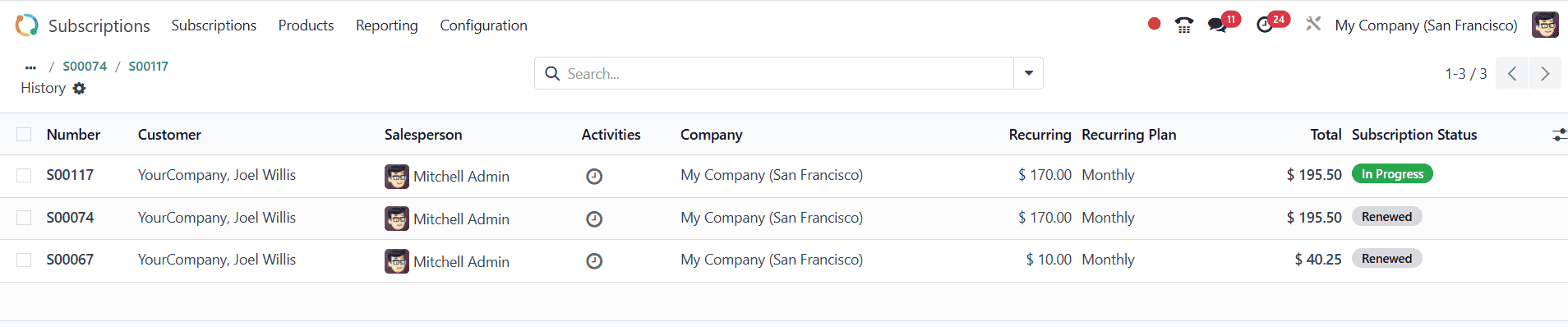
Here, you will see all sales orders connected to the subscription as well as its current subscription status.
To view the monthly recurring revenue of the subscription, click the MRR smart tab as shown below:
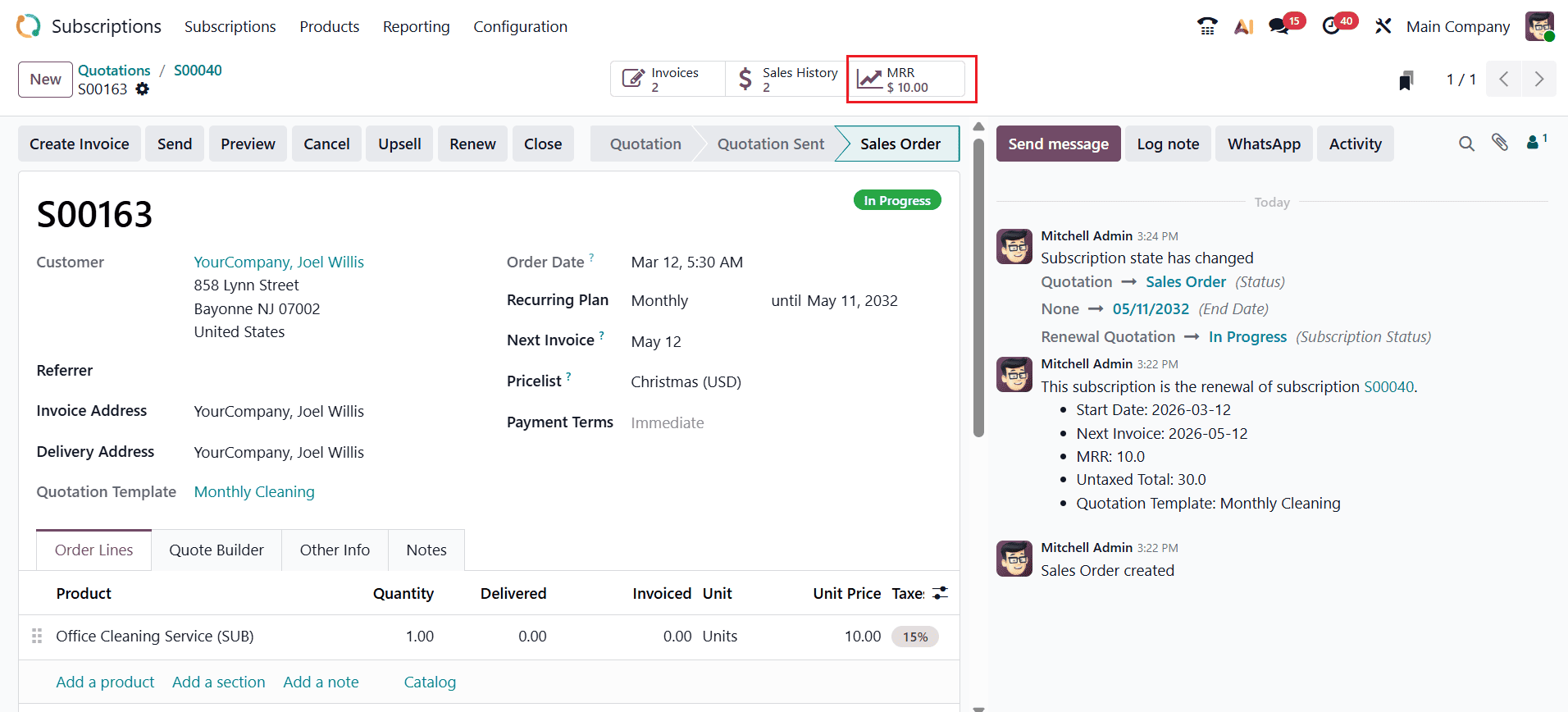
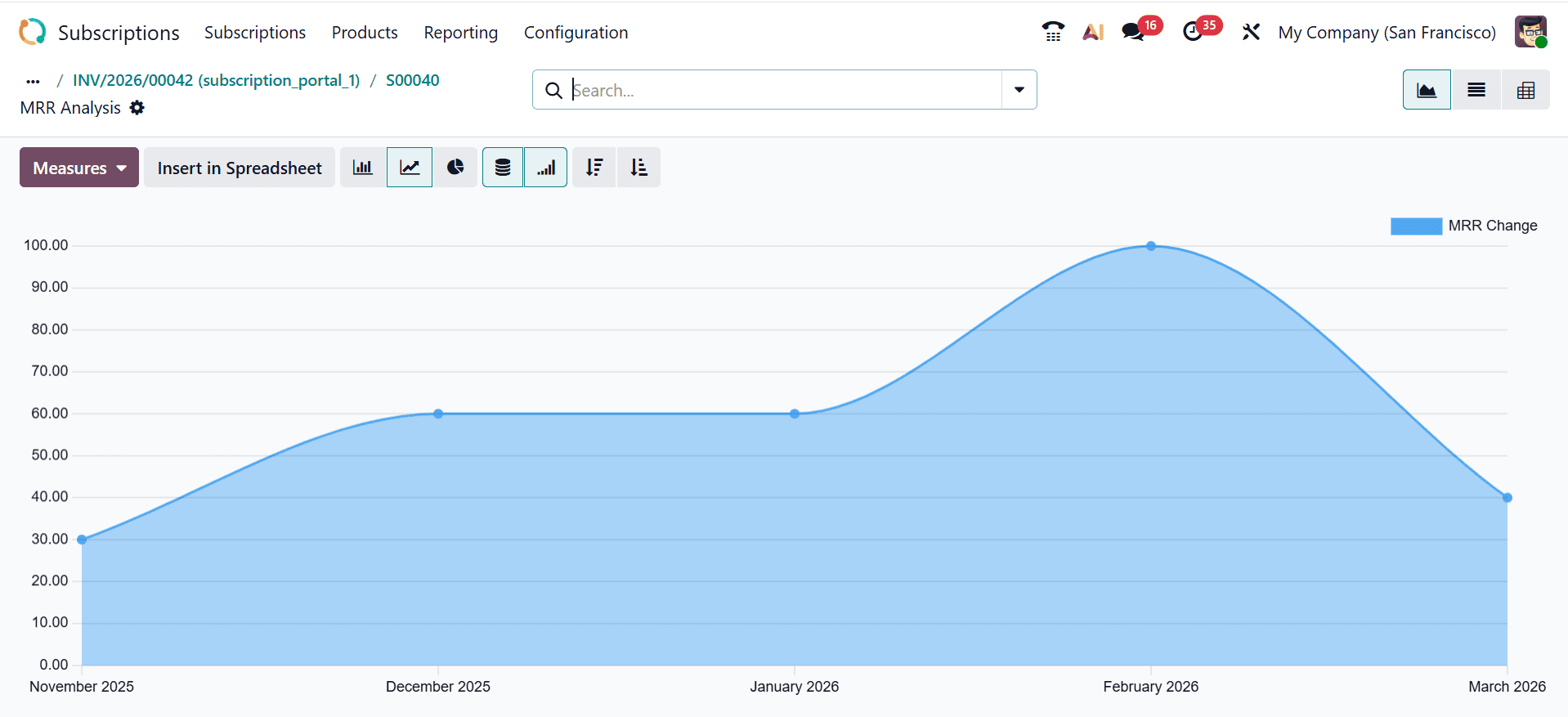
Here, you can easily analyze the MRR for this subscription.
In conclusion, the Odoo 19 Subscription module empowers businesses to handle subscription renewals efficiently, combining automation, flexibility, and real-time analytics. By leveraging automated invoicing, renewal notifications, and subscription templates, organizations can reduce manual workload, prevent revenue loss, and ensure uninterrupted services for their customers. The module’s integration with accounting and CRM tools allows businesses to monitor subscription performance, analyze customer trends, and optimize billing strategies. Additionally, features like flexible pricing, multi-tier plans, and renewal management support scalability and adaptability for growing businesses. Effective subscription management enhances customer satisfaction, strengthens retention, and provides predictable revenue streams. With its comprehensive reporting and forecasting capabilities, Odoo 19 provides businesses with the insights needed to plan strategically and make data-driven decisions. Ultimately, the Subscription module serves as a vital tool for any organization relying on recurring revenue, enabling sustainable growth and improved operational efficiency.
To read more about How to Manage a Subscription Renewal in Odoo 18, refer to our blog How to Manage a Subscription Renewal in Odoo 18.