In Odoo 19, allocation reports for manufacturing orders help companies to track how raw materials, components, and resources are distributed across production operations. These reports provide clear insights into which materials are reserved, consumed, or pending for each manufacturing order, enabling production managers to monitor inventory availability and avoid delays. By using allocation reports, manufacturers can improve production scheduling, identify shortages in advance, and maintain smooth workflow across departments. The reporting feature integrates seamlessly with inventory and manufacturing modules, ensuring real-time data accuracy. Whether a company handles small-scale production or complex multi-stage manufacturing, allocation reports play a critical role in decision-making and operational transparency. This blog explains how to generate allocation reports in Odoo 19, which allows organizations to optimize resource utilization and maintain better control over manufacturing activities.
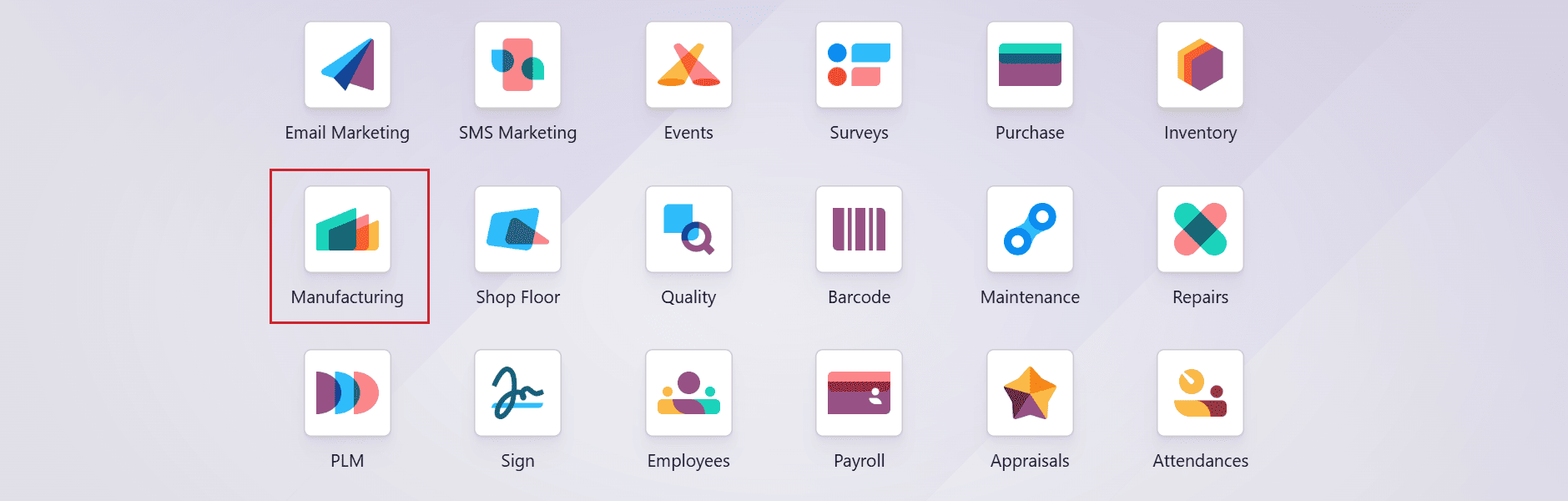
Firstly, choose the Manufacturing module from the Odoo 19 dashboard.
Then, navigate to Configuration > Settings and enable the Allocation Report for Manufacturing Orders option to generate an allocation report for the manufacturing orders, as shown below. Then, save it.
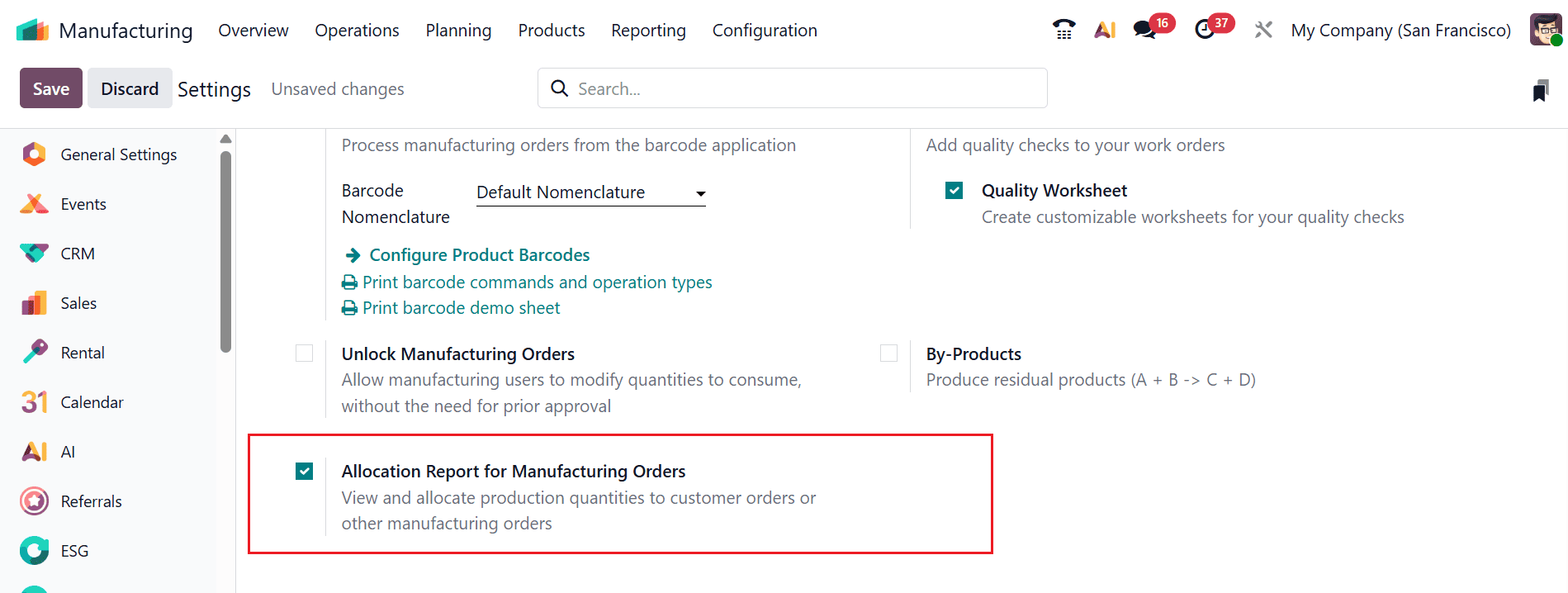
After enabling this option, an Allocation Report will appear once the manufacturing process is completed. This report includes a list of delivery orders related to the manufactured products. Some of these deliveries may remain in a waiting status due to insufficient inventory within the organization. From this point, you can easily allocate the available products to the corresponding delivery orders. By using the allocation report, users can quickly identify all delivery shipments related to the manufactured goods and efficiently allocate the products to complete the pending orders.
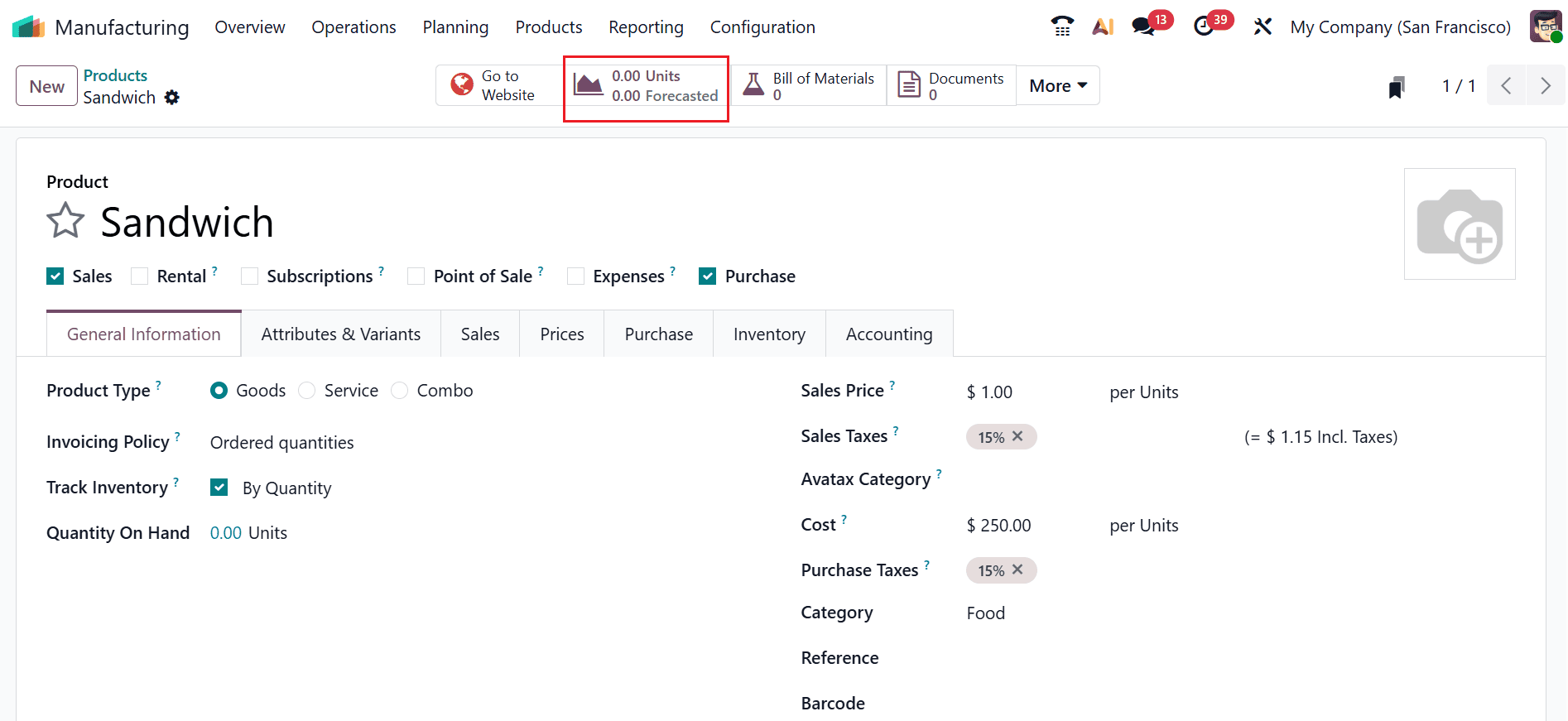
Let’s understand how the allocation process works. Here, the product Sandwich currently has zero stock available. Meanwhile, three different customers have placed orders for this product. To fulfill these requests, the user decides to manufacture the item and replenish the stock. After the product is produced, the next step is to identify the related delivery orders and allocate the available items accordingly. Using the allocation feature, the user can easily locate all pending deliveries for the product and assign the manufactured quantity to the appropriate delivery orders, allowing the company to efficiently complete the customer orders.
Here, this product is unavailable in the inventory.
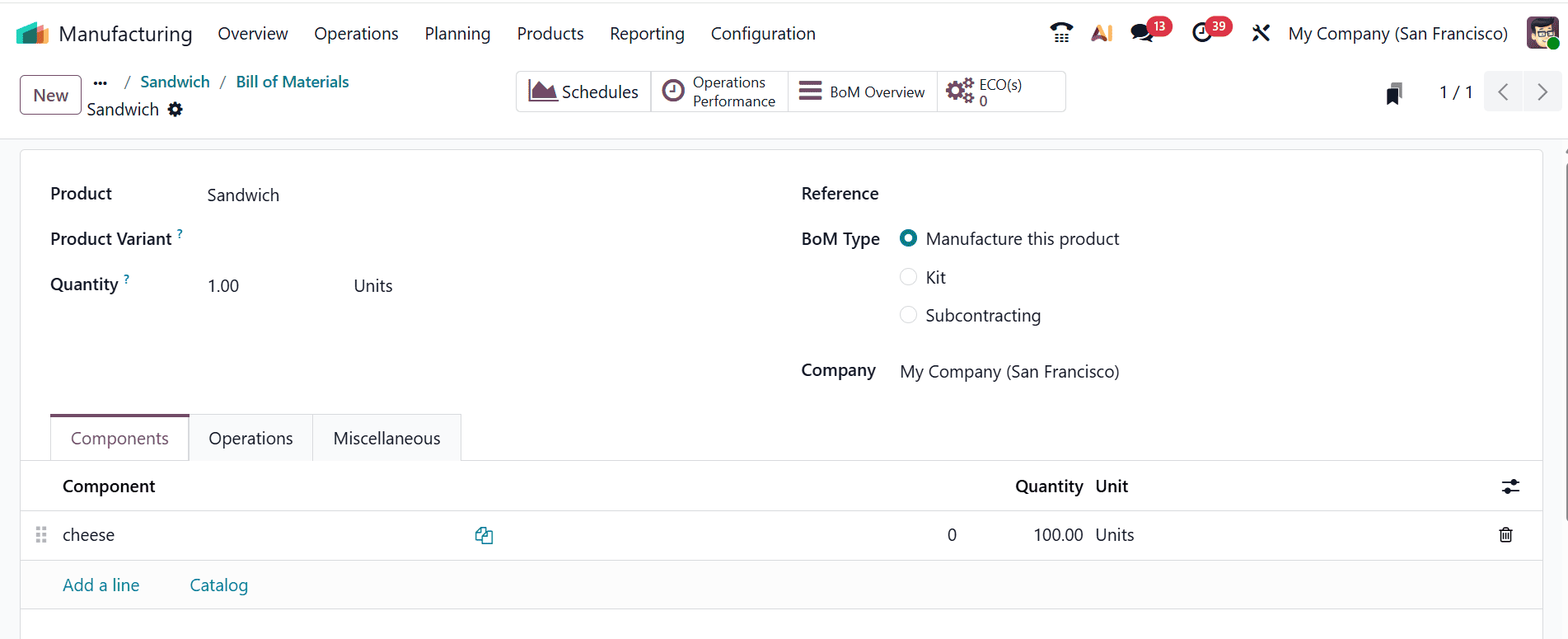
Then, choose the Bill of Materials option from the smart tab menu. A new window will appear where you can see the BoM made for the product Sandwich, which can be used for production. The Components tab displays the raw materials required for manufacturing the product. Here, the product has enough raw materials to produce larger quantities of sandwiches.
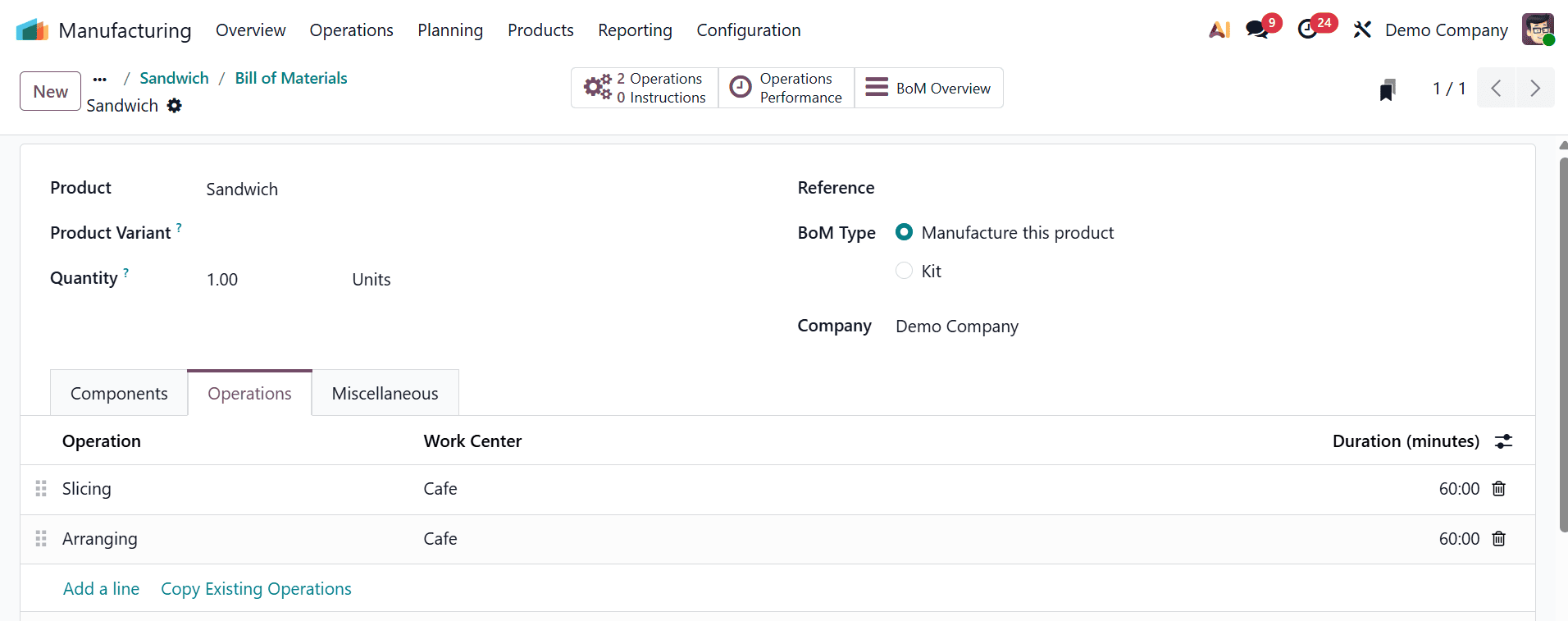
Under the Operation tab, you can see the steps of manufacturing, such as Slicing, Arranging, held at the Cafe work Centre.
Then, move to the Inventory module, and select Deliveries under the Operations menu. You can create a Delivery directly from Inventory Operations. Here, you can see the product is currently unavailable. Now, let’s examine what happens when a client places an order under this condition.
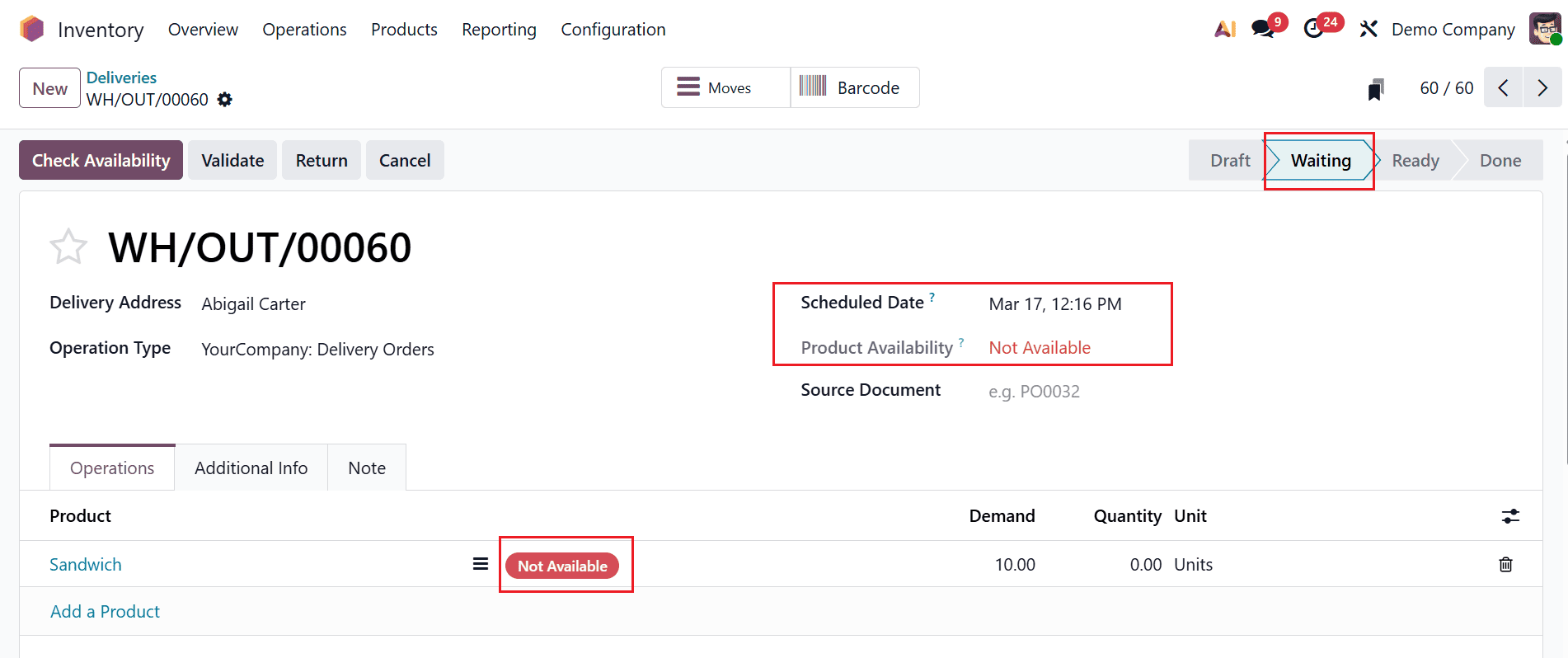
A new delivery order was made by the client, Abigail Carter. He demanded ten quantities of sandwiches for the Scheduled Date, March 17th. There is no enough stock for the demand. The Product Availability seems to be Not Available for the product, even though the quantity is 10. Here, the delivery seems to be in a waiting stage.
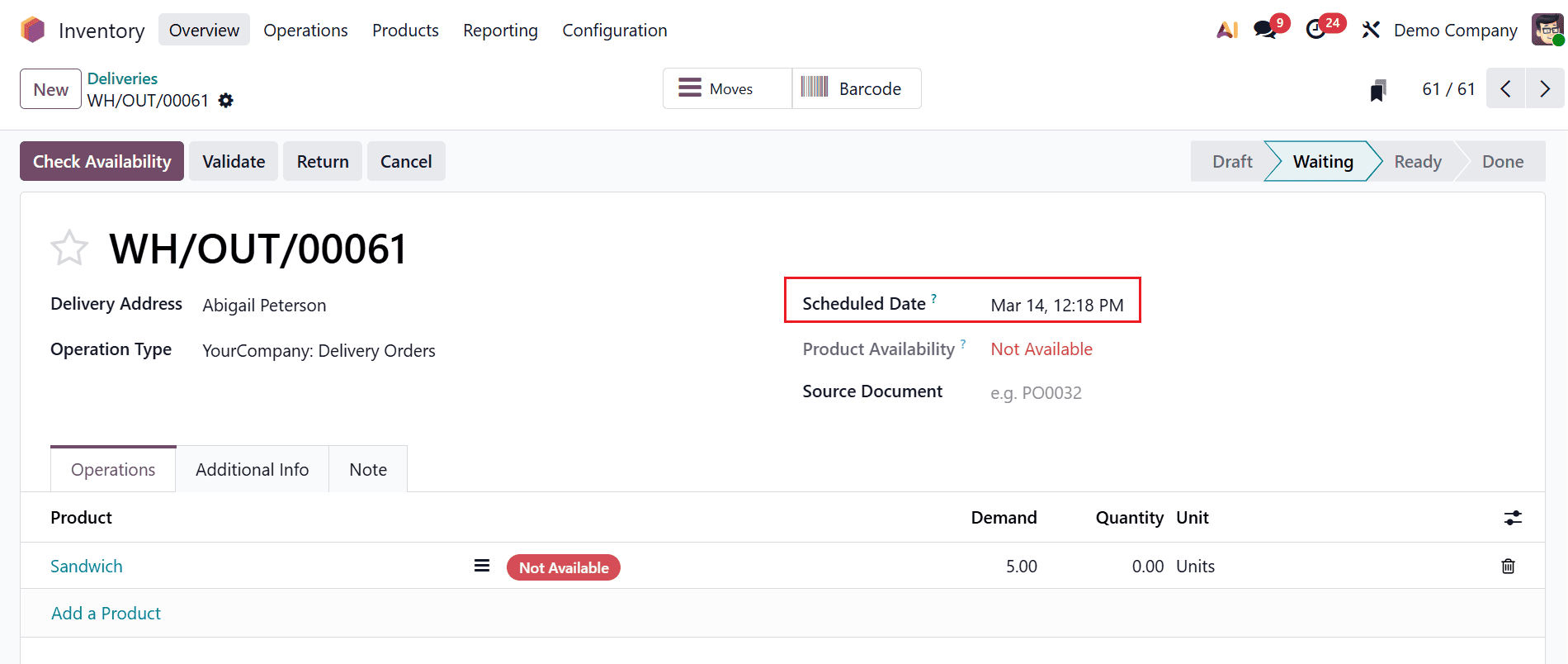
Here, the second delivery is made by Abigail Peterson. He demanded five quantities of sandwiches for the Scheduled Date, March 14th. There is no enough stock for the demand. The Product Availability seems to be Not Available for the product, even though the quantity is 5. Here, the delivery seems to be in a waiting stage.
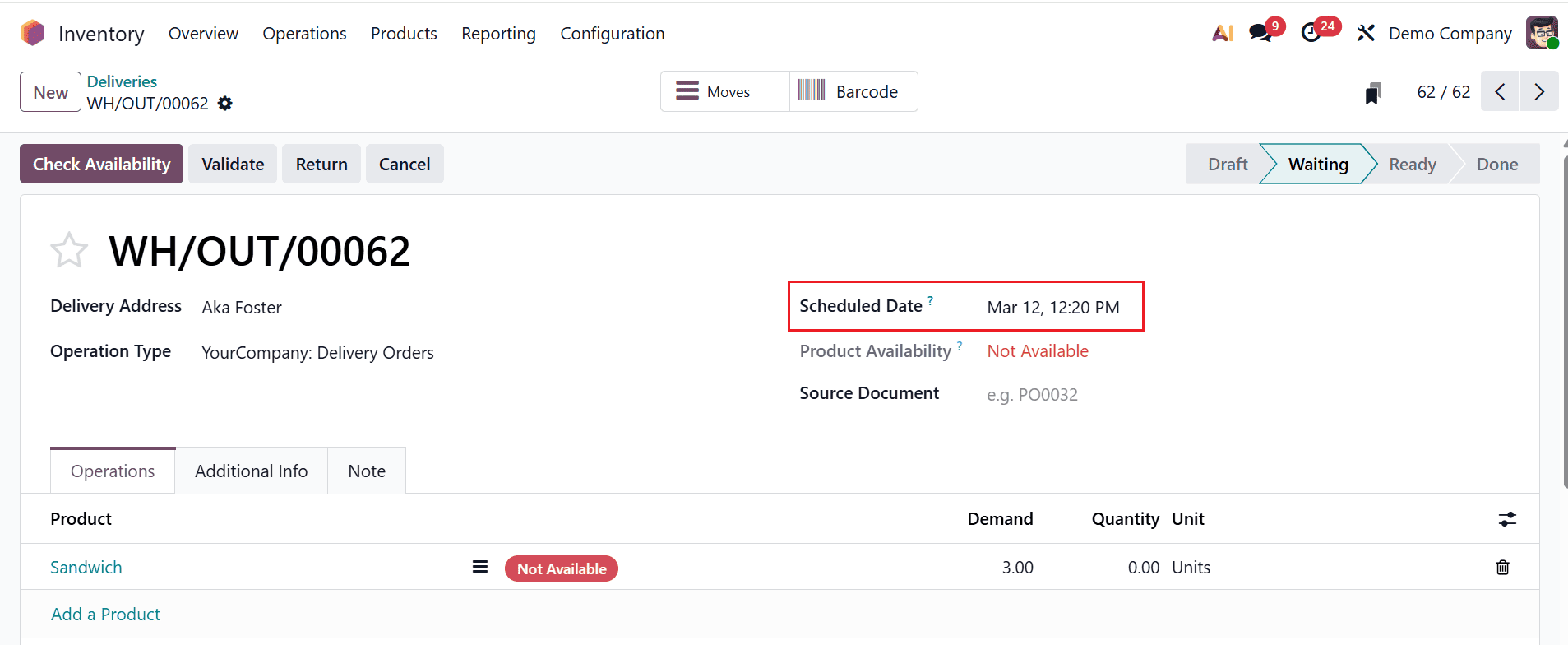
Here, the third delivery is made by Aka Foster. She demanded three quantities of sandwiches for the Scheduled Date, March 12th. There is no enough stock for the demand. The Product Availability seems to be Not Available for the product, even though the quantity is 3. Here, the delivery seems to be in a waiting stage.
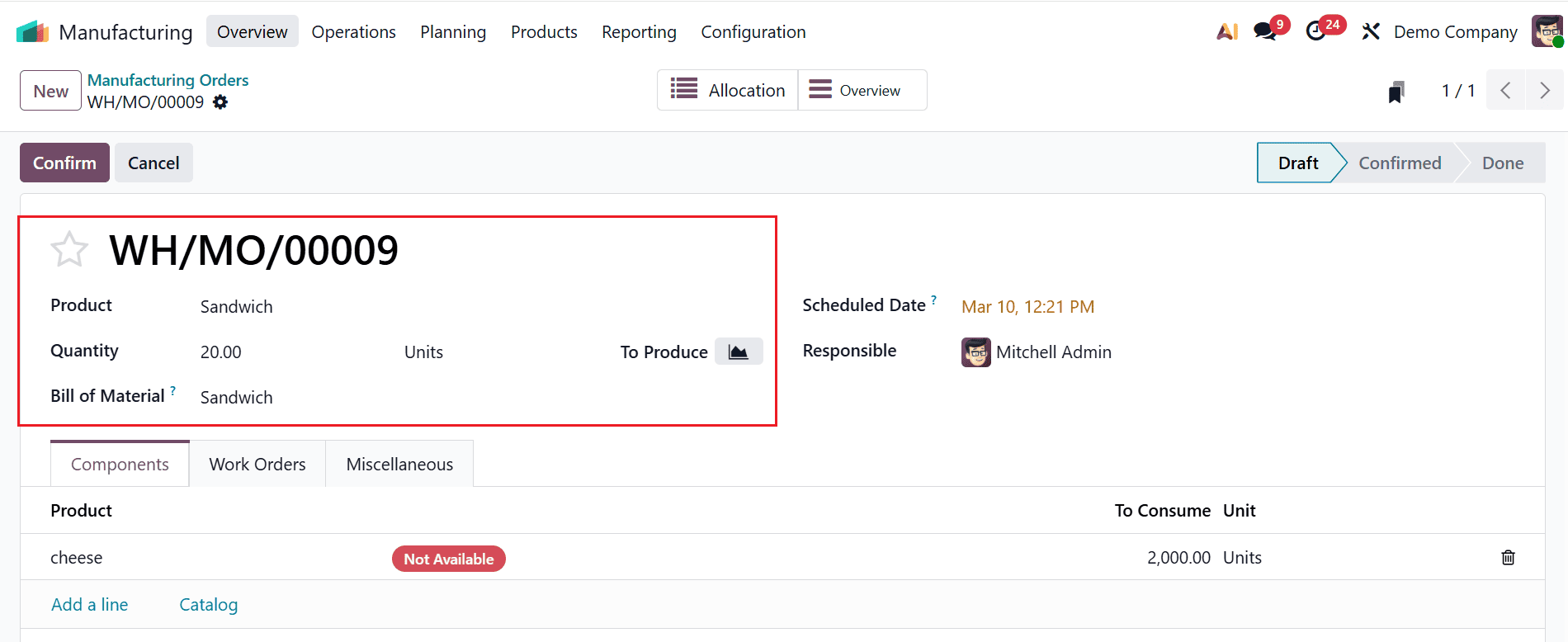
Here, the three clients demanded different quantities of the same product. Based on this, the company decided to start manufacturing the product. To begin the production process, move back to the Manufacturing module. Enter 20 units as the production quantity for the product Sandwich in the Quantity field. The Bill of Materials will automatically update accordingly, as shown below.
To complete the manufacturing process, all the required components and operations must be included in the manufacturing order. After adding these details, the user should confirm the order. In this case, three delivery orders are pending, with a total demand of eighteen units. Therefore, the product Sandwich needs to be manufactured in a batch of twenty units to ensure that all pending deliveries can be fulfilled while maintaining additional stock availability.
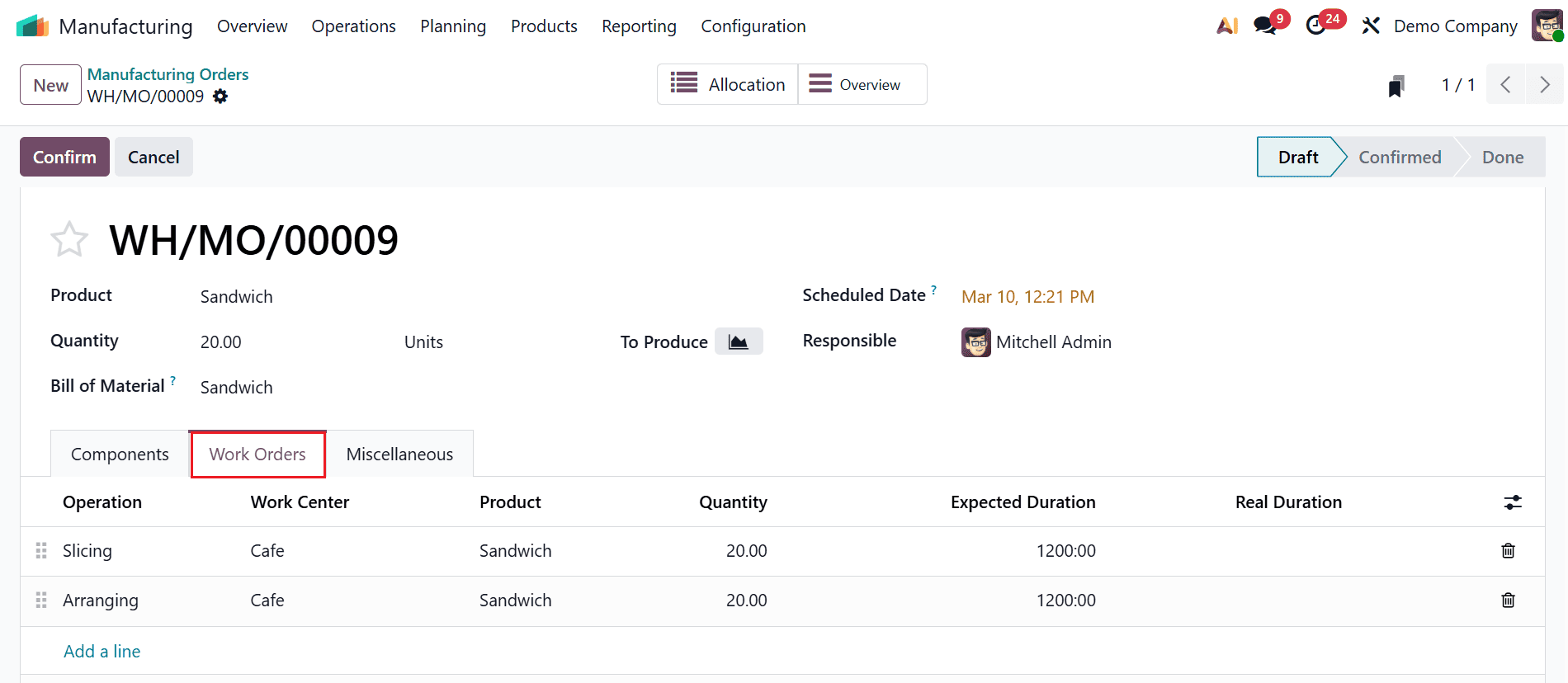
Navigate to the Work Orders tab and click the Start button to start the operation. Then, finish the process.
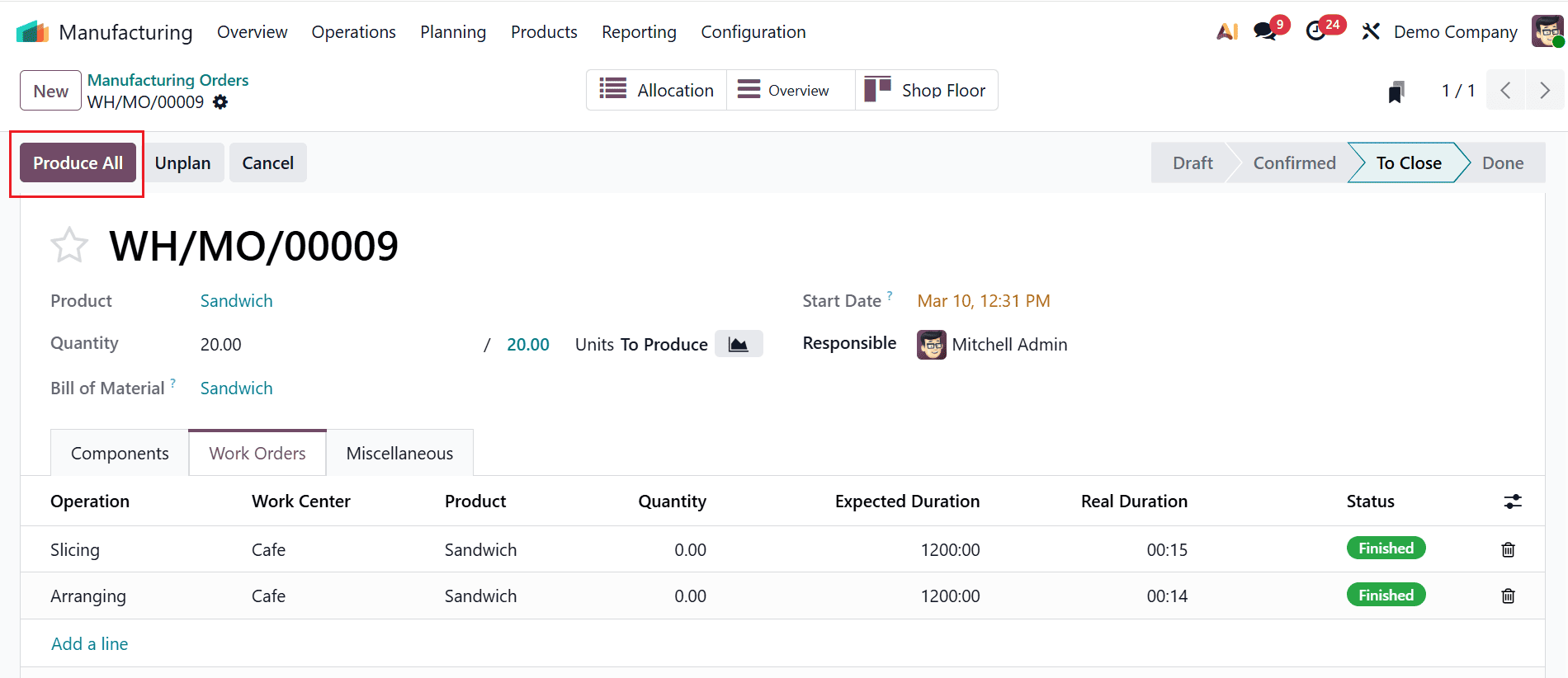
To complete the process, click the Produce All button as shown below. Then, the requested quantity of the product will be available in stock.
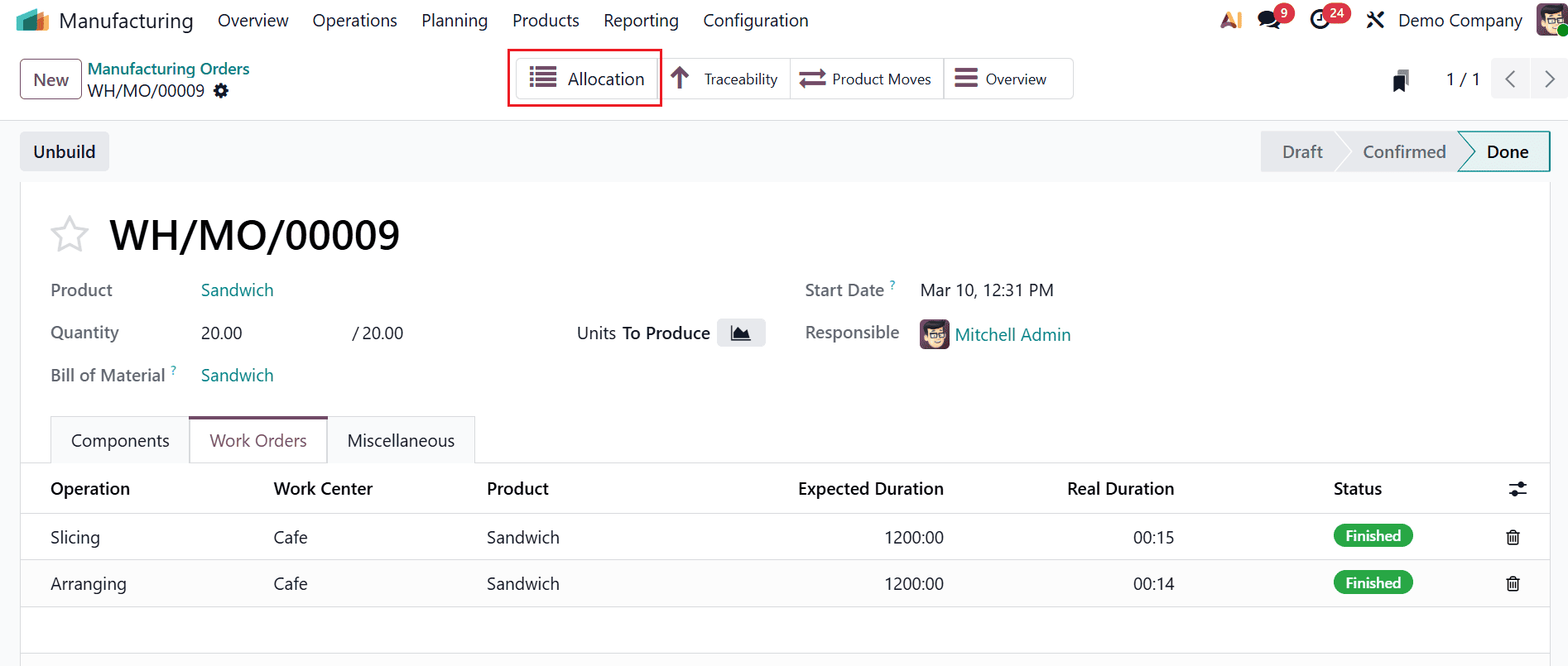
Now, the production process is finished. Click on the Allocation smart tab to view the allocation report.
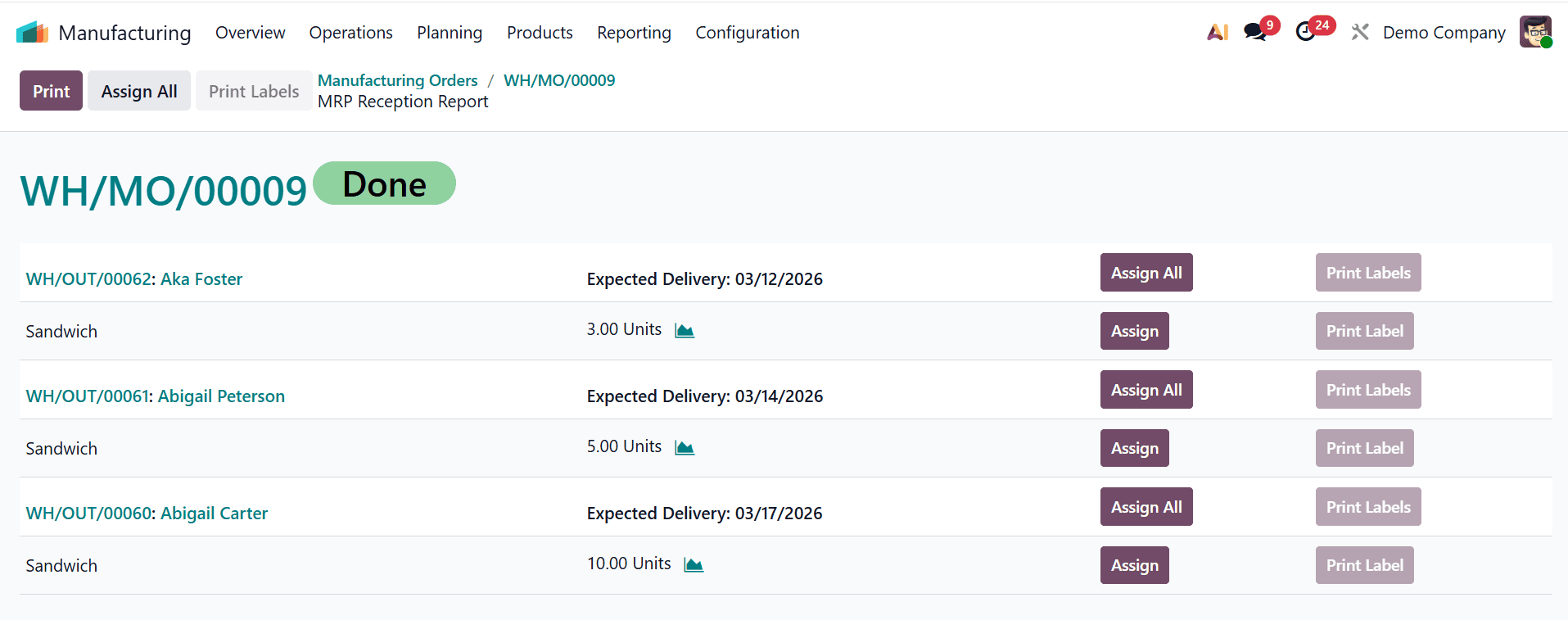
A new window will appear, allowing you to view all previously recorded deliveries. Here, you can view the details of the allocation request, such as the delivery order sequence number, the requested customer's name, expected delivery, and the quantity. Then, click on the Assign All button to assign the products to all the delivery orders.
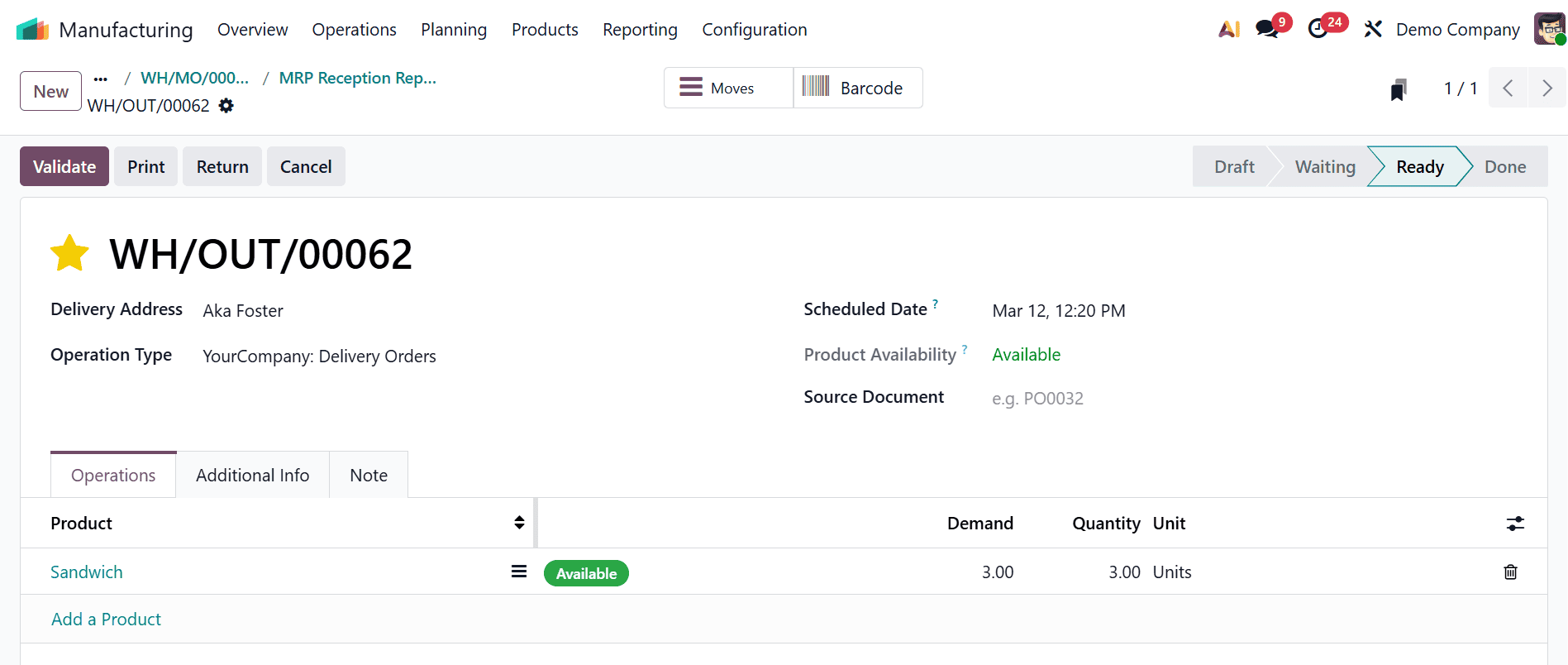
A new window will appear when you move through each delivery order from the allocation report. Here, the selected order is in the Ready stage. Click the Validate button to complete the delivery. Then, the product will be moved from stock to the client’s hand.
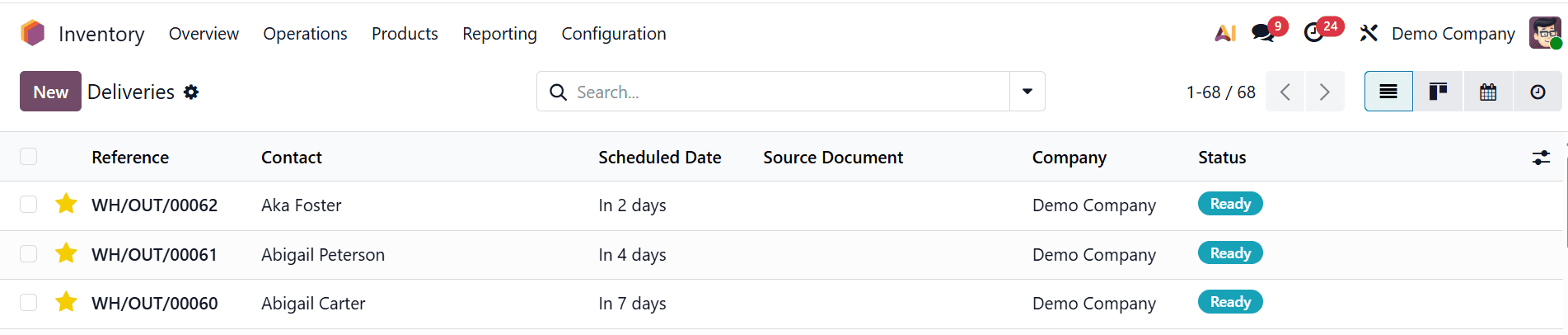
Then, move to the Inventory module and select the Deliveries option under Operations. Under the Deliveries option, you can see a list of orders that are ready for delivery.
Allocation reports for manufacturing orders play a key role in monitoring production resources and confirming material availability when required. In Odoo 19, these reports offer a structured overview of how inventory is reserved and used within the manufacturing process. By regularly generating allocation reports, businesses can identify potential shortages, reduce production interruptions, and maintain better coordination between inventory and manufacturing teams. The ability to export and analyze these reports also supports data-driven decision-making, helping managers optimize planning and production schedules. Additionally, accurate allocation tracking improves transparency across departments and strengthens operational control. Companies that effectively utilize Odoo’s reporting capabilities can achieve more efficient resource utilization and improved manufacturing performance. Overall, allocation reports in Odoo 19 enable organizations to streamline production management and ensure smoother manufacturing operations in today’s competitive industrial environment.
To read more about How to Manage Allocation Report for Manufacturing Orders in Odoo 18, refer to our blog How to Manage Allocation Report for Manufacturing Orders in Odoo 18.