Odoo 19 Employee Module provides a comprehensive and user-friendly platform for generating detailed HR reports that support effective decision-making. With its integrated reporting features, HR managers can easily access real-time employee data, analyze workforce trends, and create customized reports according to organizational requirements. The module consolidates information from various HR functions, reducing manual effort and improving data accuracy. Users can generate reports related to employee profiles, attendance, leaves, contracts, recruitment, and performance evaluations through intuitive dashboards and filtering options. Additionally, Odoo 19 offers export capabilities that allow reports to be shared in multiple formats for further analysis and documentation. Understanding how to generate HR reports in the Employee Module is essential for maximizing the benefits of Odoo’s HR management system and ensuring efficient workforce administration across the organization. In this blog, we’ll explore the reporting features of the Odoo 19 Employee module.
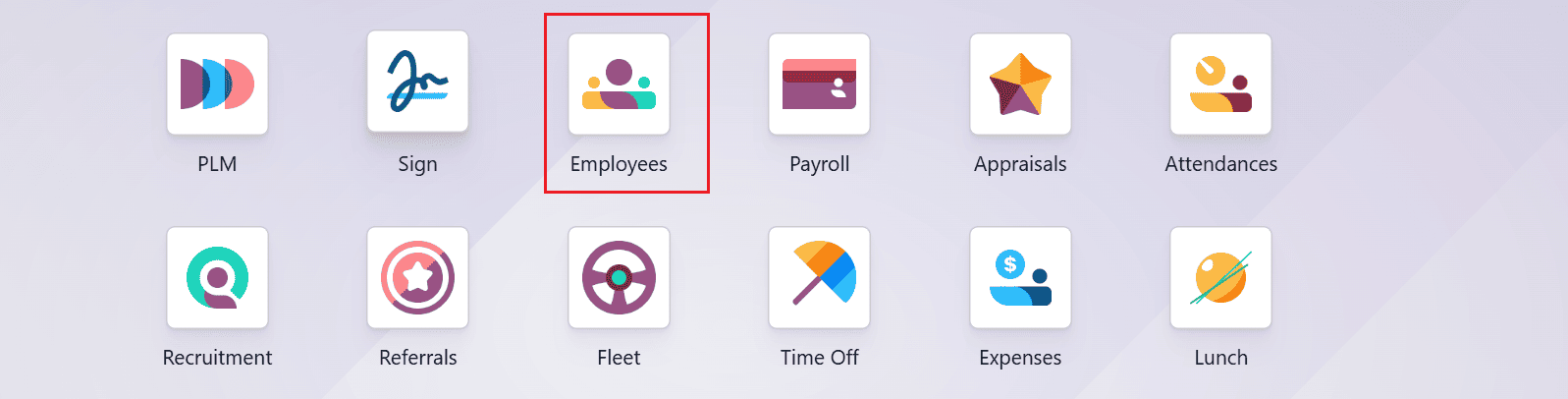
Firstly, open the Employee module from the Odoo 19 dashboard.
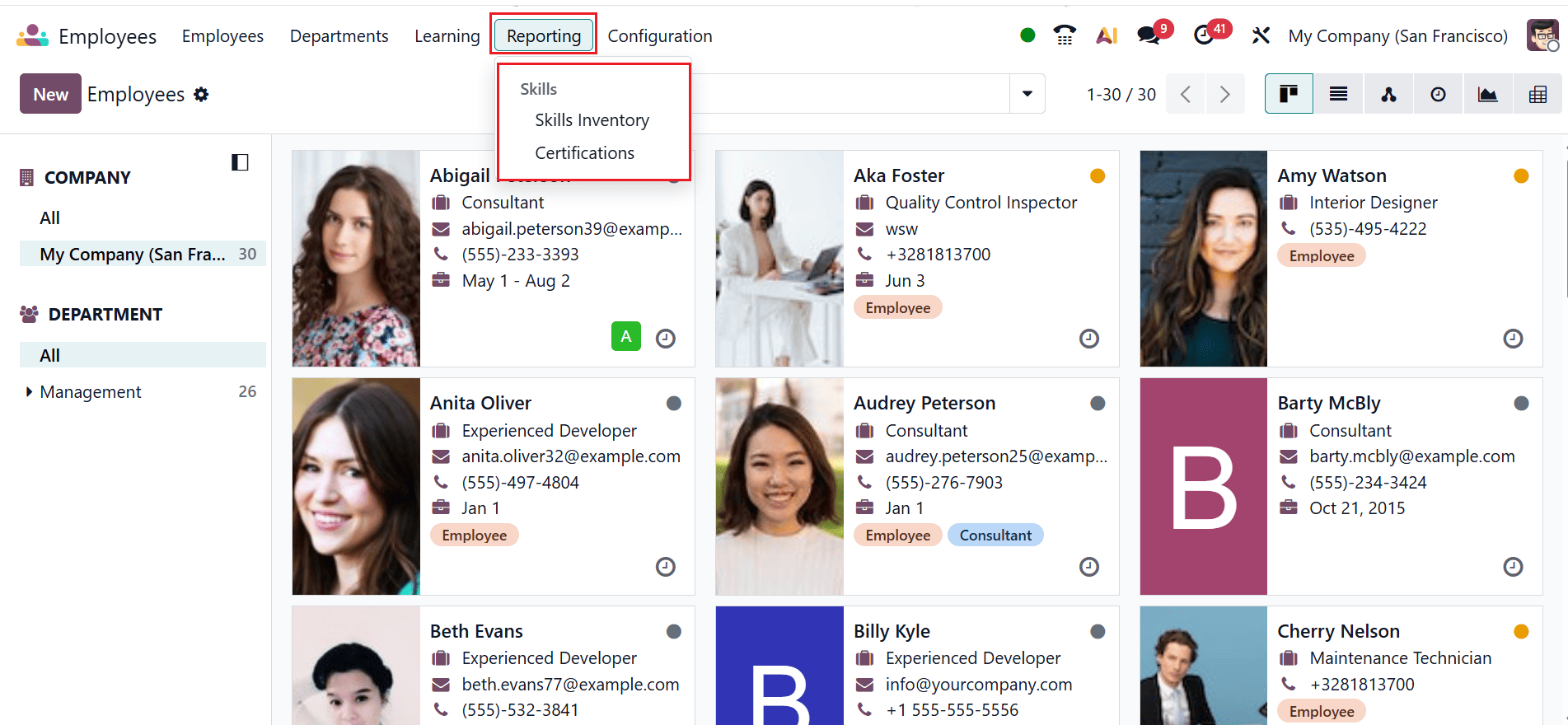
Navigate to the Reporting menu, where you can see two options: Skills Inventory and Certifications under the Skills section, as shown below:
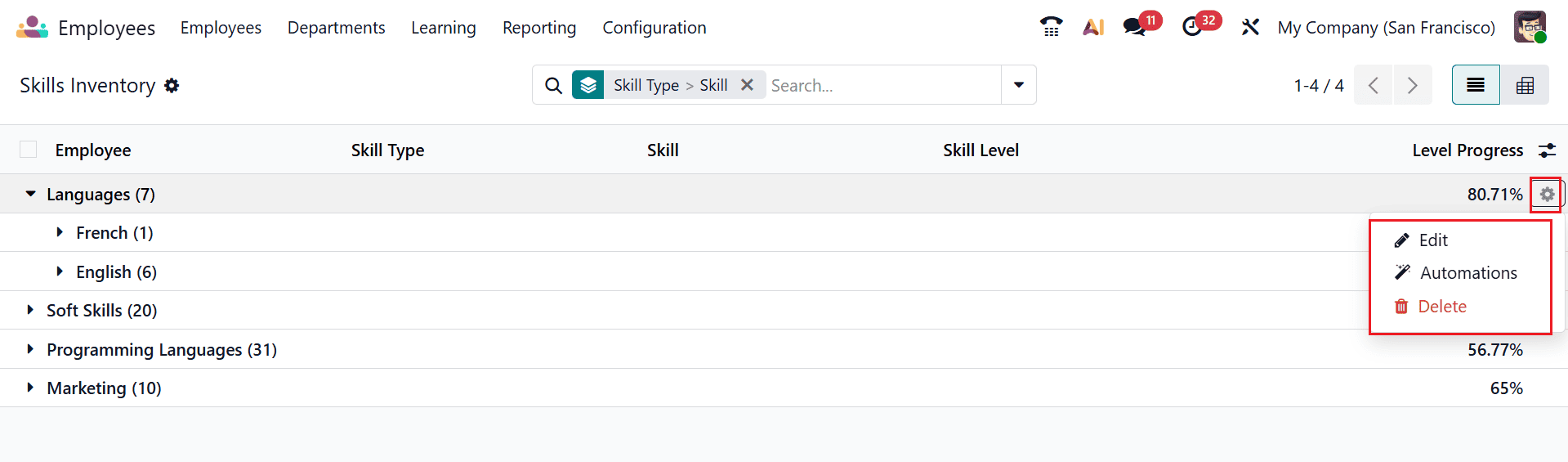
1. Skills Inventory:
The Skills Inventory option under the Reporting menu in Odoo 19 Employees provides an overview of employee skills and proficiency level across the organization. It helps HR teams identify skill gaps, track workforce competencies, and plan training or recruitment needs. The report can be filtered and analyzed to support talent management and resource allocation decisions.
By default, the Skills Inventory option is displayed in a list view, showing details such as Employee, Skill Types, Skills, Skill Levels, and Level Progress. These entries may be further expanded to provide details of employees possessing each skill, together with their corresponding proficiency levels. By clicking on the gear-icon on the right side of the screen to access options such as Edit, Automations, and Delete. The Edit option allows you to modify the employee reporting settings, filters, or report configuration. The Automations option enables you to create automated actions or scheduled processes related to employee reports. The Delete option removes the selected employee report or reporting configuration from the system.
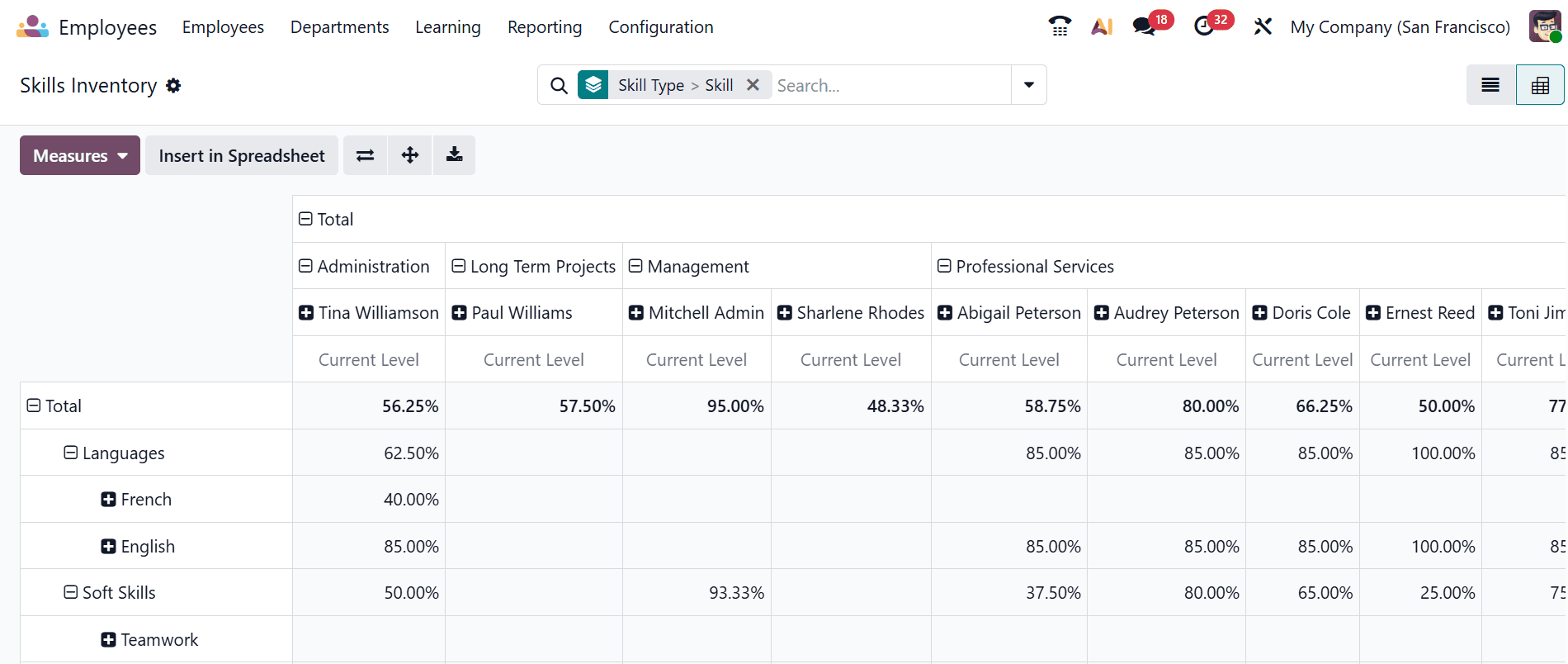
The Skills Inventory Pivot report provides a summarized view of employee skills organized in a pivot table format. It helps HR managers analyze and compare skill levels, certifications, and competencies across employees or departments. This report is useful for workforce planning, identifying skill gaps, and making informed training and recruitment decisions.
2. Certification:
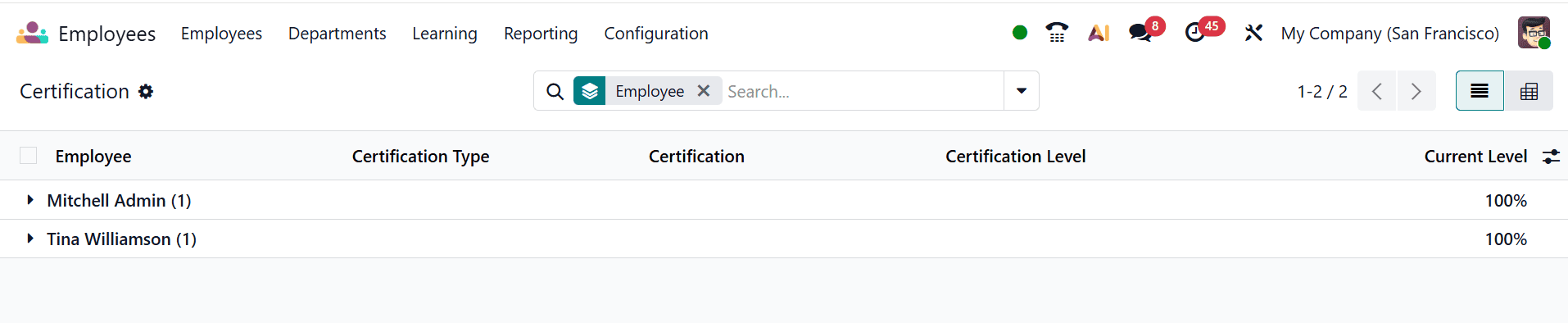
The Certification report in Odoo 19 Employees provides an overview of employee certifications and qualifications stored in the system. It displays details such as certification names, employees who hold them, issue dates, and expiration dates. This report helps organizations track the validity and status of employee certifications in one place. It is useful for ensuring compliance with industry standards and regulatory requirements. The report also assists HR teams in identifying certifications that need renewal and planning employee training and development activities. By default, the Certification option is displayed in a list view, showing details such as Employee, Certification Type, Certification, Certification Level, and Current Level. These entries can be expanded further to display the employees who possess each certification, along with their corresponding levels.
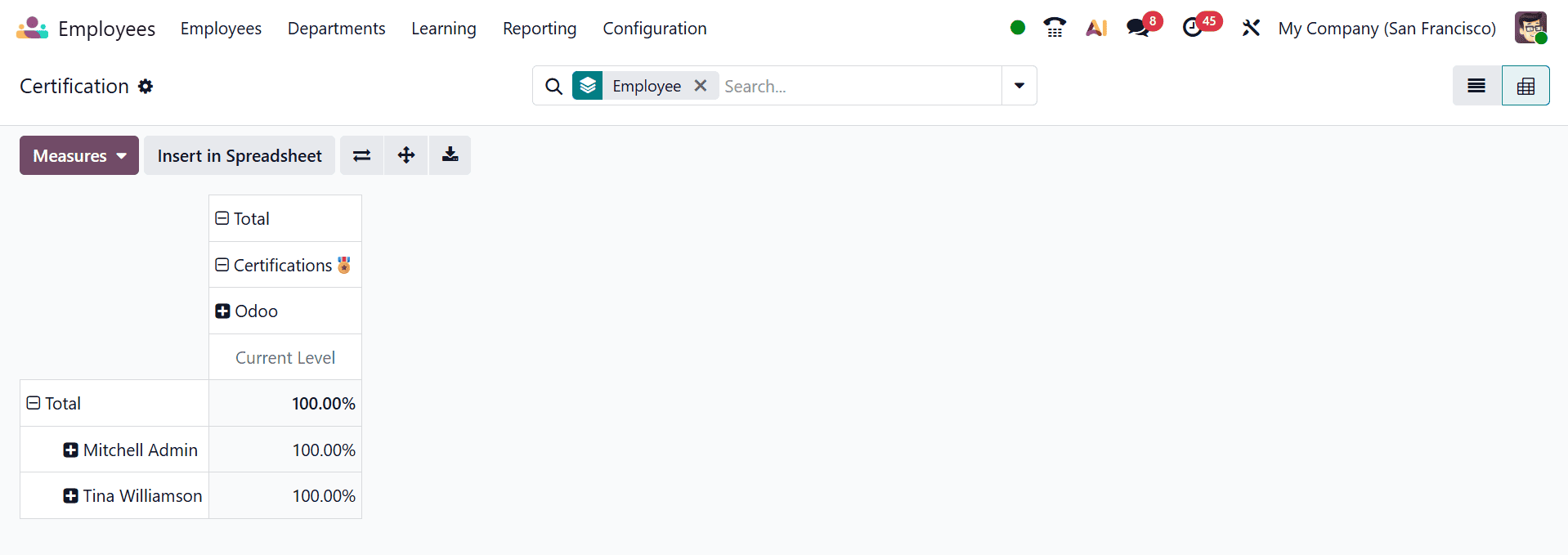
In Pivot view, the Certification option displays a pivot table that organizes employee certification data in a structured, analytical format. It allows users to group and summarize certifications by employee, department, status, or validity period, making the data easier to compare. Its main use is to help HR teams monitor certification coverage, track expiration dates, and support compliance and workforce planning decisions.
Generating HR reports in Odoo 19 Employee Module is a straightforward process that enables organizations to gain valuable insights into their workforce and HR activities. The system’s powerful reporting tools allow HR professionals to collect, analyze, and present employee-related information efficiently and accurately. By utilizing filters, dashboards, and customizable reporting options, users can create meaningful reports that support strategic planning, compliance requirements, and operational improvements. The ability to export and share reports further enhances collaboration and decision-making across departments. Odoo 19 streamlines HR data management by centralizing information and reducing the need for manual reporting processes, which minimizes errors and saves time. As organizations continue to rely on data-driven approaches, effective use of HR reports becomes increasingly important for monitoring employee performance, attendance, leave utilization, and workforce trends. Overall, Odoo 19 Employee Module provides a reliable and flexible reporting solution that contributes significantly to efficient human resource management and organizational success.
To read more about Overview of Reporting in Odoo 18 Employee, refer to our blog Overview of Reporting in Odoo 18 Employee.