Establishing quality checks on items is crucial for companies that want to uphold uniform standards and provide clients with dependable products. By identifying flaws, mistakes, and inconsistencies at various production stages, quality checking enables companies to resolve problems before goods are delivered to consumers. In the end, this saves time and operating costs by lowering the likelihood of customer complaints, product returns, and expensive rework.
Additionally, a well-organized quality control procedure guarantees that goods fit industry norms, legal requirements, and predetermined specifications. Businesses may maintain consistency in product quality and raise consumer satisfaction by conducting routine product inspections. Consistent quality enhances the company's reputation and fosters trust, both of which can support long-term corporate success and consumer loyalty.
Additionally, quality checks offer insightful information about persistent production issues. These results can be used by businesses to pinpoint the underlying causes of flaws and enhance their production or operational procedures. Additionally, keeping precise quality control records enables companies to track performance and make data-driven decisions.
Businesses can establish quality control points for certain items and product categories in Odoo 19 Quality. Products are inspected at the necessary points in the business process thanks to these quality control points. Businesses can find flaws and uphold uniform product standards by setting up quality checks. Depending on the particular needs of a product or product category, quality control points can be tailored. This article describes how to set up quality control points for items and product categories in the Odoo 19 Quality module. Additionally, it gives a summary of how various configurations might enhance overall product quality and facilitate efficient quality management.
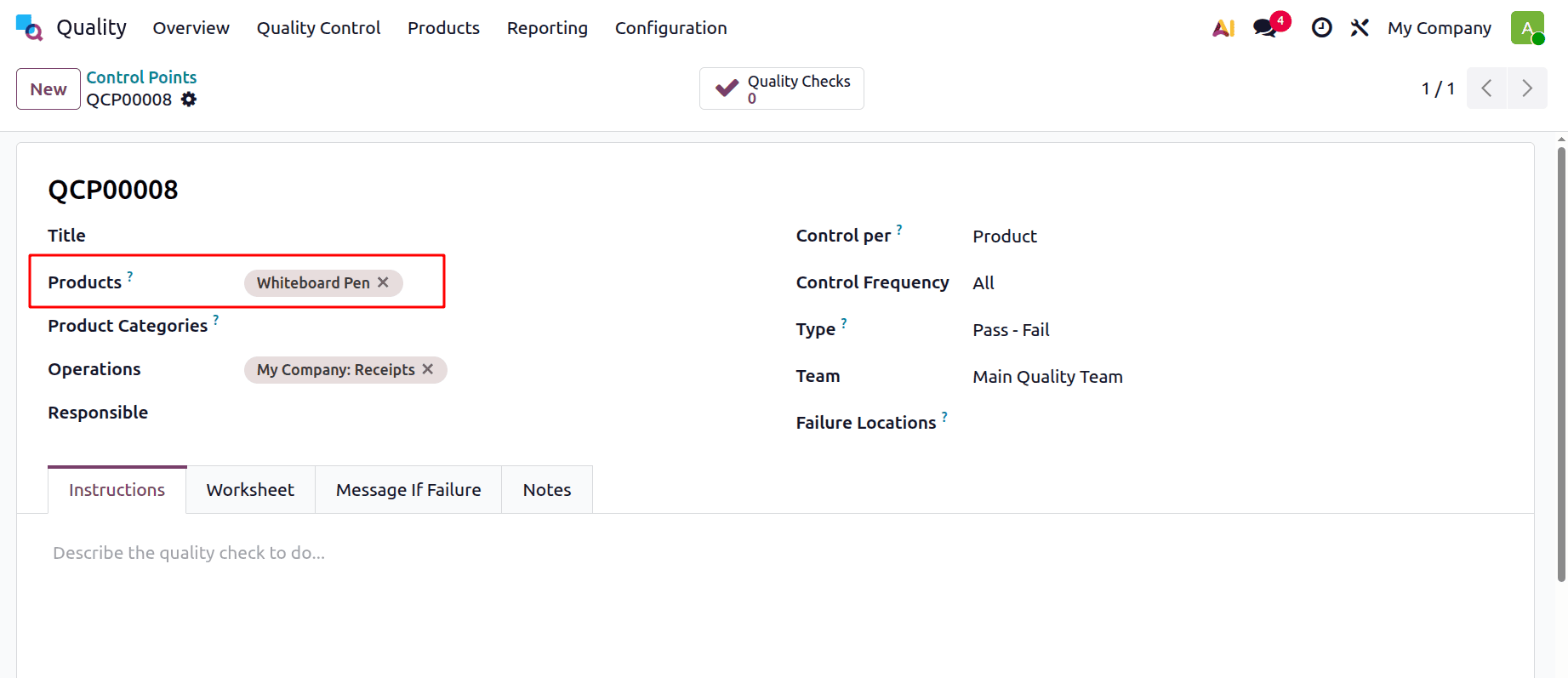
For configuring Quality control points on Products and Product Categories, go to the Quality module. The quality control point is available under the Quality menu. Then, to add a new one, click on the New button.
Here, a control point is created for the product Whiteboard Pen. Here, the control per Product is chosen, and the product name is also mentioned.
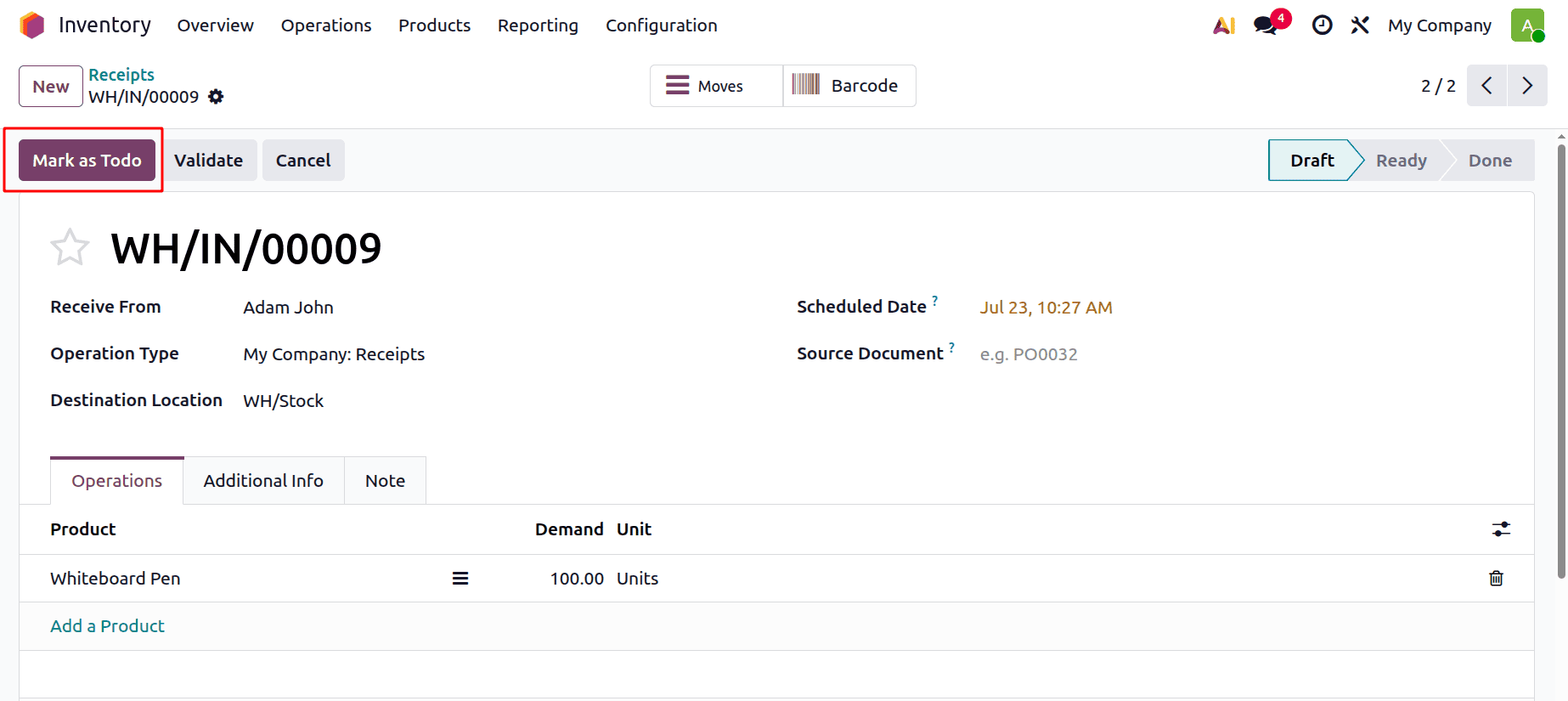
Then let's create a Receipt Transfer from the Inventory. Add the vendor and mention the product Whiteboard Pen. Add the vendor details. Then mention the product inside the Operations tab. Here, 100 quantities of the product Whiteboard Pen are demanded. Click on the Mark as ToDo button.
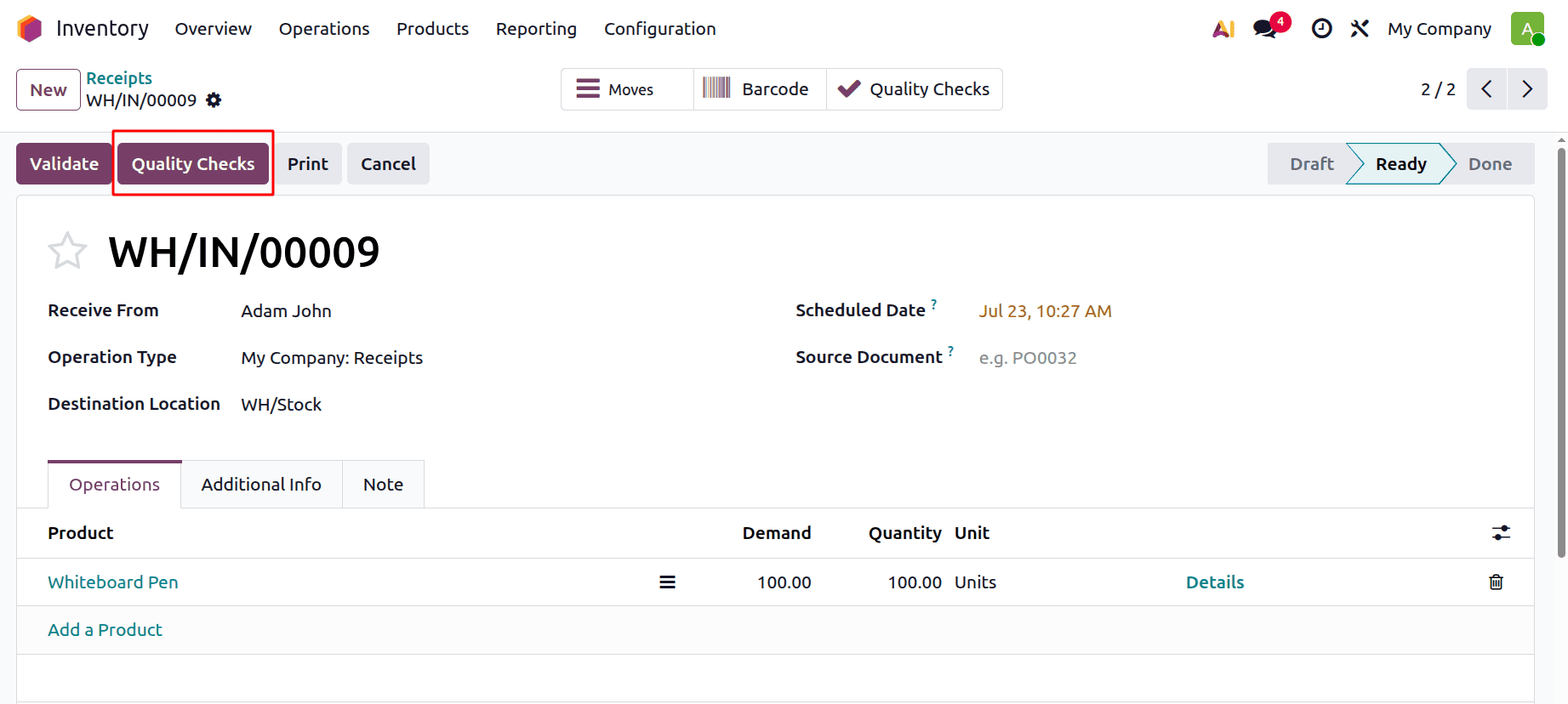
After clicking on the Mark as ToDo button, the stage will change to Ready. Then, before validating, the user needs to check the Quality. For that, click on the Quality Checks button.
Add the Quality Check note, then either click on the Pass button or the Fail button.
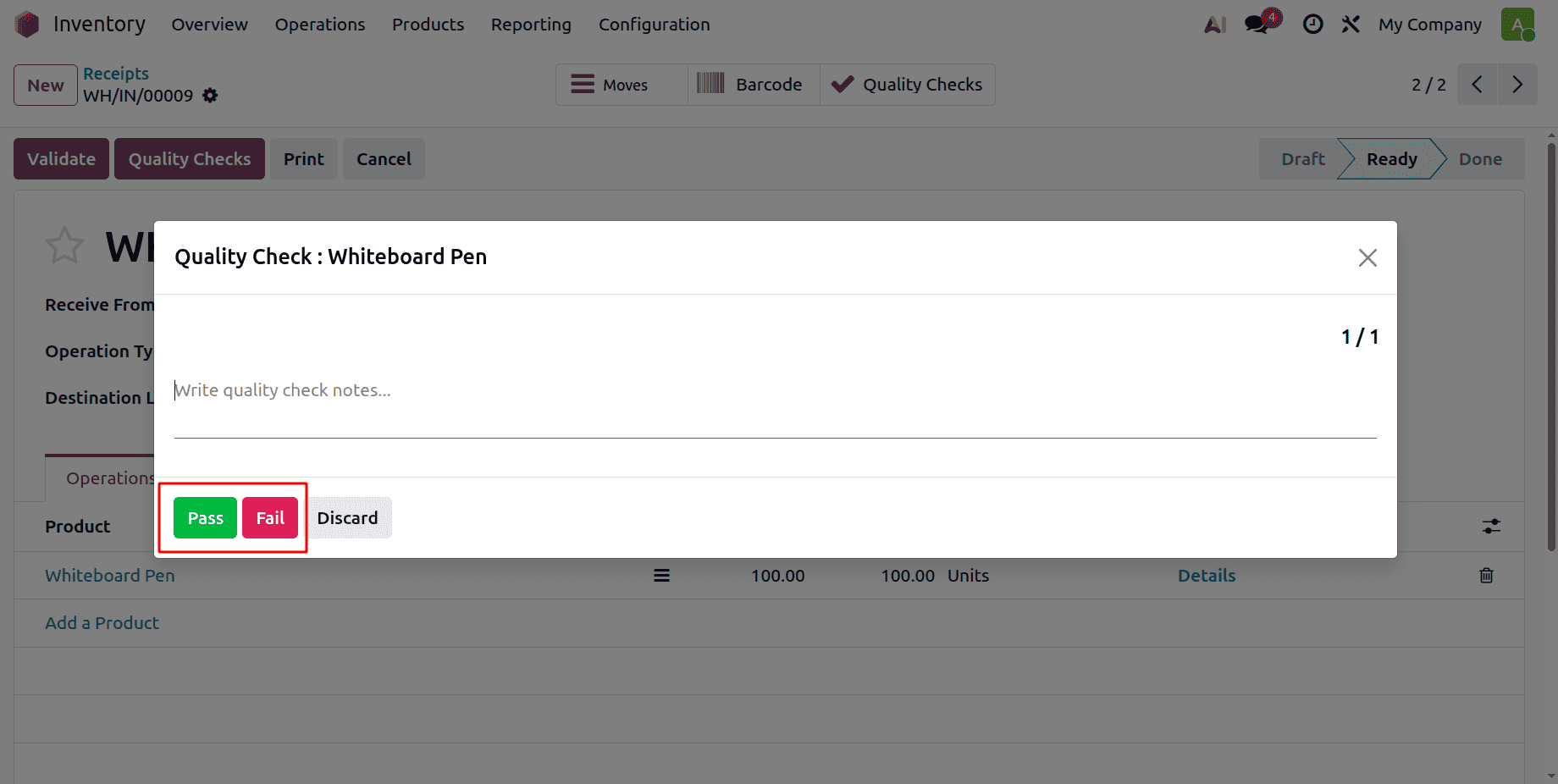
This is how the quality check on the product works in the Odoo 19 Quality module.
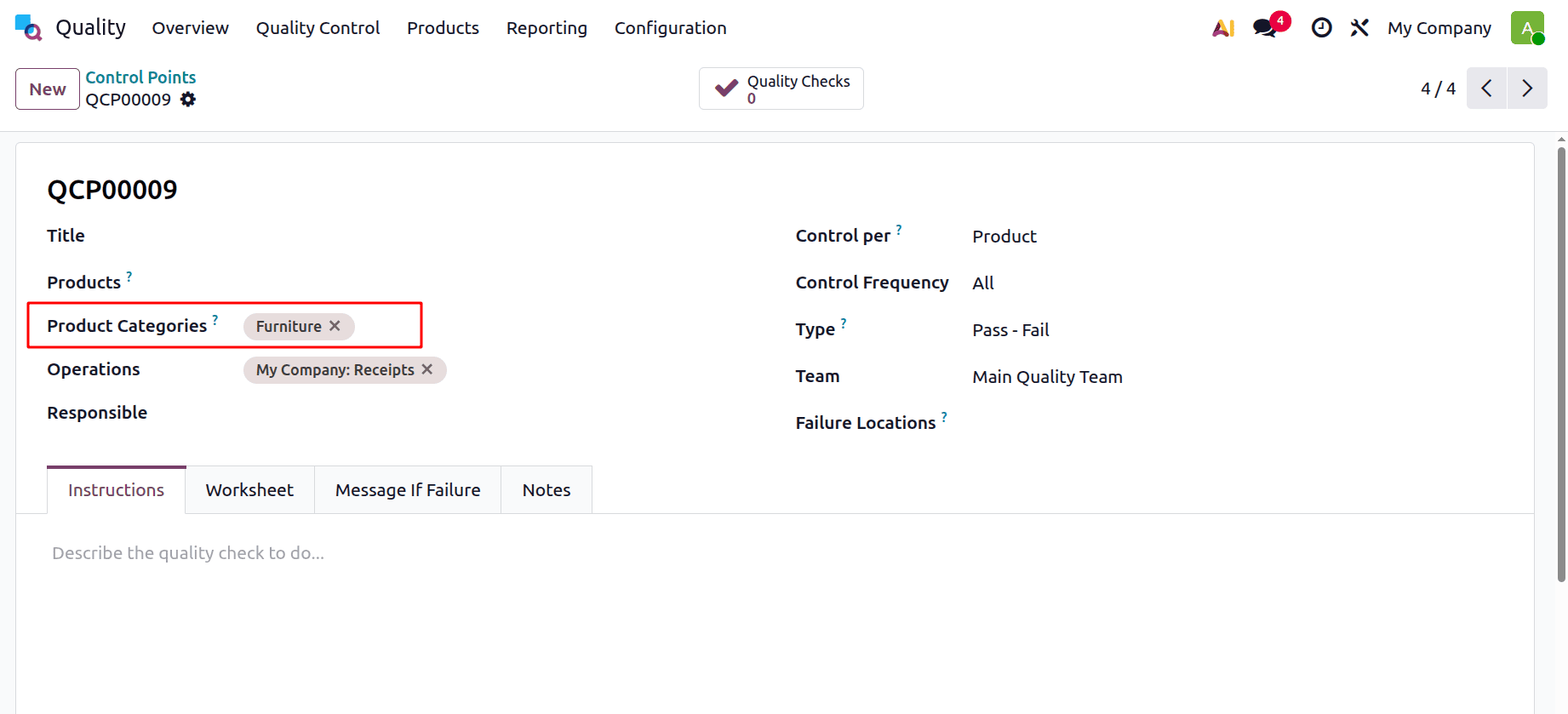
Then let's add quality control points on Product Category. So, for that, create a Quality control Point. Here is the quality control point created for the category named “Furniture”.
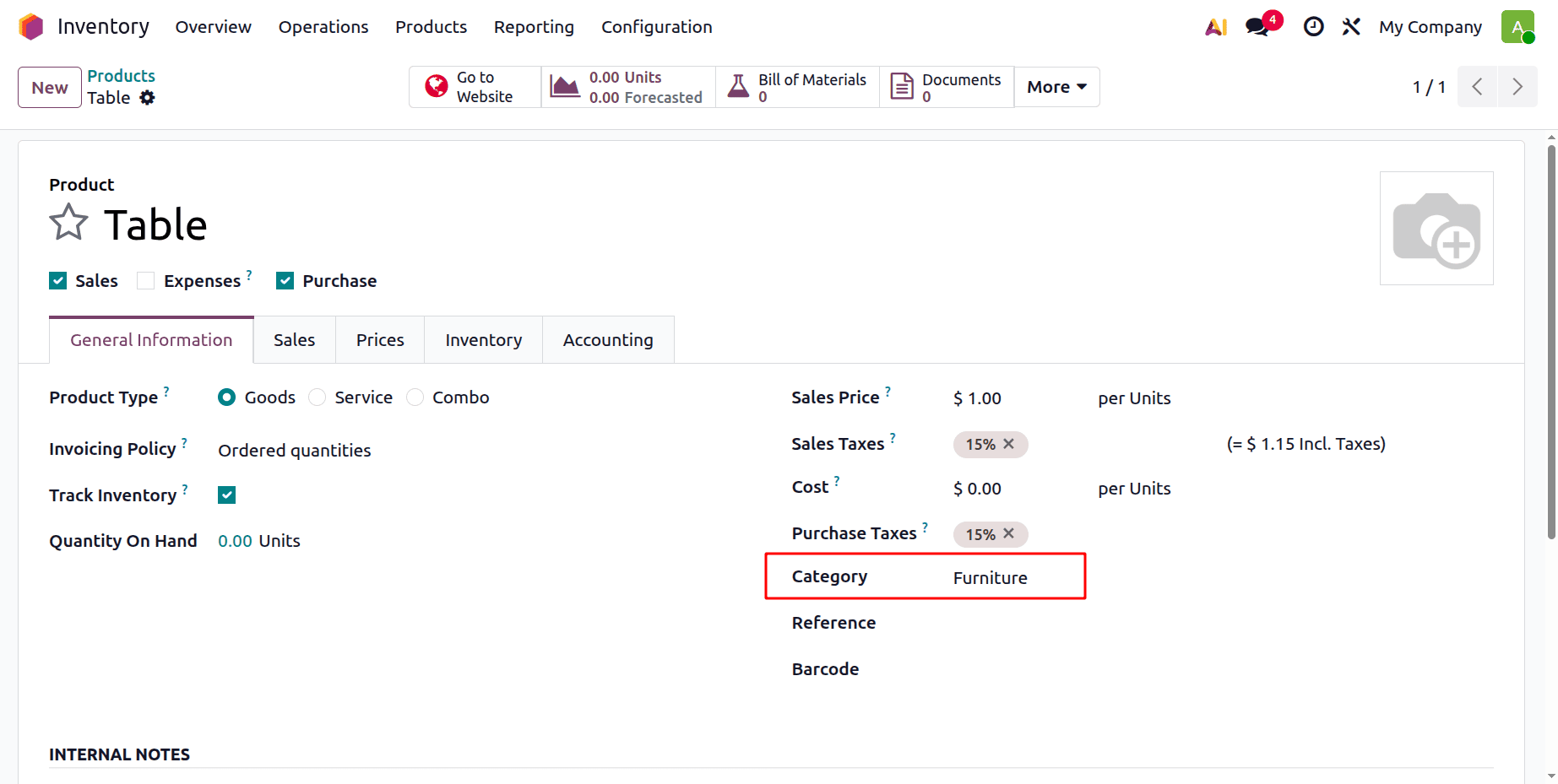
Here is a product named Table, which is included in the category named “Furniture”.
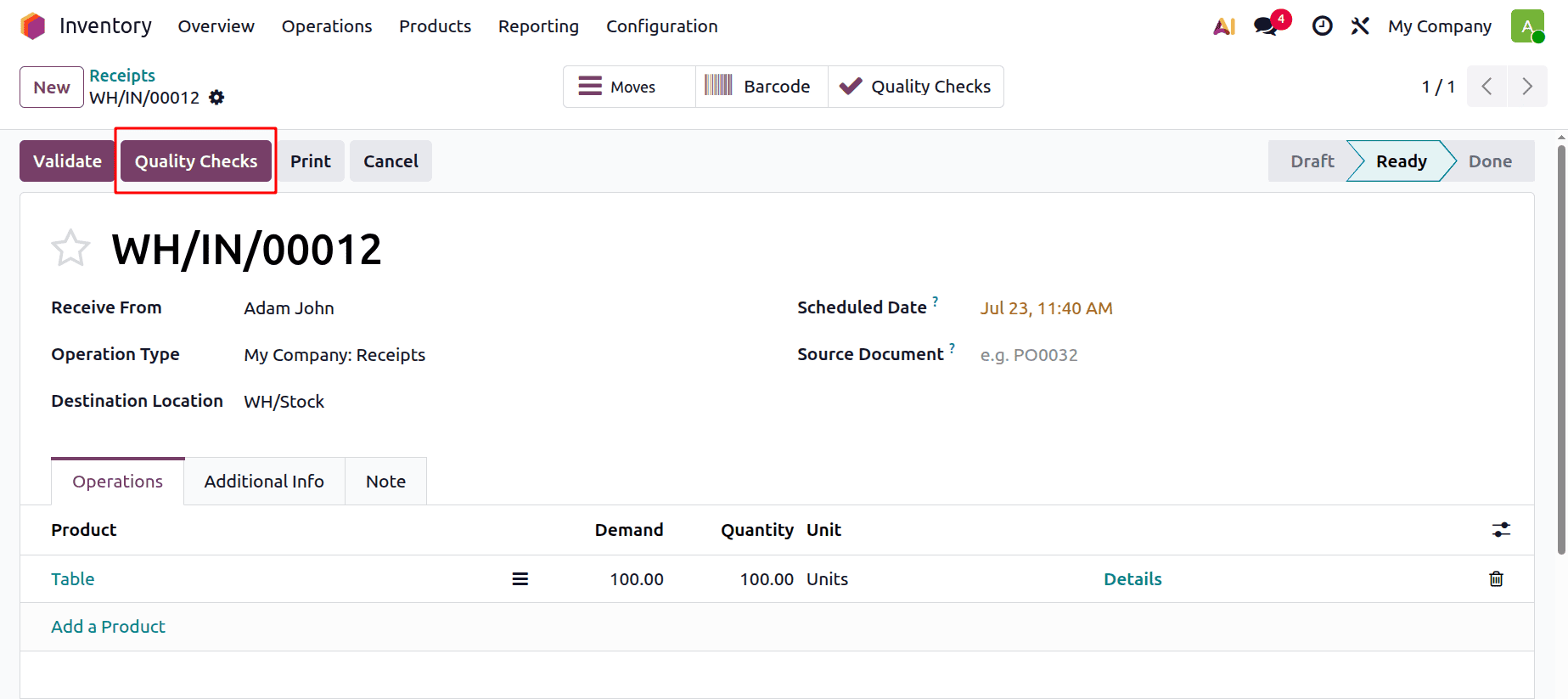
Create a new Receipt for the product included in the category. Add the vendor. Inside the Operations tab, add the product Table, with quantities. Then click on the Mark as ToDo button. Then the transfer is changed to Ready stage.
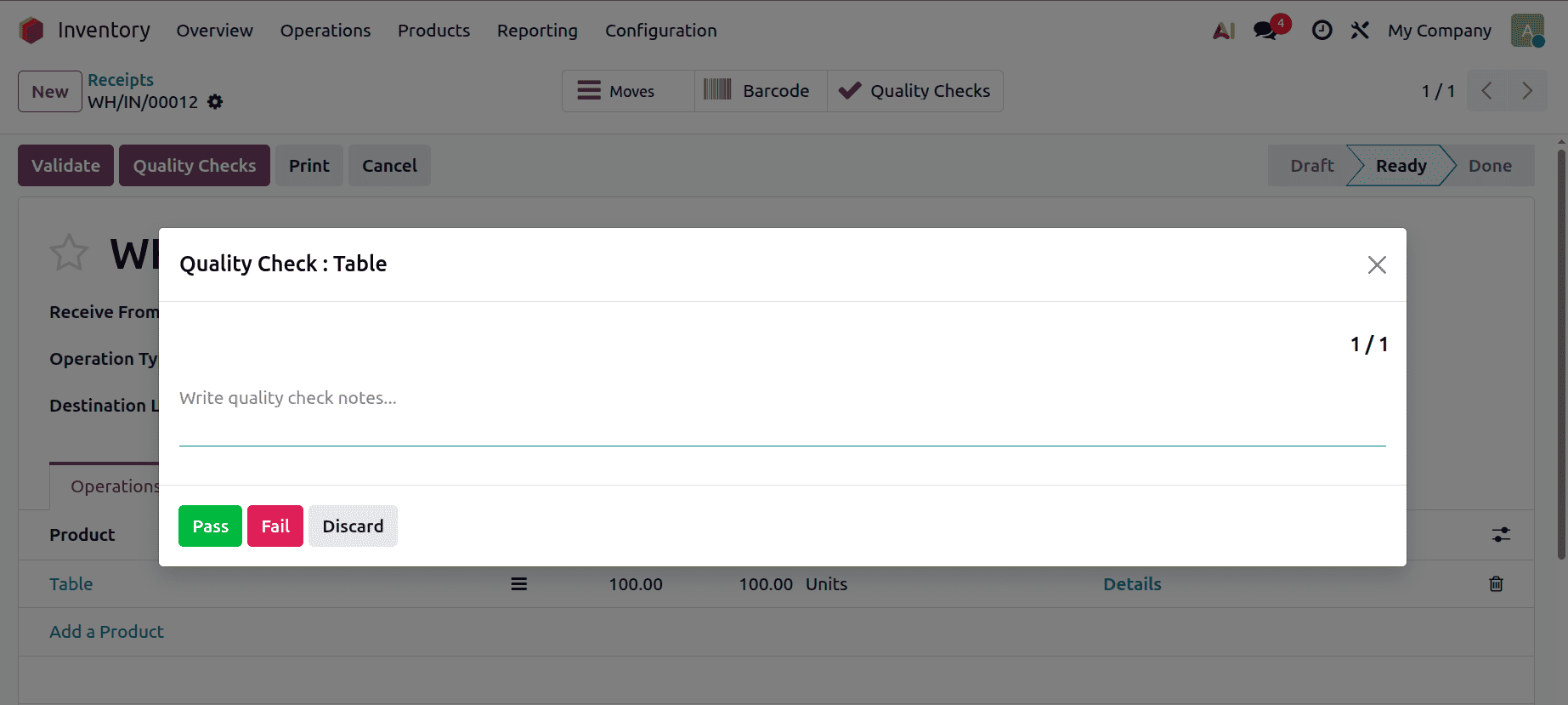
Then click on the Quality Checks button. Then click on the Pass button if the quality check is passed.
Businesses may maintain uniform quality standards across their operations by using Odoo 19 to set quality control points on items and product categories. Organizations can detect flaws, avoid mistakes, and guarantee that goods fulfil specifications before they are delivered to clients by setting up the proper quality checks. Organizing and managing these inspections according to particular items or categories is made simpler by the Odoo 19 Quality module. This lowers waste, rework, and customer complaints in addition to increasing product reliability. All things considered, companies can enhance customer happiness, streamline quality management, and promote continuous improvement for long-term operational effectiveness and commercial expansion by putting quality control points into place.
To read more about How to Set Quality Control Points on Operation Types in Odoo 19, refer to our blog How to Set Quality Control Points on Operation Types in Odoo 19.