Efficient sales management is not just about creating quotations and confirming orders, it is about having the right visibility at the right time. In Odoo 19, the Sales module is designed to support this need by offering multiple data views that help users understand, track, and manage sales operations more effectively. These views allow sales teams to look at the same information from different angles, making day-to-day operations smoother and decision-making faster.
Odoo 19 provides several useful views in the Sales module, each serving a specific purpose. The Kanban view offers a visual representation of the sales pipeline, helping teams track opportunities across different stages. The List view presents sales records in a structured table format, making it easy to sort, filter, and analyze data. For performance evaluation and reporting, the Pivot view summarizes sales data, while the Graphical view displays trends and comparisons using visual charts. In addition, the Activity view helps users monitor scheduled tasks and follow-ups, ensuring timely customer engagement, and the Calendar view supports planning by showing sales activities and deadlines in a time-based layout.
By using these views effectively, businesses can improve coordination, reduce manual tracking, and gain clearer insights into their sales process. Let’s take a look into each of these views in detail in this blog and understand how they help enhance sales operations in Odoo 19.
List View in Odoo 19 Sales
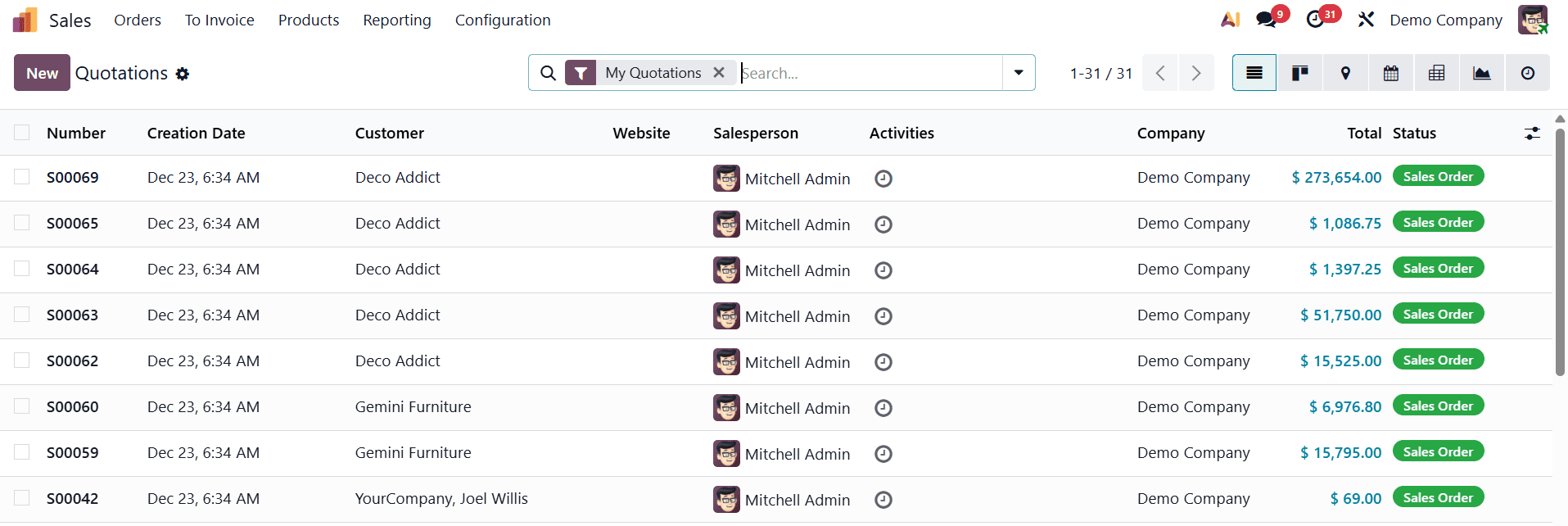
The List view in Odoo 19 is designed for users who prefer a structured and detailed representation of sales data. This view displays sales records in a tabular format, allowing users to clearly see and manage large volumes of information in one place. It is especially useful for sales managers and administrators who need to monitor multiple sales orders, compare records, and perform detailed analysis efficiently.
One of the key strengths of the List view in Odoo 19 is its advanced Grouping and filtering capabilities. Users can quickly filter sales orders based on criteria such as My Quotation, Sales Orders, Create Date, Recurring, and Not Recurring.
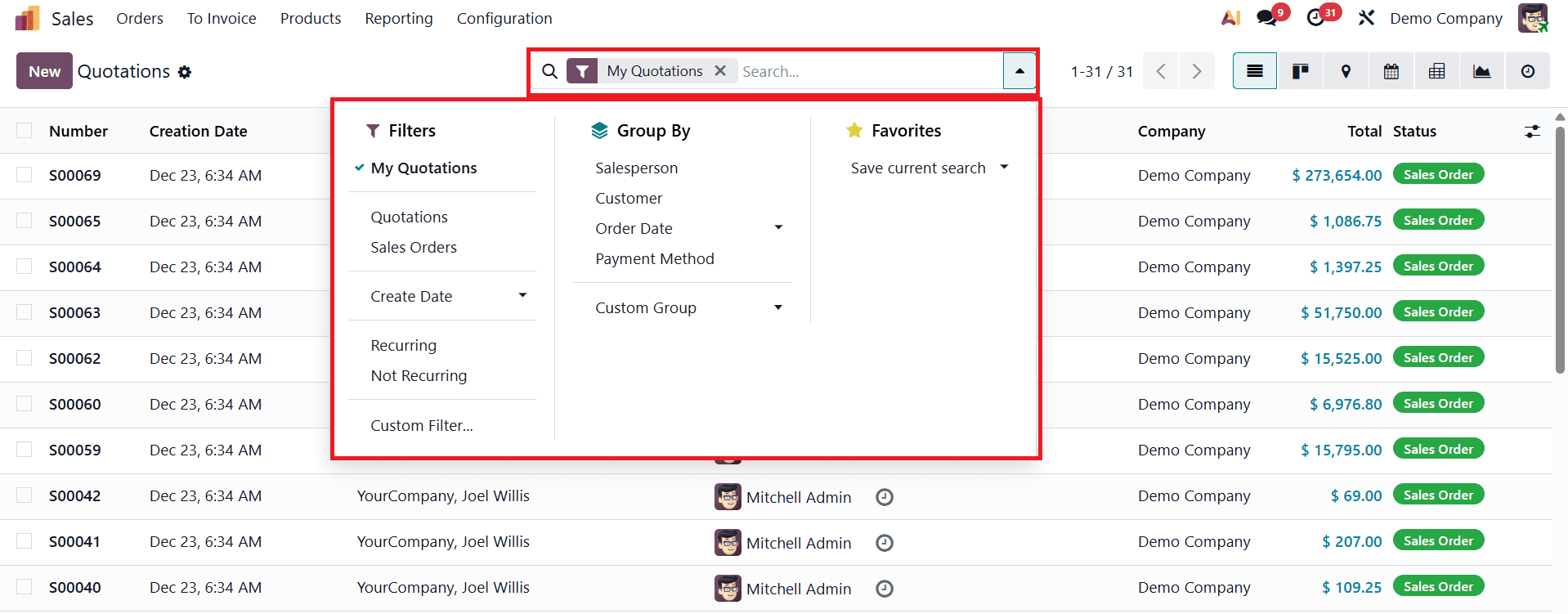
You can group the data based on Salesperson, Customer, Order Date, and Payment Method. These tools help sales teams access relevant data faster and make informed, data-driven decisions. The Custom Filters and Custom Group options allow the user to categorise the data according to their needs.
The List view also supports data export functionality, enabling users to export sales records in formats such as CSV or Excel.
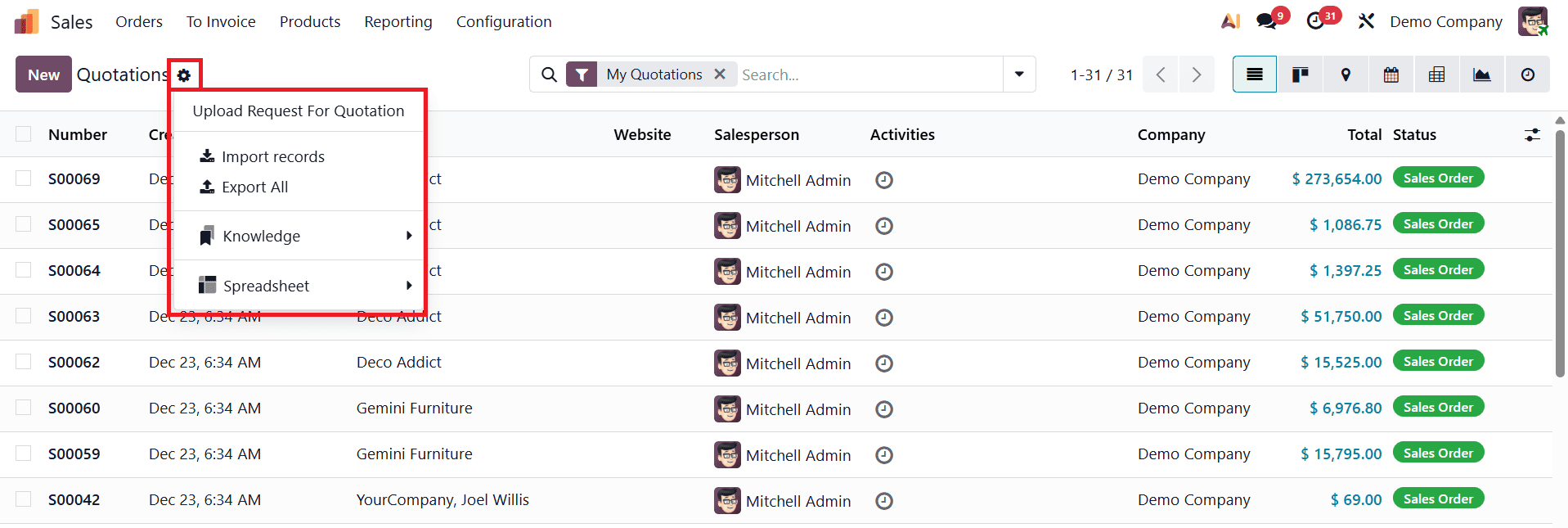
This feature is particularly useful for creating custom reports, sharing sales data with management or external stakeholders, and conducting further analysis outside the Odoo system. By simplifying data extraction, Odoo 19 ensures smoother reporting and better collaboration.
Another important advantage of the List view is its ability to display a wide range of fields for comprehensive analysis. Users can customize the view to include essential details such as sales order number, creation date, customer, salesperson, website, scheduled activities, company, total amount, and order status. Additionally, Odoo 19 allows users to adjust the number of visible records and tailor the displayed columns according to their operational needs, offering greater flexibility and control.
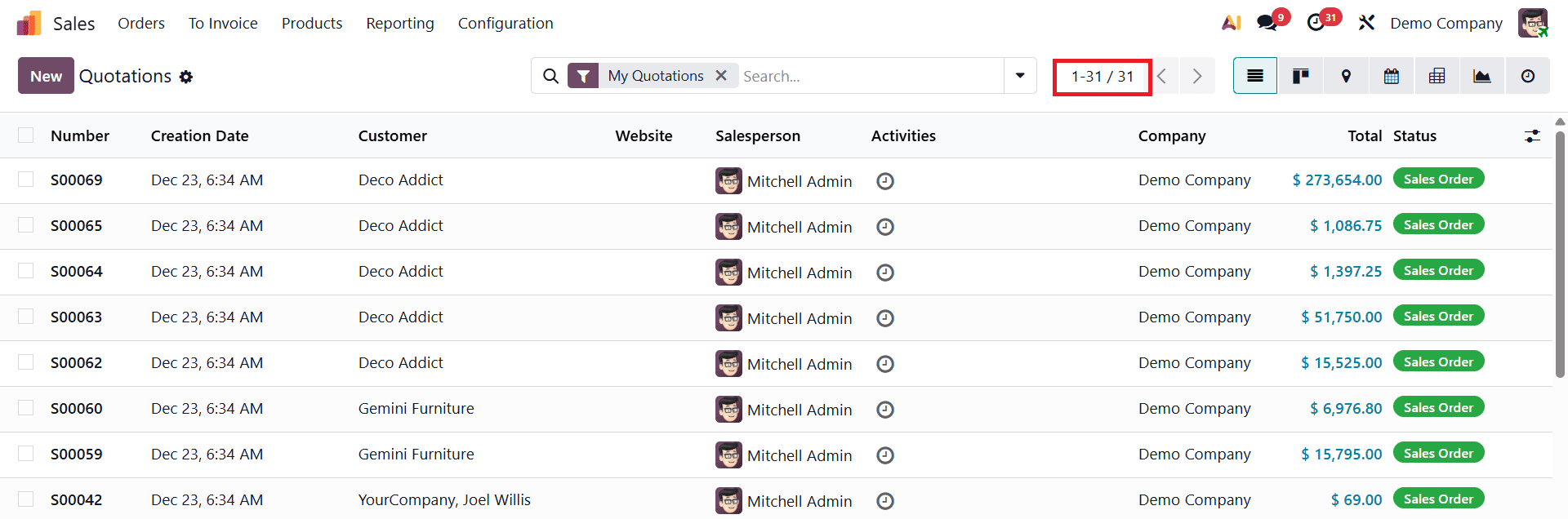
The List view in Odoo 19 plays a crucial role in sales tracking and reporting. By providing a clear, organized, and information-rich overview of sales data, it helps sales teams stay organized, prioritize tasks effectively, and identify opportunities for improvement, ultimately contributing to better sales performance and operational efficiency.
Kanban View in Odoo 19 Sales
The Kanban view in Odoo 19 offers a visually engaging and highly interactive way to manage sales operations. It presents sales records, such as quotations or sales orders, as cards arranged across customizable columns, each representing a specific stage of the sales pipeline. This layout helps sales teams quickly understand the overall flow of sales activities and track the progress of deals from initial quotation to confirmation.
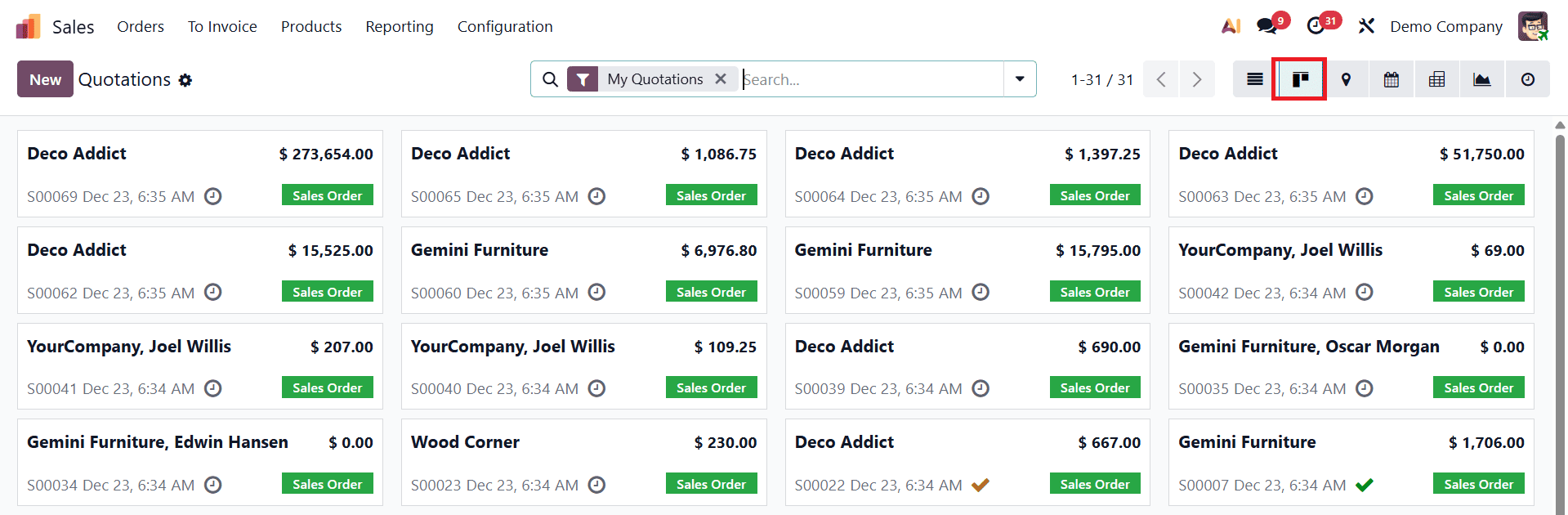
Each Kanban card provides instant access to key information without the need to open individual records. Important details such as the customer name, sales order or quotation number, expected revenue, assigned salesperson, and scheduled activities are displayed directly on the card. This at-a-glance visibility allows sales representatives to assess the status of each opportunity quickly and take timely action, improving responsiveness and efficiency.
Odoo 19 also enhances usability through color-coded Kanban cards, which help users visually differentiate records based on priority, status, or custom criteria. For example, quotations, confirmed orders, or high-value deals can be highlighted using different colors, making it easier to identify urgent or important sales opportunities. This visual distinction ensures that critical deals receive immediate attention and reduces the risk of missed follow-ups.
The Kanban view in Odoo 19 plays a vital role in sales pipeline management. By combining visual clarity with interactive features, it helps sales teams stay organized, prioritize opportunities effectively, and focus on closing deals, ultimately leading to improved sales performance and better customer engagement.
Calendar View in Odoo 19 Sales
The Calendar view in Odoo 19 plays an important role in managing time-sensitive sales activities and deadlines. It provides a chronological overview of sales-related events such as follow-ups, meetings, quotations, and order deadlines in a calendar format. By presenting activities based on dates, this view helps sales teams plan their schedules effectively and ensure timely customer interactions.
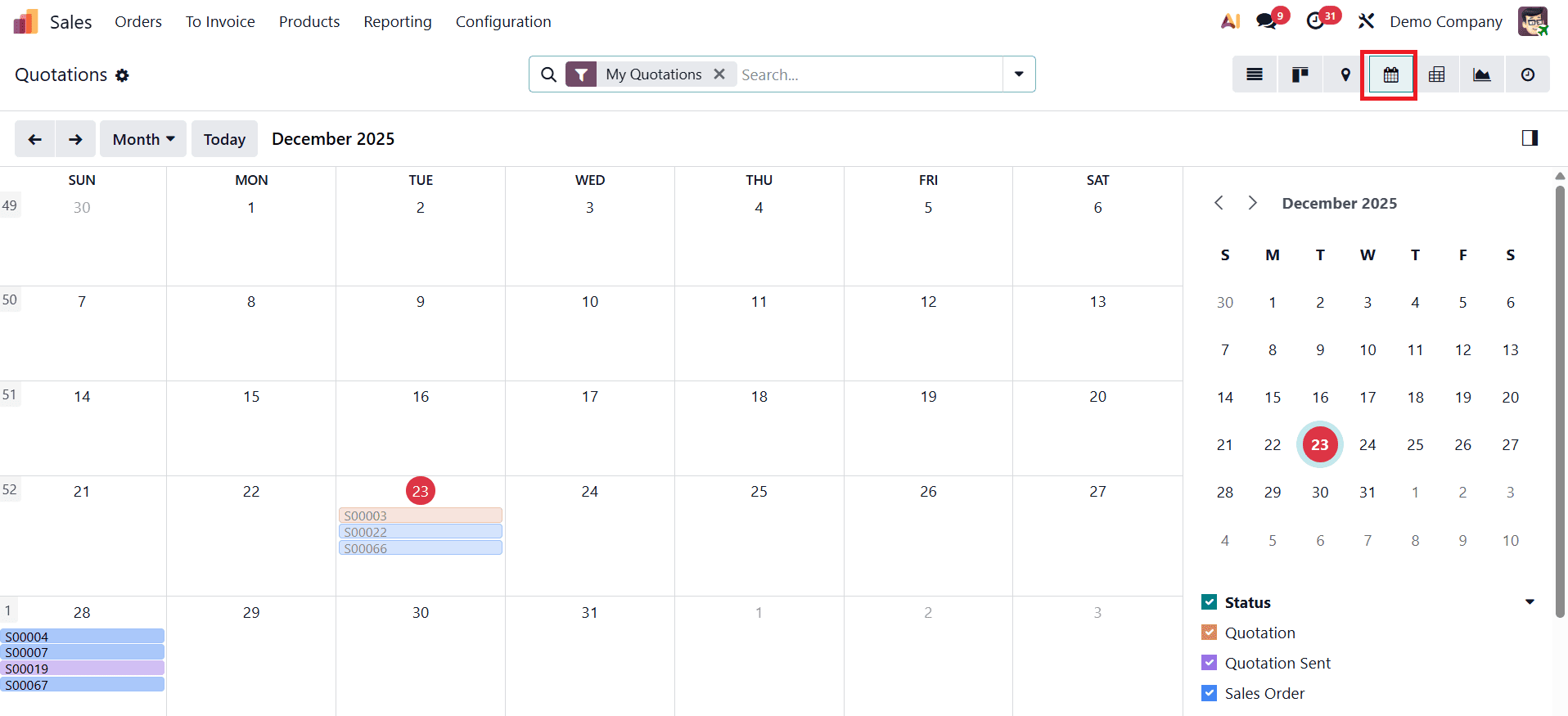
One of the key advantages of the Calendar view is its color-coded event display, which allows users to easily identify priorities at a glance. Sales records such as quotations, quotations sent, and confirmed sales orders are displayed in different colors, helping users distinguish between various statuses quickly.
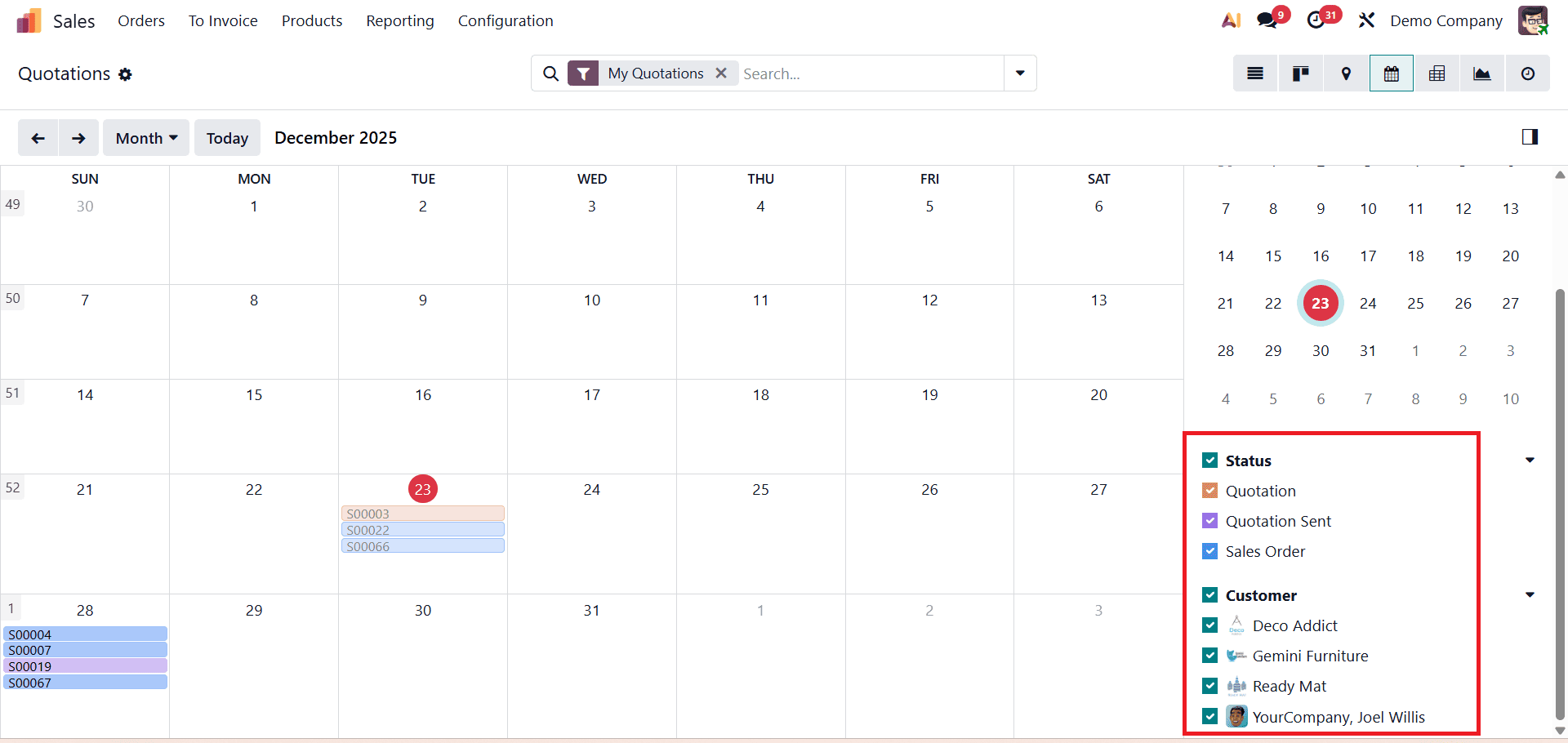
This visual differentiation ensures that high-priority tasks and upcoming deadlines receive immediate attention. The Calendar view in Odoo 19 is fully integrated with other Odoo modules, offering a unified scheduling experience. Sales activities, meetings, and deadlines from different modules are consolidated into a single interface, eliminating the need to switch between multiple views or applications. This integration improves coordination across teams and provides a complete overview of sales-related commitments.
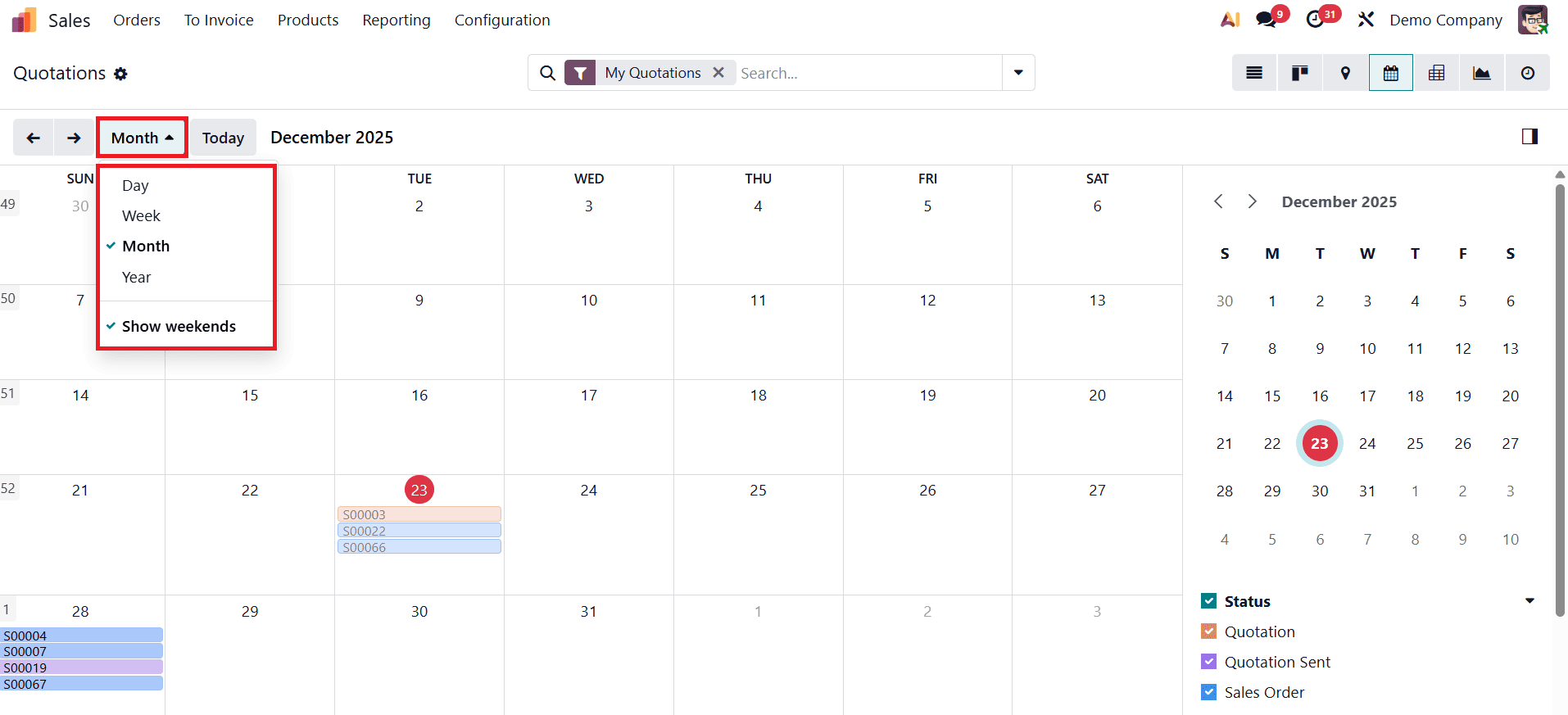
For better planning flexibility, users can switch between Day, Week, Month, or Year views, depending on their scheduling needs. The default display mode can be configured according to user preference, and the selected view appears as a dropdown option for easy navigation. Additionally, navigation arrows allow users to move forward or backward through dates, while the Today button helps return instantly to the current date.
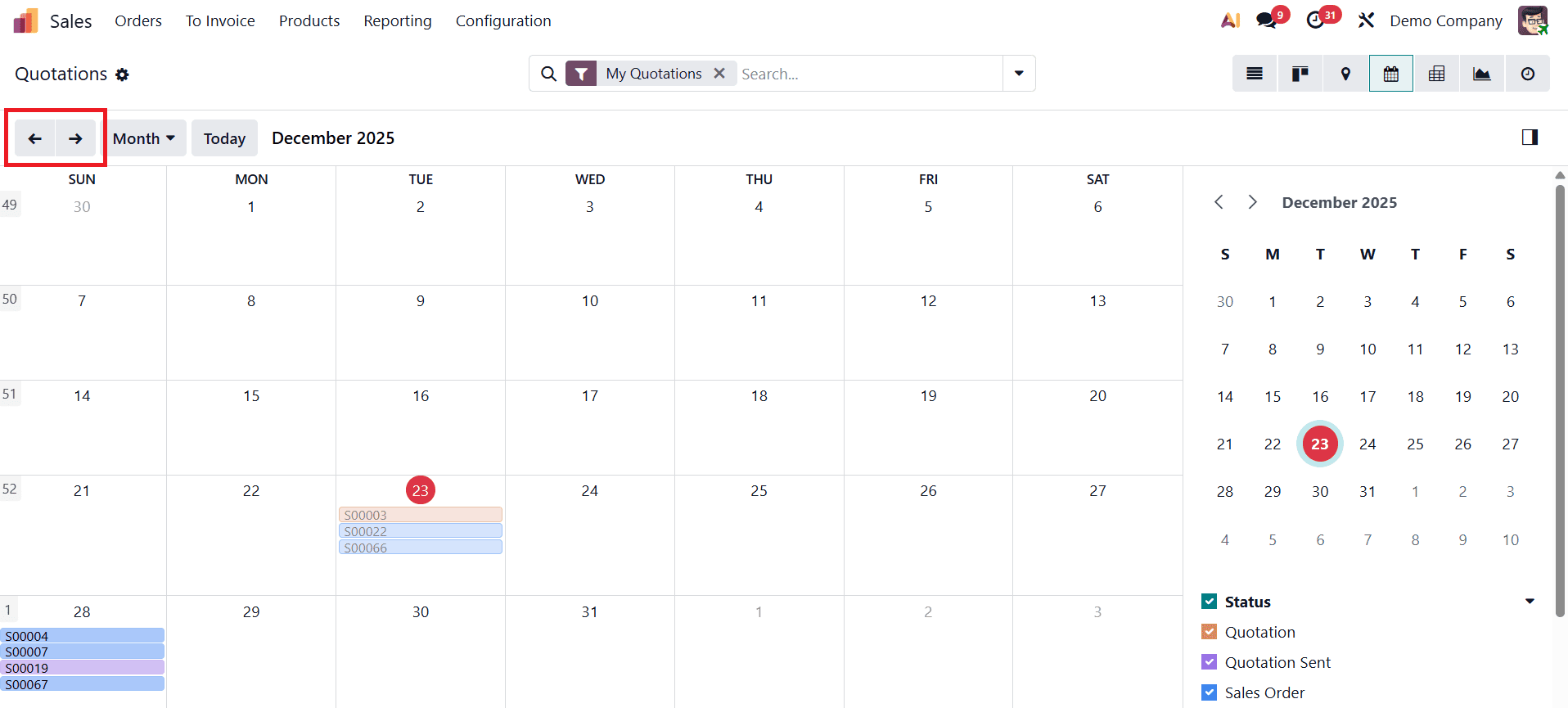
Odoo 19 also introduces an enhanced event information pop-up, which opens when a calendar entry is selected.
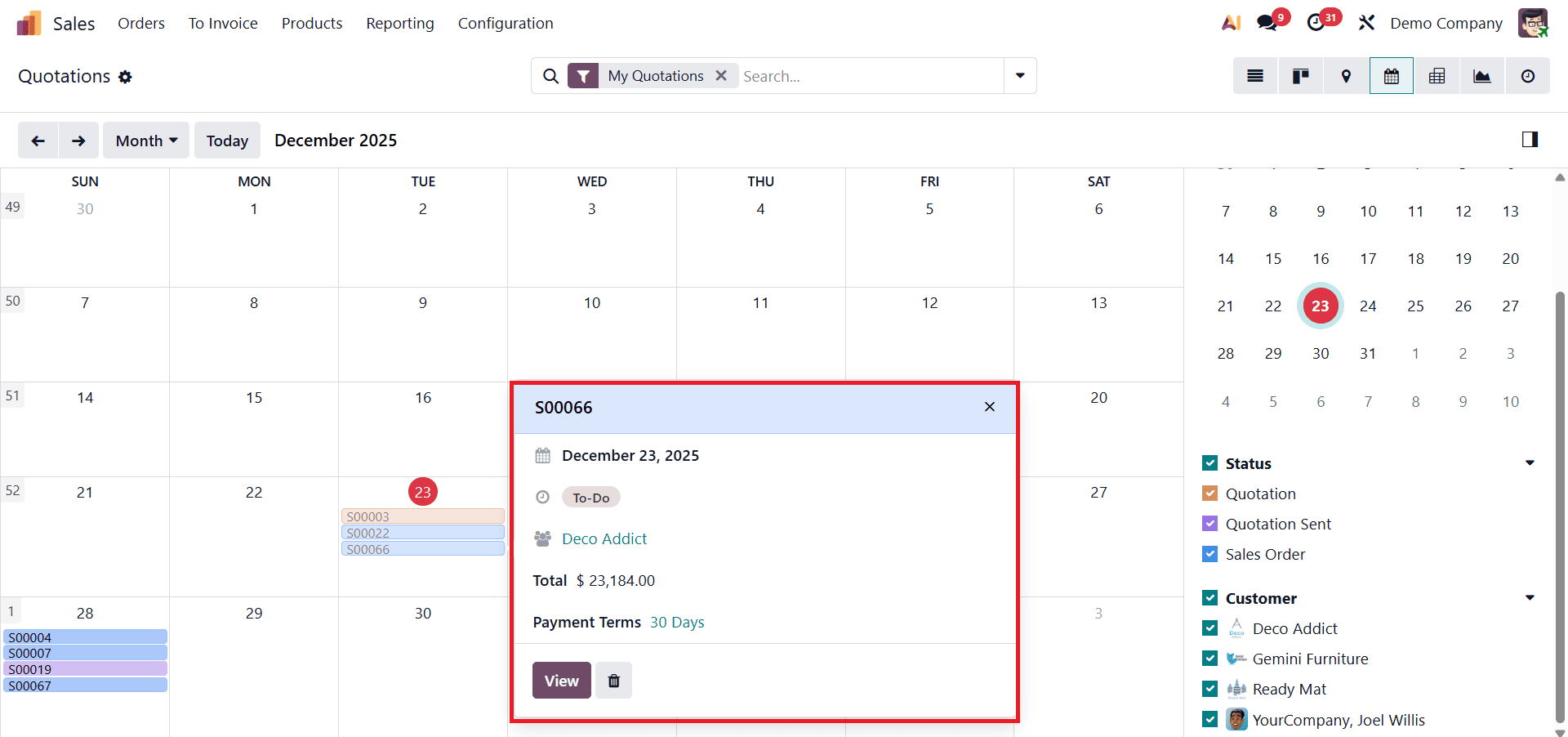
This pop-up displays detailed information such as the sales order or quotation number, date, customer, next activity, total amount, email details, and payment terms. Users can edit or delete records directly from this window without leaving the Calendar view, reducing unnecessary screen switching and improving productivity.
The Calendar view in Odoo 19 helps sales teams stay organized, meet deadlines, and maintain consistent follow-ups. By offering clear visibility into schedules and seamless access to sales details, it ensures better time management and contributes to improved sales efficiency and customer satisfaction.
Pivot View in Odoo 19 Sales
The Pivot view in Odoo 19 significantly enhances sales analytics by allowing users to generate multidimensional reports from sales data. This view helps businesses analyze performance from different perspectives, making it easier to understand trends, compare results, and evaluate overall sales effectiveness. It is especially useful for sales managers and decision-makers who rely on data-driven insights.
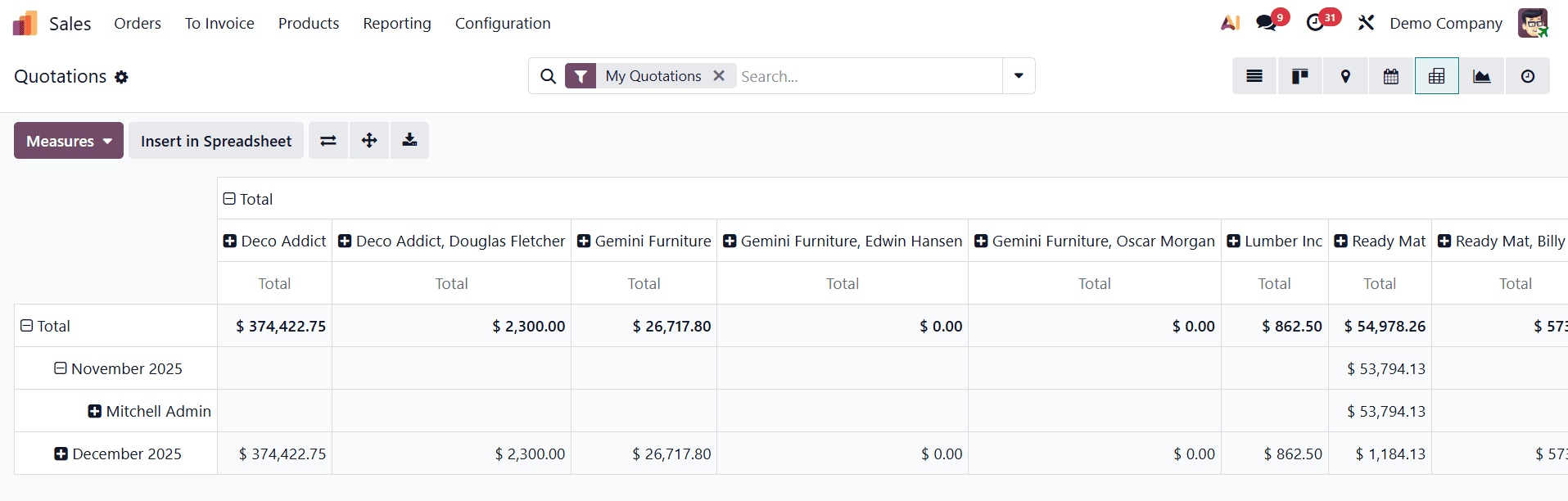
One of the key strengths of the Pivot view is its flexible row and column arrangement, which allows users to customize reports according to their analytical needs. Sales data can be grouped by various fields such as customer, salesperson, product, order date, or sales stage. Users can easily reorganize the layout to focus on the most relevant metrics.
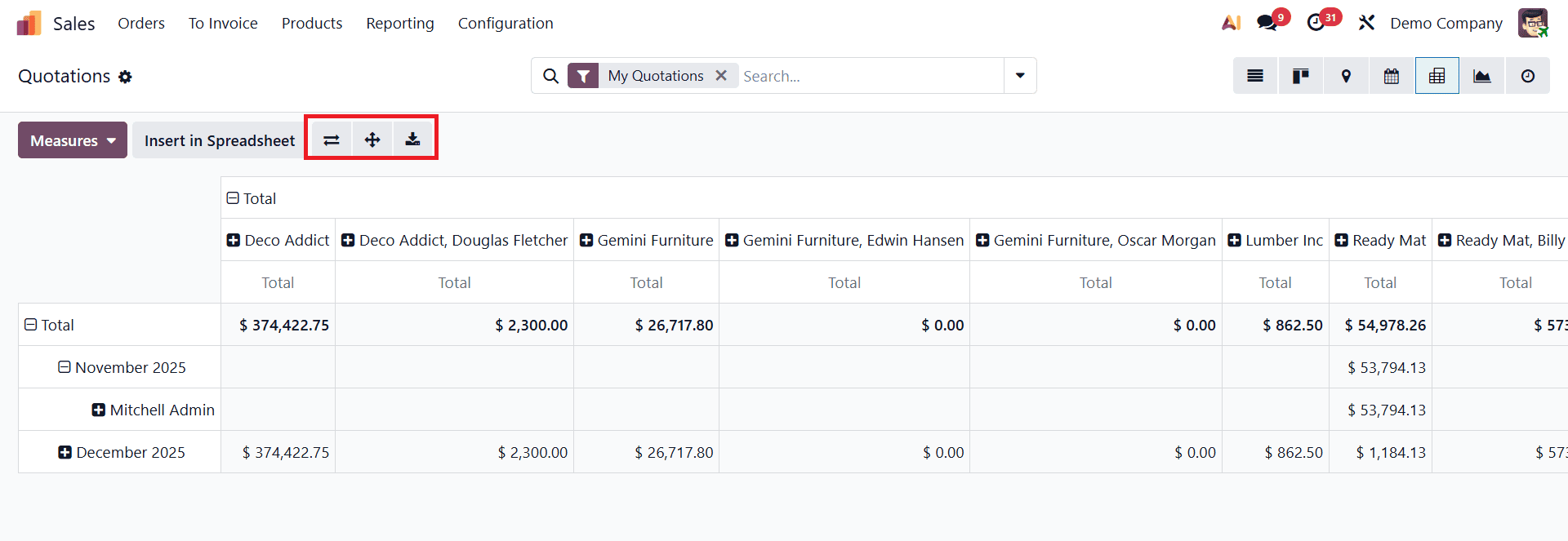
Odoo 19 also provides useful tools such as Flip Axis, which swaps rows and columns for a different data perspective, and Expand All, which reveals detailed group-level information within the report.
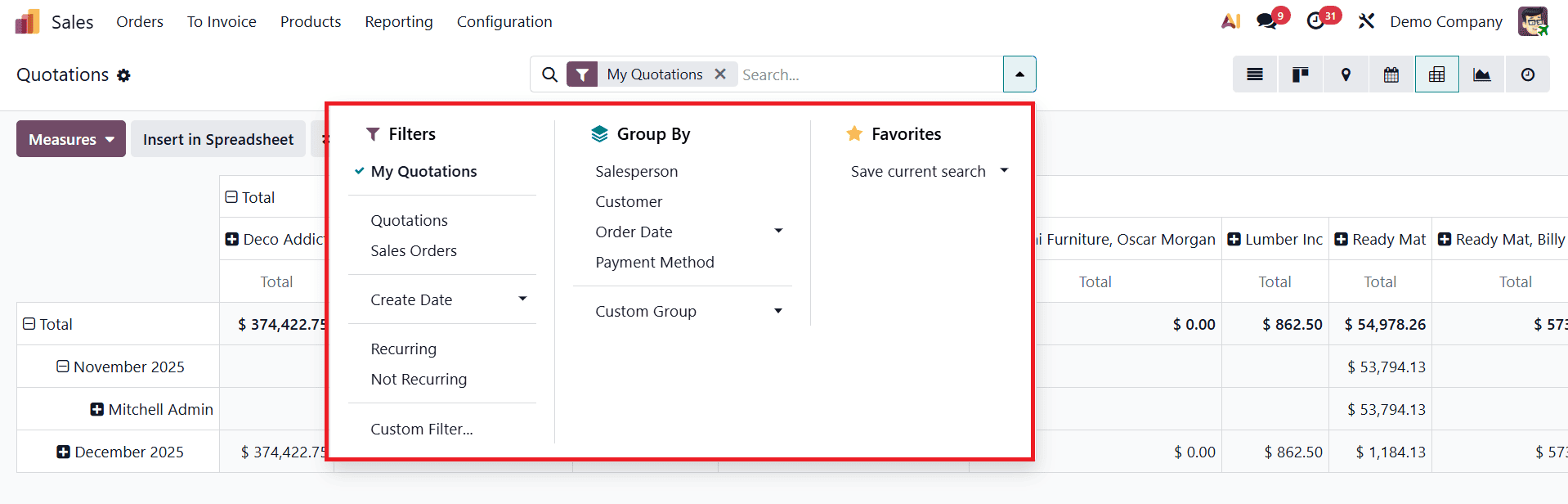
The Pivot view also supports interactive and real-time data updates. Any change made to filters, groupings, or measures is immediately reflected in the pivot table, allowing users to explore different scenarios quickly. Additional options such as Filters, Group By, and Save Current Search make it easier to reuse customized reports for regular analysis.
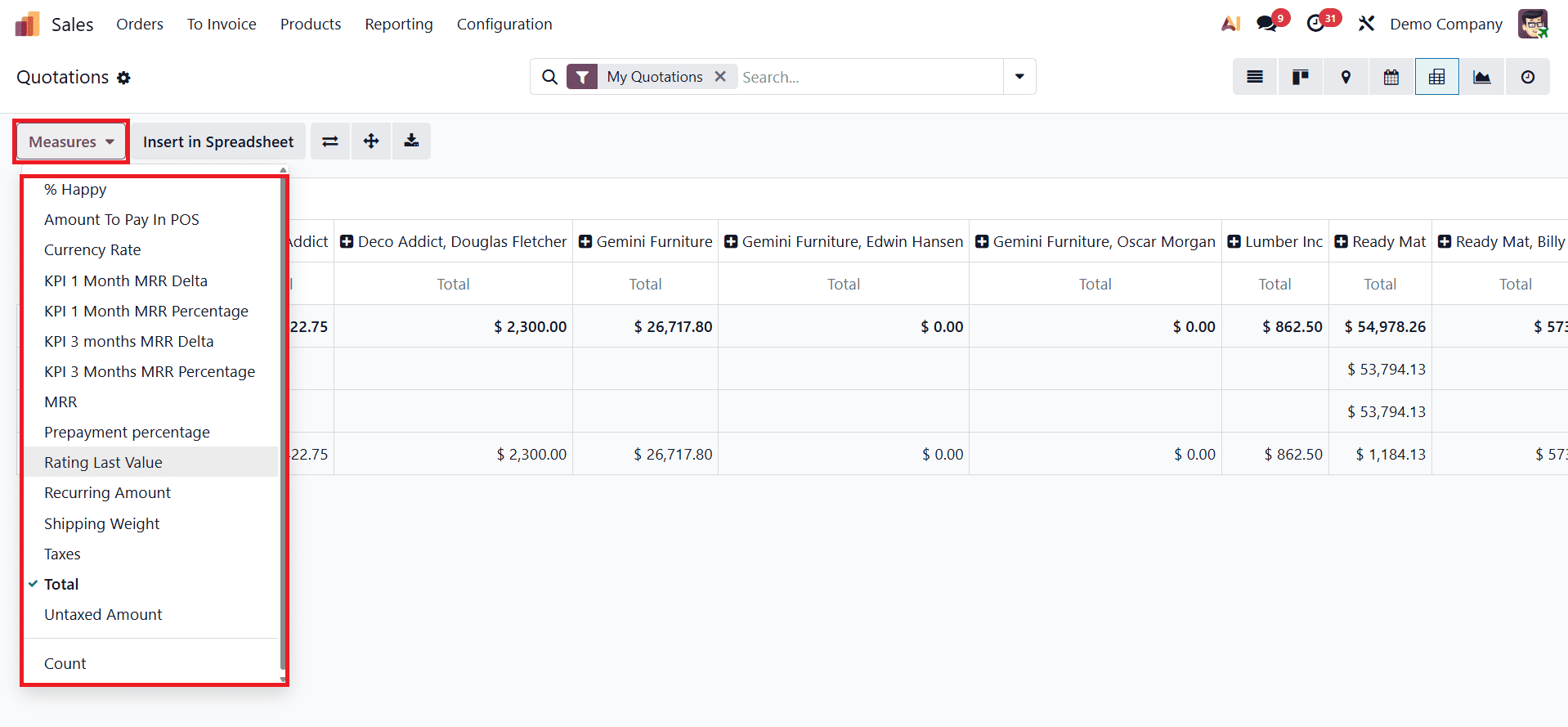
For advanced reporting needs, the Pivot view in Odoo 19 allows users to work with multiple Measures, such as % Happy, Amount to Pay in POS, Currency Rate, KPI 1 Month MRR Delta, KPI 1 Month MRR Percentage, KPI 3 Month MRR Delta, KPI 3 Month MRR Percentage, MRR, Prepayment Percentage, Rating Last Value, Recurring Amount, Shipping Weight, Taxes, Total, Untaxed Amount, and Count. These measures can be compared and analyzed to gain deeper insights into sales performance. Users can also export pivot reports to Excel (XLSX) or insert them into spreadsheets for further analysis, presentations, or sharing with stakeholders.
The Pivot view in Odoo 19 serves as a powerful analytical tool for sales teams. By uncovering patterns, highlighting performance gaps, and presenting data in a clear multidimensional format, it enables businesses to make informed strategic decisions and continuously improve their sales operations.
Graphical View in Odoo 19 Sales
The Graphical view in Odoo 19 plays a crucial role in helping users visualize sales data for quick understanding and effective decision-making. By transforming complex numerical data into clear visual formats, this view allows sales teams and managers to identify trends, compare performance, and monitor key sales metrics with ease.
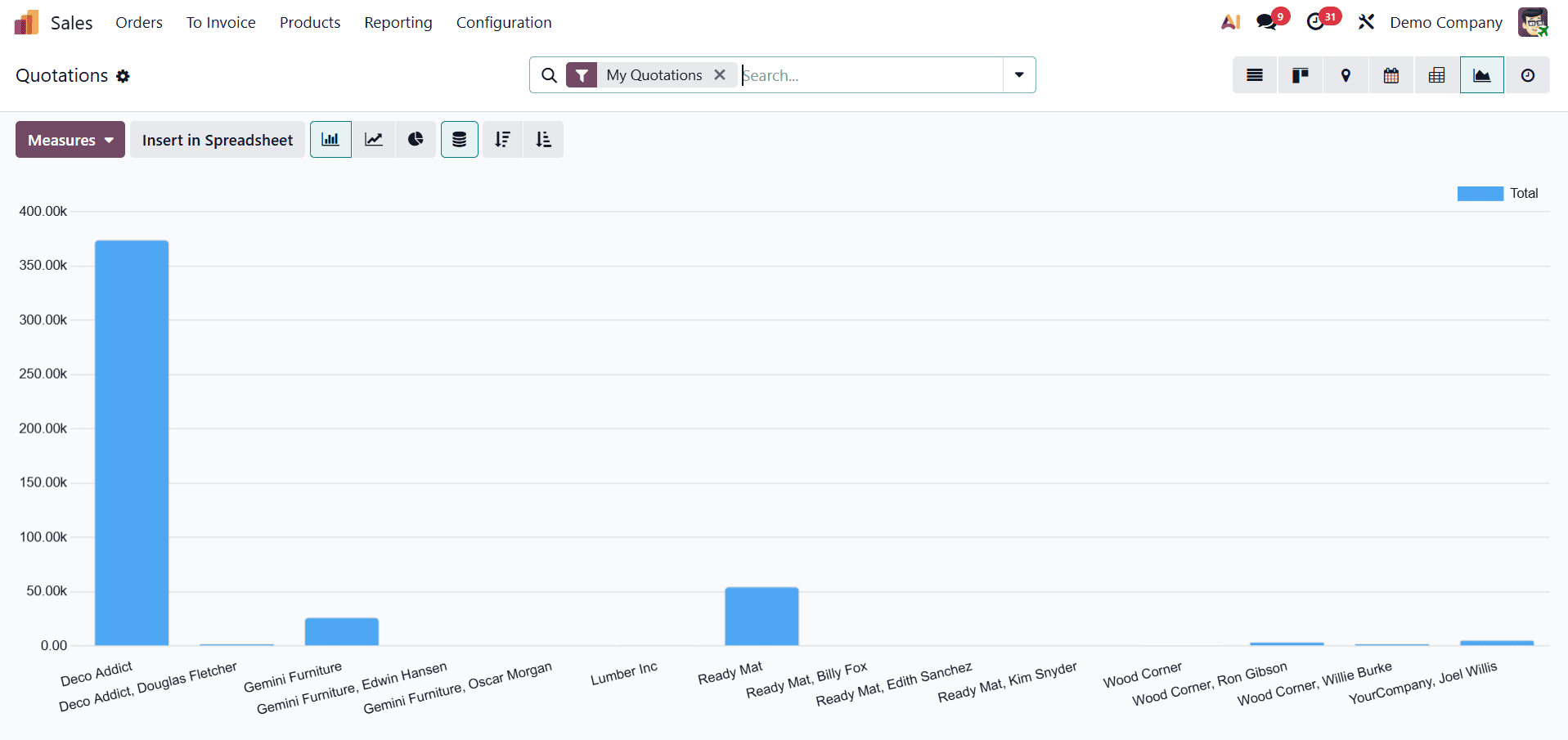
Odoo 19 offers multiple chart types within the Graphical view, including bar charts, line graphs, and pie charts. Each chart type serves a different analytical purpose. Bar charts are useful for comparing sales performance across customers, products, or salespersons; line graphs help track trends over time; and pie charts provide a clear breakdown of sales distribution across categories.
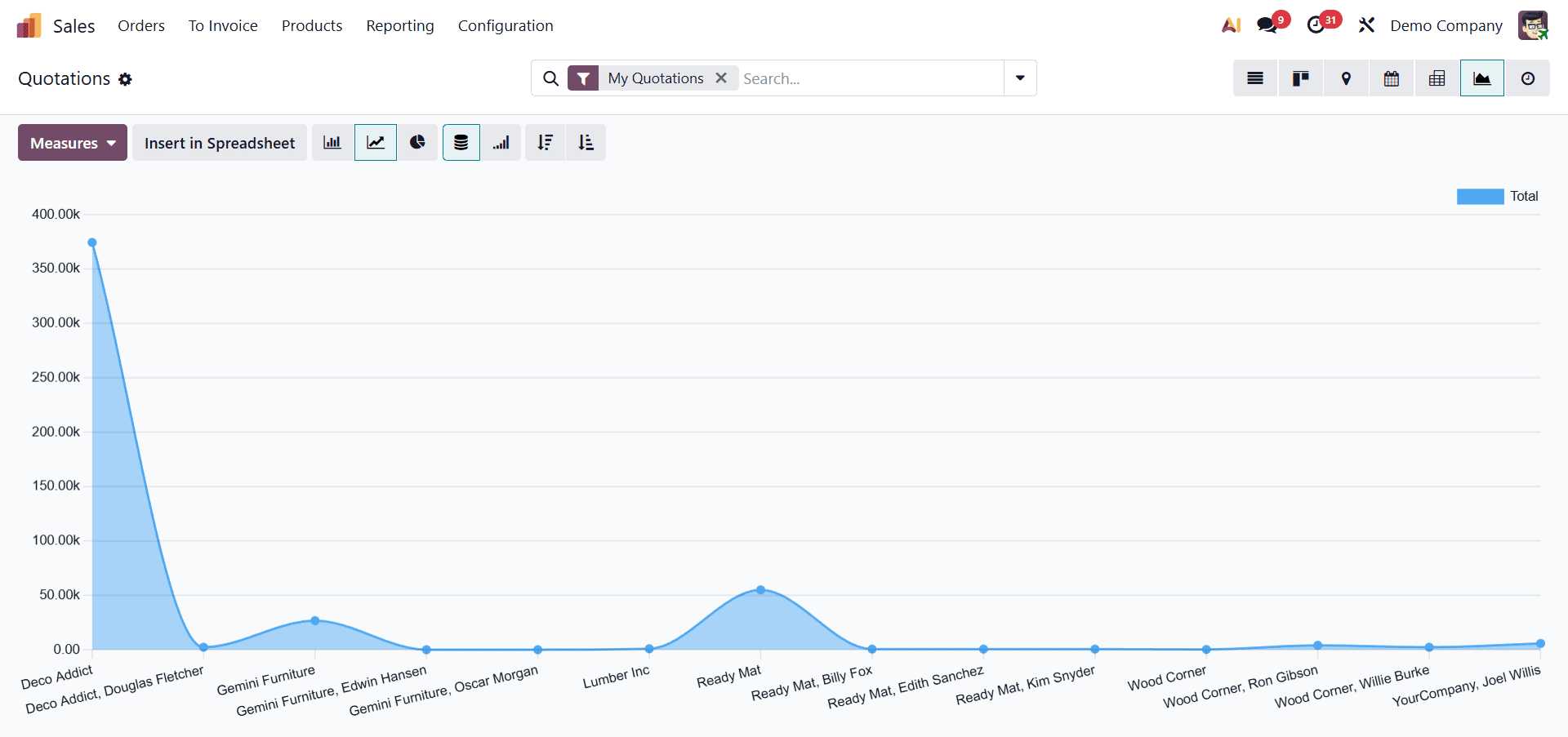
This flexibility allows users to choose the most suitable visual representation based on the nature of the data being analyzed.
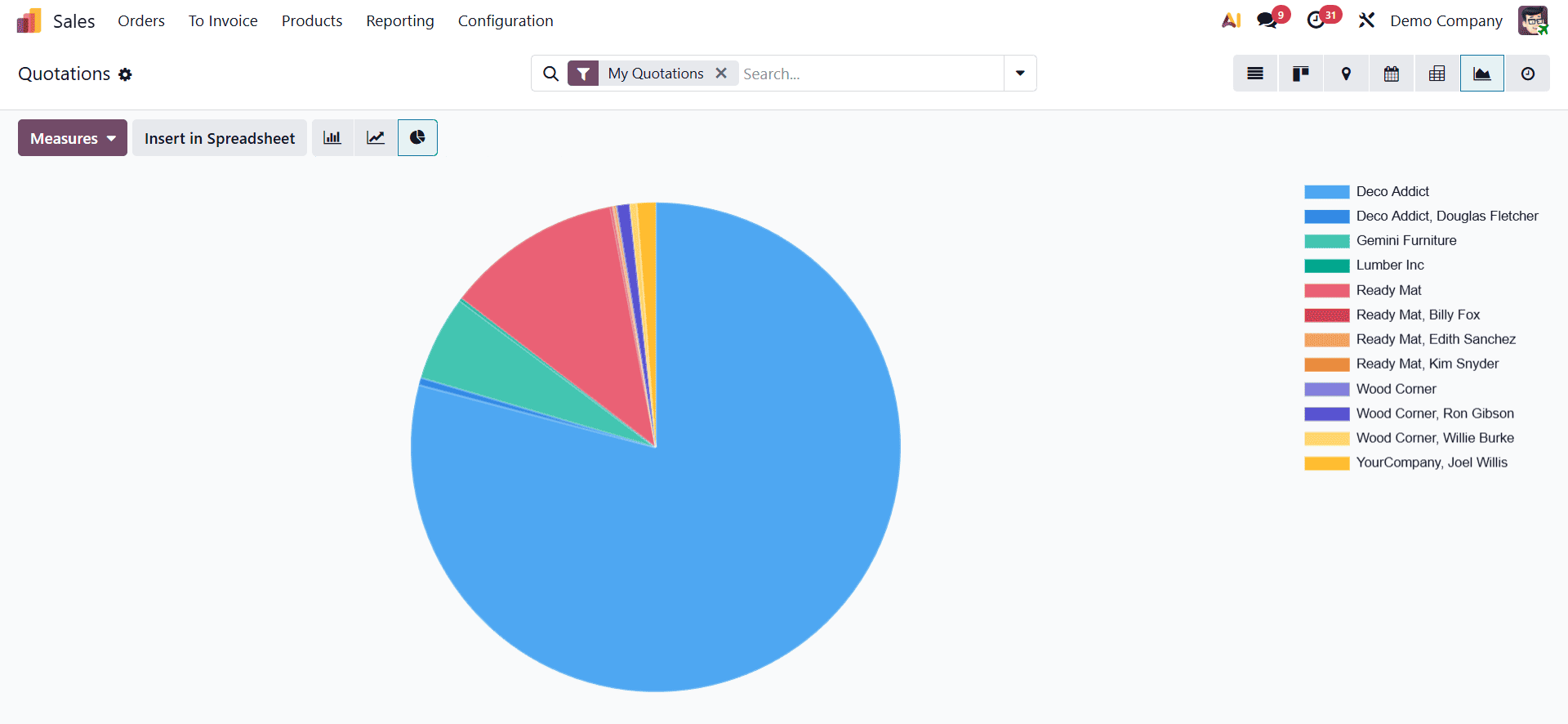
The Graphical view is also highly interactive, enabling real-time data exploration. Users can apply filters, group data by different fields, and drill down into specific data points to gain deeper insights. Tooltips and dynamic updates ensure that any change in grouping or measurement is immediately reflected in the chart, making analysis faster and more intuitive.
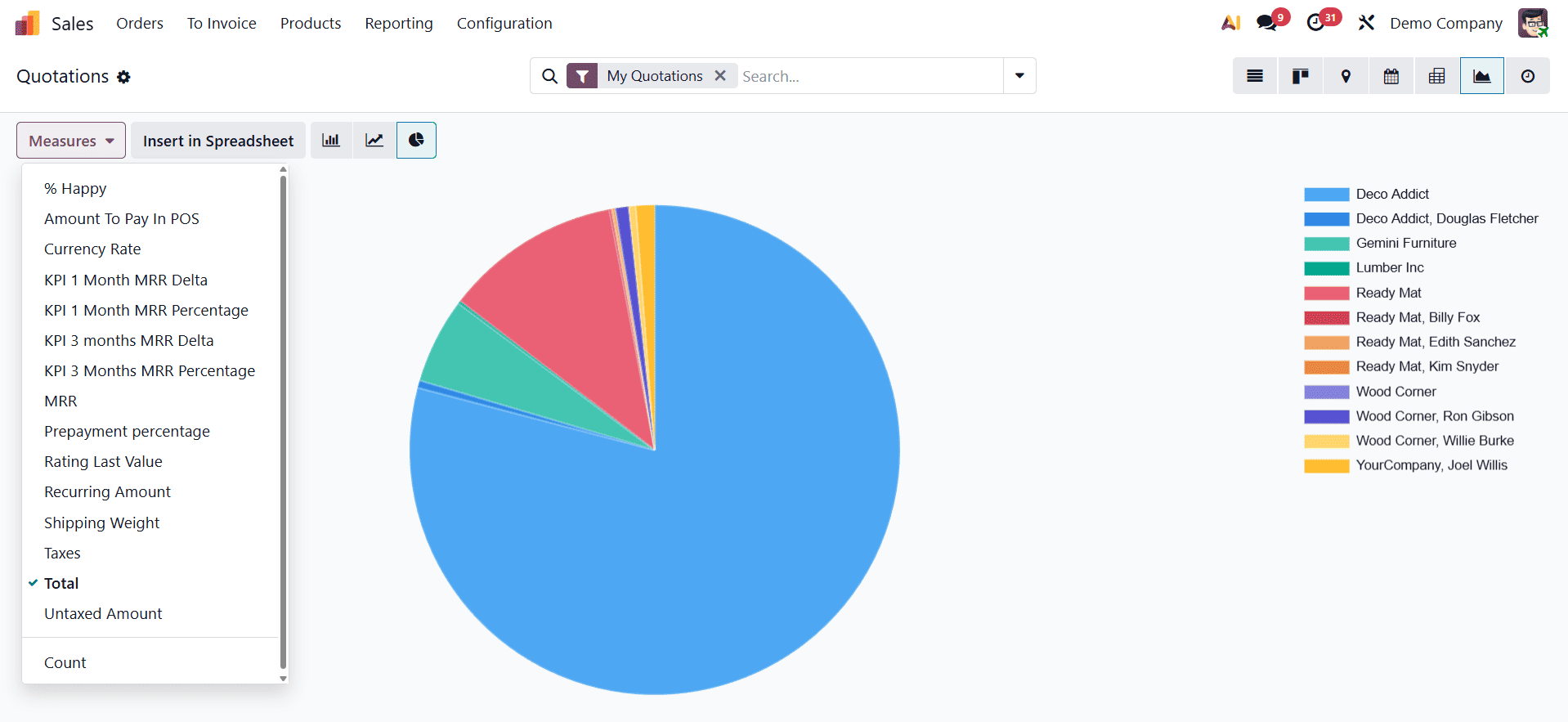
Customization is another strong feature of the Graphical view in Odoo 19. Users can modify axes, select different data series, and choose from various measures such as total sales, untaxed amount, quantities, or other key performance indicators. This level of customization ensures that charts highlight the most relevant information for the business and align with specific reporting needs.
The Graphical view in Odoo 19 is a powerful tool for presenting sales data in a clear, visually appealing, and actionable format. By converting complex datasets into easy-to-understand visuals, it helps sales teams track performance, spot trends early, and make confident, data-driven decisions.
Activity View in Odoo 19 Sales
The Activity view in Odoo 19 provides a clear and structured overview of all activities linked to sales records. This view is designed like a chart, where records are displayed in rows and activities are shown in columns, making it easy to track and manage follow-ups at a glance. It is particularly useful for sales teams that handle multiple customers and need to ensure that no task or communication is missed.
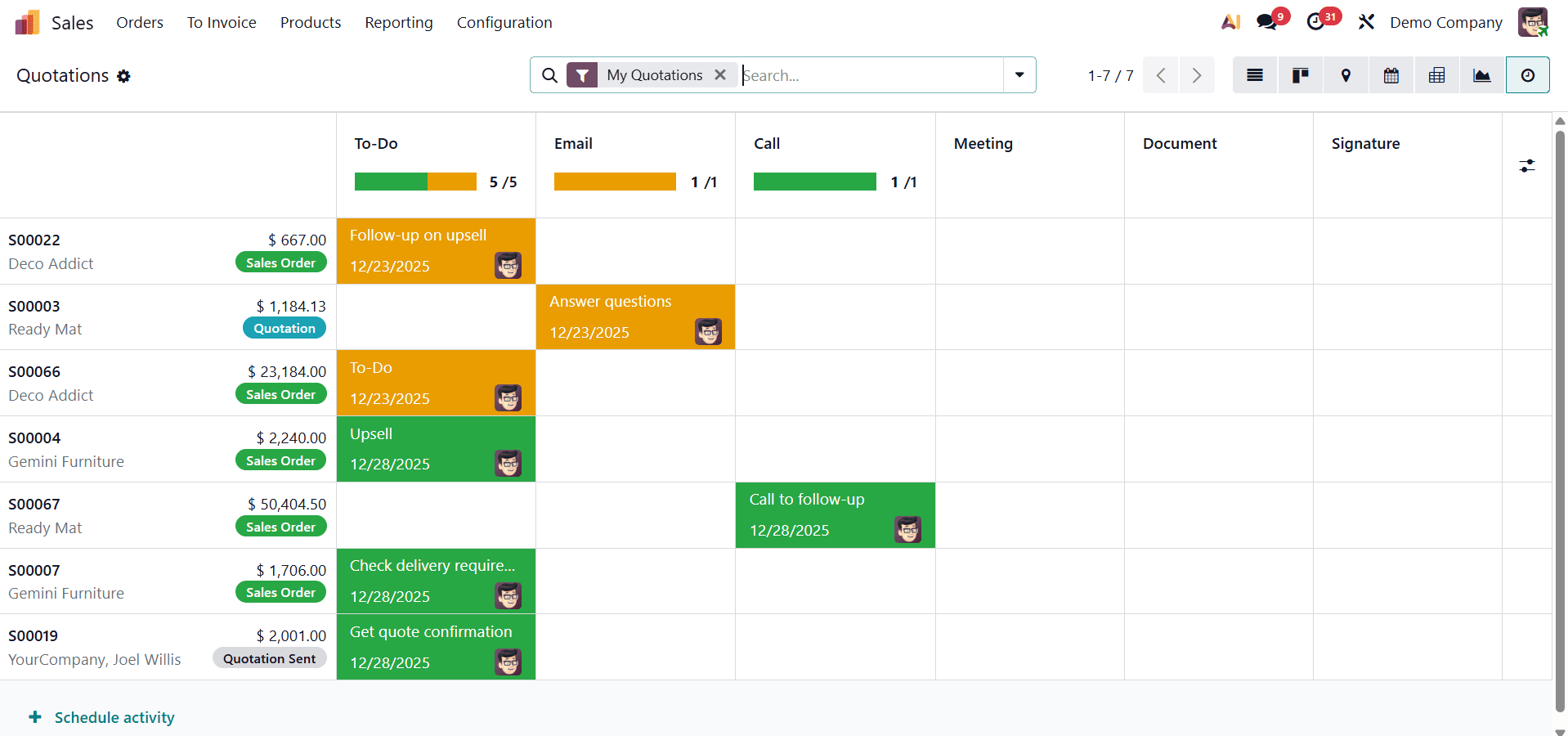
Using the Activity view, users can view and schedule activities such as emails, calls, meetings, or to-dos directly from the sales records. Each column represents a specific activity type, while each row corresponds to an individual sales record. This layout allows users to quickly understand which activities are planned for which records and identify gaps in follow-up actions.
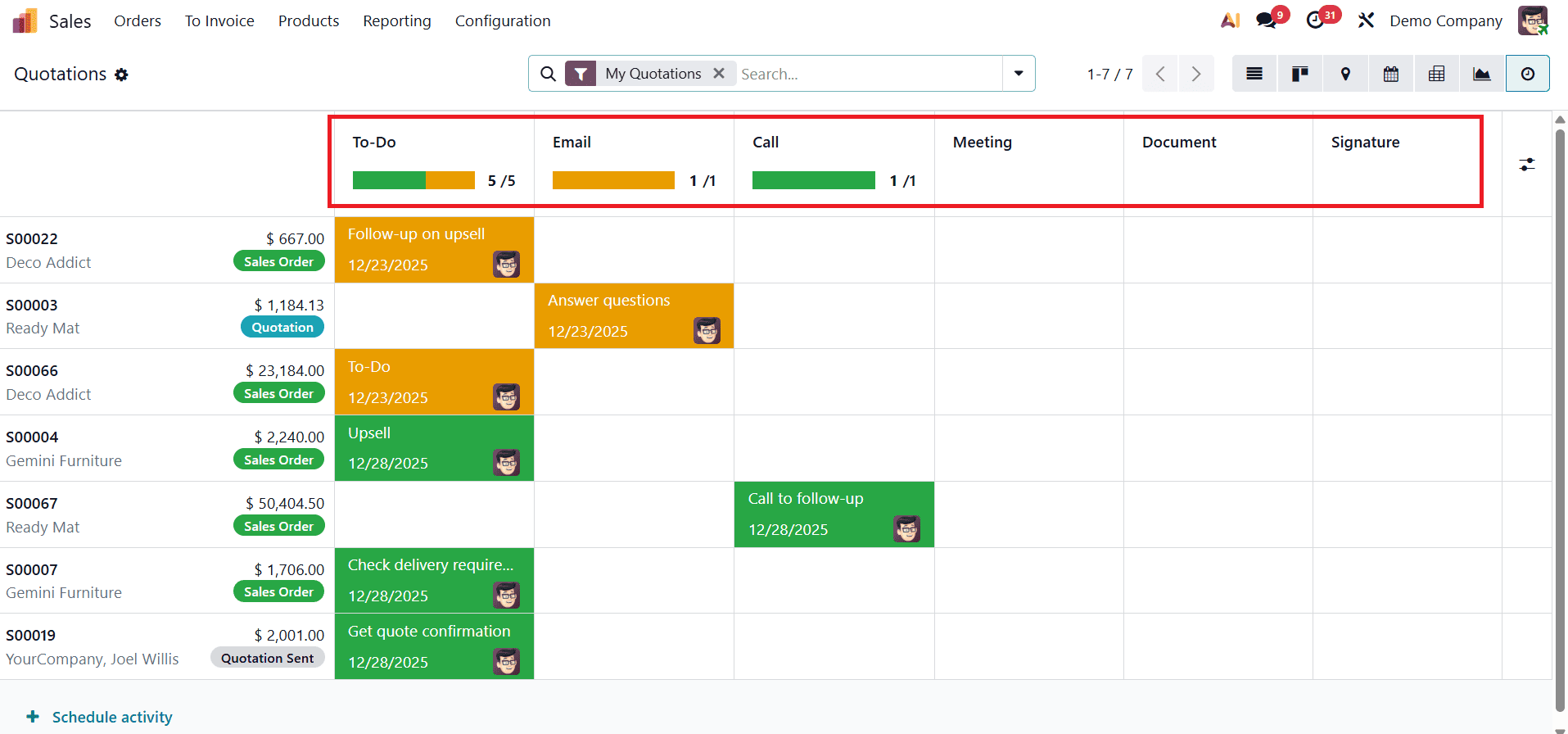
The Activity view uses color-coded indicators to highlight activity status, helping users prioritize their work efficiently. Activities marked in orange indicate tasks that are due today, red highlights overdue activities, and green shows activities scheduled for a future date. These visual cues help sales representatives focus on urgent tasks and maintain timely customer engagement.
When multiple activity types are scheduled for a single record, a numeric indicator appears within the activity cell, showing the total number of planned activities. Additionally, the colored bars within each column provide a quick summary of how many activities are scheduled for that particular activity type across all records.
Scheduling new activities from the Activity view is simple and efficient. By hovering over the relevant cell and clicking the “+” icon, users can open the Schedule Activity form and assign tasks without leaving the view. The Activity view in Odoo 19 helps sales teams stay proactive and organized by offering a clear overview of all scheduled interactions. By improving visibility and prioritization of follow-ups, it plays a vital role in strengthening customer relationships and enhancing overall sales performance.
Map View in Odoo 19 Sales
The Map view in Odoo 19 Sales provides a geographical perspective of sales records by displaying customers, quotations, and sales orders on an interactive map. This view is especially useful for businesses that manage field sales, regional customers, or on-site visits, as it helps teams understand where their sales activities are happening, not just what is happening.
In the Map view, sales records are plotted based on the customer’s address stored in Odoo. Each location appears as a pin on the map, allowing users to visually identify customer distribution across cities, regions, or countries. By clicking on a pin, users can quickly access key details such as the customer name, related sales order or quotation, and other relevant information.
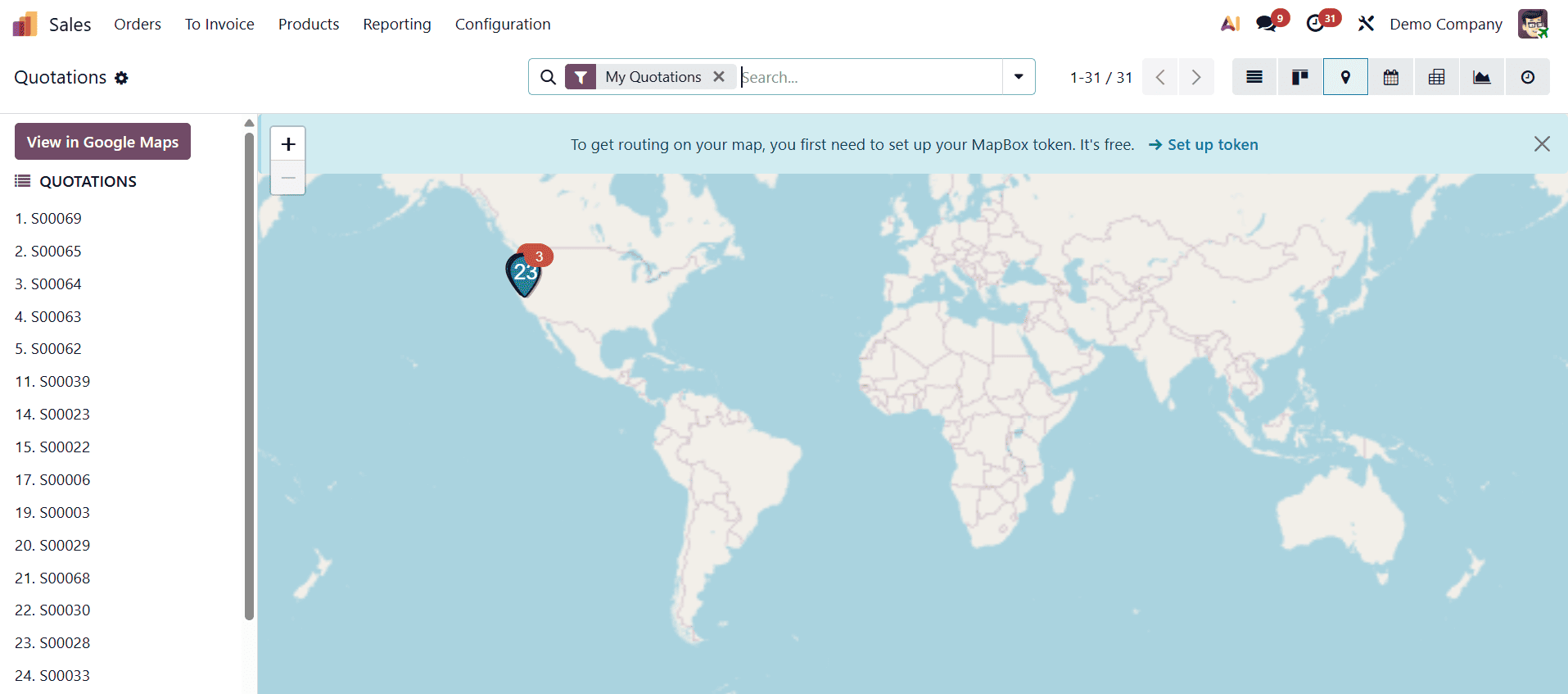
The Map view works seamlessly with filters and grouping options, allowing users to display records based on salesperson, sales stage, date, or company. This makes it easy to compare regional sales trends or track the progress of field sales activities in specific locations.
The Map view in Odoo 19 Sales adds strong value by combining sales data with location intelligence. By offering clear geographical insights, it helps sales teams plan smarter visits, improve customer coverage, and enhance field sales efficiency, making it a powerful complement to views like Kanban, List, Calendar, and Graphical views.
Odoo 19 Sales offers a rich set of views, Kanban, List, Pivot, Graphical, Activity, Calendar, and Map, each designed to address different operational and analytical needs within the sales process. While the Kanban view helps visualize and manage the sales pipeline, the List view supports detailed record handling and reporting. The Pivot and Graphical views transform sales data into meaningful insights for performance analysis, whereas the Activity and Calendar views ensure timely follow-ups and effective schedule management. The Map view further adds a geographical dimension, enabling better planning for field sales and regional coverage.
By using these views together, businesses can gain a complete and well-rounded understanding of their sales operations. Switching between views allows sales teams to work more efficiently, stay organized, respond faster to customer needs, and make informed, data-driven decisions. Ultimately, mastering these diverse views in Odoo 19 empowers organizations to streamline their sales workflow, improve productivity, and drive sustainable business growth.
To read more about How to Maximize Sales Performance with Odoo 18 Sales Diverse Views, refer to our blog How to Maximize Sales Performance with Odoo 18 Sales Diverse Views.