The most popular tool that can be used for testing the API is the Postman tool.
In case it is assumed that any sort of integration task is being carried out with the help of Odoo, it is highly possible that the “Postman” would have been the common tool that would have been used for testing the API.
The “Postman” is used for endpoint testing or REST API testing with the help of various methods and authentication. It is used for providing a highly simple and user-friendly interface for testing. Various representations are offered with regard to testing.
Environments
Most often, we are dealing with more than one environment of the Odoo application. This necessitates that we work with more than one instance of the application. The instances could be the development environment and the production environment. There could be a requirement to add more instances of the application based on the staging and UAT environments. Each of these environments would have its own base URL. This necessitates that we change the base URLs while working with the REST API of the environment. This is achieved by using the concept of "Environments" in Postman.
It is possible to create Environments inside Postman.
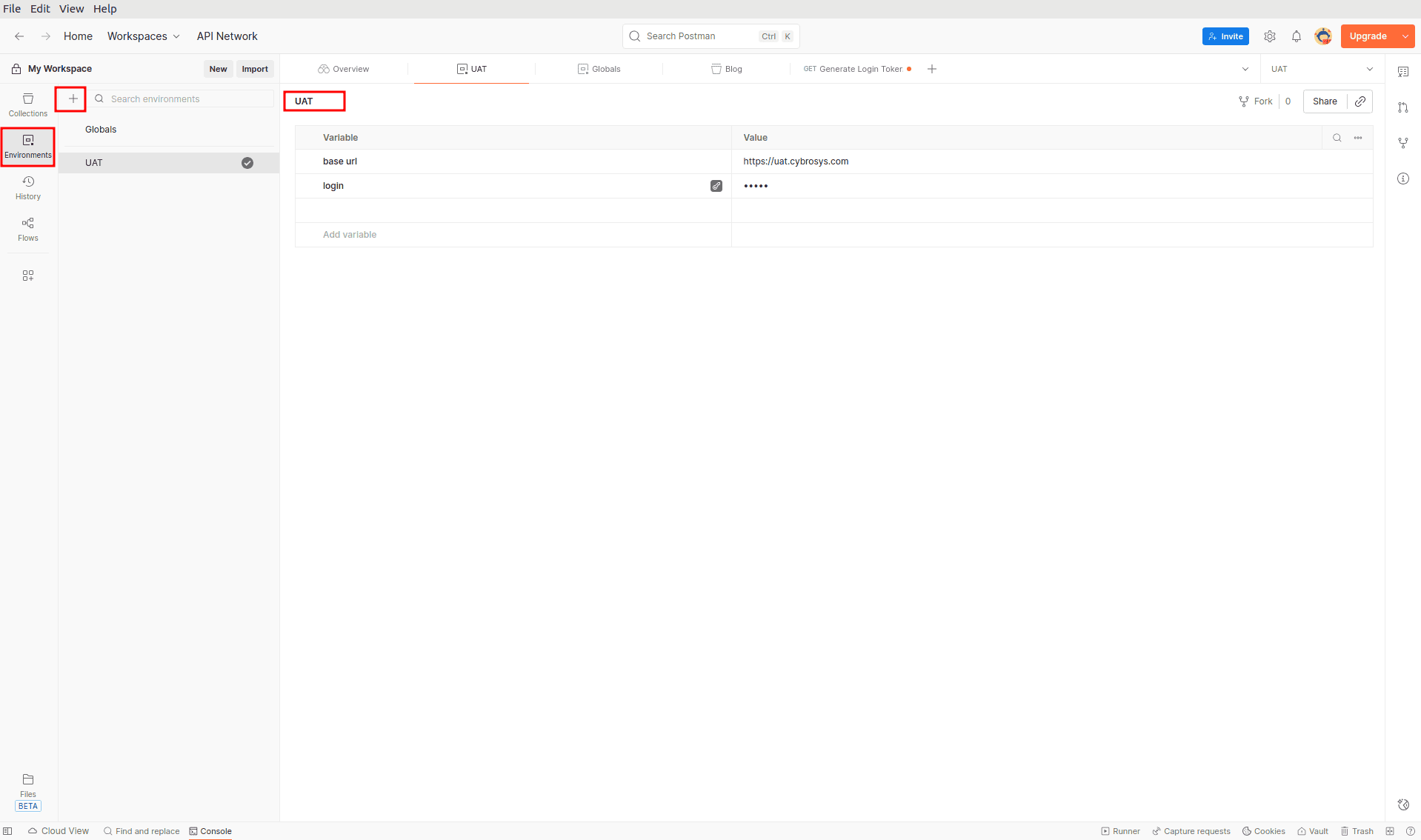
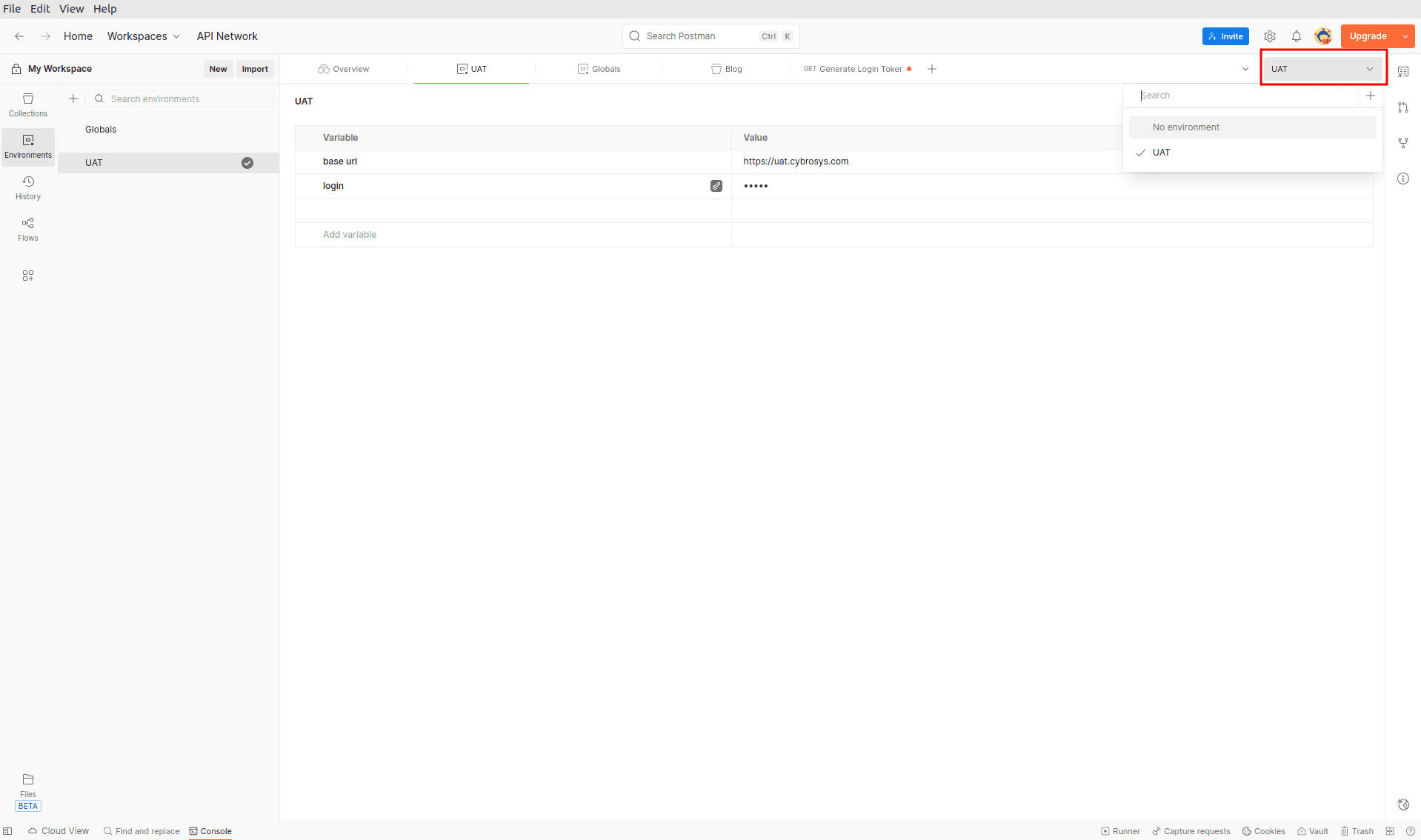
For creating a new environment, you should click on Environments, then a + icon, and type in the environment name. For selecting the environment, you should look for the top right corner if you want to use Postman.
Variables
The values/data can be stored and reused using the variables. In the Postman application, there are three types of variables. They are:
- Global Variable
- Environment Variable
- Collection Variable
Each of the above-mentioned variables has its own scope. The global variables can be accessed anywhere the environment variables can be accessed, which is restricted to the environment. Similarly, the collection variables can be accessed anywhere the collections can be accessed.
Global variable
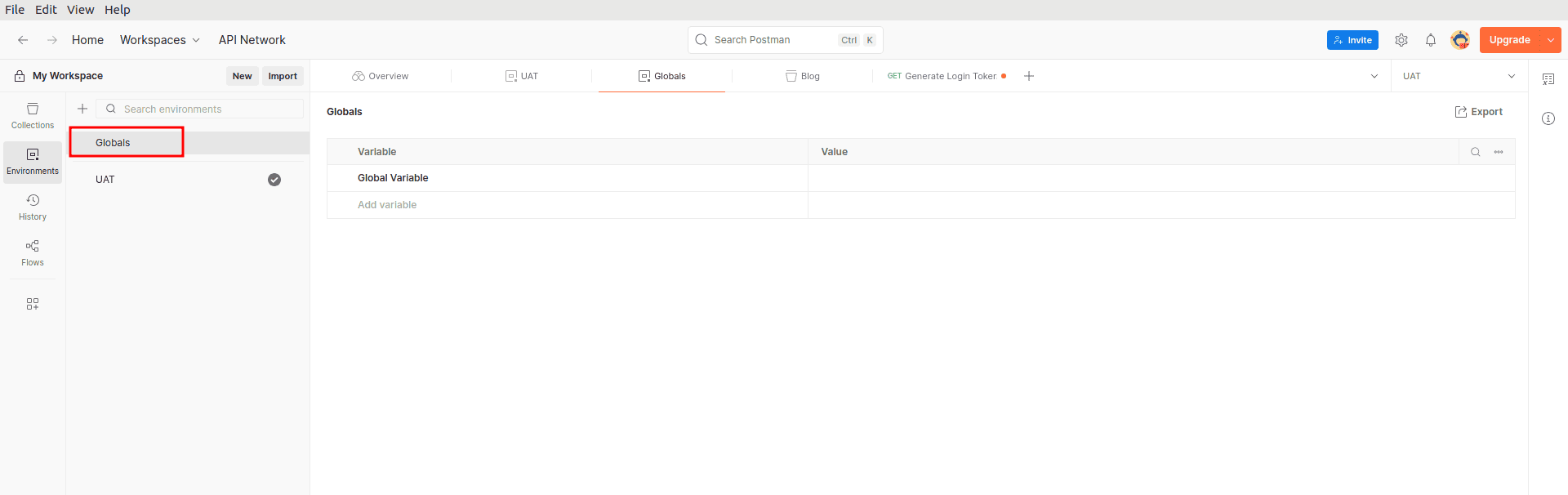
For creating global variables, Environments > Globals can be used as a reference for adding the required variables.
Environment Variable
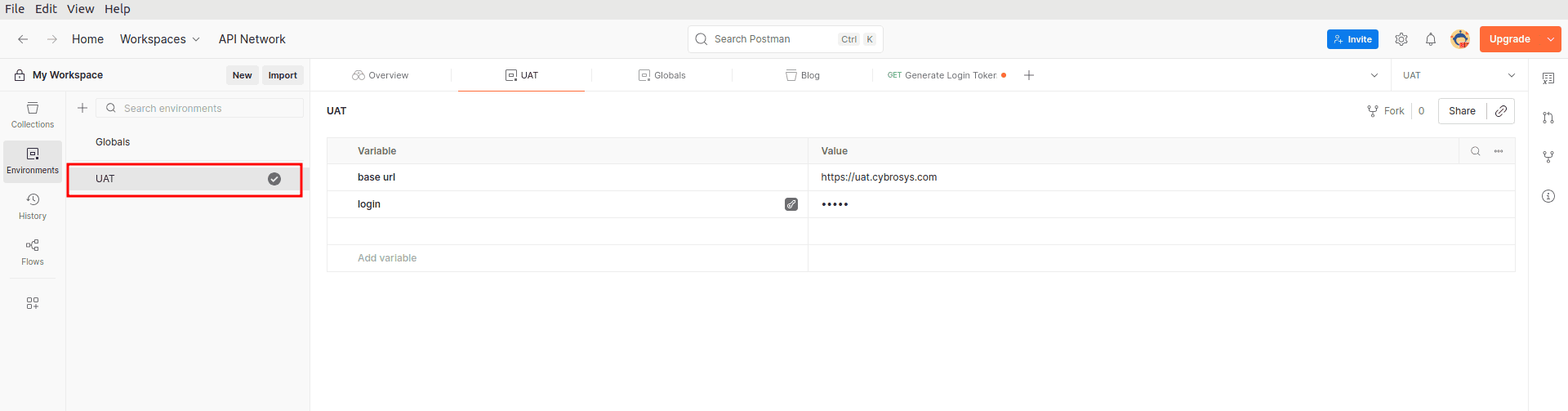
For creating environment variables, any of the existing environments can be used and environment variables can be added.
Collection variable
To create the collection variables, go to Collections, then choose any of the collections, go to Variables, and add the necessary.
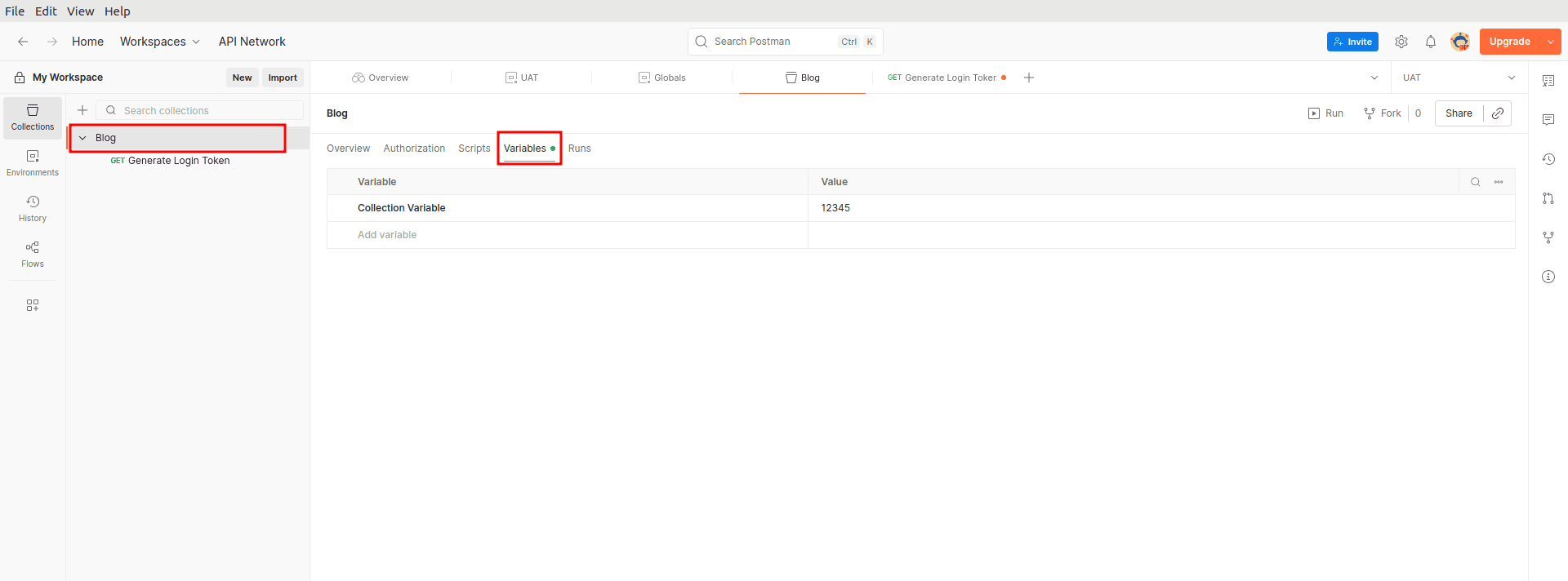
In all these variables, we may choose to treat the data variable as sensitive or otherwise.
The above values are direct in relation to the variables that are of the default type, whereby we declared them as sensitive by clicking on the symbol shown below for storing sensitive information in order to ensure that the values are masked when displayed on the screen, like in the case of the password.
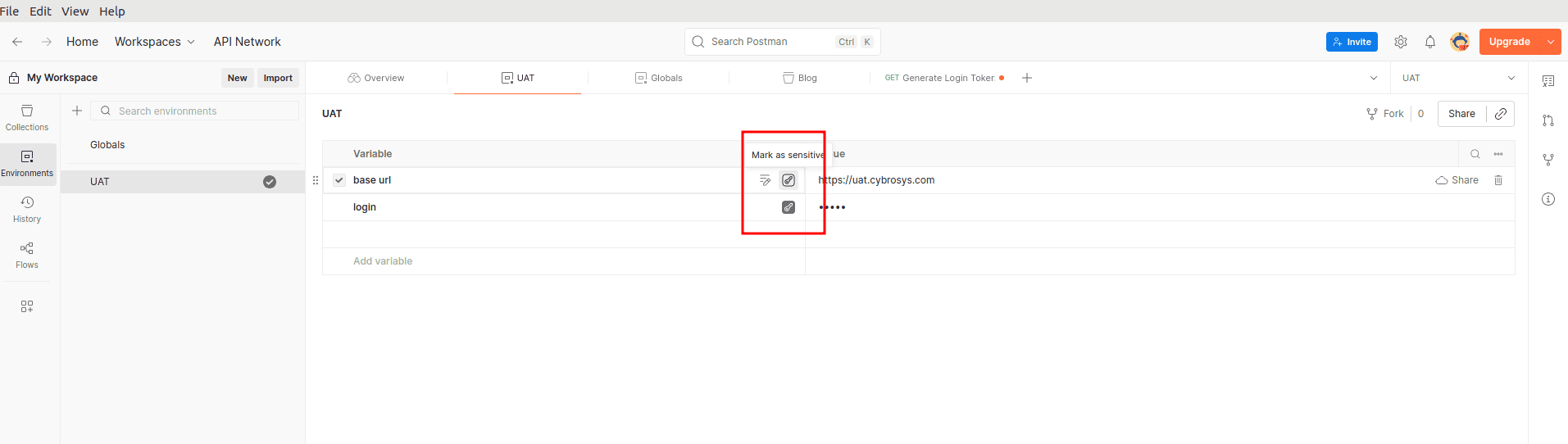
While using these variables, we will be dealing with the value that is already present in the variable. This will prevent the sharing of sensitive information among team members.
We can also use these variables in the requests using {{ }}. For example, if we want to use the base URL in the request, we can use {{ base url }}.

Let us take an example
Endpoint to get the invoice details of a customer using the token.
Step 1: Set Up Your Environment Variables
In your Postman environment, add these variables:
| Variable | Example Value |
| base_url | https://yourapp.com |
| username | admin |
| password | your password |
| login_key | (leave this empty for now) |
Step 2: Add a Script to the Login Request
After the login request runs and returns a token, we want to save that token automatically. In the Scripts tab of your Login request, add this script:
// Get the response from the login API
const responseJson = pm.response.json();
// Save the token into our environment variable called "login_key"
pm.environment.set("login_key", responseJson.token);
That's it! Now every time you run the login request, the token is automatically stored in "login_key ''.
Step 3: Use the Token in the Second Request
In your "Get Invoice" request, set the Authorization type to "Bearer Token" and in the token field, simply type:
{{login_key}}
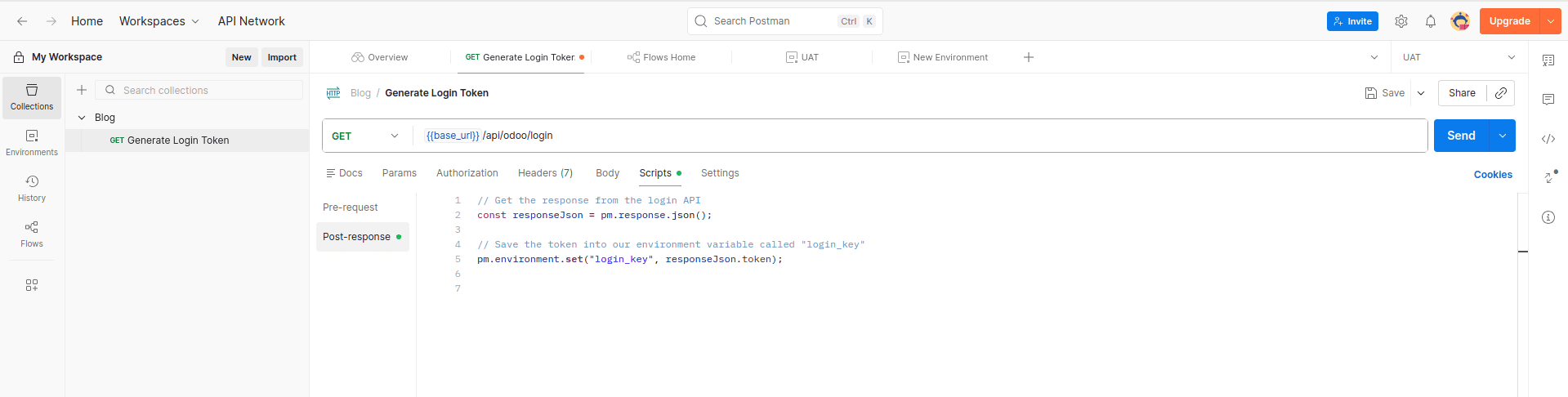
Once we are done setting up all our variables for all the environments, we can then proceed to use all the request scenarios without actually making any changes but to the active environment.
A little effort in the configuration of the environments and the usage of the variables and test scripts will help us in completing the tasks on effectively utilizing the requests in Postman.
Finally, Postman makes testing APIs a breeze, especially when working with environments, variables, and test scripts. With ease, we will be able to switch between dev, staging, and prod without having to update the request information. The use of variables will help us reuse information in a safe manner, and scripts will help us automate the extraction of tokens and reuse them for subsequent requests. With a very minimal setup, Postman allows us to test APIs in a smooth, safe, and repeatable manner, especially when working on integrations like Odoo.
To read more about What Are the Top 6 Advanced Features of Postman?, refer to our blog What Are the Top 6 Advanced Features of Postman?.